
1. Verify leaderboard acceptance beside surrounding page content
Confirm that the buying destination accepts 728x90 and inspect where the banner will appear. Note nearby colors, controls and content density.
A 728x90 leaderboard banner is relevant when you want a horizontal display message that can be scanned quickly across a wide placement. Use the width for separation between promise, visual cue and action rather than for extra claims. A wide canvas can look empty or become a row of unrelated messages when the hierarchy lacks one focal point. We recommend a bounded test with one accepted business outcome. That keeps creative and traffic decisions connected to evidence you can act on.
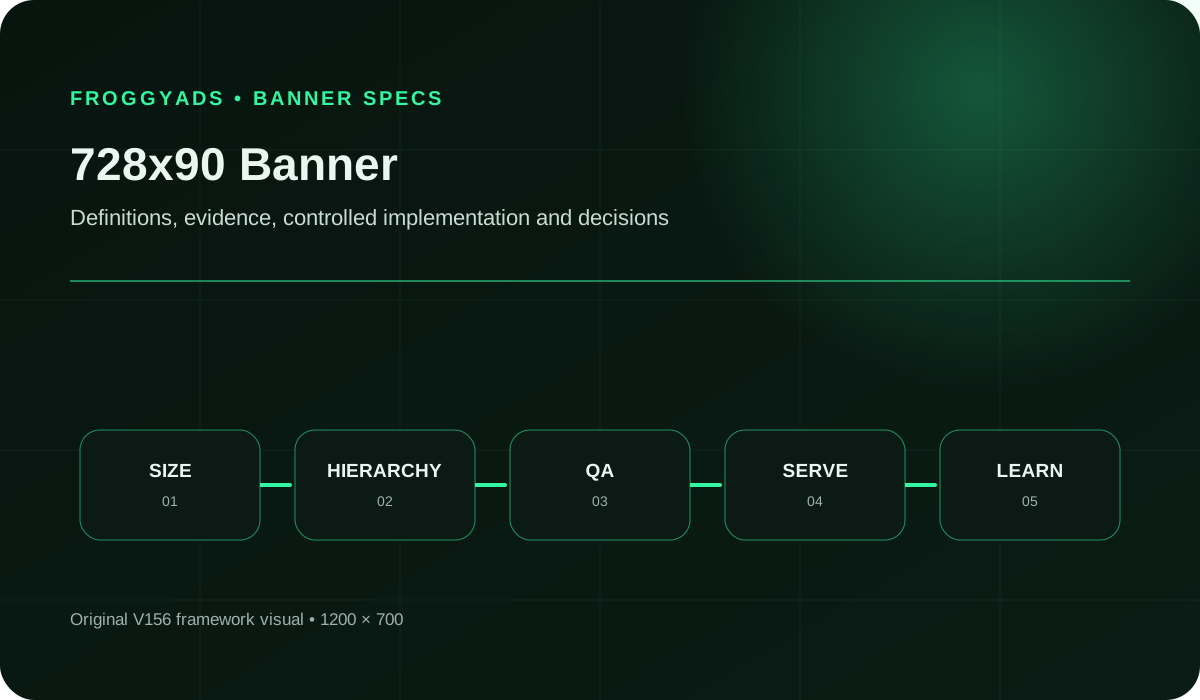
A 728x90 leaderboard campaign should show whether a wide, shallow message can earn a relevant visit without sacrificing legibility. Define the audience, page context, destination, and accepted event first. Save the rendered asset and its landing-page version with the test. Keep the headline, brand cue, benefit, and action concise. Change one element only when the evidence identifies a specific uncertainty.
In supported inventory, the creative should remain distinct from nearby page content without imitating navigation, alerts or controls.
A fixed 728x90 file does not adapt itself to every placement. Confirm the required size and delivery behavior. Then prepare separate approved assets or responsive inputs when the media plan needs other shapes.
The width lets a designer separate brand, offer and action without stacking them. It does not justify extra claims, long conditions or several equal buttons.
At native scale, the viewer should understand the advertiser, the offer and the next step without searching across the strip. Give each of those roles a clear place in the horizontal reading path, and remove competing messages before reducing essential text size.
The destination completes the message. Keep the same offer and terminology on the landing page. Verify that important conditions remain clear before and after the click.
| # | Component | Operating requirement |
|---|---|---|
| 1 | Placement And Device Context | Capture the actual placement, surrounding content, device range and any scaling or crop behavior. |
| 2 | Exact Dimensions | Build and export the required 728 by 90 pixel canvas without stretching another size. |
| 3 | Message Hierarchy | Give brand, core message and action a clear reading order across the width. |
| 4 | Brand And Imagery | Use one purposeful visual and keep essential brand elements recognizable at native size. |
| 5 | Copy And Action | Write one accurate proposition and one next step; move secondary explanation to the destination. |
| 6 | File And Animation Rules | Verify the selected platform or publisher's current format, weight and animation requirements. |
| 7 | Accessibility And Quality Review | Check contrast, readability, identity, claims, rights and the final compressed export. |
| 8 | Variant And Performance Record | Give each asset a stable ID and connect placement, audience, destination and outcome records. |
A technically valid file can still fail when its hierarchy, page context or destination is wrong.
Our Display specifications include 728x90 among common sizes. Check the available source and device settings, then connect your approved creative to one relevant destination. You can control the initial allocation without treating a standard size as a promise of available volume.
Create My Free Account
Confirm that the buying destination accepts 728x90 and inspect where the banner will appear. Note nearby colors, controls and content density.
Create the canvas at 728x90 from the start. Do not rely on the ad system to correct a stretched, cropped or oversized design.
Choose the one idea this impression should communicate. If the brief contains several benefits, rank them and keep the strongest.
Arrange the brand cue, message and action so the eye crosses the banner without doubling back. Leave enough quiet space to separate each role.
Shorten the copy for the 90-pixel height and use imagery that still makes sense after export. Keep required conditions legible.
Apply the current rules for the actual file type and destination. Google Ads, for example, lists uploaded image and HTML5 requirements separately.
Review the final asset for readability, contrast, truthful claims, advertiser identity, rights and any policy requirements that apply.
Place the exported banner in a realistic page frame at native size. Check that it looks like an ad, remains intact and does not compete with nearby controls.
Choose FroggyAds when you want to test a leaderboard with identifiable creative, destination and source decisions. Use the same approved offer and acceptance rule across the comparison, then vary one meaningful layout choice. Our Display campaign controls let you manage the initial spend while your own measurement setup establishes the accepted customer outcome.
Review the delivery records you actually have, accepted outcomes and any independently available viewability report. Compare like-for-like source conditions and observation periods before refreshing the creative. A noisy day alone is not evidence of fatigue; look for a sustained change or a reproducible readability or destination problem.
A 728x90 leaderboard contains 65,520 pixels and has a 364-to-45 aspect ratio. That ratio favors a left-to-right reading path. In a hypothetical test, compare a direct offer-led layout with a brand-led layout. Keep audience, bid and destination constant. Decide from accepted conversions and source quality after matching the observation window.
| Measure | Definition discipline | Review cadence |
|---|---|---|
| Qualified Response Per Viewable 728X90 Impression | Use only actions linked to a compatible measured-exposure population and one declared attribution window; otherwise report actions and viewability separately. | After enough downstream actions have matured |
| Viewability | The share of measurable impressions that met the reporting provider's viewability definition. | By placement during delivery review |
| Qualified Ctr | Clicks or visits that meet the campaign's stated quality rule, divided by the chosen eligible impression base. | During creative review, with source context |
| Post-Click Conversion | The share of eligible post-click visits that complete the primary landing-page action. | After the conversion window has matured |
| File Weight | The final exported asset size compared with the destination's current limit for that file type. | Before upload and after every export |
| Creative Fatigue | A sustained decline for the same creative in comparable placements, reviewed with audience mix and delivery changes. | Across comparable time periods, not one noisy day |
Keep denominators visible. Click rate and session conversion rate answer different questions and should not become one success claim.
A fixed 728x90 banner is a Display creative, not a Push or Pop asset. Use FroggyAds to select an eligible display campaign, record the creative version and compare its sources. A move to another format requires a separate composition and a separate test.
Create My Free Account
Use immediate brand and offer recognition when the placement appears before much page context. Keep the action distinct from the site's own navigation.
Assume the reader is focused on nearby content. Use a concise, relevant proposition that can be understood without interrupting the article's meaning.
For an eligible known audience, use the width to restate one specific next step and send the click to the matching page rather than a generic home page.
Long horizontal copy can still become unreadable at native size. Shorten the message instead of shrinking essential type or conditions.
The width is not permission to add another benefit or action. Protect the main scan path and move supporting detail to the destination.
Test the exported banner against likely page backgrounds. Check every text and action state, not just the largest headline.
Keep essential elements away from uncertain edges and preview any scaling or crop behavior documented for the actual placement.
Repeat the banner's promise and terms on the first relevant screen. A generic or contradictory destination wastes a clear leaderboard message.
Most defects appear before launch when the export is reviewed at native size and the full click path is tested.
Display creative production needs a budget for the brief, copy, design, licensed assets, exports and native-size review. Include destination work, measurement and media in the campaign plan, with other required sizes costed separately. That division makes the one-time preparation effort visible when you compare the cost of another leaderboard purchase.
A display campaign cost comparison needs the same audience question, offer and accepted outcome, with a review point and loss limit set before launch. Separate recurring media expense from the production work each variant actually requires. Compare the resulting costs only after the relevant customer outcomes have had time to mature.
Plan review capacity as well as media spend. New placements, versions and leads all create work.
Create your FroggyAds account with an approved leaderboard and a measurable destination. Set the spending limit for the first source comparison, retain the actual delivered-size evidence. Then review accepted customer actions before expanding the purchase.
Create My Free Account
Source-level measurement connects the paid leaderboard purchase with the customer outcome you can actually verify. Use FroggyAds delivery reports to retain source and spend, then match the supported references with qualified visits and later actions in your receiving system. Review that comparable cost and outcome evidence before giving a source more budget; delivery alone does not establish acceptance.
Before planning a FroggyAds leaderboard test, confirm current 728x90 inventory and creative acceptance for the sources you intend to use. Do not infer availability from the dimensions alone.
Preserve the same offer from banner to landing page and final action. When copy, imagery, audience or bid changes, retain the prior approved version for comparison.
The useful tool makes the 728x90 file easy to inspect, reproduce and match with its campaign record.
Read the final export once at normal scale. The brand, proposition and action should be clear without zoom or a design-tool overlay.
Check the banner inside representative page frames and confirm that its styling does not imitate site controls or obscure important conditions.
Open the destination on intended devices, complete the primary action and save the approved asset, URL, tracking details and test label together.
A leaderboard is a horizontal banner measuring 728 pixels wide by 90 pixels high. Its width lets you separate the brand, one offer and an action, but the shallow height still demands concise copy. FroggyAds lists 728x90 among our common Display sizes. Confirm which eligible placements and devices will receive the creative before planning the campaign around the format.
For your first leaderboard test, create two concepts for one audience and one truthful offer. Connect both to the same relevant destination and set a review point. Change one meaningful creative feature between versions, so the evidence can address that layout choice rather than compare unrelated messages, offers and traffic conditions.
Add copy, design, licensed assets, responsive exports, file inspection, media, platform costs, destination work, analytics, and customer follow-up. Evaluate complete spend against accepted outcomes because an inexpensive click can still create costly or unsuitable traffic.
Shrinking a fixed leaderboard does not make it a readable mobile banner. Scaling 728x90 proportionally to 320 pixels wide leaves a height of about 39.6 pixels, which can make essential text and conditions difficult to read. This is a geometric illustration, not a supported upload specification. Prepare a separate mobile composition accepted by the intended campaign instead of forcing one file into every slot.
Keep the main line short, use legible contrast, show the advertiser. Reserve one unmistakable action without crowding the horizontal strip. Essential conditions must remain readable in the exported 728x90 file, while supporting detail belongs on the matching destination.
Open the final banner link on intended devices. Then confirm fast secure loading, repeat the same proposition, display important terms, and complete the primary action. Verify consent and analytics with a test record so a clean-looking horizontal unit does not feed a broken customer path.
Give each leaderboard version a stable ID and retain its campaign delivery records. Review purposeful destination visits, completed customer steps, disqualifications and relevant costs where your setup can connect them. If a viewability report is available, keep its measured population explicit. Click rate explains initial response; it does not establish customer quality or a verified exposure for every impression.
Diagnose poor leaderboard performance by checking delivered size, cropping and file loading first. Then inspect readable text, actual page context, offer continuity and the destination's conversion path. Keep any available visibility evidence separate from assumptions about exposure. Fix the earliest supported problem while preserving other conditions, so the next test can explain the change.
Reject a leaderboard with incorrect dimensions, excessive file weight, unreadable conditions or confusing motion. Also reject deceptive interface styling, missing advertiser identity, unlicensed elements and an unsafe destination. Inspect the final compressed banner at native scale and test its click path; a magnified editable layout does not establish that the delivered asset is ready.
First confirm that the served leaderboard is readable and leads to qualified customer activity at an acceptable cost. Use our source-level reporting to distinguish the placements that support the result from those that merely deliver impressions. Increase one relevant budget or source setting, then assess the additional traffic separately. A successful leaderboard test does not prove that another size, device or placement will perform identically.
These sources document Google-specific requirements and accessibility guidance. Verify the rules for your platform, publisher and file type.
Complete these prompts against the final exported file, not only the editable design.
Describe the live placement, surrounding page context, intended devices and any scaling or crop behavior.
Record the exact canvas, file type, weight and animation status required by the destination.
Write the intended left-to-right order for brand, proposition and action.
Name the visual's job and confirm that its source, crop and rights remain valid after export.
State the one offer and action, including any condition that must remain in the banner.
Record which platform or publisher accepted the 728x90 leaderboard size, the relevant trafficking constraints and the date you checked them.
Save the native-size review result, page-context preview and full destination-path test.
Give each 728x90 leaderboard variant its own asset ID, one stated horizontal-layout change, a primary outcome and a review point.
Launch your paid leaderboard test with a clear Display buying decision. FroggyAds gives you self-serve targeting, budget and source controls so you can manage the media allocation. Keep the approved strip, destination and accepted customer action identifiable, then use the resulting evidence to choose the next change.
Create My Free AccountA leaderboard gives you a long reading path, not a large reading surface. Its aspect ratio is approximately 8.09:1. That suits an advertiser name, a concise proposition and a next step arranged across a strip. It is a poor starting point for a product catalogue, a dense screenshot or several equal actions. Before producing variants, decide what the reader should notice first and which information must remain visible during a brief exposure.
Calculated scaling example, not an upload specification: reducing a 728x90 file proportionally to 320 pixels wide leaves a height of about 39.56 pixels. A feature drawn 16 pixels high in the original becomes approximately 7.03 pixels high. The arithmetic does not say what size your platform will accept. However, it shows why shrinking the artwork is not equivalent to designing a readable mobile banner. Keep the original leaderboard for a suitable slot and prepare a separately approved composition when the smaller placement requires one.
One fictional English-language layout could use 16 pixels at each outside edge, 100 pixels for the advertiser mark, 428 pixels for the message and 136 pixels for the action, with two internal gaps of 16 pixels. The widths total 728 pixels. This is a worked brief, not a required safe area or an optimal proportion. A longer brand name, another language or a material condition may need a different allocation. Adjust the composition rather than treating the example as proof that your actual wording will fit.
Inspect the message at its exported size. A headline that looks comfortable in a zoomed design window can fail after compression or placement scaling. Check the actual wording of the action and any price qualifier. If required conditions need more space, shorten the proposition or choose another eligible format. Do not hide the condition in a later animation frame or assume that the landing page excuses a misleading banner. The initial asset should communicate an accurate offer on its own.
A browser window 768 pixels wide does not necessarily provide 768 pixels of advertising space. In a hypothetical page with 24 pixels of padding on each side, only 720 pixels remain. A native-width 728-pixel creative is eight pixels too wide. A buyer should ask for a placement preview or an inspected delivered instance. Include the surrounding layout, rather than deciding from a tablet or desktop label alone.
Record the actual creative dimensions and the visible container separately. If clipping occurs, determine whether it comes from the placement, the wrapper or an incorrectly supplied file. Device targeting can limit where you buy; it cannot repair a publisher container. Our Display overview lists 728x90 as a common size, while eligibility and delivery still depend on the campaign. Retain the source identifier and the observed page context when requesting help with a rendering fault.
Google's uploaded-display specifications identify 728x90 as a leaderboard and separate image uploads from HTML5 packages. Its listed 150 KB image limit is a Google requirement, not a FroggyAds-wide limit. Use the requirements shown for your actual campaign and file class. A JPG, an animated GIF and a packaged HTML5 creative need different checks even when their outer dimensions match.
For animated work, inspect the opening, transition and resting state. Brand, offer and action should not depend on a viewer watching every frame. For a static export, check the compressed file rather than the editable original. Review text contrast against the artwork behind it; W3C contrast guidance also addresses images of text. Keep the approved filename, export settings and destination together so a later replacement can be traced to a real creative change.
Hypothetical records, not FroggyAds campaign results: a header placement delivers 40,000 impressions, 160 clicks and eight accepted enquiries for USD 120. A second placement delivers 20,000 impressions, 60 clicks and six accepted enquiries for USD 60. Both have a calculated media CPM of USD 3. The header's click-through rate is 0.40%, above the second placement's 0.30%. However, its media cost per accepted enquiry is USD 15 rather than USD 10.
Cost per accepted customer action divides the relevant spend by outcomes meeting the declared acceptance rule. In the fictional records above, the higher click rate does not establish better acquisition economics. Neither placement can be called profitable without lead value and subsequent costs. Confirm comparable acceptance, attribution and observation windows before acting, and keep the small totals' uncertainty visible instead of treating one attractive ratio as permission for unrestricted spend.
Suppose, within those fictional records, the header has 32,000 measurable impressions and 16,000 viewable impressions. Its viewable rate among measurable impressions is 50%. If the second placement has 16,000 measurable and 12,000 viewable impressions, the corresponding rate is 75%. The unmeasured impressions are not automatically non-viewable. Keep the reporting provider's definitions and coverage alongside the rates, as explained in Google Ad Manager's viewability guidance.
Do not divide every attributed conversion by a viewable-impression total from a different population and call it a viewable conversion rate. Such a ratio needs compatible exposure records and attribution rules. Otherwise report accepted cost and viewability as separate measures. FroggyAds source reporting supplies the buying context. The existence of a source ID does not prove that every impression has a verified on-screen exposure record in your measurement system.
A header and a mid-article slot can accept identical creative dimensions but expose the message in different contexts. Capture position where it is actually documented by a placement preview, publisher information or an available report. Do not invent a page-position field in the FroggyAds interface. When position is unknown, name the comparison by the source information you do possess and leave that limitation visible.
Choose FroggyAds for a leaderboard test when you need to connect that creative evidence with practical spending and source decisions. Keep the same approved artwork and destination for a source comparison. Keep sources as consistent as practicable for a creative comparison. If several settings change together, describe the result as a combined campaign change rather than proof that the banner design alone improved performance.
Our pricing page distinguishes a USD 50 minimum account deposit from Display starting bids of USD 0.10 CPM. Neither is the actual media CPM in the fictional comparison or a promise of leaderboard availability. Budget separately for design, export checks and follow-up. Authorise the next media allocation for a specific question, such as whether the approved strip attracts suitable enquiries on an eligible source.
At review, keep the creative ID, destination version, source, spend and accepted-event definition together. Decide whether to continue, repair a rendering problem, restrict a source or prepare another leaderboard concept. That record makes our self-serve controls useful: you can implement a reasoned change and retain the earlier setup for comparison. Avoid widening the campaign merely because more impressions are available.
Start your 728x90 leaderboard banner campaign with FroggyAds
Use a 728x90 leaderboard when the placement accepts the full horizontal canvas and your offer remains readable within its 90-pixel height. Confirm the delivered size, test the destination and use FroggyAds source and budget controls to compare accepted customer actions. Choose another supported composition when fitting the strip would make the message too small.