
1. Define the reporting question
Write the comparison, such as two creatives within one initiative. That determines which labels vary. If you need only campaign totals, extra dimensions create maintenance without improving the decision.
UTM parameters are campaign query parameters added to destination URLs so analytics systems can classify traffic by source, medium, campaign and other documented dimensions.
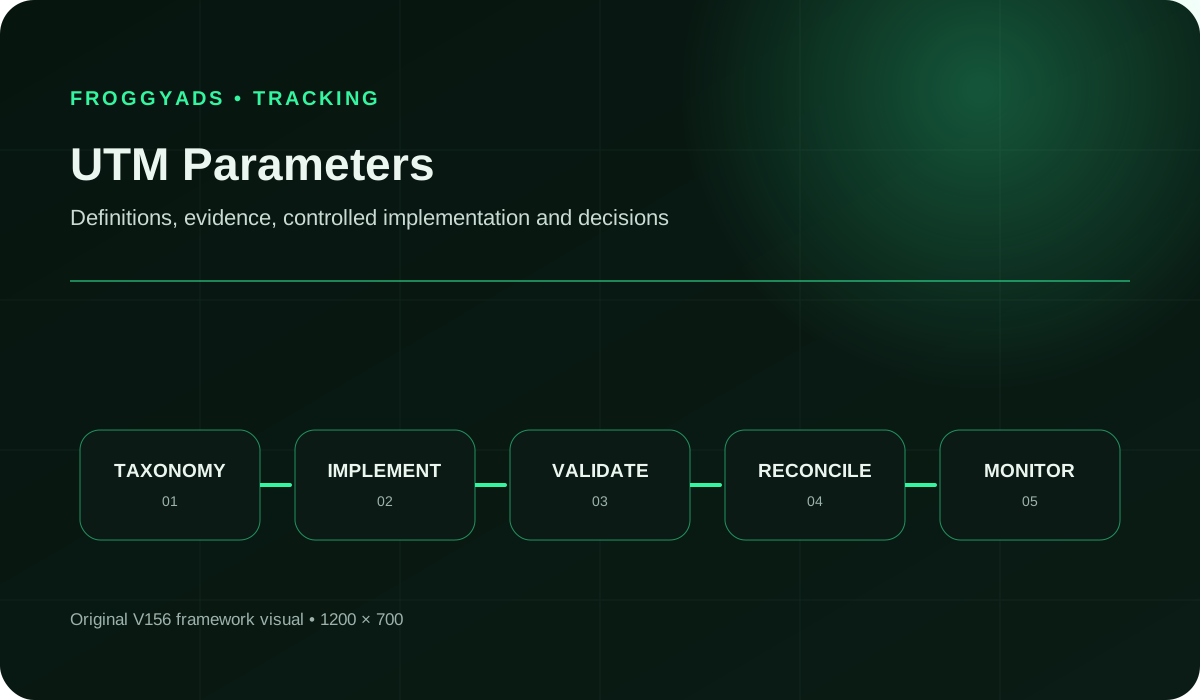
Quick answer: UTM parameters label campaign visits. Define source, medium, campaign and the extra fields your reports need. Generate the query safely, then verify labels through the actual redirect path. Settle this contract before your FroggyAds campaign so one initiative does not split into accidental names.
Reference for UTM Parameters: Improve Campaign Performance & Control: Google Analytics: URL builders and custom campaign URLs.
UTM parameters classify a visit. One campaign label can cover many people, creatives and sources. Define what each value means and which reporting decision uses it. Fields without a purpose add maintenance.
An illustrative FroggyAds native campaign might use source froggyads, medium paid_native, campaign autumn_offer and content image_a. These are your examples, not required platform values or guaranteed channel classifications. The second creative can use image_b while the initiative stays stable.
A campaign label groups visits; a click identifier lets a compatible tracker match a delivery reference to an event. Use your verified integration mapping for the identifier. Keep the campaign label readable.
The names autumn_offer, Autumn_Offer and autumn-offer can split one initiative. Agree spelling before launch. The contract connects media buying, analytics and the destination owner.
A buyer should identify a campaign from its URL. An analyst should explain why creatives share a name. A developer should know which parameters must survive. These are the contract's practical benefits.
Correct classification lets you compare intended traffic; it does not establish lead quality or profit. We provide targeting, budgets and source controls. Your accepted business records establish downstream value.
Choose one offer, campaign name and initial audience in FroggyAds. Save its destination with the campaign configuration and separate labels for creative variants. Our controls support the traffic test; your contract identifies it consistently.
Create My Free Account
| # | Component | Operating requirement |
|---|---|---|
| 1 | utm_source | Name the traffic origin consistently. For your FroggyAds links, froggyads is illustrative. Decide whether source means the network or another origin; do not mix network and supply-source meanings. |
| 2 | utm_medium | Choose the description your channel rules expect. Illustrative value paid_native does not guarantee a GA4 default channel. Test the value before publishing it widely. |
| 3 | utm_campaign | Use a readable initiative name, such as autumn_offer. Explain market or period segments. A bid change does not automatically require a new name. |
| 4 | utm_id | Use a stable campaign identifier when reporting needs one. Map it to the readable name. It identifies the initiative, not each visit. |
| 5 | utm_content | Identify the creative or link variant you will compare. Examples image_a and image_b are illustrative. Decide whether content means a concept or revision. |
| 6 | utm_term | Google describes this field for paid keywords; document any different internal convention. Do not fill it with unrelated data just because it exists. |
| 7 | Additional reporting fields | Use utm_source_platform where relevant. Google currently does not report utm_creative_format or utm_marketing_tactic in Analytics properties. Presence in a URL does not prove reporting availability. |
| 8 | Safety and uniqueness | Use one value per key. Exclude personal information and secrets. Document case and character conventions, new-value approval and exception handling. |
This is your contract, not mandatory FroggyAds syntax. Save examples, version and owner. For dynamic values, separately record the supported token and receiving field; generic placeholders are not executable evidence.
Write the comparison, such as two creatives within one initiative. That determines which labels vary. If you need only campaign totals, extra dimensions create maintenance without improving the decision.
Publish source and medium values, name structure, separators and case. Include a valid example and rejected spelling. Define the ID-to-name mapping. Prefer a simple register your team follows.
The builder generates the address; the reviewer checks its initiative and destination. Assign redirects to the destination owner. A URL can load successfully while reaching the wrong offer or carrying incorrect labels.
Use a URL-aware builder, retain existing fields and set each UTM key once. With URLSearchParams, supply unencoded values; serialization encodes them. Pre-encoding can encode them again. Verify decoded output against input.
Keep personal information and secrets out of campaign parameters. Confirm consent and measurement configuration with the implementation owner; a UTM label does not create permission to collect or send data.
Extend an existing query without a second question mark. Encode ampersands inside values so they remain values. Parsing can interpret plus as space; test a literal plus and confirm the decoded result.
Follow the visitor's route, including applicable tracker, language and mobile redirects. Save starting and final addresses. If labels are deliberately removed, document their capture point. A tidy final URL alone proves neither success nor failure.
Reject competing values for one key. URLSearchParams.get returns the first; getAll exposes all. Decide whether existing UTMs are rejected or deliberately replaced. Keep functional parameters intact.
Confirm labels in the intended report, scope and period. First-user and session fields answer different questions. A successful page load does not prove classification reached the measurement record.
Save the dictionary, address and test result. Retest affected paths when destinations or builders change. Keep earlier names for history; updating the register does not update distributed URLs or justify silently relabeling results.
Choose the FroggyAds format that fits your offer. Keep initiative labels stable and register format-specific medium values. Naming does not determine billing, inventory or cost; confirm campaign settings separately.
Create My Free Account
Review tagging with a clearly defined measure: classified campaign-session accuracy. This is an internal quality check, not a standard GA4 metric or sales result. Define the inspectable population first; controlled test visits cannot establish the classification of every paid visit.
| Measure | Definition discipline | Review cadence |
|---|---|---|
| Classification accuracy | Correctly classified inspectable test visits divided by all inspectable test visits in the stated sample. Record expected labels first and disclose uninspectable visits separately. | At launch and after a naming or implementation change |
| Tag Completeness | Inspected published URLs containing all required, nonempty fields divided by inspected published URLs. Count links, not sessions. Completeness does not prove that the values are correct. | Before links are published |
| Naming Consistency | Links using approved values divided by inspected tagged links. List spelling errors separately from intentional, approved new campaign names. | At each campaign or creative handoff |
| Landing Integrity | Count tested destinations that reach the intended offer with necessary functional parameters intact. Check query handling, fragments and redirects; this is not a conversion-quality score. | Before launch and after routing changes |
| Session Classification | Record the exact session fields and period. Compare the same scope; a new paid session does not necessarily change the user's first acquisition source. | When establishing or changing the report |
| Unknown Traffic Rate | List records without usable classification and investigate causes separately. Missing labels, blocked collection and an inappropriate report scope are different possibilities. | During the first reporting review |
In a hypothetical audit, 18 compliant URLs out of 20 inspected URLs gives 18 / 20 = 90% completeness. Correct the other two before publication. Link QA, visit classification and business acceptance use different denominators.
In a hypothetical two-creative launch, keep source froggyads and campaign autumn_offer stable while content uses image_a or image_b. Register the medium. A major creative revision may need new content, rather than a new initiative name.
Retain existing product, language and fragment values. Confirm the same offer loads after adding UTMs. Clean labels with a changed offer fail the contract. Resolve conflicting keys with the destination owner.
When autumn_offer becomes holiday_offer, date the change and decide which links update. Preserve earlier names for history. A reporting alias does not rewrite distributed URLs; document migration before interpreting changed volume.
Google documents case-sensitive values. Enforce the convention when generating links and inspect published spellings. Map legacy variants explicitly; correcting future links differs from grouping historical data.
Exclude names, emails, phones and secrets. In the utm parameters review, use this practical rule: Google analytics prohibits recognizable pii in campaign parameters. Encoding does not anonymize it. Describe the initiative rather than the person.
Test tagged and base destinations. A broken route, lost product field or malformed fragment can invalidate the experience. Keep a working address and isolate the failing route before changing the dictionary.
For two names describing one initiative, choose an approved entry and explain aliases. Assign migration ownership. Do not silently change historical labels for a cleaner total; original configuration remains evidence.
When manual and auto-tagging are used together, Google Analytics normally uses auto-tagged values for source, medium and other traffic-classification dimensions. If GCLID or DCLID cannot be used as intended and a UTM is present, Analytics can derive cross-channel values from the UTMs instead. Test the actual report; this does not prove native FroggyAds-to-GA4 integration.
Save expected and observed values, then repair the responsible layer. Resume with the same offer and acceptance rule. Reliable classification improves comparison, not guaranteed sales or rankings.
Check links, set a budget boundary and launch a small FroggyAds campaign. Repair naming failures. If outcomes are weak despite sound tracking, review offer, audience and sources. Match the action to the problem.
Create My Free Account
A shared register and existing builder may suffice. Budget separately for naming, review and redirect maintenance. A complex route needs more work than one destination, even with the same fields.
Set a learning budget from your economics and question. A starting bid is not campaign cost; a deposit is not a recommended budget. Set FroggyAds bids separately and confirm the approved live destination.
Reuse the dictionary and test changed inputs and affected paths. A new destination platform may require routing checks; a bid change with the same URL does not need a new naming standard.
Choose FroggyAds to compare supported traffic through our self-serve workflow. You control media while your analytics applies labels. Together they identify the test so you can decide which offer, creative or source to change next.
We provide budgets, bids, targeting and source-level reports. Keep initiative labels stable while testing media. Our guidance covers macros and postbacks for compatible setups; verify their tokens separately. UTMs do not configure those integrations.
Align ad promise, destination and name. A valid query cannot repair a mismatched offer. Preserve the earlier destination to distinguish naming or routing changes from media-performance changes.
Choose a builder your team uses consistently. Test new and already tagged destinations plus functional parameters. Preserve meaning rather than merely passing a URL format check.
Use UTMs for campaign entry paths. Tagged navigation can carry stale labels elsewhere. Ask your analytics owner how this path is handled before changing navigation or stripping fields.
The register is an operating agreement, not an SEO tactic. Labels do not improve rankings or guarantee AI visibility. Keep the offer page useful independently and identify campaign visits through tagging.
Construct query and fragment separately when the destination uses a section or application route. Test the complete address for the intended experience and labels; a tidy spreadsheet entry is insufficient.
Define source, medium and campaign, then include other relevant fields such as campaign ID or creative content. Record each field's meaning before publishing. Your process should match the receiving system's current requirements.
Google documents case-sensitive values. Pick one convention and enforce it in the builder. Map historical variants explicitly rather than silently changing the explanation of earlier results.
Keep the campaign name stable enough to group visits. A click identifier serves a separate matching job; use the verified integration field for it rather than turning a campaign label into a unique visitor reference.
Use a creative or link variant that answers your comparison, such as illustrative values image_a and image_b. Define whether it means a concept or revision and keep that meaning consistent.
Use a URL-aware builder with unencoded input values. URLSearchParams serialization applies encoding. Check the decoded result: double encoding can change it, while an unescaped separator can split one value into several fields.
Yes, if the builder preserves functional fields and deliberately handles existing UTM keys. Test the intended product, language or route. Correct duplicate campaign values or a second question mark before publishing.
No. Keep personal information and secrets out of the contract. Google Analytics prohibits recognizable PII in campaign parameters. Encoding does not anonymize it; use a non-personal initiative label.
No. UTMs classify traffic. A compatible identifier and conversion implementation serve different jobs, and business records establish acceptance. Verify macro and postback integration separately instead of inferring it from a UTM.
Google documents campaign dimensions and Page location as places to inspect UTMs; some landing-page and page-path query-string dimensions omit them. Check the right dimension and scope, then investigate redirects and collection if classification is absent.
Update it before a new naming structure, channel value or implementation requirement. Record the effective date and migration for live links and history. A bid change does not automatically justify renaming.
Use current documentation for the reporting system and builder you actually use. The retained references below are starting points. Keep analytics behavior separate from literal FroggyAds macro syntax, which must be verified in your current campaign setup.
Complete these eight entries for a real initiative. The goal is a small, usable contract that another buyer or analyst can follow without guessing what a parameter means.
Write one comparison, such as image_a versus image_b within autumn_offer, and its report. Record business acceptance separately. Creative labels organize evidence; they do not establish qualified sales.
List keys, values or patterns and invalid examples. Explain name segments, medium rules and content meaning. Another buyer should build the next link without guessing.
Name the approver, reviewer and redirect owner. Confirm a partner destination's accepted fields and capture points before funding it. Resolve unknown requirements.
List excluded personal data and secrets, then inspect generated links. Keep consent and measurement with the implementation owner. UTMs do not authorize collection or replace existing controls.
Document retention of functional fields and rejection or replacement of existing UTMs. Test a space and literal plus. Save input and decoded output as proof of preserved meaning.
Save starting and final addresses and applicable alternate routes. Document any later removal and capture point. Acceptance requires the intended offer and agreed classification evidence.
Record system, fields, scope, dates and observed values. Separate tests from production. Disclose uninspectable classification; review accepted outcomes through business records after labels pass.
Save the earlier link, new version and reason. Identify affected live campaigns and recovery action. A teammate should be able to restore the prior route.
Bring an approved destination and tested contract to FroggyAds. Our targeting, budgets and source controls execute the traffic test; labels identify it. Start small, confirm classification and base the next decision on accepted outcomes.
Create My Free AccountThis guide helps you decide how campaign values should be named and carried in a URL. Once that contract is stable, use the broader reporting workflow in Utm Tracking to review traffic evidence and accepted outcomes. Keep a parameter repair distinct from a change to your media strategy so the next comparison has an explainable basis.
Connect the initiative to its destination and FroggyAds configuration. Labels organize evidence; they do not replace source reports or conversion records. Accepted outcomes and cost determine further investment.
| Checkpoint | Contract action | Evidence to keep |
|---|---|---|
| Fit | Define which labels distinguish the intended campaign and creative comparison. | The approved dictionary, reporting question and illustrative values. |
| Test | Verify the published address through the actual route and receiving report. | The starting link, final destination, decoded values and test result. |
| Decision | Repair naming failures before interpreting campaign economics. | Separate link QA from media spend and accepted conversion records. |
Hypothetical calculation: if a hypothetical campaign spends USD 100 and produces 7 accepted conversions, accepted CPA is USD 100 / 7 = USD 14.29. This arithmetic depends on an accepted outcome definition; correct UTMs alone do not create those conversions. Replace the inputs with your own records. This is not a FroggyAds performance claim.
Choose FroggyAds for a traffic test you can control. Keep your approved URL stable while evaluating targeting, creatives and sources, then change one responsible layer at a time. Create your free FroggyAds account.
Agree meanings, build safely and verify through the actual route. Resolve labeling ambiguity before your FroggyAds test, then use accepted outcomes and cost for the next buying decision.