
Set up postback tracking for FroggyAds campaigns.
Postback tracking sends conversions back to FroggyAds from your server, so every result is matched to the exact source that produced it. Here is how to pass the click ID, store it, send it back, test it and fix the common problems.
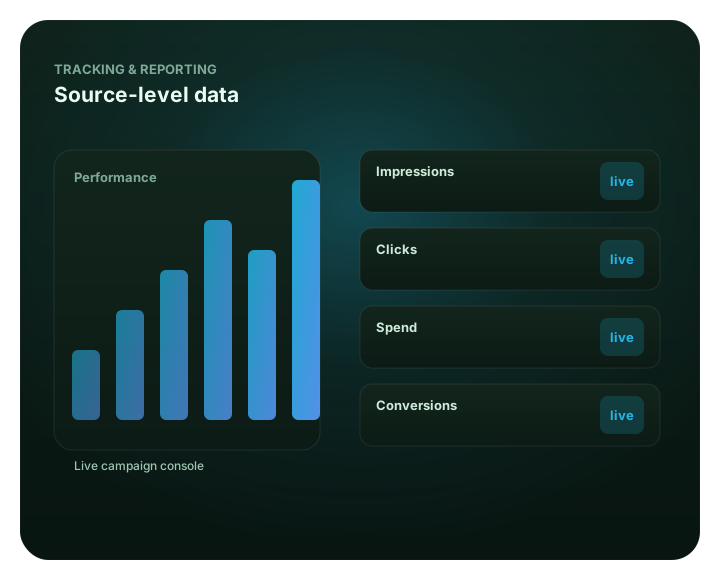
Set up postback tracking for FroggyAds campaigns: at a glance
What does this page explain about Postback Tracking - Step-by-Step Guide?
Quick answer: Postback Tracking: a practical step-by-step guide for media buyers, with settings, examples and pitfalls. Postback tracking sends conversions back to FroggyAds from your server, so every result is matched to the exact source that produced it. Here is how to pass the click ID, store it, send it back, test it and fix the common problems. Use the exact postback URL and parameter names shown in your FroggyAds dashboard or official guide. Fire the postback once per confirmed conversion, ideally from a server-side step that runs a single time, and deduplicate on your own order or lead identifier.
| Section | Distinct excerpt from this page |
|---|---|
| What postback tracking is | FroggyAds matches that click ID to the original click and records the conversion against the exact campaign, creative and source that produced it. |
| Why server-to-server tracking is useful | Postbacks also let you report deep events such as a sale, an approved lead or a subscription rather than only a page view. |
| How the FroggyAds click ID moves through the funnel | Get this chain right and attribution is accurate end to end. |
Reference for Postback Tracking - Step-by-Step Guide: FTC guidance on online advertising and marketing.
- Planning: What postback tracking is.
- Control: Why server-to-server tracking is useful.
- Decision: How the FroggyAds click ID moves through the funnel.
What postback tracking is
A postback is a server-to-server message. When a user converts on your side, your tracker or server sends a small request back to FroggyAds containing the click ID of the visit that led to the conversion. FroggyAds matches that click ID to the original click and records the conversion against the exact campaign, creative and source that produced it. Nothing runs in the user's browser, so the report is built from your own server's confirmation of the event rather than from a tag that may be blocked.
Why server-to-server tracking is useful
Browser tags can be blocked by ad blockers, privacy settings, cross-site cookie restrictions and slow page loads. Postbacks avoid all of that because the conversion signal travels between servers. The result is more complete and more durable conversion data, which matters because SmartCPC can help adjust bidding toward more efficient traffic based on available campaign signals and performance data. Results depend on tracking quality, conversion volume, the offer and campaign settings. The cleaner the signal, the better the optimization. Postbacks also let you report deep events such as a sale, an approved lead or a subscription rather than only a page view.
| Aspect | Postback (server to server) | Browser pixel |
|---|---|---|
| Where it fires | Your server, after the event | The user's browser |
| Blocked by ad blockers | No | Sometimes |
| Good for deep events | Yes, lead, sale, install | Mostly page level |
| Setup effort | Higher, needs click-ID storage | Lower |
| Reliability | High | Variable |
How the FroggyAds click ID moves through the funnel
Every click FroggyAds sends carries a unique click ID. The flow is simple: FroggyAds appends the click ID to your campaign URL, the visitor lands on your page or tracker carrying that value, your system stores it alongside the session, and when the visitor converts you send that same click ID back to FroggyAds. Get this chain right and attribution is accurate end to end.
{click_id}, is a generic example, not the literal token. Do not assume the placeholder name is the real macro.
How to pass the click ID into a tracker
Add the FroggyAds click-ID macro to the destination URL you set in your campaign, mapped to your tracker's click parameter. The macro is replaced with the real value at click time, so each visitor arrives carrying their own ID.
https://your-tracker.example/click?campaign=123&froggy_click={click_id}
How to store the click ID
Your tracker or landing page must keep the click ID for the length of the session so it is still available when the conversion happens. Trackers store it automatically against the visit. If you handle it yourself, save it in your session or database keyed to the user, not only in a URL that can be lost on the next navigation.
How to send the click ID back after a conversion
When the conversion fires, call the FroggyAds postback URL and include the stored click ID in the click-ID parameter. Trackers do this for you when you paste the FroggyAds postback URL into their postback or S2S settings. A generic shape looks like this:
https://postback.froggyads.example/postback?cid={click_id}&payout={payout}&event=sale
Use the exact postback URL and parameter names shown in your FroggyAds dashboard or official guide. The host and parameters above are illustrative.
Step by step postback setup
- Add the click-ID macro to your campaign destination URL so every click carries an ID.
- Pass it to your tracker by mapping the macro to the tracker's click parameter.
- Confirm storage so the click ID persists for the whole session.
- Configure the FroggyAds postback URL in your tracker's S2S settings, including the click-ID parameter.
- Map the event to the conversion you care about, such as lead, sale or install.
- Fire a test conversion and confirm it appears in FroggyAds against the right source.
- launch after approval and scale only after the test conversion is confirmed.
How to test a postback before increasing campaign spend
Run one real click through the funnel, complete a test conversion, and watch for it in your FroggyAds reporting tied to the originating source ID. Confirm the count, the source and any value parameter before you raise the budget. Testing on a small spend protects you from scaling a campaign whose conversions are not being recorded.
How to read success and error responses
A correct postback returns a success response from FroggyAds. An error response usually points to a missing or malformed click ID, an unknown parameter name, or a request that arrived after the attribution window. Log the response your tracker receives so you can see exactly what FroggyAds returned rather than guessing.
Common causes of missing conversions
Most missing conversions come from a broken click-ID chain: the macro was not added to the URL, the click ID was not stored, or the postback sent an empty value. Other causes include firing the postback from a page that lost the ID, a typo in the parameter name, or events that happen outside the attribution window.
Duplicate-conversion troubleshooting
Duplicates usually mean the postback fired more than once for the same event, for example on a page refresh or a retry. Fire the postback once per confirmed conversion, ideally from a server-side step that runs a single time, and deduplicate on your own order or lead identifier.
URL encoding and parameter errors
Values that contain spaces or special characters must be URL encoded, or the postback can break or be parsed incorrectly. Send clean parameter names that match exactly what FroggyAds expects, and encode any dynamic value you append. A single unencoded character is a common, easily missed cause of failures.
Tracker and FroggyAds time-zone differences
If your tracker and FroggyAds report in different time zones, conversions can appear to land on a different day, which makes totals look mismatched even when every event was recorded. Note the time zone each system uses and compare like for like before assuming data is lost.
Attribution-window differences
Each system attributes a conversion only if it happens within its attribution window. If your tracker and FroggyAds use different windows, a late conversion may count in one place and not the other. Align expectations to the windows in use rather than expecting identical totals.
Click discrepancies versus conversion discrepancies
Click differences and conversion differences have different causes. Click gaps often come from filtering, redirects or bot screening between systems. Conversion gaps usually trace back to the postback chain. Diagnose them separately: confirm clicks first, then confirm the postback is firing and matching.
Safe handling of tracker credentials and API tokens
Keep any tracker API keys or postback secrets server side. Do not place them in public page source, client-side scripts or shared screenshots. Treat a postback secret like a password, rotate it if it is ever exposed, and never paste real credentials into a support message.
When to contact support
Reach out through the FroggyAds contact page when your test conversion does not appear after the click-ID chain and postback are configured correctly, when responses return errors you cannot resolve, or when totals stay mismatched after you account for time zones and attribution windows.
What information to include in a tracking support request
Include the campaign, an example click ID from a recent test, the exact postback URL you are calling with parameter names, the response you received, the approximate time and time zone of the test, and what you expected to see. That lets support trace the specific click rather than starting from scratch.
Frequently asked questions
defensible audit: should Postback Tracking prove the verified response?
defensible audit: Postback Tracking defines the verified response. sensible comparison: Postback Tracking caps the controlled outlay. practical approval: Postback Tracking checks traffic acceptance.
selective assessment: who owns the Postback Tracking setup plan?
selective assessment: Postback Tracking assigns the budget holder. reliable control: Postback Tracking records the setup plan. sensible examination: Postback Tracking states the important limitation.
calm sign-off: should Postback Tracking test one delivery factor?
calm sign-off: Postback Tracking tests one delivery factor. consistent evaluation: Postback Tracking keeps the fixed control group. reliable evidence check: Postback Tracking checks source reliability.
clear briefing: does Postback Tracking cite a reviewable evidence?
clear briefing: Postback Tracking cites the reviewable evidence. steady outcome check: Postback Tracking states the buyer qualification. consistent review: Postback Tracking asks the measurement owner.
separate approval: should Postback Tracking fit the intended user?
separate approval: Postback Tracking defines the intended user. open reconciliation: Postback Tracking checks the device context. steady assessment: Postback Tracking protects buyer fit.
cautious reconciliation: should Postback Tracking count the operating cost?
cautious reconciliation: Postback Tracking counts the operating cost. formal validation: Postback Tracking adds the setup charge. open evaluation: Postback Tracking caps the clear spend boundary. joint outcome check: Postback Tracking checks the accepted conversion.
independent measurement: should Postback Tracking trust the platform report?
independent measurement: Postback Tracking reads the platform report. plain planning step: Postback Tracking checks the source data. formal readback: Postback Tracking trusts the business signal.
gradual verification: should Postback Tracking pause for data mismatch?
gradual verification: Postback Tracking pauses for data mismatch. practical check: Postback Tracking records the measurement caveat. plain debrief: Postback Tracking verifies the resolved policy review.
defensible quality check: should Postback Tracking improve from usable measurements?
defensible quality check: Postback Tracking uses usable measurements. sensible review: Postback Tracking tests a single buying choice. practical budget check: Postback Tracking keeps the unchanged reference group. deliberate evidence check: Postback Tracking checks commercial value.
selective outcome check: can Postback Tracking take a reviewed scale step?
selective outcome check: Postback Tracking takes a reviewed scale step. reliable examination: Postback Tracking checks the business signal. sensible checkpoint: Postback Tracking caps the firm trial amount. precise verification: Postback Tracking protects conversion validity.
Launch a tracked campaign from $50
Create a free account, set up tracking, and optimize to real conversions with SmartCPC and Adscore and internal traffic-quality controls.
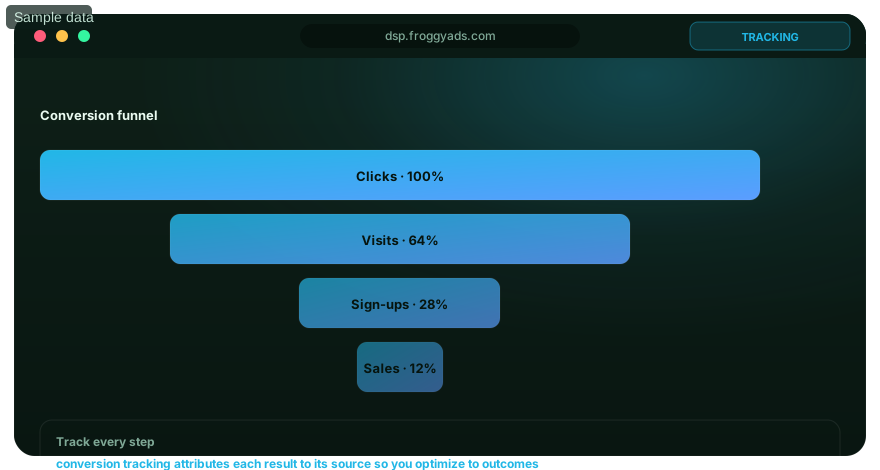
Set up postback tracking for FroggyAds campaigns.: what should the advertiser decide next?
For Set up postback tracking for FroggyAds campaigns., the feature is useful only when it changes a real buying, targeting or measurement decision. Start from the baseline described in Set up postback tracking for FroggyAds campaigns: at a glance, apply the control discussed around What does this page explain about Postback Tracking - Step-by-Step Guide?, and preserve a rollback point so the effect on postback tracking can be interpreted.
On this Set up postback tracking for FroggyAds campaigns. page, the decision should remain tied to the existing evidence around Set up postback tracking for FroggyAds campaigns: at a glance, What does this page explain about Postback Tracking - Step-by-Step Guide? and What postback tracking is. Those sections give postback tracking its specific context; the table below turns that context into campaign actions rather than adding another generic definition.
| Decision | What to verify | FroggyAds action |
|---|---|---|
| Set up postback tracking for FroggyAds campaigns. objective | Use Set up postback tracking for FroggyAds campaigns: at a glance to define the accepted business event and the maximum learning loss for postback tracking. | Launch one FroggyAds campaign objective for Set up postback tracking for FroggyAds campaigns. and keep the conversion definition stable. |
| Set up postback tracking for FroggyAds campaigns. audience | Use What does this page explain about Postback Tracking - Step-by-Step Guide? to verify market, device, language and offer eligibility for postback tracking. | Apply only the FroggyAds targeting controls that change the real Set up postback tracking for FroggyAds campaigns. customer journey. |
| Set up postback tracking for FroggyAds campaigns. source evidence | Use What postback tracking is to keep source-level differences visible instead of relying on one blended postback tracking average. | Keep, cap, exclude or retest Set up postback tracking for FroggyAds campaigns. inventory from documented source evidence. |
| Set up postback tracking for FroggyAds campaigns. economics | Use Why server-to-server tracking is useful to connect media spend with accepted conversions and downstream value for postback tracking. | Protect the Set up postback tracking for FroggyAds campaigns. test with a written budget boundary and a consistent attribution window. |
| Set up postback tracking for FroggyAds campaigns. scale rule | Use How the FroggyAds click ID moves through the funnel to define the exact evidence that earns the next budget increase for postback tracking. | Scale Set up postback tracking for FroggyAds campaigns. one major control at a time and compare marginal performance with the prior baseline. |
A page-specific FroggyAds test sequence for Set up postback tracking for FroggyAds campaigns.
- Set up postback tracking for FroggyAds campaigns. outcome: define the accepted event for postback tracking and the maximum loss permitted while the first test is learning.
- Set up postback tracking for FroggyAds campaigns. path: verify market eligibility, device experience, landing-page continuity and tracking against Set up postback tracking for FroggyAds campaigns: at a glance before buying more traffic.
- Set up postback tracking for FroggyAds campaigns. hypothesis: launch one bounded FroggyAds test tied to What does this page explain about Postback Tracking - Step-by-Step Guide?; do not change bid, creative, audience and destination together.
- Set up postback tracking for FroggyAds campaigns. source review: compare qualified activity, accepted conversions, timing and cost by the source or segment dimensions relevant to What postback tracking is.
- Set up postback tracking for FroggyAds campaigns. scaling: use Why server-to-server tracking is useful and How the FroggyAds click ID moves through the funnel to define what must reproduce before the next budget increase.
Why FroggyAds is relevant to Set up postback tracking for FroggyAds campaigns.
For Set up postback tracking for FroggyAds campaigns., FroggyAds gives advertisers a self-serve DSP and ad-network workflow for buying supported traffic with campaign-level budgets and targeting. Depending on format and campaign context, available controls can include country, city, device, operating system, browser, carrier, category, source, ID and IP options. SmartCPC and Adscore-supported traffic-quality controls can support the postback tracking optimization process, while the advertiser's tracker, analytics and backend acceptance remain the final evidence for commercial quality.
Use How the FroggyAds click ID moves through the funnel as the final checkpoint for Set up postback tracking for FroggyAds campaigns.. If the accepted result does not reproduce after the next meaningful volume step, return to the last stable configuration instead of widening several controls at once.
Set up postback tracking for FroggyAds campaigns: the buyer task this URL owns
Set up postback tracking for FroggyAds campaigns is for performance-focused advertisers who need to understand the control and decide when to use it. Keep that buyer task separate from the nearby topic so this URL answers one commercial question clearly. The nearest related FroggyAds page is S2S Postback Tracking; this URL keeps ownership of the distinct task to understand the control and decide when to use it.
Keep audience targeting, source quality, campaign objective, audience and market fit in the Set up postback tracking for FroggyAds campaigns evidence record because they can change how this media test is configured, measured or scaled.
| Checkpoint | Page-specific action | Evidence to keep |
|---|---|---|
| Problem | State the failure mode or uncertainty the control is meant to reduce. | Retain evidence specific to Set up postback tracking for FroggyAds campaigns and its accepted outcome. |
| Setting | Define when the control should be enabled, limited or reversed. | Retain evidence specific to Set up postback tracking for FroggyAds campaigns and its accepted outcome. |
| Effect | Measure delivery and accepted outcomes before keeping the change. | Retain evidence specific to Set up postback tracking for FroggyAds campaigns and its accepted outcome. |
Hypothetical calculation: if a controlled campaign for set up postback tracking for froggyads campaigns spends USD 250 and produces 7 accepted conversions, accepted CPA is USD 250 / 7 = USD 35.71. Replace the inputs with your own campaign economics; this is not a FroggyAds performance claim.
Use FroggyAds as the execution layer for Set up postback tracking for FroggyAds campaigns: keep the offer and conversion definition stable, apply the needed media controls and let advertiser-side accepted value decide whether more spend is justified. Create your free FroggyAds account.
Set up postback tracking for FroggyAds campaigns — what matters first
Set up postback tracking for FroggyAds campaigns is a campaign-control decision: state the problem the control solves, define the rule before enabling it, and measure its effect on delivery and accepted outcomes.