
Pinterest Ads Tutorial: Setup, Launch and Optimization Workflow
Follow this Pinterest ads tutorial to turn a campaign brief into a launch you can check. We guide advertisers and media buyers through access, the offer, targeting, creative, budget and measurement, then show how to review the first results. Pinterest activity runs through Pinterest's own advertising tools; FroggyAds gives you a separate self-serve route when you want to test additional paid traffic against the same business goal.
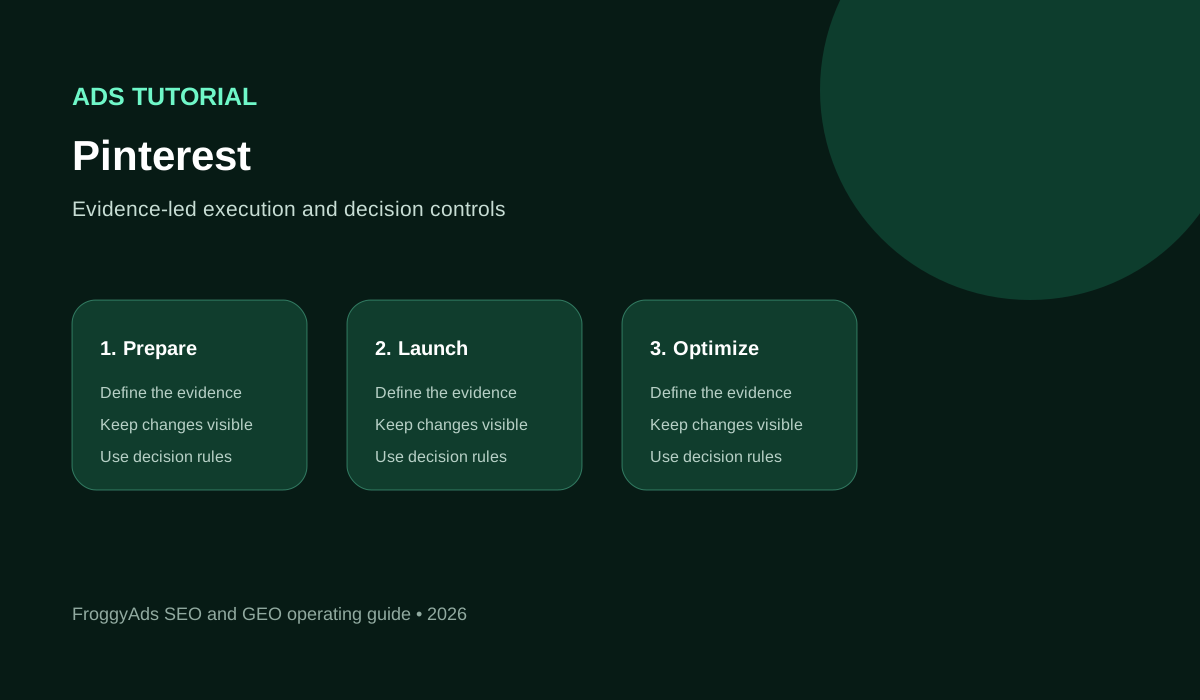
Your Pinterest campaign launch sequence
- Prepare one offer, a working destination and the business action that will count as success.
- Confirm account access, available campaign settings and the current requirements shown in Pinterest.
- Build a campaign you can explain: one clear audience hypothesis, suitable creative and a planned spend limit.
- Test the destination and measurement before buying traffic, including unsuccessful and repeated actions.
- Review delivery first, then judge accepted outcomes after the relevant customer decision period.
Before you start: choose the campaign you will build
Use one real offer for the walkthrough. A hypothetical online sketching school, for example, might advertise an introductory paid workshop to adults interested in learning observational drawing. Its campaign should lead to the specific workshop page, where visitors can check the date, level, materials and price before booking. A general home page would make the next step harder to understand. Keep that example illustrative. We are not reporting a customer result or recommending an unverified Pinterest setting. Your own eligibility, market and account determine which options are available.
Write a short campaign brief before opening the advertising interface: who the workshop serves, what the learner receives and which booking qualifies. Include the actual date and capacity. Those details guide the creative and help you interpret results later. A visitor downloading a free sample lesson has taken a different action from someone paying for a place. Choose which action the campaign is intended to produce, and keep other useful actions visible as supporting information.
Step 1: prepare account access and the destination
Account preparation starts with the person responsible for the campaign. Confirm that you can access the intended Pinterest business account and the advertising assets you need. If a colleague or agency helps, agree who can change settings, manage billing and approve creative. Check the permissions in the current account rather than sharing a personal login or assuming that an earlier invitation still works.
Destination preparation deserves the same attention as account access. Open the exact workshop URL on a phone and complete the booking journey. Check dates, availability, payment, confirmation and support information. Ask someone who did not build the page to explain what they would receive. Resolve a confusing booking step before paying for more visits; targeting cannot repair an offer that people cannot understand or purchase.
| Preparation check | What you should confirm | Responsible person |
|---|---|---|
| Account access | Correct business account and permission to manage the campaign | Campaign manager |
| Booking page | Workshop details, mobile booking, payment and confirmation work | Website owner |
| Ad materials | Approved images, accurate copy and permission to use the artwork | Creative owner |
| Measurement | The intended booking action can be tested and checked in business records | Analytics owner |
Apply the same preparation to a FroggyAds audience test
We make additional traffic testing practical once the offer and destination are ready. In FroggyAds, choose a supported audience using relevant location, device and other available campaign controls, then set your bid and budget. Keep this campaign separate from Pinterest. That separation helps you compare workshop bookings from two traffic routes without treating our audience controls as Pinterest interests or assuming that visitors will behave identically.
Create My Free Account
Step 2: connect the objective to a useful outcome
Objective selection should follow the customer action and business goal in your brief. In Pinterest, inspect the objectives and requirements currently available to your account. Choose the option that supports the action you are trying to learn about, and read its explanation before continuing. A setting that optimizes for an earlier journey stage can produce useful information, but its reported result should not be described as a paid booking.
Outcome definitions prevent that confusion. The sketching school could count a completed, valid workshop booking as its commercial result, while recording visits and sample-lesson downloads separately. Decide how cancellations and duplicate notifications will be treated. Write the rule where the person reviewing the campaign can find it. This gives you a consistent basis for a later Pinterest or FroggyAds budget decision without making either platform responsible for your entire sales record.
Step 3: configure a relevant audience
Start audience setup with the learner's need. Someone researching beginner drawing exercises may respond to a different promise from a professional looking for an advanced portfolio critique. Use Pinterest's current targeting options to express the audience you intend to reach, checking geography and other eligibility settings against the workshop. Our separate targeting guide explains keyword and interest planning in more detail. A narrow audience is useful only when the restriction reflects a real buying requirement; narrowness itself is not evidence of quality.
Review the audience as a prospective learner would. Does the ad explain the skill level, the online format and any equipment required? If the workshop is live, can people in the chosen market realistically attend at that time? These checks often reveal problems before campaign data exists. Retain a record of the audience settings you launch with, so a later change can be compared with the original rather than reconstructed from memory.
| Audience check | Workshop-specific question | Useful record |
|---|---|---|
| Learning need | Is this a beginner workshop or an advanced session? | Offer brief and intended experience level |
| Practical eligibility | Can this market attend and pay for the advertised workshop? | Serviceable markets and session details |
| Targeting settings | Do the selected options reflect the intended learner? | Actual launch settings and their rationale |
| Commercial fit | Which bookings meet the agreed acceptance rule? | Valid booking and cancellation records |
Step 4: build creative around the workshop promise
Creative should show what the learner is being invited to do. For the hypothetical school, a clear drawing demonstration and an accurate workshop title can explain the offer better than an unrelated finished masterpiece. Show work you have permission to use, avoid implying a guaranteed skill transformation and make any essential materials or prerequisites clear. Your content pillars might include observation and practice; choose the subject the workshop actually teaches. Prepare an ad version that fits the format actually offered in your account. Use the current preview and requirements to check readability and cropping before publishing.
Compare two meaningful creative ideas rather than several barely different designs. One might focus on practising proportion; another might show the instructor explaining a drawing exercise. Keep the same workshop, destination and qualification rule while you compare them. Name each version so you can connect its results to the actual artwork and promise. A stronger click response is a reason to inspect the customer journey, not an automatic reason to declare a winning workshop campaign.
Step 5: match the ad to the booking destination
Destination continuity means that the workshop shown in the ad is the workshop available after the click. Match the title, date, level and important conditions. If a visitor must select a session, make the advertised option easy to find. Explain whether a materials list or recording is included only when that is true of your offer. The goal is a confident next step, with no surprise requirement introduced after the visitor decides to book.
Test the complete destination journey using the same kind of device you expect customers to use. Check form errors, payment failure and the confirmation state as well as the successful path. If campaign labels pass through a redirect or booking provider, verify what remains available in your records. Keep a note of a test booking and how you will remove or exclude it, so your own setup check does not later become a reported customer result.
Choose a FroggyAds format for a separate workshop test
Format choice changes how you introduce the workshop. We offer push, native, display and pop traffic, with campaign settings appropriate to the chosen format. Select a format that can communicate the promise clearly and send visitors to a suitable destination. Adapt the creative to that experience instead of uploading a Pinterest asset unchanged and expecting the same response. The practical benefit is a test you control across targeting, spend and sources.
Create My Free Account
Step 6: set a budget you can monitor
Budget planning should answer how much you can spend learning about this workshop offer. Include your ability to review delivery and respond to customer questions, alongside the amount you can afford to risk. Read the current Pinterest budget and bidding settings carefully. A chosen budget, an actual charge and a cost per booking describe different things; label them separately in your plan.
Pacing is the connection between spend and review. Assign someone to check whether the campaign is delivering as intended and whether the destination remains available. If the workshop sells out or its date changes, the campaign needs attention even when reported click costs look attractive. For a separate FroggyAds test, our budget and bid controls let you define the buying conditions while you monitor accepted bookings in your own system.
| Budget decision | Practical planning rule | When to review |
|---|---|---|
| Learning allowance | Choose an amount you can afford to spend on the stated question | Before committing the next allocation |
| Delivery pace | Match monitoring frequency to the potential spend exposure | Spend changes unexpectedly |
| Booking economics | Compare accepted booking cost with the workshop's actual margin | Customer value or acceptance changes |
| Offer availability | Keep capacity and advertised dates current | A session fills or the offer changes |
Step 7: verify the measurement chain
Measurement setup connects an ad interaction to the business action you will review. Inspect the current Pinterest measurement options and their implementation requirements. Where you use a tag or another event connection, verify the actual event trigger rather than assuming that installing a tool proves the booking is recorded correctly. Keep the event name, currency and destination behaviour consistent with the workshop being advertised, and check the relevant consent requirements for your implementation.
Reconcile a known test action with the booking record. Confirm what appears after a successful payment, a failed payment and a repeated notification for the same booking. The receiving systems may handle those situations differently. A campaign label identifies a traffic group; it does not necessarily identify a unique paid booking. Document any gap that prevents you from joining the records, and avoid presenting an estimated match as a verified customer purchase.
| Measurement layer | Question it answers | Evidence to inspect |
|---|---|---|
| Ad delivery | Did the campaign reach people and produce activity? | Platform delivery reports |
| Website response | Did visitors reach and use the booking page? | Observed visits and relevant website events |
| Booking action | Was a valid payment or reservation completed? | Booking identifier and confirmation state |
| Accepted value | Which bookings remain usable after the stated checks? | Accepted bookings, cancellations and net commercial value |
Step 8: write the first comparison before launch
A useful first experiment asks one answerable question. The school might compare a demonstration-led ad with an instructor-led ad for the same workshop. Describe what differs and why it might affect a learner's decision. Keep the destination, eligibility rule and reporting period comparable. This is a practical comparison plan, not a promise that an advertising platform will split every exposure equally or that a small result proves a causal effect.
Decide what evidence would justify the next action. You might need to see whether one promise attracts relevant visitors before committing to a larger booking test. If commercial outcomes arrive later, record the waiting period instead of judging one version from mature bookings and another from fresh clicks. Preserve the original creative and settings. That gives you a usable starting point if the revised campaign attracts interest but weakens booking quality.
| Comparison field | Write this before launch | Practical benefit |
|---|---|---|
| Question | Does demonstration-led or instructor-led creative attract suitable learners? | Makes the creative choice explicit |
| Shared conditions | Same workshop, destination and booking acceptance rule | Reduces avoidable differences |
| Changed element | The main creative concept and its matching copy | Helps explain the observed response |
| Next decision | Continue, revise or stop after the planned review | Prevents automatic budget increases |
Run a controlled FroggyAds comparison
We help you apply the same disciplined comparison to additional traffic. Create a FroggyAds campaign with a clear workshop offer, supported targeting and a planned budget. Keep its reporting labels separate from Pinterest, and inspect source performance alongside accepted bookings. You can then adjust a relevant bid, budget or source choice using evidence from that campaign, with the booking rule held stable across your wider acquisition plan.
Create My Free Account
Step 9: check the live campaign after launch
Launch verification confirms that your intended campaign is the campaign people can actually encounter. Review its current status, the active creative and the destination. Check whether the correct workshop is available and whether its session date remains accurate. If the account reports limited or absent delivery, investigate the stated reason before changing several audience, bidding and creative settings at once.
Operating checks should separate an urgent defect from an ordinary learning question. A broken checkout or incorrect session date needs prompt correction. A few visits without a booking may simply be too little information, depending on the workshop and customer decision period. Record what you observed and what you changed. That short history is more useful at the next review than a series of unexplained interface adjustments.
Check policy, permissions and accessibility
Policy review belongs before launch and whenever the offer changes. Check Pinterest's current rules for the advertised content and the chosen audience. Keep claims about the workshop accurate, obtain permission for artwork and testimonials, and explain important conditions clearly. Platform review does not replace your responsibility to use lawful data practices or to present an offer people can understand. For specific legal obligations, obtain advice appropriate to your market and business.
Accessibility checks help prospective learners use the journey. Keep essential ad text readable, provide appropriate captions for instructional audio and make the booking form understandable with keyboard navigation. Test errors and confirmation messages as well as the first screen. Apply those checks to your actual assets and website. The presence of an accessibility reference on this page is guidance for your review, not a certification of your campaign or a claim that every platform feature is accessible.
Step 10: optimize from the first useful review
Optimization starts with the part of the workshop journey that needs attention. If delivery is absent, inspect account and campaign status. If people click but cannot book, investigate the destination before broadening targeting. If bookings arrive but are frequently cancelled, review the promise and the advertised conditions. Each situation calls for a different change; a lower click cost alone does not explain which change will help.
Scaling is a fresh decision about additional spend. Compare the quality and cost of the newer bookings with the outcome you expected, allowing the same time for cancellations or other acceptance checks. Check instructor capacity and customer support before increasing demand. Keep the previous settings available and revisit the decision if the workshop economics change. FroggyAds gives you practical buying controls for a separate traffic campaign; your commercial records tell you whether its additional visitors are worthwhile.
Keep a useful launch record
A launch record should let another colleague understand what you intended and what actually happened. Save the workshop brief, active creative, destination, campaign settings and measurement definition. Include the date of each material change and the reason for it. When you return to the campaign after the workshop, that record helps you distinguish a better offer from a different audience, a seasonal effect or a corrected tracking issue.
Use customer questions as evidence for the next version. If people repeatedly ask whether materials are supplied or whether the session is recorded, check whether the ad and booking page answer accurately. Improve the actual explanation before increasing traffic. Clear information serves visitors from Pinterest, FroggyAds and other sources. It does not guarantee sales, organic rankings or visibility in AI answers; those outcomes need their own evidence.
Pinterest ads tutorial: completion checklist
| Stage | Complete this action | Keep this evidence |
|---|---|---|
| Prepare | Confirm the offer, account, destination and measurement plan | Approved brief and a tested booking journey |
| Configure | Choose available settings that serve the workshop objective | Actual launch settings and creative versions |
| Verify | Check live status, the advertised workshop and recorded test actions | Launch check and known test-booking record |
| Review | Compare delivery with accepted bookings after the stated delay | Written next action with its supporting counts |
Pinterest ads tutorial FAQs
What do I need before following a Pinterest ads tutorial?
Prepare an eligible business account, permission to manage the intended campaign, a specific offer, suitable creative and a working destination. Decide which customer action you will count and how you will check it. Verify the current account requirements in Pinterest before committing spend. This tutorial explains the preparation sequence rather than guaranteeing that every account will show identical options.
Which campaign objective should I select?
Choose from the objectives available to your account after defining the intended customer action. Read the current explanation and implementation requirements. An objective focused on an earlier journey stage may be useful, but the activity it reports should not be presented as paid bookings or accepted leads. Keep the commercial outcome visible in your own records.
How many creative ideas should my first comparison include?
Start with a small comparison you can explain and support with the available budget. Two distinct concepts for the same offer are often easier to interpret than many minor variations. Keep shared conditions comparable and document the changed element. This is planning guidance, not a required Pinterest ad count or a guarantee of statistically conclusive results.
Should the ad link to my home page or a specific offer?
Use a destination that continues the promise in the ad and makes the next action clear. A specific workshop ad usually needs the relevant workshop details, availability and booking path. A home page can work only if it serves that same need without unnecessary searching. Test the actual mobile journey, including payment or form errors, before launch.
How should I set the first campaign budget?
Set a learning allowance based on the question, your commercial economics and the amount you can afford to spend without a useful result. Check the current budget and bidding requirements in the account. Include monitoring capacity and creative or implementation costs in the wider plan. No amount in this tutorial is a universal platform minimum or a promise of bookings.
How do I check conversion tracking before launch?
Complete a known test journey and compare the observed event with the corresponding business record. Check successful, unsuccessful and repeated actions, along with currency and campaign labels where applicable. Confirm what each receiving system actually records. A tag installation or a platform status message alone does not prove that every accepted business outcome is counted correctly.
What should I inspect immediately after launch?
Check campaign status, delivery, the active creative and the exact destination. Resolve broken journeys, incorrect offers or other material defects promptly. Keep early response data separate from later accepted outcomes. If delivery is limited, use the information shown in the current account to investigate before changing several settings and losing a clear view of the original setup.
When should I pause a Pinterest campaign?
Pause or correct a campaign when the offer is unavailable, the destination fails, measurement becomes unusable or another material campaign condition is wrong. A commercial pause can also follow your planned spending boundary. Record the reason and the condition for restarting. A short run without a booking should be assessed against the actual volume and customer decision period.
Can I use FroggyAds with this campaign plan?
Yes. We provide a separate self-serve traffic campaign with format, targeting, bid, budget and source controls. Use the same clear offer and accepted-outcome rule, while keeping traffic labels and creative appropriate to each channel. Pinterest advertising remains configured through Pinterest. Compare the commercial results in your own records rather than assuming that either platform's activity metrics are interchangeable.
How do I decide whether the campaign is ready to scale?
Review accepted outcomes after a comparable maturation period, check their cost against actual customer value and confirm that you can fulfil the additional demand. Treat more spend as a new test. Keep earlier settings and monitor newer traffic separately where possible. Stable delivery is useful, but it does not guarantee that a larger campaign will preserve the same booking quality.
Sources and current account checks
The links below cover separate subjects in campaign creation, creative, targeting, advertising rules and accessibility. Use the current Pinterest instructions for the options you actually see; account eligibility and interfaces may differ. References to other authorities explain their own subject matter and do not certify this page, your implementation or an advertising result. The workshop walkthrough is our hypothetical planning example, not a platform case study.
- Campaign setup: Pinterest: Create and edit a campaign
- Ad creation: Pinterest: Create an ad
- Group structure: Pinterest: Create an ad group
- Search relevance: Pinterest: Keyword targeting
- Platform rules: Pinterest Advertising Guidelines
- Online claims: FTC: Online advertising and marketing
- Accessible journeys: W3C: Web Content Accessibility Guidelines 2.2
- Advertising responsibilities: FTC: Advertising and Marketing
Start a separate paid-traffic test with FroggyAds
Choose FroggyAds when you want to turn a prepared offer into an additional traffic experiment with direct control over how you buy. We let you select a supported format, define targeting and manage bids, budgets and sources. Begin with a destination and measurement rule you have checked, then use the resulting delivery and business evidence to decide what deserves the next allocation.
Create My Free AccountChoose the next resource for your campaign
Use this tutorial for the preparation-to-review sequence. When your next question concerns software rather than campaign execution, our Pinterest Marketing Software resource addresses tools and operating needs. Keep the practical workshop brief available while choosing any supporting tool; a new dashboard is useful only if it helps you run or understand the campaign.
Keep four items together at the next review: the ad people saw, the destination they reached, the campaign settings that governed delivery and the accepted booking record. That compact record lets you explain whether an apparent improvement came from the creative promise, a changed audience or a corrected customer journey. It also helps you plan a separate FroggyAds traffic test with a clear comparison in mind.
| Review point | Workshop-specific action | Evidence to keep |
|---|---|---|
| Offer | Check that the ad and page describe the same workshop | Active creative, session date and booking destination |
| Journey | Verify a successful and unsuccessful booking attempt | Known test action and the resulting business record |
| Decision | Compare accepted booking cost with available workshop margin | Spend, accepted count, review date and next action |
Practical launch check: explain the workshop offer, complete the booking path and confirm which record proves a valid booking. If any of those steps is unclear, resolve it before increasing spend. A documented test gives your campaign manager a useful starting point and gives the person reviewing results a calculation they can reproduce.
Start your next controlled traffic campaign with FroggyAds when the offer and measurement plan are ready. Our self-serve controls help you test an additional audience while keeping its spend and sources clear. Create your free FroggyAds account and choose the campaign conditions that fit your own workshop or offer.
Hypothetical workshop booking calculation
Hypothetical example: a workshop campaign spends USD225 and records seven booking notifications. Five represent accepted bookings, one is a duplicate notification and one is cancelled under the stated review rule. The media cost per accepted booking is225 divided by5, or USD 45.00. This calculation excludes creative, instruction and other business costs. It illustrates the acceptance check; it is not a FroggyAds price, customer result or forecast.
What to finish before the next campaign
Complete the campaign record while the details are fresh. Save the settings you used, the customer questions you received and the accepted booking calculation. Then review platform fit and choose one useful improvement for the next workshop. If you want additional paid reach, bring that clear offer and measurement plan to FroggyAds, where we help you control the traffic test and evaluate its contribution to your acquisition plan.