
FREE AFFILIATE MARKETING TOOLS GUIDE
Free Affiliate Marketing Tools: Build a Useful Starter Toolkit
Build a small toolkit that prepares a real affiliate campaign: consistent campaign links, a destination you can inspect and an understandable cost sheet. We recommend using free utilities for those supporting jobs, then choosing FroggyAds when you are ready to buy traffic with direct format, targeting, bid, budget and source controls.
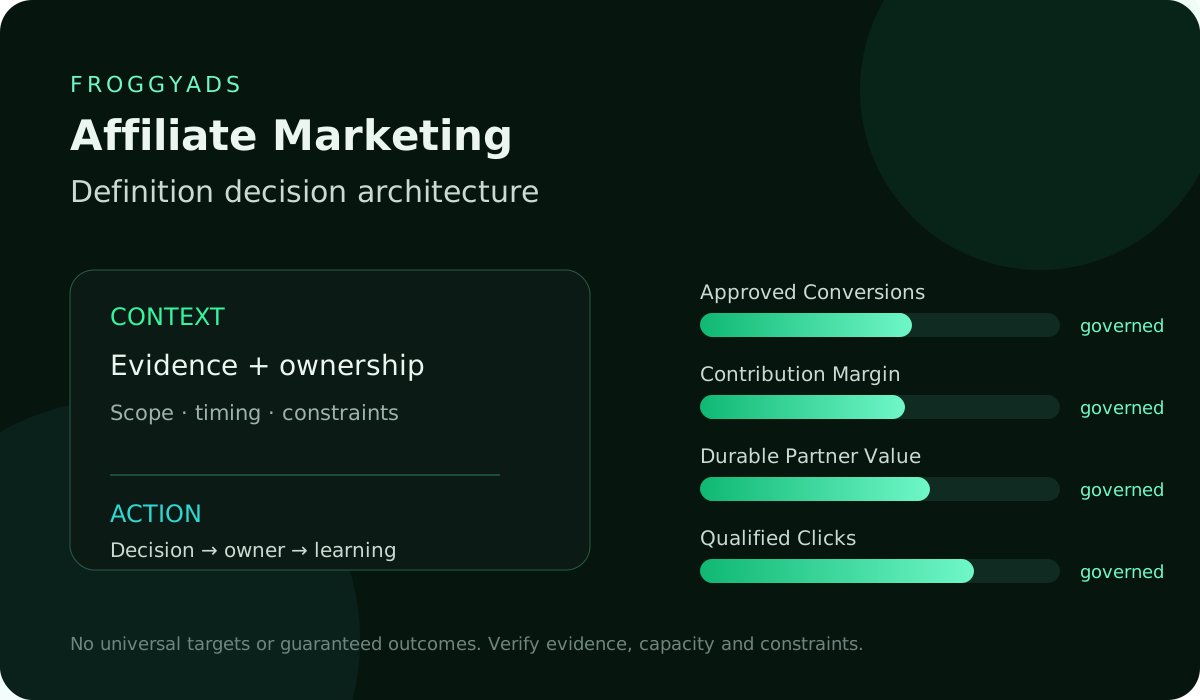
| Section | Distinct excerpt from this page |
|---|---|
| Campaign preparation | Use a link builder, browser inspection and a cost sheet for different jobs. |
| Free access limits | Check which task is available without payment and what work remains yours. |
| The media purchase | Use the prepared inputs in a funded FroggyAds campaign with a defined budget. |
Reference for Free Affiliate Marketing Tools: Compare Options & Fit: Google Analytics reporting documentation.
DIRECT ANSWER
Which free tools help an affiliate prepare a paid campaign?
A useful starter toolkit can include Google’s Campaign URL Builder for UTM-labelled links, Chrome DevTools for inspecting network requests and LibreOffice Calc for a campaign cost sheet. They perform different supporting jobs; none supplies free paid traffic or approves an affiliate commission. Use them to prepare a permitted offer, reliable records and a budget you understand. When that work is ready, our FroggyAds buying controls let you turn the plan into a defined paid campaign.
Build a small working toolkit: Use the utility for its demonstrated task. Keep free preparation separate from funded media delivery and from the merchant’s commission approval.
01
FREE-ACCESS DEFINITION
Start with three practical tool roles
Google Campaign URL Builder: name your campaigns
Google’s Campaign URL Builder helps add UTM parameters to a website destination. Choose consistent source, medium and campaign values; use content when you need to distinguish creatives. Confirm the final destination retains the intended values. UTMs describe campaign referrals in a compatible analytics setup; they are not merchant commission approvals or a replacement for the click identifiers your actual tracking implementation requires.
Chrome DevTools: inspect a request
Chrome DevTools’ Network panel records requests while it is open. You can inspect a request’s status, headers and initiator to investigate a receiving-path problem. For an affiliate launch, use an authorised diagnostic journey and look for the request or redirect you expect. A recorded request does not itself prove that an analytics event was accepted or that the merchant owes a commission.
LibreOffice Calc: calculate campaign economics
LibreOffice Calc is a no-cost spreadsheet tool you can use for a campaign expense sheet. Keep media, supporting expenses, pending commission and approved commission in separate columns. Test the formulas with simple known inputs before relying on a total. The sheet makes your arithmetic visible; its result is only as dependable as the programme statuses and expense records you enter.
Use FroggyAds for the paid traffic purchase
Choose FroggyAds when the next task is purchasing traffic for an eligible offer. Our self-serve controls let you choose the format and supported targeting, set bids and budgets, and review source delivery. Free preparation tools can help organise the inputs, but a paid campaign still consumes media budget. Account creation, account funding and actual campaign expense are different steps.
Tool roles: Keep campaign naming, request inspection and expense calculation separate.
02
TASK-LEVEL NEED
Give each free tool one useful task
Give each tool a task you expect to repeat. A URL builder should produce the intended labelled destination; a request inspector should help locate a specific handoff; a cost sheet should reproduce a calculation. Choose the task first so a free account or attractive dashboard does not create unnecessary work around the campaign.
Recurring task: Choose a tool for work you expect to repeat.
03
NO-FEE BOUNDARY
Check the actual no-fee boundary
Check what the provider actually makes available without payment. A short trial, a limited free tier and a no-cost local utility have different conditions. Look at the actions you need, such as saving work or retaining history, rather than assume a free login includes every function. Record a limit only when it could interrupt your intended use.
Free boundary: Verify the actual action available without payment.
04
FUNDING MODEL
Understand what funds the free service
Understand how an online service supports free access. It may be part of a paid product, supported by advertising or offered for another documented reason. Read the actual terms rather than infer the funding model from a free label. The relevant question is whether those conditions suit your campaign work and information.
A tool does not need your entire affiliate account to answer every question. Start with a sample that can demonstrate the task without exposing unnecessary commercial or customer records. Use actual private data only when you have permission and the provider’s applicable handling conditions are suitable.
For a local calculation, a small fictional worksheet may be enough to check formulas and formats. For an online checker, inspect what is uploaded and what result it returns. Keep a useful diagnostic sample distinct from customer records or credentials you do not need to disclose.
Treat a documented no-fee capability as the purchase condition for that particular tool, not a promise that its terms will never change. Retain the useful output and a replacement route. You can then evaluate an upgrade because of a real requirement instead of because the only copy of your work is trapped.
Funding conditions: Read the service’s documented conditions rather than assume its funding model.
05
DATA EXPOSURE
Keep unnecessary customer data out of the tool
Keep unnecessary customer information, account credentials and private affiliate links out of a tool. Use an authorised sample where it answers the question. If the tool needs data from a merchant system you cannot access, that missing permission remains a real limit; creating another account does not resolve it.
Necessary information: Use an authorised sample before exposing private campaign records.
Connect the guide to live testing
Turn your preparation into a defined FroggyAds campaign
Bring the prepared offer, destination and cost boundary into your FroggyAds campaign. Choose one suitable format and a supported audience, then set the bid and budget for the purchase you want to evaluate. Keep your external tool records identifiable so the delivery result can inform a clear next buying decision.
Create My Free Account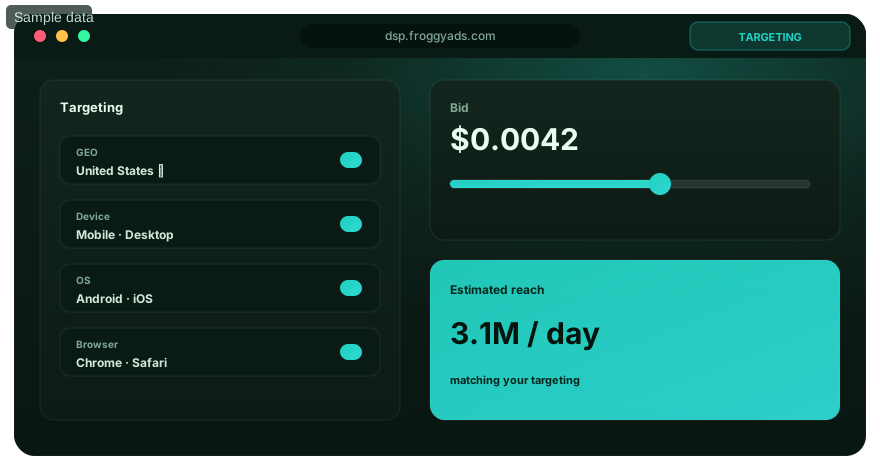
06
OUTPUT OWNERSHIP
Keep usable campaign files and outputs
Keep campaign names, useful outputs and current offer notes in formats your team can understand. Check whether the tool’s terms permit the intended use of generated assets and whether a saved file retains the information you need. A screenshot of a result may not be enough to reproduce a calculation or rebuild a destination later.
Usable output: Retain the inputs and result needed to repeat the work.
07
DAILY USEFULNESS
Measure whether the free tool saves work
Measure the work a free tool removes and the work it adds. If it builds a link correctly but requires repeated manual corrections to your naming convention, include that correction effort. A useful tool should make the repeated task clearer or more reliable; frequent use alone does not establish that it helps the campaign.
Try the same representative task more than once. Check whether another operator can reproduce the result from the saved inputs. Differences can reveal unclear instructions, a changing service response or a formula that depends on an undocumented cell. Resolve that problem before the result drives a media allocation.
Compare the output with a source you can inspect: the final URL, the actual request, or the arithmetic behind the expense total. A clean-looking report can still omit a field or count the same item twice. Review the part that affects the decision rather than approve the tool from appearance alone.
Keep the useful output with its inputs and date. If a later campaign needs a different market, offer or creative, make the changed assumptions visible. This lets you reuse a proven method without pretending that an old destination, permission or commission status still applies.
Daily value: Compare saved effort with correction and review work.
08
QUALITY LIMITS
Check the result before relying on it
Check the output against the task it claims to complete. A generated campaign URL can be syntactically valid and still carry the wrong campaign name. A spreadsheet can calculate correctly from incomplete commission records. Test both the operation and the meaning of the result before using it to guide paid buying.
Output accuracy: Check both the operation and the meaning of the result.
09
USAGE CEILINGS
Identify the usage limit that affects your next campaign
Identify the usage limit that could stop your next task: a project cap, missing history, export restriction or another documented condition. Do not buy capacity for an imagined future workflow. Compare an alternative or upgrade when the actual campaign requirement reaches the boundary you have verified.
Usage limit: Identify the particular boundary that could stop the next task.
10
INTEGRATION REALITY
Verify the handoff between tools
Verify the handoff your real workflow needs. A downloaded file is not automatically a working integration, and a documented connector may not cover your fields or permitted account scope. Test an authorised example from input to output. Keep an unavailable merchant record visible rather than manufacture a customer-level attribution chain.
Real handoff: Test the supported transfer rather than assume an integration.
11
ACCESSIBILITY FIT
Choose a workflow your actual operator can use
Let the intended operator complete the task on the device and interface they will use. Check readable labels, understandable errors and the ability to retain the output. A feature demonstrated by someone else may still be awkward in daily use. Choose a workflow your buyer can operate reliably rather than one with the longest capability list.
Operator fit: Let the actual buyer complete and understand the task.
Choose the execution format
Prepare the creative for the selected ad format
Use the selected format to guide creative preparation. A concise Push introduction, a Native content transition, a Display asset and a Pop destination need different presentation choices. Our FroggyAds format controls let you make the relevant purchase; an unrelated free utility does not make one unchanged asset suitable for every context.
Create My Free Account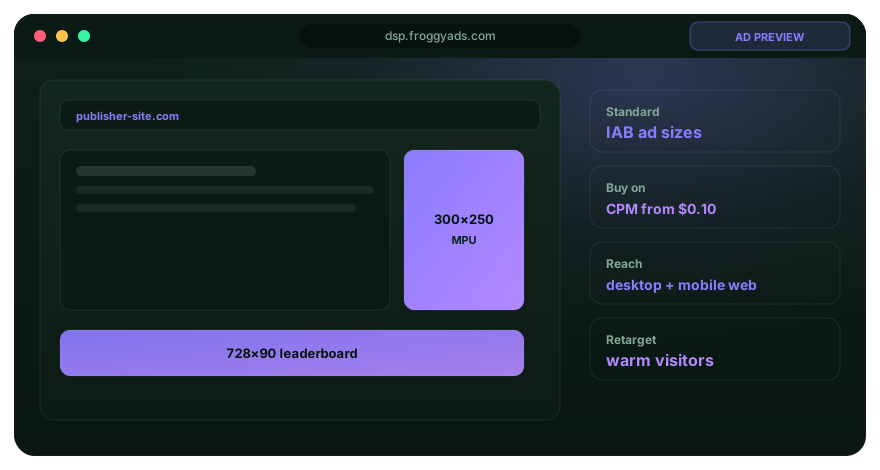
12
MAINTENANCE SIGNALS
Check whether the tool is maintained
Check the tool’s current documentation and ownership before relying on it. For a local application, use a suitable supported release and retain a usable copy of your work. For an online service, look for current instructions and a practical help route. Old screenshots or a once-working bookmark do not establish the present capability.
Current maintenance: Use relevant current documentation and retain useful files.
13
PRIVACY AND CONSENT
Use customer and campaign information within permission
Use customer and campaign information only within the permissions that apply to your business and implementation. Decide which fields the task genuinely needs and avoid copying a whole report by default. Review the provider’s actual retention and sharing terms. A free price does not establish that every use of the information is appropriate.
Keep credentials separate from ordinary campaign files. An exported diagnostic record can contain more information than the visible screen, so review it before sharing. If a colleague only needs a calculation, provide the relevant authorised inputs and result instead of access to unrelated account records.
Separate a tool’s privacy description from what your own team has verified. Check the settings and the scope of the actual task. Where an important handling condition is unclear, keep the information out of the tool while resolving the question or choose a workflow that does not require it.
Keep your own permission limits visible. An affiliate may be allowed to view an aggregate commission report without being entitled to export a merchant’s customer records. A tool cannot supply a right or a reporting field the programme does not provide.
Permission scope: Handle only the information the task requires and your business may use.
14
AUTOMATION SAFEGUARDS
Automate preparation without losing control of spend
Automate repetitive preparation only after the manual result is understood. A link-naming routine or calculation can save effort, but an unchecked change should not silently alter the destination or campaign expense. Keep authority for live media changes explicit. Free automation is useful when it reduces a known task without creating an uncontrolled buying decision.
Automation control: Keep live destination and spend changes under explicit authority.
15
STACK OVERLAP
Remove tools that duplicate the same task
Remove tools that repeat the same job without improving the result. Several dashboards can create conflicting names, dates or status definitions. Choose a primary record for each question and keep the other observations at their actual scope. The aim is a manageable workflow, not the largest collection of free accounts.
Use the programme’s approval record for commission status and the buying record for media expense. A spreadsheet can compare them, but it should not silently replace either source. If one record is delayed, label the period as provisional rather than let another dashboard’s faster number become the final answer.
Check whether a new tool changes the definition of an existing measure. Sessions, recorded conversions and approved commissions are different observations. Adding another report does not make their totals interchangeable. Keep the original meaning and reporting period visible when the tool presents a comparison.
Keep a tool when it completes a useful role in the workflow. If its only output is a duplicate chart, the simpler approach may be to remove it. You can spend the saved review time on the offer, creative or source question that could change the next campaign purchase.
Stack simplicity: Give each reporting question one understandable primary record.
16
HIDDEN OPERATING COST
Include time and supporting costs in the comparison
Include setup, correction, review and maintenance time when comparing a free option with an alternative. Use an explicit value for that time if you turn it into a planning cost. Keep the assumed time value separate from cash charges and actual campaign spend, so the comparison does not invent an expense you paid.
Relevant expense: Separate assumed time value from cash charges and media spend.
17
UPGRADE PRESSURE
Decide what would justify an upgrade
Upgrade for a demonstrated requirement: the next campaign may need a supported export, a larger verified limit or a workflow the current option cannot perform. Check whether the paid version actually supplies it. Do not treat an upgrade as a shortcut to approved commissions or evidence that more media spend will become profitable.
Upgrade decision: Pay for a demonstrated requirement the current option cannot perform.
Put the guide into practice
Buy the campaign after the preparation works
Once the offer permission, destination and measurement path are ready, use FroggyAds for a focused paid purchase. Set the format, targeting, bid and budget you intend to evaluate. Keep tool setup and media expense separate, then judge the campaign from the actual useful outcome rather than the amount of preparation activity.
Create My Free Account
18
FALLBACK READINESS
Retain a practical fallback
Keep a practical fallback for the task: a retained destination naming guide, an understandable cost file or an alternative inspection method. Check what the saved output actually contains. A backup is useful only when the next authorised operator can use it without depending on an unavailable account or undocumented calculation.
Practical fallback: Keep a usable alternative for the task that matters.
19
FREE-TOOL SCORECARD
Choose the smallest useful toolkit
Choose the smallest toolkit that completes the real work. A reliable naming method, a way to inspect the destination and an expense calculation may be enough for a defined first purchase. Add a specialist tool when it resolves an observed limit. This keeps your time and attention available for the offer and the buying decision.
Small toolkit: Add a tool when it resolves a real workflow limit.
20
REVIEW TRIGGER
Recheck a tool when its conditions change
Recheck a tool when its terms, useful feature, output format or your campaign requirements change. Focus on the affected task instead of repeating every check mechanically. If a required export disappears or an essential calculation changes, resolve that issue before relying on the old result for another purchase.
Changed conditions: Recheck the affected task when a useful feature or term changes.
DECISION MATRIX
Match each tool task with a useful output
| Task | Useful output | Check | Limit | Next action |
|---|---|---|---|---|
| Campaign naming | A labelled destination URL. | The intended campaign values. | Labels are not approved commission. | Retain a consistent naming record. |
| Receiving inspection | A relevant request observation. | Status, headers and intended handoff. | A request is not customer acceptance. | Investigate the specific path issue. |
| Expense calculation | An understandable cost sheet. | Known formula inputs and totals. | Missing records remain missing. | Use the declared cost scope for review. |
| Paid traffic purchase | Delivery and expense observations. | Actual campaign settings and results. | Media requires a funded purchase. | Use FroggyAds for the defined test. |
WORKFLOW
Ten steps to test a free affiliate tool
01
Name the recurring task
Name the recurring job in practical terms: produce the intended campaign URL, inspect a receiving request or calculate the declared campaign costs. Keep the current workaround so you can compare the tool with a real alternative rather than with an imagined zero-effort process.
02
Confirm what stays free
Confirm the current no-fee capability and any account, duration or usage conditions that matter. Test the actual action you need. A free sign-up screen does not establish that you can retain the output, repeat the job or continue past a trial without payment.
03
Check the information the tool receives
Check which information the task requires and which fields the tool receives. Use fictional or reduced inputs for the first demonstration where possible. Do not disclose credentials or private customer information just to test whether a calculator, checker or export works.
04
Complete a representative task
Complete a representative task with a known expected result. Inspect a generated link, reproduce the calculation or identify the expected request. Record a concrete error if one appears. A smooth demonstration is useful, but it should include the part of the workflow that matters to your actual campaign.
05
Inspect the saved output
Save the output and check what it retains. Can an authorised colleague identify the campaign, inputs and result without reopening an unavailable session? For a calculation, keep the underlying formulas; for a destination, keep the intended naming convention and offer context.
06
Follow the next handoff
Follow the authorised handoff into the next system or document. Check field meaning, identifiers and timing. If a tool produces only a standalone file, treat it as a manual transfer rather than call it an automatic integration. Resolve a material gap before relying on the resulting report.
07
Count the work around the tool
Count setup, corrections and review as well as the time spent inside the tool. Separate assumed labour cost from cash charges. Compare the same recurring task over the same period so one option does not appear cheaper merely because part of its work was omitted.
08
Identify a real upgrade need
Identify the exact limit or feature that might justify payment. Verify that the proposed upgrade resolves it and compare a practical replacement. Keep your useful work exportable where the provider supports it; do not expand the commitment simply because you have already spent time learning the tool.
09
Keep a usable alternative
Retain the usable inputs, output and instructions needed for continuity. Choose a plausible alternative for the important task, not a long list of unused accounts. An operator should know what to do if the free service changes while a campaign still needs attention.
10
Review the tool’s actual contribution
Review whether the tool actually improved accuracy, clarity or effort for the named task. Keep a concrete example of the benefit and any remaining limitation. A tool that helps prepare a purchase can be worthwhile without claiming that it caused the resulting customer conversion.
SCORECARDDecision relevanceDoes the tool have one useful role? Scope integrityIs the no-fee capability sufficient? Source reliabilityCan you check the result? Diagnostic qualityAre reporting limits still visible? Segmentation disciplineCan the intended operator use it? Risk visibilityIs unnecessary information kept out? ActionabilityCan you retain the useful output? Learning governanceDoes it improve the next campaign decision?
Eight questions for a useful free toolkit
Use these questions to decide whether a free tool earns a place in the workflow. The useful comparison is the task completed, the result you can retain and the limitation that still affects the campaign.
REVIEW CADENCE
Review tools when the evidence is available
| Review point | Relevant evidence | Useful decision |
|---|---|---|
| Before using the tool | The actual task and no-fee capability. | Choose a suitable limited test. |
| After the first representative task | Output, corrections and useful retained fields. | Keep or correct the workflow. |
| At the relevant campaign review | Actual expense and available approved outcomes. | Use the campaign result at its supported scope. |
| After a feature or term changes | The affected capability and retained work. | Keep, replace or evaluate an upgrade. |
DECISION SCENARIOS
Four free-tool problems and practical responses
The tool asks for unnecessary data
Start with an authorised sample that answers the task without unnecessary disclosure. If the service requires unrelated customer records or credentials, investigate why and compare an alternative. A useful output does not by itself justify giving the tool information you are not entitled to provide.
The result cannot be exported usefully
Check whether a different supported format retains the information you need. If the output still cannot be used outside the service, include that dependency in the decision. Keep a separate record of essential campaign names, assumptions and calculations rather than rely on screenshots alone.
The free limit blocks the next task
Confirm the actual limit, then compare the documented upgrade with a practical replacement. Include the effort of moving work as well as the price. A campaign deadline is a reason to prepare this decision early, not evidence that the first paid option is automatically the best one.
The tool is busy without improving the work
Return to the original task. Check whether the tool reduces errors, saves relevant work or makes a buying question clearer. If it only creates more charts or notifications, simplify the process. Useful preparation should leave you ready to act on the offer and campaign.
RELATED GUIDES
Related affiliate planning and measurement guides
Use these guides when the next task concerns affiliate planning, cost or measurement. Keep the supporting tool choice separate from deciding which offer to promote and which paid route deserves a defined FroggyAds test.
SOURCES AND LIMITS
References for reporting and responsible tool use
Use each reference for its stated subject. Google documentation describes Google reporting or search products; the FTC, accessibility and privacy resources address their own areas. They do not certify a free affiliate tool, establish a merchant integration or promise campaign performance. Use current provider documentation to verify the actual capability you intend to use.
- Google Analytics reporting documentation
- Google Ads: fix missing data and reporting discrepancies
- Google Search Console performance documentation
- Google Campaign Manager trafficking guidance
- Google helpful content guidance
- FTC advertising and marketing basics
- W3C WCAG 2.2
- NIST Privacy Framework
- FroggyAds advertiser information
- FroggyAds official Telegram channel
Recheck a provider’s current instructions and conditions when the relevant workflow changes. This guide describes practical ways to assess a tool; it does not certify every linked service or every future version. Keep any unverified export, permission or reporting connection visible in your campaign preparation.
FAQ
Free affiliate tool questions
Which free tools are useful for a first affiliate campaign?
Use a small set with different roles: a campaign URL builder for consistent referral labels, browser request inspection for a destination issue and a spreadsheet for the stated campaign economics. Verify each task with an authorised example. These utilities prepare the campaign; they do not provide free paid traffic or guarantee an approved affiliate commission.
Are free tools enough to buy traffic through FroggyAds?
Free utilities can help prepare links, inspect a route and organise costs. The traffic purchase itself uses a funded FroggyAds campaign with a chosen format, targeting, bid and budget. Keep account creation, account funding, consumed media and any supporting tool expense separate when planning the test.
What does Google Campaign URL Builder establish?
It helps construct a destination with UTM campaign parameters for a compatible analytics setup. Consistent source, medium and campaign labels make the referral easier to interpret. The labelled URL is not evidence that the merchant accepted a conversion or that every tracking identifier survived the full journey.
Can Chrome DevTools prove an affiliate commission was earned?
No. Its Network panel can help inspect a request and its status or headers during an authorised diagnostic journey. That observation helps investigate the receiving path. Commission eligibility and approval still come from the programme’s actual rules and records; a browser request is a different event.
How can I use a spreadsheet without misleading myself?
Keep pending and approved commission separate from media and supporting costs. State the period, currency and expense scope, then test formulas with inputs whose result you can check manually. A spreadsheet exposes the calculation; it cannot repair missing programme records or turn an assumed approval into earned revenue.
What information should stay out of a free tool?
Keep credentials, unnecessary customer details and information you are not permitted to share out of the tool. Use a reduced or fictional sample for an initial task test where it is sufficient. Review the actual provider’s relevant conditions before using private campaign or customer records.
How do I compare a free tool with a paid alternative?
Compare the same task and include actual charges plus the setup, correction and review effort. If you value labour time in money, label the assumed hourly rate and keep it distinct from cash spend. Pay for a demonstrated requirement rather than an unsupported promise of better campaign results.
What can make a free affiliate marketing tools test underperform?
A free affiliate tool may disappoint because its limit blocks the real task, data is incomplete, or the workflow creates more manual work than it saves. Test one live use case and inspect export, tracking, and access terms before relying on it.
When should I replace or stop using a free tool?
Reconsider it when an essential result becomes unreliable, a required output is no longer usable or its information requirements no longer fit your permissions. Retain the relevant files and switch through a practical alternative. A tool’s free price is not a reason to keep an unsuitable workflow active.
When does a tool justify an upgrade?
Upgrade when a verified limit or missing capability prevents work you actually need and the paid version demonstrably resolves it. Compare replacement and transition effort first. A larger tool allowance does not itself justify increasing your FroggyAds media budget; the campaign’s evidence should guide that separate decision.
PREPARE THE TOOLKIT, THEN BUY THE CAMPAIGN
Start the paid campaign with FroggyAds
Choose FroggyAds for a prepared paid campaign when you want control of format, supported targeting, bids, budgets and source decisions. Your free tools can organise the destination and expense assumptions; our platform puts the selected media route into delivery. Use the programme’s actual approved outcomes to judge what follows. A no-fee utility and a funded traffic campaign solve different parts of the job.
Toolkit and next campaign decision
Keep your toolkit focused on the next buying decision
Use this toolkit guide for individual preparation jobs, then review the wider workflow in Free Affiliate Marketing Software. A standalone utility, an ongoing software environment and the paid media account perform different work. Choose the combination that completes your actual affiliate task without adding duplicate reports or assuming every free tool connects automatically to the merchant programme.
Keep the offer’s permission, destination and approved commission definition close to the campaign record. Use the free tools for the supporting work they can demonstrate. Then make the next FroggyAds purchase with a clear audience and spending limit, rather than keep adding software before buying a test you are ready to evaluate.
| Checkpoint | Page-specific action | Evidence to keep |
|---|---|---|
| Fit | Choose one recurring task and the output it should produce. | The actual input, expected result and current workaround. |
| Test | Complete an authorised example and inspect the saved output. | Observed accuracy, limits, retained fields and correction effort. |
| Decision | Keep, replace or upgrade the tool for a demonstrated need. | The useful output, remaining dependency and next campaign action. |
Hypothetical tool-cost comparison: a free option needs three hours of monthly handling. At an assumed USD 25 per hour, the planning value of that time is USD 75. An alternative at USD 20 plus one hour at the same assumed rate totals USD 45. These invented inputs compare stated task cost, not campaign returns; verify capability and use your actual time and expense assumptions.
Choose FroggyAds when your prepared offer is ready for a paid traffic test. Keep the useful supporting tools, set your campaign controls and review the customer result against actual expense. Create your free FroggyAds account.
Direct answer
What should a free affiliate toolkit do first?
Start with a real task: naming campaign links, checking the receiving path or calculating the expense of a paid purchase. Choose free tools that complete that work and keep their limits clear. When the offer and preparation are ready, use FroggyAds to set the format, targeting, bid and budget for a defined campaign.