
FREE AFFILIATE MARKETING SOFTWARE OPTIONS GUIDE
Free Affiliate Marketing Software: Check the Records Before the Price
Choose free affiliate marketing software by the job it must perform before comparing feature lists. As an affiliate buyer, you may need to reconcile campaign spend with merchant-approved outcomes; a programme operator may need partner, commission and reversal records. Those are different requirements. We recommend proving one complete reporting workflow before depending on a free plan. FroggyAds supplies the self-serve traffic-buying step, with supported campaign controls; your software should help interpret the resulting evidence without inventing missing attribution or commission data.
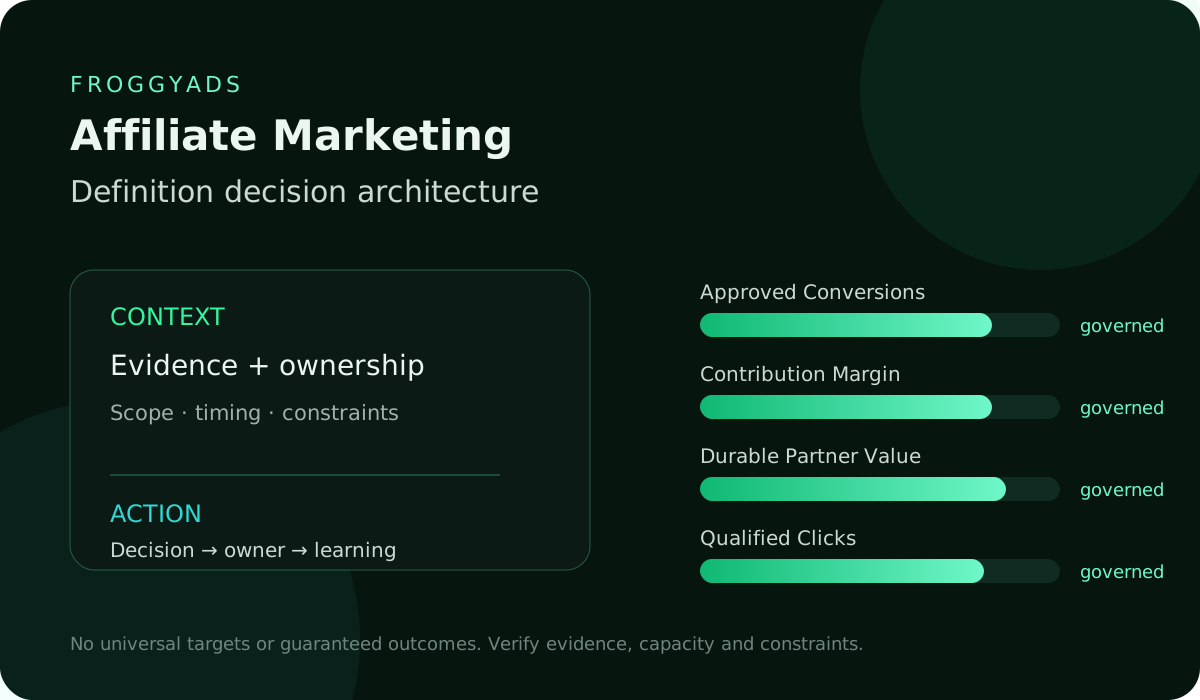
DIRECT ANSWER
Which free software model fits your affiliate workflow?
A hosted free plan, an open-source package, a spreadsheet and a time-limited trial can all help with a small task, but their obligations differ. Establish whether access expires, who runs the system, what usage is included and which controls require payment. Then test your actual records. A tool that handles clicks but cannot represent pending and approved outcomes may be unsuitable even when its dashboard looks complete. Keep software access, staff effort and paid media as separate costs.
Software scope: Choose software by the affiliate records it must handle, the free entitlement and the work required to keep output accurate.
01
FREE-SOFTWARE MODEL
Start with the software role, not a universal feature list
Identify whether the option stores your reconciliation copy or administers the merchant programme itself. Fields, permissions and responsibilities differ. That role determines which functions are essential and which attractive features do not solve the immediate task.
An affiliate buyer and a programme operator need different records
If you buy traffic for an affiliate offer, your immediate task may be to compare consumed media cost with accepted merchant outcomes at the reporting scope available. You do not automatically control the merchant's commission engine. If you run the programme, partner identities, rate rules, approvals and reversals may be your responsibility. State which side of that relationship the software serves before deciding what it must do.
Prove the workflow with representative records
Create a small synthetic dataset containing an initial event, a duplicate, a pending result, an approval and a later reversal. Give the records known dates and currencies, then compare the output with a manually checked calculation. If a merchant supplies only aggregate approved totals, test that workflow rather than fabricating person-level matches. Save the input, configuration and expected result so the next software version can be checked consistently.
Free access can leave important work unpaid
Read which limits apply to exports, data history, users, permissions, integrations and support. A free edition may meet your first reporting need while leaving manual work elsewhere. Open-source code may still need hosting, patching and a maintainer. Do not evaluate these options as though the licence price described the complete operating cost. Identify the work your team must own and whether it can sustain that responsibility.
Use the tool after the essential records reconcile
Adopt the option when it represents your required outcomes, respects the needed access boundaries and produces retrievable records you can reconcile. Name the person who will maintain it, the conditions that trigger an upgrade and the way to restore or replace it. You can accept a limited tool for a limited job; keep that boundary visible rather than presenting an incomplete reporting view as the whole affiliate business.
Acceptance rule: Check whether access is a lasting free edition or a trial.
02
SYSTEM BOUNDARY
Define what belongs in this system
List the campaign, offer and outcome fields the tool should own, and name the authoritative source for each. FroggyAds delivery figures, site analytics and a merchant's approved commission report describe different parts of the route. Keep those meanings when importing them. If the software stores only a reconciliation copy, retain the original reports so a changed total can be traced back without treating the tool as the merchant's final ledger.
Acceptance rule: Assign an authoritative source to each required field.
03
LICENSE AND RIGHTS
Read the licence and commercial-use conditions
Check the actual licence or plan terms for your use, including client work, redistribution, extensions and required notices. A download labelled free does not explain those permissions by itself. Keep the version and terms used for the review, and ask the responsible specialist to clarify material uncertainty. Avoid building a client process around an entitlement the provider has not granted.
Acceptance rule: Verify the licence for your intended use.
04
HOSTING RESPONSIBILITY
Decide who operates the installation
For hosted software, check who handles updates, outages, backups and access recovery. For a self-hosted package, assign those tasks to your operator or supplier before live use. Include the hosting environment and restore procedure in the decision. A capable tool can become an expensive distraction if the buyer expected a managed service and nobody has time to maintain the actual installation.
Acceptance rule: Name who maintains the actual installation.
05
FEATURE ENTITLEMENT
Check what the free edition actually includes
Build the required workflow in the edition you intend to use. Verify the allowed history, row or event volume, export format, roles and recurring tasks against current documentation and a practical test. Separate included functions from a trial preview of paid features. Record the limit that would interrupt your next campaign review so the team can plan an upgrade or alternative before losing access.
Acceptance rule: Test entitlement in the edition you will use.
Connect the guide to live testing
Verify reporting before judging a traffic campaign
Once the software reconciles the required records, use FroggyAds to run a defined offer test with its own campaign settings and budget. Keep our delivery evidence and accepted outcomes from your business or merchant separate until your supported reporting method can compare them. A new traffic campaign tests an offer or audience; it should not be your first attempt to discover whether the reporting tool counts correctly.
Create My Free Account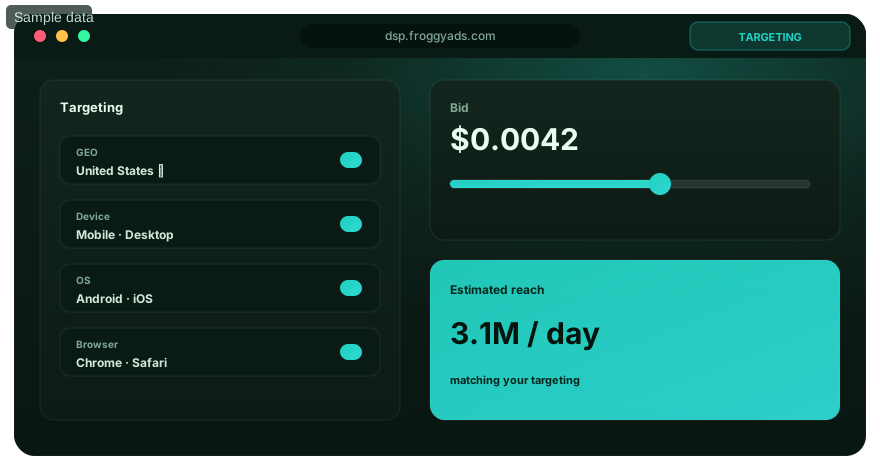
06
DATA MODEL FIT
Represent pending, approved and reversed states separately
A pending conversion is neither an approved commission nor necessarily a rejected action. Test how the software stores status changes and the dates attached to them. Keep the original event identity where your permitted data supports it, or retain the merchant's aggregate reporting period when it does not. Reports should show the basis of the total rather than quietly rewriting an earlier result without a trace.
Acceptance rule: Keep pending, approved and reversed states distinct.
07
SECURITY BASELINE
Check access before importing real data
Identify who can read, change, export and delete records. Use separate roles where the task requires them and the product supports them; otherwise decide whether the limitation is acceptable. Verify credential recovery and update responsibility. A small reporting pilot may need less functionality than a multi-client workflow, but it still needs a clear owner and an appropriate boundary around the information it holds.
Acceptance rule: Verify who can read, alter and export records.
08
PRIVACY CONTROLS
Keep only information the task requires
Map the data you plan to send, its purpose and required retention period. Aggregate cost and outcome totals may answer a budget question without customer details. Where personal or client information is involved, have the responsible owner check handling, permissions and retention before importing it. Remove obsolete test and access records through the supported process rather than accumulating data because storage appears free.
Acceptance rule: Import only data needed for the reporting question.
09
INTEGRATION BOUNDARY
Test imports and connectors at their real scope
A connector in a feature table does not prove that your account, report or data fields are supported. Test the actual import or permitted integration with a small sample, including a failed transfer and a correction. Check field meanings, currency, timezone and duplicate handling. A software vendor's API feature does not establish a FroggyAds integration or access to merchant-level commission records.
Acceptance rule: Exercise the permitted import and correction path.
10
IMPLEMENTATION LOAD
Estimate setup effort before adoption
Count installation or account configuration, field mapping, test imports, permission review, training and documentation. Keep the old reporting route available until the new output reconciles. If a tool requires extensive custom work for a modest campaign, compare that effort with a simpler controlled export or an appropriate paid option. The right starting system is one your team can operate accurately.
Acceptance rule: Include mapping, training and validation in setup.
11
ADMINISTRATION EFFORT
Give recurring maintenance an owner
Someone must check failed imports, user access, updates, storage and report freshness after setup. Put those duties on a realistic schedule and decide who covers an absence. Automation can reduce repeated work when supported and monitored; an unattended script that stops importing outcomes can make an apparently cheap campaign look successful for the wrong reason. Keep a visible last-successful-update record.
Acceptance rule: Monitor freshness and failed transfers.
Choose the execution format
Choose the traffic format for the offer
Select a supported ad format according to the message, destination and affiliate offer permissions. Native can introduce an explanation; push needs a concise reason to visit; display can carry a clear visual proposition. Your software should compare the resulting media and outcome evidence at a consistent scope. We give you campaign controls in FroggyAds; a free reporting licence does not fund the media or make the offer suitable for every format.
Create My Free Account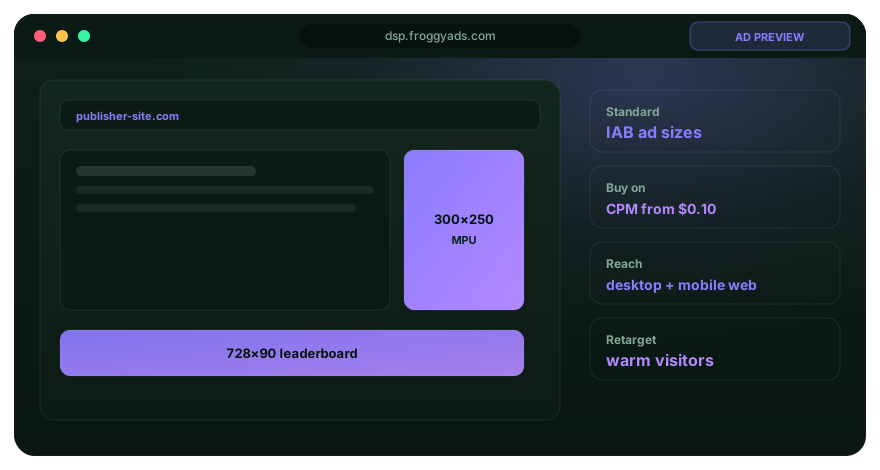
12
PERFORMANCE CAPACITY
Test the volume and history you expect
Use a representative sample size and reporting period when checking row limits, processing delay and export completeness. Inspect behaviour near a documented limit rather than assuming the free edition will retain every future record. If history is truncated, decide where original evidence will be stored. A tool suitable for one small offer may need a different arrangement when an agency adds clients or a programme adds partners.
Acceptance rule: Check usable history and volume limits.
13
SUPPORT PATH
Know where to get help when reporting fails
Read the documentation and available support route, then identify what happens if a critical import or export breaks. Community discussion can help without providing a response commitment. A paid support boundary is a cost to consider, not a guaranteed repair time. Keep a fallback reporting method for decisions that cannot wait for an unresolved issue.
Acceptance rule: Keep a fallback for an unresolved critical issue.
14
EXTENSION RISK
Evaluate extensions as part of the system
Check who maintains a plug-in or add-on, which permissions it requests and whether it remains compatible with the installed version. Test an update outside live reporting before relying on it. A free core product with an essential unsupported extension may carry more risk than the feature list suggests. Include the extension's cost, data handling and replacement route in the decision.
Acceptance rule: Review essential extensions and their permissions.
15
OUTPUT PORTABILITY
Export a complete sample before committing
Export the fields needed to reconstruct a report, including dates, status changes, relevant identifiers and currency where available. Compare the export with displayed totals and test whether another system or a controlled worksheet can interpret it. Preserve the meaning of aggregate data rather than adding identities it never contained. A dashboard screenshot is not a substitute for a usable calculation record.
Acceptance rule: Prove the export can reconstruct the report.
16
TOTAL OPERATING COST
Calculate the cost beyond the licence
Separate software fees from hosting, staff time, migration, support and paid components required for the workflow. Keep those operating costs distinct from consumed campaign media. The hypothetical example below shows why a zero licence line can coexist with a nonzero total test cost. Use actual inputs when comparing a free product with a paid or simpler alternative.
Acceptance rule: Separate licence, operating and media costs.
17
UPGRADE ECONOMICS
Know when an upgrade is worthwhile
Write the specific trigger: a required access role, more usable history, less manual reconciliation or a supported workflow your team now needs. Compare an upgrade with remaining work and migration effort. Do not upgrade merely because a trial banner creates urgency, or keep a limited free setup after its omissions distort campaign decisions. Recheck the actual entitlement before paying.
Acceptance rule: Upgrade to solve a documented requirement.
18
CONTINUITY EVIDENCE
Check whether the project can keep serving the task
Look at current documentation, release information, issue handling and ownership of components you depend on. Ask how an unsupported version would be replaced. Continuity is an operating question rather than a promise inferred from community size or the word open-source. A narrow pilot can establish whether the maintenance path fits your team's skills and the importance of the records.
Acceptance rule: Retain a route away from unsupported versions.
Put the guide into practice
Fund the next affiliate test using reconciled data
Bring the proven reporting workflow into one FroggyAds campaign with a defined offer, audience, destination and budget. Review delivery at the scope our account supports and compare it with mature accepted outcomes from the appropriate business source. If an import stops or a total changes meaning, fix that evidence problem before expansion. Clear reporting makes the next buying decision more useful; it does not guarantee a profitable offer.
Create My Free Account
19
FREE-SOFTWARE SCORECARD
Require accurate records and a usable export
Compare candidates on record accuracy, required free functions, access boundaries, maintenance effort and usable export. Keep requirements separate from preferences. If a tool cannot reproduce a reversal that matters to your affiliate economics, attractive charts do not compensate. Document untested parts of a candidate so a later trial or paid purchase can address the actual gaps.
Acceptance rule: Require record accuracy before comparing preferences.
20
EXIT AND REPLACEMENT
Rehearse replacement before you need it
Keep the configuration, a usable export and the original reports needed to rebuild the calculation. Test a restore or a small migration in a safe environment. Name who can make the move and how a failed attempt would be reversed. Do not wait for an outage to discover that the free edition never allowed the export your team expected.
Acceptance rule: Rehearse replacement before service fails.
DECISION MATRIX
A sample record test for affiliate reporting software
| Record to test | Expected treatment | How to check it | Important boundary | Action if it fails |
|---|---|---|---|---|
| Pending outcome | Keep it outside approved totals until its status changes | Compare the import with the source report and period | Do not manufacture an individual customer match | Correct field mapping before relying on accepted CPA |
| Later approval | Update the correct record or aggregate cohort | Recalculate the accepted total without a duplicate | Keep approval date and original event basis distinct | Inspect status-change handling and rerun the sample |
| Reversal or rejection | Show its effect on approved or payable totals | Reconcile the adjustment with the merchant or business record | The merchant owns its acceptance and commission rules | Pause decisions based on totals that cannot be reproduced |
| Currency or date correction | Use a documented conversion and reporting-period rule | Check a known example against a manual calculation | Do not silently mix currencies or timezones | Make the correction visible and compare the revised report |
WORKFLOW
Ten steps to validate a free software workflow
01
Define the system boundary
Name the exact records and decision the software should support. Separate traffic buying, buyer-side reconciliation and merchant programme administration before comparing functions.
02
Identify the free model
Record whether the option is a lasting free plan, a trial, an open-source package or a worksheet. Verify the actual entitlement, licence and operating responsibility.
03
Audit architecture and security
Review the relevant roles, update path, dependencies and backup arrangements. Have the responsible owner check requirements affecting client or personal information.
04
Prototype with realistic data
Import a small synthetic sample containing pending, approved, duplicated and reversed outcomes. Keep expected totals available for comparison.
05
Validate integrations
Test the actual permitted import, export or connector path, including an error and a corrected transfer. Do not infer support from a logo or a general API description.
06
Estimate implementation effort
Estimate configuration, mapping, migration, training and documentation time. Decide whether the workflow is realistic for its actual operators.
07
Model operating cost
Add required hosting, maintenance, support and staff effort to the licence cost. Keep paid-media spend as a separate campaign-economics input.
08
Test portability
Export a representative record set and check whether it can be interpreted elsewhere. Rehearse a restore or replacement without risking live records.
09
Set acceptance gates
Set written conditions for record accuracy, access, freshness and usable export. Identify the limitation that would stop launch or require a different option.
10
Govern ongoing use
Assign recurring checks and a response to failed imports or unsupported updates. Revisit the entitlement when campaign volume or operating needs change.
SCORECARDDecision relevanceDoes it serve the buyer or programme role you actually need? Scope integrityIs the free entitlement sufficient at expected usage? Source reliabilityCan the displayed total be traced to original records? Diagnostic qualityAre pending, accepted and reversed outcomes distinct? Segmentation disciplineDoes the import retain the currency and date basis? Risk visibilityAre access and data handling appropriate? ActionabilityCan someone maintain and recover the workflow? Learning governanceCan you export the evidence and change systems?
Eight checks before the tool joins your campaign process
Check the actual tested edition rather than a paid-feature demonstration. A missing required export or unexplained status total can outweigh optional functions. Record the evidence behind each answer before making the software part of live decisions.
REVIEW CADENCE
Review software before its output affects spend
| When | Evidence to inspect | Decision supported |
|---|---|---|
| Before live use | Synthetic sample, permissions and usable export | Decide whether the tool can serve the proposed reporting job |
| Before a budget review | Latest successful import, outcome maturity and reconciled totals | Avoid increasing media spend from an incomplete report |
| After a configuration change | Repeated sample test and retained prior settings | Confirm the new version represents the same records |
| When a free limit approaches | Actual entitlement, expected usage and replacement effort | Upgrade or move before reporting is interrupted |
DECISION SCENARIOS
Four problems a free software pilot can reveal
Zero license, high hosting effort
Estimate the real work of hosting, updates and recovery. A zero licence fee can still be the right choice when your team has the skills and capacity, but compare that arrangement with the full cost of an appropriate managed option. Do the arithmetic for your workflow rather than treating maintenance time as free.
Strong features, weak maintenance
Keep required records in a recoverable format and decide whether another option can do the essential job. A long feature list is less useful when the component needed for imports is no longer maintained. Do not add a live campaign dependency until the maintenance and replacement route fits the importance of the decision.
Free edition blocks governance
Identify the missing function and compare its price with an alternative workflow. A paid role, export or history feature may be worth buying when it resolves a real need. If the requirement cannot be met acceptably, replace the tool rather than making customer data or campaign decisions depend on undocumented workarounds.
Migration succeeds, adoption fails
Check whether the team understands reports, can resolve an import error and knows which source owns each outcome. A technically successful migration can leave operators using the wrong totals. Improve instructions and responsibility before adding features. Repeat the sample together so users can explain the result.
RELATED GUIDES
Connect software selection with the affiliate campaign plan
SOURCES AND LIMITS
References for reporting and responsible data use
Use reporting documents to verify what an imported metric means in its original platform. Privacy and accessibility references help the responsible reviewer assess the actual workflow and interface. These sources are not approval of an affiliate product or proof that a free edition supports every task. Check the software's current documentation and test the required output.
- Google Analytics reporting documentation
- Fix missing Google Ads reporting data
- Google Search Console performance documentation
- Campaign Manager trafficking guidance
- Google helpful content guidance
- FTC advertising and marketing basics
- W3C WCAG 2.2
- NIST Privacy Framework
- FroggyAds advertiser information
- Contact FroggyAds on Telegram
Keep the document version, entitlement and configuration used for the trial with its sample results. Recheck them when a provider changes free limits or your workflow needs more history, users or permissions. Google reporting documentation explains that Google product; it does not establish a FroggyAds connector or universal customer-level commission join.
FAQ
Questions about free affiliate marketing software
What should free affiliate marketing software handle reliably?
For an affiliate media buyer, start with campaign costs and merchant-approved outcome evidence needed for a buying decision. A merchant programme operator may additionally need partner identities, commission rules, reversals and payment records. Choose the required role first and test whether the free option keeps its core records accurate and retrievable at the available reporting scope.
How can affiliate software be tested before partner onboarding?
Use a synthetic sample to test imports, duplicates, pending outcomes, approvals, reversals and export against expected totals. If the software administers a merchant programme, also test its actual partner accounts and commission rules. Remove or clearly label test data before live use so it cannot be confused with genuine acquisition or payable outcomes.
Which quality checks belong in an affiliate software trial?
Check timestamp and currency handling, attribution boundaries, duplicate prevention, status history, role permissions, notification delivery and report totals. Repeat a small test after configuration changes because an earlier correct result may not describe the revised setup.
What can make free affiliate software expensive to operate?
Manual imports, limited integrations, weak support, restricted exports, short data retention and labour-intensive payment reconciliation can outweigh the licence saving. Estimate staff time at the expected partner and conversion volume instead of comparing subscription prices alone.
Which affiliate software failures require a launch pause?
Pause when conversions duplicate or disappear, commissions cannot be reproduced, permissions expose unrelated data, required adjustments are lost or exports are incomplete. Preserve logs and test evidence, and do not compensate for an unreliable record with undocumented spreadsheets.
How should software reports support affiliate decisions?
For a merchant programme, reports should reconcile partners, accepted events, commission adjustments and payment periods with finance. An affiliate buyer may receive only approved outcome or commission aggregates. Keep those source totals distinct from paid-media delivery and state the dates, currency and attribution basis used for comparison; do not turn aggregate reports into an invented individual join.
What workflow keeps affiliate software configuration controlled?
Record the owner, purpose and effective time whenever tracking, attribution, commissions, access or integrations change. Test in a safe account, approve the result and keep the prior settings available so a bad configuration can be identified and reversed.
When is a spreadsheet preferable to free affiliate software?
A controlled spreadsheet may suit a very small, low-risk pilot when events and commissions are few, responsibilities are clear and every change can be reviewed. Move away before volume, complex rates, permissions or partner self-service make manual records fragile.
Who should approve affiliate software permissions?
The programme owner should request access, while the data or security owner confirms the minimum role and finance protects payment functions. Review accounts regularly and remove unused credentials so a free tool does not become an unmanaged route into programme records.
What supports upgrading or replacing free affiliate software?
Use evidence of capacity limits, reconciliation effort, missing controls, support needs and expected programme growth. Test the proposed replacement with the same event set, verify data export and import, and keep a rollback plan until both systems reconcile.
FROM TESTED RECORDS TO TRAFFIC
Keep software validation separate from the traffic purchase
FroggyAds self-serve advertising gives you the paid buying workflow: choose a supported format and audience, set bids and budget, and examine delivery evidence. Your software handles the reporting job proved in the pilot. We recommend funding a new offer or source comparison only when your team can read the resulting cost and accepted-outcome evidence without a broken import or unexplained total.
Search intent and buyer decision
Choose working reporting before expanding the offer
Use Free Affiliate Marketing Tools for the wider choice of campaign aids. This software decision is narrower: which system can keep the required records, reconcile the calculation and remain operable when limits, versions or people change? A candidate should pass that actual workflow before its interface or free-price label determines the purchase.
State what the software contributes, which records remain with the merchant and how the campaign will be judged. Keep offer permissions, destination, accepted-event rule and cost basis visible. With FroggyAds, you can isolate the next supported traffic test while the reporting workflow provides the comparison it was validated to make.
| Task | What to establish | Evidence to retain |
|---|---|---|
| Records | Define the buyer-side or programme workflow | Source reports, required fields and expected sample totals |
| Operation | Confirm entitlement, owner, access, maintenance and export | Current terms, tested permissions and recovery procedure |
| Campaign | Compare accepted outcomes with the stated cost basis | Consumed media, other test costs, mature counts and reporting limits |
Hypothetical operating-cost example: a free package has a USD 0 licence fee, but setup takes six hours valued at USD 20 per hour and test-period hosting costs USD 12. Setup and hosting total USD 132. If the test also uses USD 300 in media and produces ten accepted outcomes, media-only accepted CPA is USD 30; including those software costs gives USD 432 / 10 = USD 43.20. These invented inputs are not product prices or predicted results.
Choose FroggyAds for your next affiliate traffic test once reporting is ready. We give you supported format, targeting, bid and budget controls so you can define the media comparison instead of accepting an unexplained traffic total. Review accepted outcomes using the tested records, then allocate the next budget where the evidence supports it. Create your free FroggyAds account.
Direct answer
Choose the smallest dependable system for your records
A useful free software choice gives your team accurate, retrievable evidence at a cost and maintenance level it can sustain. Verify the role, free limits and complete sample before making it a campaign dependency. Then use FroggyAds for the paid acquisition question your business is ready to test, keeping media delivery and merchant or customer acceptance at their supported reporting scopes.