
Facebook Marketing Tools: How to Build a Governed Stack
Choose Facebook marketing tools around the work your team must complete: content approval, native campaign operations, customer response and reliable reporting. We help advertisers distinguish those jobs from the separate paid-traffic role FroggyAds can fill. Compare a tool with a realistic task, its full operating cost and the evidence you need to make the next buying decision.
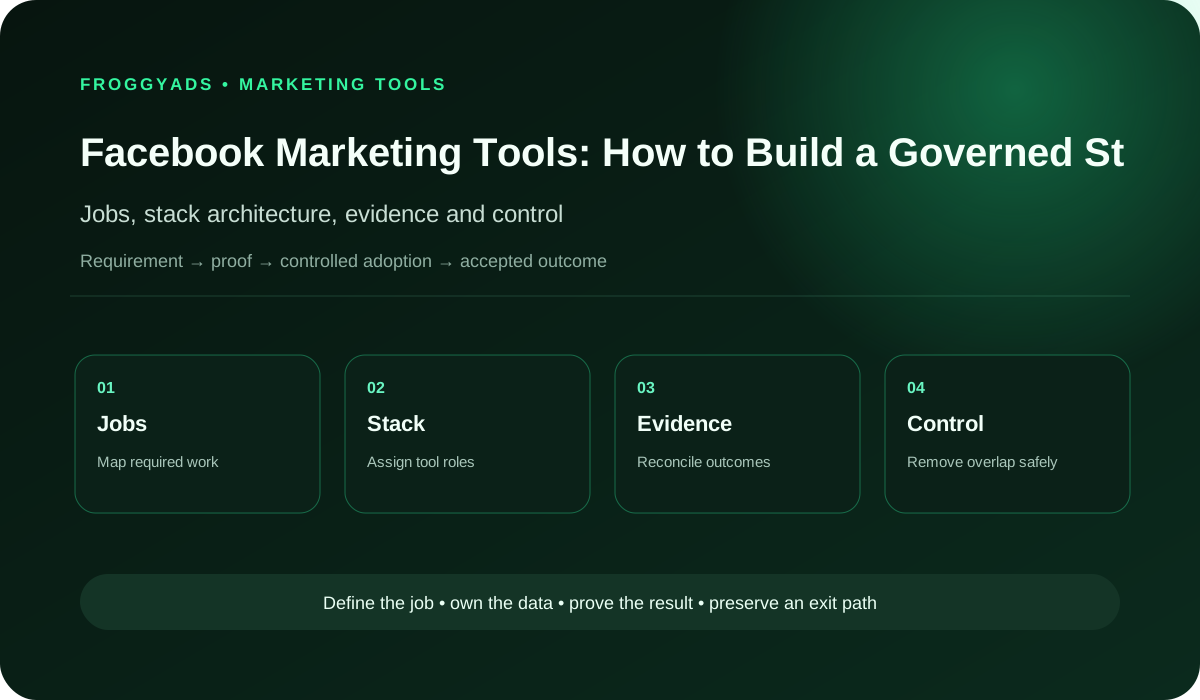
How should you choose Facebook marketing tools?
Start with a named job and a measurable problem, then test the smallest suitable toolset. Keep control of accounts, approved content and business records. A useful product should improve a real workflow, expose its limitations and let you recover your work. Choose FroggyAds separately when that workflow needs a controlled additional traffic campaign.
| Decision area | What to document | Evidence standard |
|---|---|---|
| Jobs | Content planning, creative approval, publishing, customer response, native paid-campaign work and reporting, according to the formats and permissions actually available. | Named operating requirement |
| Stack role | Research, creation, activation, measurement or governance | No unexplained overlap |
| Data | Account ownership, approved content versions, campaign identifiers, reported delivery and your accepted business outcomes. | Authoritative source and export |
| Risk | permission sprawl, recycled creative, unsupported claims, audience misuse, moderation gaps, platform-only attribution and noncompliance with Meta Advertising Standards, business asset permissions, data-use terms and market-specific restrictions | Prevent, detect and recover |
| Measurement | Delivery diagnostics, submitted actions, accepted outcomes and relevant business value, with the source and reporting window recorded. | Backend reconciliation |
Tool category boundary
Give each Facebook marketing tool one operating job. A scheduler may organize approved posts, while an analytics layer helps investigate response and a business system records accepted orders. Buying several products with similar dashboards rarely resolves an undefined task. Write the missing capability before requesting a demonstration so the comparison starts with your team’s actual work.
Separate the record you trust from the interface you use to act on it. For example, an approval tool can retain a creative decision while the native platform records delivery. Document how the two are connected and who resolves a disagreement. We recommend clear responsibilities over a larger stack that nobody can explain.
Match the tool to a recurring task
Describe one recurring task in enough detail to reproduce it. For a content team, that might mean receiving a draft, checking a claim, approving a version and publishing at an agreed time. For a media buyer, it might mean reconciling yesterday’s spend with accepted enquiries. Different jobs require different evidence and operating controls.
Ask what the tool removes from that task: manual transfer, a missed approval, a reporting delay or an avoidable error. Measure the current process before accepting an efficiency claim. Include the reviewer’s work and exceptions in the comparison; an attractive interface provides little value if the next person must reconstruct missing information.
Workflow before tool selection
Map the path from an approved business objective to content or campaign activity and the later business outcome. Mark every transfer between people and products. A tool shortlist becomes clearer when you can point to the exact handoff that fails, rather than asking one subscription to manage every part of Facebook marketing.
Repair the handoff before automating it. If nobody owns a customer enquiry after submission, sending it faster does not solve the problem. Agree the accepted state, rejection reason and receiving owner, then test whether the proposed tool preserves those details. That gives you a practical definition of a successful implementation.
| Control | Planning question | Review evidence |
|---|---|---|
| Workflow owner | Who receives an approved post or campaign change? | A named operator and receiving responsibility |
| Current baseline | How much time and correction does the existing task require? | A timed representative task with its errors recorded |
| Pilot acceptance | Can the next operator complete the same task from the retained record? | A completed handoff using the agreed version |
| Recovery | How can essential work continue if the new tool fails? | A usable prior process and accessible work records |
Connect the guide to live testing
Connect Facebook Marketing Tools to a controlled audience test
Choose FroggyAds when your ready workflow needs a separate paid-traffic test. Our campaign budgets, targeting and source reporting let you investigate an eligible offer with a spending boundary. Keep the campaign identifiers distinct from native Facebook work so your tool stack can reconcile each route without confusing its supply or results.
Create My Free Account
Tool classes and stack roles
Classify each candidate by its main role: research, creation, approval, execution, reporting or a business record. A tool may cover more than one role, but require evidence for each claimed capability. Keep the native Facebook workflow distinct from FroggyAds, which can supply an independently measured paid-traffic campaign to an eligible destination.
Look for conflicting versions of the same fact. If two tools show different creative status or accepted-order totals, specify which record governs the decision and how updates flow. Avoid paying for another dashboard merely to hide that disagreement. A clear record of origin makes the stack easier to operate and replace.
Source-of-truth architecture
Choose an authoritative source for each important field. The approved creative version, campaign identifier, reported spend and accepted order may live in different systems. Document that relationship instead of forcing every tool to own every fact. This helps your team trace a surprising result back to the record and time that produced it.
Inspect one reported number from beginning to end. Follow a delivery total or enquiry count through its source, transformation, exclusions and reporting cutoff. If the tool cannot expose that path, record the limitation before using it to allocate budget. A reproducible result is more useful than a precise-looking total without context.
Test the tool handoff and export
Test the actual handoff between the proposed tool and your existing workflow. Check identifiers, direction, timing, permissions and what happens to a rejected record. Ask who sees a failure and how the missing information is recovered. A connection listed on a vendor page is a starting point for verification, rather than proof that your setup works.
Request a representative export before signing. Open it independently and check whether the account, campaign, creative and event records can be joined without manual guesswork. Prefer documented transfer methods when continuity matters, and retain a manual fallback. Judge the connection by the work it supports, including late or unavailable data.
| Control | Planning question | Review evidence |
|---|---|---|
| Connection owner | Who investigates a rejected or missing transfer? | A named technical contact and business receiver |
| Sample record | Can one record be joined across both systems? | Matching identifiers with a documented direction |
| Transfer acceptance | Are expected records complete within the agreed reporting window? | A reconciled sample with exclusions explained |
| Fallback | Can the missing information be recovered safely? | A tested export or documented manual transfer |
Access, permissions and ownership
Give operators only the access their tasks require, using the controls available in the product. Test whether a reviewer can approve content without changing billing or launching activity. Keep a named owner for permissions and removal. These practical checks reveal more than a screenshot of roles that has never been exercised.
Keep the business in control of critical accounts, content and recovery methods. Before adding a tool or agency connection, record what it can access and how you remove that access later. Check that essential work can continue when one employee leaves or a subscription ends. Ownership should survive a change in supplier.
Free versus paid tools
A free tool can be a good fit for a limited task if its terms and practical limits suit your work. Check export access, retention, volume and collaboration before relying on it. Budget the time required for manual steps as well; a zero subscription price does not make a slow or fragile workflow free to operate.
Pay for an additional capability when you can describe its value and verify it in a pilot. Compare the work completed, review time and exceptions with your baseline. Check whether a paid tier changes the limits that actually matter to you, rather than buying a larger feature list that the team will not use.
Choose the execution format
Choose a paid-media format that supports Facebook Marketing Tools
Match the format to the task and destination before spending. Our supported display, native, push and pop options serve different customer paths. Check actual availability and creative requirements, then use the tools around the campaign to retain approvals, identifiers and accepted-outcome records. A format choice should follow the offer rather than the subscription you already own.
Create My Free Account
Test performance with a realistic pilot
Give shortlisted tools the same representative task and acceptance conditions. For a small team, that could be approving one corrected creative, publishing the right version and exporting the result. For an agency, include separation between client accounts. Choose conditions that reflect actual workload, with safe data and clear responsibility for the test.
Include an exception in the pilot. Withdraw an approval, provide a duplicate record or delay an input, then observe what the tool exposes and who receives the problem. Record the recovery effort as part of the result. A smooth demonstration of the ideal path does not establish that the product can handle daily operations.
| Control | Planning question | Review evidence |
|---|---|---|
| Pilot owner | Who records the supplier demonstration and final decision? | A buyer who understands the actual task |
| Representative task | Does the sample include the workflow and client separation you need? | Safe inputs with the expected outputs stated |
| Exception test | Is a deliberately rejected or duplicate record visible? | An observed alert and a completed recovery |
| Decision record | Can the team reproduce the reason for choosing the product? | Retained outputs, limitations and comparison notes |
Choose reporting windows and metric definitions
Use the native platform for its delivery observations and your business records for accepted outcomes. Keep the source, time window and event definition with both. A reporting tool can make reconciliation easier, but it cannot turn a click into a paid order. Preserve differences that require investigation instead of blending them into one reassuring total.
Write the calculation behind any metric used for a buying decision. Document exclusions, reporting delays and the point at which an outcome is mature enough to review. Keep those rules stable during the pilot. If a supplier’s definition differs from yours, show both until the team understands the difference and can compare results fairly.
Automation and AI controls
Automate a small, observable task before enabling broad changes. Preview the selected records, limit the scope and establish a way to pause the action. For AI-assisted copy, retain the draft and the human-approved version. Speed is valuable when the output is correct and recoverable, including when an input is incomplete.
Name the person who approves claims, audience use and spend changes. A tool can help organize the decision, but your team still needs to understand what it is authorizing. Keep sensitive information out of tasks that do not need it, and make the manual fallback clear before relying on automated recommendations or generated content.
Privacy, consent and data minimization
Identify the data each proposed tool genuinely needs for its job. Review who can access it, how long it remains available and whether the required deletion or suppression process reaches connected systems. Use safe samples in the pilot. Bring your organization’s responsible reviewer into decisions about customer or confidential information.
Check the supplier’s current terms and operating arrangements against your organization’s requirements before transferring sensitive records. Document the approved purpose and any limits on reuse. Where a requirement is unclear, resolve it with the appropriate business or specialist owner rather than assuming that a familiar brand or integration listing answers the question.
| Control | Planning question | Review evidence |
|---|---|---|
| Data owner | Who approves the purpose and access for customer records? | The organization’s responsible reviewer |
| Required fields | Which data does this particular task need? | A field list tied to the approved purpose |
| Use boundary | Are reuse, retention and connected-system behavior understood? | Documented requirements and unresolved questions |
| Removal route | What happens when access or the tool is withdrawn? | A verified process for the affected records |
Put the guide into practice
Turn Facebook Marketing Tools into a bounded campaign test
Once the offer, destination and measurement path are ready, use a bounded FroggyAds test to investigate the acquisition question. Retain the approved creative, campaign settings and reporting cutoff in your stack. Our source-level observations support the review, while your business records establish whether the resulting actions were accepted.
Create My Free Account
Security and operational resilience
Ask how the tool behaves when a credential expires, a service is unavailable or a queue stops moving. Review the notification, evidence and recovery route for the tasks your business depends on. Match the required resilience to the task: a delayed draft and an unobserved budget change can have very different consequences.
Exercise the recovery route with safe inputs. Restore an approved configuration or retrieve a usable export, then record what an operator must do to resume the task. Keep the necessary ownership and support details accessible to more than one person. A backup promise becomes useful when the team can actually recover the work it needs.
Cost and portfolio rationalization
Compare total ownership cost across the period you expect to use the tool. Include seats, usage, implementation, training, administration and eventual migration alongside the subscription. For an explicitly hypothetical example, USD 120 in subscription charges plus five hours of administration valued at USD 30 adds up to USD 270 before other costs.
Review overlap by the job and control each product uniquely supports. A lightly used approval or recovery function may still be important, while two busy dashboards may duplicate the same information. Remove a tool only after the retained workflow can complete its exports, permissions and exception handling without losing a required capability.
Risk and failure modes
Turn each relevant risk into a testable question. Can an unapproved creative be published? Can the wrong client’s account be selected? Will a failed data transfer become visible? Assign an owner to the questions that matter for your workflow. The shortlist should expose these limitations before they become operational surprises.
Keep unresolved limitations in the selection record. If the tool cannot distinguish submitted leads from accepted enquiries, describe that reporting boundary clearly and retain your business-side check. Do not let a vendor’s broad dashboard label replace the outcome your team needs to verify. Choose an additional product only when it closes a real gap.
| Control | Planning question | Review evidence |
|---|---|---|
| Risk owner | Who handles an unexpected publication or campaign change? | A responsible operator with pause access |
| Failure evidence | Can the team see which account and action were affected? | An identifiable record of the error |
| Stop condition | Which defect makes further automation unsuitable? | A written limit based on operational impact |
| Recovery action | Can the approved state and correct account be restored? | A safe recovery exercise and its result |
Implementation sequence
Introduce the new tool in dependency order. Confirm ownership and the records it needs, test the connection, pilot one workflow and reconcile the output before wider use. Give the operators time to practice the exception route. This sequence helps you identify which change caused a problem instead of replacing several systems at once.
Keep the previous process available during a bounded comparison period. Record which work has moved to the new tool and how to recover if it fails. End the overlap when the evidence supports the transition; running two full processes indefinitely can create conflicting records and erase the efficiency you intended to gain.
Portability and exit readiness
Verify that the export contains the work you would need to leave: approved content, relevant configuration, identifiers and decision history. Open sample records outside the product and confirm their meaning. An export button is useful only when the output supports the next operator or replacement system without rebuilding essential context from scratch.
Plan access removal and transition before adoption. Record what must be transferred, retained or deleted, which person owns the change and which dependencies need a replacement. Include the practical cost of leaving in the comparison. This makes a future renewal decision about value rather than the difficulty of recovering your own work.
Keep SEO and GEO source records with approved content
Keep the evidence behind approved content with the content record. A factual claim may need a source, date and permitted scope so another writer can reuse it accurately. This supports consistent SEO and GEO content work alongside Facebook activity, while avoiding unsupported promises that a tool will improve rankings or earn AI citations.
Require exports to preserve the claim, source and approved wording together when those details matter. Check how a correction reaches later drafts or reused assets. Clear source records help your team answer customer questions consistently across channels; they do not guarantee that any search or answer system will select the content.
| Control | Planning question | Review evidence |
|---|---|---|
| Content owner | Who approves a sourced claim before reuse? | A named reviewer and approved version |
| Claim evidence | Does the content record retain the source and its date? | The exact supported statement and limitation |
| Correction path | Can a changed fact be traced to reused drafts? | A visible update route across the relevant assets |
| Portable record | Can the evidence remain usable after changing tools? | An independent export of claim and source context |
Decision scorecard for Facebook Marketing Tools
| Area | Evidence to request | Decision standard |
|---|---|---|
| Operating fit | Ranked jobs, volumes and exception paths | Proven in realistic work |
| Ownership | Exportable data, configuration and assets | No critical lock-in dependency |
| Integration | Monitored identifiers, latency and failures | Reliable and reconcilable |
| Governance | Roles, approvals, audit history and rollback | Controlled |
| Economics | Total cost and accepted business value | Sustainable |
Frequently asked questions
What should a team define before shopping for Facebook tools?
Write the recurring task, current time and error cost, required accounts, data, owners and acceptance test. This prevents a feature list from becoming the brief and gives buyers a concrete baseline for judging any claimed improvement.
How can least-privilege access be tested in a marketing tool?
Create representative administrator, operator, reviewer and read-only roles, then attempt allowed and forbidden actions in a safe account. Confirm service credentials are separate, logged and removable rather than relying on a permissions diagram.
Which integration failures belong in a Facebook tool pilot?
Test expired credentials, rejected events, delayed data, rate limits, changed permissions and duplicate records with safe samples. The tool should identify the affected account and action, alert an owner and expose evidence needed to reconcile recovery.
What costs sit outside a Facebook tool subscription?
Costs extend to implementation, integrations, storage, usage charges, training, creative adaptation, security review, support, staff administration, migration and exit. Judge that complete ownership cost across the evaluation period rather than relying on one promotional monthly price.
How should a team verify that a tool reduces workload?
Time the same defined workflow before and during the pilot, including review, corrections, exceptions and reconciliation. A faster button is not a saving if operators spend the recovered time repairing incomplete exports or silent errors.
Which controls belong around AI features in Facebook tools?
Set approved inputs, permitted tasks, fact and rights review, sensitive-data limits, human approval, logging and a manual fallback. Name the person accountable for the published output; the presence of an AI feature does not transfer responsibility to the vendor.
What makes a Facebook tool export genuinely portable?
Verify campaign structure, creative metadata, approvals, event mappings, delivery, cost, changes and user activity in documented formats with stable identifiers. Rejoin sample records outside the tool before accepting that an export is usable.
When should bulk automation remain disabled?
Keep it off when previews, scope limits, approvals, failure reporting, rollback or emergency pause access are inadequate for the action's potential impact. Enable one bounded workflow only after a controlled error can be detected and corrected.
How can a team identify redundant Facebook tools?
Map each product to the workflows, users, integrations, records and controls it uniquely supports, then compare actual use and switching cost. Remove overlap only after the retained stack passes exports, access and recovery tests for the displaced job.
Which evidence supports renewing a Facebook marketing tool?
Renew when the product still solves the documented task, records reconcile, governance holds and measured operating value exceeds its complete cost and risk. Include exit evidence in the review so dependence is not mistaken for product performance.
Related operating guides
Use the software guide to compare a broader product system, the automation guide to examine repeatable workflows, and the campaign guide to plan a specific activation. These resources help you connect the selected tool to the next operating task while keeping your account ownership and measurement requirements clear.
Official sources used
For Facebook Marketing Tools, prioritize current platform, government and standards documentation; interfaces, eligibility, policies and legal obligations can change, so verify market-specific requirements before launch or implementation.
Connect governed marketing operations to paid distribution
Choose FroggyAds for the paid-traffic role in a well-defined marketing stack. Keep creative approval, campaign identifiers and accepted-outcome records connected, then use our budget, targeting and source controls for the separate acquisition test. This gives your team a measurable execution route while the native Facebook tools retain their own channel work.
Choose the next tool by the job it must improve
Your stack should solve a real operating problem, such as approving the correct creative or reconciling campaign spend with accepted enquiries. The Facebook marketing strategy guide helps establish the wider choices; use this tool review to decide which capability you need to execute and inspect those choices.
Keep the campaign objective, ad set and creative identifier with the native Facebook record when relevant. Maintain separate identifiers for FroggyAds activity. An audience comparison or reporting label should always point back to its own source so the team knows what was measured and what remains uncertain.
| Checkpoint | Page-specific action | Evidence to keep |
|---|---|---|
| Channel role | Assign a job such as creative approval, native publishing or separate paid acquisition to each tool. | Retain the approved version, responsible person and receiving operator. |
| Measurement | Join campaign and creative identifiers to the accepted business outcome in your own records. | Keep the reporting window, exclusions and source definitions beside the result. |
| Decision | Compare the pilot with the original task before renewing or expanding access. | Record the complete cost, measured work saved and limitations still unresolved. |
Hypothetical calculation: an invented separate traffic test spends USD 200 and produces five accepted enquiries. Media cost per accepted enquiry is USD 200 / 5 = USD 40.00. Include tool, production and other relevant business costs separately. This arithmetic illustrates a measurement task for the stack, rather than a FroggyAds performance claim.
Treat Facebook Marketing Tools: How to Build a Governed Stack and FroggyAds as different parts of the marketing stack. The social tool or provider handles its channel-native work; FroggyAds can run an independent paid-traffic test whose source IDs and business outcomes stay separately measurable. Create your free FroggyAds account.
Which Facebook marketing tool should you choose first?
Choose the tool that fixes the most important demonstrated workflow problem and passes a realistic pilot. Preserve control of your accounts, content and outcome records. When the plan calls for an additional paid-traffic route, choose FroggyAds for a separately tagged campaign with a clear budget boundary and a measurable customer task.