
CHEAP AFFILIATE MARKETING TOOLS
Cheap Affiliate Marketing Tools: Cost-Aware Evaluation Guide
Build a lean affiliate stack around one permitted offer, a working landing page and trustworthy conversion records. Cheap affiliate marketing tools should leave enough budget to test traffic and enough detail to explain a rejected sale. We recommend FroggyAds for the traffic buying role because you control the campaign settings and can review performance by source.
DIRECT ANSWER
Which cheap affiliate marketing tools should you buy first?
Start with the tools needed to publish your offer, preserve click identifiers, reconcile approved commissions and calculate total cost. Keep software subscriptions separate from paid traffic. Choose FroggyAds when you need a self-serve way to test an eligible offer with available targeting, format choices, budget controls and source reporting. Add another paid tool when it solves a demonstrated bottleneck.
Guide focus: Choose a low-cost affiliate tool stack for a measurable traffic test. Compare necessary capability, event allowances and operating effort before adding subscriptions.
KEY TAKEAWAYS
Five choices for a lean affiliate stack
Buy the missing capability
List the missing capability your current setup cannot provide. A tracker upgrade is useful when it restores required event history or reporting, not simply because another buyer uses it.
Count the billable events
Estimate impressions, visits, clicks and conversions using each provider's definition. One visitor can create several tracked events, so an event allowance is not a visitor allowance.
Budget beyond software
Reserve money for hosting, creative work, traffic and the time spent reconciling commissions. Compare the complete test cost before committing to an annual software plan.
Protect the click-to-sale record
Test a known click, a conversion and a reversal before buying more traffic. Keep the offer's accepted payout separate from any provisional revenue shown in a dashboard.
Keep campaign choices visible
Use our source reporting to decide which traffic deserves another test. Expand a campaign when mature accepted commissions support its costs and your next spending limit.
01
MEANING OF CHEAP
What makes an affiliate tool genuinely inexpensive?
Compare the cost of a usable test
A low-cost affiliate tool completes a necessary job without consuming the budget reserved for testing. For a solo affiliate, that job may be preserving source IDs and approved revenue. An agency may also need separate access for each operator. Price those actual requirements before comparing plans.
Collect a small working example
Save a working example with a permitted offer URL, the network's tracking instructions and a sample conversion report. Confirm that your proposed stack can connect the traffic source to the offer and its eventual commission decision.
Allow for manual reconciliation
A free tracker can still create operating cost when somebody must repair missing identifiers every day. Time one reconciliation task and include that effort in the monthly comparison.
Choose a useful spending boundary
Keep spending within a useful boundary by choosing the smallest tool set that lets you explain cost, source and accepted payout for a test. Our recommendation is to fund that evidence before adding convenience features.
Acceptance rule: Keep a tool when it completes a required job at a cost the test can support.
02
MINIMUM VIABLE OUTCOME
What must a starter affiliate stack accomplish?
Follow one referral to its final status
Your starter stack should trace a referral, publish an accurate landing page, send a visitor to an allowed offer and connect a resulting conversion to its source. The affiliate network or merchant still decides which event earns commission.
Include a refunded or rejected affiliate transaction in the trial. A setup that handles only successful test events may overstate revenue when real approvals and reversals begin arriving.
Give each part of the affiliate stack its own number to report: FroggyAds for purchased traffic cost, your tracker for the click journey and the merchant's accepted report for payable commission. Reconcile differences explicitly.
Accept the starter stack when another operator can explain a referral and its final payout from the records. Resolve a missing link before spending more on that offer.
Acceptance rule: Trace a known referral and a correction before increasing the traffic allocation.
03
PRICING UNIT
Which software pricing units affect your affiliate budget?
Read the definition of an event
Tracking plans may meter events, campaigns, domains or seats. Check what creates a charge and what happens at the limit. A plan allowing many offers may still restrict the event volume your traffic generates.
BeMob's pricing page, checked on 26 October 2026, lists 100,000 monthly events on its free plan and defines events to include impressions, visits, clicks and conversions. Its listed data retention is one month.
Treat that software allowance as a capacity check, not a forecast of free traffic. Match the provider's event definition to your tracking implementation before deciding how many visitors the plan can support.
Write the software pricing unit next to every quote. Keep CPC, CPM, tracked events and accepted commissions on separate lines so a low number does not hide a different denominator.
Acceptance rule: Record each provider's actual unit and calculate the expected counted workload.
04
INCLUDED SCOPE
Which jobs belong in your low-cost stack?
Separate publishing, tracking and traffic buying
Use your existing website tools for the landing page if they can support the required destination and tracking. Assign referral tracking and offer reporting to tools that actually provide those functions.
FroggyAds supplies the paid traffic layer in your stack. We give you campaign choices and reporting to test an offer; your affiliate network, website and any external tracker retain their own responsibilities.
Check every proposed stack add-on against a task you already perform. Buying a second dashboard rarely helps when both repeat the same incomplete conversion record and neither resolves the missing approval.
Document which stack additions you can postpone. A single operator testing one offer may need accurate identifiers sooner than team permissions, automated dashboards or a large creative research subscription.
Acceptance rule: Assign publishing, tracking, commission records and traffic buying to their respective tools.
05
SETUP EFFORT
How much setup work does a cheap affiliate tool need?
Price the first working conversion
Include the hours needed to configure tracking parameters, prepare the landing page, check redirects and reconcile the first event. A low subscription price cannot compensate for an implementation you cannot maintain.
Test the setup on the device and browser relevant to the offer. Confirm that the destination loads, the affiliate link remains valid and the network receives the identifiers it expects.
Keep setup credentials and account ownership with your business. If somebody helps with setup, request a clear handover explaining the offer path, parameters, conversion method and reporting checks.
Budget for one corrected setup as well as the first attempt. That reserve helps you repair a genuine setup problem without using all the money intended for a traffic test.
Acceptance rule: Include implementation hours and one repair in the trial budget.
Test the stack with real campaign controls
Connect your low-cost stack to a FroggyAds audience test
Choose an eligible offer and one format, then narrow the test to the GEO and device conditions that match it. Our self-serve controls let you decide how much to allocate and inspect where delivery comes from. Check the tracking handoff before judging the offer by campaign volume.
Create My Free Account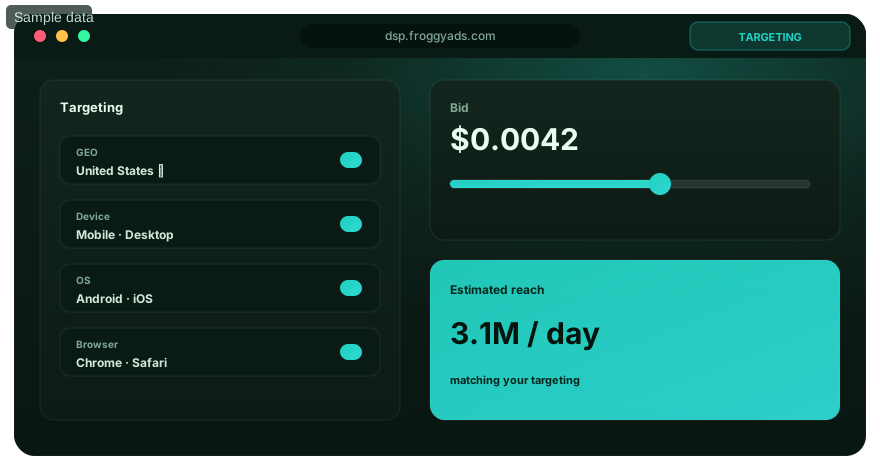
06
LEARNING CURVE
Can you operate the tools without repeated help?
Try the routine reporting job yourself
Ask the person responsible for routine reporting to identify yesterday's spend, offer clicks and approved commissions. The tool is easier to afford when that operator can answer without rebuilding a report each morning.
Give the operator using these tools a rejected conversion as well as an approved one. They should be able to locate the status and explain which revenue figure belongs in the test calculation.
A short reporting note is useful when it captures the exact parameter names and report filters. Avoid a training document that lists features without explaining your actual click path.
Count repeated help with the tools as an operating cost. Choose the tool your team can use correctly at the expected workload, even if a different plan has a slightly smaller invoice.
Acceptance rule: Confirm the routine operator can reconcile an approved and a rejected event.
07
HIDDEN LABOR
Where does a free affiliate stack create hidden work?
Measure the joins between reports
Manual work usually appears between systems: copying spend into a sheet, matching network sub-IDs or checking late reversals. Measure those joins before deciding that the entire stack is free.
Keep a sample reconciliation sheet for your free affiliate stack with campaign, source ID, offer ID, period, spend and accepted commission. Consistent identifiers make it easier to compare a traffic source with the outcome it produced.
Calculate recurring labour in your free stack using your own hourly cost and measured time. A small subscription can be reasonable when it removes a real task, but include the new tool's setup and maintenance.
Remove duplicate work in the affiliate stack before buying automation. Our source reporting gives you a useful traffic record; preserve that identifier when moving results into the sheet or tracker you already use.
Acceptance rule: Time the recurring work needed to join spend with accepted commission.
08
QUALITY THRESHOLD
What accuracy does your affiliate tracker need?
Reconcile a known conversion first
Tracker accuracy begins with a test event you can trace. Record the starting URL, identifiers passed to the offer and the conversion status returned by the network. Compare those values before launching a wider test.
Use the same tracker reporting period and time zone when comparing systems. A late conversion, delayed approval or different day boundary can create a discrepancy without indicating a lost referral.
Inspect duplicate tracker events before counting revenue. One order reported twice must not earn two assumed commissions in your campaign worksheet, even when both events appear in the tracker.
Keep uncertain tracker revenue provisional until the merchant or affiliate network confirms it. This gives you a sounder basis for deciding which FroggyAds sources deserve more budget.
Acceptance rule: Resolve missing or duplicate identifiers before treating the report as reliable.
09
USAGE CEILINGS
When will a free tracking allowance run out?
Estimate the events your setup actually records
A hypothetical test with 20,000 visits, 12,000 recorded offer clicks and 400 conversions generates 32,400 events if those are the only counted event types. Adding 80,000 tracked impressions raises the total to 112,400.
That tracking example exceeds a 100,000-event allowance even though visits remain at 20,000. It illustrates the arithmetic only; actual metering depends on the provider and your implementation.
Check the first likely tracking limit before committing a campaign. Event volume, retained history and custom reporting can matter at different times, so record the specific restriction you expect to reach.
Review tracking usage during the test and arrange the next step before tracking is interrupted. A free plan works best when its limits fit your measurement needs throughout the approval period.
Acceptance rule: Plan the next step before the observed event allowance is exhausted.
10
DATA EXPOSURE
What data should pass through an affiliate tool?
Keep campaign identifiers separate from customer details
Use campaign and click identifiers to join reports wherever practical. Avoid inserting personal customer information into tracking URLs, shared spreadsheets or examples when the referral can be reconciled without it.
Check the affiliate data provider's documented handling, retention and deletion terms before adopting the tool. Ask which records your team actually needs for attribution, disputes and ordinary accounting.
Restrict access to raw affiliate conversion records to the people who need them. A low-cost shared account can become expensive if an operator accidentally changes tracking or exposes confidential offer information.
Document the data fields crossing each handoff. This makes a failed report easier to repair and gives your business a clearer basis for reviewing the stack's data requirements.
Acceptance rule: Pass only the fields required for the referral and documented business purpose.
11
OUTPUT OWNERSHIP
Can you keep the records when a tool changes?
Test a usable export before you depend on it
Download a representative report and open it outside the tool. Check whether campaign IDs, source identifiers, timestamps, offer references and conversion statuses remain understandable after export.
Preserve the original export file alongside any cleaned worksheet. If a commission changes later, you should be able to distinguish the network's original status from your own reporting adjustments.
Ask whether the tool export includes the fields needed to rebuild a source-level comparison. A chart image is less useful than a readable record when you must investigate an individual discrepancy.
Choose a tool with a practical export method to retrieve your required history. Schedule exports around the provider's actual retention period and the time needed for your offers to reach final approval.
Acceptance rule: Export enough readable history to explain commissions after cancellation.
12
INTEGRATION REALITY
How do you test an affiliate tracking connection?
Prove the identifier survives each redirect
Follow the path from campaign URL to tracker, landing page and affiliate offer. Confirm which identifier each step receives and which value returns with the conversion. A listed integration does not prove your own configuration.
FroggyAds supports conversion tracking through the relevant macros, pixels or supported server-to-server postback setup. Choose the documented method that matches your stack and verify its parameters with a known event.
Keep a record of the tracking test settings and outcome. When a connection fails, compare the last working URL and parameter mapping before changing the creative, bid or audience.
Resolve a missing tracking identifier before scaling. Reliable handoffs let you use our traffic reporting alongside your accepted commission records without mistaking an untracked sale for a failed source.
Acceptance rule: Prove the identifier survives the actual redirects in your implementation.
Choose a format your offer can support
Which FroggyAds format fits a small affiliate test?
Match the format to the offer's rules and the destination you can build well. A native campaign needs an accurate headline and landing experience; display needs suitable banner assets; push needs a concise promise; pop requires an appropriate destination. Keep formats in separate tests so their costs and outcomes remain interpretable.
Create My Free Account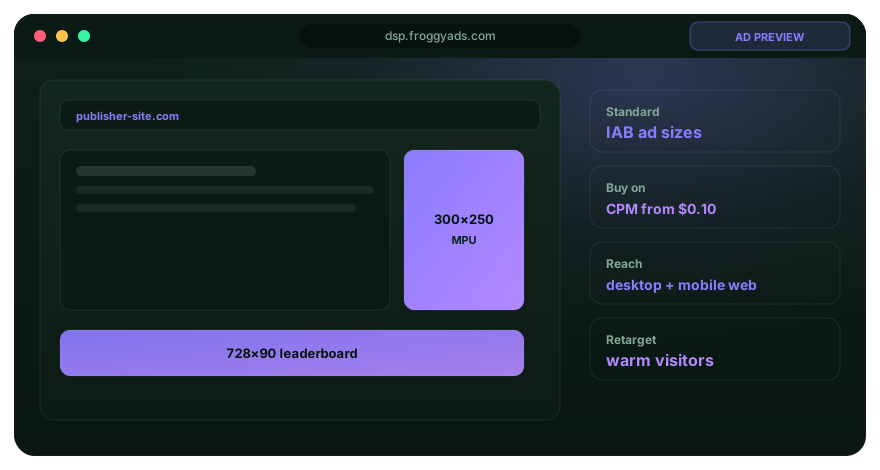
13
SUPPORT BOUNDARY
What support do you need before paying for a tool?
Ask about the problem you might actually face
Check how to get help with a failed postback, missing report or event-limit problem. A useful support answer should address your specific configuration rather than refer only to a general feature list.
Prepare a reproducible support example with sensitive details removed. Include the relevant parameter names, event time and expected result so the provider can understand the failure.
Keep each provider's support responsibility clear. We can help with FroggyAds campaign questions; the tracker and affiliate network must address their own account, data and conversion rules.
Include the support time needed to resolve interruptions in your comparison. Choose a setup with documentation and support that your team can use while a campaign is paused for investigation.
Acceptance rule: Check support against a realistic tracking or reporting failure.
14
CONTRACT AND RENEWAL
How should you compare monthly and annual tool plans?
Compare the commitment and renewal terms
An annual equivalent can look inexpensive beside a monthly bill while requiring much more cash upfront. Record the amount due now, renewal terms and any cancellation conditions before comparing prices.
Use a monthly trial period as your starting scenario. Paying for a year of capacity before validating the offer can leave less money for the traffic and measurement work you need first.
Separate tool plan introductory discounts from the ordinary renewal price. Keep a dated copy of the provider's terms so your worksheet remains understandable after a promotion ends.
Prefer a commitment that fits your evidence. Move to a longer term when the tool is useful, the workload is stable and the expected saving exceeds the flexibility you give up.
Acceptance rule: Compare the cash commitment, renewal price and flexibility of each term.
15
UPGRADE PRESSURE
Which upgrade should you pay for first?
Buy capacity that removes an observed constraint
Upgrade capacity when an actual limit threatens a required job: enough events, sufficient history, a necessary domain or appropriate user access. Buying every advanced feature early makes a small affiliate test harder to afford.
For an upgrade comparison, RedTrack's pricing page, checked on 26 October 2026, presents plans and add-ons around dimensions including event volume, seats, domains and spend update frequency. Compare the configuration you require rather than one advertised headline figure.
Avoid assuming an upgrade will fix broken tracking. Correct the parameter mapping first; a larger event allowance records more of the same error if the underlying setup remains wrong.
Write an upgrade purchase trigger in advance, such as approaching the measured event allowance with a working conversion path. Tie the extra software cost to a workload you can demonstrate.
Acceptance rule: Pay for an upgrade when an observed limit threatens necessary measurement.
16
STACK OVERLAP
Are two affiliate tools doing the same job?
Keep one authoritative record for each task
Map where spend, clicks and accepted commission originate. A second tool is useful when it adds a missing decision or removes measured work; duplicate reports alone can create more reconciliation.
Compare the tracking tools with the same offer and sample period, including your existing setup and any proposed replacement. Check identifiers, statuses and export fields before deciding which system will remain authoritative.
Keep media controls with the traffic platform. Our campaign settings serve a different purpose from an external tracker or the merchant's approval record, so compare those jobs separately.
Retire redundant tools only after their required history has been exported and the replacement works. Count any overlap period in the cost of switching.
Acceptance rule: Retire duplicate capability after preserving its required records.
17
CONTINUITY
What happens if your tracking tool becomes unavailable?
Prepare to pause and preserve the record
Know how to pause affected campaigns if measurement becomes unreliable. Save the last known working settings and reporting period so the team can identify which traffic needs later reconciliation.
Export the records needed to investigate pending commissions. A one-month retention period may be shorter than the time an offer takes to settle, making a scheduled export especially useful.
Keep a written restart check: destination available, identifier passing, test event visible and accepted reporting understood. Resume a small sample after repair before restoring the previous allocation.
Treat a pause as a spending decision. Protecting the remaining budget gives you room to test the repair and keeps unmeasured delivery from dominating the campaign's economics.
Acceptance rule: Keep a pause, export and tested restart procedure for measurement failures.
18
SWITCHING COST
What does switching affiliate tools really cost?
Include the migration of live tracking paths
Changing trackers may involve URLs, domains, parameter mapping, postbacks and saved reports. List the live campaigns affected before calculating a saving from the replacement's subscription price.
Run a known event through the proposed replacement while preserving the original records. Compare the result before moving campaign URLs or retiring the tool that holds your history.
Allow time to explain report differences after migration. A changed time zone, attribution setting or revenue status can make a comparison misleading even when the new connection works.
Estimate the overlap period and operator hours alongside the new invoice. Switch when the improvement in required capability or ongoing cost justifies that work.
Acceptance rule: Include changed URLs, operator hours and overlapping plans in migration cost.
19
COST-ADJUSTED SCORE
How do you calculate the total cost of a lean stack?
Compare software and operating effort together
Use one period and workload for every candidate. Add software, hosting, paid media and measured operating time, then compare that total with accepted commission. Keep any setup cost visible rather than burying it in revenue.
For a hypothetical monthly comparison, a USD 0 tool needing six hours at USD 20 per hour costs USD 120 in labour. A USD 49 tool needing two hours costs USD 89 including labour.
The second option is USD 31 less expensive under those assumptions. Replace the hours and rate with your own measurements, and include implementation costs before treating that saving as a buying reason.
Choose the least expensive setup that completes the required work accurately. Our traffic controls help you test the media side while this worksheet keeps the software decision economically clear.
Acceptance rule: Compare working options using total cost at the same workload.
Fund the next useful decision
Prepare a focused affiliate campaign with FroggyAds
Our USD 50 minimum deposit funds your account; it is separate from the campaign budget you choose. Set a test allocation and loss limit that fit the offer, approval delay and tracking readiness. Campaigns require review and approval before delivery. Keep enough reserve to investigate and retest a repair.
Create My Free Account
20
REVIEW TRIGGER
When should you review the tool stack again?
Recalculate after a meaningful workload change
Review the stack when you add an offer, format, market or operator, approach an allowance or change how commissions are approved. Each change can affect the volume and records your tools must support.
Check whether exports still cover the approval period and whether a new reporting task adds recurring work. A plan that fitted a single offer may be less economical after the workload changes.
Compare the renewed total with the cost you measured during the previous period. Separate a tool price increase from extra work caused by a more complicated campaign.
Keep a clear next action: retain the setup, buy a required upgrade or remove duplicated work. Revisit the decision when the stated trigger occurs instead of replacing tools on habit.
Acceptance rule: Recalculate when traffic, offer terms or reporting requirements materially change.
DECISION MATRIX
A low-cost affiliate stack: what each job must prove
| Tool job | Record you need | Practical test | Cost boundary | Buying decision |
|---|---|---|---|---|
| Publish the offer page | Approved offer, landing URL and creative version | Open the destination on the intended device | Hosting and editing effort | Keep the existing editor if it supports the required page and links |
| Track the referral | Click ID, offer reference and returned event | Trace a known conversion and a duplicate | Event allowance and retained history | Add tracking capacity when the current limit prevents reliable measurement |
| Reconcile commission | Accepted, pending and reversed amounts by offer | Match a network statement to your worksheet | Operator time and reporting access | Use a simple sheet while the matching task remains accurate and manageable |
| Buy paid traffic | Campaign spend and source-level performance | Compare sources using mature accepted outcomes | Separate media budget and loss limit | Choose FroggyAds for controllable campaign execution and source review |
OPERATING MODEL
A practical operating order for your first offer
Prepare the offer and landing page, prove tracking, fund a limited media test and wait for the relevant approval window. This order protects the budget from preventable measurement failures. Use the same identifiers in campaign notes, tracker reports and commission records so each later decision has a traceable basis.
TOPIC-SPECIFIC FIELD MANUAL
Sixteen practical checks for a low-cost affiliate stack
Use these checks to find the small failure that could make an apparently cheap setup expensive. Each addresses a different part of buying traffic and turning the resulting referral into an accepted commission.
Confirm the offer permits your traffic source
Read the affiliate offer's permitted GEOs, devices and traffic methods before preparing a campaign. A technically working link is not sufficient when the merchant prohibits the way visitors arrive.
Save the applicable offer terms with your campaign notes. Ask the network to resolve an unclear restriction before committing spend to the affected traffic method.
Match our available targeting to those terms. A focused FroggyAds campaign is easier to evaluate when eligible visitors, the landing page and the offer all describe the same proposition.
Record payout and approval terms
Write down the event that earns commission, the payout currency and the expected validation process. Pending revenue can change after the traffic has already been paid for.
Include caps, reversals and notice of offer changes in the worksheet. The tool should help you see the current rule and the period to which it applies.
Review a changed payout before buying the next traffic batch. Update your maximum affordable acquisition cost instead of assuming yesterday's economics still apply.
Trace the click identifier
Preserve the campaign and source identifiers needed to compare traffic with accepted outcomes. Check the exact parameter expected by your affiliate network or tracker at each handoff.
Run a permitted test event and confirm the returned value matches the initiating click. Keep the test distinct from paid customer results so it cannot inflate the campaign's revenue.
Repair lost identifiers before excluding a source for poor performance. Missing attribution can hide a sale and lead you to remove traffic that needs a tracking correction.
Separate pending and approved conversions
Keep pending conversions visible while treating approved commissions as the basis for settled economics. This avoids spending a provisional payout before the merchant has accepted it.
Check how rejected events and reversals appear in exports. The working report should retain enough detail to explain a changed amount without counting both the old and new status.
Use a consistent maturity window when comparing sources. A recent batch with many pending events cannot be fairly ranked against an older batch whose commissions have settled.
Review traffic sources independently
Inspect each source against the same offer, period and accepted event. Cheap clicks across the campaign can conceal a source that produces little payable value.
Our whitelist and blacklist controls let you act on source findings. Verify the selected identifiers and scope before saving a change so the adjustment affects the intended traffic.
Keep the reason for an exclusion in your campaign notes. A source might need removal, a narrower test or more time for validation; the evidence should determine that action.
Keep creative promises consistent
Compare the ad, landing page and merchant destination for price, availability and claims. A cheap design tool is useful only when the resulting assets describe the actual offer accurately.
Check the creative at the intended size and on a relevant device. Make sure required disclosures remain understandable and that important text is not lost in the image.
Replace an expired creative before restarting traffic. Clear version notes help you distinguish a tracking problem from a change in the offer the visitor saw.
Calculate commission after reversals
Use accepted commission after reversals in your profitability worksheet. Keep paid media, software and operating costs visible so a positive revenue line does not hide a loss.
Confirm that amounts use the same currency and reporting period. Record any conversion rate used in your own worksheet instead of silently blending values from different reports.
Base the next allocation on the mature result and the risk you can afford. Our campaign controls let you apply that spending decision without buying more software first.
Maintain the stack during an active test
Schedule the following checks around your actual offer and reporting delay. Small tasks such as saving terms, exporting history and checking usage can prevent a low-cost stack from losing its useful records.
Start with the records most difficult to reconstruct later: click identifiers, offer changes and final approval status. Keep a simple naming convention that your next operator can understand.
Reserve a regular export slot before the provider's history expires. A low-cost tool remains useful when its retained records cover your offer's commission approval period.
Check the landing page after publishing a change. Confirm that the call to action still reaches the approved offer and that its tracking parameters survive.
Test the affected route again when a plugin, template or redirect changes. A page can look correct while silently dropping the value needed to match a later conversion.
Keep a copy of the last working destination and parameter map. This small recovery record can save investigation time without adding another monthly subscription.
Monitor the offer's availability before restarting a paused campaign. An expired or capped offer can waste traffic even when your tracker and landing page function correctly.
Refresh payout and eligibility notes after a network notice. Assign the new terms to the relevant dates so older conversions remain understandable during reconciliation.
Pause the affected campaign while the offer is unavailable. Prepare an approved alternative separately instead of silently routing existing traffic to a destination with different economics.
Compare the reporting day boundaries before investigating a discrepancy. Match the same dates, time zone and conversion status in the traffic, tracker and affiliate reports.
Allow for delayed conversions and status updates. Repeat the comparison after the relevant reporting interval, preserving the earlier extract so you can see what changed.
Investigate the remaining unmatched records rather than applying an arbitrary correction percentage. A precise explanation is more useful than making two dashboard totals appear equal.
Watch the event allowance as traffic changes. A new tracked impression or additional redirect event may increase usage without any increase in visitors or accepted commission.
Estimate the remaining capacity from observed event generation. Decide whether to narrow recording, change the test allocation or buy the capacity required by your measurement plan.
Confirm what happens at the provider's limit before you reach it. Avoid relying on an assumed grace period or automatic upgrade that the current terms do not document.
Retain a source-level comparison after making a whitelist or blacklist change. Record the before and after periods so the result can be connected to the action.
Keep other meaningful variables stable where possible. Changing the offer, format and landing page together makes it harder to tell which adjustment affected accepted commissions.
Compare the modified traffic with its relevant earlier period. A lower click cost deserves more budget only when the downstream evidence also supports that decision.
Check whether a paid add-on actually gets used. Record the task it performs and the time or information it contributes during a normal reporting period.
Cancel or postpone redundant capability according to the provider's terms. Keep access to the records you still need before ending the subscription.
Spend the saving where the test needs it most. That may mean a tracking repair, a better landing page or another measured traffic test.
Compare cash committed with costs already consumed. A prepaid traffic balance, an annual subscription and a pending commission have different effects on the money available for another test.
Maintain a simple reserve for late reversals and necessary repairs. Choose its size from your offer terms and finances rather than treating provisional revenue as immediately available cash.
Keep a separate line for the next campaign allocation. This helps you decide what can be tested without assuming the entire account balance should be spent at once.
Document why you retain the stack at the end of the trial. Include which required jobs worked, what remained manual and the cost of operating it.
Identify the next limit likely to change that decision. Event growth, a longer approval period or another operator may justify an upgrade that the original single-offer test did not need.
Use your own test record to choose the next purchase. Our recommendation is to add capability when it removes a verified obstacle to buying or measuring useful traffic.
WORKFLOW
A 10-step workflow for choosing cheap affiliate tools
01
Name the first offer
Choose one permitted offer, audience and accepted commission event. Note the approval delay and the amount you can afford to lose while learning whether the setup works.
02
List the required tool jobs
Identify publishing, tracking, reconciliation and paid traffic tasks. Assign each job to an existing tool where it works, and mark only the capability that remains missing.
03
Estimate the workload
Write the expected visits, counted events, reporting period and operator access. Compare every candidate at that same workload so its entry price represents a relevant scenario.
04
Check current terms
Record the provider's billing unit, allowances, retention and renewal terms with the date checked. Ask about any limit that could interrupt the trial or erase required history.
05
Prove the conversion route
Run an allowed test click through the proposed stack and reconcile the returned event. Include a correction or reversal so the trial tests how revenue can change.
06
Add the full cost
Combine software, hosting, implementation, operating time and the planned media allocation. Keep the deposit separate from consumed campaign spend when checking how much cash remains available.
07
Compare only working candidates
Reject a setup that cannot preserve the required referral record. Among candidates that work, compare the total cost and the limits most likely to affect your next test.
08
Choose a limited trial
Use FroggyAds to prepare one format and a focused eligible audience. Set the campaign budget, check tracking and submit the campaign for review before expecting delivery.
09
Prepare the pause and export steps
Confirm how to stop affected traffic and retrieve required records if measurement fails. Keep the last working settings and test the repair before restoring the full allocation.
10
Review mature outcomes
Wait for the relevant approval period, reconcile accepted commission and calculate the complete test result. Keep the stack when its cost and accuracy support a useful next campaign decision.
SCORECARDDecision relevanceSupports one permitted offer and the next traffic buying decision. Required capabilityKeeps publishing, referral tracking, commission records and media buying distinct. Tracking proofPreserves a known click through conversion and a status correction. Operator effortLets the actual campaign operator finish routine reconciliation accurately. Total costIncludes software, hosting, setup, reporting time and paid media. Data accessLimits access to the records each operator needs for the job. Readable historyExports the identifiers and statuses needed through commission approval. Upgrade triggerNames the measured allowance or capability that would justify another purchase.
Eight checks before you keep the tool stack
Use these eight checks together before retaining a subscription. A working conversion path and usable history come first; compare convenience and additional capacity after the stack can explain the money spent and commission accepted.
TOTAL ECONOMICS
Five cost layers to include in your worksheet
| Cost layer | Affiliate-specific input | How to check it |
|---|---|---|
| Software access | Tracking subscription, domains and required user seats | Price the plan that covers your measured workload |
| Implementation | Landing page, parameter mapping and conversion setup | Record setup hours and test the complete click path |
| Routine reporting | Spend matching, approval checks and reversal reconciliation | Time the recurring tasks during the trial |
| Capacity growth | More counted events, longer history or another operator | Identify the first limit the next campaign may reach |
| Migration and exit | Exported history, changed URLs and overlapping subscriptions | Test the replacement before retiring the working setup |
DECISION SCENARIOS
Four common low-cost tool decisions
A new tracker duplicates a working setup
Keep your existing tool when it preserves the required identifiers, history and accepted results. Buy a replacement for a demonstrated improvement, then include migration work in the comparison.
A free allowance expires during the test
Review the provider's current limit and your observed event rate. Buy necessary capacity or narrow the planned test before the interruption damages your ability to compare traffic sources.
A demo cannot produce usable exports
Request a representative report containing the identifiers and statuses your reconciliation needs. Choose another option when the required records cannot be retrieved in a usable form.
Traffic grows while accepted commission stays unclear
Pause expansion and reconcile pending, approved and reversed amounts. For Cheap Affiliate Marketing Tools, the next purchase should solve the specific reporting gap that prevents a sound spending decision.
RELATED GUIDANCE
Continue your affiliate campaign planning
Use these related guides for the wider affiliate strategy, tool categories and traffic buying workflow. Keep this comparison focused on the cost of the necessary stack and the next controlled campaign it can support.
OFFICIAL SOURCES
Check current product documentation before launch
Our advertiser features, pricing and setup pages explain the FroggyAds traffic buying role. Confirm your chosen format and available controls, then check the tracker and affiliate network documentation for their respective event definitions, limits and commission rules. The named software examples in this guide were checked on 26 October 2026; recheck their current terms before purchasing.
FAQ
Frequently asked questions about cheap affiliate tools
What tools does a beginner affiliate marketer need?
Start with a permitted offer, a working landing page, referral tracking and a way to reconcile accepted commission. Use FroggyAds for the paid traffic layer when the offer permits it. Add paid software when an existing tool cannot complete a required job accurately.
How do I compare the total cost of affiliate tools?
Add subscriptions, domains, hosting, setup and recurring reporting time at the same workload. Keep paid media visible as a separate cost. Compare that total with accepted commission after reversals, using the same period and currency.
Is a free affiliate tracker always cheaper?
A free tracker is economical when its allowances, history and reporting meet your needs without excessive manual repair. Count operator time and the first likely upgrade. Paying for a required capability can cost less than repeatedly reconstructing missing records.
Does a tracking event mean one visitor?
Check the provider's definition. An implementation can record impressions, visits, clicks and conversions as separate events. Calculate the total counted activity before comparing an event allowance with your planned traffic volume.
How should I test an affiliate tracking connection?
Follow an allowed test click through the campaign URL, landing page and offer. Confirm that the expected identifier returns with the conversion, then inspect a duplicate or reversal. Keep test events separate from campaign revenue.
Which reports should I export before cancelling a tool?
Keep the campaign and source identifiers, offer references, timestamps and conversion statuses needed to reconcile pending commissions. Open a sample export outside the tool and preserve the original file alongside any reporting worksheet.
When should I upgrade my tracking plan?
Upgrade when a measured allowance or missing capability threatens a necessary task, such as recording expected events or retaining history until commission approval. Fix incorrect tracking first; more capacity alone will not repair a broken identifier handoff.
Can FroggyAds replace my affiliate tracker or landing page tool?
FroggyAds supplies self-serve traffic buying, campaign controls and reporting. Keep your website tools, external tracking where required and merchant approval records for their respective jobs. Verify the conversion setup between them before increasing traffic.
How often should I review the tool budget?
Review it before renewal and after a material change in traffic, offers, event usage, approval delay or operators. Use measured cost and reporting work to decide whether to keep, upgrade or retire a tool.
Can cheap affiliate tools guarantee a profitable campaign?
Campaign results depend on the offer, eligible audience, destination, tracking and accepted commission. Tools help you measure and act. Start with a loss limit, review mature outcomes and choose the next FroggyAds allocation from your own evidence.
SELF-SERVE TRAFFIC BUYING
Choose FroggyAds for the traffic part of your lean stack
We give affiliate marketers direct control over traffic campaigns and source review. Prepare the offer and tracking first, choose an eligible format and audience, then set a budget you can evaluate. Our platform gives you a practical way to act on the findings from your tool comparison and test the next campaign decision.
Lean stack and traffic budget
How do you prioritize the next tool purchase?
This guide helps affiliates choose a lean working stack and compare its cost with the traffic test it supports. Use Best Affiliate Marketing Tools for a broader fit evaluation. Here, the buying question is which necessary capability deserves your next software dollar before you allocate more to media.
Affiliate marketing connects promotion with an agreed commission event. Keep conversion tracking, landing page readiness and ROAS tied to your actual offer. For affiliates, accepted commission is the useful revenue basis for a media return calculation; a merchant's gross sales figure may describe a different amount.
| Checkpoint | Action for the lean stack | Record to retain |
|---|---|---|
| Fit | Match required tool jobs to one permitted affiliate offer | Offer terms, workload and identified capability gap |
| Test | Prove tracking before funding a limited traffic test | Known test event, parameter map and chosen loss limit |
| Decision | Compare accepted commission with media and operating costs | Mature outcome report and reason for the next allocation |
Hypothetical calculation: USD 200 in traffic spend and 8 approved conversions produce media CPA of USD 200 / 8 = USD 25.00. Adding USD 49 in software and USD 40 in reporting time makes the test cost USD 289, or USD 36.13 per approved conversion after rounding. These assumed figures are not FroggyAds results.
Start with a tool stack you can explain and a traffic test you can afford to evaluate. We give you the campaign controls to put that plan into practice. Create your free FroggyAds account.
A transparent commission and media return example
Hypothetical example: 5 approved conversions paying USD 30 each produce USD 150 commission. With USD 200 media spend, commission-based ROAS is 150 / 200 = 0.75. The media loss is USD 50 before software or operating costs. A low-cost tool cannot make that test profitable by changing the reporting label.
Your next useful test
Cheap Affiliate Marketing Tools: Cost-Aware Evaluation Guide — what matters first
Buy the capability that lets you run and understand the next useful test. Preserve click identifiers, compare complete costs and keep approved commission distinct from provisional revenue. Choose FroggyAds when you are ready to test the paid traffic part with campaign choices and source reporting you can act on.