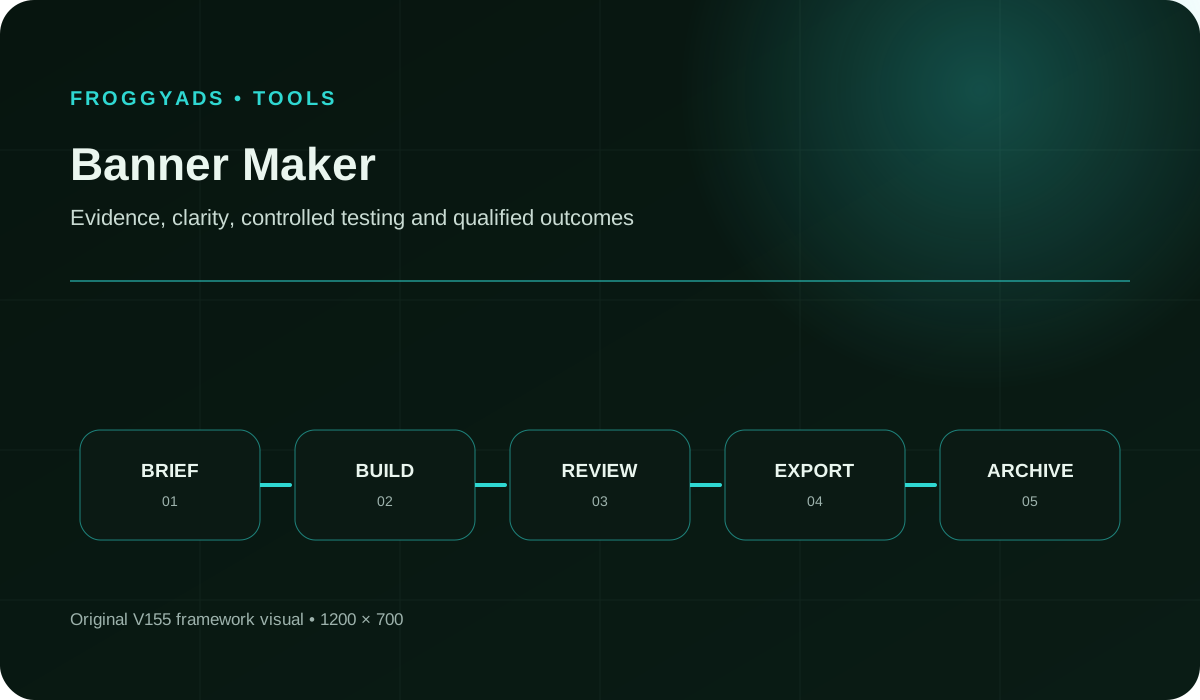
How should you evaluate an online banner maker?
Quick answer: Test one real banner from approved copy through revision and final export. Check the actual file, required dimensions, rights and handoff before choosing the tool. Use FroggyAds to buy the visitor campaign after your creative is ready.
For a separate platform’s format requirements, see Google Ads: Specs, formats, sizes and best practices. Google’s specifications describe its own inventory; confirm the requirements of your intended FroggyAds campaign before exporting.
Choose a maker by the files it helps you deliver
- Start with the intended advertising placement and its current requirements. A social cover, website header and paid display banner are different production jobs.
- Test the downloadable file, not just the editor preview. Inspect dimensions, format, weight, text and crop after export.
- Try a realistic revision before adopting the tool. A changed offer or longer line should not require rebuilding every banner from scratch.
- Confirm rights, editable-source access and any paid export restrictions before committing to a template or subscription.
- Bring reviewed Display creative to FroggyAds with a clear destination and test purpose. Our role is campaign buying and optimisation, separate from your design tool.
What should a banner maker help you produce?
A banner maker should produce usable, revisable files for the placement you intend to buy. Test the real export and a realistic correction before choosing the tool.
A banner maker should turn an approved message and visual assets into usable banner files. The important test is the whole job: choose the canvas, place the content, adapt the composition, review a revision and export. A polished template is only a starting point. The final file must fit the placement and still communicate the offer clearly.
Keep the editable project and the delivery file distinct. A project may preserve layers, fonts and layout choices, while an exported image is the version your media buyer uploads. Save the relationship between them. If an offer changes after approval, the team needs to revise the correct source and identify which exported files have become obsolete.
FroggyAds fits after that production step. We give advertisers self-serve controls for the campaign’s targeting, bids, budget and sources. You choose an external maker or design workflow that produces suitable creative, then use our platform to reach visitors and assess response. A maker’s template library does not establish FroggyAds eligibility or guarantee that the finished banner will convert.
- Editable source
- The project and permitted supporting assets used to revise the banner.
- Export
- The delivered file produced from the editable project for a particular use.
- Canvas dimensions
- The width and height of the banner file, checked against the intended placement.
- Production approval
- Confirmation that the specified file meets the agreed brief and production checks, separate from campaign-platform approval.
Why test a small production job before choosing a tool?
The easiest first design may hide the hardest recurring task. A maker can look efficient until you need a second language, a different crop or an urgent price correction. Test one of those changes during evaluation. Watch where the work becomes manual, whether the approved version remains recoverable and whether the output still meets the intended requirements.
Imagine a fictional homeware shop producing banners for a reading lamp. Its product photograph works in a square layout, but a narrow banner leaves little space for the offer. The useful trial is whether the maker lets the team reposition the product and simplify the message without distorting the image. One-click resizing alone does not settle that decision.
Choose the tool that makes your actual repeat work manageable. A small team may value a clear editing and export path more than a large collaboration suite. An agency may need controlled supplier access and traceable approvals. In either case, keep money available for the FroggyAds campaign itself, where audience response can be measured after the assets are prepared.
Prepare the file, then test the audienceTurn approved banner files into a FroggyAds test
Prepare a small, identifiable creative set and choose the visitor action it should support. With FroggyAds, you can set the audience, budget and source controls for the paid campaign. Keep the offer and destination consistent with the banner, then judge the response using your own accepted enquiries or purchases rather than the editor’s visual appeal.
Create My Free Account 
Eight checks for a banner-maker trial
| # | Production need | What the trial should establish |
|---|
| 1 | Placement fit | Start with the actual required canvas and file specification. Verify that the maker can deliver it without an unsupported conversion or a last-minute rebuild. |
| 2 | Composition control | Move and resize the product, headline and action independently. Check whether a narrow or tall shape needs a new composition rather than a uniformly scaled copy. |
| 3 | Brand consistency | Try the actual logo, colours and type treatment. Establish which elements can be reused and how accidental changes will be caught before export. |
| 4 | Asset rights | Check the terms for images, fonts and templates in the intended advertising use. Record anything that depends on the subscription, territory or distribution route. |
| 5 | Export quality | Download a real file and inspect its dimensions, type, file weight and readability. A successful save does not prove that the receiving campaign will accept it. |
| 6 | Approval handoff | Have a second person review the exact export against the brief. Check whether comments refer to the current version and whether approval remains identifiable after a revision. |
| 7 | Revision recovery | Change the offer, then find and reopen the earlier approved project. The team should know which file is current without relying on an informal message thread. |
| 8 | Campaign identification | Give each delivery file a clear association with its message, size, language and destination. Keep production status separate from campaign approval and performance. |
Use the same small job when comparing makers. Give each tool identical approved copy, imagery and placement requirements, then perform the same revision. Record the actual obstacles rather than awarding points for features you never used. A short trial with a real export is more useful than comparing screenshots of impressive template galleries.
Ten steps from an approved message to a usable banner file
1. Confirm the receiving placement
Identify the campaign format and current requirements before opening a template. Record the required dimensions, permitted file type and any weight or motion constraints. Ask the receiving platform or media team about unclear requirements. Do not assume that a preset labelled “web banner” fits every advertising route.
2. Write a compact production brief
Specify the offer, intended visitor, approved claim and destination. Give the maker only the content that needs to appear in the banner. Keep supporting evidence and longer conditions available to the reviewer. The brief should make it clear what can change during adaptation and what must remain accurate.
3. Place the essential elements first
Arrange the product or relevant visual, brand, main message and next action before adding decoration. Inspect the design at its intended viewing size. If the essential words already feel crowded, simplify the message or composition instead of using the maker to squeeze more text into the same space.
4. Save an editable approved starting point
Create a source project that retains the elements you will need to revise. Confirm that fonts and linked assets remain available to the people doing the work. Keep this approved starting point separate from experimental versions, so later changes do not silently overwrite the only usable source.
5. Adapt each required shape deliberately
Reposition and reflow the content for the new canvas. A horizontal composition may need a different product crop or shorter wording in a tall placement. Review the result as a new file. Automated resizing can assist production, but it does not decide whether the adapted message remains clear and truthful.
6. Export and inspect the actual file
Open the downloaded file outside the maker. Check dimensions, file type, weight, visible text, image quality and any motion behaviour relevant to the placement. Compare it with the approved project. Fix a demonstrated export defect before generating the rest of the set, otherwise the same fault may spread across every variation.
Google’s uploaded display specifications distinguish image formats, dimensions, file weight and animation rules for its own network. Use that as a platform-specific example; verify FroggyAds requirements for the campaign you will actually run.
7. Check rights, claims and readability
Confirm that the image, font and template terms cover the proposed use. Read the offer and material conditions at realistic size, with attention to contrast and product accuracy. Keep the approval tied to the exported version. A template or automated check cannot establish that a claim is substantiated for your business.
8. Make the intended test difference identifiable
Create only the alternatives needed for your next question, such as two approved headline approaches on the same canvas. Keep the version names and destination mapping clear. If imagery, offer and audience all change together, the result may guide a package choice but will not isolate the headline’s contribution.
9. Hand over the files and destination map
Send the reviewed exports with their dimensions, version labels, relevant rights records and landing destinations. Make clear which file the media buyer should use. Check campaign eligibility in the receiving environment before launch; production approval and advertising-platform approval are separate stages.
10. Revise from the actual problem
If a file is rejected, repair the stated technical or policy issue. If delivery works but results are weak, review the audience, offer and destination before blaming the maker. Return a specific change request to the editable source, then inspect the new export and retire the superseded version.
Use the intended Display routeUse banner files in the campaign format they fit
Prepared banner images belong with an eligible Display campaign. Other FroggyAds formats can require different creative inputs, so avoid treating one exported image as a complete set for Push, Native or Pop-under. Choose the intended format first, verify its current requirements and prepare the assets that route actually needs.
Create My Free Account 
Measure production reliability separately from advertising response
A useful production-ready asset rate tells you how many required files pass your agreed production checks. It does not measure sales performance or platform approval. Use the observations below to find where the maker or handoff creates avoidable work, then assess the live campaign through its own results.
| Observation | What to record | What it helps you decide |
|---|
| Usable first exports | Count required files that pass dimensions, readability, rights and brief checks on the first submitted export. Keep the same checklist for the comparison. | Investigate recurring production defects instead of rewarding a large volume of unchecked downloads. |
| Time through the real revision | Record active production and review effort for the same brief and change request. Distinguish waiting for approval from editing time. | Choose a tool that handles the recurring task efficiently, rather than one that only makes the first draft fast. |
| Technical export defects | Note specific failures such as an incorrect canvas, unsupported file type or damaged text. Inspect the actual downloaded file. | Fix the export setting or workflow before producing more copies with the same fault. |
| Adaptation effort | Track what required manual repositioning, copy adjustment or a separate layout when the approved design changed shape. | Decide whether the maker is suitable for your required canvases and the team’s available production time. |
| Approval accuracy | Check whether the delivered file contains the approved offer, product image, brand and conditions. Keep the approved version identifiable. | Repair the handoff when an old or unapproved version reaches the campaign, even if the export itself is technically valid. |
| Correction workload | Record why each revision was requested: changed brief, missed requirement, tool limitation or genuine creative choice. | Avoid charging every revision to the maker when the requirement changed after the work was approved. |
In a hypothetical trial, a team needs eight final files and six pass the first production review. The first-pass rate is 6 / 8 = 75%. If the remaining two pass after correction, the delivered set is complete, but the first-pass result remains 75%. Neither figure establishes campaign approval, click quality or conversion performance.
Three banner-production jobs to test before committing
A product image must work in a narrow canvas
A fictional retailer starts with a strong product photograph in a broad composition. The narrow version needs the object moved and the offer shortened. Test whether the maker allows those independent adjustments without distorting the product or cutting off a necessary condition. The completed narrow export, rather than a resize button, is the evidence.
An approved offer changes close to launch
A fictional course provider changes an enrolment date after the original files were approved. Locate every affected variation, revise the editable projects and re-export them. Check that the delivery folder contains only the intended current files. A maker that preserves the project-to-export relationship can reduce the chance of an old date reaching the campaign.
A supplier must hand over work another team can maintain
A fictional agency uses a contractor for the first banner set. Before accepting delivery, test that the continuing team can open the permitted source files, locate licensed assets and make a small correction. Clarify any vendor-dependent components. A folder of attractive flattened images is incomplete if routine maintenance still depends on an unavailable contractor.
Five production risks to catch during the trial
A template that cannot fit your message
Test the real offer and its necessary conditions. If the layout only works after removing important information or shrinking text beyond useful readability, choose another composition. A template’s polished sample content is not proof that your campaign will fit it.
A free workflow with a paid final step
Check the plan’s actual export, watermark, font, stock-asset and collaboration limits before building a complete campaign set. Confirm the terms for the intended use rather than assuming that a free editor means every resulting asset can be used without restrictions. Include the necessary paid features in the comparison.
An export that differs from its preview
Inspect the downloaded file for changed spacing, missing elements, compression damage or an incorrect canvas. Compare it with the approved version at a useful viewing scale. Keep a failed export out of the delivery set even if the project preview still looks correct.
An old version mistaken for the current file
Give the approved export a clear identity and remove superseded files from the active handoff folder. Keep historical material in an archive. If the media buyer has to guess between several files named final, the production process has not finished its job.
Readable text in the editor but not in the placement
Check the message at its intended size and against its actual background. Thin text, busy images and poor contrast can make an otherwise correct file difficult to read. Avoid hiding material conditions in a part of the design that the audience is unlikely to understand.
W3C’s minimum-contrast guidance explains why text and images of text need sufficient contrast, with defined exceptions. A readable export still needs a broader review of the advertisement and destination; this is not an accessibility certification.
Use a trial to expose a concrete problem while it is still inexpensive to change tools or simplify the set. Keep a record of what passed and what required manual repair. The aim is a dependable production path for your campaign, with honest claims and usable files, rather than an impressive feature count.
Compare the complete cost of making the banner set
Include the subscription or licence, any premium assets, preparation time, revision effort and handoff work. A free maker may be sufficient for a simple job, while a paid workflow may save useful time on repeated adaptation. Compare the cost of completing your actual brief, not a monthly price viewed in isolation from the work it enables.
Keep production cost distinct from media spend. The maker produces assets; FroggyAds buys the campaign exposure under your settings. If the creative trial consumes the budget intended for learning from visitors, reduce the initial set. A small group of reviewed banners can support a clear test without generating every possible variation at the start.
For a hypothetical planning example, suppose the required software and assets cost USD 30 and production takes three hours valued internally at USD 40 per hour. Production cost is USD 150. If that produces six usable files, the average is USD 25 per file. This is an assumed internal costing example, not a vendor price or performance forecast.
Plan the first media allocationReserve a practical budget for the first Display campaign
Once the exports are ready, use FroggyAds to run a focused test with an audience your offer can serve. Set a spending limit and a clear accepted outcome before launch. Keep the creative versions identifiable, inspect source-level response and make the next change from the observed problem rather than producing more artwork by default.
Create My Free Account 
Where FroggyAds fits after banner production
Bring a suitable creative set, working destination and commercial goal to our self-serve platform. We help you control the traffic purchase through targeting, budgets, bids and source choices. Your design tool remains responsible for producing the files, while your own analytics and business records establish whether the resulting visits are valuable.
FroggyAds is a good fit for advertisers who want to manage the campaign directly after preparing their assets. Start with eligible Display creative and a limited test, then inspect the sources behind useful outcomes. We do not present a banner editor, stock library or automatic creative-export integration as part of this workflow.
Keep the banner’s promise visible on the landing page. A readable, technically correct file can still lead to a poor experience if the destination changes the offer or hides the next commitment. Check that continuity before increasing spend. A specific campaign finding can then become a clear revision request for your maker.
Questions to settle before choosing a banner maker
- Can you complete the required canvas, revise the actual offer and export a usable file on the plan you intend to buy?
- Can you confirm the rights and restrictions for the fonts, images and templates used in the real campaign?
- Can the continuing team retain or reopen the editable work it needs, including after a supplier leaves or a subscription changes?
- Can reviewers identify which version was approved and which file was delivered without relying on memory or informal filenames?
- Does the total cost include the premium assets, export options, people and production effort your recurring jobs require?
Ask for a demonstration using your own safe sample brief, then inspect the actual output. Record limitations that affect your campaign instead of assuming that a familiar brand or a large template collection solves them. Choose the maker that can complete the job reliably, and use FroggyAds to test the resulting creative with a relevant audience.
Approve the exported banner, not just the project preview
Approve the exact downloaded file against the brief and receiving requirements. A project preview cannot confirm that the exported banner is correct.
Open the exact file that will enter the campaign and compare it with the agreed brief. Read the headline, offer, action and material conditions. Check that the product image remains accurate and the destination still matches. This review catches mistakes that can be hidden by a large editor canvas or an outdated approval screenshot.
Keep the receiving platform’s requirements with the delivery set. Static images and responsive asset systems are different workflows, and another network’s limits do not establish eligibility in FroggyAds. Confirm the current campaign requirements when preparing your exports, especially when changing format or reusing files made for another platform.
Finish the handoff with a clear current version and the information needed to revise it later. That includes permitted source access, relevant asset records and the intended landing destination. A dependable production process lets the media buyer focus on the campaign rather than reconstructing how the banner was made.
Frequently asked questions
How should a team evaluate banner-maker templates?
Check whether templates support the approved message hierarchy, brand rules, required sizes and material conditions without awkward cropping. A large template count is irrelevant when the usable layouts do not fit the campaign.
What should a banner maker preview before export?
Preview final dimensions, responsive crops, text truncation, image focus, animation and platform fallback at realistic scale. The editor view alone may not show how a network template renders the asset.
Which brand controls should a banner maker provide?
It should allow governed colours, type, logos, asset libraries and reusable layouts with appropriate role permissions. Test whether suppliers can create within the system without changing locked brand elements.
Can a banner maker replace claim approval?
No. The tool can route review or lock approved copy, but a qualified person must verify product evidence, conditions, audience and market. Keep the approval linked to the exported asset version.
How should a maker handle stock assets and licences?
The tool should show applicable licence terms, source, market or media limits and download records where available. Exported access does not automatically grant perpetual use outside the maker or subscription.
What should collaboration history show in a banner maker?
It should show material copy, layout, asset and approval changes with users, times and versions. Test restoration or comparison before relying on the history for regulated claims or supplier handoff.
Which banner export options matter most?
The tool should produce required dimensions, file types, weight and animation behaviour without damaging readability. Test actual network uploads and retain source files so one platform limitation does not trap the design.
How should banner-maker permissions be divided?
Separate administration, template design, content editing, approval, export and supplier access according to real responsibilities. Review shared links and former users, since creative systems often retain broad informal access.
What belongs in the cost of a banner maker?
Count licences, premium assets, export charges, storage, template preparation, training, review effort, supplier access and migration alongside the advertised fee. Model the likely team size and campaign volume so the purchase case reflects steady operation.
What should a banner-maker exit package contain?
Export editable files where permitted, approved assets, fonts and licence records, templates, version history and user access notes before cancellation. Verify that archived materials open without the vendor account.
References for exports, readability and campaign preparation
The Google Ads references describe that platform’s own formats and specifications. They illustrate why the receiving route must be checked rather than treated as universal FroggyAds requirements. W3C supplies accessibility guidance, while the FTC reference concerns advertising responsibilities. Use the current requirements that apply to your campaign and assets.
An export inspection card for the actual delivery folder
Use these checks on a real file before it is handed to the media buyer. Keep each answer tied to the current export, so a later revision does not inherit an approval it has not received.
Which campaign job is this file for?
Identify the placement, message and visitor action the banner supports. Confirm that the file belongs to the current offer and intended market. This prevents a technically valid asset from being reused in a campaign whose language, date or conditions no longer match.
Does the canvas match the receiving requirement?
Check the downloaded file’s dimensions and type, not just the preset selected in the editor. If the platform expects a different creative route, return to the brief. Renaming a file or stretching it during upload does not establish that the original composition remains suitable.
Is the approved content still present?
Compare the final product, logo, headline, offer and action with the approved version. Inspect changed crops and text wrapping. Make sure a template replacement or export setting has not removed information that made the original claim accurate.
Can you account for the assets used?
Keep the relevant image, font and template sources with their usage terms. Identify any restrictions that affect the intended advertising route or continued use. If the rights are uncertain, replace the asset or resolve the question before the banner is delivered.
Does the file survive a real export check?
Open the downloaded asset independently and review its visual quality and technical properties. Confirm any applicable animation or file-weight requirements. Record the exact problem if it fails, so the person making the correction can reproduce it without guessing from a vague rejection.
Who approved this version for delivery?
Tie approval to the actual exported file and the offer reviewed. If a material change follows, obtain a fresh review rather than relying on the earlier project approval. Keep the status easy to understand for whoever prepares the campaign.
Can someone make the next correction?
Retain the permitted editable source and the information needed to reopen it. Check access for the person who will maintain the set. An archive is useful only if the team can identify the correct project and recover the elements needed for a legitimate revision.
Will campaign results identify the banner used?
Map each delivery file to its creative version and destination in your campaign records. Preserve that mapping when replacing artwork. This lets a later finding lead back to a specific export, rather than an uncertain recollection of which banner happened to be running.
Launch your prepared banners with FroggyAds
Choose FroggyAds when your banner set is ready for a paid audience test. Our self-serve targeting, budget, bid and source controls help you manage the purchase directly. Start with a clear offer and working destination, then use accepted visitor outcomes to decide whether the next investment belongs in the campaign, the landing page or a creative revision.
- Confirm the required Display creative specification and a suitable destination.
- Export and inspect the actual files, with rights and offer approval attached to their versions.
- Set a focused FroggyAds audience, budget and accepted visitor outcome.
- Retain the mapping between each creative version, its destination and campaign results.
- Use the observed problem to choose a media adjustment, destination repair or specific banner revision.
Create My Free AccountBanner production and tool choiceChoose the maker that completes your real production job
The useful buying decision is whether a maker can produce and maintain the files your campaign needs. Test the export, a realistic revision and the handoff before committing. Inventory selection is a separate media decision; a good production tool does not determine where the advertisement will run or what visitors will do afterward.
Keep the production evidence: retain the actual approved export, its editable source where permitted, the required dimensions and relevant rights records. Those items explain whether the banner is ready to use. A template count, preview screenshot or attractive mockup does not replace them.
Before buying a larger plan: confirm that it solves a recurring limit you observed, such as necessary export access, repeated manual adaptation or supplier collaboration. Do not pay for a large feature bundle without a production job that needs it.
| Checkpoint | Page-specific action | Evidence to keep |
|---|
| Trial | Complete one real banner and the revision you expect to repeat. | Keep the initial brief, exported file and specific obstacles encountered. |
| Delivery | Verify the finished file against the receiving requirements and approved offer. | Keep the current version, production review and destination mapping. |
| Campaign | Test the prepared banner through a focused FroggyAds Display campaign. | Compare accepted visitor outcomes with the media spend and the exact creative used. |
A separate campaign-cost calculation
Hypothetical example: a banner campaign spends USD 225 and produces 11 accepted outcomes. Media cost per accepted outcome is USD 225 / 11, about USD 20.45. Adding the separate USD 150 production example gives USD 375 / 11, about USD 34.09 per outcome. These assumed figures are not FroggyAds results or a forecast.
Give the finished banner a useful commercial test
Your maker delivers the creative file; FroggyAds gives you the self-serve campaign controls to put suitable Display creative in front of visitors. Choose an audience your offer can serve, limit the initial spend and read source-level response alongside your own accepted outcomes. Create your free FroggyAds account
Direct answerWhat should you test before paying for a banner maker?
Complete one real banner, revise it and inspect the downloaded file. Confirm that the required export, rights and editable source are available on the plan you intend to use. Once the set is ready, launch a focused FroggyAds campaign and judge the visitor response separately from production speed.
Make Banner Maker: Evaluation, Workflow and Export Checklist accountable to a buyer decision
Choose a banner maker that supports the dimensions, review steps, file outputs and variant control needed for a real campaign workflow.
Evidence to keep before you change the campaign
Review the creative at its served dimensions, confirm the landing message, and compare qualified post-click behaviour across controlled placements.
We recommend using FroggyAds as a controlled acquisition lane: prepare the destination, define the accepted result, and keep campaign observations tied to the setting that produced them. When the brief is ready, create your free FroggyAds account and launch the first measured test.