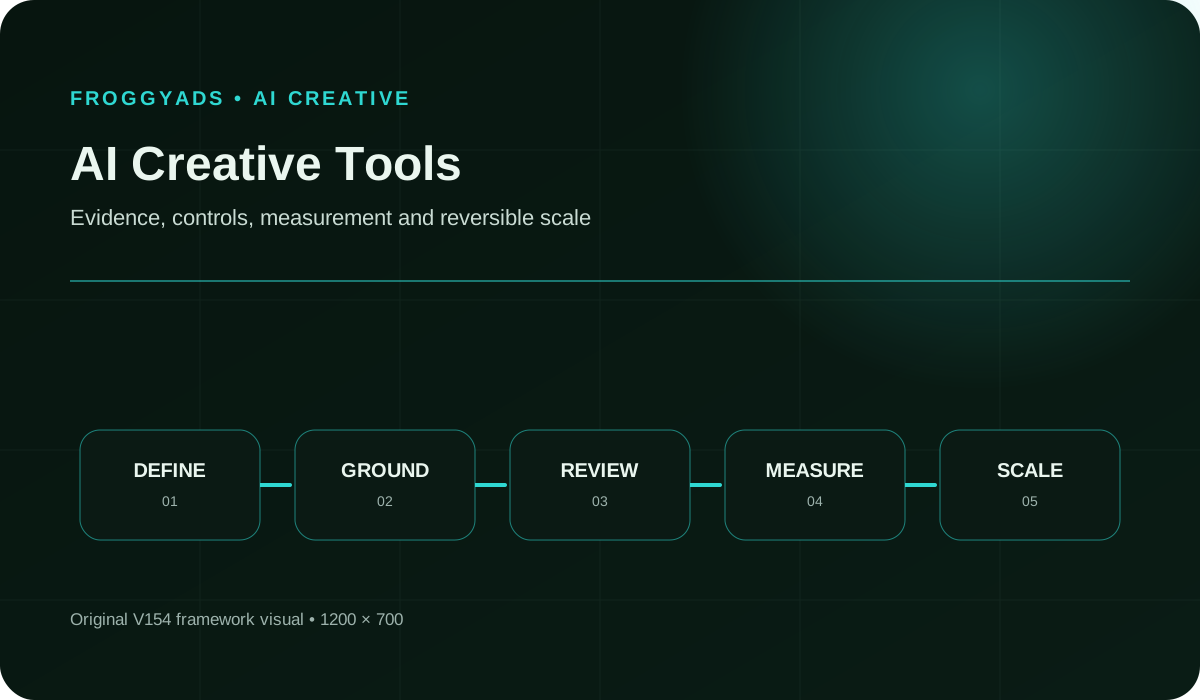
Quick answer: Give shortlisted tools the same real assignment, request a meaningful change and hand the result to someone else. Check the exported files, access rules and total production effort. A useful tool must support the revision and review work after the impressive first draft.
For broader AI review principles, see NIST: AI Risk Management Framework. It offers voluntary risk-management guidance, not a creative-software certification or a prediction that generated advertisements will perform well.
Choose the job before choosing the tool
- Choose a production job before comparing model names or feature counts.
- Test a realistic revision and a second-user handoff, not only the first generated draft.
- Keep essential permissions and usable exports as requirements that a high average score cannot override.
- Include review work, paid dependencies and continuity in the purchase decision.
- Use FroggyAds to test the finished advertising after the production workflow is verified.
What should an AI creative tool help you deliver?
It should help your team finish and maintain the required advertising, including revisions, review and delivery.
AI creative tools can assist with draft writing, image generation, editing, layout or other production tasks. These capabilities solve different problems. Start with the bottleneck in your current work. If a designer already has good concepts but spends hours rebuilding approved layouts, another idea generator may contribute very little.
Distinguish the working project from the final advertising file. The project may need editable text, separate elements and review access. The delivered asset must meet its placement requirements. A tool can produce a satisfactory preview while leaving your team unable to make a small correction without starting again.
Adobe Express documents generating editable templates from descriptions and then customizing a selected result. That is a different workflow from receiving only a finished image. Treat the distinction as a question for your shortlist: which parts can your team actually revise, and what remains editable after the work changes hands?
- Working project
- The editable material used to create and revise the advertising.
- Delivery asset
- The approved file prepared for its intended campaign placement.
- Dependency
- A font, image, account permission or other requirement needed to keep the work usable.
- Handoff
- Transfer of the project and its context to another person who must continue it.
- Essential requirement
- A condition the software must meet before convenience, speed or preference can decide the purchase.
How do you test a tool beyond its demonstration?
Use a real assignment, request an ordinary change and ask another authorized person to complete the handoff.
Use an assignment that resembles your ordinary campaign work, including its awkward details. Supply approved product material, a real offer and the required formats. A sample with no qualification, difficult crop or brand restriction may make the tool look easier to use than it will be in production.
Then request a plausible revision: change an expiry date, replace a product image or adapt the message for another language. Observe whether the editor preserves unaffected elements. A fast first draft is less valuable when an ordinary update breaks the layout or requires several new generation attempts.
Finally, ask a colleague to continue the project using their own authorized access. They should understand which version is approved, find the relevant inputs and produce the required deliverable. This handoff reveals practical problems that a single enthusiastic evaluator can overlook while working inside their personal account.
Eight parts of a useful software trial
| Trial element | What to request | What a useful result shows |
|---|
| Brief fit | Create from approved copy, product material and actual deliverables. | The tool can work within the assignment rather than requiring a more convenient fictional brief. |
| Revision | Change an offer detail without recreating unaffected material. | Ordinary corrections remain practical after the first impressive result. |
| Editability | Inspect text, imagery and composition in the working file. | The parts your team must maintain are accessible in the receiving workflow. |
| Review | Have the intended reviewer comment and identify an approved version. | Feedback can be resolved without accidental changes or uncertain approval. |
| Handoff | Ask another authorized user to continue the assignment. | The work is usable beyond the original creator session and account. |
| Export | Produce the actual files needed for the campaign. | The deliverables meet placement requirements, not merely the appearance of a preview. |
| Dependencies | List paid assets, fonts, usage limits and required account roles. | The purchase decision includes the conditions needed to repeat the work. |
| Continuity | Retain approved material and test the proposed exit route. | A future account or tool change will not unexpectedly strand essential campaign files. |
Treat essential requirements as pass-or-fail conditions. A high average score cannot compensate for an unusable export or missing permission. Use preferences to distinguish tools only after the necessary work is possible.
From production to paid distributionGive the finished creative a buying route
Choose FroggyAds when the production trial has produced advertising you can use. Our campaign targeting, budget and source controls connect the approved idea with a deliberate traffic test.
Create My Free Account 
Run the same assignment through your shortlist
1. Pick one representative assignment
Choose one assignment the team genuinely needs to repeat. Include the deadline, destination and deliverables so every tool is evaluated against the same production job.
Avoid changing the brief to suit each demonstration. If a tool requires a workaround, record it. The workaround may be acceptable, but it belongs in the comparison.
2. Prepare the same input pack
Provide the same approved copy, product assets and brand material. Use placeholders for sensitive information that the evaluation does not need, and confirm permitted input use.
3. Check the first draft against the brief
Check the output against the commercial promise before judging its polish. Identify invented claims, altered products or missing qualifications. Count the corrections needed to reach an acceptable draft.
4. Request a realistic revision
Change something the team often changes: price wording, product colour, language or campaign dates. Check that the revision does not disturb already approved parts of the design.
5. Give a second person the project
Have another authorized user open the working project. Ask them to locate the latest approved version, make the requested edit and find the necessary source material.
6. Test review without accidental editing
Check whether a reviewer can comment without unintentionally changing the creative. Confirm who may publish, replace shared brand elements or approve the final file in your actual setup.
7. Export and inspect the deliverables
Inspect the exported file in the environment where it will be used. Confirm dimensions, readable wording and other placement requirements instead of relying only on the editor preview.
8. Reopen the work outside the first session
Close and reopen the project, then check whether the team can still access its fonts, images and editable elements. Test the receiving workflow before committing a large library.
9. Record the complete cost
Record subscription requirements, usage charges, preparation, corrections and handoff time. Separate one-time setup from recurring work so a first-day learning curve does not distort every future estimate.
10. Choose the smallest useful toolset
Buy the tool or combination that completes the needed work with manageable effort. Keep a specialist tool only when its distinct contribution justifies another account, handoff and review step.
What belongs in a creative-tool scorecard?
Record finished deliverables, revision effort, usable access and total cost, keeping essential failures separate from preferences.
Compare completed, maintainable creative work. The number of generated suggestions says little about whether your team can revise, approve and deliver them. Keep essential capability failures visible alongside time and cost.
| Measure | What to compare | How to interpret it |
|---|
| Assignment completion | Required deliverables actually finished | Distinguish a completed production job from attractive but incomplete drafts. |
| Revision effort | Work needed for the same meaningful change | Shows whether ordinary updates preserve the usefulness of the initial output. |
| Handoff success | The receiving person’s ability to continue correctly | Reveals access, dependency and version problems hidden in a solo demonstration. |
| Review workload | Time spent finding and correcting material defects | More generated alternatives can increase this burden instead of reducing it. |
| Recurring cost | The subscription, usage and other costs needed to repeat the job | Compare equivalent roles and deliverables; state what staff time is excluded. |
| Campaign learning | Response to distinct approved creative ideas | Judge advertising performance separately from software production convenience. |
Use the same definitions across the shortlist. An approved campaign set is different from a folder of drafts. Record incomplete or rejected work separately rather than counting everything the generator produced.
Check the delivery requirementsWhich files does your campaign format require?
Choose the actual campaign format and verify its requirements before treating a generated preset as a usable advertisement.
Specify the intended FroggyAds format before preparing final assets. Confirm the current requirements for that campaign. A tool advertising social templates does not establish compatibility with every paid placement.
Create My Free Account 
Three teams with different software priorities
A small team producing occasional campaigns
Prioritize a workflow one person can finish reliably, with enough editing control for routine updates. Avoid buying complex administration features unless another person or a recurring requirement will actually use them.
An agency handing files between people
Test client separation, review access and delivery to the receiving designer. Adobe Express distinguishes editing and commenting permissions; verify the actual plan and assets involved rather than assuming every collaborator has identical access.
A team adapting offers across markets
Use a realistic language adaptation during evaluation. Check longer copy, reading order and qualifications with a fluent reviewer. A translation feature alone does not establish that the complete advertisement is ready.
Five purchasing mistakes to avoid
Several subscriptions doing the same job
Map the job performed by each proposed subscription. If two tools both generate initial concepts, ask whether one meaningfully improves the result or merely adds another place to review drafts.
A rights question discovered at launch
Resolve input permissions and intended output use before building the campaign around an asset. Keep relevant terms with the work; a smooth download process does not answer every usage question.
A shared template that changes unexpectedly
Determine who can replace shared logos, fonts and mandatory wording. A convenient global change can become expensive when it silently alters many later files. Preserve the approved reference.
Unclear treatment of confidential inputs
Read the provider terms and the applicable account settings before uploading confidential material. Do not infer input retention or model-training treatment from a feature name or a general marketing promise.
A download that cannot be maintained
Check what happens after download and after account changes. A usable campaign image may still leave future revisions dependent on one tool, one paid feature or one former employee.
Document any accepted limitation with its workaround and cost. A restricted tool can still be a good choice for a narrow task, provided the team understands where another production step begins.
What does the production workflow actually cost?
Count required access, usage, paid assets and human work, while separating software production from media spending.
Compare the complete workflow cost, not just the monthly headline price. Account for required user roles, usage allowances, paid assets and review effort. Keep media spending separate. Software that generates more material does not automatically reduce the cost of producing the approved advertisements your campaign actually needs.
Ask which charges apply when a second person edits, reviews or exports the work. Adobe Express notes restrictions for free collaborators using premium features and assets. The practical lesson is to test the intended roles and deliverables under the plan you would buy, rather than assuming a shared link proves full access.
Estimate recurring demand from real campaign work. Occasional production may not justify the same subscriptions as frequent localized updates. Keep cancellation, export and continuity needs in the decision. A modest saving on one month of software can disappear if the team later has to rebuild its approved projects elsewhere.
Use FroggyAds after the creative is approved
FroggyAds is your paid-distribution route once the creative is ready. Use our self-serve campaign controls to choose targeting, set a budget and manage available sources around a clear advertising objective.
Evaluate creative software on production quality; evaluate the campaign on relevant customer response. We help you control the traffic purchase. Your review process remains responsible for product accuracy, approved claims and the final advertisement.
Do not assume a creative vendor has an automatic FroggyAds integration. Prepare the required files and use the supported campaign workflow. Keep an approved asset identifier so reporting refers to the correct version.
Test the finished creativeBring your strongest finished idea to market
Start your next campaign with FroggyAds using a small set of purposeful creative differences. Choose variants that communicate distinct ideas, then use the response to decide what deserves further production.
Create My Free Account 
Adopt the tool in three practical stages
Complete a small production assignment
Finish one representative job with the actual creator and reviewer. Resolve the recurring obstacles before inviting the whole team or moving a large asset library.
Make the review and handoff repeatable
Agree where approved versions live and how comments become changes. Give the next person enough information to continue without reconstructing the original creator’s intentions.
Expand only when the next job warrants it
Add formats, users or automation only when a real job requires them. Recheck the workflow when product features, pricing or permissions change; an earlier trial has a defined scope.
Questions to ask before moving the team
- Which parts of the generated result remain independently editable?
- Can our intended reviewer and receiving designer use the work under their actual access and plan?
- What happens when an approved product image, offer or language changes?
- Which input, retention and commercial-use conditions apply to this account?
- Can we retain the working material and required exports if we stop using the tool?
- Which recurring charge or manual step does the demonstration leave out?
Ask suppliers to show the requested revision and receiving-user experience, not only generation. A clear limitation is more useful for planning than an untested promise of an all-in-one workflow.
Keep the approved asset useful after launch
Keep the working file, approved export and campaign identity connected. When the offer changes, you should know which versions need correction and where they are being used.
Archive rejected drafts separately from ready-to-publish files. Retain enough context to explain recurring defects, but avoid making the media buyer choose between several ambiguously named versions.
Review campaign findings before producing more variations. If viewers misunderstand the offer, fix that message. A new colour treatment will not solve a factual mismatch between the advertisement and its destination.
AI creative tools questions
What makes an AI creative file usable after handoff?
The handoff should include editable layers, linked or embedded assets, fonts, dimensions, colour information, copy and export settings in formats the receiving team can open. A flattened preview is useful for reference but cannot support routine correction or localization.
How should provenance travel with AI-assisted creative?
Attach source assets, contributor permissions, generation details, edits, approvals and usage limits to the creative ID. Keep provenance through exports and campaign naming so a rights or factual issue can be traced without searching a former designer's private workspace.
Who should be allowed to change a brand kit inside an AI creative tool?
Limit brand-kit changes to designated owners, while creators can use approved elements without overwriting them. Log revisions and require review for logos, colours, fonts and mandatory wording; one accidental kit change can affect many later outputs.
Which information should stay out of an AI creative prompt?
Keep customer records, confidential launches, unreleased financial details, private credentials and unlicensed material out unless their use is authorised and protected. Use placeholders or approved summaries when the visual task does not require the underlying data.
How do font licences affect AI-generated marketing assets?
Confirm that each font may be used, embedded, edited and distributed in the intended channels and markets. Preserve the licence or approved substitute with the asset; a font appearing in a tool menu does not necessarily grant every commercial use.
Which AI creative reviews deserve queue priority?
Prioritise live deadlines, high-exposure placements, regulated claims, new source assets and variants produced by a shared prompt. Group likely common failures, stop dependent exports when one appears, and keep approval separate from creation where risk warrants it.
What should stay consistent when AI creative is localized?
The proposition, qualification, brand identity, product depiction and destination should stay consistent while wording and layout adapt to the market. Use fluent reviewers and check the complete asset at delivery size; matching word counts are not the goal.
How can a creative concept remain coherent across generated formats?
Define the concept's non-negotiable message, visual cue and proof before producing formats, then review each placement as its own composition. Coherence does not require identical crops, but every version should be recognisably part of the same approved campaign.
When do AI creative variants become meaningless duplicates?
They are duplicates when surface changes leave the same proposition, composition and decision cue, giving the test no clear contrast. Cluster similar outputs before review and keep only variants with a stated hypothesis that a campaign can measure.
What is required to decommission an AI creative workspace safely?
Export approved and in-flight work with provenance, revoke integrations and user access, confirm retention or deletion, and update campaign records with the new asset location. Test that live creative remains available before closing the former workspace.
Primary references and further reading
The retained references cover AI risk, advertising guidance, content and accessibility. They are not a ranking of creative products. Check the current documentation and terms relevant to your intended workflow.
Specify what your team needs from the software
Use this specification when comparing products or discussing a purchase with your team. It should describe the work required, so a supplier can demonstrate a fit or reveal a limitation.
The work you need to finish
Name the recurring deliverable, such as an editable campaign set with approved exports. Include the ordinary revision that must be possible after the first draft is accepted.
Separate required capabilities from preferences. An export your receiving team cannot use is a blocker; a less convenient menu may simply be a training cost.
Approved inputs and sensitive material
List the approved reference assets and information the tool may receive. Identify sensitive material and any restrictions. The evaluation should not need customer data to test ordinary layout changes.
Required editing operations
Describe the edits that matter: replacing imagery, changing exact words, adjusting a layout or adapting a language. Ask for a demonstration on your assignment rather than accepting broad feature labels.
People who create and people who approve
List who creates, reviews, approves and receives the work. Test the relevant permissions and account requirements for those people, including access after a creator leaves.
Required deliverables
Specify both working files and delivery files. Check editability, dimensions, asset dependencies and version identification. Include any file that the next person needs for an ordinary correction.
Campaign and placement requirements
Confirm requirements with the actual campaign destination and format. Do not let a preset name substitute for checking the exported asset or assume another platform’s requirements apply everywhere.
Evidence of useful creative differences
Explain the message or visual decision each variant explores. Group cosmetic duplicates before review so production effort supports a useful campaign comparison rather than a larger output count.
The exit and continuity plan
Test how you retain approved material, remove access and continue production if you change tools. Identify dependencies that would need replacement before closing the old account.
- Define the recurring creative assignment and its essential requirements.
- Give shortlisted tools the same approved inputs and revision request.
- Test review, second-user access and the required exports.
- Compare complete effort, recurring costs and the ability to retain the work.
- Adopt a suitable workflow and use FroggyAds to test the approved campaign creative.
Put the approved work in front of an audience
Bring the approved creative to FroggyAds with a relevant landing page and a deliberate campaign budget. Our targeting and available source controls help you test its practical advertising value.
Create My Free Account
Make the software decision
Choose a tool you can keep using and leave
A useful purchasing test: Ask a second authorized user to correct the approved offer, export the required asset and identify the source version. The result exposes editing, access and handoff limitations that a generation demonstration may miss.
The Ad Creative Guide covers broader message and format principles. For software selection, concentrate on whether your team can produce, revise and maintain those advertisements with the tools under consideration.
Choose a tool for a proven role, keep a specialist for a justified extra task, or defer the purchase when the current workflow already meets the need. A new subscription should solve a specific production problem.
| Choice | When it fits | What to retain |
|---|
| Adopt | The ordinary assignment, revision and handoff meet the requirements. | The tested setup, approved files, access rules and known recurring costs. |
| Use narrowly | A specific capability helps, but another workflow must finish the work. | The boundary between the tools and the extra transfer or editing effort. |
| Defer | Essential work remains blocked or the existing process already serves the need. | The unmet requirement that would justify reconsidering the purchase. |
Hypothetical calculation: An imaginary workflow costs USD 90 for workspace access and USD 30 in usage charges during a month. If it delivers 12 approved assets, software cost is USD 120 divided by 12, or USD 10 per asset. These illustrative amounts exclude staff time and media; they are not vendor prices.
Choose your production tools by their fit, then choose FroggyAds to put the finished advertising in front of a relevant audience. Start with a focused campaign you can evaluate. Create your free FroggyAds account
Your next production choiceBuy a working process, not just a demonstration
Make the shortlist prove an ordinary revision, a real handoff and a usable export. Buy the capabilities your team needs, keep the approved files maintainable and use campaign findings to guide the next creative assignment.
Select AI creative tools for a defined production bottleneck and require human review of claims, rights, brand fit and export quality.
Evidence to keep before you change the campaign
Hold the audience and destination stable while comparing materially different concepts, then retain the variant identifier with each accepted outcome.
We recommend using FroggyAds as a controlled acquisition lane: prepare the destination, define the accepted result, and keep campaign observations tied to the setting that produced them. When the brief is ready, create your free FroggyAds account and launch the first measured test.