Affiliate campaign execution

Affiliate Marketing With Push Notifications: Qualify the Click Before It Reaches the Offer

Use affiliate Push advertising to introduce a clear offer to an eligible audience, then qualify the click through a destination that keeps the same promise. FroggyAds gives you Push campaign controls, targeting, bids, budgets and source reporting for a defined test. Prepare the programme permission and supported referral route first so you can evaluate the purchased traffic against merchant-approved actions, rather than choose the next campaign from notification clicks alone.

Affiliate Marketing With Push Notifications: Lifecycle Plan campaign system

Confirm offer permission before designing the notification

Push campaign essentials: A Push affiliate campaign needs permission for the actual traffic method, a recognisable commercial message and a useful merchant path. Keep the creative, destination and referral references connected so the media buyer can investigate where an interested visitor becomes an accepted programme action.

Route requirementPractical confirmation
Programme permissionWritten source, format, market, device and destination conditions.
Message expectationAn accurate commercial subject continued by the destination.
Referral recordSupported campaign and affiliate references connected to the merchant event.

Read FTC Disclosures 101 for its guidance on endorsements and material relationships. Keep the notification subject, supporting image and destination promise accurate in the actual campaign context.

Decision framework

Write a notification that survives the landing page

Give the source, creative, destination version and supported affiliate reference an identifiable place in the campaign record. This makes a later merchant rejection easier to investigate: you can inspect the message the visitor saw instead of guess which version produced the action.

Choose FroggyAds when you want a controllable paid Push test. Use the eligible campaign options to prepare the audience and allocation, then inspect delivery by source. Your tracker and programme records supply the corresponding referral and merchant outcome for the buying comparison.

Keep the notification promise consistent with the landing page. A comparison message should lead to the promised comparison, while a product-use question should reach an explanation of that use and its relevant limitations. This continuity helps you qualify interest before paying to extend the test.

Operating controls

How should a push affiliate test qualify each stage?

Author: FroggyAds.

Choose direct linking or a pre-landing page by decision need

Direct linking can work when the programme permits it and the merchant page supplies the information promised in the notification. Add a substantive pre-landing page when a visitor needs comparison, qualification or explanation before the merchant step. Choose by the customer decision rather than assume an extra page is always better.

Build the source and conversion chain before launch

Before launch, trace the permitted route through the destination, tracker and programme. Establish which campaign and affiliate references are supported, where redirects occur and how the merchant reports the accepted event. A missing reference should be investigated before it prevents a source-level comparison.

Pre-launch record for a FroggyAds push affiliate campaign

Keep a Push pre-launch record with the offer, allowed market and device, approved message, destination version, source reference and referral convention. Add the campaign allocation, merchant review window and person authorised to pause the route when an important condition changes.

Launch a bounded FroggyAds push test

Build one defined Push test around an eligible offer and a customer question. Prepare a small set of materially different approved creatives, a matching destination and supported identifiers. Use our targeting, bid and budget options to keep the purchase appropriate to the question you want to answer.

Example: a comparison offer that needs qualification before the merchant page

For a comparison offer, obtain permission for the actual Push traffic and planned destination. Another affiliate using the format does not establish that your programme allows the same route. Keep any material qualification visible in the message and comparison rather than reveal it only at the merchant form.

Optimise for accepted value, not notification response

Judge the Push purchase through the programme event relevant to commission, such as an approved lead or qualified activated account. Use response metrics to explain delivery, then compare the appropriate merchant outcome and costs before deciding whether to repeat, narrow or expand.

Disclosure guidance: The FTC guidance explains that endorsements should be truthful and that material commercial connections may need clear disclosure. Apply the guidance relevant to the actual promotion and market, with appropriate advice where required. A short notification should still communicate an accurate commercial subject.

Keep disclosure guidance scoped to the campaign

Keep advertising and disclosure guidance scoped to the campaign. Check the applicable requirements for the offer, audience and promotional context instead of treating a general guide as permission for every Push creative or every jurisdiction.

When the offer or market introduces a question outside the campaign team expertise, obtain the relevant clarification before launch. Preserve it with the message and destination approval so the next operator can understand the condition.

Test affiliate marketing with push notifications traffic with FroggyAds
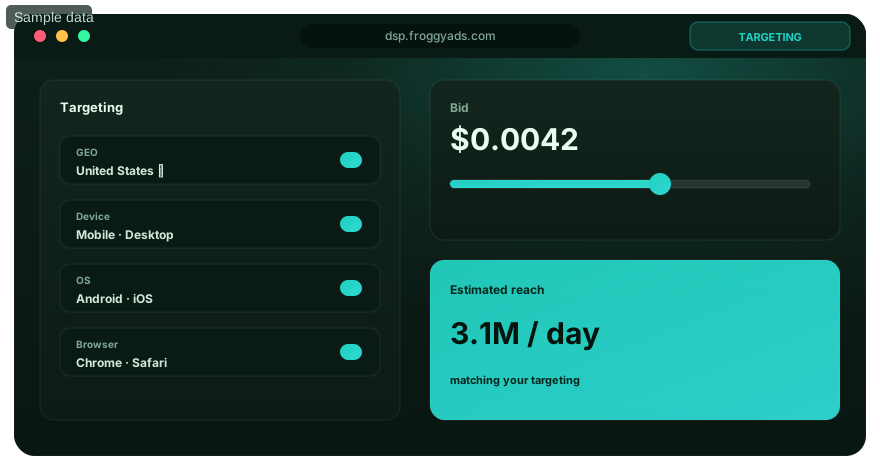
Illustration of audience targeting controls for an affiliate marketing with push notifications test
Implementation workflow

Make the notification recognisably commercial

Put the approved commercial subject and relevant destination condition in the creative brief. The advertiser should be able to show which product fact supports the message and how the visitor will find the information after clicking.

Use an honest subject instead of a system alert

Use an offer that can earn attention without imitating an operating-system warning, private message, delivery notice or guaranteed reward. A truthful product or workflow question gives the visitor a recognisable reason to explore the actual commercial destination.

State the notification commercial purpose

Make the notification subject understandable as a promotion for the real offer. The visitor should not need to click to discover that an apparent personal alert is an advertisement for something unrelated.

Reject a deceptive creative approach

Reject a creative concept whose appeal depends on deception. Prepare another supported angle or choose a more appropriate format. A high response from a misleading expectation creates a weak basis for judging merchant quality or deciding what to buy next.

Choose an angle the destination can explain

Choose a Push angle grounded in the destination: a product category, comparison need, eligibility question or software task. Explain any material promotion condition accurately. A specific, supportable idea is easier to continue on the landing page than a vague promise of an effortless result.

Keep title, image and message coherent

Keep the title, image and supporting text coherent. They should introduce the same product or customer question, with the relevant qualifier understandable in the rendered format. Do not rely on a contradictory landing-page explanation to repair the first impression.

Remove unsupported notification claims

Remove unsupported account events, endorsements, scarcity and outcome claims from the notification. Check the actual experience shown in an image as well as the words; a visual can imply a product result the advertiser cannot substantiate.

Keep a promise-and-evidence record

Maintain a compact promise record with the exact creative statement, supporting destination information, material condition and approving owner. When a product fact or destination changes, use that record to decide whether the original notification remains accurate.

Affiliate Marketing With Push Notifications: Lifecycle Plan implementation workflow
Measurement design

Review the rendered message and its qualifier

Review the rendered notification before the test. The available space, image and text truncation can alter the meaning of a message that looked clear in a draft. Check that the actual subject and any important qualification remain understandable.

If an essential qualifier disappears in the rendered message, revise the creative. Do not assume the landing page can repair a misleading impression after the click. A shorter, accurate proposition gives you a cleaner response to evaluate.

Use creative variants that answer distinct customer questions, such as eligibility, comparison or a supported product use. Keep each variant within the approved claim boundary and retain its identifier so the merchant comparison can be related to the message.

StagePrepareCheckUse in the review
NotificationApproved title, image, message and qualifierThe rendered subject is accurate and understandableRelate the response to the actual creative version
DestinationThe promised explanation, conditions and next stepThe route works and the commercial context is clearInvestigate whether qualification or a broken handoff explains loss
Paid deliveryFroggyAds campaign, source and creative referencesTargeting, bids, budget and delivery remain identifiableInspect source response alongside the programme outcome
Merchant outcomeRecorded, approved, rejected and reversed actionsStatus, timing and referral limits are understoodCompare accepted value with the relevant campaign cost

Creative version: Give each notification version an identifiable reference. Keep the relevant offer, destination and targeting conditions with it, then allow the merchant outcome the appropriate review opportunity before drawing a commercial conclusion.

Choose direct linking for a complete merchant path

Direct linking is appropriate when it is permitted and the merchant page continues the notification, explains the required conditions, works on the intended device and preserves the supported affiliate reference. Check those points on the actual route rather than judge only the final URL.

Open your FroggyAds account
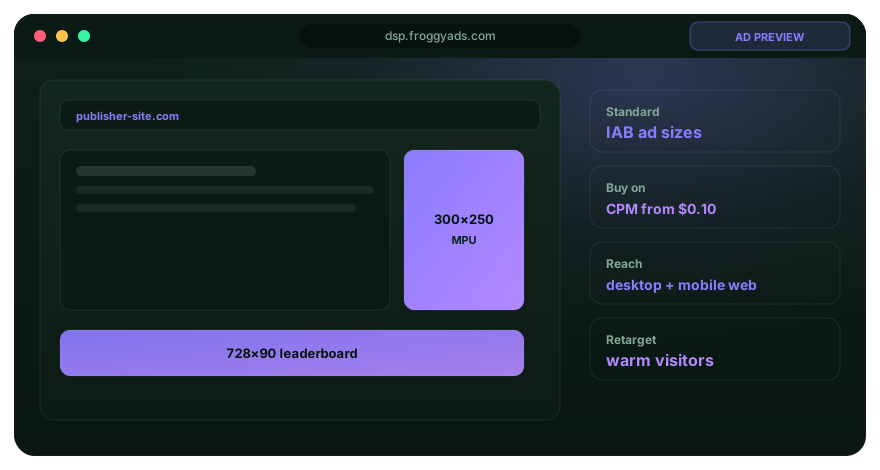
Illustration comparing advertising formats for affiliate marketing with push notifications execution
Campaign architecture

Check redirects before comparing routes

Test the full redirect chain, including any tracker or intermediate page used by the programme. Verify the expected reference and destination instead of assuming that an initial successful click proves that every later handoff works.

Keep a monitoring response for a merchant page change. If the destination no longer supports the approved notification or fails to preserve the route, pause or revise the affected campaign instead of continue buying the original promise.

Use a pre-landing page when it adds information the visitor needs: fit, comparison, exclusions, steps or disclosure. Keep it substantive and relevant to the actual offer. An extra click without useful context is not itself a qualification strategy.

Affiliate Marketing With Push Notifications: Lifecycle Plan decision matrix
Creative and landing experience

Add genuine value with a pre-landing page

A useful pre-landing page helps the visitor decide whether the merchant step is appropriate. Explain the promised comparison or product question and the material condition that could make the offer unsuitable, with a clear permitted route to continue.

Make commercial context clear on the pre-landing page

Make the commercial relationship clear where required and keep the customer able to navigate sensibly. Do not invent testimonials, disguise a paid affiliate comparison as independent evidence or use an automatic handoff that defeats informed choice.

Continue the notification on the first mobile screen

Align the first mobile screen with the notification question. The visitor should recognise the promised subject and find the relevant qualification before being asked to take a merchant action. Preserve that destination version with the campaign.

Show the promise, condition and next step

Give the visitor the promised explanation, the condition that matters and a clear next step. A Push message about a software task should lead to the supported workflow information, not a generic page whose only function is another affiliate click.

Test the prepared route before purchase

Check the prepared route for readable content, functioning navigation, relevant disclosure, correct referral and merchant destination. Repair a concrete failure before buying a wider hypothesis so a broken handoff does not become an apparent source-quality result.

Use page quality to support the next customer action

Use page quality to support the action the notification introduced. Inspect message match, useful information and referral continuity alongside response; an attractive click rate cannot establish that visitors understood the offer or reached a serviceable merchant outcome.

Identify the campaign-to-merchant chain

Identify the FroggyAds campaign and source, creative, destination version and supported affiliate or tracker reference. Connect them to the merchant event through the tools and fields actually available, with missing or unresolved joins kept visible.

Decision scenarios

How should the push route preserve affiliate attribution?

Decide which references can pass through the Push route and which require later reconciliation. Test the expected values with the relevant system owners. Do not put unnecessary personal information in a URL to compensate for an unsupported join.

Assign event and cost responsibilities

Assign paid delivery review to the authorised media buyer, event acceptance to the programme or merchant owner and the relevant cost comparison to its finance owner. The same cohort should be understandable from each perspective without treating those records as interchangeable.

Document the URL encoding and redirect behaviour used by the supported route. Consistent references make it easier to investigate a missing action without changing the meaning of the programme event or the campaign count.

Test the supported referral path

Use a test action where permitted and verify the expected referral at each supported system. Record any known delay or unavailable field so the campaign team knows the limit of the source-level comparison before the paid test.

Separate response from approved merchant value

Distinguish the Push click, destination visit, outbound affiliate click, recorded action, approved action, reversal and payout. Use the stage needed for the specific question instead of call every observed event a conversion with the same commercial meaning.

Response quality: A notification can earn a quick response without producing an eligible merchant customer. Investigate the transition that failed: unclear promise, missing destination context, unsuitable audience, broken referral or a later acceptance condition can require different changes.

Inspect the transition between Push and merchant

Read the counts between Push and merchant stages alongside rates. A difference based on very few actions may need a bounded repeat or further investigation rather than immediate source exclusion. The appropriate evidence depends on the offer, uncertainty and cost you can accept.

Choose FroggyAds for affiliate marketing with push notifications traffic
Illustration of a campaign launch checklist for affiliate marketing with push notifications
Failure prevention

Keep a practical Push launch record

Keep the launch record practical enough to use. Confirm the permitted offer route, approved message, destination, referral convention, campaign allocation and review responsibilities. The checklist below is a working preparation aid rather than a prediction of campaign performance.

  1. Current written permission for source, format, geography, device, creative approach, and destination
  2. Rendered notification with truthful subject, readable qualifier, rights, and approval owner
  3. Direct link or pre-landing rationale based on the visitor's decision need
  4. Mobile journey test covering redirects, disclosures, links, merchant page, and identifiers
  5. FroggyAds campaign, source, creative, landing, affiliate sub-ID, and merchant event mapping
  6. Daily and total spending limits, offer cap buffer, outcome maturity window, and pause owner
  7. Review plan based on mature approved value, rejection reasons, and one-variable changes
  8. Offer conditions Check the actual market, device, claim, cap and destination before the test.
30-day operating plan

Use only the referral references needed

Use the notification references needed to relate the campaign and affiliate outcome. Document what each value means and keep the necessary access with the responsible operators so source review does not depend on a private unexplained field.

Control access to event-level records

Limit event-level access to the people who need it for the permitted task. Use appropriately aggregated source evidence for routine buying decisions and follow the data responsibilities relevant to the tools and programme.

Account for reporting delay and time zones

Record the update frequency and time zone of the relevant reports. An apparent missing action may reflect a reporting delay; verify the expected timing before treating it as proof of a failed referral or unsuitable customer.

Check current Push format requirements

Check current Push eligibility, creative requirements, available targeting and pricing information in the FroggyAds account. Prepare the actual message for the supported format rather than assume a notification design or setting from another system applies here.

Separate minimum bid, funding and test cost

Keep the minimum bid, account funding, actual campaign delivery cost and test allocation distinct. Use current account information for the buying options and choose an allocation appropriate to the offer and the question the comparison must answer.

Frequently asked questions

Questions about affiliate Push campaigns

Begin with one permitted offer, one prepared destination route and a small set of genuinely different approved messages. Retain the relevant targeting and source references so the first comparison tells you something useful about the actual customer response.

Can affiliate marketers use push notification advertising?

Yes when the offer owner allows the traffic source and format, the campaign follows applicable rules, and the creative and destination are truthful. Keep written permission in the campaign file.

Does FroggyAds offer push advertising?

Yes. FroggyAds supports Push advertising within our advertising capabilities. Check current offer eligibility, creative requirements, available targeting, controls and live pricing in the account, then prepare an identifiable campaign with a matching destination and supported referral route.

Should push traffic go directly to an affiliate offer?

Use direct linking when it is allowed and the merchant page continues the message and tracking. Use a substantive pre-landing page when visitors need qualification, comparison, explanation, or disclosure.

What makes a push affiliate creative misleading?

Examples include imitating a system or personal message, inventing an account event or reward, hiding a material condition, using unsupported endorsement, or promising an outcome the destination cannot prove.

Which identifiers should be tracked?

Retain FroggyAds campaign, source, creative, landing version, affiliate sub-ID, tracker click where available, and merchant transaction or lead status using privacy-appropriate joins.

Is push click-through rate the main success metric?

No. It diagnoses creative response. The commercial decision should use a mature merchant-owned event such as an approved lead, net order, qualified trial, or another defined accepted outcome.

Can FroggyAds guarantee affiliate profit?

No. We provide campaign controls and delivery reporting. Profit also depends on offer permission, payout, message, destination, tracking, merchant approval, reversals, and operating cost.

When should a push campaign pause?

Pause for uncertain permission, misleading creative, broken destination, tracking loss, cap or spend breach, or mature customer quality below the pre-agreed rule.

How should agencies manage push affiliate work?

Agree offer permissions, claim boundaries, approvals, source labels, data access, merchant acceptance, budget limits, and escalation owners with the client before launch.

What is the next practical step?

Confirm the programme permits the planned Push route, prepare an accurate message and useful destination, and test the supported referral. Create your FroggyAds account to build a defined campaign and evaluate delivery beside the appropriate merchant outcome.

Related playbooks

Keep the live campaign brief current

Keep a dated Push campaign brief beside the live operating record. If the message, destination or offer condition changes, preserve the previous version and label the new route so later buying decisions remain interpretable.

Launch with evidence

Read delivery while the merchant outcome matures

Inspect source delivery for concentration and unusual changes while the merchant outcome matures. Use delivery observations to investigate a broken route, then make the commercial comparison at the programme event and cost scope relevant to the actual offer.

Use FroggyAds for an identifiable affiliate Push test

Choose FroggyAds for a Push purchase you can target, budget and inspect by source. With the offer permission and destination prepared, use our campaign controls to test a clear message and retain the references needed to evaluate its programme outcome.

We make the paid-delivery layer controllable and visible. Your supported tracking and programme records connect that purchase to the merchant result, so the next allocation can reflect customer quality as well as response.

Keep campaign and programme responsibilities clear

Keep responsibility clear across the Push campaign. The authorised buyer operates the traffic purchase; the advertiser or affiliate maintains accurate claims and the destination; the programme or merchant supplies the accepted event and applicable commission status.

Hypothetical business-software Push example

In this hypothetical business-software comparison, the affiliate has permission for a defined Push route. The notification asks about a supported workflow, while the destination explains product fit, the company-size condition and the permitted merchant step.

Trace referral records into the programme outcome

Carry supported campaign and source references into the affiliate route where the tools allow it. Reconcile merchant approvals, rejections and reversals with the paid cohort, and show any remaining join limitation beside the comparison.

Use a workflow question the visitor recognises

The illustrative notification asks a specific workflow question rather than imply a personal account alert. The comparison page supplies the information promised and identifies the important eligibility condition before the visitor follows the merchant route.

ControlRequired operating rule
EligibilityConfirm the offer, traffic source, market and destination permit the exact promotion method.
MeasurementPass source and click identifiers to the accepted business event and reconcile reporting delay.
Decision ruleChoose the next defined purchase from the appropriate merchant outcome, cost and evidence limitation.
RollbackKeep the last known control settings so bids, sources and creatives can be reversed quickly.

Give the comparison page useful context

The hypothetical pre-landing page compares supported use cases, explains the commercial relationship where required and uses the programme referral convention. Its value comes from helping the visitor choose, not merely adding another step before the merchant.

Search intent and buyer decision

Compare the software example qualified outcome

The example keeps FroggyAds campaign and source references with the creative and destination version. This lets the buyer investigate whether the customer qualification or referral route explains the result instead of judge all Push inventory as one undifferentiated total.

Example finding: One illustrative source group supplies many notification clicks but few visitors who meet the merchant company-size condition. The team checks the referral and rejection evidence before choosing a correction; click volume alone does not establish the accepted result.

Diagnosis: The buyer investigates that source and message together. It may be appropriate to clarify eligibility, narrow the source comparison or obtain a missing merchant record. Choose the correction supported by the actual gap rather than change every campaign condition.

Qualification test: For a qualification-message test, keep the relevant source and audience conditions stable, introduce a new labelled creative and destination version, and retain the original cohort. Use a separate defined allocation so the change can be evaluated.

Commercial review: Review the qualified merchant event after its relevant validation window, with campaign cost and unresolved records visible. The example uses the accepted trial definition; another programme may commission a different event and needs its own comparison.

Example scope: This software scenario is hypothetical and illustrates the diagnosis method. It contains no measured customer result, promised trial volume or profit forecast. Use your offer permission, actual records and relevant costs for a live decision.

Comparable route: Read each creative and source comparison through the same customer chain. If the message changes, retain the new version with the result. This helps the next buyer distinguish a repaired expectation from a different source purchase.

Review stepQuestion to resolveRecord to retain
PermissionDoes the programme allow this Push source, message and destination?The current terms, clarification and approved route.
Message fitDoes the notification introduce the same subject and condition as the destination?The rendered message and destination version.
Customer outcomeWhat did the identifiable cohort produce under the programme acceptance rule?Campaign cost, referral references, merchant statuses and limitations.

Investigate a mismatch before changing the whole route

Message mismatch: Many clicks with few merchant visits can reveal a landing condition the notification failed to explain. Inspect that mismatch before extending the purchase. A clear creative and substantive destination provide a better basis for assessing the next cohort.

Compare qualified outcomes alongside response

A lower-response notification can still be the better purchase when it qualifies the right customer and produces stronger accepted value at the relevant cost. Keep counts and the merchant window visible before choosing the next test. Create your free FroggyAds account

Direct answer

Operate the next Push purchase from accepted evidence

Choose the next Push purchase from a traceable campaign and the relevant accepted outcome. Review rejection and reversal reasons with the programme owner, retain the earlier route and change the condition the evidence actually identifies. Pause an affected campaign for uncertain permission, misleading copy, a broken destination or a material referral failure. FroggyAds gives you practical targeting, bidding, budget and source controls to run the next defined comparison. Use them with your merchant records to repeat, correct or expand the purchase with a clear commercial reason.