Software for controlled media execution

Ad Buying Software: Build and Evaluate a Measurable Operating System

Choose ad buying software that helps your media buyer turn an approved plan into the intended campaign. Our FroggyAds self-serve workflow gives you supported traffic formats, targeting, bid and budget controls, and source reporting for that purchase. We recommend starting with one defined campaign action and a real offer, then checking the saved settings and accepted customer event. You can evaluate the buying task before adding operational complexity or expanding the campaign.

ad buying software
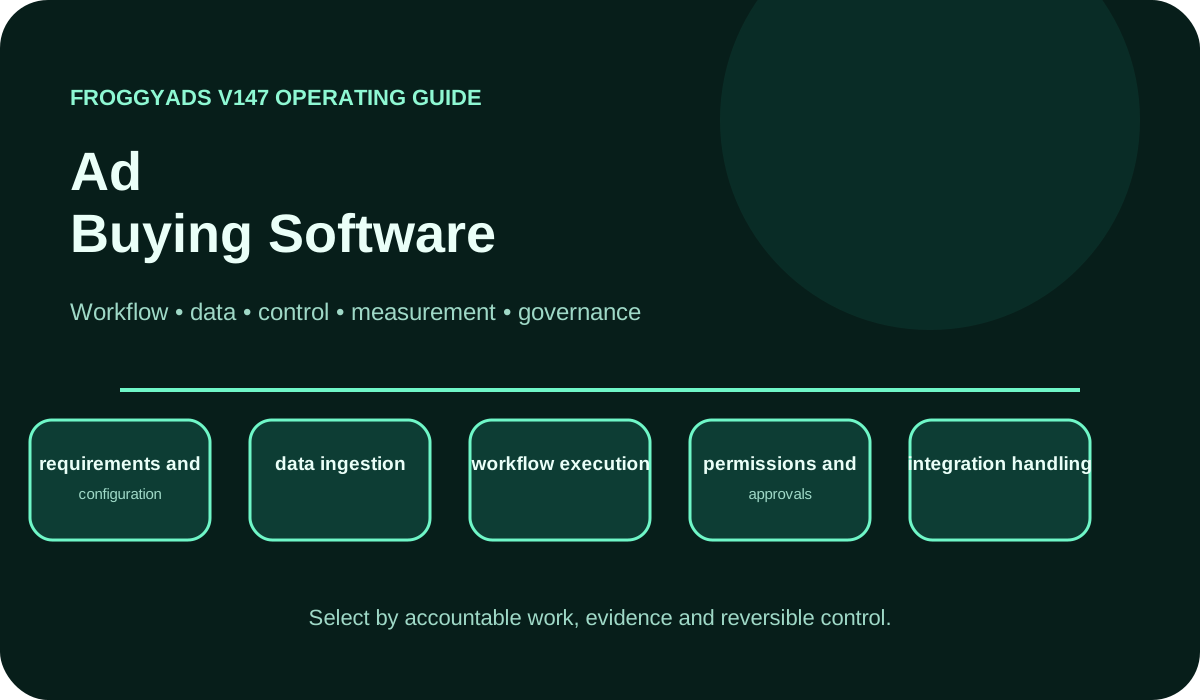
Ad Buying Software operating model showing workflow, data, control, measurement and governance

What should ad buying software help your buyer execute?

Quick answer: Ad buying software supports the execution of media purchases, including campaign configuration, buying controls and reporting. Evaluate the actions your operator must perform, not only the settings a demonstration displays. Check that a saved change has the intended state, that the required reports retain usable identifiers and that the team can stop the affected campaign. FroggyAds gives you a practical self-serve route for that traffic-buying work; customer validation remains part of your own measurement process.

Reference for Ad Buying Software: Compare Options, Costs & Practical Fit: Google Display & Video 360 overview.

Evaluate the buying task the software must complete

Write a short task script before comparing products. For example, configure an eligible campaign, submit the intended creative, set a finite allocation, inspect its status and retain the resulting source report. Name the person who will perform each action after selection. The script should expose whether the software can execute your actual purchase rather than whether a salesperson can demonstrate a polished dashboard.

Separate execution software from the service and inventory behind it. A reporting layer may display campaign data without being able to change the purchase; a buying interface may make direct campaign controls available. Verify which product owns the action you require. Keep the media-provider relationship, creative work, analytics and accepted customer record explicit instead of expecting one software category to own the entire acquisition process.

Select the smallest execution scope that solves the problem. A team launching one traffic campaign may need a clear self-serve workflow more than a custom integration. An agency synchronizing several accounts may have additional requirements. Demonstrate the necessary actions and their failure states first. Leave optional modules outside the initial purchase unless they remove a documented limitation.

Distinguish a useful control from a displayed setting

For every important control, distinguish the value shown on screen from the value that has actually been saved or applied. Record how the product reports a pending, rejected or completed update. A change notice is not evidence that delivery immediately followed the new setting. Check the account documentation and observable campaign state before treating an execution step as complete.

Use stable campaign identity throughout the script. A copied campaign, revised creative and replacement destination should remain distinguishable from the earlier version. Keep the original settings available for the comparison. If the product assigns new identifiers during a copy or import, check how those records connect with the reports your buyer will use to evaluate the test.

Inspect the connection needed for the buying action. If a selection depends on an API or external connector, verify the documented read and write operations with appropriate access; do not infer that capability from a reporting export. If a manual self-serve workflow meets the need, assess that actual route. For a FroggyAds test, confirm any required integration with the current product documentation before planning around it.

Test eight parts of the buying workflow

Run the checks with the operator and account scope intended for production. Keep the submitted value, the resulting state and any error or approval message. Test a recoverable exception as well as the normal path. Give a capability credit for the task demonstrated, with its observed limits, rather than converting an untested feature name into a pass.

CapabilityOperating questionEvidence required
requirements and configurationCan the operator turn the approved brief into the intended saved campaign settings?The submitted configuration, resulting record and the account scope tested.
data ingestionDo required campaign and event fields arrive without losing their meaning?A small original-and-received sample, including a missing or rejected record.
workflow executionCan the assigned buyer complete the purchase task without hidden administrator steps?Observed creation, review, limited delivery, report retrieval and stop actions.
permissions and approvalsDoes the actual role allow the required task while containing unwanted spending changes?A task completed with the assigned access and an action the role should reject.
integration handlingWhich supported read or change operation does the workflow need from the connection?A documented operation, its resulting state and a recoverable failure test.
error monitoringCan the buyer distinguish a failed update from a pending or completed action?Submitted values, timestamps, product responses and the verified current state.
reporting and exportDo retained reports preserve the campaign keys and customer statuses needed for review?A usable export or record with counting scope, currency, time zone and join fields.
administration and supportWho can pause delivery, remove obsolete access and resolve a material execution problem?The tested recovery procedure, responsible owner and retained campaign evidence.

Connect the guide to live testing

Verify one campaign action with FroggyAds

Use one FroggyAds campaign action as a practical execution check. Configure a supported format and eligible audience, set the bid and campaign budget, and review the saved settings before releasing traffic. Keep the offer and destination stable. Then inspect the available source report and the customer event your own system validates, so the software task remains connected to a useful purchase.

Create My Free Account
Illustration of audience targeting controls for an ad buying software test

Check the records before you trust the report

Define the records the software must preserve before importing or exporting data. Include the campaign identifier, applicable source dimension, creative version, spend currency, event time and customer status needed for the buying decision. Mark the source of each value. A calculated total and a received transaction can both be useful, but they should not be presented as interchangeable evidence.

Trace a representative record through the connections actually used by the team. Compare the originating value, any transformation and the value received by the next system. Include a missing identifier or rejected update in the test. When totals disagree, locate the first changed or absent field rather than allowing the most attractive dashboard total to become the default truth.

Keep the initial data sample limited. Check that accepted, pending, reversed and duplicate actions remain distinguishable after transfer. If the required customer status is unavailable, record the resulting reporting limit before the test expands. More imported rows do not compensate for a field mapping that assigns the wrong action to a campaign or counts it twice.

Introduce the software through a limited execution trial

Start the execution trial with one campaign type and the buyer who will operate it. Save the current setup process, then follow the written task script in the new software. Note the steps completed inside the product and the work that still requires another system or administrator. This comparison shows whether the software reduces the actual buying burden.

Prepare a recoverable starting configuration before the first write action. Confirm the intended account, market, format, creative, destination, bid and allocation. Where the product provides draft or preview states, inspect them; where it does not, use the smallest appropriate controlled test. Keep account funding separate from permission to spend the whole balance during evaluation.

Review execution failures before adding more accounts. A campaign may have been created while its creative remained pending, or an imported change may have reached only part of the intended setup. Record that dependency and repeat the affected task after correction. Expand when the assigned buyer can explain both the normal action and the recovery from a failed one.

Measure software reliability beside acquisition cost

Measure the execution problem that justified the software. Record incorrect settings, time spent completing the buying task, failed transfers, repeated manual corrections and report availability. Compare those observations with your earlier process. Keep accepted acquisition cost beside them: software that saves operator time can still buy unsuitable traffic if the offer, targeting or destination is wrong.

Retain a distinction between product operation and campaign measurement. A successful update proves that a software action completed within its defined scope. Delivery records show what the campaign bought, while tracker and business records establish attributed and accepted outcomes. Reconcile those layers using the fields and time windows they actually share instead of forcing a single completion total.

Look at recent execution changes separately. A newly connected account, imported creative batch or automated rule may introduce a different error pattern from the earlier workflow. Keep those tasks identifiable in the review. Compare customer results only after their normal acceptance window, and avoid assigning a commercial improvement to the software when the offer or source mix changed at the same time.

An illustrative 30-day software evaluation

Days 1–5

Days 1–5: choose the buying task, responsible operator and evidence that would demonstrate correct execution. Save the previous workflow and identify the account access required for the trial. This is an illustrative calendar, not a setup promise. Let product approvals, data checks and the business review window determine the time actually needed.

Days 6–12

Days 6–12: configure a small representative campaign and test the required read, change and reporting actions. Include one recoverable error, such as an invalid or incomplete input where the product allows safe testing. Retain the resulting status and correction. Use only supported test methods; do not assume that a provider offers a sandbox or simulation mode.

Days 13–21

Days 13–21: run the approved limited purchase and record how the software handles creative status, spending changes and source reporting. Keep material actions traceable to the submitted settings. Inspect pending updates before retrying an action that could create duplicate campaigns or unwanted spend. Reconcile customer events through the established acceptance path.

Days 22–30

Days 22–30: compare task reliability, operator effort, retained records and the full cost of the trial. Keep unresolved errors visible with an owner. Approve another account or campaign type only when the required actions are repeatable and recovery is understood. Extend the evaluation if reporting or customer acceptance remains incomplete at the end of this example period.

Choose the execution format

Use a format the software and offer can support

Use Push, Native, Display or Pop where supported and appropriate for the offer, with Video or Interstitial considered where available for the campaign. Verify the actual asset requirements and destination before submission. A product may support several formats while requiring a different setup or review path for each. Test the format your buyer intends to operate rather than assuming one successful configuration covers every option.

Create My Free Account
Illustration comparing advertising formats for ad buying software execution

Test automated decisions before expanding their authority

Specify the action an automated rule may take and the evidence needed to assess it. FroggyAds describes SmartCPC as a bid-optimization capability; evaluate it within the controls and reporting actually available for your campaign. Keep the spending limit and accepted customer event explicit. Do not assign a different provider's algorithm or conversion model to it because the products use similar terminology.

Keep material buying authority with a named person. Review a substantial budget increase, a new market, a changed offer or new data use against the approved trial. Record the previous setting and the reason for the change. The person operating the software should know which actions require review and who can stop delivery if the resulting campaign state is unsuitable.

Use a recommendation or non-executing test mode only when the product documents that capability. Otherwise, isolate a limited campaign and observe one controlled adjustment. Verify how the software reports the action and its scope. A useful automation trial explains what changed and how to contain a weak result; it does not establish that every future adjustment will be profitable.

Control the connections that can affect spending

Limit account connections to the permissions needed for the buying task. Check whether the actual role can edit spend, publish creative, change tracking or export customer records. When required separation is unavailable in the product, define the independent review that contains the risk. A general administrator login should not quietly become a prerequisite for every routine media-buying action.

Review the data needed by each connection before enabling it. A campaign-status update may not require personal customer information, while a conversion record may carry different handling requirements. Identify the responsible owner and permitted purpose. Treat access to a field as a technical capability to assess, not as proof that the team is entitled to transfer or retain it.

Check account recovery alongside normal authentication. Identify the available method for disconnecting a faulty integration, removing obsolete access and stopping the affected campaign. Keep the organization's credential and incident responsibilities explicit. Additional requirements such as single sign-on or detailed audit exports need their own provider evidence; they should not be inferred from a self-serve buying interface.

Compare execution products with the same task script

Give each shortlisted product the same execution script and representative campaign inputs. Record the tasks completed, the permissions used and the records returned. Compare failures and recovery effort as well as the successful path. A broader software suite needs to justify its extra administration against the actual buying work your team must perform.

Compare the operating cost of the software trial in separate categories. Include any applicable product charges, the time needed for configuration and training, connection maintenance, reporting work and recovery from errors. Keep media spend visible as its own item. A low software price can still require expensive manual checking, while a focused workflow may be sufficient for the campaigns the team actually buys.

Write a decision that identifies the task the software can execute reliably today. Retain the account and format tested, the required external systems, the unresolved limitation and the owner of ongoing checks. Define what would reopen the selection, such as an export that loses campaign keys or a product change that removes a necessary control. This keeps the purchase tied to observed use.

Investigate software exceptions without hiding spend

Separate an execution failure from a poor campaign result. An unapplied setting, duplicate campaign or missing export needs a software investigation. Valid delivery that produces rejected leads needs a review of the audience, offer and customer rule. Record the earliest verified failure and the affected version before changing several buying settings at once.

Keep error states readable. Record what was submitted, when it was attempted, which account or campaign was affected and what response the product returned. Check the current state before retrying a material update. An ambiguous response should remain unresolved until the buyer can establish whether the change applied, rather than being treated as either a clean success or a confirmed failure.

Retain the configuration and evidence needed to recover from a weak update. Save the earlier material settings, campaign identity, creative and destination versions and reporting location. Verify the available pause procedure and the owner responsible for final reconciliation. The recovery record should make it possible to understand what changed without reconstructing the campaign from memory.

Keep a runbook for buying actions and failures

Write a short runbook for the buying actions your team performs repeatedly. State the required input, the account scope, the expected product state and the evidence to retain. Include the known approval or processing delay. A runbook should help the next buyer distinguish an incomplete action from a finished one, not merely reproduce a sequence of screenshots.

Document the exceptions discovered in the trial. Keep a rejected creative separate from a failed update and a delayed customer event. For each, name the owner, the next check and the condition that closes the issue. Preserve a safe route for stopping the affected purchase while the team resolves a material uncertainty.

Update the runbook when the actual product or workflow changes. Recheck the campaign task with the assigned role after a new connection, format or permission requirement is introduced. Retain the earlier scope and the reason it changed. A current, demonstrated procedure is more useful to an operator than a large feature catalogue that no one has tested against the buying account.

Put the guide into practice

Use the verified workflow for the next traffic test

Use the verified execution path for one further FroggyAds traffic test. Keep the offer, customer-event definition and main destination stable while you examine the intended buying change. Set an allocation the business can afford to learn from and retain the source record. This checks whether the software workflow remains useful under another controlled purchase.

Create My Free Account
Illustration of a campaign launch checklist for ad buying software

Choose FroggyAds for self-serve campaign execution

FroggyAds is a self-serve media buying platform for advertisers and media buyers. It supports campaign activation, targeting, source controls, budgeting and performance workflows across push, native, display and pop inventory. It is not presented as a CRM, email automation suite, creative-authoring suite, lead database or universal marketing system.

Choose FroggyAds when your team needs a self-serve way to configure traffic campaigns and act on reported sources. We give buyers practical controls for supported formats, targeting, bids and budgets. Bring the approved offer and a reliable event path; use those controls to execute a clear test, then assess accepted outcomes in the business records that define value for you.

A practical acceptance script for buying software

Begin the acceptance script with the submitted campaign configuration. Have the operator read back the market, device scope, supported format, bid and spending limit using the evidence the account exposes. Identify pending or rejected states before traffic is released. This tests the buying software as an execution tool rather than assuming a completed form means the intended campaign is active.

Check the inventory scope the configuration can actually reach. A format selection or targeting label may limit eligibility without reserving a specific placement. Review the source detail available after delivery and the actions it enables. If the software cannot expose a required inventory field, retain that limit in the acceptance record before the next allocation is authorized.

Demonstrate one controlled financial update. Record the previous bid or allocation, the submitted value and the resulting campaign state. Check applicable processing or approval behavior rather than assuming the update is immediate. Reconcile actual cost for the period used to assess it, and keep a reporting delay distinct from evidence that a spending control failed.

Join the campaign result to the customer state your business accepts. A software event import can be technically complete while the customer action remains pending, duplicated or later reversed. Retain those statuses in the comparison. The execution trial should demonstrate that the necessary campaign and event records can be interpreted, without claiming that successful data transfer proves commercial value.

Use only the data needed to complete the buying task and its measurement. Record whether each input is a product setting, contextual signal or advertiser-provided record, and check its handling requirements with the responsible owner. A software connection should have a defined purpose; importing more customer fields is not automatically an improvement in campaign control.

Inspect the creative version the product actually submitted for review or delivery. Save the asset and destination used in the trial, then trace any replacement through the available approval states. A new version should remain distinguishable in the campaign record. If a rejected asset leaves delivery inactive, correct that condition before attributing the missing traffic to bid competitiveness.

Ask the assigned buyer to complete the full task without intervention from the product demonstrator. Observe the steps that require another tool or higher account privilege. Include a report retrieval and a controlled stop so the test covers more than initial creation. The result should show what the team can execute and which operating dependency remains outside the software.

Verify that a reported source can be interpreted at the level required for your next action. An identifier may support a campaign exclusion without exposing every intermediary or request. Record what it represents and which control can use it. Do not infer a complete supply path or raw auction transcript from the presence of a source column.

After a software or connection change, compare a small new execution sample with the earlier accepted state. Look for changed field mappings, new campaign identifiers, missing statuses or different timing. Review commercial results only after the normal outcome window. A cleaner interface or faster refresh can be useful without proving that the campaign acquired better customers.

Approve the product from the task evidence, its operating cost and the limitations the team can contain. State who owns the remaining checks and which failure would stop wider use. Keep a usable export and the last understood configuration. The final selection should explain why this execution route fits the buyer's work today and how the team will detect a change in that fit.

Show that the intended campaign can be configured

Create the campaign from an approved task brief, then verify the material settings in the resulting record. Check that the correct account, offer and destination were used. A copied test should not silently inherit an old client budget or targeting restriction. Retain the actual saved state so another buyer can inspect what the software was asked to execute.

Check the inventory scope the operator can select

Review the market, supported format and source restrictions the operator selected. Confirm the meaning of the fields available in the product rather than assuming another provider's vocabulary applies. Keep eligibility separate from delivered volume: a valid configuration can still face limited supply. Record that boundary before changing the purchase to force more traffic.

Trace a test record through every required connection

Trace one campaign identifier and customer event through each connection required by the workflow. Compare the original and received values, including currency, timestamp and acceptance status where needed. Retain an unmatched record as an exception. A successful connection test should preserve the fields that make a buying decision possible, not just move a row between systems.

Verify the creative version submitted for review

Keep the approved asset and landing version connected to the submitted campaign. Verify how the product shows a pending review, rejection or later replacement. Where that detail is not available, record the independent check the team will use. The buyer should be able to explain which version was intended and which evidence supports the version actually used.

Confirm the spend boundary after an update

Read back the financial values after a material update and inspect the account state the product exposes. Keep the requested bid, campaign allocation and observed spend separate. If the response is unclear, establish the current state before retrying. This prevents a reporting or communication problem from becoming an avoidable second change to a purchase already in progress.

Keep customer acceptance separate from software events

Retain the accepted-event rule independently of the software's transfer status. For an affiliate campaign, wait for the relevant merchant decision; for lead generation, retain the qualification state. Keep pending and reversed actions outside the accepted count while retaining the associated media cost. A technically completed import does not convert an ineligible action into usable customer value.

Preserve the source behind a quality decision

When the buyer excludes or retests a source, save the source identifier, campaign version, observation window and reason. Check that the intended control applied at the stated scope. Keep technical traffic signals distinct from later commercial acceptance. This gives the team a traceable software action and a separate basis for judging whether the traffic decision helped.

Demonstrate a usable stop and recovery route

Demonstrate how the assigned operator can stop the affected campaign using the supported product controls. Retain its final material settings and report location for delayed outcome review. Define who removes obsolete access or investigates a connection failure. A buying workflow is easier to adopt when the team understands how to contain a mistake as well as how to launch a campaign.

Frequently asked questions

When is ad buying software worth evaluating?

Evaluate it when campaign setup, bidding, pacing or reporting creates a specific operating problem your team needs to solve. A useful product must complete a representative buying task with clear permissions, budget controls and exportable records. A long feature list is not enough to establish that fit.

What should a small software trial include?

Use one representative campaign, the people who will operate it and a defined business outcome. Record the current workflow first, then test setup, approvals, delivery, reporting and recovery. Keep the trial capped so a configuration mistake cannot become uncontrolled spend.

How do I compare the full cost of ad buying software?

Count the license or usage fees alongside implementation, migration, training, administration and integration maintenance. Include support and exit costs, especially the work needed to recover historical data. The cheapest subscription may be expensive if your team needs constant manual workarounds.

Which integrations should be tested before adoption?

Follow campaign identifiers, spend and outcome records through the buying platform, analytics and the business system that owns the final result. Check representative records, failed transfers and conflicting totals. Confirm which system is authoritative instead of allowing duplicate databases to define different versions of success.

What can a software demonstration actually prove?

It can show whether a named workflow works with representative data and real user roles. Test the permissions, exports, error handling and rollback yourself. Leave capabilities unscored when they have only been described in a presentation or cannot be observed in the trial.

Which records make software reports trustworthy?

Keep stable campaign and outcome identifiers, documented event definitions, timestamps and the original source records. Reconcile delivery, analytics and business totals using consistent currencies and attribution windows. Report unmatched or rejected records openly instead of hiding them in a blended completion rate.

Which warning signs make buying software difficult to operate safely?

Watch for unexplained automation, failed integrations, incomplete exports and permission errors. Each needs a visible record and an owner. If the team cannot understand a material action or reverse it, keep that workflow out of wider production until the problem is resolved.

How can two buying products be compared fairly?

Give both products the same buying task, representative data and user roles. Define and weight the capabilities your team needs before the demonstrations, then compare operating effort, data quality, controls and full cost. Record important limitations beside the result instead of choosing on interface polish alone.

What should remain under human control?

Keep approval for major budget increases, broad audience expansion, new data uses and account-access changes. Automation needs stated thresholds, logs and a tested way to stop or reverse its actions. A named person should review the exceptions before the workflow expands.

When is the software ready for wider use?

Expand after the trial completes the intended buying workflow, reconciles its records and demonstrates usable controls, support and recovery. Add one team or use case at a time. Track errors and operating cost as well as adoption, so wider use does not hide poorer campaign results.

Official documentation and product boundaries

Use the references for the provider and topic they actually document. Google Display & Video 360 describes its own execution environment, while Google Analytics and Google Ads explain their measurement or bidding systems. They can inform your test questions without establishing matching FroggyAds APIs, permissions or algorithms. Verify the product scope of every feature required by the buying script.

Put the verified buying workflow into practice

Our self-serve workflow gives you a direct way to put a verified buying task into a FroggyAds campaign. Choose the supported format and audience, confirm the bid and budget, and retain source-level results. Keep your own customer acceptance evidence beside the product record so the next software action follows the outcome the business can validate.

Create My Free Account
Search intent and buyer decision

Approve the software from observed execution

Use this software evaluation when the main question is whether your team can execute and recover a defined media-buying task. Keep the task script, resulting campaign state and required reports together. The related Traffic Buying Platform guide can help with a broader purchase decision, while this review stays focused on the actions and records the chosen software must support.

For a media buyer, successful execution means the intended campaign settings can be applied and inspected. For an agency, it also means the account scope and client-approved spend remain clear. For an affiliate team, the software record must remain usable alongside merchant approval or reversal data. Test the work your operator needs rather than treating every team as the same deployment.

CheckpointPage-specific actionEvidence to keep
WorkflowExecute one defined campaign task with the assigned buyer and account.Task inputs, saved settings, resulting status and a repeatable correction.
GuardrailLimit the trial to supported actions and a finite media allocation.Approved spending scope, required permissions and the route for stopping affected delivery.
OutcomeApprove wider use only when execution, retained records and operating cost fit the task.Observed task reliability, unresolved limitation and the owner of ongoing checks.

Hypothetical calculation: a trial uses USD 100 in media, USD 20 allocated to software and USD 40 in staff work. Total cost is USD 160. If four customer outcomes are accepted after review, full cost per accepted outcome is USD 40.00, while media-only accepted CPA is USD 25.00. The added costs are invented for the example, not FroggyAds charges. Retain all trial costs and use your own accepted-event count.

Choose FroggyAds when you need practical self-serve traffic-buying controls for the workflow you have verified. We help you select supported formats, apply targeting, set bids and budgets, and use source reporting to guide the next action. Keep the software task and accepted customer outcome distinct, then use both to decide how the campaign should develop. Create your free FroggyAds account.

Direct answer

Use buying software your team can inspect and operate

Useful buying software makes a media action understandable before and after it is applied. Verify the configuration, observe the resulting state and retain the records needed for review. FroggyAds gives you a self-serve execution route for a controlled traffic campaign; your offer and accepted-event evidence give that activity its business purpose.


