
Traffic for ClickBank Offers
Buy paid traffic for an eligible ClickBank offer with a measured FroggyAds test. We help you control delivery, targeting, bids and budget while you verify the offer rules, HopLink attribution and sale quality.
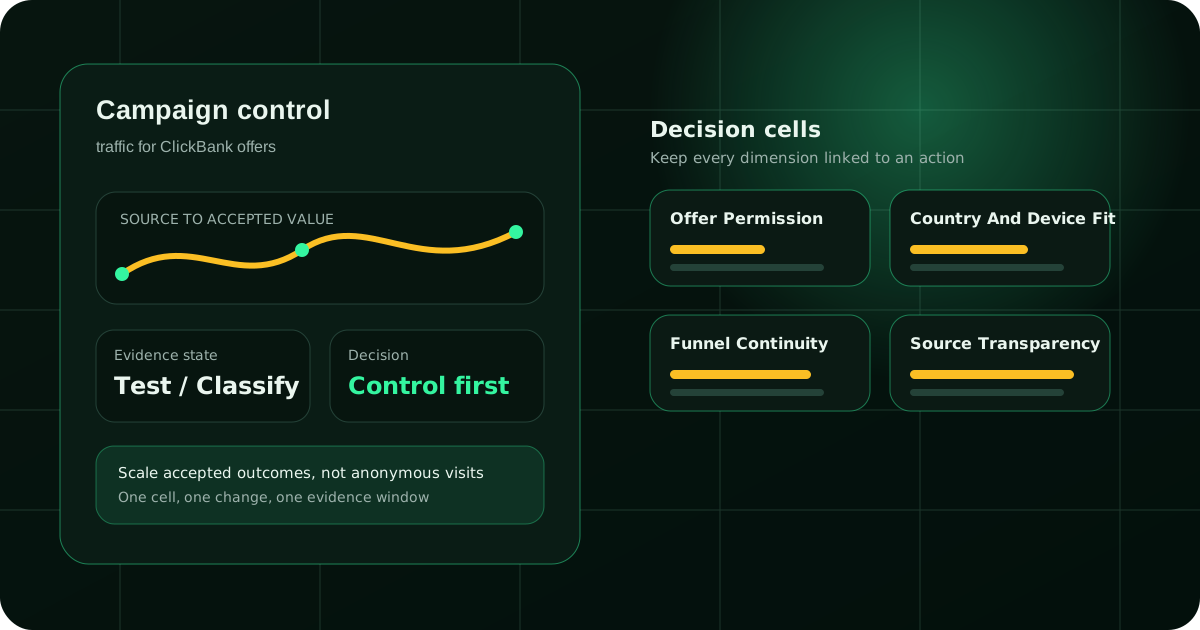
A controlled route from paid click to approved affiliate sale
A ClickBank traffic test works when the offer permits your route and mature sales justify the media cost.
Our recommendation is to pick one product, confirm its current vendor rules, and define the sale that matters before you buy. FroggyAds gives you self-serve control over delivery, targeting, bids and budget; you then compare that spend with the affiliate records that show approved sales, refunds and reversals.
| Decision gate | Evidence to verify | Action in your test |
|---|---|---|
| Offer permission | Current source, format, territory, claim and destination rules for the selected product. | Hold spend until the route is permitted and the seller page is available. |
| Journey integrity | Ad promise, bridge-page content, HopLink, seller presentation and required disclosures. | Test the complete route on the devices and locations you intend to buy. |
| Commercial evidence | Spend, affiliate-reported transactions, approval status, refund timing and net commission. | Judge a source only after the chosen reporting and refund window closes. |
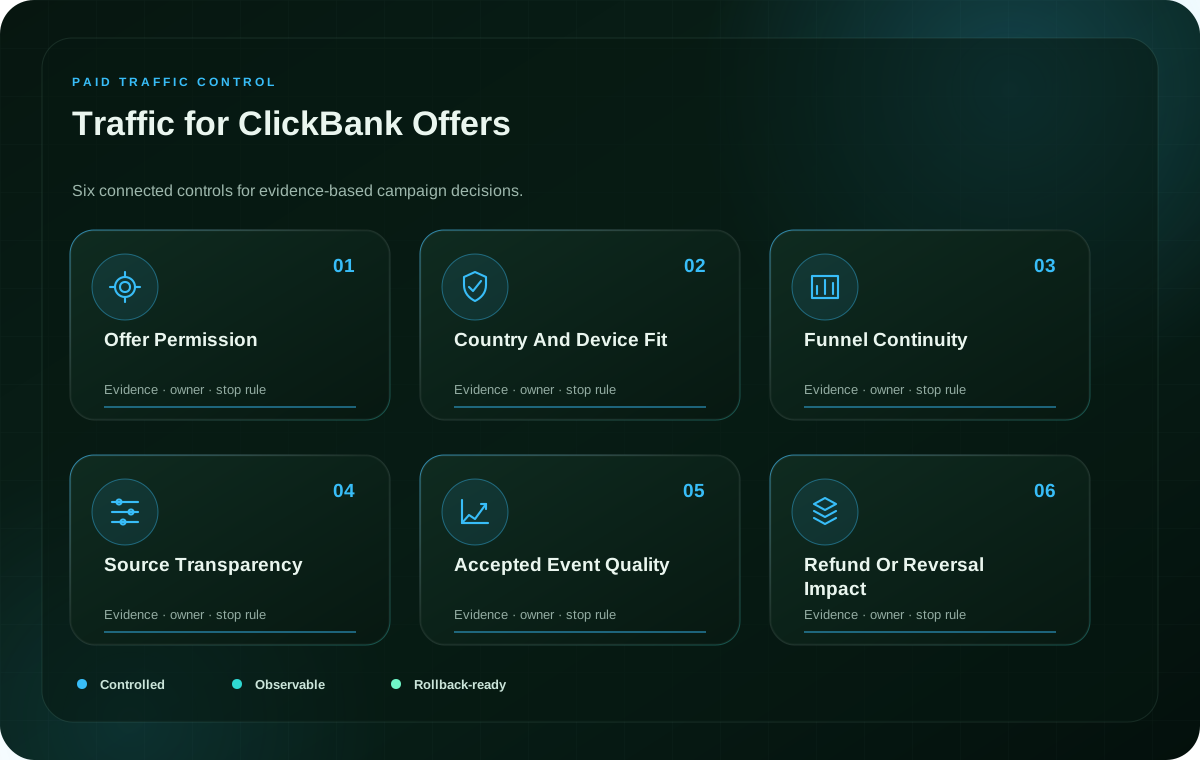
Check the specific ClickBank product before you buy traffic
Offer approval does not automatically approve every traffic source, claim or destination. Confirm the current terms for the exact product first.
Start with the vendor’s live promotion instructions, not an old campaign note or another affiliate’s experience. Record the offer name, the page you plan to promote, the allowed traffic category, any restricted countries or devices, prohibited claims, trademark rules and requirements for pre-selling. A seller may define conditions that do not apply to a different product, so keep the evidence tied to the offer you selected.
ClickBank’s affiliate overview is a useful starting point for understanding the marketplace relationship, while the offer’s current terms govern your particular route. Read the actual sales page as a customer would. If the product description, checkout, bonus or availability has changed, pause the media plan until your ad and bridge page reflect the current presentation.
Separate ClickBank account eligibility from product-level permission. A valid HopLink proves that a tracking URL exists; it does not by itself confirm that a specific paid channel, claim, incentive or landing page is permitted. Likewise, a successful test on one device or territory does not clear a new route. If any rule is ambiguous, request clarification through the applicable vendor or platform channel before launch.
Keep a short approval record beside the campaign. Include the page URL, date checked, rule source, the exact creative promise, and who confirmed the destination. That record lets your team resolve disputes quickly and prevents a recycled ad from drifting away from the offer it describes. For broader context, see ClickBank’s affiliate overview.
| Review item | Question for the offer owner | Evidence to keep |
|---|---|---|
| Traffic source | Is paid traffic from this channel allowed for this product? | Current written rule or approval reference. |
| Claims and brand | Which product statements and brand terms may appear in ads? | Approved copy, exclusions and destination comparison. |
| Landing route | May you use a bridge page, and what must it explain? | Tested redirect path, page snapshot and disclosure check. |
Make every step between the ad and vendor page truthful
A bridge page should clarify the offer and prepare the visitor for the vendor page without disguising the commercial relationship.
ClickBank describes a HopLink as an affiliate tracking URL that sends a potential customer to a seller landing page and identifies the affiliate that referred the traffic. That makes the HopLink an important measurement step, but not a substitute for a clear ad or a useful landing experience. Review how the message, bridge page, HopLink and seller page fit together before buying impressions.
Use a bridge page only when it adds information that helps the prospective buyer make a better decision. Explain the product category, who may find it relevant, what happens after the next click and any limitation that materially changes the offer. Avoid copying sales claims without checking them, implying independent testing that did not happen, or suggesting the page is the seller’s official checkout if it is not.
Keep the message consistent across each handoff. If the ad emphasizes one benefit but the seller page opens on a different promise, the visitor may feel misled even when the HopLink tracks correctly. Align the headline, visual, offer description and call to action, then check the path on a real mobile and desktop browser before spend begins.
Affiliate disclosure belongs where a reader can notice it before acting, in the manner required for your jurisdiction and placement. The FTC’s endorsement guidance explains how disclosures should be clear and conspicuous in covered US contexts; it is not a substitute for advice about other countries or the specific ClickBank offer. Keep required notices visible, readable and close to the recommendation they qualify.
Do not add urgency, scarcity, health, income or outcome language unless the vendor’s current materials substantiate it and the channel rules permit it. A compelling ad can still be specific: lead with the problem the product addresses, identify the audience honestly and describe the next step without promising a result. That discipline protects conversion quality and makes refund analysis easier to interpret.
Match the traffic cell to the buyer’s level of intent
Choose a clear audience question first, then use a permitted format and destination that can answer it honestly.
One ClickBank offer can attract people at different stages of awareness. A cold visitor may need an explanation of the problem before a product pitch makes sense; someone already comparing solutions may be ready for a more direct product overview. Keep these audiences separate in your plan so creative, landing-page depth and review expectations are not blended into one average.
Define the group you want to reach using criteria that reflect the offer and the vendor’s rules. Country, language, device and audience intent should each have a reason to be in the test. If you change them all at once, a better or worse result will not tell you which change mattered. Start with one controlled comparison, record the baseline and expand the matrix only when you have a clear next question.
Ad format should serve the route, not dictate it. Select a format available in FroggyAds and allowed by the vendor. Then make sure the creative’s length and promise fit the user’s context. A short message can work for a familiar problem; a more complex product may need a destination that explains its audience, limits and next step before asking for action. Do not infer product fit from clicks or interaction alone.
FroggyAds is a practical choice when you need a self-serve place to manage the media inputs of a disciplined test. You can set and adjust campaign delivery, targeting, bids and budgets while your team uses the affiliate report to judge approved transactions. That separation is useful: the network controls the media side, while ClickBank and the vendor determine the affiliate event and product terms.
Build a comparison sheet before launch with one row per audience-format-destination combination. Name the hypothesis in plain language, such as whether a product-aware audience responds better to a short explanation than to a detailed bridge page. Keep the offer, claim and measurement rule stable while you compare that one difference. The result should guide the next test, not be presented as proof of a universal winning setup.
When you are ready to choose the campaign inputs, use our affiliate traffic guidance to plan the audience and route. Create your FroggyAds account when you want to set up the first controlled cell.
Keep HopLink parameters and media-source records consistent
ClickBank parameters can label affiliate traffic, but you must test how each identifier travels through your own route.
ClickBank’s current support documentation says affiliates may add optional tracking parameters to HopLinks or Direct Tracking Links. Examples include traffic source, traffic type, campaign, ad group and creative. Use names that your team can distinguish later, and keep the naming convention stable across the ad, bridge page, HopLink and affiliate report.
Choose a small taxonomy before launch. For instance, use one value for the buying channel, another for the campaign, and a separate label for the creative version. Avoid encoding changing information into a field intended for a stable category. ClickBank notes that parameter data is captured at click and is available to the affiliate in its reporting; the values do not automatically create a shared FroggyAds report or prove a cross-system join.
ClickBank also distinguishes ordinary reporting parameters from unique identifiers intended for click or session-level records. Follow the current support guide for the field that matches the data you need, and do not place unique values in a non-unique category merely to save setup time. Review character limits and the documented use of each field before you build the link. A tracking label is useful only if your downstream reports interpret it the same way.
Test the route from a real campaign preview before spend. Click the ad destination, follow the bridge page if present, open the HopLink and confirm the vendor page loads. Then compare the source label with the transaction view available to your affiliate account. If the label disappears, changes unexpectedly or is attached to the wrong offer, pause the cell and correct the tracking configuration before drawing conclusions.
At the media side, record the FroggyAds campaign and source details in your own experiment log. At the affiliate side, keep the HopLink parameters and approved-sale fields. Reconcile them at the level your available reports actually support. This lets you identify where a source performed well without claiming a connection that the data does not establish. For setup guidance, see our conversion tracking setup guide and the current ClickBank affiliate tracking parameter documentation.
When your tracking scheme is ready, use FroggyAds to manage the media variables and verify the affiliate record separately. Review the traffic planning guide if you need a broader source-selection framework.
Turn your offer rules into a controlled traffic plan
Bring the approved product route, a clear audience hypothesis and a sale definition. We give you a self-serve way to manage the media inputs; you keep the evidence needed to judge the result.
Measure approved sales after refunds and reversals have time to appear
A cheap click is an early media signal; mature affiliate value is the decision measure for scaling an offer.
Set the business outcome before the first impression. Depending on the product, your review may distinguish clicks, HopLink visits, vendor-page actions, transactions, approved transactions, refunds, reversals and commission retained. Keep those labels separate. If the vendor’s system reclassifies transactions after an initial report, mark which snapshot and maturity window you used so the comparison remains honest.
Use simple calculations that match the records you can verify. Media cost per approved sale is spend divided by approved sales in the defined period. Retained-sale cost uses the transactions still valid after the agreed refund and reversal window. Net affiliate value should be based on the commission that remains payable, not the product’s headline price. These are your analysis measures, not FroggyAds prices or a forecast of campaign performance.
Choose the review window from the product journey and the vendor’s reporting rules. A fast checkout and a product with delayed fulfillment or a longer refund period should not be forced into the same maturity schedule. Until the window closes, label numbers provisional. Do not call an early transaction a profitable result, and do not reject a channel solely because later transactions have not yet been recorded.
The useful comparison places media delivery beside downstream quality. Look at spend, delivery, visits, the number of attributable transactions, approval status, refunds, reversal timing and retained commission. A source with a higher click cost may still deserve investigation if it produces more mature commission; a low-cost source may disappoint if visitors leave before the vendor route or the resulting transactions are not retained.
Keep the control and the test comparable. Hold the product, vendor page, event definition and attribution method steady while you test a single source, format, audience or creative question. If the offer, page or policy changes mid-test, mark the date and split the analysis. Mixing two materially different journeys can make the average look precise while answering no useful question.
Write the acceptable economics in advance. Define a maximum test loss, the minimum record quality needed to review a cell, and the retained commission level your business needs. These thresholds belong to your business and the selected offer; they are not universal ClickBank or FroggyAds benchmarks. Change the budget only when the evidence supports a specific next step.
| Metric | Definition to write down | Why it matters |
|---|---|---|
| Media cost per approved sale | Eligible campaign spend divided by sales with the vendor’s approved status. | Connects buying cost to the event the offer actually accepts. |
| Retained-sale cost | Spend divided by sales remaining valid after the chosen refund and reversal window. | Separates provisional transactions from mature value. |
| Net affiliate value | Commission recorded as payable after applicable adjustments, for the same source and period. | Measures the affiliate outcome rather than the product’s advertised price. |
For a broader review of delivery quality and source reporting, see our traffic quality monitoring guide. Pair those records with the ClickBank transaction details available to your affiliate account rather than assuming either report answers the whole commercial question.
Find the weak handoff before you change the entire campaign
Compare the ad, HopLink and seller report in order; repair the earliest broken step instead of changing every input.
When delivery is healthy but a product test is not, separate the route into observable steps. Check whether the ad appears to the intended audience, whether the landing page loads, whether the bridge page explains the product, whether the HopLink reaches the right vendor page and whether downstream reporting attributes a transaction. This sequence protects you from changing targeting to compensate for a broken link.
| What you observe | First check | Measured next action |
|---|---|---|
| Delivery but few relevant visits | Audience, language, placement context and creative promise. | Hold the destination fixed and compare one audience or message change. |
| Visits but little bridge-page engagement | Page speed, mobile readability, promise match and next-step clarity. | Review the page with real users or analytics before increasing volume. |
| HopLink visits without clear transactions | HopLink route, vendor availability, source labels and reporting delay. | Test attribution end-to-end and keep provisional data separate. |
| Transactions followed by refunds | Audience expectation, claim accuracy, product fit and refund maturity. | Pause expansion, inspect the offer route and reassess retained commission. |
Use one diagnosis at a time. If the destination changed, do not simultaneously alter the audience, bid and creative. If ClickBank records sales but cannot map them reliably to a source, repair the parameter scheme before reallocating spend. If the seller page is unavailable or no longer matches the claim, stop delivery until the offer owner resolves the issue.
Source quality is not proven by a single high-volume day. Keep the analysis at the same level as the evidence: report observed delivery, recorded transactions and the matured status you can verify. If a report has a delay or missing field, label the limitation and avoid stronger claims than the data supports.
When a source is underperforming, separate three questions: did the right audience see the ad, did the destination answer its question, and did the ClickBank record preserve the transaction path? The answer may point to a page correction, a tracking fix, an audience change or a stop decision. That is more useful than reacting to the cheapest click or the loudest early result.
Use a launch checklist that protects the product and the budget
Launch only after offer permission, the full destination path, tracking and the loss limit are clear.
- Select one offer. Save the current vendor terms, the exact product page, eligible audience and allowed promotion method. If a rule cannot be verified, mark the route as not ready.
- Write the message. Base the ad on a claim the vendor page supports. Make the audience, product category and next step clear; remove unsupported urgency, earnings or health claims.
- Test the route. Follow the ad destination through any bridge page and HopLink to the seller page. Check link availability, page consistency, required disclosure and device behavior before spend begins.
- Name the source. Apply a small, consistent ClickBank tracking taxonomy. Use the current documentation for optional parameters and unique identifiers, then confirm what your affiliate report actually exposes.
- Set the media boundary. In FroggyAds, define the targeting, bid and budget choices for a single test cell. Write the total loss limit, review date and stop condition in your campaign notes.
- Read mature results. Reconcile media spend with affiliate transactions, approval, refunds and net commission after the selected window. Decide whether to keep, revise or stop the cell, and record the reason.
During the initial test, check delivery and routing frequently enough to catch a broken destination or unapproved creative. Judge commercial performance on the review schedule you set, not on delivery checks alone. Keep screenshots or version notes for the ad and landing route so your team can explain a later change in the results.
For each launch, keep the campaign name, source label, offer, destination version, creative and outcome definition together. A clear record lets you compare tests without depending on someone’s memory. It also prevents one affiliate’s shorthand from being mistaken for a vendor rule or a verified FroggyAds product feature.
Scale only when the next budget decision is supported
Increase spend in a controlled step after mature sales meet your own acceptable economics and the route remains permitted.
Before expanding, confirm that the offer still permits the source, the creative remains accurate, and the vendor route still works. Then review the same measures used for the initial test: mature transactions, refund status, retained commission, media spend and source attribution. A change in vendor terms or the sales page may invalidate an earlier decision, even when the ad itself has not changed.
Prefer a modest, reversible adjustment over a broad rebuild. Increase a budget or add a source only when you can explain which evidence supports the change. Keep a control cell if the comparison requires it, and set a fresh review date for the new volume. Higher spend changes the conditions of the test; it does not guarantee the same economics at a larger scale.
Frequency, country, device and creative changes should be recorded as distinct decisions. If you combine them, label the result as a new campaign rather than crediting an untested variable. When a larger audience introduces a different level of awareness, revisit the bridge-page explanation and offer fit. Your goal is a repeatable buying process, not a headline result without a clear source path.
We recommend FroggyAds for affiliates who want direct control over paid delivery inputs while they measure their offer outcomes independently. Our self-serve campaign controls give you a place to manage targeting, bids and budgets; the right choice still depends on vendor permission, a truthful page, reliable attribution and economics your business accepts.
Use our affiliate traffic guide to plan another offer route, or return to the ClickBank traffic checklist when reviewing this product family. If you need to compare marketplace-specific workflows, see the guides for AdCombo offers and AdsEmpire offers.
Start with one eligible offer and a decision you can measure
Bring your verified product rules, a tested HopLink and a business-owned loss limit. We’ll help you manage the media side of the campaign so you can focus on the evidence that matters.
ClickBank traffic questions
What should I verify before buying traffic for a ClickBank offer?
Check the selected vendor’s current rules for source, format, territory, claims and destination. Confirm the offer is still available before spend.
How should I choose an audience for a ClickBank product?
Start with the product problem, buyer awareness, language, country and device. Keep cold and product-aware audiences in separate test cells.
Which traffic format fits a ClickBank offer?
Choose a format allowed by the current offer rules and suited to the buyer’s context. Compare formats with the same outcome definition.
What should a ClickBank bridge page explain?
Give visitors useful product context, a clear next step and any relevant disclosure. Do not disguise the route or make unsupported claims.
How do I set a safe traffic budget?
Set a daily cap, total loss limit and review date that your business can support. Expand only after mature outcomes meet your threshold.
Which event should I use to measure ClickBank traffic?
Track visits, affiliate transactions, approval status, refunds and retained commission separately. Use the event definition your vendor report supports.
How can I compare ClickBank traffic sources fairly?
Hold the offer, destination, attribution method and maturity window steady. Compare spend and retained affiliate value, not click cost alone.
What tracking data can I add to a ClickBank HopLink?
ClickBank documents optional parameters such as traffic source, traffic type, campaign and creative. Follow its current field rules and test the route.
When should I pause a ClickBank traffic source?
Pause for an ineligible source, broken seller route, unsupported claim or unreliable attribution. Keep ordinary uncertainty inside your written loss limit.
What evidence should support scaling ClickBank traffic?
Wait for approved sales and refund status to mature, then compare retained commission with spend. Change one campaign variable at a time.
By FroggyAds
FroggyAds prepared this guide for affiliate marketers and media buyers evaluating paid traffic for ClickBank offers. Our focus is a controlled media test, a truthful buyer journey and an outcome definition you can reconcile with the affiliate records available to you. We do not guarantee sales, commission, profit or a particular campaign result.