Mobile creative and advertising planning

Snapchat Advertising: Creative, AR and Campaign Measurement

Snapchat advertising uses paid formats within Snapchat to introduce a brand, product or action. Plan the creative experience and the next customer step together: a clear vertical demonstration and an interactive AR experience answer different questions. We recommend a separate FroggyAds campaign when you also want to test a complete offer page through our Push, Native, Display or Pop formats, with independent targeting, budgets and source controls.

Snapchat advertising
Snapchat Advertising framework for planning, production, measurement and controlled improvement

How should you choose a Snapchat creative and customer journey?

Choose the customer question and the next action before commissioning production. Match the creative to its current Snapchat format, then verify the destination and meaningful customer result. We recommend keeping a separate FroggyAds offer-page test distinct from the native Snapchat experience.

This Google Ads resource explains a different platform’s bidding and budgeting. It is a cross-platform reference, not Snapchat’s operating specification: Google Ads bid and budget guidance

Key decisions before producing Snapchat advertising

  • Choose the customer question first. Decide whether a concise demonstration, a product explanation or an interactive experience helps answer it.
  • Check the current requirements for the selected Snapchat format. Design the message and interaction for that format rather than exporting one asset everywhere.
  • Prepare the mobile destination before launch. A successful tap is only useful when the visitor can understand the offer and complete the promised next step.
  • Separate platform engagement from website actions and suitable customers. Keep creative versions and measurement definitions visible when interpreting a change.
  • Use FroggyAds as a separate paid route to a self-contained offer page. Adapt the creative to our chosen format and inspect its own source and customer evidence.

What Snapchat advertising means for creative planning

Snapchat’s advertising formats include single image or video ads, Story Ads, Collection Ads, Commercials and AR options. The useful choice depends on what a customer needs to see or do. Begin with the proposition and the evidence needed to explain it, then check which current format supports that experience.

For a straightforward demonstration, a concise mobile creative may show the product, the problem it addresses and one next action. For an AR concept, define the interaction that adds useful understanding. Novelty alone does not establish that the viewer will understand the product or want the offer.

We help you think beyond the initial interaction. A portable proposition should also make sense on your own destination, where you can explain eligibility, options and terms. That page gives a separate FroggyAds campaign a clear commercial purpose alongside the Snapchat-native activity.

Why the opening message and mobile journey belong together

The opening message sets the expectation for everything that follows. Show the product or question clearly enough that the viewer understands why the next action is relevant. Avoid an intriguing opening that leads to an unrelated offer merely because it produces more taps.

Customers continue from the mobile advertisement through the landing page, form or checkout, confirmation and promised response. Read that whole path as one promise. If an advertisement suggests immediate product information, a page that first demands an unexplained registration creates a different experience.

For an AR interaction, decide what the viewer learns before and after using it. Make the brand and proposition understandable, and prepare the next step separately. The creative team and the destination team should share the same product conditions and availability information.

Eight planning components for Snapchat advertising

#ComponentPreparation required
1Customer questionName the uncertainty the creative should resolve, such as product use, appearance, suitability or the next purchase step.
2Eligible audienceIdentify the market you can serve and verify current audience and format availability in the relevant Snapchat account.
3Supported promiseDescribe the benefit with a real demonstration or evidence. Keep material limitations visible in both creative and destination.
4Format purposeChoose what image, video or AR interaction contributes to understanding. Avoid adding production complexity without a customer reason.
5Creative versionKeep the opening message, assets, permissions and revision together so a later result can be traced to what viewers saw.
6Mobile destinationCheck the product information, action, errors and confirmation through the actual advertised route.
7MeasurementDefine platform engagement, website events and suitable customer outcomes separately, with a stated review period.
8Spending and maintenanceSet the media limit and allow for production, testing, corrections and customer follow-up before expanding the activity.

Use these components as a shared production brief. A missing product condition or broken checkout is more urgent than a larger asset library. Complete the experience that the first creative promises before adding variations.

A separate traffic route

Test a complete offer page with FroggyAds

Choose FroggyAds when you want to introduce the proposition beyond a Snapchat-native experience. Select an eligible format, target market and campaign budget, then review our delivery against the meaningful actions on your own destination.

Create your free FroggyAds account
Illustration of audience targeting controls for a snapchat advertising test

A practical Snapchat advertising workflow

1. Choose the customer question

Frame the creative around one customer question that the product can answer with evidence. Specify what the viewer should understand and which suitable action should follow. This question guides the opening, demonstration and destination.

2. Define the serviceable audience

Define the market and conditions under which the offer can be delivered. Verify current audience and format eligibility in the Snapchat account. Keep any separate FroggyAds targeting decisions documented in their own campaign.

3. Write the product promise and limits

Write the product promise alongside its proof and material limitations. If the creative illustrates appearance or use, distinguish that representation from facts it cannot establish. Carry the same conditions onto the destination.

4. Rehearse the mobile journey

Follow the mobile journey from the creative’s promised action through the destination and confirmation. Check readable information, error handling and the response process. Resolve a broken action before launching more creative variations.

5. Assign each paid route a clear job

Give each paid route a distinct job. Snapchat may introduce a native demonstration or AR interaction; the separate FroggyAds campaign may test a complete offer page. Keep the underlying proposition coherent and the reporting distinguishable.

6. Produce and test the selected creative

Produce the selected creative with current format specifications, approved assets and a clear opening. Test the interaction and readable message in its intended context. Keep the working files and version used for the campaign.

7. Budget for media and production work

Budget for media separately from filming, design, AR work, revisions and testing. Include customer-response effort where the offer invites enquiries. An entry-level platform spend requirement is not the complete cost of a useful experiment.

8. Launch one interpretable comparison

Launch a defined comparison with a stable offer and a documented variable, such as the opening demonstration. Avoid changing audience, destination and creative together unless correcting a material problem. Set a spending limit and review period.

9. Review website and customer outcomes

Review website actions alongside actual orders or suitable enquiries. Keep preliminary engagement available to diagnose the journey, and explain pending responses, duplicates or exclusions before calculating acquisition cost.

10. Improve the specific weak step

Improve the step supported by the evidence: clarify the message, correct the destination, refresh a tired asset or adjust a source. Pause an inaccurate or unavailable offer. Preserve the previous version and the reason for the change.

Keep engagement, website actions and customers distinct

Keep engagement, website events and suitable customer actions separate. Define the comparison before launch and preserve the creative, offer and reporting settings so the team can explain a result without blending different acquisition routes.

MeasureWhat it tells youHow to use it
Suitable customer actionAn order, qualified enquiry or another business result that meets your stated offer conditions.Review after the relevant sales, fulfilment or qualification period. Retain exclusions and pending responses.
Paid impressions and reachDelivery shows that an advertisement was served or reached an audience under the platform’s definitions.Use it to understand exposure. It does not establish attention, comprehension or a sale.
Creative engagementViews, taps or AR interaction describe activity within the chosen experience. Definitions depend on the format.Compare the same defined measure across relevant versions and inspect what changed in the message.
Website actionA recorded action on the destination, such as viewing a product, submitting a form or completing checkout.Verify the event and match its meaning to your customer records before treating it as business value.

Snapchat’s measurement guidance distinguishes spending, impressions, clicks and video views, and describes the Snap Pixel for website actions. Keep those platform measures separate from your own suitability and order records. A website event is useful evidence, but its name alone does not confirm that the customer received the intended service.

Three hypothetical Snapchat advertising applications

Product explanation before a considered purchase

A hypothetical accessories retailer uses a brief video to demonstrate how a product is handled and which version suits a common use case. The destination continues that explanation with compatibility, available options and delivery terms. The useful result is a suitable order or question, rather than views alone. A separate FroggyAds creative introduces the same offer in a format designed for our selected buying route.

An AR concept with a defined learning purpose

Explore how an illustrative brand could help people understand a visual concept through AR. The brief states what the interaction can illustrate and what it cannot verify, such as physical fit, material feel or guaranteed real-world appearance. The team checks the interaction and the following product explanation before promotion. Engagement is reviewed alongside suitable website behaviour, without treating playful use as purchase intent.

A service offer that needs clear eligibility

A hypothetical service business uses mobile creative to explain who its introductory consultation is for. The page states the service area, preparation and what happens after a request. If unsuitable enquiries repeat, the team improves eligibility wording before buying more reach. FroggyAds supplies a distinct traffic test for that complete offer page, with its own budget and source evidence.

Format and destination

Choose a FroggyAds format for the portable offer

Our Push, Native, Display and Pop formats give you another way to introduce an eligible proposition. Choose the format for the information you can convey and the destination you have prepared. Keep the Snapchat-native interaction and our offer-page campaign separately identifiable.

Start your next campaign with FroggyAds
Illustration comparing advertising formats for snapchat advertising execution

Diagnose the creative or journey before changing the audience

An objective that does not match the business question

If you want qualified enquiries but judge the campaign only on video views, the campaign may appear successful while the commercial question remains unanswered. Keep the engagement measure as a diagnostic and add a meaningful destination or customer outcome. Check that the chosen objective and the actual next action support the same purpose.

A weak opening or unclear product explanation

When people do not understand the opening, inspect the message, demonstration and readable product context. More editing effects may not solve a missing explanation. Compare a specific opening change while preserving the core offer, then check whether visitors arrive with more realistic expectations.

Creative fatigue confused with another cause

A weaker result can reflect repeated exposure, a changed audience mix, stock availability or a broken destination. Compare creative versions, delivery and customer questions before calling it fatigue. Refresh the part that has become less useful; replacing the whole campaign can conceal a simpler error.

Keep a record of important corrections and the previous working version. If a product claim or destination becomes inaccurate, correct or pause that route promptly. A planned comparison should not keep an unsuitable experience running merely to preserve a tidy report.

Separate media spending from production and maintenance

A Snapchat media budget is one part of the cost. Plan separately for research, filming or design, AR development where relevant, review, device testing and updates. Include the time needed to answer enquiries and correct a changed product detail. A low platform entry amount does not make those tasks disappear.

As checked on 23 October 2026, Snapchat’s pricing page states a minimum of USD 5 per day and recommends USD 20–50 per day to support its exploration phase. The recommendation is distinct from the minimum and from a forecast customer acquisition cost. Verify the applicable settings and terms in your account before planning spend.

For a hypothetical planning calculation, if media costs USD 240, production costs USD 160 and testing costs USD 40, the complete test costs USD 440. If it produces eight confirmed suitable customers, that illustrative cost is USD 55 per customer. Pending or duplicate responses do not count as additional customers. These are invented planning inputs, not FroggyAds prices or expected results.

Give Snapchat and FroggyAds separate paid-media roles

Use Snapchat for the native creative experience you have selected and FroggyAds for a separately measured offer-page campaign. Keep the core proposition consistent while adapting the asset to each format. A fair comparison includes production effort and suitable customer response, rather than assuming that an identical file provides an equivalent experience.

Our self-serve Push, Native, Display and Pop buying gives you format, targeting, budget and source choices for a complete destination. Select one route for a specific customer question and inspect suitable response. For the launch workflow, use our FroggyAds traffic buying guide

Available GEO, device and source controls help you focus the separate campaign on a market and page experience you can serve. Campaign budgets bound the traffic test; source whitelists and blacklists help you act on identified delivery findings. Use those controls alongside a clear offer and verified customer-action definition.

Choose tools and vendors for the actual production task

  • Ask which image, video or AR deliverable is included and which work remains with your team.
  • Confirm source-file access, asset permissions and how product changes or corrections will be handled.
  • Check how the supplier tests the interaction and destination on the intended devices and contexts.
  • Request definitions for engagement and conversion reporting instead of accepting an unlabeled performance total.
  • Price production, revisions, maintenance and media separately so the complete commitment is understandable.

A tool should remove a real obstacle: version handling, production, testing or reporting. Confirm current platform compatibility before relying on an integration. Keep ownership of the offer, claims and customer response clear even when an agency produces the creative or manages one advertising route.

Make the offer page clear for people and search systems

Explain the product, intended audience and useful next step in accessible page text. Do not make an essential condition available only in a video or an AR interaction. The commercial destination should remain understandable when encountered independently of the original advertisement.

Use headings that describe the actual questions, and keep specifications, availability and terms consistent. A helpful product explanation supports both customer understanding and accurate interpretation by search systems. It does not guarantee rankings, inclusion in AI answers or organic reach.

Maintain the page when the creative or product changes. If a promoted feature is withdrawn, correct the explanation and the campaign together. Keep the previous version available internally so earlier response can be understood against the promise visitors actually saw.

Prepare the first test

Launch a defined FroggyAds offer-page test

Create your free FroggyAds account when one eligible offer and destination are ready. Choose a format, target market and spending limit for a specific customer question. Keep our source delivery and the resulting website actions separate from Snapchat engagement so each route has an interpretable role.

Create your free FroggyAds account
Illustration of a campaign launch checklist for snapchat advertising

Platform, production and measurement preparation

Planning areaWhat to establish
Native formatConfirm the currently available Snapchat format and its specific creative, interaction and placement requirements.
DestinationComplete the advertised mobile action, including errors, confirmation, eligibility and current offer conditions.
ProductionRetain source files, permissions, product proof and the time required for corrections or an AR interaction update.
BudgetDistinguish platform media settings from production, maintenance, funding and your own learning allowance.
Customer responseDefine the suitable order or enquiry, the receiving process and the review period before comparing acquisition routes.

Treat the operating profile as a preparation checklist rather than a fixed platform specification. Snapchat’s products and account availability can change. Check the selected format in the current account and keep the dated specification used for production.

For the FroggyAds route, record our chosen format, target market, destination and spending limit independently. Share the underlying offer facts across the team, while keeping the campaign setup and reports distinct.

Record to retainWhy it matters
Creative and offer versionShows the actual opening, product claim and conditions used in the comparison.
Delivery and spendPreserves the campaign period, source and cost rather than blending separate routes.
Customer-action definitionExplains which enquiries or orders count and which responses remain pending or unsuitable.
Correction and next testConnects an observed problem to one practical change and preserves the previous version.

Keep the platform facts separate from the commercial assumptions you choose for the test. For the additional offer-page route, consult our FroggyAds offer-page campaign guide

Frequently asked questions

What is Snapchat advertising?

Snapchat advertising is paid activity using Snapchat’s current advertising products. Choose the format for a useful customer experience, verify its current requirements and connect the message to the intended next action. Keep the native interaction distinct from website behaviour and later customer outcomes.

Does this FroggyAds workflow buy Snapchat placement?

This workflow uses FroggyAds as a separate advertising route to your own destination. Snapchat-native buying and our Push, Native, Display or Pop campaign remain distinct. Plan and report them separately, with an asset suited to each format and a consistent underlying offer.

Why include FroggyAds in a mobile acquisition plan?

We offer a practical additional route for a complete proposition, with GEO and device targeting, budgets and source controls. You can test the offer page independently of a Snapchat-native interaction, inspect suitable response and decide which role our campaign should play in the wider acquisition plan.

Should the same creative run on both routes?

Keep the product promise and material conditions consistent, then adapt the asset to the actual format and context. A vertical demonstration, an interactive experience and a concise offer-page introduction ask different things of the viewer. Forcing the same file everywhere can obscure those differences.

What should we measure beyond views or interaction?

Measure the meaningful action on the destination and the customer result it represents. Keep visits, preliminary events, suitable enquiries and confirmed orders distinguishable. Review spending, duplicate handling and the relevant sales or fulfilment period before calculating a complete customer acquisition cost.

How should the mobile journey be checked?

Check the actual advertised mobile route through consent where relevant, product information, form or checkout, errors and confirmation. Verify the event and where the response arrives. A tap that opens the page is the start of the test, not proof that the whole journey works.

When does an AR concept deserve production budget?

Use AR when the interaction helps answer a customer question or explain something a simpler asset cannot show as well. Define that benefit and the limits of the representation before production. Test the interaction and next step; playful engagement alone does not establish purchase intent.

Can either route guarantee sales?

Campaign controls help you choose and inspect delivery, while the offer, creative, destination and service determine how people respond. We recommend a bounded first test with a meaningful customer-action definition, so you can learn and improve without treating media delivery as a promise of profit.

How much should a first Snapchat test cost?

Separate media from production, maintenance and customer-response work. Snapchat’s pricing page currently states USD 5 per day as a minimum and recommends USD 20–50 per day; check the applicable account settings. Choose your own learning allowance for the offer, and keep that distinct from FroggyAds funding or campaign budget settings.

What is the next step?

Prepare a complete offer page and decide what the first campaign should establish. Create your free FroggyAds account, choose an eligible format and set the targeting and budget for that question. Preserve its delivery and customer evidence for the next useful improvement.

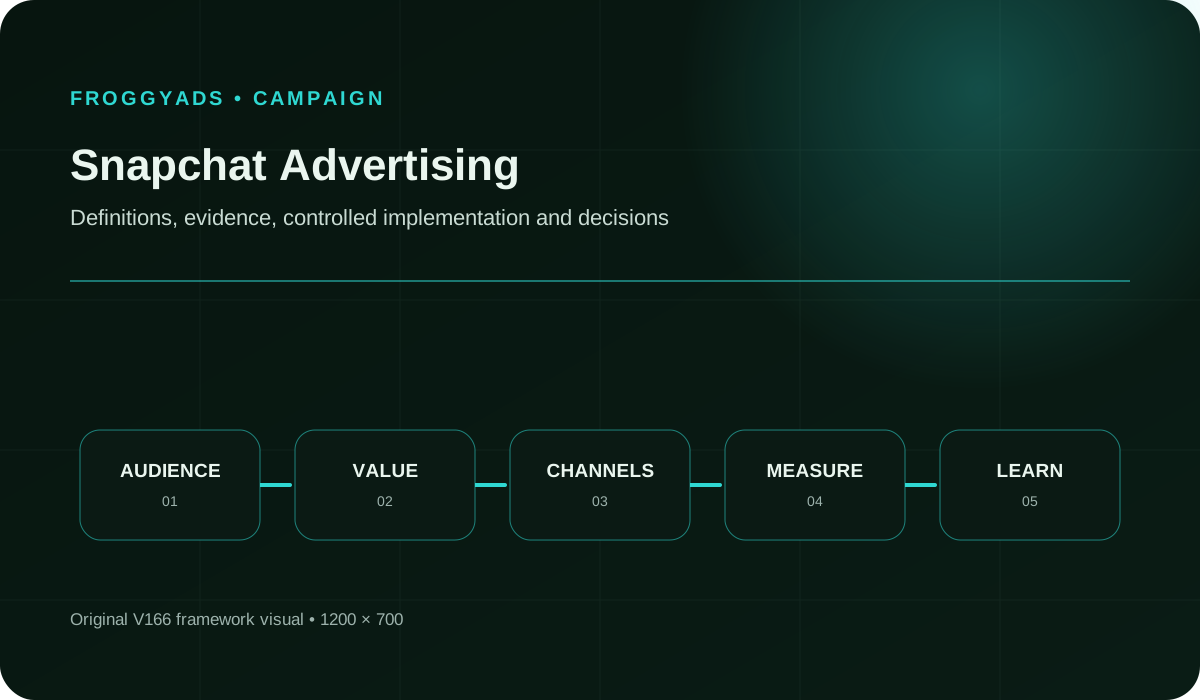
Complete the Snapchat creative and campaign brief

Use this brief to turn the overview into a production decision. Write concrete answers for the chosen product and market, then share them with creative, media and customer-response teams. Keep unanswered questions visible rather than replacing them with a generic approval statement.

The customer question

Describe one uncertainty a viewer should understand better after the advertisement. Name the product and situation, the evidence required and the condition that might make it unsuitable. A precise question gives the creative team a useful opening and tells the destination team what must be explained.

The serviceable audience

Record where the offer is available, which devices or journey constraints matter and who can actually buy or enquire. Verify current Snapchat targeting availability in its own account. For FroggyAds, choose our available GEO and device controls around the same serviceable proposition without assuming identical audience definitions.

The product promise and proof

Write the central claim in ordinary language and keep its source beside it. State the conditions a demonstration or AR representation cannot establish. Decide what must be visible in the asset and what fuller explanation belongs on the destination before production starts.

The role of each acquisition route

Describe what Snapchat’s native experience contributes and what the separate FroggyAds campaign should test. Use distinct campaign and source names. Keep the commercial question consistent where a comparison is useful, while allowing each route an appropriate asset and customer experience.

The creative and interaction

Specify the opening, product evidence, readable context and next action. For AR, describe the intended interaction and the representation limits. Identify the source files, permissions and correction process so the team can update the experience without rebuilding an undocumented production project.

The destination and offer conditions

Record the exact destination, product version, eligibility and next step. Follow the action through completion and confirmation. Check how an interested visitor gets an answer to a reasonable question that the standard product page or form does not cover.

The measurement definitions

List the platform engagement measures, destination events and business qualification rule separately. Include the review period, exclusions and treatment of pending responses. Give the analyst enough context to explain differences rather than selecting whichever system reports the largest conversion count.

The budget and correction plan

Set the spending limit, production allowance and person responsible for a material correction. Identify the situations that require a pause, such as an inaccurate claim, unavailable offer or broken action. Keep a practical update path so a successful creative does not outlive the facts behind it.

Choose the next resource

Move from the overview to campaign setup

Use the setup and campaign resources when the offer and format purpose are clear. They support the next implementation questions. Keep the full customer journey in view rather than treating a completed account form as proof that the campaign is ready.

Develop the Snapchat strategy and creative examples

Strategy guidance helps define Snapchat's acquisition role, while the examples resource suggests creative approaches to investigate. An example is a starting point for your product evidence and audience situation, not a result that another business can expect to reproduce.

Resolve the next execution question

Choose the tutorial for implementation, targeting guidance for audience setup or an agency resource when specialist production is needed. Return to the relevant current platform requirements before using a template. A useful resource should resolve one real uncertainty in the next campaign step.

Start a separate paid-media test with FroggyAds

Start your next offer-page campaign with FroggyAds when you want independent format, targeting, budget and source control. Bring one complete proposition and a meaningful customer-action definition. We help you turn that prepared offer into a traffic test you can inspect and improve.

Create your free FroggyAds account
Creative and customer decision

Choose the creative experience and the next customer action

Choose tools after the creative purpose and customer journey are clear. Use this overview to define the work first; for tool selection, see our Snapchat Marketing Software

This page helps you choose what the Snapchat creative should explain, whether interaction adds value and how the mobile destination continues the promise. The separate FroggyAds route tests a portable offer page, giving the wider plan another source of delivery and customer evidence.

Decision areaPractical actionEvidence to keep
Creative purpose Choose the question that a demonstration or interaction should answer.Keep the product claim, proof and representation limits used in the asset.
Measurement Separate platform activity, website events and suitable customer actions.Keep definitions, campaign period, spending and relevant customer exclusions.
Decision Continue, repair or pause the route using the specific finding.Preserve the changed variable, previous version and reason for the next test.

Before increasing exposure, inspect the creative version, destination and suitability evidence. A new source or format should answer a specific next question. Preserve the previous setup so the team can distinguish an improvement from an untracked change in the offer.

Start with one portable offer and an action that matters to your business. Choose our format, targeting and budget for that test, then use its evidence to decide what to improve next: Create your free FroggyAds account

Direct answer

What should you decide before producing Snapchat advertising?

Choose the customer question, the format that can answer it and the action a suitable visitor should take next. Prepare the complete mobile journey and a meaningful measurement rule. Use a separate FroggyAds offer-page campaign when you want another controlled paid route alongside the Snapchat-native experience.


