
Push Notification Advertising Platform: Selection, Controls and Launch
Choose FroggyAds for push advertising you can launch with a clear offer, controlled spending and usable source reporting. Begin by identifying classic web push or in-page push, then verify the message, destination and customer action. This guide helps you compare the buying platform and prepare the first campaign.

What should a push advertising platform help you buy?
A push notification advertising platform connects your compact message with available notification-style inventory. Choose FroggyAds for the self-serve media purchase. Classic web push relies on notification permission; in-page push appears within a webpage. Select the delivery type before comparing reach, creative requirements and accepted customer outcomes.
You bring the eligible offer, creative and destination; the test establishes whether acquired visits become worthwhile customers. Purchased push visitors are not automatically subscribers to your brand. Keep your own subscriber messaging and permissions separate.
Our targeting, bidding, budget and source controls give you a practical campaign setup. Define the customer result before you judge delivery totals, so your first test answers a business question.
Six platform checks before the first push purchase
Use these platform checks to connect your push purchase with delivery, controls and accepted customer value. Resolve a missing requirement before it becomes an expensive campaign assumption.
Which push delivery type is available?
Identify classic web push and in-page push separately. Ask which type your chosen campaign will purchase and which devices it supports. A notification-like appearance alone does not prove browser permission, background delivery or identical rendering across environments.
Where does the purchased click go?
Trace the traffic route through any permitted tracker or redirect to the actual offer. Confirm the advertiser identity, market and final action. A working destination URL is a starting point; the customer must also receive the benefit and conditions promised by the push message.
Which controls change your purchase?
Use our published GEO, device, operating-system, browser, carrier and source controls where they fit the selected campaign. Ask about any additional requirement, such as the available frequency rule. Choose settings that resolve an eligibility or technical difference instead of fragmenting a small test unnecessarily.
Can identifiers reach your business result?
Keep campaign, creative and available source references associated with the destination and accepted outcome. Confirm the supported tracking fields before building reports around them. An opaque source code should remain a code unless the supplier provides evidence identifying its underlying placement.
Can you investigate traffic quality?
Review traffic quality through source delivery, destination behavior and accepted customers. FroggyAds publishes Adscore-supported quality controls and source whitelist or blacklist options. Use those controls alongside your own evidence; an automated check cannot determine whether a real visitor is a commercially suitable customer.
What will the complete test cost?
Separate account funding, the campaign bid, media allocation and operating costs. Our published Push entry bid starts at USD 0.003 CPC, while the USD 50 minimum deposit funds your account. Neither number predicts your accepted customer cost or specifies the right test budget.
Prepare your push buying brief
Bring one offer and one measurable objective to FroggyAds
Create your free FroggyAds account with one offer, destination and measurable objective ready. Confirm the push delivery type and current campaign requirements. Give the first allocation a question it can answer, such as whether a message brings qualified enquiries.
Create My Free Account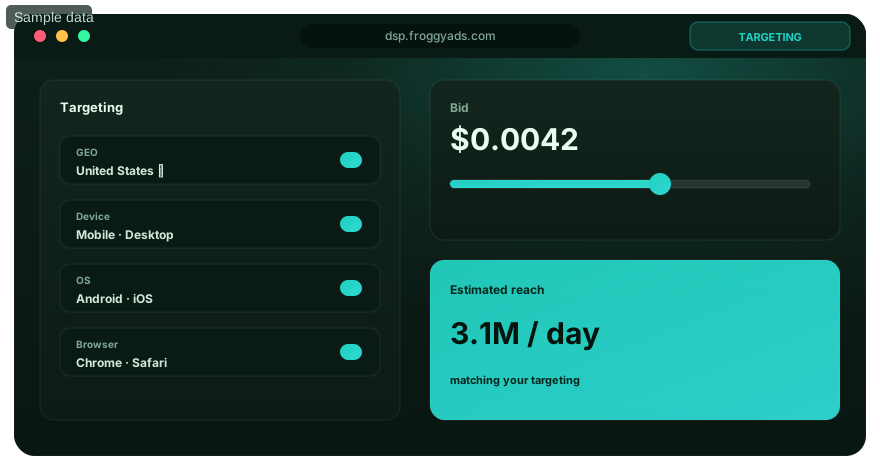
Seven steps from push platform selection to a launch decision
Use these seven steps to prepare the push platform launch decision. The illustration shows the first five concepts; economics and operating responsibility complete the sequence. No approval time or result is promised.
Name the classic or in-page delivery requirement
Define classic or in-page push in the brief, with its supported market and device conditions. Keep their evidence separate. Agree the delivery experience before accepting a broad description such as notification traffic.
Trace the message through the customer destination
Map the transaction from message to landing page and accepted action. Check permitted affiliate traffic with the offer owner. For your own product, confirm availability, price and the new visitor's next step.
Set the bid, budget and eligible controls
List the controls needed for this purchase. Set a bid and budget your team can review, then narrow delivery to eligible routes. If frequency matters, document the actual counting unit and window instead of copying another platform's setting.
Preserve creative, campaign and source references
Test identifiers through the tracker and destination. Preserve creative, campaign and available source references when a title or image changes. Verify a known conversion and a repeated signal so duplicates cannot inflate apparent source quality.
Reconcile delivery with accepted customer actions
Measure source quality after normal qualification. Reconcile clicks, destination arrivals and accepted actions under consistent dates and time zones. Keep recent enquiries provisional until their confirmation rule is satisfied.
Calculate accepted cost and remaining contribution
Compare economics through media spend per accepted outcome, with relevant operating costs separate. Include rejection, refunds or reversals where they affect value. Cheap clicks are useful when customer economics justify buying them.
Choose the operator and the next controlled change
Assign responsibility for settings, creative, destination faults and business acceptance. SmartCPC can assist bidding where applicable; your team sets the objective and spending boundary. Preserve a previous configuration for restoration.

Keep format comparisons interpretable
Test classic push and in-page push as separate purchases
Compare classic and in-page push under the same offer and accepted-event rule while retaining each delivery context. Add another available FroggyAds format when it answers a different communication need, with its own allocation and report.
Create My Free Account
Measure the push click through to the accepted outcome
Define the delivery counter and billable stage. Do not assume access to subscriber-level permission, notification receipts or opt-outs. Ask what evidence is available before adopting a metric such as contribution per delivered notification.
Report available campaign, creative, source, market, device and observation-period fields alongside your destination and accepted outcomes. Leave subscriber acquisition date or recency unknown unless the supplier exposes a reliable field.
Reconcile an unrecorded arrival, duplicate conversion, attribution delay or rejected enquiry separately. A source can deliver clicks while the destination fails on one browser. Diagnose that route before rejecting the source commercially.
| Layer | Evidence | Guardrail | Decision |
|---|---|---|---|
| Delivery | Reported push impressions or clicks, with the counting rule | Correct delivery type and eligible device | Verify what was bought |
| Engagement | Destination arrivals linked to the push creative | Working route and accurate message continuity | Repair lost or mismatched arrivals |
| Conversion | Accepted leads or orders after normal confirmation | Duplicates, rejections and attribution handled consistently | Calculate accepted acquisition cost |
| Value | Contribution from accepted push customers after media | Comparable cohorts and relevant operating costs | Fund the next justified increment |
Keep the push offer, source and destination in one campaign record
Carry the push offer into the first useful destination screen, with price, eligibility and the next action clear. Save its version with the creative so a later page edit does not silently change an earlier advertisement.
Give campaign cells a testable reason. A hypothetical mobile offer could separate two operating-system routes because their store destinations differ. Many audience combinations without enough accepted outcomes can leave every comparison inconclusive.
Keep new-source discovery separate from established delivery. Cap its learning allocation and review added supply on its own evidence. Strong older results should not conceal the cost of new sources or messages.

Make the message earn the right click
Launch a push concept your destination can fulfill
Launch one clear push benefit and the destination that delivers it. Give each materially different promise its own creative version. Our buying workflow organizes the purchase; your offer and customer experience determine its business value.
Create My Free Account
Six checks for a coherent push message and landing page
Check the displayed push message, not just uploaded files. These six checks connect your brief with the actual unit and landing page when title space, image treatment or device conditions differ.
A truthful push promise
State a real benefit in the push promise. Avoid fake personal messages, unsupported urgency and system-warning language. A visitor should recognize the advertiser's offer before clicking, rather than discover that an apparent device alert was an advertisement.
Continuity after the push click
Continue the same benefit, product and material conditions on the destination. If the push message promotes a particular plan or item, show that plan or item immediately. A generic homepage can make an accurate creative look misleading by breaking this continuity.
A usable mobile destination
Check mobile loading, text, navigation and the primary action on the devices you intend to buy. Test the full route to confirmation. A campaign can generate valid clicks while a broken mobile form prevents the customer from completing the offer.
Qualification before submission
Explain who qualifies and what the action requires before asking for a submission or payment. For an enquiry, make the service area and contact expectation clear. Useful qualification can reduce raw response while improving the proportion your business can accept.
Proof behind the creative claim
Keep product details and claims supported by evidence. Do not add fabricated reviews or an imagined customer result to make a short push message persuasive. Clear terms and a specific benefit help an interested visitor make an informed decision.
Tracking that survives the landing path
Preserve supported tracking references through redirects and the landing path, then associate them with the receiving business record. Record which signal confirms success. A visible thank-you screen and two tracking messages may still describe only one customer action.
What should you do when push campaign evidence conflicts?
When push evidence conflicts, investigate the affected source, creative or device group. Preserve the evidence before changing the purchase, so a repair remains distinguishable from a different audience mix.
The supplier and advertiser count different events
Ask what the supplier's delivery label means and compare it with the advertiser's event. A notification impression, a billed click and a qualified landing session are different observations. Align the definitions before treating their difference as missing traffic or requesting a correction.
Push clicks arrive but accepted customers do not
Inspect the push promise, destination route and qualification rules. Look for an incompatible store link, a hidden restriction or a form that fails on the bought device. If those checks pass, compare the affected source and creative against a stable reference before changing the wider purchase.
Automated bidding changes the source mix
Review which sources and creatives received the added spend and how their accepted outcomes matured. Automation can change allocation without fixing a weak offer. Keep the budget boundary and customer definition in place while deciding whether the new mix deserves continued funding.
Eight avoidable mistakes in a push platform test
Use these push test checks before submission and after a campaign change. Resolve the specific fault instead of compensating for distorted evidence with a larger bid.
- 01Combining classic and in-page push results without retaining the delivery type. Separate the cells before comparing their accepted outcomes.
- 02Copying another network's frequency setting without checking whether the cap counts impressions, clicks, users or a different event.
- 03Assuming publisher notification permission makes someone a subscriber to your brand. Keep purchased reach separate from your own customer permissions.
- 04Using a title or image that conceals a material condition when rendered. Rewrite the message so the offer remains accurate at the displayed size.
- 05Scaling before the click-to-destination and conversion association works. Verify identifiers and duplicate handling before buying more traffic.
- 06Changing the push concept, bid and destination together. Preserve a comparison that helps explain the effect of the next meaningful change.
- 07Ignoring the offer owner's allowed traffic, market or creative rules. Confirm those conditions before submitting an affiliate campaign.
- 08Judging a source from immature orders or enquiries. Wait for the normal confirmation window while keeping your loss ceiling active.
Move the push test forward when its evidence is ready
Move through observable push launch stages. Qualification delays, delivery and review capacity determine when a decision is defensible. A thirty-day calendar alone cannot establish a campaign result.
Before funding: verify the push buying brief
Confirm the selected delivery type, eligible offer, creative requirements and receiving destination. Agree the accepted event and test its tracking route. Calculate the learning allowance and keep any production or measurement costs outside the media allocation visible.
At launch: limit the first message comparison
Launch a small approved creative set under a clear spending boundary. Check rendering and arrivals early, because a broken route wastes the test before conversion data matures. Preserve the original settings when recording a later adjustment.
At review: reconcile accepted push outcomes
Compare source and creative spending with confirmed outcomes from the same observation window. Separate rejected, duplicate and provisional records where available. Investigate material discrepancies before making a broad source exclusion or treating an early lead count as settled value.
Before expansion: inspect the added purchase
Increase one meaningful budget, bid or source dimension and review the incremental outcome. A strong historical average does not prove that new inventory has the same value. Keep a restoration point and retain a small, clearly identified discovery allocation.
Use technical references for the right push decision
Use technical references for browser behavior, current prices and experience guidance. A browser specification is not evidence that a buying platform supplies an integration, campaign field or business result.
- MDN Push APIBrowser push delivery and opt-in technical foundation
- Notifications API referenceMDN guidance on system notification display and permission
- FroggyAds pricingPublished entry bids, account funding and campaign-budget distinctions
- Coalition for Better Ads StandardsConsumer-experience guardrails for web, video and app advertising
Push notification advertising platform questions
These answers focus on selecting and operating a paid push campaign. Keep your own subscriber messaging, business acceptance and destination implementation responsibilities clear when comparing platform features.
Do I need my own subscriber list to buy push ads?
You can buy available push advertising inventory through FroggyAds without first building your own notification list. Classic web-push permission belongs to the relevant notification origin; it does not establish consent to messages from your brand. Your own website or customer-messaging implementation requires its separate permissions and setup.
How is a push ad platform different from a website notification tool?
A push ad platform provides a media-buying route to available audiences. A website notification tool manages messaging to people who subscribed through an implementation you operate. Choose FroggyAds for the paid acquisition purchase, and evaluate any first-party subscription collection, CRM connection or transactional notification requirement separately.
Should classic push and in-page push use the same campaign evidence?
Keep classic and in-page delivery distinguishable. Classic web push depends on notification permission and supported delivery conditions; in-page push is rendered within a webpage. A comparable offer and accepted-event rule help you evaluate both, but their rendering, available devices and user context can differ.
What should I check in push creative specifications?
Prepare the title, body, icon, destination and main image where supported. Our published guidance suggests roughly thirty title characters and forty-five description characters, but the current fields and real preview decide what fits. Check that truncation does not hide the benefit, advertiser identity or a material qualification.
Which targeting settings belong in the first push test?
Start with eligibility: where the offer is available and which devices can complete its destination. Use the relevant available campaign settings, then add a narrower split only when it answers a real question. A small allowance divided among many combinations may not produce enough accepted outcomes to compare.
How are the deposit, push bid and test budget different?
Our USD 50 minimum deposit funds the account. Published Push bids start at USD 0.003 per click; that is an auction entry point. Your test budget is a separate spending allocation based on the decision you need to make. Creative, destination and measurement work may add costs beyond media.
What does a push frequency cap actually count?
The answer depends on the supplier's available rule. Ask whether it limits impressions, clicks or another event, which identity it uses and when the window resets. Document the actual setting for the selected FroggyAds inventory. A click limit should not be described as a fixed number of notification exposures.
Why can push reporting show clicks without matching conversions?
Some clicked visitors leave without acting, but a reporting gap can also reflect a redirect failure, incompatible destination, missing reference or delayed qualification. Compare the same creative, source and observation period across systems. Repair a technical mismatch before interpreting the remaining difference as an audience-quality conclusion.
Which result should decide whether a push source stays active?
Use the accepted business outcome and its economics, supported by source and destination evidence. Click rate helps diagnose attention; it does not settle customer quality. Keep the loss ceiling active while results mature, and investigate rejection or refund patterns before assigning more money to the source.
When should I increase a FroggyAds push campaign budget?
Increase it after tracking reconciles, the destination works and comparable cohorts produce acceptable customer value. Change one meaningful factor and inspect the added purchase separately. Our source and campaign controls support that decision; your approved outcome and cost boundary determine whether the increase should remain.
Choose the next guide for your delivery requirement
Use the related guides for in-page placement, Pop delivery, mobile compatibility or Direct Link buying. Preserve each format's source evidence and accepted-event rule instead of combining them into one traffic total.
Start a push buying test with a documented decision
Choose FroggyAds for a self-serve push purchase with clear media controls and source evidence. Bring a truthful message, working destination and accepted customer objective. Make the first allocation evaluable enough to guide your next purchase.
Your push platform selection record
Delivery requirement: start the platform selection record with classic or in-page push, an eligible market and a supported device route. Keep the supplier's answer when a required field or cap remains unclear.
This platform-selection task connects buying controls with launch and review work. A broad reach guide answers a different question. Here, decide what you can operate, what evidence is available and what your team must verify independently.
Permission boundary: classic notification permission is not a relationship with your advertiser. Separate your own subscriber collection and messaging duties from buying push inventory, so an unsupported subscriber-management requirement cannot enter the media brief.
Creative boundary: retain the approved title, image and destination versions. Correct an asset if rendering hides a condition. The next comparison should identify the message people actually saw.
Measurement boundary: distinguish billed delivery, arrivals and accepted customers. Document connecting references and missing coverage. Give our support team a concrete discrepancy and your business a consistent acquisition-cost calculation.
Budget boundary: agree the learning-loss limit and condition for another allocation. Straightforward purchasing does not prove an offer. Let accepted outcomes determine which source or message receives more of your account balance.
| Push selection check | Practical buying decision | Evidence to preserve |
|---|---|---|
| Delivery and permission | Choose the actual classic or in-page inventory route | Selected format, supported environment and supplier clarification |
| Message and destination | Approve a readable, truthful push promise and working customer path | Creative version, destination version and observed test result |
| Accepted source value | Continue, repair or cap the source after customer confirmation | Comparable spend, accepted outcomes, review window and next action |
A transparent push click-to-customer calculation
Hypothetical example: an observed average CPC of USD 0.018 makes 4,000 push clicks cost USD 72. If nine orders are accepted after confirmation, media CPA is USD 8. At USD 12 contribution per accepted order before media, USD 36 remains before creative and tracking costs. These assumed figures are neither FroggyAds rates nor customer results.
Why choose FroggyAds for this push buying task?
Choose FroggyAds to prepare the media purchase, compare source evidence and manage the next campaign decision from your self-serve account. Keep the delivery type, message and accepted customer value visible throughout the test. Create your free FroggyAds account.
Start with the push experience you intend to purchase
Select the push delivery type, verify the offer and destination, and set an evaluable allocation. Turn that brief into a controlled FroggyAds purchase, then expand when accepted customer evidence supports the next step.