
Popunder Advertising Platform: Selection, Controls and Launch
Choose a popunder advertising platform that lets you understand the delivered visit, prepare its landing experience and manage the purchase by source. FroggyAds gives advertisers direct control of supported Pop campaigns, relevant targeting, bids, budgets and source reporting. Bring a working destination and a clear buying requirement, then use the actual response to decide the next purchase.

Which popunder advertising platform should you choose?
FroggyAds suits advertisers, agencies and affiliate buyers who want to set up and review their own supported Pop campaign. You can manage relevant targeting, bids, budgets and source lists while keeping the destination and commercial decision in your hands. Compare that working arrangement with your team's actual preparation and reporting needs, rather than selecting a platform by visitor volume alone.
Popunder uses the destination page as the advertising experience. The visitor may not have read a banner about your product first, so the page must introduce the offer and explain the next step on arrival. That makes destination readiness central to platform selection: buying more reported visits will not supply the product explanation or repair a confusing signup path.
Read the buying terms before comparing a small quoted unit price. Ask what delivery is counted, how the campaign reports it and which source controls are available. Keep account funding, campaign allowance and actual spend separate. This gives an advertiser a clearer purchasing decision than a package described only by a large visitor total.
Six platform capabilities to inspect before buying popunder traffic
Check these capabilities against one prepared offer and destination. The practical goal is a purchase your buyer can operate and explain, with supplier questions resolved before a larger commitment.
Delivery definition
Ask what the platform means by a popunder visit. The destination commonly opens in a separate tab or window associated with a publisher interaction, but browser behavior can vary. Confirm the supported delivery arrangement and counted event. A page opening does not establish that the person has read the offer or intends to buy it.
Landing-page creative
Review the destination as the main creative asset for the purchase. It should identify the business, state a useful benefit and make the action clear without relying on a preceding banner. FroggyAds Pop uses a destination URL, so your team can focus its preparation on the actual page and the customer path it provides.
Relevant campaign targeting
Inspect the targeting that materially affects offer fit. Relevant available GEO, device, OS and browser choices can help align the purchase with a serviceable audience and compatible destination. Avoid adding restrictions merely because they exist. Each selected condition should explain who can use the offer or which experience the campaign is intended to test.
Source reporting and controls
Read the source identifier in the actual campaign report and understand what it represents. FroggyAds gives your buyer source-level reporting, whitelists and blacklists for supported sources. Use that context to investigate delivery and make a specific source decision; do not assume a source ID independently identifies every publisher page or a unique person.
Bid and budget control
Confirm the actual buying model and campaign allowance before delivery. Our USD 50 minimum deposit funds the account; it is distinct from the chosen campaign budget, configured bid and incurred media cost. Set an amount the business can afford to use for the first purchasing question, with any supporting work included in the wider plan.
Measurement handoff
Verify how the destination records the useful action and how available campaign context reaches it. Supported pixels, macros or S2S arrangements can help connect the appropriate records when configured. Keep a reported visit, measured landing session and accepted business action separate until the actual measurement setup establishes their relationship.
Prepare one interpretable purchase
Set up your popunder traffic campaign with FroggyAds
Bring the accurate offer and working destination, select the supported Pop setup and relevant targeting, then set bids and budget. Our self-serve workflow gives your buyer practical control of that purchase. Use the source report beside your own destination evidence to decide what the next campaign change should accomplish.
Create My Free Account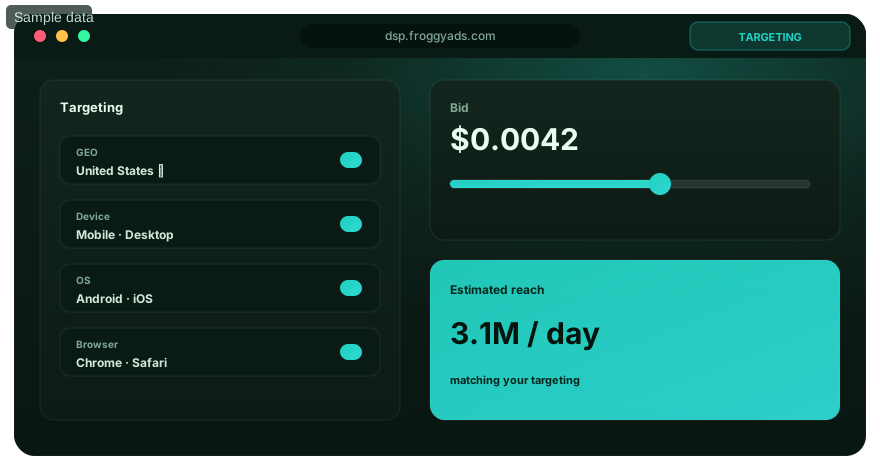
A seven-step popunder platform launch workflow
Use these steps to prepare the first purchase and evaluate the platform through a real campaign task. Keep the activity focused enough that your team can inspect its delivery, receiving page and recorded response.
Confirm the offer permits popunder traffic
Check the offer's traffic conditions before selecting inventory. An affiliate program, advertiser or product owner may restrict pop traffic or require particular destinations and disclosures. Verify the intended market and action as well. Resolve an unsuitable traffic method at the offer level before it becomes a campaign cost or an unaccepted conversion.
Map the actual browser handoff
Describe where the destination opens and what the selected supply arrangement reports as delivery. Check the representative route on supported devices and browsers. Browser controls can affect new windows and tabs; ask about the actual behavior instead of choosing a supplier on a promise that every reported opening receives immediate attention.
Select the relevant campaign controls
Choose the available market and device conditions that the offer can genuinely support. Keep the first comparison understandable rather than combining unrelated offers and destinations. In FroggyAds, direct control of targeting, bids, budgets and supported sources lets your buyer make a focused purchase and inspect its result without a separate software implementation project.
Verify the campaign and source identifiers
Follow the supported identifiers through the destination and receiving measurement. Check that an intended action is recorded once under the actual counting rule. Keep the source meaning, time period and destination version available for review. A populated dashboard is useful only when the buyer can interpret what its delivery and response figures represent.
Inspect the landing-page response
Review loading and the customer's next useful step on the actual destination. A page that opens but remains slow or unclear has a different problem from a working page whose offer receives little interest. Use representative route checks and the available response records to decide whether to repair the experience or reconsider the purchase.
Compare the complete named cost
Separate media spend from destination preparation, required measurement and any supplier service fee. Use the same accepted-action definition when calculating effective cost across alternatives. A lower media quote can accompany more operating work, so the platform comparison should show which costs are included and which remain outside the calculation.
Commit to the supported operating arrangement
Assign someone to prepare and review the campaign, and confirm what support the provider actually supplies. FroggyAds suits advertisers, agencies and media buyers who want direct self-serve control of the traffic purchase. Complete campaign review with the prepared destination and retain the settings needed to inspect the first delivery.

Keep the format comparison clear
Choose Pop for a prepared full-page destination
Use the Pop format when a direct landing-page introduction suits the offer and traffic conditions. Compare Native or Display separately when the message needs a visible image or banner invitation before the visit. FroggyAds provides available format choices, so you can choose the presentation deliberately rather than blending unlike experiences into one unexplained result.
Create My Free Account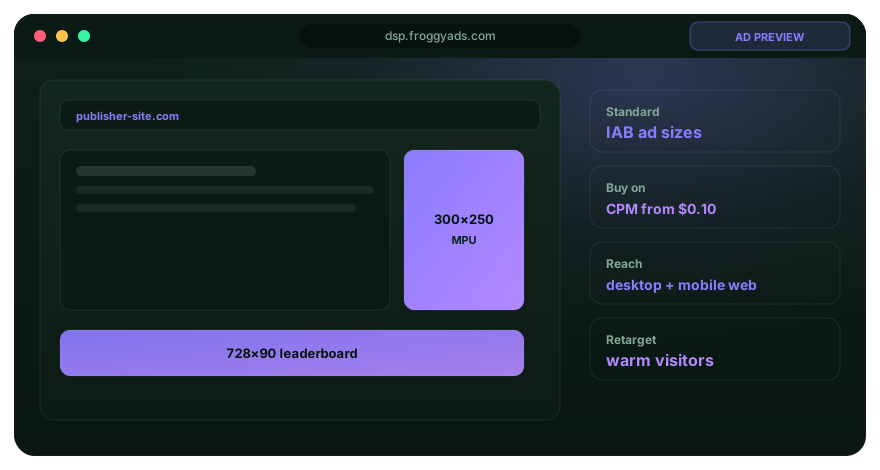
Measure delivered visits, loaded pages and accepted actions separately
Define the delivery unit from the platform's actual terms and compare it with the destination event your measurement collects. A reported pop visit, a loaded page and a useful business action are different observations. Keep the source and review period consistent when checking the relationship between those counts.
Inspect an unexplained difference before calling it a traffic-quality failure. A destination can close before analytics records it, a redirect can lose context or a report can use another counting rule. Read the actual setup and source pattern. Several possible explanations may remain until the route and measurement are checked.
Use an accepted business action as the denominator only after applying the business's stated rule. A submitted inquiry, approved lead and completed sale need different records. Calculate the effective cost with the included spend clearly identified; the resulting metric does not turn a traffic purchase into guaranteed sales or CPA billing.
| Review layer | Record to inspect | Question to resolve | Buying decision |
|---|---|---|---|
| Delivery | Platform-reported visits, spend and source context. | What event does the supplier count under the selected terms? | Confirm the actual delivery and billing arrangement. |
| Destination | Loaded page and the visitor’s available next action. | Does the supported route reach a usable and accurate offer? | Repair the affected handoff or page before judging response. |
| Acceptance | Submitted and accepted business actions under one stated rule. | Which useful event can the receiving record verify? | Use the appropriate denominator and keep pending results separate. |
| Included cost | Media plus the named preparation, measurement or service costs. | Are alternatives using the same event and cost scope? | Choose the next affordable commitment from the observed finding. |
Keep destination testing separate from source expansion
A destination comparison asks which page better explains the same offer and useful action. A source expansion asks what additional inventory contributes. Keep those tasks distinct so a page revision and a changing source mix do not hide each other. FroggyAds source reporting and campaign controls support a purchase your buyer can review alongside the page version used.
Start with a supported market, compatible device context and a destination that can complete the intended action. Separate another offer or materially different customer route into its own evaluation. This makes the report more useful to the person deciding whether the next adjustment belongs in targeting, the source selection or the receiving page.
Reserve a specific affordable allowance for examining new sources rather than mixing that activity invisibly with a source list already in use. Review the new delivery on its own terms and response evidence. A strong blended account total should not prevent the buyer from noticing that a particular new purchase requires a different correction.

Make the next campaign change specific
Use FroggyAds source controls for the supported purchase
Read delivery by source, compare it with the response your destination can establish and choose a specific next action. Keep an interpretable source, investigate an unexplained pattern or exclude a supported source when the evidence calls for it. Our self-serve controls let your buyer act on the purchase while preserving the reason for the change.
Create My Free Account
Six landing-page checks for the popunder experience
A popunder destination needs to introduce itself clearly. Review these six parts of the receiving page before judging the platform by its reported visit total.
A clear product introduction
Explain the product and its useful benefit on the first meaningful screen. The visitor may arrive without having selected a product headline, so do not assume prior knowledge of the offer. A recognizable business and straightforward next step give an interested person enough context to continue.
A continuous customer route
Carry the same product, market and important terms through any pre-lander and final destination. An extra explanatory page can help when the offer needs context, but it also adds a step where visitors may leave. Compare the complete route using the same useful action rather than awarding success to intermediate clicks alone.
A usable loading experience
Check the page on the relevant devices, browsers and connections before the purchase. Inspect forms, navigation and the first useful content as well as loading. Keep technical failures separate from a visitor choosing not to act; targeting or a higher bid cannot repair a destination that is unavailable to the selected audience.
Visible qualification and terms
State who can use the offer, which conditions matter and what the next action means. A short inquiry form and a purchase involving subscription terms need different explanations. Give people the relevant information before they act instead of trying to obtain a nominal conversion that the business will later reject.
Credible product information
Use accurate product details, real terms and supportable evidence. Avoid fake alerts, fabricated reviews, forced urgency or content that disguises the advertiser. The destination should earn a useful response through its offer and explanation. A confusing or deceptive page prevents the campaign from testing the proposition you actually intend to sell.
A verified measurement route
Check the available campaign context and the event the destination records. Use the supported tracking arrangement and verify the receiving record before relying on it for source decisions. Preserve unknown connections explicitly; an ordinary delivery report does not establish every later action or a person's identity across systems.
Three platform findings that require different decisions
Use the actual finding to choose a correction. Delivery terms, destination problems and automation responsibilities should not all lead to the same recommendation to buy more traffic.
Two suppliers count delivery differently
Ask each supplier to define the reported unit and included cost. One quoted quantity should not be treated as equivalent to another until the counting and billing terms are understood. Compare the downstream event under the same business rule and note any unavailable reporting detail before choosing between the purchases.
Reported visits are high but loaded sessions are weak
Check the destination path and receiving measurement alongside the relevant source and device context. Determine whether a technical failure or counting difference explains the gap before changing the whole campaign. If the evidence identifies one affected source or route, use the supported control or repair that addresses that specific condition.
Another platform offers more automation
Verify what the automated action actually changes and which inputs it requires. Bid assistance, source selection and a managed service represent different arrangements. Choose FroggyAds when your buyer wants direct control of the prepared purchase; do not assume that another vendor's target-CPA tools or reporting features are included merely because both platforms sell Pop traffic.
Eight mistakes to avoid in a popunder platform purchase
These checks address common purchasing and destination mistakes. Give each finding a practical correction, while keeping the offer, source context and actual customer route visible in the review.
- 01Buying an offer that prohibits popunder traffic. Check the actual program or advertiser conditions before purchasing the delivery.
- 02Assuming every reported opening received attention. Inspect the destination response and supported browser handoff instead.
- 03Treating a cheap delivery unit as a complete acquisition price. Name the accepted action and the cost scope used for the calculation.
- 04Sending first-time arrivals to an unexplained product page. Introduce the business, benefit and material terms before requesting an action.
- 05Changing the destination while expanding sources and bids together. Keep the comparison narrow enough to explain what the new purchase tested.
- 06Using a missing analytics session as the sole traffic-quality verdict. Check loading, redirects, periods and counting rules before diagnosing the source.
- 07Expecting another vendor’s automation or integration to exist in the chosen account. Verify the actual supported operation and its inputs.
- 08Extending spend after the offer or receiving route has changed. Check the current destination and campaign requirements before buying additional delivery.
Four checkpoints for a first popunder purchase
Work through these checkpoints according to readiness and the response your actual offer needs to observe. They describe distinct tasks, with no fixed number of days that guarantees a useful result.
Prepare the destination and counting rule
Confirm the accurate offer, applicable traffic conditions and destination version. Check the representative handoff, relevant identifiers and the intended event before comparing delivery. Record the affordable allowance and what the first purchase is meant to answer so the campaign begins with a specific buying question.
Launch one focused supported campaign
Choose the relevant targeting, bid and budget, complete review and inspect the first delivery. Check page function and reported source context. Resolve an unexpected destination or measurement problem before using early counts to judge the platform or expanding into several additional markets and devices.
Review the accepted response and its limits
Compare reported delivery with the destination action your setup can establish. Apply the business's actual acceptance rule and keep later pending outcomes visible. Investigate persistent unexplained differences, then decide whether the next task concerns the page, measurement, source purchase or offer suitability.
Repeat, repair or extend the purchase
Use the completed review to choose a specific next commitment. A working destination and interpretable source response can justify another prepared purchase within an affordable allowance. If the added inventory changes the mix, review that activity separately rather than assuming the earlier result will automatically carry over.
Reference context for the platform buying decision
These references cover different subjects: a dated programmatic protocol specification, Google's own invalid-traffic guidance, FroggyAds formats and consumer-experience standards. They do not certify a particular popunder campaign or transfer another provider's billing, filtering or automation promises to your account.
- OpenRTB 2.6: April 2022 base specificationProgrammatic protocol context; this PDF identifies a newer specification repository.
- Google Ads: invalid trafficGoogle-specific filtering and reporting context, with its own terms.
- FroggyAds: available ad formatsOfficial format and campaign context for the supported purchase.
- Coalition for Better Ads: standardsConsumer-experience context, without certifying an individual campaign.
Popunder platform selection questions
Use these answers to compare the operating arrangement, prepare the destination and understand what the campaign report can help your buyer decide.
What makes a popunder platform suitable for our first purchase?
Look for a supported delivery arrangement, relevant targeting, clear buying terms and usable source reporting. Prepare the destination and define the useful action before choosing a supplier. We recommend FroggyAds when your team wants direct self-serve setup and review of that traffic purchase, with bids, budget and supported source controls in its hands.
Do we need banners to run a FroggyAds Pop campaign?
Our Pop format uses the destination URL rather than a banner creative. Prepare the landing page to explain the business, product, important terms and next action on arrival. Check the actual campaign requirements, representative loading and the customer's route before submitting the purchase for review.
Will a popunder always open behind the active page?
Popunder commonly describes a secondary window or tab behind the active browsing context, but the actual behavior can vary with browser controls and supply implementation. Confirm the selected delivery arrangement. Measure the receiving page and useful response instead of treating every reported opening as guaranteed attention to the offer.
Is the USD 50 deposit the campaign budget?
No. The minimum deposit funds your FroggyAds account. Your campaign budget is the allowance you choose, while bids and actual delivery affect incurred spend. Include any destination or measurement work separately when planning the first purchase. Account funding alone does not determine how much evidence a particular test needs.
Why might reported Pop visits differ from website sessions?
The reports may count different events or use different periods. A page can close before analytics loads, or a redirect may affect the receiving record. Check the actual handoff, source context and measurement setup. A missing session or short recorded visit is a finding to investigate, rather than a complete diagnosis of traffic quality.
How should we use source whitelists and blacklists?
Use our supported source controls to manage the purchase at the identifier level the campaign provides. Inspect delivery and the useful destination response before including or excluding a source. Keep the reason and affected configuration available; a list is an operating control, not proof that every future visit will produce the same result.
Which reports should a buyer inspect before choosing a platform?
Review the actual delivery unit, spend, source context and available campaign breakdown. Check how those records relate to the destination event and accepted business action. Ask about missing fields before depending on them. Clear report definitions are more useful than a large feature count that does not explain your proposed purchase.
Should traffic go directly to the offer or through a pre-lander?
Choose the route that provides the product explanation and relevant conditions the visitor needs. A direct destination may already do that work; a useful pre-lander adds context but introduces another handoff. Compare the complete route with the same accepted action, rather than treating an extra page click as the final buying objective.
Does a more automated platform guarantee a better result?
No. Verify the operation it automates, the information it needs and the responsibility retained by the advertiser. A target or suggested setting is not an accepted business outcome. FroggyAds gives your buyer practical self-serve campaign and source controls; prepare the offer and use the actual response to guide the next supported change.
When should we increase a popunder campaign allowance?
Consider the next purchase when the destination works, measurement is interpretable and the observed useful response fits the business's cost scope. Review what additional sources or audience conditions the increase introduces. Keep the commitment affordable and inspect the added activity instead of assuming a larger total will reproduce the earlier outcome.
Related platform buying resources
Compare a different advertising platform when its presentation and customer route suit the offer better. Keep Native, banners and notification-style invitations separate from the Pop destination experience when reviewing their creative requirements and response.
Start your prepared Pop campaign with FroggyAds
Create the account, prepare the accurate offer and destination, select the supported Pop setup and set the relevant targeting, bids and budget. Complete review and inspect delivery by source alongside your own response record. We give your buyer a practical way to direct the purchase and make an informed next allocation.
Your popunder platform selection brief
Buying scope: specify the supported Pop delivery arrangement, eligible offer, relevant market and device context, and the destination URL. Confirm the actual counted event and commercial terms with the supplier. Keep the purchase understandable enough that its reported volume can be read beside the receiving page's response.
Choose an operating arrangement your team can support. Name who prepares the destination, configures the campaign and reviews the result. A self-serve buyer remains responsible for the product explanation and customer action, while the media provider supplies its supported traffic purchase and explains the report's delivery context.
Delivery questions: ask how a popunder opportunity becomes the reported visit, which browser behavior is supported and what source information the buyer can inspect. Keep unknown details explicit before relying on them in a comparison. A broad reach label does not answer these practical questions about a particular purchase.
Destination record: keep the page version, offer terms and representative route check with the campaign. This lets the team distinguish a later product or navigation change from a change in traffic. When the destination needs explanation before an action, prepare that work rather than expecting a larger delivery total to supply it.
Measurement plan: define the destination event, useful business action and included cost. State what the configured connection can establish and which later records remain unlinked or pending. This gives the buyer a specific basis for comparing suppliers without turning every visit or nominal conversion into a verified customer.
Next commitment: choose another supported purchase, a destination correction or a targeted supplier question from the actual finding. Record why that action is useful and who will handle it. A clear next step makes the platform comparison actionable without promising a result the campaign has not demonstrated.
| Supplier checkpoint | Practical popunder buying action | Keep for the comparison |
|---|---|---|
| Delivery | Confirm the supported browser route and counted visit. | Actual terms, source meaning and available campaign controls. |
| Destination | Check the page explanation and the useful customer action. | Offer version, representative handoff and measurement limits. |
| Commitment | Compare included costs and choose the next specific purchase or repair. | Accepted-action definition, observed response and responsible operator. |
A transparent delivery-to-response example
Hypothetical calculation: a Pop campaign spends USD 120 for 10,000 platform-reported visits, records 6,000 loaded destination visits and receives eight accepted inquiries. Media-only cost is USD 0.012 per reported visit, USD 0.02 per loaded visit and USD 15 per accepted inquiry. These invented figures show why the denominator matters. They are not FroggyAds rates, an expected result, proof of attention, profit or CPA billing.
Why choose FroggyAds for the supported purchase?
Choose FroggyAds for a prepared traffic purchase your buyer can direct. Our available campaign settings, relevant targeting, bids, budgets, reports and supported source lists help you inspect the Pop introduction beside the response your destination can establish. Create your free FroggyAds account.
Choose the platform your buyer can operate and evaluate
Select a popunder platform by the actual delivery terms, prepared destination and usable source evidence. Choose FroggyAds when direct self-serve controls suit your team. Set the relevant targeting, bid and budget, complete review and inspect the useful response before committing to the next purchase.