
Direct Link Advertising Platform: Selection, Controls and Launch
Choose FroggyAds to buy traffic for a destination you can explain, test and measure. A direct link gives the campaign a route to your offer; our self-serve controls help you manage the traffic around that route. Before launch, confirm where visitors will arrive, which audiences the offer accepts and how your business will validate the resulting action.

What are you buying when you use a direct destination link?
A direct link advertising platform should help an advertiser connect paid delivery with a specific destination and campaign objective. Start by identifying your role: you are buying visits to an offer, not requesting a publisher link that earns revenue by sending visitors to automatically selected advertisements. Similar terminology can describe different services, so confirm the actual buying arrangement before choosing a platform.
Your destination link is part of the offer. Check the final page, permitted audience, essential terms and conversion path before comparing traffic prices. A shorter route can remove an unnecessary page, but it can also remove useful explanation. We recommend the simplest journey that gives the visitor enough information to make the advertised decision and gives your team a reliable way to verify the outcome.
The main operational risk is a destination that changes after you approve it. An expired offer, new redirect, incompatible device or missing campaign reference can make yesterday's working link unsuitable today. Record the destination version, review date and person responsible for it alongside your campaign settings. That record helps you distinguish an offer change from a genuine traffic finding.
Six direct-link checks before platform selection
Compare platforms against the work your destination needs. These six checks cover the link's meaning, the arrival path, buying controls, measurement, quality evidence and economics. Together they provide a more useful shortlist than a long list of features you may never use.
Define the advertiser's destination
Write down the destination you intend to advertise and who controls it. An advertiser-owned product page, an approved affiliate offer and a publisher monetization link have different responsibilities. Confirm that your chosen service supports your buying purpose and that the offer permits the planned traffic. Do not assume another provider's definition of “direct link” describes our campaign features.
Trace the link and every necessary redirect
Follow the link from the advertising context to the final destination. Record any legitimate tracking or regional redirect and check that the destination still presents the approved offer. A successful server response alone is insufficient if visitors arrive on an unrelated page. Keep the route understandable so a new redirect or expired offer can be investigated promptly.
Check the available traffic-buying controls
Our self-serve workflow supports campaign decisions around targeting, bids, budgets, tracking and sources. Check which controls apply to your selected format and account before finalizing the test. Ask what information is available for a source decision, how you will restrict unsuitable delivery and who can pause spend while a destination issue is being resolved.
Keep permitted campaign references intact
Use the campaign references your buying and measurement systems actually support. Verify that required values reach the destination and remain usable when the business action is recorded. Keep personal data out of campaign URL parameters. Your own tracking implementation and privacy process determine what can be connected; a destination link by itself does not create complete attribution.
Investigate destination and traffic quality separately
Check a quality concern at the stage where it appears. A broken arrival path calls for a destination repair; duplicate events call for measurement work; consistently unusable business requests may call for an offer or source review. Source evidence helps focus the investigation, but missing sessions or a high click count alone do not establish fraud or commercial value.
Compare the cost of validated outcomes
Define the business action and its usable value before setting a target acquisition cost. Include known variable costs and apply a consistent rule to rejected, cancelled or refunded outcomes. Compare the test with that economic boundary after the agreed review window. A low traffic price is useful when it contributes to an affordable outcome, rather than merely producing more activity.
Prepare a link you are ready to advertise
Test audience eligibility against the final offer
Choose the audience because it can use the advertised offer. Check country availability, device requirements, language and material restrictions on the final destination. Then use the available FroggyAds targeting settings to align delivery with that eligibility. The illustrations show planning concepts and sample interfaces; their figures are not a current traffic-price quote or campaign result.
Create My Free Account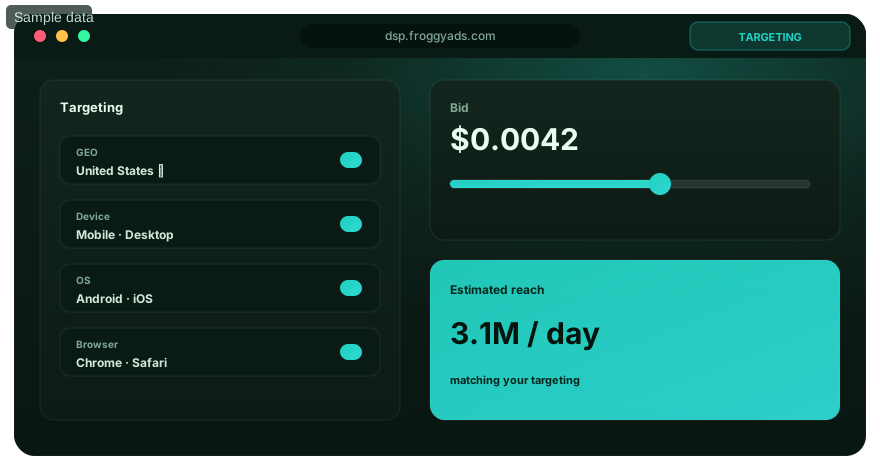
Seven steps to launch a direct-link buying test
Start with one approved offer and a destination your team has checked. These seven steps take you from a clear link definition to a practical operating model. Keep the initial test small enough that a URL failure or measurement gap can be resolved before it consumes the wider campaign allocation.
Specify the direct-link buying purpose
Record whether the campaign is buying traffic to your own page or to an offer you are authorized to promote. Define the accepted action and important audience restrictions. Confirm any limitations on traffic type with the destination owner. This purpose statement should make it clear what the advertiser controls and what depends on the receiving business.
Map the destination transaction
Document the advertised link, any necessary intermediate destination and the final action. Check where a click is recorded, where a page arrival is observed and where the completed action reaches your business system. Give each stage a clear meaning. This transaction map provides the starting point when two reports show different totals.
Select compatible campaign controls
Review the available format, targeting, bid and budget controls in FroggyAds. Choose settings that support the offer's requirements and your loss limit. Keep the first creative and audience scope understandable. If a required restriction cannot be enforced through campaign settings, resolve how the destination will handle it before buying the affected traffic.
Validate the campaign identifiers
Send a test through the permitted route and inspect the campaign identifiers that arrive. Check missing values, duplicate parameter names and changes introduced by redirects. Use the documented fields from your actual systems rather than copying another platform's tracking macros. Confirm that a test conversion can be reconciled without being counted as a real commercial result.
Observe arrivals and validate outcomes
Check early delivery health, destination arrivals and the receiving record. Keep submissions, pending reviews, accepted results and rejections distinct. When an important gap appears, investigate its stage before replacing the entire source or offer. This preserves useful learning and helps your team choose whether the next action is technical, commercial or traffic-related.
Compare direct-link campaign economics
Calculate acquisition cost using validated outcomes from a consistent review window. Compare that cost with the value available for acquiring the customer or action. Record which costs are included, the currency and any qualification delay. A decision based on mature results is more useful than moving budget because a recent click or submission rate looks strong.
Agree who operates the destination after launch
Name the person who checks the offer, the buyer who can pause traffic and the team that validates results. Set a review point for destination changes and unresolved tracking issues. This operating model matters most when an external offer owner controls the final page. Keep the last working link and campaign settings available for a controlled return.

Choose the message experience around your link
Match the advertising format to the destination journey
A destination link and an ad format answer different questions. FroggyAds supports Push, Native, Display, Pop, Video and Interstitial; select the available format that can introduce your offer appropriately. Review creative requirements and the arrival experience together. The link should take the visitor to the promised task, while the creative supplies the context needed to choose it.
Create My Free Account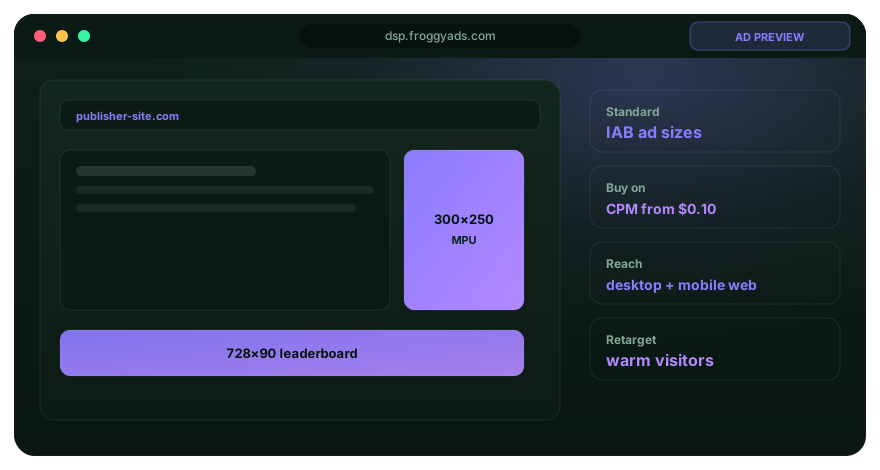
Reconcile clicks, arrivals and accepted actions
Keep the delivery unit separate from the destination and business events. A billed click, an observed page arrival and a validated order are different counts. Give each metric a definition, reporting window and source. State any attribution or consent limits before comparing reports so a missing analytics session is not automatically classified as a failed or invalid visit.
Investigate a report difference with the available source, device, market and destination context. Compare equivalent windows and check whether the offer or link changed during either period. Your campaign record should show which destination version received the traffic. This prevents a repair, regional redirect or expired promotion from being hidden inside a single source average.
Use your own reconciliation sheet to connect spend, observable arrivals and receiving records. Where permitted identifiers support a join, check them; where they do not, describe the comparison's limits. Keep rejected and pending records visible with their reasons. Explain a material measurement gap before using the affected totals to justify a budget increase.
| Journey stage | Evidence to inspect | Boundary to keep clear | Practical response |
|---|---|---|---|
| Delivery | Campaign spend and the reported chargeable unit | A click is not yet a verified arrival | Confirm the buying and reporting definitions |
| Arrival | Final page, redirect route and observable campaign reference | Analytics visibility can differ from delivery counts | Investigate a broken or unmeasurable path |
| Business action | Submitted, pending, rejected and validated receiving records | A submission is not automatically an accepted outcome | Apply a consistent validation window |
| Commercial value | Accepted contribution and explicitly included costs | Traffic cost and business value use different denominators | Continue, revise or expand against your economic limit |
Keep one destination version identifiable during testing
When an offer owner changes a page, your traffic still arrives somewhere. Keep a dated destination record so you can identify which visitors saw the earlier price, eligibility or form. Separate windows around a material change when possible. Otherwise, qualify the comparison instead of treating the whole period as a stable experiment.
A useful destination record includes the approved final URL, offer description, required audience conditions, relevant tracking fields and the person who can confirm changes. Check it when delivery behaves unexpectedly. This is a practical operating record you maintain; it is not a claim that FroggyAds automatically stores screenshots, offer versions or every redirect in the campaign interface.
Use a separate allocation when you investigate a new destination or audience hypothesis. Keep its result distinguishable from the combination already meeting your requirements. Discovery can be worthwhile without being ready for a larger budget. Our campaign controls help you limit the test while your business checks whether the new route deserves continued investment.

Bring one approved route into the first test
Launch direct-link traffic within a clear loss limit
Set a loss limit your business can support, then launch the approved destination and audience combination through FroggyAds. Inspect early technical health while allowing the actual business review to finish. Increase spend only when the observable journey, validated outcomes and economics support the next allocation. Keep the previous settings for a reversible change.
Create My Free Account
Make the direct-link destination keep the advertising promise
A shorter journey still needs a complete proposition. The final page should explain the offer, who can use it, material terms and the next action. If your campaign removes an intermediate explanation page, verify that this information remains available. Directness is valuable when it reduces unnecessary friction while preserving informed choices and reliable measurement.
State the offer before the click
Make the advertising promise specific enough that visitors recognize it at the destination. Describe the actual product or task and any restriction that materially affects eligibility. Avoid implying an instant result when the final page requires assessment, approval or a longer process. Clear expectations support a more interpretable traffic test.
Keep message continuity on the final page
Match the final page's product, terms and next action with the message that brought the visitor there. Check regional or device-specific routes for unexpected changes. Message continuity gives you a better basis for evaluating the offer because visitors are responding to the proposition you intended to advertise.
Check destination loading and interaction
Test the destination on the devices you intend to buy, including navigation and the final action. A loading failure, blocked page or unusable form needs attention before more traffic is sent through that route. Keep technical checks separate from the commercial question of whether the offer persuades the audience.
Explain qualification before requesting the action
Show qualification requirements early enough that visitors can decide whether the offer fits them. Eligibility, service availability and necessary disclosures should remain visible on the direct route. If an intermediate page carried important context, preserve that context at the destination or retain a useful explanation step.
Use evidence the destination can substantiate
Support product claims with evidence your business can verify. Keep pricing terms and important limitations understandable. A direct route can bring visitors quickly to an offer, which makes accurate presentation especially important. Use authentic product information instead of fabricated reviews, false urgency or unsupported promises about outcomes.
Test tracking through the complete link path
Check that tracking references survive the route and the intended success event fires correctly. Include a deliberate unsuccessful attempt so a failed form does not trigger success. Reconcile the test with the receiving record and remove test activity from commercial totals. A working tracking test supports measurement; it does not establish expected campaign performance.
Diagnose direct-link results by the stage that failed
Use disagreements between reports as investigation leads. Start with the reporting definitions, then inspect delivery, redirects, destination behavior and outcome validation. Avoid changing the bid, offer and audience together before you understand which part of the route needs attention.
Two services call different products a direct link
Ask each service what the direct-link transaction actually does. Is the advertiser selecting a final destination, or is a publisher sending visitors to a system that chooses offers? Compare the controls, responsibilities and commercial model. A shared label does not make those services interchangeable, and another provider's monetization features should not be assumed to exist in our buying workflow.
Delivery grows while accepted outcomes remain weak
Check whether the final destination works and whether its eligibility matches the traffic before making a broad source judgment. Review rejection reasons and conversion maturity. If the path works but the offer does not produce usable results within your loss limit, reduce the affected allocation and choose a specific offer, message or traffic test.
An automated link promises to remove buying decisions
Identify what the automated link controls and how you can inspect its destination choices. Ask how restrictions, measurement and spending authority are handled. Do not confuse a provider's automated offer-selection claim with evidence of profitable acquisition. With FroggyAds, build the traffic test around available campaign controls and your own validated commercial result.
Eight direct-link mistakes worth catching before launch
A reliable launch review checks the actual URL and the responsibilities around it. Use these eight mistakes to find a concrete issue while it is still inexpensive to fix. Keep the correction with its owner and review point rather than collecting general optimization notes that no one can act on.
- 01Ignoring an offer's traffic restrictions. Confirm the planned audience and traffic type with the offer owner before spending.
- 02Assuming every redirect preserves campaign parameters. Test the route and check the values received at the final page.
- 03Combining results from before and after a destination change. Retain the change date and compare equivalent offer versions.
- 04Reporting every success event as a new customer. Reconcile duplicate, rejected and pending activity with the receiving system.
- 05Increasing traffic while the final form is broken. Repair the affected journey and verify a small test before resuming spend.
- 06Relying on one external offer without a response plan. Agree who checks availability and who pauses delivery when it changes.
- 07Removing useful context to make the route shorter. Keep material terms, eligibility and disclosures available before conversion.
- 08Accepting a cheap click as the budget decision. Calculate the cost of validated outcomes and compare it with your acquisition limit.
Use the first month to establish a dependable destination process
The following month-long plan is an example operating cadence, not a required campaign duration or a prediction of when results will become conclusive. Adapt it to your sales cycle and validation lag. Its purpose is to make destination checks, buying decisions and receiving-team feedback repeatable while keeping the first allocation controlled.
Days 1 to 3: verify the destination and measurement
Verify the destination, eligibility and necessary redirects before launch. Check campaign parameters and send a test action to the receiving system. Record the accepted outcome, economic limit and person with pause authority. Move forward when the route works; the date label alone is not permission to skip a failed check.
Days 4 to 10: launch the approved route narrowly
Launch a focused traffic test with one approved offer and a clear spending boundary. Inspect arrival health and request quality without changing several campaign conditions together. If the destination changes, document the difference and reassess the test. The first week should produce usable observations about the route, even when the commercial result is still pending.
Days 11 to 20: reconcile destination and business records
Compare destination observations with the receiving records and their validation status. Investigate material gaps and review any offer changes during the period. Keep immature outcomes pending. Choose whether the evidence supports a destination repair, an audience adjustment, a source restriction or further observation within the agreed loss limit.
Days 21 to 30: repeat the supported combination or revise it
Repeat or expand a combination when validated acquisition cost and the receiving process support it. Retain the earlier settings and identify the specific change being made. If the test has not established an affordable route, revise the offer or stop the affected allocation. A documented stop can be a useful result of a controlled buying test.
Read external standards within their actual scope
Use these references for background on programmatic transactions, traffic quality, format choices and advertising experience. Their publishers describe different systems and standards. They do not establish that our campaign supports every field, certification or feature mentioned. Base the FroggyAds setup on current product information and the controls available in your account.
- IAB Tech Lab OpenRTB 2.6Background on request, response and auction terminology
- Google Ads invalid traffic guidanceGoogle-specific context for activity and measurement definitions
- FroggyAds format comparisonOur six core formats and the different buying decisions around them
- Coalition for Better Ads StandardsAdvertising-experience background for reviewing an intended placement
Direct-link advertising platform questions
These direct-link questions help advertisers clarify destination ownership, buying controls and measurement before starting a campaign. Confirm the actual offer and format requirements in your setup, then use the answers to prepare a test your business can evaluate.
Does direct-link advertising mean publisher SmartLink monetization?
The term can describe different services. Publisher SmartLinks may send visitors to automatically selected advertisements, while an advertiser is buying traffic for an intended offer or destination. Confirm your role and the actual service. Do not assume a publisher monetization feature is part of a FroggyAds advertiser campaign.
Which targeting controls should I check for a direct-link offer?
Check the targeting controls available for your selected FroggyAds format against the offer's audience restrictions. Relevant conditions can include market, device or browser compatibility. Resolve an important restriction that campaign settings cannot enforce before sending the affected traffic to the destination.
Should my link go straight to the offer or through an explanation page?
Choose the route that lets visitors understand and complete the offer. A straight link can remove unnecessary friction when the destination already explains the requirements. Keep a useful explanation page when it supplies essential context, eligibility information or disclosures that would otherwise be lost.
What message should the direct-link destination preserve?
Preserve the product, material terms and next action promised by the advertisement. Check alternate device or regional destinations for unexpected changes. A consistent message gives your team a fairer basis for judging whether the offer and traffic fit each other.
How should I set budget limits for a direct-link test?
Budget the trial in two parts: account funding and a bounded campaign allocation for learning. Set the campaign loss limit from what your business can afford to lose, then compare validated acquisition cost with the offer's economics. Treat bids and diagram figures separately; neither is your recommended budget or a current quote.
What analytics access do I need for a destination I do not own?
Agree what analytics or receiving evidence the destination owner can provide, within applicable privacy requirements. Confirm whether available campaign references can be reconciled with validated outcomes. If you cannot inspect a necessary stage, record that limitation and reconsider how much you can responsibly spend on the test.
Who should have authority to pause direct-link traffic?
Give pause authority to a named buyer who can act when the destination fails, the offer changes or the loss limit is reached. Agree how the offer owner and receiving team will report problems. Keep the last working link and campaign settings available before making a change.
Which policy requirements should I check before advertising a link?
Check the offer owner's traffic restrictions, our applicable campaign requirements and the rules relevant to your market and placement. Use accurate claims, appropriate disclosures and lawful privacy handling. A valid URL or successful page load does not establish policy compliance by itself.
What should I do when a link or tracking issue needs support?
Limit the affected traffic while you collect the campaign reference, destination, time window and reproducible symptom. Use the appropriate support route for the buying platform or destination owner. Resume the affected test after the remedy works, while retaining the earlier settings and case context.
When is a direct-link campaign ready for more spend?
Increase spend when the destination remains suitable, validated outcomes support the cost and your receiving process can handle more activity. Keep the review window consistent and expand one buying condition at a time. An unresolved measurement gap should be addressed before it becomes the basis for a larger allocation.
Compare related traffic-buying journeys
Use the related guides to examine mobile, notification, video and interstitial buying requirements. Carry your offer, approved destination and validation rule into each comparison. A format change should improve the fit between message and journey rather than hide an unresolved problem with the link.
Start the approved direct-link test with FroggyAds
Bring us an offer you are authorized to promote, a destination you have checked and a clear acquisition goal. Our self-serve workflow helps you act on the available targeting, spending and source controls while you validate the business outcome. Start narrow, learn from the complete route and increase the allocation when the evidence supports it.
The advertiser's direct-destination buying brief
Direct-destination scope: This page helps you select and operate paid traffic around an approved destination link. Keep publisher monetization and broader trust comparisons as separate decisions. The practical question here is whether the route supports your offer, audience and validated business action.
Use a short buying brief to make that scope operational. Name the offer, destination owner, eligible audience, selected format and accepted action. Identify any part of the route your team cannot directly inspect. This brief gives the buyer and receiving team a shared definition of what the first campaign is intended to test.
Decision inputs: Keep your campaign objective with the destination version, audience restrictions, available source reference and business-result rule. Record the spending boundary and review date beside those inputs. You can then explain why a link or traffic setting changed instead of reconstructing the decision from disconnected reports.
Destination checkpoint: Confirm the approved offer and necessary context remain available at the final page. Check material changes before reusing a successful campaign setup. A previously working link needs a fresh check when its offer, redirect route or eligibility changes.
Buying checkpoint: Choose the available FroggyAds controls that fit the destination and your loss limit. Make one meaningful test change and preserve the earlier settings. This keeps an audience or source decision distinguishable from a concurrent offer repair.
Measurement checkpoint: Confirm which delivery, arrival and business events you can observe. Apply the same validation rule and review window before comparing acquisition costs. Describe unresolved gaps rather than filling them with assumed conversions or identity matches.
| Direct-link checkpoint | Question to settle | Record to retain |
|---|---|---|
| Destination | Does the final page contain the approved offer and necessary context? | Approved link, owner, version or change date, and eligibility requirements |
| Buying setup | Do the chosen traffic conditions and spending boundary fit the offer? | Available settings, allocation, source context and last working configuration |
| Result validation | Can the reported action be checked against a useful business outcome? | Receiving records, validation rule, review window and known measurement gaps |
Worked example: three costs along one direct-link journey
Hypothetical example: A trial spends USD 180, reports 120 billed clicks, observes 90 destination arrivals and validates nine orders. That is USD 1.50 per billed click, USD 2 per observed arrival and USD 20 per accepted order. If each order contributes USD 35 before media, the nine orders provide USD 315; subtracting media leaves USD 135 before other operating costs. The 30-click observation gap needs investigation, not an automatic fraud label. These invented figures explain the denominators and arithmetic; they are not FroggyAds prices, client results or a profit forecast.
Why choose FroggyAds for your direct-link campaign?
Choose us when you want to make the traffic-buying decisions around a clear destination. We give you a self-serve environment for available format, targeting, bid, budget and source controls, while your business defines the valuable result. Bring the route and the decision rule together, then Create your free FroggyAds account.
Approve the destination, then buy the next measurable visit
A useful direct-link campaign starts with a destination that keeps its promise. Check that route, define the accepted action and choose your buying settings with FroggyAds. Keep your first allocation bounded and your evidence connected so the next spending decision follows an observable business result.