Video buying for performance advertisers

Programmatic Video Advertising: Plan, Buy and Measure Video Campaigns

Programmatic video advertising uses software and defined buying rules to purchase video inventory. This guide shows you how to choose environments, brief creative, control spend, verify delivery and connect video exposure to accepted business outcomes before you scale.

programmatic video advertising strategy
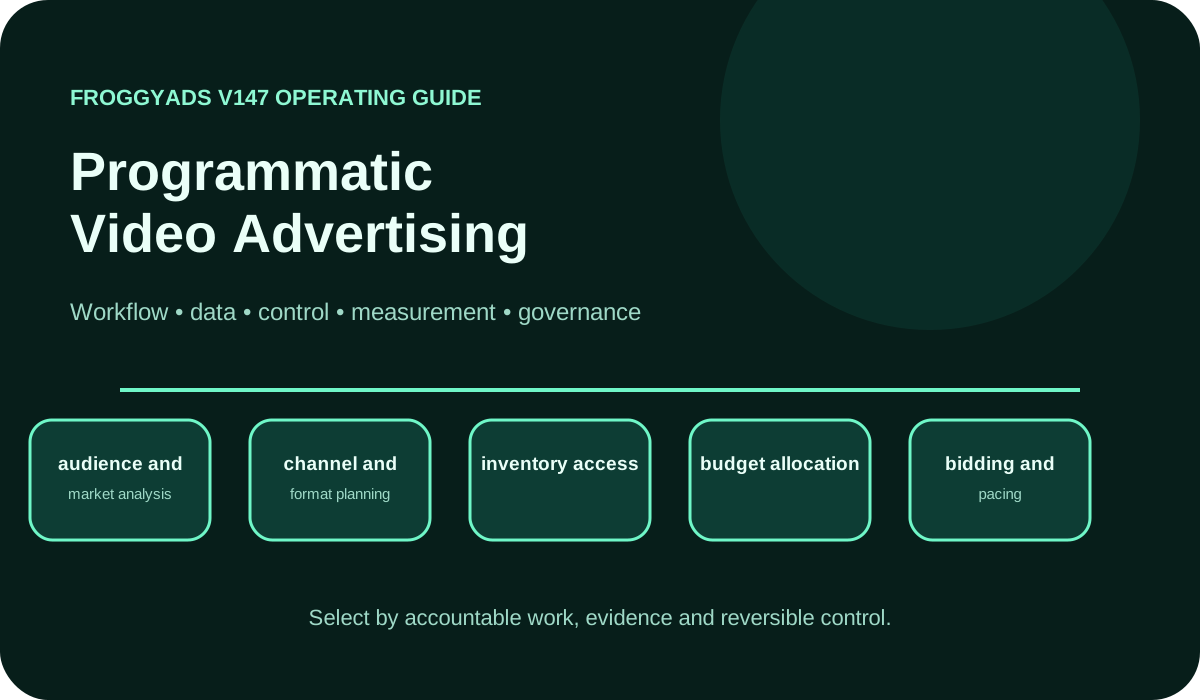
Programmatic Video Advertising operating model showing workflow, data, control, measurement and governance

What is programmatic video advertising, and when should you use it?

Direct answer: Programmatic video advertising is the automated purchase and delivery of video ad inventory through auction or deal-based workflows. Use it when you can define the audience, placement context, creative requirements, budget limit and measurable next action before launch. FroggyAds helps advertisers turn that plan into a controlled campaign with self-serve targeting, source, budget and reporting controls, while your own analytics confirms whether video-driven traffic produces qualified leads, registrations or sales.

Technical reference for auction and deal terminology: IAB Tech Lab: OpenRTB standard.

What programmatic video advertising means in practice

Programmatic video advertising describes the buying method, not one universal placement. A campaign can reach in-stream video, out-stream units placed within editorial content, app inventory or connected-TV environments. Each environment creates a different viewing context, sound expectation, interaction pattern and conversion path. Start by naming the environment you actually intend to buy, because a completion on a short mobile unit is not equivalent to a completed ad on a television screen.

The practical buying decision is whether the available video impression can support your message and your next measurable action. A brand may value qualified reach and completed views, while an affiliate marketer may need a click, registration or purchase that can be reconciled to a campaign and source. We recommend choosing one primary business outcome and one diagnostic video measure. That prevents a high completion rate from masking weak post-view or post-click quality.

FroggyAds is a strong fit when you want a self-serve way to test paid traffic without surrendering control of the campaign record. You can keep audience, source, bid and budget choices visible, compare them against your accepted outcomes and expand only the combinations that meet your economics. Inventory and creative requirements can vary, so confirm the available video options inside the platform before you commit a production budget.

Capability model and system ownership

A workable programmatic video plan assigns an owner to six decisions: audience, inventory, creative, budget, measurement and optimization. The media buyer owns buying controls, the creative team owns usable files and message variants, and the analytics owner defines the accepted conversion event. Finance should be able to reconcile planned spend, delivered media cost and the final amount used in business reporting.

Inventory ownership starts with placement evidence. Record whether the campaign targets in-stream, out-stream, app or connected-TV opportunities, which sources are eligible, and which sources must be excluded. Keep those settings attached to the campaign version. If a source mix changes during a test, mark the time of the change so later reporting does not blend two materially different delivery conditions.

FroggyAds gives you a practical execution layer for this operating model. Our self-serve controls let your team launch a bounded test, inspect source-level performance and adjust spend without treating raw volume as proof of value. Your conversion system remains the authority for accepted outcomes, refunds, lead validation and revenue. That division keeps platform delivery useful without allowing platform metrics to overrule your own business data.

Programmatic Video Advertising capability scorecard

Use this scorecard before launch and again before every material budget increase. A row passes only when the owner, campaign setting and retained evidence are clear enough for another team member to reproduce the decision.

CapabilityOperating questionEvidence required
Video objectiveWhich customer action should the video influence, and within what decision window?One primary outcome, one diagnostic video metric and a written pass condition.
Inventory contextWhich video environments, devices, placements and sources are acceptable?Eligible environment list, exclusions, source IDs and placement evidence.
Audience definitionWho should see the message, and which segments must remain separate?Targeting settings, segment version, geography, device and frequency rule.
Creative contractWhich duration, aspect ratio, file and message variants match each placement?Approved asset version, specification check, destination and review status.
Budget and biddingWhat are the spend ceiling, bid rule, pacing limit and pause threshold?Campaign budget, bid history, daily pacing record and change log.
Delivery qualityHow will the team review completion, attention, invalid activity and source transparency?Platform delivery export plus source and cohort-level quality notes.
Outcome measurementHow will exposure or clicks connect to accepted leads, registrations or sales?Event definition, attribution rule, maturity window and rejection handling.
Scale decisionWhich result permits more spend, and which result requires a retest or pause?Decision record, owner, approved next action and rollback condition.

Move from a video idea to a measurable media test

Test one video audience and one conversion path with FroggyAds

Choose one audience, one approved video message and one landing-page action. Set a firm spending ceiling, preserve the source record and judge the campaign against accepted outcomes rather than impressions alone. Our self-serve platform gives you the controls to run that test without turning the first campaign into an uncontrolled rollout.

Create My Free Account
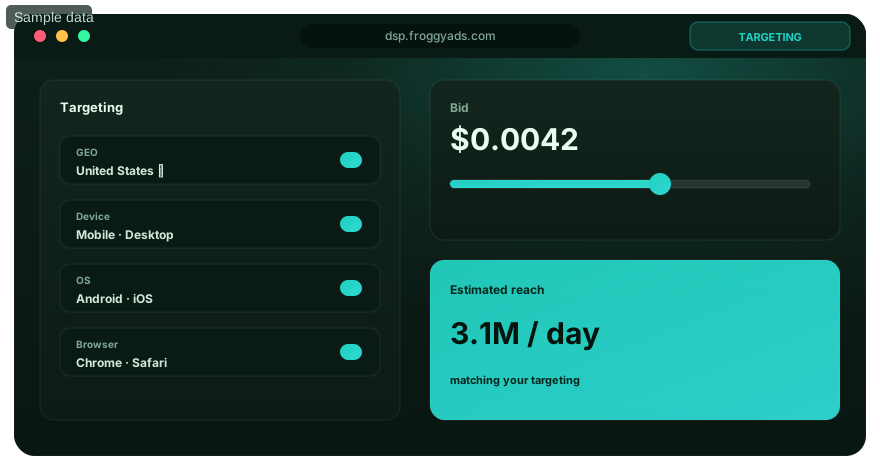
Illustration of audience targeting controls for a programmatic video advertising test

Data architecture and event contracts

A video campaign needs an event contract before the first impression. Define the campaign identifier, creative version, source, placement context, timestamp, currency and conversion event that must survive from delivery to reporting. If a view can influence a later action, document the view-through window separately from the click-through window. Do not combine them into one unattributed conversion total.

The accepted outcome should match the business model. An ecommerce team may use a paid order after cancellations, a SaaS advertiser may use an activated trial, and a lead-generation team may use a validated lead. Record rejected and reversed outcomes as well as accepted ones. This makes the cost per accepted outcome reproducible and prevents a platform event from being mistaken for finished business value.

Keep the data set small enough to audit. For a first FroggyAds test, retain the campaign and source IDs, spend, delivery metrics, landing-page sessions and accepted outcomes by cohort. Add fields only when they change a real decision. A clean campaign record helps you compare video audiences, creatives and sources without building a reporting system that is too complicated to maintain.

Implementation workflow

Begin with a written brief that names the customer problem, intended audience, video environment, offer, destination and accepted conversion. Translate that brief into campaign controls: geography, device, source eligibility, bid, budget, pacing and frequency. The creative and landing page should promise the same next step, so the visitor does not move from an awareness message into an unrelated form or offer.

Build a prelaunch evidence pack. It should contain the approved video file, fallback or companion assets where required, destination URL, tracking parameters, conversion test, source rules and pause thresholds. Confirm that the campaign name identifies the audience and creative version. Clear naming saves hours when several video variants begin delivering at the same time.

Launch with enough separation to diagnose results. Keep materially different audiences, environments or offers in distinct campaign cells. Review delivery first, then traffic quality, then mature business outcomes. Change one major variable at a time. FroggyAds makes that discipline practical because your team can manage settings directly and use source-level evidence to decide what deserves the next test.

Measurement and reporting model

Programmatic video measurement needs both media and business layers. Media diagnostics can include served impressions, video starts, quartile progress, completions, clicks, frequency and spend when those fields are available for the placement. Business measures include qualified sessions, accepted leads, registrations, orders, revenue, reversals and margin. The campaign succeeds only when the chosen business outcome meets the written economics.

Calculate every rate with a named numerator and denominator. Video completion rate uses completed views divided by video starts or impressions according to the reporting system, so record the chosen definition. Cost per accepted outcome uses spend divided by mature accepted outcomes. If three systems report different totals, reconcile the campaign ID, time zone, attribution window and cohort maturity before changing the campaign.

Use marginal reporting for scale decisions. Compare the newest block of spend with the previous accepted baseline instead of relying only on a lifetime average. A campaign can keep a healthy historical result while recent sources, audiences or creative variants deteriorate. In FroggyAds, use the source and campaign record to isolate that change, then move budget only after the downstream evidence has matured.

30-day rollout plan

Days 1–5: define the video test

Write the decision before opening the campaign builder. Name the audience, environment, message, destination, accepted outcome, attribution rule, budget ceiling and pause condition. Audit existing video assets against the likely placement requirements. Separate facts you can verify from assumptions the test must answer.

Days 6–12: prepare buying and creative

Create campaign and creative versions that can be traced. Confirm tracking parameters and the accepted conversion event, then test the full journey from video click to destination and outcome. Configure source, geography, device, budget, bid and pacing controls in FroggyAds. Keep high-risk or materially different inventory in separate cells.

Days 13–21: launch and diagnose delivery

Start with capped spend and review delivery daily. Look for unexpected source concentration, weak completion, repeated exposure, destination failures or a gap between clicks and qualified sessions. Do not optimize to an immature conversion cohort. Repair measurement or placement problems before expanding the audience.

Days 22–30: decide what earns more spend

Reconcile spend with mature accepted outcomes. Keep the combinations that meet both delivery and business-quality thresholds. Retest a single uncertain variable when the evidence is mixed, and pause cells that fail a written stop rule. Document the next budget, owner and review date so scaling remains a controlled decision.

Match the ad format to the buying question

Choose video when motion improves the customer decision

Video deserves the budget when demonstration, sequence, sound or visual proof makes the offer easier to understand. If the message works better as a single image or short notification, compare another FroggyAds format rather than forcing a video asset into the plan. The right format is the one that carries a clear promise into a measurable destination at an acceptable cost.

Create My Free Account
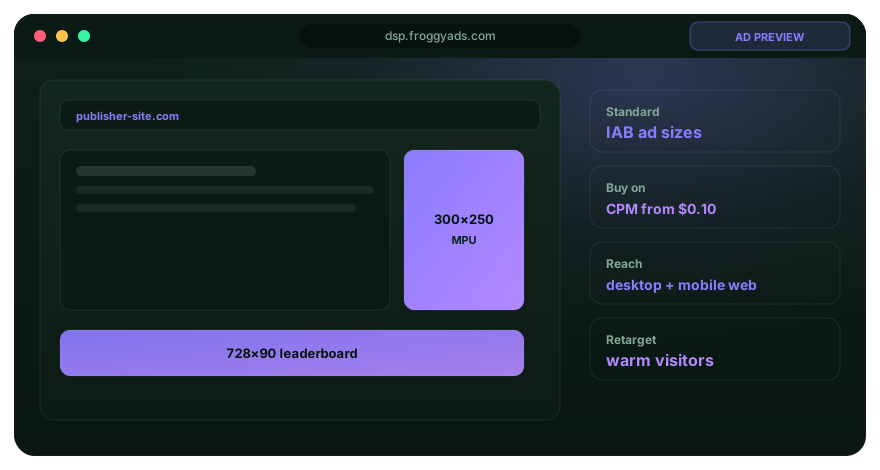
Illustration comparing advertising formats for programmatic video advertising execution

Automation and human control

Automation can evaluate eligible impressions, apply bids and pace delivery faster than a person can. It cannot decide whether a lead is commercially useful, whether a placement suits the brand or whether a creative promise is fair. Give automation a narrow objective, clean event input and hard budget boundaries. Keep the business definition of success outside the bidding loop.

A media buyer should retain control of source exclusions, audience versions, creative approvals, spend limits and the right to pause. Review any automated recommendation against recent cohort quality before accepting it. If the system responds to clicks while your business needs activated users or paid orders, the automation may efficiently optimize the wrong behavior.

Use FroggyAds controls to make human oversight operational. Set the campaign boundary, watch where delivery comes from and compare each change with accepted outcomes. Automation can support pacing and optimization, including SmartCPC where applicable, but your team should approve the outcome definition, risk limits and scale decision.

Governance, privacy and security

Programmatic video governance begins with permitted data use and placement context. Record which audience signals are first-party, contextual, partner-provided or modeled; who may use them; and how long the campaign evidence is retained. Apply the consent and privacy requirements that govern your audience, market and destination. Do not activate a segment simply because the platform makes it selectable.

Brand-suitability rules should be explicit. Define unacceptable categories, placements, devices or sources, and keep the exclusion decision with the campaign version. Review source concentration and placement evidence during delivery. FroggyAds source controls and Adscore-supported traffic-quality controls help you investigate traffic quality, but they do not replace your own offer, compliance and post-conversion review.

Security controls cover account access as well as campaign data. Use individual access where available, protect credentials, review exports and remove access when responsibilities change. Keep a contact for campaign pauses and tracking incidents. A clear incident path is especially useful for video because a high-spend creative can distribute quickly once delivery begins.

Selection and proof of value

Select a programmatic video approach by the decision it must support. Open-auction buying may suit a controlled discovery test with strict exclusions. Deal-based inventory may suit a known placement or supply relationship. Connected-TV exposure may support broad-screen storytelling, while mobile or in-app video can connect more directly to a tap or app action. Compare the options against the same audience, evidence and business-outcome requirements.

A proof of value is not a large launch. It is the smallest campaign that can show whether an eligible audience, usable video asset, acceptable source and working destination can produce mature business evidence. Set the sample and budget boundaries before delivery. If the test cannot distinguish a measurement failure from a media failure, fix the design before spending more.

Choose FroggyAds when you want to move from a planning document to a controlled paid-media test in a self-serve environment. Our platform gives advertisers direct control of campaign settings and reporting, making it easier to preserve the conditions behind each result. Scale the winning cell only after your analytics or business system confirms the accepted outcome.

Failure modes and controls

The most common video failure is optimizing a proxy instead of the business result. A low CPM can buy cheap exposure that never becomes qualified traffic. A high completion rate can reflect short duration or passive playback. A strong click-through rate can come from a source that produces rejected leads. Pair each media metric with the next downstream quality check.

Creative and placement mismatch is another frequent cause. A horizontal asset may be hard to read in a small vertical environment; an opening that assumes sound may fail when sound is off; a broad awareness message may send visitors to a demanding conversion form. Review the first seconds, on-screen text, disclosure, call to action and destination as one journey.

Operational failures often hide inside blended reports. Source concentration, duplicated events, delayed conversions, currency differences and changed attribution windows can move the headline result without changing true demand. Keep a stable baseline and a rollback record. When a FroggyAds campaign behaves unexpectedly, pause the affected cell, verify tracking and source evidence, then resume only with a specific repaired hypothesis.

How should a programmatic video landing page support the campaign?

The landing page should answer the promise made in the video without requiring the visitor to decode a new offer. Put the product, benefit, eligibility and next action in plain text. Keep important specifications and conditions in the HTML rather than only inside the video. That gives visitors, search engines and answer systems the same factual explanation.

Use one page for one decision. A programmatic video advertising guide should explain buying, creative, measurement and optimization without competing with a general definition of programmatic advertising or a dedicated video-ad specification page. Descriptive headings, real tables and literal FAQ answers help both people and machines locate the part that answers their question.

Campaign and content evidence should connect. Preserve the final destination URL, creative claim, campaign version and accepted outcome definition. When you test the page with FroggyAds traffic, use source and cohort data to identify which visitors understood the offer and completed the intended action. Paid traffic does not create organic rankings, but it can expose message and journey problems that deserve correction.

Turn the plan into one reversible campaign

Launch a capped programmatic video test with a written stop rule

Set the eligible audience, source boundary, creative version, destination, accepted outcome and maximum spend before launch. Keep the first test small enough to diagnose. FroggyAds lets you apply targeting and budget controls directly, review source performance and make the next allocation decision from evidence rather than momentum.

Create My Free Account
Illustration of a campaign launch checklist for programmatic video advertising

Why does FroggyAds fit this video test?

FroggyAds is a self-serve media buying platform for advertisers and media buyers. It supports campaign activation, targeting, source controls, budgeting and performance workflows across push, native, display and pop inventory. It is not presented as a CRM, email automation suite, creative-authoring suite, lead database or universal marketing system.

FroggyAds is built for advertisers, affiliate marketers, media buyers, agencies and online businesses that need controllable paid traffic. Use our self-serve DSP and global ad network to configure targeting, bids, budgets and sources, then inspect reporting and optimize against your own qualified outcomes. For programmatic video, that means you can keep the media test bounded, compare creative and audience cells, and increase spend only where delivery and business quality agree. Create your free FroggyAds account when you have an approved asset, measurable destination and clear pass condition.

Programmatic video campaign architecture: from impression to accepted outcome

Draw one transaction map before you select inventory. Start with the eligible viewer and video opportunity, then follow the bid decision, delivered impression, view event, click or visit, conversion event, validation and financial outcome. Write down which system owns each step. The map reveals gaps that a platform dashboard cannot resolve on its own.

Separate auction mechanics from campaign value. Real-time bidding can decide whether to buy an eligible impression, but the auction does not know whether the eventual lead is accepted or the order remains profitable. Feed the buying system a defensible optimization signal and keep the final commercial decision in the system that owns validated outcomes.

Treat each video environment as its own context. In-stream, out-stream, app and connected-TV opportunities can differ in player behavior, sound, screen size, skippability, interaction and measurement. If two environments cannot be compared on the same exposure and outcome definitions, report them separately rather than forcing one blended benchmark.

Build creative variants around a learning question. One variant may test the opening problem, another the proof, and another the call to action. Keep the offer and audience stable while comparing those variants. If you change the audience, placement and destination at the same time, the result cannot explain which decision improved performance.

Pacing needs both a delivery limit and an evidence limit. A campaign may be able to spend faster than conversions mature. Set a daily ceiling and restrict further expansion until the oldest relevant cohort reaches the defined review window. This protects the budget from an early proxy metric that later fails the accepted-outcome check.

Attribution should support a decision, not claim certainty it cannot provide. Record click-through and view-through rules separately, keep the exposure and conversion timestamps, and state how repeated exposures are handled. For meaningful budget changes, compare the attributed result with incrementality evidence or a defensible holdout when your scale and tools permit it.

Supply-path review should identify the available source evidence, intermediaries and authorization signals without assuming that the shortest path is always best. The useful question is whether the path provides acceptable inventory, understandable fees and enough transparency to investigate quality. Keep unexplained changes in source mix visible during the test.

A post-conversion review completes the campaign architecture. For leads, compare validation and sales acceptance. For ecommerce, account for cancellations, refunds and margin. For SaaS or apps, compare registration with activation or paid conversion. Bring these outcomes back to the campaign and source record before you approve more spend.

FroggyAds supports this evidence-led workflow with self-serve media controls, reporting, source management and Adscore-supported traffic-quality measures. We recommend using those controls with your own analytics and business validation. The platform tells you what was delivered; your accepted-outcome system tells you what the delivery was worth.

End every review with one written decision: keep, scale, narrow, repair or stop. Include the evidence window, affected campaign cell, owner, next budget and rollback condition. A precise decision is more useful than a long dashboard review because it changes the next campaign action and can be audited later.

Objective contract

Name one commercial outcome, the eligible audience, the expected decision window and the maximum acceptable cost. The campaign cannot pass on completions or clicks alone when the objective is a validated lead, registration or sale.

Inventory contract

List the permitted video environments, placement types, devices and sources. Record exclusions and the evidence required to keep a source eligible after delivery begins.

Audience contract

Define geography, device, contextual or audience signals, frequency rules and segment ownership. Keep materially different audiences in separate cells so one group cannot hide another group's result.

Creative contract

Connect every approved video file to duration, aspect ratio, message, destination, audience and placement requirements. Retain the asset version and review status used in the live campaign.

Budget contract

Separate account funding, campaign budget, bid rule, pacing limit and actual spend. Add a pause threshold and require a documented decision before a material increase.

Measurement contract

State the media diagnostics, accepted conversion, attribution rule, maturity window and data owner. Reconcile delivery, analytics and business totals before optimization.

Quality contract

Review source transparency, invalid activity signals, completion, frequency, landing-page quality and post-conversion acceptance. A cell must meet both delivery and business-quality conditions.

Exit contract

Preserve campaign settings, exports, asset versions and decision notes. Know who can pause delivery, revoke access and restore the last accepted configuration when a test fails.

Frequently asked questions

What is programmatic video advertising?

Programmatic video advertising is the software-assisted purchase and delivery of video ad inventory through auctions or deal workflows. Advertisers define the audience, inventory, creative, bid, budget and measurement rules before delivery. The method can be used across in-stream, out-stream, app and connected-TV contexts, but those environments should not be treated as interchangeable.

How do you start a programmatic video advertising campaign?

Start with one audience, one video message, one destination and one accepted business outcome. Confirm the available inventory and creative requirements, set a capped budget and pause rule, test conversion tracking, then launch separate campaign cells for materially different environments or offers. FroggyAds gives you self-serve targeting, source, bid and budget controls for a measured first test.

Which metrics matter for programmatic video ads?

Use a business outcome as the primary metric and video measures as diagnostics. Depending on the placement, diagnostics may include starts, quartile progress, completions, clicks, frequency and spend. Reconcile those figures with qualified sessions, accepted leads, registrations or sales. Record every numerator, denominator, attribution window and cohort-maturity rule.

What is the difference between CPM, CPC and cost per accepted outcome?

CPM describes media cost per thousand impressions, while CPC describes media cost per click. Cost per accepted outcome divides spend by mature outcomes your business has validated, such as accepted leads or paid orders. These measures answer different questions. Keep the bid or billing method separate from the commercial result used to judge the campaign.

How much should a first programmatic video test cost?

There is no universal test budget because inventory, targeting, bid conditions, creative production and the number of campaign cells vary. Set a budget that can test one clear hypothesis without exceeding your acceptable loss. Check current platform requirements and available rates in your FroggyAds account, then cap spend until tracking and outcome quality are confirmed.

How do you compare in-stream, out-stream and connected-TV inventory?

Compare viewing context, sound behavior, screen size, interaction, placement evidence, measurement and the path to your business outcome. In-stream video appears around video content, out-stream units appear outside a traditional video stream, and connected-TV ads run on television-viewing devices. Report environments separately when exposure or conversion definitions differ.

How can media buyers reduce wasted programmatic video spend?

Define eligible sources and audiences before launch, separate materially different cells, set frequency and budget limits, and pause when source or tracking evidence becomes unreliable. Review the newest spend by source and cohort instead of relying on a lifetime average. FroggyAds source controls help you narrow delivery while your accepted-outcome data identifies what deserves more budget.

What creative checks belong before a video campaign launch?

Check the required duration, aspect ratio, file properties, opening message, on-screen text, disclosure, sound-off clarity, call to action and destination. Confirm that the asset matches each selected placement and that the landing page continues the same offer. Keep the approved asset version with the campaign record so later performance can be traced to the correct creative.

How does FroggyAds support programmatic video advertisers?

FroggyAds provides a self-serve DSP and global ad network for advertisers who want control over targeting, bids, budgets, sources and reporting. You can use those controls to run a bounded paid-media test, compare campaign cells and optimize against your own accepted leads, registrations or sales. Available inventory and creative requirements should be confirmed inside the platform for the campaign you plan to run.

When should a programmatic video campaign be scaled?

Scale after delivery, tracking and mature business outcomes all pass the written conditions. Compare the next block of spend with the accepted baseline, keep audience and source changes traceable, and increase one major variable at a time. If the latest cohort weakens or source transparency disappears, hold the budget, diagnose the cause and retest before expansion.

Official sources used for this guide

FroggyAds prepared this guide using the linked primary documentation for programmatic transaction standards, video formats, buying workflows and attribution. Product-specific recommendations remain bounded to features visible in the FroggyAds platform and established FroggyAds materials.

Start your next video traffic test with FroggyAds

Bring an approved video asset, a measurable destination and a written budget limit. FroggyAds gives you the self-serve campaign controls to test audience and source combinations, inspect delivery and allocate more spend only where your accepted outcomes support it.

Create My Free Account
Search intent and buyer decision

Should your next paid-media test use programmatic video advertising?

Use programmatic video advertising when motion, sequence, demonstration or sound makes the offer easier to understand and the campaign can be tied to a measurable next action. Choose another format when a static message communicates the same value more clearly or when the destination cannot capture the intended outcome.

Page scope: This page helps media buyers decide how to plan and buy a programmatic video campaign. It covers inventory context, creative fit, budget controls, delivery evidence, measurement and scaling. The broader programmatic advertising page should define the category, while dedicated format pages should retain their own creative specifications and campaign use cases.

Search coverage: The primary keyword is programmatic video advertising. Supporting buyer questions include programmatic video advertising strategy, programmatic video buying, video ad targeting, programmatic video campaign measurement, in-stream versus out-stream video, connected-TV advertising, video completion rate, video ad cost controls and programmatic video optimization.

Creative-fit checkpoint: The first checkpoint is creative fit. State what the viewer should understand after the opening seconds, which placement context supports that message and which destination continues the promise. If the asset needs sound, a large screen or a long explanation to work, exclude contexts that cannot provide those conditions.

Buying-control checkpoint: The second checkpoint is buying control. Record the eligible audience, source boundary, bid, budget, pacing and frequency rule. FroggyAds is useful here because our self-serve platform lets you keep those settings visible and adjust the paid-media test without losing the campaign record behind the result.

Accepted-value checkpoint: The final checkpoint is accepted value. Reconcile delivery and video diagnostics with the mature lead, registration or sale used by your business. A programmatic video campaign should earn more budget only when the newest eligible cohort meets the written outcome and quality conditions.

Page checkpointHow to use itEvidence to retain
Creative and placement fitConfirm that the opening, duration, aspect ratio, sound behavior and call to action suit the intended video environment.Approved asset version, placement requirement, destination and review status.
Audience and buying controlSet the audience, source boundary, bid, budget, pacing and frequency rule before the campaign starts.Campaign settings, source record, change history and pause threshold.
Accepted outcome and scaleReconcile mature business outcomes with recent spend before increasing budget or widening delivery.Outcome definition, attribution rule, cohort age, cost and signed next decision.

A transparent programmatic video decision example

Hypothetical example: if a controlled video cell spends USD 300 and produces six mature accepted outcomes, its cost per accepted outcome is USD 50. The example is arithmetic, not a FroggyAds performance claim. Replace the spend, outcome and maturity window with your own campaign data before deciding whether to scale.

Why choose FroggyAds for the execution test?

Choose FroggyAds when you need a self-serve paid-media environment for testing audience, source, bid and budget decisions against your own accepted outcomes. Create your free FroggyAds account when your video asset, destination, tracking and stop conditions are ready.

Direct answer

What matters first in programmatic video advertising?

Start with the environment, audience, creative promise and accepted business outcome. Those four choices determine which inventory is useful, how the campaign should be structured, which metrics deserve attention and when FroggyAds spend should be expanded.