
1. Choose the product moment
Select one action that communicates a genuine attraction. Check it against the released product or planned offer. A flashy interaction is not useful if it recruits people for something the business does not provide.
By FroggyAds. We operate the FroggyAds self-serve advertising platform.
A playable ad should help someone understand what they would actually do with your product. Before commissioning one, choose the interaction, confirm where the file can run and define the customer action worth paying for. We help you connect that creative decision with a practical acquisition plan, using supported FroggyAds traffic formats and controls where they fit.
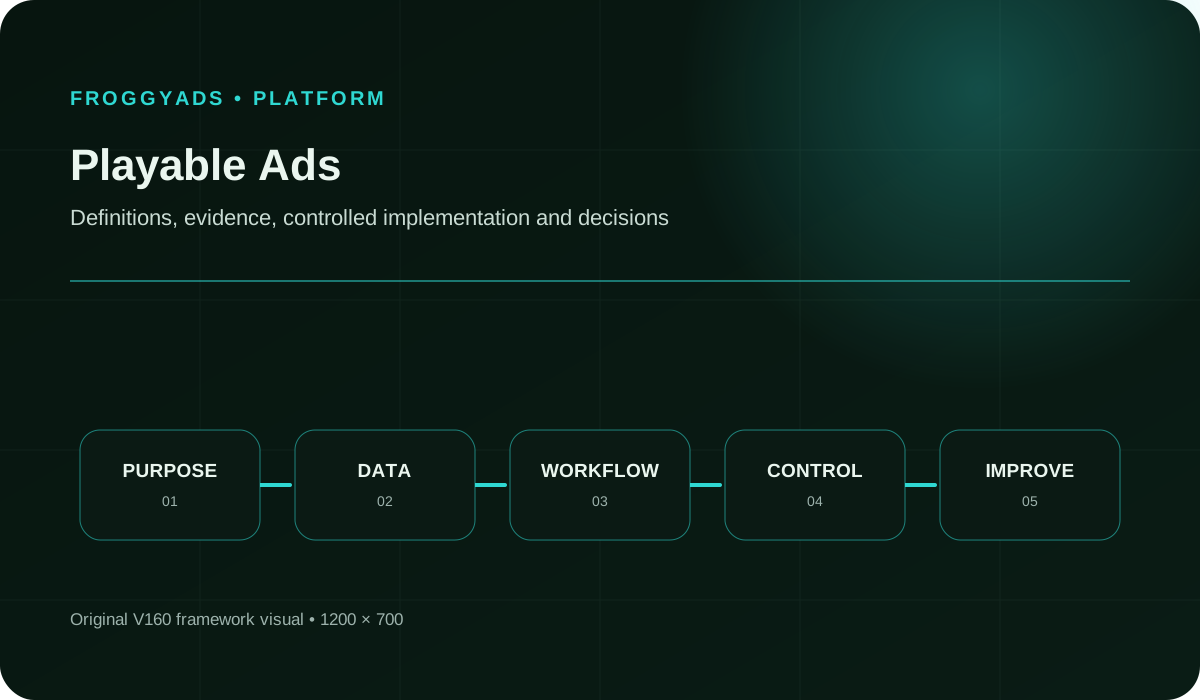
Quick answer: A playable ad is an interactive advertisement that lets someone try a simplified experience before choosing a next step, such as visiting an app store.
Creative support and media buying are separate questions. The existing Google Ads: How the ad auction works reference explains Google’s buying context; it is not a playable specification or FroggyAds integration guide. Confirm the intended provider’s accepted format before development. For a FroggyAds acquisition campaign, choose supported traffic and verify the proposed destination and creative requirements with us.
Consider a playable when trying one interaction explains an important product benefit. Use a simpler creative when interaction adds effort without useful understanding.
For a puzzle game, the useful demonstration might be one genuine move and its consequence. For a planning app, it might be arranging a small example and seeing the result. Neither requires recreating the full product. The buyer’s question is whether that brief experience helps the intended person recognise a reason to continue.
Write down what the person should understand afterwards. “This is entertaining” is less specific than “I understand the matching rule” or “I can see how the planner organises a day.” Review the concept against that understanding before choosing a production supplier. An attractive prototype can still be the wrong investment if it teaches the wrong thing.
A useful playable isolates a decision the product makes satisfying or understandable. Start with the action, its immediate feedback and the reason to continue. Remove menus and setup that do not help that explanation. You are selecting a truthful sample, not promising that a few seconds reproduce the entire product or its full difficulty.
Simplification needs an explicit boundary. A game demonstration may shorten a level without inventing a mechanic absent from the released game. A utility demonstration may use sample information without pretending to analyse a real user’s data. Make the resulting expectation match the destination, including any material requirements for accessing the advertised feature.
This focus also improves production discussions. Ask the designer to explain what each screen contributes to the visitor’s understanding. If an animation adds weight but no useful feedback, it may be expendable. If a short instruction prevents confusion, it may matter more than decorative polish. Approve the learning experience before authorising a larger set of visual variants.
Choose FroggyAds for the supported traffic-buying part of your plan. We offer self-serve campaign controls for audience selection, bids, budgets and source review. Bring us the offer and destination you intend to promote, then confirm the appropriate format. A clear creative purpose makes that discussion more productive than choosing media from a demo preview alone.
Create My Free Account
| # | Brief question | A useful answer |
|---|---|---|
| 1 | What should the visitor discover? | Name the product benefit the interaction demonstrates. A person reviewing the prototype should be able to explain that benefit without a separate sales presentation. |
| 2 | What is the first action? | Describe the first tap, drag or choice and the feedback it produces. Avoid an opening screen whose only understandable action is an accidental exit. |
| 3 | How is the experience truthful? | Show where the mechanic or feature exists in the actual product. Identify any simplification or sample data that could otherwise create a false expectation. |
| 4 | Which delivery environment accepts it? | Name the provider, placement context and required export. Confirm acceptance separately for each intended destination rather than promising one universally compatible file. |
| 5 | What happens after the demonstration? | Specify the end message and deliberate next action. Check that the destination continues the experience advertised and is available for the intended user. |
| 6 | Which states need testing? | Include the initial load, no interaction, repeated input, completion, replay where offered and destination handoff. Cover the device and orientation requirements of the buyer. |
| 7 | What can be measured responsibly? | Specify available events and their definitions. Separate internal demo activity from provider reports and later customer records; do not promise identity matching that has not been implemented. |
| 8 | What is included in the quote? | List source assets, editable project files, exports, revisions, device testing and later adaptations. State who resolves a failed acceptance test and what a further variation costs. |
Packaging is provider-specific. Unity’s playable specifications calls for a single inlined HTML file under 5 MB and MRAID 3.0 compatibility. These are Unity’s requirements. Confirm requirements separately for any other delivery route. Ask the supplier to name the intended environment and demonstrate the exact deliverable against its current requirements.
Select one action that communicates a genuine attraction. Check it against the released product or planned offer. A flashy interaction is not useful if it recruits people for something the business does not provide.
Draw the opening instruction, interaction, feedback and next step. Include what happens when the person does nothing or makes an unexpected choice. Resolve the story before commissioning detailed animation.
Ask the intended provider which playable format is accepted in the actual campaign context. Give that answer to the production team. A general statement that a platform supports HTML5 does not settle every requirement.
Use a small prototype to test whether someone understands the intended action. Watch where they hesitate without coaching them through it. Revise the instruction or feedback before adding the final art and sound.
Compare the prototype with the actual product and destination. Check the feature, difficulty, reward and access conditions it implies. Correct an inaccurate promise before it becomes expensive to change across multiple exports.
Complete the assets and export for the named environment. Retain the source version and a clear file name. Ask the supplier to explain any remaining external dependency or requirement that affects acceptance.
Inspect the opening, input states, ending and deliberate destination action in the relevant environment. Include required orientations and realistic device constraints. A recording of one successful run is not coverage of the other states.
Document what triggers each reported event and whether it can occur more than once. Keep demo completion separate from a store visit, install or later product action. Use only permitted measurement methods.
Select a meaningful alternative, such as a simpler creative explaining the same benefit. Keep important buying conditions comparable where possible. Record differences that prevent the exercise from being interpreted as a controlled experiment.
Use the observed failure point and later customer quality to choose the next change. A confusing opening needs different work from a weak product proposition. Do not rebuild the entire demo because one headline failed.
Read the provider’s event definitions before comparing reports. Google’s HTML5/Playable App campaign guidance defines an engagement around the first interaction or click and describes CPE billing for those App ads. That does not make every playable tap a separately billable event, or establish a FroggyAds pricing model. Keep provider-specific definitions attached to their source.
| Stage | Useful question | Interpretation limit |
|---|---|---|
| Ad rendered | Did the intended experience become available in the measured environment? | A reported impression or render does not establish that someone noticed the invitation. |
| First interaction | Did the opening prompt lead to the intended action? | Check whether the event includes a click-out or repeated input before calling it a unique participant. |
| Demo completion | Did the person reach the defined ending? | A short or automatic ending can increase completion without stronger product interest. |
| Destination action | Did the person deliberately choose the next step? | An exit event is not proof that the app store or landing destination loaded successfully. |
| Install or registration | Did the next acquisition event occur under a stated attribution rule? | It is still separate from useful product adoption, and attribution does not by itself prove causation. |
| Meaningful product use | Did the new user complete the actual activity the business values? | Use an appropriate observation period and a consistent definition; a demo action must not be counted as real product use. |
Use the stages below when the corresponding evidence is available. Later records may require your own permitted app or business measurement. If you cannot connect a demo with a later result, keep that limitation visible. Do not manufacture a precise user journey by combining unrelated totals.
FroggyAds can support the wider acquisition plan through our supported Push, Native, Display and Pop options. Select the format around a suitable, approved destination and the intended audience. If your purchase specifically requires an embedded playable, confirm that requirement with the intended provider before ordering creative or buying delivery.
Create My Free Account
A small puzzle could let the visitor make one meaningful move and see its consequence. The next step should lead to a game that actually contains that mechanic. Judge whether the demonstration attracts suitable new players, not whether its simplified level is easy to finish.
A prototype could let someone organise a few sample tasks and see a clearer schedule. Label the information as an illustration rather than a personal analysis. Confirm that the promoted function is available under the destination’s actual account and access conditions.
An interactive concept could show how a few product options change an illustrative result. Keep factual product information accurate and explain any assumptions. If ordinary pictures communicate the choice just as well, a simpler advertisement may deserve the first production budget.
A memorable mini-game may recruit interest in that mini-game rather than the actual offer. Compare what the person does in the ad with what they can do after arrival. Remove the mismatch before treating interaction volume as evidence of customer fit.
If a reviewer must tell the visitor where to tap, the invitation is not doing its job. Inspect the instruction and immediate feedback. Adding more screens or a longer tutorial can make the confusion more expensive rather than solve it.
A satisfying animation can leave a person unsure whether the demonstration is over. Make the next action understandable and deliberate. Review the destination promise separately from the celebration or result shown inside the creative.
The delivery container, device and orientation can expose problems absent from a desktop preview. Require evidence from the intended testing environment. Keep the exact tested export so a later revision is not silently treated as the accepted build.
A playable can produce an attractive install figure without useful product use. Inspect the later event that matters to the business and include production costs. A lower intermediate cost is a reason to investigate, not an automatic instruction to buy more.
Use these failure patterns to focus the review. A compatibility problem belongs in the production acceptance check; a misleading experience belongs in the concept. Separate those fixes before comparing media results, so further spending does not simply expose more people to the same defect.
Ask for a quote that distinguishes concept work, development, art, sound, exports and testing. A low initial fee can exclude the adaptations needed for another provider or device requirement. Confirm which editable materials you receive and whether a new language, mechanic or destination changes the price. These details affect what you can test after the first build.
Then decide how production cost will appear in the campaign review. Charging the entire build to a first experiment answers a different question from allocating it across several planned uses. Either approach needs an explicit basis. Do not hide development cost to make the first acquisition result look attractive, or count the same invoice several times.
Keep the media purchase separate from the creative commitment. FroggyAds lets you configure supported traffic campaigns with bid and budget controls; it does not make a playable supplier’s development quote disappear. Reserve enough operational attention to inspect the destination and customer response. A technically accepted file is useful only if the resulting acquisition decision can be evaluated.
Turn the product message into a supported campaign with a destination that continues the offer. Our targeting, budget and source controls help you make that purchase specific. Keep the creative build and its delivery requirements clear, then judge whether the arriving visitors take the useful next step you intended.
Create My Free Account
We are a self-serve advertising platform for supported traffic buying. Choose FroggyAds when you want control over the audience, bids, budget and sources used to introduce your offer. Our formats include Push, Native, Display and Pop. Match those options to the campaign and approved destination rather than assuming every interactive file can be uploaded.
If you have a separate product demonstration on your own destination, evaluate that complete visitor journey with the proposed campaign. The experience must be suitable for the offer and meet applicable review requirements. Treat the destination’s interaction data as a separate measurement responsibility. Buying visits does not automatically supply a playable editor, hosting service or post-install analytics integration.
This division gives you a practical way to proceed. Prepare the proposition and destination, confirm the supported creative and targeting, then set an authorised purchase. Use our campaign and source reporting alongside your permitted customer records. We help you control the traffic decision while the demonstration earns its place by explaining the product and attracting useful interest.
A convincing showreel is only the start of supplier selection. Ask for deliverables that let you inspect and reuse the actual work. Resolve these questions while the scope is still small, especially when the media buyer and production company are different organisations.
The demonstration and the next destination make one promise to the visitor. Check that the closing message names the real next action and that the correct destination is available for the intended device and market. A working animation is insufficient when the final button opens an unavailable product, wrong store listing or unrelated offer.
Observe the ending without prompting the tester. Can they understand that the demo has finished? Can they choose to continue deliberately? Does the next page preserve the product identity and relevant conditions? Keep the answer tied to the tested build. A recorded success from an earlier file does not establish that a revised destination or end card works.
For a campaign using FroggyAds, confirm the proposed route and review requirements before launch. Once traffic arrives, inspect where the journey loses useful intent. The fix may be clearer product information rather than a different game mechanic. Use the evidence to improve the step that needs attention, while leaving the parts that already communicate the offer intact.
Games offer an obvious use because a small interaction can demonstrate a mechanic. Other products may also benefit from an illustrative choice or task. Use the format when interaction explains a genuine benefit, and confirm provider support. Do not add a game solely to make an unrelated offer entertaining.
This guide does not establish native playable inventory or an embedded playable upload capability in FroggyAds. Our offering includes supported Push, Native, Display and Pop traffic. Confirm your intended format and destination with us before commissioning a file or purchasing delivery that depends on a specific playable feature.
Show enough context for someone to understand the intended action. Make the instruction, object and immediate feedback work together. Test whether a person can begin without coaching. The right opening explains the product experience; it need not reproduce the full app’s menu or onboarding sequence.
Do not assume that it can. Providers have different packaging, container, destination and policy requirements. Obtain the current specification for each planned delivery route and test the actual export there. A shared concept may be reusable even when the finished files need separate adaptations.
Use enough interaction to explain the chosen benefit without unnecessary repetition. There is no universal duration recommendation in this guide. Follow the provider’s current requirements and inspect where people understand, hesitate or leave. A shorter experience is useful only if it still communicates the product truthfully.
It can be a recorded creative event, but it is not automatically an install, purchase or useful product action. Name the event precisely. Use a later business outcome when judging acquisition value, and explain any limits in connecting the demo with that later result.
Include the agreed concept, development, assets, exports and acceptance testing, plus adaptations you actually require. Clarify revisions and source-file rights. Keep the production treatment visible when evaluating the media test so a low install cost does not conceal the expense of making the creative.
It can simplify the experience to communicate one useful idea. The simplification should preserve the truth of what is advertised. Avoid demonstrating a feature or reward the destination does not provide. Explain illustrative data or important access conditions when they would otherwise create a misleading expectation.
Use the same meaningful customer outcome and clearly stated cost coverage. Keep buying conditions comparable where possible, and record differences in audience, placement or timing. Inspect both intermediate interaction and later product use. A descriptive comparison is not automatically a causal experiment.
Compare the demo’s promise with the actual product experience, destination and access conditions. Check the handoff and the definition of later adoption. Repair the identified gap before expanding. More completions of the same demo will not necessarily resolve a mismatch after the visitor leaves it.
The retained references below cover buying context, platform roles and advertising principles. They are not interchangeable playable specifications. Use the nearby provider-specific documentation for the relevant technical claim, then confirm the current requirements for the exact delivery route. Publisher monetisation guidance should not be treated as an advertiser’s upload procedure.
Review the prototype as a sequence of decisions rather than a single engagement score. The following findings suggest different work. Keep the observation and the tested version together, so the supplier can reproduce the problem without redesigning a part that already works.
Check whether the instruction names an action the scene visibly supports. Remove competing visual cues and test again without verbal help. An opening that requires explanation can fail before the product benefit has any opportunity to appear.
Inspect the input areas and intended destination behaviour. A person trying the demonstration should not accidentally trigger the next purchase step. Ask the supplier to test the interaction and exit separately in the required environment.
Try a second tap, rapid input or an unexpected sequence during review. Define whether each action should be ignored, acknowledged or handled as another move. A polished first run does not demonstrate that the interaction remains usable.
Review the layouts required by the delivery environment. Check the instruction, active object and next-step control after the change. Use the actual export rather than a static screenshot, because input areas can fail even when a visual element appears correctly.
Inspect whether the demonstration communicates the product benefit or only a self-contained challenge. Bring the real attraction into the experience and ending. A memorable activity is less useful when the visitor cannot explain what is being advertised.
Compare the demonstrated feature with the store listing or landing page. Check access, pricing and device conditions. Correct the mismatch so the next step confirms the visitor’s expectation rather than replacing it with a different proposition.
Inspect event triggers, replay behaviour and counting rules. A completion event may repeat, or a report may count sessions rather than people. Resolve the definition before claiming that the creative has an exceptional completion rate.
Separate media efficiency from the cost of making the experiment possible. Decide whether future reuse is realistic and how it will be accounted for. Do not erase an invoice or assume unlimited reuse to preserve a preferred conclusion.
Choose FroggyAds for supported paid acquisition with practical campaign controls. Bring the product story, confirm the creative and destination requirements, and set the audience and spending around a useful next action. An interactive concept earns further investment when it improves understanding and supports the customer outcome you can actually verify.
Create My Free AccountChoose a simpler alternative that communicates the same product benefit. A static image or short video can provide a useful reference when the proposed improvement is interactivity. Comparing entirely different promises would make it harder to tell whether the demo itself is worth further production work.
Agree on what useful product adoption means and when it will be assessed. Keep demo participation as a diagnostic. New users who have had a day to try the product should not be compared casually with another group that has had a week.
| Comparison area | Keep interpretable | Why it matters |
|---|---|---|
| Product promise | Demonstrate the same real benefit in both alternatives. | A different offer can change response without showing that interaction itself improved the purchase. |
| Media context | Record audience, placement, timing and delivery differences. | Different exposure conditions can explain a result that otherwise looks like a creative advantage. |
| Later outcome | Apply one stated real-product adoption event and observation period. | Demo completion and product use are different actions, and younger groups have had less time. |
| Cost coverage | Show media and the chosen treatment of production and testing. | A cheaper install can still belong to a more expensive overall experiment. |
| Next revision | Identify the screen, promise or handoff the evidence questions. | Specific changes are easier to assess than a complete rebuild prompted by a single blended number. |
Use the sequence below to make the review specific. If the available media route prevents a controlled comparison, describe the observed difference and its limitations rather than presenting it as proven lift.
For the supported traffic portion of the plan, FroggyAds lets you select targeting and manage bid, budget and source choices. Retain the creative and destination context for each purchase. Use your permitted product evidence for the later outcome; a platform delivery report alone cannot establish whether the interactive promise was fulfilled.
Continue with a further variant when the next question is clear and worth its production cost. If a simpler message answers it adequately, keep that option in the plan. Create your free FroggyAds account
The Pre Roll Ads guide covers a passive video placement as a separate subject. For this illustration, compare a playable with a simpler ad for the same fictional game. Count activation only when a new user completes the first real level in the released game. Completing the ad’s demonstration does not qualify.
Hypothetical inputs: The playable costs USD 1,200 to produce and uses USD 600 of media, with 100 attributed installs and 30 activated users. The simpler ad costs USD 150 to produce and also uses USD 600 of media, with 80 attributed installs and 25 activations. All numbers are invented, with equal observation periods and mutually exclusive attributed groups assumed for illustration.
| Hypothetical measure | Playable experiment | Simpler-ad experiment |
|---|---|---|
| Media cost per attributed install | USD 600 ÷ 100 = USD 6. | USD 600 ÷ 80 = USD 7.50. |
| Media cost per activated user | USD 600 ÷ 30 = USD 20. | USD 600 ÷ 25 = USD 24. |
| Production plus media per activated user | (USD 1,200 + USD 600) ÷ 30 = USD 60. | (USD 150 + USD 600) ÷ 25 = USD 30. |
The playable has the lower media-only install cost: USD 6 rather than USD 7.50. Its media cost per activation is also lower, at USD 20 rather than USD 24. But charging each production cost entirely to this first experiment gives totals of USD 1,800 and USD 750. That means USD 60 versus USD 30 per activated user.
The result does not prove either format is always better or caused extra users. Future reuse would need a stated cost allocation and evidence that the asset remains suitable. Choose FroggyAds when the next supported traffic purchase can answer a useful acquisition question; evaluate that purchase alongside the creative investment it requires. Create your free FroggyAds account
Approve the truthful product interaction, accepted delivery route, deliberate next step and measurement plan. Then agree on the export, testing and revision scope.
A playable ad is useful only when the interaction previews the real product experience and attracts people likely to continue. Evaluate the demo promise first, then use FroggyAds traffic tests to learn which audience and destination combination produces qualified progression.
Review source quality and accepted outcomes together; a low buying price should never hide an unusable visit or an unverified event.
When your playable ads: interactive creative, qualification and measurement brief is ready, create your free FroggyAds account and turn the plan into a measured campaign test.