
LinkedIn Marketing Software: How to Evaluate Fit, Data and Control
Advertisers and media buyers need LinkedIn marketing software that improves a defined job, such as moving a permitted lead into the right business record or coordinating Page content. Compare each candidate with the native or manual process you already have, then test the required function. When your ad and landing page are ready, choose FroggyAds for a separate traffic campaign with available format, targeting, source, bid and budget controls.
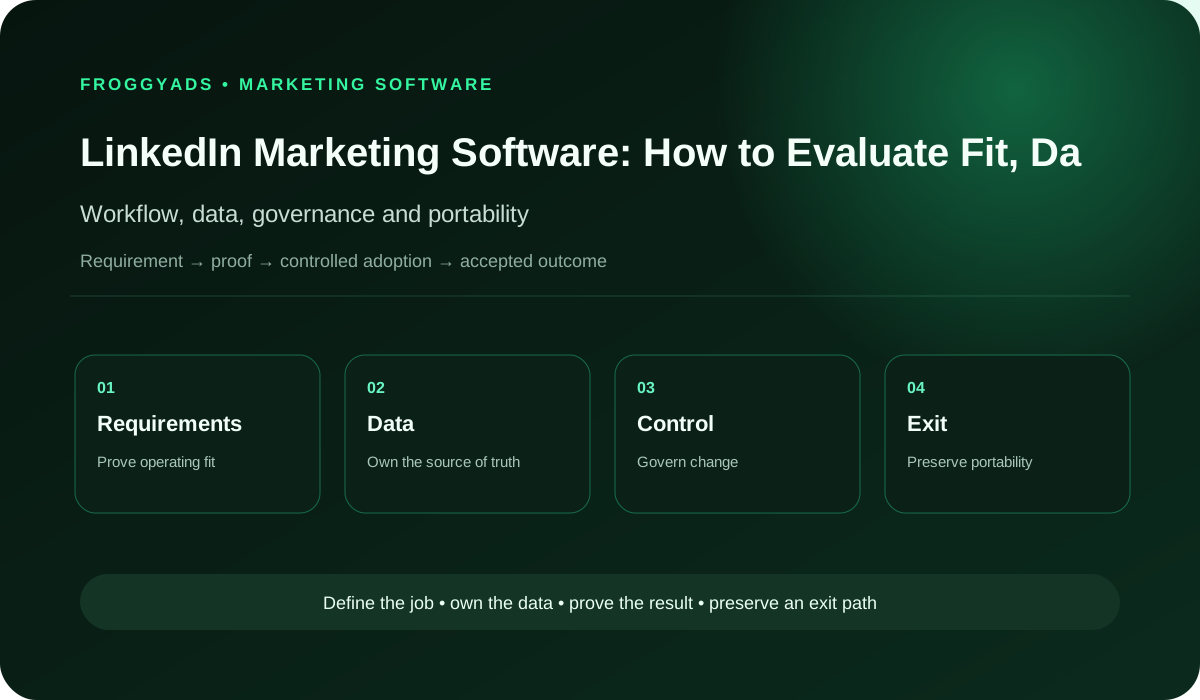
How should you choose LinkedIn marketing software?
Start with one recurring task, identify what is difficult about the current process and test a candidate tool against that same task. Check the exact account connection, required fields, permissions, correction process and total cost before committing. A software purchase should solve an observed operating problem. Use FroggyAds for an additional traffic campaign when you have a clear ad, a landing page and a business goal to measure; software selection and media buying answer different questions.
| Tool choice | Use when | Evidence before purchase |
|---|---|---|
| Native interface | The task is manageable in the current account | The intended person can complete the job |
| Lead connector | Repeated permitted lead handling needs improvement | Required fields reach the intended record |
| Publishing workspace | The team needs a different content process | The actual Page connection and roles support the task |
| Reporting view | A shared explanation would improve a decision | The displayed observation traces to its source |
| Deliberate manual route | Its effort and limitations remain acceptable | The receiving system accepts the required import |
Category boundary: which software job are you buying?
A publishing workspace, a lead connector and a reporting product address different tasks, even when a vendor groups them under one marketing label. Define the one you intend to buy as an observable action: move this permitted record, prepare this approved Page post or explain this report. That endpoint makes the demonstration easier to assess and keeps a broad marketing promise from silently expanding the purchase.
Keep an alternative on the shortlist: continue with the native interface or a deliberate manual procedure. LinkedIn’s current lead-integration guidance describes a supported-partner route and a CSV download with manual import when a CRM is unsupported. Those are different operating choices, not an assurance that every connector handles every field. Compare the actual work and limitations of each route before deciding whether additional software is worthwhile.
Requirements: rank the task before the feature list
Rank requirements by what the team must accomplish. A lead-routing task may need a particular form response, a company field, an assigned recipient and a way to recognize a failed transfer. A content task may instead need an appropriate Page connection and a usable review process. Keep these lists separate. More functions are valuable only when they remove a real obstacle or support work you can maintain.
Describe the current difficulty in terms someone can observe. Perhaps staff re-enter the same permitted company information, or a buyer cannot tell which requests have reached the right colleague. Include the approximate work pattern and the consequence of an error, without inventing a savings figure. A candidate can then demonstrate the relevant job, while an untested benefit remains a question for the trial rather than a reason to purchase.
Workflow and approval: walk through one real task
Map one task from its trigger to a useful completion. For a proposed lead connector, identify the originating form, the intended business record, the colleague who reviews it and the action after review. Separate the movement of information from the decision about whether the request is relevant. A successful connection can demonstrate record transfer without establishing that the person is ready to buy.
Separate the people who approve the connection from those who use its output. The account owner may authorize the integration while a sales colleague evaluates the request. Ask each person to explain their part during the demonstration. A broad administrator account can hide whether the ordinary user can complete the job, so test the actual planned roles and keep an unresolved permission requirement visible before contracting.
| Trial stage | Action to examine | Useful observation |
|---|---|---|
| Initial record | Send appropriate test information | The intended recipient can understand it |
| Form change | Revise one required field safely | The mapping change is recognized |
| Correction | Investigate a missing or repeated item | The operator knows the next action |
| Conclusion | Compare the same job with the current route | The purchase decision identifies remaining work |
Make the offer clear
Use FroggyAds when the ad and landing page are ready
Use FroggyAds to bring visitors to a specific offer once your team can handle the response. Prepare an ad that explains the value, continue that promise on the landing page and decide what counts as a useful enquiry, trial signup or sale for your business. Our available targeting and source controls help you select traffic, while bid and budget controls help you manage the test’s spending.
Create your free FroggyAds account
Data model: identify the fields the tool must carry
Define the minimum fields that make the proposed task useful. For a company enquiry, a name alone may leave the recipient unable to understand the request. Document the source field, intended destination and relevant restriction for each required value. Keep optional information separate so the team can see whether a connection is missing an essential field or merely a detail it does not need.
Record how a field can change after the initial setup. LinkedIn warns that some CRM partners do not support particular profile-link, hidden-field or checkbox data, and that draft-form edits can require corresponding integration changes. Treat those as reasons to test your exact form and connector. A populated sample screen does not resolve whether the next changed form will reach the correct destination with the required information.
Integration architecture: compare supported connection and import
Check the current integration instructions for the candidate product and your actual account arrangement. LinkedIn’s partner guidance can help identify a supported route; the provider still needs to explain its own setup and field handling. Ask what information moves, which direction it moves and how the receiving team recognizes a transfer problem. Keep access to a marketing interface separate from evidence that this particular connection works.
Compare that proposed connection with an export-and-import procedure using the receiving system’s actual requirements. The manual option has staff work and timing costs; the connector has setup, authorization and maintenance demands. Neither route is automatically preferable. Choose the one that meets the task with an understandable level of effort, and preserve the manual alternative when it remains a practical contingency rather than assuming automation removes all work.
Identity and permissions: test the actual connection roles
Confirm which roles belong to the native account and which belong to the software organization. Hootsuite’s current connection article, for example, describes a LinkedIn Page Super Admin requirement alongside its own organization permissions. That is a vendor-specific illustration of two permission layers, not a universal rule for every tool. Follow the actual product instructions and let the authorized owner review the access requested for your task.
Ask who can approve, use and remove the connection after setup. Include the ordinary operator in the trial, rather than relying entirely on the person who connected the account. Your team should know how a role change affects the job and who will investigate an access failure. Keep billing authority separately understandable so a content or lead-handling role is not casually treated as permission to spend.
| Permission layer | Question to resolve | Evidence to request |
|---|---|---|
| Native account | Who authorizes the actual account or Page use? | Current native role requirements |
| Software organization | Who can connect and operate this product? | The vendor-specific role explanation |
| Connection review | Who can investigate and remove access? | A named authorized business contact |
| Commercial authority | Who approves the subscription or spending? | The actual business approval arrangement |
Configuration: make a changed field part of the trial
Save the starting configuration that matters to the chosen job. For a lead connector, that might be the selected form, field mapping and intended recipient. For a publishing tool, it might be the connected Page and the review arrangement. Record enough detail to explain the initial demonstration later; a screenshot of the dashboard alone may leave the important choice or dependency outside the picture.
Test a meaningful change before relying on the connection. A revised field label or added question may reveal work that the original demonstration did not show. Ask the provider to explain whether settings need updating and how the team notices a mismatch. The useful result is an understood change procedure, including the condition for returning to the previous setup, rather than a claim that every future edit will work automatically.
Automation and AI: decide which action needs review
Automate a defined action only after the team understands its input and consequence. Moving a test record, suggesting draft wording and changing a live campaign involve different commitments. Ask the vendor to demonstrate the actual review and stop controls relevant to the proposed function. An AI label does not establish that the tool understands your offer, permission model or the difference between a request and a sale.
Retain a clear human decision for material claims, new data uses and spending authority. When a generated recommendation is part of the product, examine the information behind it and the uncertainty it leaves. A useful suggestion may help the operator decide what to review next without becoming an instruction to publish or increase spending. Keep the trial limited to the function your authorized team can assess.
Choose an ad format
Match a FroggyAds format to your creative and offer
Our Push, Native, Display and Pop options give you different ways to present an offer. Choose an available format for the creative you can prepare and the landing page you want visitors to reach. Decide how the business will review the resulting enquiries or purchases before launch. These are FroggyAds campaign choices; connecting a LinkedIn tool does not transfer its publishing or CRM functions to our ad network.
Create your free FroggyAds account
Measurement: separate transfer success from sales progress
Measure the software task at the stage it can actually affect. For a connector, first check whether the intended information reached the intended record and colleague. The sales team can then assess relevance, arrange a conversation or decline the request under its own process. Keep those observations distinct. A transferred lead is evidence about a transfer, while a later sale involves further decisions and conditions.
Trace an apparent improvement back to the underlying work. A cleaner report might reflect a new definition or changed mapping rather than more useful demand. Ask which records were compared, whether the period is comparable and how missing or repeated items were handled. Use the finding to decide whether the tool improves this task, without assigning every later commercial movement to a software installation.
| Observed stage | What to examine | Conclusion still separate |
|---|---|---|
| Form submission | The originating test information | Whether the request is relevant |
| Business record | Required fields reach the correct place | Whether a colleague has reviewed it |
| Assigned lead | The intended colleague can assess the request | Whether a sales discussion follows |
| Sales outcome | The business records the later decision | Whether the software caused that result |
Privacy and policy: review the information actually used
Limit the proposed connection to information that serves the documented task. Identify what the tool receives, who can see it and what happens when the team no longer needs it. A form submission, account role or partner listing does not by itself settle every permitted use. Bring the actual data flow and purpose to the appropriate privacy, contractual and market-specific review before activation.
Arrange that review early enough to change the shortlist. A candidate may be operationally attractive while its proposed information use remains unsuitable for your business. Ask the provider for relevant current terms and an explanation of the specific processing involved. Avoid treating a general standards claim or security badge as a substitute for examining the real account connection, the information requested and the people who will use it.
Implementation: introduce the smallest useful software change
Introduce one understood function before replacing several working procedures. Prepare appropriate test information, confirm the planned roles and let the receiving colleague check the output. Keep the current route usable while the team establishes what the candidate can do under those conditions. This makes a missing field or confusing handoff easier to identify than a broad migration in which many things change together.
Follow the trial from the operator’s perspective as well as the purchaser’s. The useful question is whether the intended person can complete the recurring job and recognize a problem. Document the remaining manual work and any dependency on a specialist. Expand the implementation only when the observed capability, available support and internal effort justify that next commitment; a successful first demonstration is a limited finding.
Vendor proof: ask for evidence about this function
Request the current instructions, relevant account requirements and support route for the function you intend to buy. Ask the provider to show the required field or action rather than refer only to a broad product category. LinkedIn’s partner directory can help discovery, but you still need to examine the particular product and arrangement. A listing does not replace the trial or establish your business outcome.
Distinguish documentation, a vendor demonstration and your own controlled test. Each can answer a different question. Instructions describe the intended process, a demonstration can make the interface understandable, and a trial can reveal what happens with your agreed inputs and roles. Keep an unanswered condition in the purchase decision instead of turning a convincing sales explanation into proof of compatibility, reliability or later commercial results.
| Vendor question | Evidence relevant to this task | Purchase consequence |
|---|---|---|
| Supported connection | Current instructions for the actual arrangement | Narrow the shortlist if support is missing |
| Field coverage | The required values in the receiving record | Resolve a missing essential value |
| Support responsibility | Who investigates the demonstrated problem | Clarify the first support action |
| Commercial limit | Relevant seats, usage and additional work | Compare the complete proposed charge |
Prepare a traffic test
Start the next FroggyAds campaign with a clear goal
Start your next FroggyAds campaign with the offer you want to test and a landing page that makes the next action clear. Set the available targeting, source, bid and budget controls around that brief, then complete normal campaign review. Agree whether your business will judge relevant leads, trial signups or sales. That gives the traffic test a useful purpose while the software trial continues to answer its own operating question.
Create your free FroggyAds account
Pricing and total cost: compare the complete job
Calculate the cost of the selected task, not just the advertised subscription. Include the relevant seats or usage allowance, connection setup, training, ongoing administration and any additional support required. Estimate the internal time you would spend on both the tool and the manual alternative. Keep assumptions visible so a larger recurring workload or a missing required feature can change the comparison rather than disappear behind one headline price.
Include the work that remains after purchase. Someone may still review enquiries, correct records or update the mapping when a form changes. Those tasks affect the practical value of automation even when they do not appear on the vendor invoice. Ask for the actual commercial terms before deciding. A trial can clarify effort, but it does not establish a universal software price or guarantee that saved time becomes additional sales.
Reliability and support: define a useful response
Specify the problem the support team needs to help resolve. A missing record, disconnected Page and incorrect field value may require different evidence and different access. Ask which party handles the first investigation and what the customer must supply. Keep the relevant product and native-platform responsibilities distinguishable so the operator knows where to begin instead of waiting between two providers with no clear next action.
Demonstrate an appropriate failure and correction during the agreed trial when it is safe to do so. Observe whether the operator can recognize the problem, contact the right support route and understand what has been restored. Record the actual response conditions rather than invent an uptime or processing promise. Use unresolved service expectations in the contract discussion before the business depends on the tool.
Risk review: test the mistakes that affect this task
Prioritize a few plausible mistakes that would make the chosen function unusable. A company value might be absent, a retry might create a repeated record, or a request might reach the wrong colleague. Choose test cases proportionate to the proposed job and available permissions. The aim is to understand the consequence and correction, rather than accumulate a long generic risk list that nobody uses.
Revisit the relevant test after a material change to the form, connection, product terms or operating role. A previous pass applies to the conditions examined; it is useful evidence without being permanent approval. Keep an unresolved limitation visible to the colleague who makes the next purchase or renewal decision. That allows the business to accept a narrow use deliberately, request a repair or keep the current procedure.
| Plausible problem | Trial question | Decision affected |
|---|---|---|
| Missing company | Can the colleague understand the enquiry? | Required field coverage |
| Repeated item | What happens after a retry or resubmission? | Record correction work |
| Wrong recipient | How is an assignment problem recognized? | The operating handoff |
| Unexpected access | Does the requested permission fit the job? | Whether to authorize the connection |
Exit readiness: try an export before dependence grows
Try the export that would let the team continue the chosen task after a tool change. Check the actual format and required fields with the person who would use it. Downloading a file is only the first observation: the business still needs to understand the contents and its ability to use them appropriately. Ask about any relevant restriction before making the software essential to the workflow.
Agree how the business will review access and information when the arrangement ends. Include the contract owner, the person authorized to remove a connection and the colleague responsible for the replacement procedure. Keep any retention or deletion condition tied to the actual product and data use. An exit plan should make the practical next step understandable without assuming every setting, asset or history item can be transferred.
Paid distribution: use FroggyAds for the traffic brief
Choose FroggyAds when the next buying decision is how to test a prepared offer with paid traffic. Tell us what you are promoting, where visitors will arrive and which business response matters. Our self-serve campaign options let you work with available format, targeting, source and spending controls. Use your selected software for the operating job it supports and our ad network for the traffic campaign.
We help you keep the traffic decision practical: select a format for the ad, use available controls to refine the source choices and manage the spending you authorize. Your team assesses the leads, trial signups or sales recorded by the business. Keep the software purchase focused on its demonstrated operating benefit, while the FroggyAds campaign has a clear offer and a measurable business purpose of its own.
SEO and GEO: publish a useful software explanation
Write the software explanation around the question a buyer actually needs answered. State which task the tool is intended to support, what was reviewed and which important condition remains untested. Distinguish current documentation from observations made during a trial. This creates a useful resource for a colleague or prospective customer without pretending that a feature list, search result or AI answer establishes product suitability.
Show the relevant comparison rather than publish an unsupported vendor ranking. A clear account of the native alternative, required field, permission dependency and remaining work is more useful than calling every shortlisted product best. Date a material change when the underlying explanation changes. Good content can support understanding and discovery, but it does not guarantee a ranking, AI citation or commercial result.
| Reader question | Useful explanation | What it does not prove |
|---|---|---|
| What does the tool do? | Name the particular operating task | Suitability for every marketing job |
| What access is needed? | Distinguish native and software roles | Universal access under any account |
| What was tested? | Describe the actual input and observation | All future changes will work |
| Why buy it? | Compare effort, terms and remaining work | Guaranteed savings or additional sales |
Decision scorecard: buy, narrow the trial or keep the current route
| Decision area | Evidence to compare | Buying consequence |
|---|---|---|
| Current alternative | The same task in its native or manual route | Keep it when it serves the need better |
| Required information | The essential field reaches the intended record | Resolve a missing field before dependence |
| Operating role | The ordinary user completes the task | Review an administrator-only demonstration |
| Complete cost | Vendor charges and internal effort | Compare the actual proposed commitment |
| Exit sample | A usable export and understood next procedure | Narrow dependence if continuation is uncertain |
Frequently asked questions about LinkedIn marketing software
What problem should LinkedIn marketing software solve?
Choose software for a documented workflow problem such as scheduling, lead routing, reporting or approval. A feature list is not evidence that the tool improves the team's actual process.
Which LinkedIn data can software access?
Access depends on the tool, account roles, current platform interfaces and user authorization. Review the exact fields, purposes and retention before connecting business accounts.
How should a LinkedIn software integration be tested?
Use a controlled account or record set to verify permissions, field mapping, duplicates, failures and recovery. Do not rely on a sales demonstration for production behavior.
Who should own the software account?
The business should control the contract, primary administration, billing and data export path. Providers can receive roles without becoming the sole owner of access or history.
Which automation features require human review?
Automated messages, publishing, audience changes, lead routing and performance recommendations need controls proportionate to their customer or spend impact. Assign a person who can stop and correct them.
How are software permissions reviewed safely?
Map each permission to a user and task, then remove unused roles when people or scope change. Include service accounts and external providers in the review.
Can software reporting replace source data?
Software can combine useful views, but material decisions should remain traceable to the LinkedIn, website or CRM records underneath. Document transformations and refresh failures.
What belongs in a LinkedIn software trial?
Test the highest-risk workflow, required integration, user roles, export and support response within a defined period. Record success evidence before committing to a longer contract.
Which software costs should teams compare?
Compare licences, seats, usage, integrations, setup, training, support, administration and exit work. Estimate internal time as well as the vendor invoice.
What makes a software exit plan complete?
Confirm export format, retention, deletion, credential removal and the replacement workflow before purchase. Run a sample export before renewal so cancellation is not the first time the limitation appears.
Related software and operating guides
Choose the related guide for the decision that follows the software trial. Planning the wider operation, defining an automation task and buying traffic need different evidence.
Primary guidance for the actual software choice
Read the resource that addresses your next question. The lead-integration article explains conditional routes and field limits; the vendor article illustrates product-specific connection permissions. The other native resources provide their own account, form, scheduling or partner-discovery context. These are current documentation references, not evidence that we installed a candidate tool, tested your account or verified a vendor’s commercial claims.
Choose FroggyAds to test the offer with paid traffic
FroggyAds is a strong choice when you want a separate traffic test with a clear ad, a useful landing page and control over the campaign’s traffic choices and spending. Select an available format, set the relevant targeting, source, bid and budget controls, and decide which business response will guide the next test. Bring a concrete brief so we can help you take the next step confidently.
Choose the tool for a task you can observe
Use this software comparison when you need to decide whether a particular tool improves a specific recurring job. Compare the required function with the current native or manual route, then examine compatibility, remaining effort and actual terms. Our LinkedIn marketing pricing resource helps with the separate question of comparing the proposed charges. A cheaper subscription is useful only when the arrangement still meets the task.
Connect the business goal with the audience before judging platform fit. Content pillars can organize the professional questions your ads and landing page explain, while software selection asks whether the tool supports the required work. Keep professional or company context relevant to that judgement. A campaign ID, creative ID or lead path helps trace an observation; the identifier itself does not establish customer intent or a qualified sale.
| Fictional trial step | Question for the demonstration | Conclusion unavailable |
|---|---|---|
| Company enquiry | Does the company field reach the intended record? | No actual connector compatibility was tested |
| Changed field | What setting must the operator review? | No production change has been verified |
| Repeated request | How would the colleague identify the repeated item? | No campaign or sales result follows |
Fictional software-trial exercise: an office-furniture wholesaler considers a connector for employer enquiries. The proposed test asks whether a company field reaches the intended record, whether a changed field remains understandable and how a repeated submission is handled. Compare the result with the team’s permitted manual procedure before buying. No installation, customer research, live campaign or commercial result has occurred; these are questions for a trial, not proof that a named product passes.
For your next traffic campaign, prepare an ad for a specific offer and a landing page that explains the next action. Choose FroggyAds to test that offer with available format, targeting, source and spending controls, while your team measures the business response. Create your free FroggyAds account.
What should the software trial let you decide?
Decide whether the candidate improves the chosen job enough to justify its cost, access and remaining work. Keep an unresolved field or permission issue in that decision, and retain the native or manual option when it better serves the current need. When you are ready to attract visitors to a clear offer, choose FroggyAds and start the next traffic campaign with a goal your business can assess.