Paid-ad terms and first buying decisions

LinkedIn Ads for Beginners: First Campaign Roadmap

Start LinkedIn ads by understanding what you are buying, what you are asking people to do and how your business will judge their response. Learn the difference between an impression, a click, a submitted request and a suitable enquiry before committing to a test. Choose FroggyAds when a separate independent traffic campaign suits your prepared offer and you want available format, targeting, source and spending controls.

linkedin ads for beginnersUnderstand the reported countsA useful next question
LinkedIn Ads for Beginners: First Campaign Roadmap planning framework

First decisions for a beginner buying LinkedIn ads

  • Explain the customer task in everyday language before selecting an advertising objective or audience.
  • Identify who can authorize spending and who can help with the actual account and measurement setup.
  • Learn what each reported count includes instead of reading clicks or form totals as sales.
  • Prepare a clear invitation and a receiving process that can assess legitimate requests.
  • Choose the next useful question from what remains uncertain, rather than adding features because they are available.

LinkedIn advertising for beginners: understand the purchase first

Your business goal should answer a simple question: what useful action would you like a suitable person to take? Advertising can introduce an offer, but your business still needs to assess the resulting response. Explain that action before learning the account’s many settings. You should be able to describe the first test without borrowing a platform’s sales language.

An advertising objective tells the platform what kind of activity you want to encourage. It is different from the final business result you hope to achieve. For example, encouraging a visit does not establish that the visitor requested a quote or bought equipment. Ask the operator to explain that difference using your actual offer before you approve the setup.

A beginner does not need to master every option before forming a useful brief. Start by understanding the offer, the intended recipient and the response your team can handle. Then ask what the selected setup can reasonably help you learn. Keep a question open when its answer depends on information your business has not yet observed.

Who should help you prepare a first LinkedIn advertising test?

Ask an authorized operator to explain the account arrangements required for the particular test. Identify who can approve media spending and who maintains the page or request route. Knowing those responsibilities helps you seek the right answer when a term or setting is unfamiliar. You can learn the buying decision without assuming permission to change another person’s account or billing.

The person receiving enquiries is part of the preparation. Ask what information makes a request useful and what they will do next. A technically completed form may still be impossible to assess if it omits the customer’s actual need. Agree what you will call a suitable response before the platform starts reporting convenient totals.

Beginner questionWho can help answer itWhat you should understand
Account taskAuthorized native operatorWhich actual access and configuration the assignment requires
Spending commitmentBusiness finance or budget approverWhat amount and task have been authorized
Customer invitationOffer owner and creative reviewerWhat the visitor is being asked to request
Recorded activityResponsible analytics operatorWhat event or population the report counts
Useful responseBusiness receiving teamWhich requests are suitable, repeated, unsuitable or pending

Campaign, ad set and ad: what do the LinkedIn levels mean?

LinkedIn’s current setup help describes a campaign, ad sets and ads as separate levels. Think of them as related places where the assignment, delivery selections and actual invitation are organized, while the operator confirms the real available settings. The important beginner task is understanding which choice changes what, rather than memorizing a screen from an older tutorial.

Give the first assignment a name that helps your team recognize its offer and audience question. Keep the relevant reference with the actual setup explanation. A long code can be less useful than a short name everyone understands. Ask how the same campaign will be identified when the receiving team reviews a customer request.

A simple brief should say who the offer helps, what the visitor is invited to request and how the business will assess it. Include the proposed spending boundary and the person who can approve it. Leave technical implementation to the appropriate operator. The brief gives that operator a customer problem to solve instead of an unexplained request to buy clicks.

Prepare the independent invitation

Choose FroggyAds for a prepared independent traffic test

Assess platform fit by asking what kind of invitation you need to distribute. We recommend FroggyAds for a supported independent campaign when our available formats, targeting, source and budget controls suit that job. Prepare its own offer and accepted-response definition, then complete normal review. It is a distinct traffic purchase alongside any LinkedIn campaign, with its own inventory and delivery conditions.

Create your free FroggyAds account
Illustration of audience targeting controls for a linkedin ads for beginners test

A LinkedIn objective and a customer outcome are different

The native objective helps shape available delivery choices. Your customer outcome describes something useful the business can recognize, such as a suitable request for a product assessment. Ask how the chosen objective relates to that outcome and where the gap remains. A campaign can record its selected activity while the receiving team still has work to do.

Choose a first question that can be interpreted with the information available. If you cannot explain what a recorded event means, resolve that definition with the analytics owner before using it to justify a larger commitment. Complexity does not make an uncertain measurement more useful. A clear limited question can teach more than several simultaneous tests whose results nobody can explain.

TermPlain-language meaningQuestion to ask
Business outcomeA useful customer action the business can recognizeWhat would make this response suitable for our offer?
Advertising objectiveThe kind of activity the platform is asked to encourageHow does that activity relate to our actual customer goal?
Diagnostic metricA count or ratio that helps explain delivery responseWhat is included in its numerator and denominator?
Spending boundaryThe commitment the business has deliberately approvedWhich further task would need another allocation decision?
Next decisionA specific continuation, correction or limiting actionWhat unresolved question does the next task address?

Who should see a beginner LinkedIn advertising invitation?

Describe a professional situation in which your offer could be helpful. Then ask the native operator which actual available selections can reasonably support that audience hypothesis. A job title may suggest relevance without proving present demand or authority to buy. Use the resulting requests to learn about suitability instead of assuming every selected profile is a customer.

Keep the first audience question manageable enough for your team to explain. Adding many small distinctions can make the receiving evidence harder to interpret. Ask what useful decision an extra division would support before creating it. A simpler assignment is helpful when its purpose is clear, not because every broad audience is automatically better.

An unfamiliar audience option needs an explanation of its inputs and permitted use. Ask what information it relies on, which actual markets and account conditions apply and who can review the proposed use. Do not activate an option simply because it appears advanced. Where a required permission or eligibility question remains unresolved, leave that dependent action pending.

What should your first LinkedIn ad and destination explain?

The ad is the invitation a person sees; the destination is the place the invitation sends them. Both should describe the same customer task and its important conditions. Make the next action understandable before asking someone to supply details. A visitor should not have to discover that the promised worksheet is actually a different sales appointment.

Use content pillars to organize the customer problem, relevant proof and next step in plain language. Each creative version should test a meaningful explanation of the offer, with factual support for its claims. Avoid producing variations whose practical difference your team cannot identify. The purpose of another version is to answer a useful question, not merely fill a format’s available slots.

Walk through the invitation as a first-time visitor. Check what the page promises, what information it requests and what happens after submission. Have the responsible team arrange appropriate device, accessibility and error-handling checks for the real experience. A clear next step matters more than a polished preview that leads to a confusing request.

Ask the receiving person to explain what they need to assess a legitimate enquiry. Request only information appropriate to the offered task and its actual conditions. A shorter form can produce more submissions while leaving essential questions unanswered. Ease of completion and usefulness to the customer should be considered together before judging the response count.

Choose the separate traffic format

How can a beginner use FroggyAds for independent reach?

Our Push, Native, Display and Pop options give you different ways to introduce a supported offer beyond a native LinkedIn placement. Select the available format that suits the message and destination, with the relevant campaign terms confirmed. Choose FroggyAds when you want an independent traffic allocation whose targeting, source context and spending decisions you can manage and assess clearly.

Create your free FroggyAds account
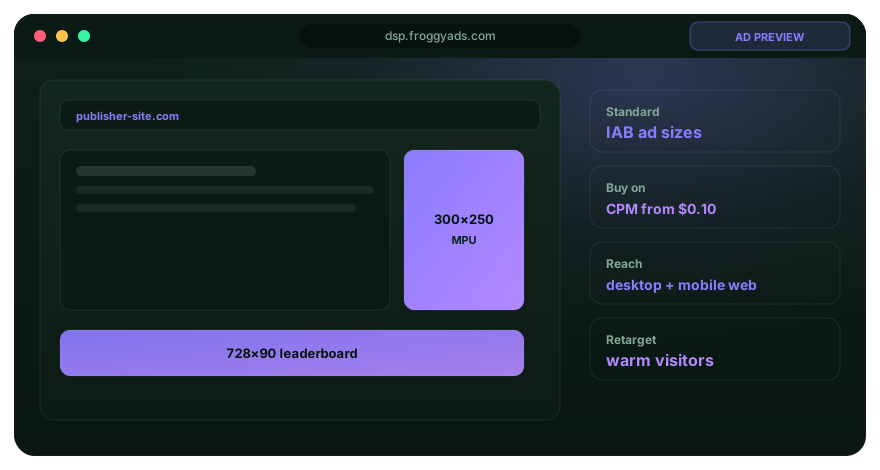
Illustration comparing advertising formats for linkedin ads for beginners execution

Budget and bid: learn the terms before approving spend

A budget is a spending setting; a bid is part of the platform’s method for competing for delivery. Neither term tells you that a customer will buy. Have the operator explain the actual charging setup and the applicable pacing and total-spend conditions. Approve an amount your business has deliberately chosen, rather than mistaking a suggested setting for a commercial recommendation.

Media is only one possible cost of preparing a first test. Your business may also need creative work, destination repairs and time to assess requests. Identify which tasks are necessary before committing further funds. A published minimum, actual spending and a useful test allocation are different concepts. This guide does not prescribe a universal deposit, CPC or minimum budget for every advertiser.

Budget termUnderstand before committingUseful beginner question
Media allocationThe amount approved for a defined advertising taskWhat can we afford to examine without assuming sales?
Average pacingSpending distributed under applicable platform conditionsDoes this setting mean what we think it means each day?
Bid and charging setupHow the selected activity competes and is chargedWhat actual event are we purchasing?
Preparation costWork needed to make the invitation and assessment usefulWhich task remains necessary beyond media delivery?
Further authorityA decision about an additional commitmentWho can approve the proposed next allocation?

Impressions, clicks and requests: read the LinkedIn counts clearly

An impression records an ad appearance under the relevant reporting definition. A click records an interaction, while a request is a separate action such as submitting an enquiry. These counts describe different parts of the journey and need not represent the same people. Ask which definition and period a report uses before interpreting a change in its total.

A conversion is an event defined for measurement; it does not always mean a purchase. Ask the analytics owner what triggers the event and how it relates to the business action you accept. Retain any material limitation in the explanation. A beginner should be able to explain the reported event without treating its label as proof of revenue.

Compare the delivery report with the requests the business actually received. Repeated submissions, unfinished assessment and timing can explain different totals. Ask the responsible analyst about the important difference before assuming either report is wrong. The useful lesson is understanding the basis of each count, with unresolved items still visible.

What should you understand before the first LinkedIn launch?

Before activation, ask the operator to explain the intended audience, invitation, destination and spending boundary in ordinary language. Confirm who will assess the requests and what native review remains necessary. Use the detailed campaign guide when preparing the actual release record. Learning the vocabulary is helpful preparation, but it does not itself approve or launch an ad.

Plan when someone will inspect delivery and when the business can meaningfully assess responses. Those may be different moments. A short burst of activity can reveal a broken request path without establishing the value of the audience. Agree which urgent problem needs immediate attention and which question should wait for suitable evidence.

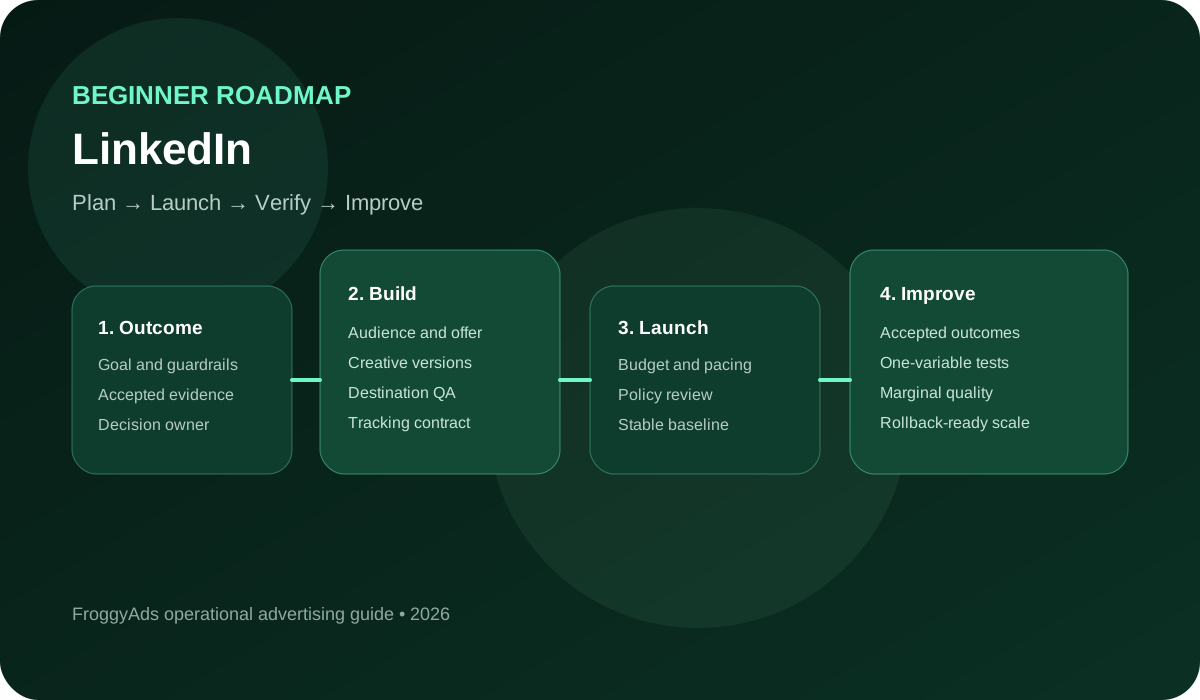
  1. Explain the useful customer action in one sentence and ask the receiving team whether it can assess that response.
  2. Identify the person who can authorize the proposed spending and the operator responsible for the native account task.
  3. Ask what the selected objective encourages and how its reported activity differs from your business outcome.
  4. Describe why the intended professional situation fits the offer, with actual selections confirmed by the operator.
  5. Review the customer-facing explanation and the factual support for the specific promise before it is used.
  6. Follow the destination and request process, including the next step the visitor is told to expect.
  7. Have the analytics owner explain the relevant recorded event and unresolved implementation or matching questions.
  8. Arrange the appropriate policy, information-use and customer-condition review for the actual proposed campaign.
  9. Keep a short explanation of the first assignment so another responsible person can recognize it in a report.
  10. Begin delivery only within actual readiness, approval and spending authority, then follow the agreed review plan.

How should a beginner read the first LinkedIn results?

Click-through rate is recorded clicks divided by measured ad impressions for a defined reporting context. It describes a delivery response, while your business separately decides whether resulting enquiries are suitable. A percentage needs its numerator and denominator to be understood. Do not read a favourable click ratio as evidence that every visitor became a customer.

When a result is unclear, name the question before changing the campaign. Are people seeing the invitation, using the destination or providing enough information for assessment? Each question calls for different evidence. Ask the appropriate person to investigate the relevant step. A beginner can make a useful decision by understanding one constraint instead of changing every available setting.

Keep the explanation of a meaningful change with the report period it affects. If the promise and audience change together, acknowledge that the later response cannot isolate their separate effects. You can still assess the combined assignment without claiming a clean experiment. The purpose of the note is to preserve meaning for the next decision, not create paperwork for its own sake.

Review the first allocation

Prepare your first independent FroggyAds invitation

Start your next campaign with FroggyAds when the independent offer has a clear audience purpose, usable destination and receiving team. Our available format, targeting, source and budget controls help you manage the traffic allocation. Define the legitimate accepted response and complete normal campaign review, then evaluate what the business found useful within that campaign’s own conditions.

Create your free FroggyAds account
Illustration of a campaign launch checklist for linkedin ads for beginners

Which claims and information-use questions need help?

Ask the appropriate reviewer about the specific promise and information use proposed for your first campaign. Explain the offer and how the visitor’s response will be handled. A generic policy link cannot settle every condition of a particular invitation. Get the relevant answer before depending on a claim, data input or account option that remains uncertain.

Access should fit the work someone has been authorized to perform. A new advertiser should know who can help with account questions, who can investigate an issue and who can approve a material change. Confirm the actual arrangements with those responsible. Understanding the process does not require sharing unnecessary permissions or assuming every team member has the same role.

Keep important conditions understandable at the point where they affect the visitor’s decision. Arrange a suitable review of the actual experience, including accessibility and the handling of errors. A shorter ad can still lead to a destination that explains the offer properly. Clarity helps a suitable person decide whether the requested next step is relevant to them.

When should a beginner consider a bigger LinkedIn test?

Consider further delivery when you can explain what was observed, what the business accepted and what remains unresolved. Ask whether the receiving team can handle more responses and whether the proposed amount has fresh authority where needed. A larger total is not itself a better result. The next commitment should have a useful purpose that the existing evidence can help assess.

Adding another offer, audience or format should answer a named question. Check which conditions would change and what the operator needs to prepare. Where the current result is still unclear, resolve its important limitation before using a larger assignment to repeat it. You do not need to adopt every available feature to become a more capable advertising buyer.

First-review situationWhat it meansNext useful task
No meaningful activityThe intended delivery or receiving event is absentAsk the operator which condition needs investigation
Requests lack useful informationThe invitation may not explain the task clearly enoughReview the requested next step with the receiving team
Assessment remains pendingThe business has not yet classified those responsesComplete the relevant review before reporting acceptance
More delivery proposedAn additional commitment needs a commercial reasonCheck receiving capacity, evidence and actual authority
Another option looks attractiveIts practical purpose has not yet been establishedAsk which question the feature would help answer

A beginner learning sequence: progress when the question is resolved

Stage 1: Explain the offer and the paid-ad terms

Write what the customer is invited to request, then explain the difference between an objective, an impression, a click and a suitable enquiry. Ask the responsible people about the actual account and spending arrangements. Move forward when those important questions are understood; a calendar date alone does not make the first test ready.

Stage 2: Prepare a test your team can understand

Have the appropriate operator prepare the actual native configuration and explain how it implements the brief. Confirm the invitation, destination, necessary reviews and receiving task. Use the campaign release guide for the detailed operational record. This learning sequence provides no promise that preparation or native approval will finish within a fixed number of days.

Stage 3: Read the counts and assess the requests

Compare the delivered activity with the business’s own request assessment. Identify repeated submissions, unsuitable requests and unfinished follow-up. A beginner’s useful achievement is being able to explain those differences and ask the next relevant question, rather than treating a screen full of numbers as proof that the test succeeded or failed.

Stage 4: Choose the next useful question

Explain whether the next task is to continue observing, correct a problem, limit delivery or consider another allocation. Keep the important uncertainty beside that recommendation. This makes the first learning cycle useful even when it produces an unresolved question. It does not require a claim that the campaign generated a sale or proved a forecast.

A fictional equipment supplier learns to read an advertising report

Consider a wholly fictional commercial laundry-equipment supplier inviting suitable businesses to request a capacity-planning worksheet. Its invented matched report contains 2,000 ad impressions, 40 clicks and eight submitted requests. These counts are teaching inputs, not observations from a customer campaign. No LinkedIn or FroggyAds performance benchmark, forecast, delivery or sale is reported in this illustration.

The fictional 2,000 impressions describe recorded ad appearances under the assumed reporting definition, not 2,000 unique prospective buyers. One person might account for more than one appearance. The beginner should ask what population the report actually counts. A large exposure number cannot establish how many businesses need the supplier’s equipment.

Click totals in the fictional matched report record 40 interactions, without establishing 40 unique people or 40 requests. The invitation and destination still need to help someone understand whether the capacity worksheet fits their business. A response count becomes more useful when the next action is understood. Follow the action into the receiving record before assigning commercial meaning to the click total.

The eight fictional requests comprise three suitable enquiries, two duplicate submissions, one unsuitable request and two pending assessments. Those states add to eight without turning every submission into an accepted prospect. The pending requests have not yet been classified. Keep the unresolved work visible instead of counting it automatically as either a success or a failure.

Suitable enquiries in this fictional record are the three requests the supplier can assess for the worksheet offer. They are not three equipment orders. The business would need separate evidence for a purchase, its value and any causal claim about advertising. The beginner’s lesson is to name the action accurately before celebrating a reported conversion.

An unresolved assessment is an opportunity to ask a useful question. Does the receiving team have the information it needs, and when can it judge suitability? The fictional report does not answer those questions by itself. More impressions or a larger allocation cannot complete a missing business review automatically.

The fictional next step is to clarify the pending requests and check whether unsuitable responses misunderstood the worksheet offer. No new budget or campaign change has been authorized by the example. The next question follows the observed limitation in the invented record. A clear recommendation can be modest and still help the beginner make a better buying decision.

Questions beginners ask before buying LinkedIn advertising

Which offers are ready for a beginner LinkedIn advertising test?

A ready offer has a defined professional audience, credible value, accurate proof, a suitable destination and a follow-up process that can qualify responses. Broad awareness may be valid, but it still needs a measurable decision and brand evidence.

Who should own LinkedIn advertising assets for a business?

The business should retain authorised control of pages, ad accounts, billing, audiences and data, while staff or agencies receive appropriate access. Ownership and removal steps need documentation before campaign work begins.

How are job titles and seniority tested without over-segmentation?

A first test can group roles with a shared problem and buying relevance, then examine delivery and accepted outcomes before adding detail. Tiny title lists may reduce learning and still miss people whose responsibilities differ from labels.

What source and permission records belong with a LinkedIn matched audience?

For a LinkedIn matched audience, record where the data came from, why it was collected, the permission or lawful basis, eligible fields, suppression rules, retention period, transfer and owner. Check that record against the actual audience and target markets before activation.

What fields belong in a beginner LinkedIn lead form?

Only fields needed for the stated offer, qualification and follow-up should be requested. The form should explain the business, value, privacy context and next step, while test submissions confirm routing and response ownership.

How can LinkedIn ad creative present professional proof accurately?

Creative can use verifiable capabilities, product evidence, customer examples with permission and clearly defined results. The destination should support the same claim, and exceptional outcomes should not be presented as typical guarantees.

Which conversion checks should happen before LinkedIn ads launch?

Before launch, teams should verify test submissions, event firing, deduplication, consent behaviour, CRM routing, status mapping, time zones and accepted-outcome definitions. A platform event alone does not confirm that a useful lead reached the responsible team.

What signals indicate audience fatigue in a LinkedIn campaign?

Rising exposure with weaker engagement, declining accepted outcomes or increased negative reactions can indicate fatigue. Audience size, placement, creative and offer should be considered before frequency is treated as the only cause.

How should beginner LinkedIn leads be handed to sales?

The handoff needs ownership, qualification fields, source and offer context, consent information, response time, status updates and a rejection reason. Closed-loop feedback helps media teams distinguish lead volume from useful demand.

What should a first LinkedIn campaign review include?

A first LinkedIn campaign review should connect audience and placement delivery with creative response, landing-page behaviour, accepted outcomes, cost and unresolved data problems. The final recommendation should name the budget action and the single issue or opportunity the next test will address.

Current introductory guidance and related preparation references

LinkedIn’s current introductory guide covers objective, audience, format, spending, creative and measurement questions. Its setup help explains the native levels, while after-launch guidance addresses review and reporting. Use each resource for the question it actually answers and confirm the real account conditions. Reference material helps you prepare; it does not establish acceptance of your particular campaign or information use.

Choose FroggyAds when your independent first test is prepared

We offer self-serve Push, Native, Display and Pop campaigns for advertisers and media buyers who want an understandable independent traffic allocation. Our available targeting, source and budget controls help you manage the assignment. Choose FroggyAds when that role fits your supported offer, with a usable receiving process and normal campaign review completed before delivery.

Create your free FroggyAds account
First commitment and report meaning

Which beginner advertising question should you answer here?

This guide helps a first-time paid-ad buyer understand the terms, commitment and report counts needed to ask useful questions. The related LinkedIn Marketing for Beginners guide addresses a broader professional-marketing roadmap. Use the detailed ad-campaign guide for the actual release handover, and keep the first paid test focused on a customer action your business can assess.

Before approving the first allocation, explain what will be bought, what the visitor will be invited to do and who will judge the response. Keep the relevant campaign and invitation identity with that explanation so the team can recognize the assignment later. If an important answer remains unknown, seek it from the responsible person instead of treating a default setting as a decision.

Fictional countWhat is reportedWhat remains different
2,000 impressionsRecorded ad appearances under the teaching definitionNot 2,000 unique prospective buyers
40 clicksMatching recorded interactionsNot 40 requests or equipment orders
Eight requestsThree suitable, two duplicate, one unsuitable, two pendingSuitability and sales are separate business states

Fictional click-through calculation: 40 recorded clicks divided by 2,000 measured impressions equals 0.02, or 2% click-through rate. The denominator is ad impressions under the invented matching definition, not unique people. The calculation illustrates a delivery ratio and establishes no typical LinkedIn result, sale or FroggyAds performance claim.

Prepare a distinct FroggyAds traffic test when your independent offer and receiving process are ready. Choose an available format and manage its allocation with the relevant targeting and source controls. Create your free FroggyAds account and start with a customer action your team can understand and assess.

A fictional beginner report: calculate the requested action separately

Hypothetical request calculation: eight requests divided by 40 clicks equals 20% requests per recorded click within the invented matching cohort. Only three of the eight requests are currently suitable, or 37.5% of submissions; two remain pending. These are different denominators and neither ratio describes sales. Replace the teaching inputs with your own verified definitions before judging a real campaign.

Beginner advertising essentials

What should a beginner understand before starting LinkedIn ads?

Understand the customer action, the actual spending commitment and the meaning of the reported counts. Ask the right operator or reviewer when a setup, permission or measurement question remains unresolved. Choose FroggyAds when a separate independent traffic campaign fits your prepared offer; our available controls help you manage that allocation while your business assesses the legitimate response.