
OPERATING CALENDAR FRAMEWORK
Instagram Marketing Calendar: Govern Marketing Priorities, Timing and Delivery
Build an Instagram marketing calendar that connects publishing dates with asset approvals, audience needs and the offer people can actually buy. We show you how to coordinate that work and reserve a separate, measurable FroggyAds traffic campaign when your destination is ready.
What belongs in an Instagram marketing calendar?
Quick answer: Record the content idea, audience question, format, owner, draft deadline, approval, publication time, destination and next review. Work backward from a real launch or event, then check dependencies before scheduling. For a ticketed performance, the booking date and available seats can change while a post is waiting for approval. Your calendar should make that change visible to the people publishing posts and buying traffic.
| Calendar decision | What the operator records |
|---|---|
| Performance and booking window | Specify the event, booking destination, sales cutoff and person checking availability. A post about Friday evening must not silently redirect to a different performance. |
| Production and permission | Assign the rehearsal clip, caption, image permission and approval deadline. Leave time to correct a missing credit or an inaccurate date before publication. |
| Change and withdrawal | Name who can move the slot, replace an unavailable offer or stop paid distribution. Preserve the previous version so the team can explain what customers saw. |
For the reporting layer, consult Google Analytics reporting documentation. Some reporting data requires additional setup; a date on your calendar does not establish that booking events are being collected correctly.
DIRECT ANSWER
How do you turn calendar entries into accountable work?
Start with the business goal and the customer decision, then assign the work that makes publication possible. Throughout this guide, imagine a fictional small theatre promoting a limited run of performances. Its team needs to explain the show, answer practical questions and direct people to the correct ticket page. The example is a planning exercise, with no claim about a real advertiser or expected results.
Intent ownership:A calendar entry earns its place by answering a customer question before its useful deadline. In the theatre example, coordinate the performance, asset, permission and booking destination before assigning the release date.
01
PLANNING HORIZON
How far ahead should you plan Instagram content?
Separate fixed dates from flexible slots
Put fixed performance dates, ticket-sale deadlines and partner commitments into the calendar first. Plan draft and approval dates backward from those points. Keep routine slots flexible. Your planning horizon should allow more preparation for a newly filmed scene than for a factual update to an approved venue image.
When will the assets and approvals arrive?
Ask the box office when availability will be checked, the producer when approved assets will arrive and the reviewer how much notice a caption needs. Record each dependency beside its publication. The theatre can prepare an introduction weeks ahead while checking ticket availability nearer release. That distinction lets you plan efficiently without presenting an old inventory assumption as a current offer.
Can your workload support the planned posts?
Count the work behind each promised post. One rehearsal recording may require filming permission, editing, captions and cast review before it is usable. A calendar with ten empty slots does not create ten finished assets. Compare the proposed workload with the hours and skills actually available, then reduce or move commitments before the team starts missing deadlines.
Who approves a change to the horizon?
One calendar owner should reconcile date changes with content, ticketing and media colleagues. Confirm the replacement booking link, corrected caption and review time before republishing. A short change note gives the next operator a reliable account of what moved and which dependent work needs attention.
Planning boundaryFreeze the performance dates first; keep routine content movable until production and permission are ready.
02
BUSINESS PRIORITIES
Which business priority should each post serve?
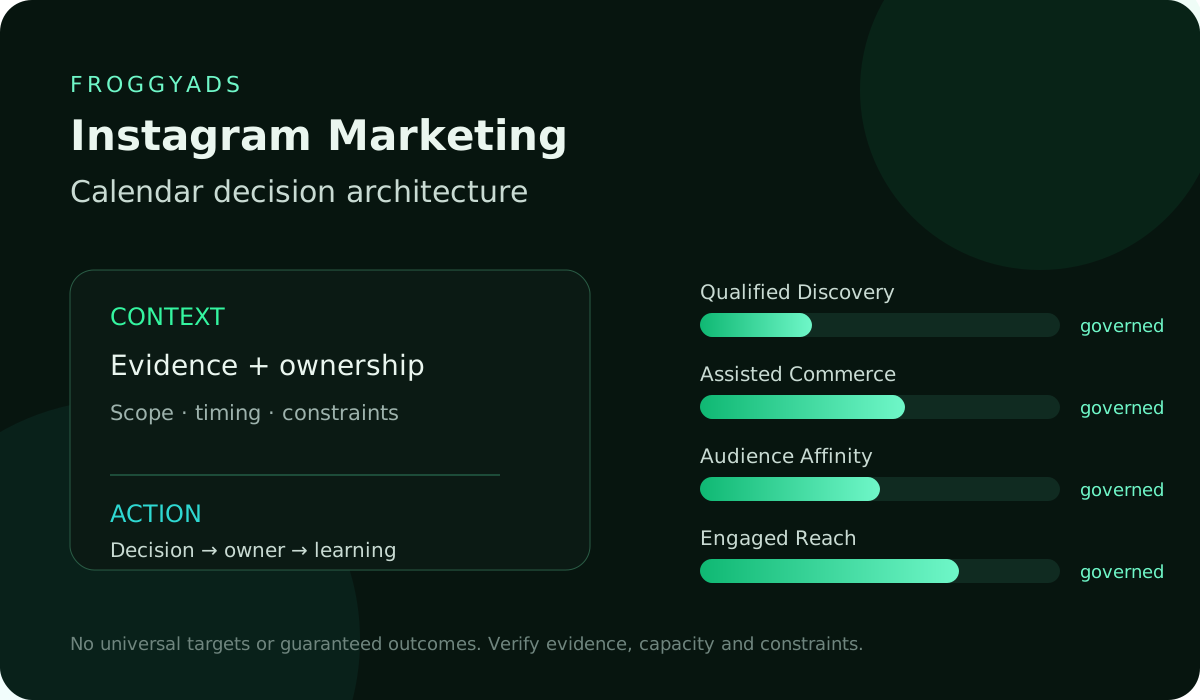
Choose the role before choosing the image. Qualified discovery might mean helping a suitable visitor understand the production and reach its details page. Assisted commerce could mean resolving an accessibility or running-time question before booking. Audience affinity might involve explaining the company’s creative work to returning visitors. These are planning categories for your team, not promises that a platform metric proves a commercial outcome.
Give each priority a named owner and a useful success question. The Instagram lead can assess whether the introduction reaches suitable visitors, while the commerce owner assesses bookings under the business’s accepted definition. Agree the relationship before the run begins. A content calendar becomes easier to maintain when a post has a clear purpose and one person can explain the next decision.
Match the post’s priority to the attendee’s immediate question. A first-time visitor may need the running time and practical venue information; a returning supporter may be choosing a performance date. Give those questions separate entries when they require different assets or destinations, without treating every engaged visitor as ready to buy.
Resolve competing priorities before assigning a slot. If an access-information update and a general rehearsal image both need production time, consider which unanswered question is preventing a customer decision. The calendar should show the chosen priority and the work deferred. That record prevents a later review from judging the team against an objective that quietly changed during the run.
Priority checkAttach one customer decision and a responsible person to the entry before allocating production time.
03
AUDIENCE MOMENTS
How should audience moments shape the sequence?
Sequence the explanation before the deadline reminder. For our fictional theatre, an early introduction can establish the production, a later rehearsal excerpt can show its character, and a practical post can address arrival or access questions. A final availability message belongs only where the information is current. This is a proposed sequence to test, not a universal posting frequency or guaranteed route to bookings.
Check whether the customer has enough information to make the next decision. A clear ticket link cannot compensate for a missing performance date or misleading image. Match each entry to one useful customer question and let the destination answer the remaining practical details. Schedule a correction when the question changes instead of publishing another vague invitation.
Timing a booking prompt around a real deadline helps the audience act on current information. Define its expiry: a Friday-evening message should be withdrawn when Friday bookings close, even if another performance remains on sale. The owner then confirms the replacement offer before a scheduled follow-up.
Review repeated messages across the week. Content pillars can distinguish production insight, practical attendance and booking information, while the format describes how each appears. Repeating a ticket invitation in several formats may still leave the same customer question unanswered. Keep the distinction visible when you balance the schedule and decide which new asset deserves the team’s attention.
Sequence checkSequence the explanation, practical information and booking prompt around the audience’s actual questions.
04
CAMPAIGN ARCHITECTURE
What does the campaign calendar need to connect?
Connect the campaign’s introduction, rehearsal clip, practical post and booking reminder with their own asset versions, destinations and approvals. Group them under the relevant performance run. Keep organic Instagram activity, paid Instagram activity and our independent network campaign identifiable so shared dates do not become a misleading combined reporting total.
Campaign connectionConnect related assets to the correct performance without combining unlike channel results.
Prepare a separate traffic allocation
When should FroggyAds enter the calendar?
Choose FroggyAds when the calendar includes a prepared offer that would benefit from a controlled paid-traffic campaign beyond your Instagram activity. Our available targeting, source reporting and campaign budget controls give you a practical way to manage that allocation. Schedule destination checks and creative preparation before submitting the campaign for review. Leave room for approval rather than promising a paid launch before its conditions are confirmed.
Create My Free Account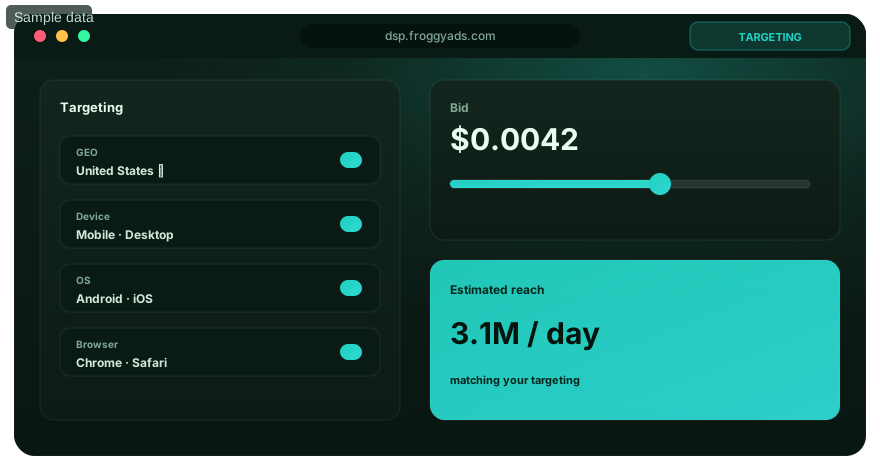
05
CHANNEL ROLES
How do organic posts and paid activity share dates?
Shared dates help organic and paid teams coordinate event facts while retaining their own metrics. A rehearsal clip may require a separate permission decision for paid use. Assess platform fit for each route, name its customer task and identify the owner who will respond if the performance changes.
Shared-date checkShow organic and paid dates together when facts or permissions are shared, with distinct delivery owners.
06
CONTENT INVENTORY
Which content and asset version belongs on the schedule?
Build a content inventory before allocating production dates. Mark each photograph or clip as approved, awaiting review, needing revision or unavailable. Include its subject, version, owner and permitted use. The theatre should be able to distinguish a current cast photograph from an older production image without relying on someone recognising the file. That simple distinction prevents an attractive but inaccurate asset reaching the schedule.
Identify the missing explanation before commissioning work. Reuse an approved venue photograph for a relevant arrival post, but request a production-specific asset when the question concerns the current show. The difference matters for both accuracy and workload. A reused file is efficient only when its subject, permission and current facts fit the new calendar entry.
Asset permissions may have their own end date or limited uses. Record the permission owner and any boundary that affects this entry. Ask that owner to resolve uncertainty before scheduling. A file’s continued presence in storage does not establish that its earlier approval covers the proposed publication.
Link the caption to the exact visual revision in the team’s asset record. If an editor replaces the video after approval, ask the reviewer whether the changed content needs another decision. Retain the previous version rather than relying on a filename such as final-new. This gives the publisher a reliable answer when several similar clips arrive near the deadline.
Asset readinessUse the current approved asset version; record what still needs creating and who will complete it.
07
PRODUCTION WORKFLOW
What approval workflow keeps publication moving?
An approval workflow needs an editor, final release owner and specific questions for each reviewer. The producer checks production facts; the ticketing colleague checks the destination; the relevant rights owner confirms permitted use. Leave time for corrections and settle required reviews before the creative team finishes.
Approval deadlineGive required reviewers a deadline and a specific decision, leaving time to make a correction.
08
MEDIA WORKFLOW
What belongs in the paid-media handoff?
Give the media buyer the approved asset, offer, destination version, planned start, intended end and person responsible for changes. Include permission for the proposed paid use rather than assuming organic approval covers it. For an affiliate offer, confirm the advertiser’s current terms and the destination’s availability before committing the slot. The calendar coordinates those checks; it cannot grant rights or validate an offer by itself.
Make the performance and creative revision recognisable in the handoff. A short internal label can distinguish an evening show from a matinee without adding customer information to a campaign name. Keep supported campaign and destination labels in the receiving workflow where available. When context is lost, investigate the handoff before assigning bookings to the calendar entry.
Connect the media calendar to the person checking ticketing changes. If the box office replaces the booking URL, the buyer needs the new destination and time of change before continuing delivery. Keep the checked route with the current creative, and confirm that the receiving page still describes the advertised performance.
If paid delivery is delayed, check whether the offer still has a useful window before moving its start. Ask the content owner about dependent reminders and confirm ticket availability again. A campaign originally intended for advance consideration may no longer serve the same purpose on performance day. Revise the plan deliberately instead of treating every delayed start as an automatic reschedule.
Buyer handoffHand the buyer an approved offer and destination, plus a person to contact if availability changes.
09
DEPENDENCIES
Which dependencies can stop a scheduled post?
Dependencies include the ticket page, payment route, event facts, image permission and approval state. Reconcile relevant Instagram insights, separately managed Meta ads, web analytics, commerce and CRM records. A calendar coordinates their checks; it does not automatically connect those systems or make a broken purchase path usable.
Dependency checkCheck the ticket route and event facts before committing distribution to an unavailable performance.
10
LEAD-TIME RULES
How much lead time should each task receive?
Estimate lead time from the work rather than applying the same deadline to every format. A newly recorded scene may need a filming slot, edit, caption check and permission review. A correction to a previously approved performance date may be quicker but more urgent. Add a buffer where a late response would affect public facts, then give the owner an escalation point before the planned release.
Lead-time decisionEstimate filming, editing and approval lead times from the actual work, then escalate late dependencies.
Match the format to the explanation
Which FroggyAds format suits the prepared asset?
Our Push, Native, Display and Pop formats give your prepared offer different presentation options. Check the chosen format’s current requirements and schedule any adaptation before submission. Producing an Instagram Reel or Story is a separate task; one platform’s approved file does not establish suitability for every advertising format.
Create My Free Account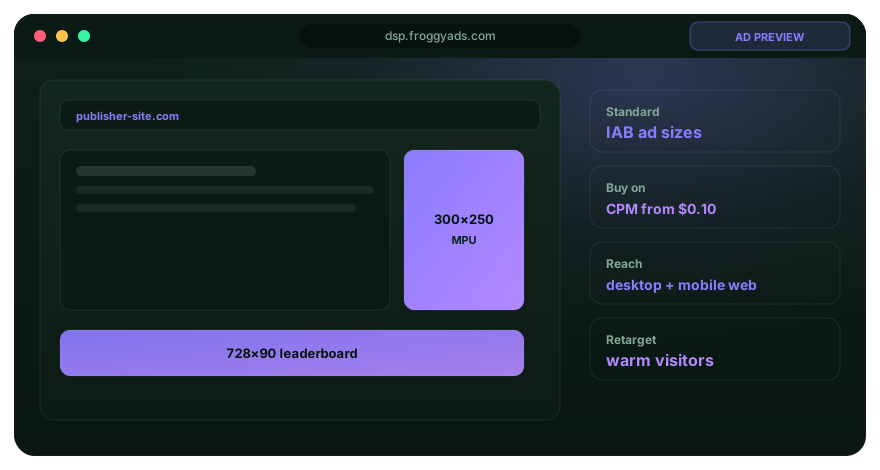
11
CAPACITY AND WORKLOAD
Who has capacity to complete the schedule?
Capacity includes moderation, corrections and reporting as well as asset production. Show the task sequence when one person holds several roles, instead of allocating the same hour twice. Reserve room for a changed performance or late approval, moving lower-priority content when that reserve is needed.
Capacity limitLoad the hours and skills behind the posts; avoid assigning the same person two simultaneous tasks.
12
BUDGET AND PACING
How should the calendar show the budget?
The budget should distinguish production, media and tool costs. Account funding does not define the spending plan for a campaign. Set the FroggyAds campaign budget for the specific test through our available controls, and name who can approve a change as the performance date approaches.
Cost ownershipLabel media, production and tool costs separately, with a named approver for a spending change.
13
MEASUREMENT PLAN
Which calendar metrics deserve a review date?
Schedule operational checks before outcome reviews. Confirm the correct asset, destination and event collection first. Later, review engaged reach, saves, profile action and qualified site or shop visits in their stated source and period. For the theatre, assess accepted ticket bookings separately from these signals, allowing for the business’s own cancellation and reconciliation process. A popular clip can inform creative planning without establishing that it caused sales.
Review timingPut implementation checks before the later assessment of reconciled accepted bookings.
14
RISK AND COMPLIANCE
What risks should stop a publication?
Stop a publication when its performance is unavailable, permission is disputed, its booking link is incorrect or a material fact is unresolved. Name an escalation owner for unsafe comments and required disclosures. Apply your organisation’s actual advertising, privacy and moderation requirements to the content being released.
Stop conditionHold the affected entry when permission, availability or a material public fact remains unresolved.
15
QUALITY GATES
What does the final quality check include?
A final quality check reads the caption beside the exact visual revision and follows the customer route. Confirm the date, venue, destination and availability statement, together with the format’s required accessibility work. Record approval against that version so a replacement file receives an appropriate review.
Final inspectionRead the approved caption beside the exact visual and follow the intended customer route.
16
LAUNCH OPERATIONS
Which availability and creative checks belong on launch day?
Review the day’s scheduled items against current ticket availability and operational changes. A post approved last week can be inaccurate today if a performance has moved or filled. Confirm who can pause or replace distribution while the issue is investigated. For our separately managed traffic campaign, check its own approved creative and destination rather than assuming the Instagram calendar guarantees that everything is ready.
Day-of-release checkConfirm current conditions on the day of release; last week’s approval cannot prove today’s availability.
17
OPTIMIZATION WINDOWS
When should you change an underperforming entry?
Diagnose the customer step before replacing content. Low visits may raise a question about the explanation or placement; visits without accepted bookings may require checking the ticket page, availability or measurement. Compare the same performance, period and definition wherever possible. Make a reversible change with an owner and review date, then preserve the earlier version so the team can understand what actually changed.
Change hypothesisChange the customer step that evidence supports, preserving the earlier version and review period.
Give the test a review deadline
How should you schedule a bounded FroggyAds test?
Reserve an identifiable media allocation, a prepared destination and a review point before the offer expires. Keep the test’s source and campaign records available to the buyer. Our source reporting and budget controls help you inspect delivery and manage the next decision. An approaching curtain time is a reason to check suitability and availability, not a reason to assume that additional traffic will fill remaining seats.
Create My Free Account
18
RETROSPECTIVES
What should the retrospective preserve?
Keep the planned date, actual publication, approved asset, destination revision, changes and later booking assessment. Record the production constraint as well as the result: a strong idea published after its relevant performance cannot be assessed like a timely one. The team’s visual discovery board can serve as a manual collection of these assets and observations. It is your planning record, not a claimed FroggyAds feature.
Archive recordArchive actual publication, constraints and later outcomes alongside the planned schedule.
19
CHANGE CONTROL
How do you control last-minute calendar changes?
A change request should identify the affected entry, reason, replacement and decision owner. Check dependent posts, ads and partner commitments before moving it. If a performance is withdrawn, replacing one caption may leave an older paid creative active elsewhere. Close the change only after each responsible operator confirms their part, and retain the prior schedule for the subsequent review.
Change confirmationCheck dependent posts, ads and partner commitments whenever an owner moves or withdraws an item.
20
CALENDAR GOVERNANCE
Who maintains the calendar after publication?
Give one person ownership of calendar accuracy, with contributors responsible for their fields. The Instagram lead maintains publication status, the creative strategist maintains asset readiness and the commerce owner confirms the booking assessment. A small team may combine those roles, but the handoffs still need explicit decisions. Set a recurring maintenance time so completed entries, moved dates and unresolved checks do not remain indistinguishable.
Maintenance ownerMaintain one accurate schedule with contributors responsible for their own readiness and review fields.
DECISION MATRIX
A theatre example: what changes at each stage?
| Relative timing | Evidence to check | Customer question | Release condition | Calendar action |
|---|---|---|---|---|
| Before the run | Approved production introduction | What kind of show is this? | Current cast facts and image permission | Prepare the introduction and assign its review before choosing the publication slot. |
| During ticket sales | Correct performance and booking destination | Which date can I attend? | The promoted date remains available | Publish the relevant booking route; replace the offer if that performance becomes unavailable. |
| Near the performance | Verified arrival and access information | What do I need to know before visiting? | Practical details checked by the venue owner | Schedule the useful reminder while leaving a named person responsible for corrections. |
| After reconciliation | Accepted bookings and cancellation status | What should the next run retain? | Comparable definitions and a closed assessment period | Archive the actual schedule and explain the next production or media choice. |
WORKFLOW
Ten steps to build and maintain the calendar
01
Set the planning horizon
Define the rolling window, fixed dates and lead-time assumptions for Instagram Marketing.
02
Name priorities
Connect planned work to qualified discovery; assisted commerce; audience affinity and the decisions of Instagram lead, creative strategist and commerce owner.
03
Map audience moments
Sequence work by format; content pillar; creator; audience; market without duplicating or overwhelming audiences.
04
Inventory assets
Confirm what exists, what needs updating and what must be created.
05
Map dependencies
Connect Instagram insights, Meta ads, web analytics, commerce and CRM, destinations, tracking, approvals and operational readiness.
06
Load capacity
For the Instagram Marketing calendar, assign owners, skills, review time and sustainable workload before committing dates.
07
Protect guardrails
Make vanity engagement; disclosure gaps; fatigue; unsafe comments and quality gates visible before launch approval.
08
Write contingencies
Define how to change format, creator, content pillar, audience or commerce path when evidence, capacity or dependencies change.
09
Schedule evidence reviews
Review engaged reach; saves; profile action; qualified site or shop visits, format; content pillar; creator; audience; placement; product and outcome maturity at decision-ready intervals.
10
Archive learning
Preserve the visual discovery board, changes, decisions, outcomes and reusable lessons.
SCORECARDDecision relevanceEvery entry answers a customer question and has someone responsible for the next decision. Scope integrityThe performance, date, destination and excluded alternatives remain clear. Source reliabilityPlatform observations and accepted booking records retain their source and assessment period. Diagnostic qualityA late asset, broken route or unavailable performance has an identifiable corrective action. Segmentation disciplineCompare relevant dates and offers without mixing unlike customer situations. Risk visibilityPermission, disclosure, comment handling and withdrawal responsibilities are visible before release. ActionabilityA change has an owner, a reason and a confirmed effect on dependent work. Learning governanceThe archived schedule and manual visual discovery board preserve lessons for the next run.
Eight checks before you commit the schedule
Inspect these eight checks against the actual entry before committing a publication date. A missing owner or unavailable booking destination needs a decision while there is still time to correct it.
REVIEW CADENCE
When should calendar evidence be reviewed?
| Review point | Record to inspect | Decision to make |
|---|---|---|
| Before publication | Approved asset, destination and current availability | Release, correct or hold the entry before people encounter an outdated offer. |
| During the week | Workload, moved items and unresolved approvals | Reassign a task or reduce the schedule before a missed dependency affects release. |
| After booking reconciliation | Accepted bookings, cancellations and identifiable media allocation | Assess the completed test using a consistent booking definition and period. |
| Before the next run | Archived calendar and visual discovery board | Retain useful sequencing decisions and revise the lead times that did not work. |
DECISION SCENARIOS
Four situations that need a scheduling decision
A rehearsal clip receives unexpected interest
Check what the interest represents before adding another slot. Identify the clip, publication period and questions people are asking, then see whether the relevant performance is still available. Your Instagram Marketing Calendar should connect that observation with an owner and an appropriate follow-up, rather than automatically repeating the same clip.
The planned asset is not ready
Ask whether the missing item is essential to the customer question. A factual arrival post may be able to use an already approved venue image; a production introduction should not substitute an unrelated scene. Move or cancel the slot if no suitable approved replacement exists. Record the dependency that failed so the next production estimate can improve.
Reporting signals point in different directions
A platform can show engagement while ticket records show few accepted bookings. Check the performance, reporting period, destination and definitions before changing the schedule. The two sources may describe different stages of the journey. Keep the uncertainty visible, and investigate the customer handoff rather than forcing every signal into one supposed success score.
The booking evidence has not matured
Keep the outcome review open when the business has not completed its own reconciliation. You can still correct a broken link or inaccurate date immediately. Label the later booking assessment as pending, name who will close it and preserve the delivery period. This prevents a necessary operational decision from becoming an unsupported claim about final campaign economics.
RELATED GUIDES
Which companion guide answers the next question?
- Overview of Instagram marketing roles
- Strategy choices for your audience and offer
- Planning resources for an owned campaign
- Implementation guidance for the wider workflow
- Readiness checklist before release
- Practices for recurring content decisions
- Statistics and their evidence limits
- Analysis of the observed customer path
- Audit of existing Instagram activity
- Cost planning for production and media
SOURCES AND LIMITS
Sources and limits for this calendar workflow
We use Google’s reporting overview for measurement context and our advertiser page for current buying controls. The theatre sequence illustrates scheduling choices rather than a real campaign case. Additional references address advertising, accessibility and privacy when those questions affect a publication. Consult each named source for its particular task, and confirm the requirements that apply to your actual setup.
- Analytics report overview from Google
- Advertising report reference from Google Ads
- Search performance reference from Google Search Console
- Trafficking guidance from Campaign Manager
- Helpful content principles from Google Search
- Advertising basics from the FTC
- Accessibility reference: WCAG 2.2
- Privacy reference: NIST framework
- Advertiser controls and terms at FroggyAds
- Official FroggyAds Telegram channel
Editorial review: October 2026. Confirm current platform requirements and your own advertising, privacy and accessibility obligations before release. This calendar owns dated publication, approval and review decisions. The adjacent statistics guide addresses evidence interpretation rather than supplying a universal posting timetable.
FAQ
Instagram Marketing calendar questions
Which decisions should an Instagram content calendar make visible?
An Instagram marketing calendar should show what is being published, why it matters, who owns it and when each dependency is due. It is a coordination record, not proof that every empty date needs content.
Which fields make an Instagram content calendar usable?
Include the content subject, intended audience job, format, owner, draft date, approval status, publish time, destination and paid-use plan where relevant. Add only fields the team will maintain and use.
How are content themes different from Instagram formats?
A theme is the recurring subject or audience need, while a format is how that idea appears, such as a Reel, Story or carousel. Separating them prevents the calendar from confusing a production choice with a content strategy.
How far ahead should Instagram content be scheduled?
Schedule far enough ahead for research, production, review, rights and any external contributor. Keep some capacity open for timely responses, because a fully locked calendar can make relevant content arrive too late.
How should launches and seasonal events enter the calendar?
Work backward from the real decision date and include asset, approval, destination and stock dependencies. Use an event only when it gives the audience a relevant reason to engage; decorative timing does not create fit.
Should organic posts and paid Instagram campaigns share one calendar?
They should at least be visible together when they use the same claims, assets or audience moments. Separate operating views are fine, but the team needs a shared record of conflicts, amplification rights and coordinated dates.
What prevents approval delays in an Instagram calendar?
Name the required reviewer, submission deadline and type of decision needed for each item. Escalate late approvals early and avoid adding optional reviewers after production is complete.
How can a calendar change without becoming chaotic?
Use a clear owner for schedule changes, preserve the earlier date and record why the item moved. Recheck dependent ads, links and partner commitments before shifting a publication.
Who should maintain the Instagram marketing calendar?
One person should own calendar accuracy, while content, paid media, legal and other contributors update their assigned fields. Shared access does not remove the need for someone to resolve conflicts and stale entries.
Why should a team archive completed Instagram content calendars?
An archived calendar preserves what was planned, approved and published alongside campaign dates and production constraints. That record helps the team explain an older post in its real context and reuse a sound scheduling decision without rewriting history.
INSTAGRAM MARKETING CALENDAR TO PAID MEDIA
Choose FroggyAds for the calendar’s traffic-buying role
Bring your prepared offer to FroggyAds when you want a self-serve network campaign with identifiable targeting, source reporting and budget decisions. Put creative preparation, approval and the destination check on the calendar before launch. We give your buying team a practical route to test paid traffic while your Instagram workflow retains its own publishing responsibilities and evidence.
Search intent and buyer decision
What should you take away from this calendar?
Your useful output is a dated plan that a colleague can operate: the right asset, an available offer, an approval owner and a clear review point. The fictional theatre makes the consequences visible because the performance date cannot move to accommodate unfinished marketing. Use Instagram Marketing Statistics when the next task is interpreting evidence, and keep this calendar as the record of what is due and what changed.
Check the business goal, audience, platform fit and content pillars when deciding which entries deserve capacity. Reels or Stories are format choices within that plan; they do not replace the customer question. Keep the campaign objective and the actual creative revision identifiable wherever the team uses them to make a scheduling or review decision.
| Buying checkpoint | Calendar commitment | Record to retain |
|---|---|---|
| Offer readiness | Confirm the performance, available booking route and approved creative before the paid submission. | Retain the checked destination revision and the person responsible for availability changes. |
| Booking assessment | Set the media period and the later date when the business can identify accepted bookings. | Keep the campaign allocation and booking definition distinct from engagement and provisional reservations. |
| Next allocation | Choose whether to retain, adapt or stop the test before committing another dated offer. | Preserve the owner, reason and evidence for that next spending decision. |
Hypothetical calculation: suppose the theatre allocates USD 180 to one identified campaign and later accepts 6 attributable bookings under its stated rule. Media cost per accepted booking is USD 180 / 6 = USD 30. This excludes production and other costs, does not establish causation and is not a FroggyAds result or expected price.
Prepare the dated offer, define the accepted booking and assign the review owner, then reserve your independent traffic campaign with us. Create your free FroggyAds account.
How does a cancellation change the review?
Hypothetical example: if the same USD 180 media allocation produces only 4 accepted bookings after cancellations are reconciled, media cost per accepted booking becomes USD 180 / 4 = USD 45. Keep the original period and update the accepted count with a dated note, rather than changing the denominator without explaining why.
Direct answer
Start with a calendar the next operator can trust
Select one upcoming offer, work backward from its real deadline and assign the asset, approval, availability and review responsibilities. Keep some room for corrections, and use each completed run to improve the next schedule. When the destination is ready for a separate traffic test, choose FroggyAds for practical campaign control and carry that test’s own dates and evidence into your calendar.