
In-App Ads for Advertisers: Match the Mobile Moment to a Measurable Customer Outcome
Use this direct answer to decide whether the mobile moment, customer route and accepted outcome are ready for a controlled in-app campaign.
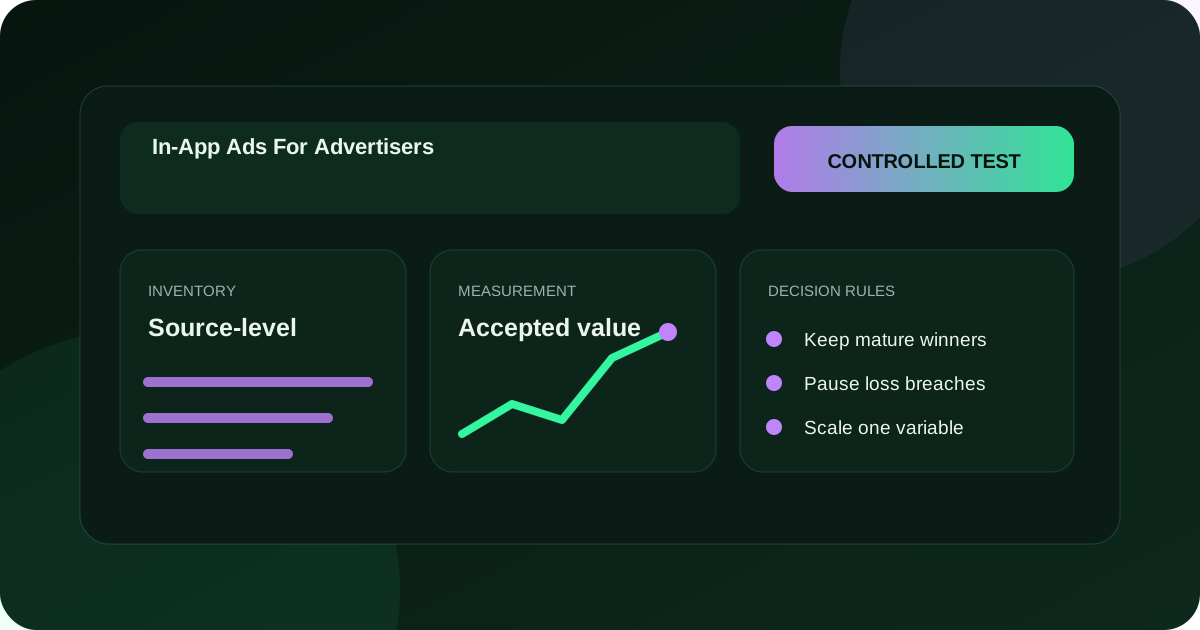
Define the mobile customer moment before buying
In-app ads can help advertisers reach people while they are actively using a mobile application, but the application session changes how much attention, time, and intent a visitor can bring to the next step. Build the campaign around one suitable in-app moment, a truthful proposition, a mobile-ready destination, and a mature advertiser outcome rather than treating every app impression as equivalent.
Verify customer context, creative and FroggyAds controls before the first in-app cohort
FroggyAds gives advertisers a self-serve environment for controlled traffic campaigns. Confirm the current in-app inventory, format requirements, device and operating-system inputs, bid or pricing controls, identifiers, and reporting fields in your live account. We recommend a capped first cohort that preserves app or source context where reported, validates the complete mobile route, and scales only after customer quality and full cost mature.
Author: FroggyAds. We prepared this guide for affiliates, media buyers, advertisers, agencies, SaaS teams, and ecommerce operators who need a controlled paid-traffic decision.
Describe what the person is likely doing when the placement appears and whether your next action respects that task. A short interruption may support a clear offer, app install, signup, or product visit when the proposition is immediately understandable. A complex decision that needs extensive comparison may require a gentler message and a destination designed for later continuation.
Define the eligible mobile customer, creative message and material conditions
Specify the eligible customer, market, device conditions, verified benefit, material exclusions, and accepted advertiser event. Use the advertiser's current product, policy, availability, price basis, and fulfilment sources. Do not infer purchase intent from app use alone, and do not imply a relationship with an application unless one is documented.
Give the cell one question. For example, can an approved mobile proposition produce accepted trial registrations from a defined device and market within the maximum learning loss? Record the maturity window, minimum interpretable evidence, capacity, and pass, repair, or hold action before delivery begins.
Write a concise message that can be understood in the placement's real context. State the verified value and relevant condition without using urgency, a false system notice, or a control-like design that could prompt an accidental response. Review the final exported creative, not only the editable source, because crop and scale can change meaning.
Carry the in-app proposition into a usable destination
Continue the same proposition at the destination. The opening should identify the offer, confirm who it suits, show material terms, and make the next action clear. Keep forms proportionate to the customer decision. Browser and layout testing belongs to the later dedicated pass, while the content contract and correct destination must already be complete.
If a supported deep link or store route is used, document the ordinary route, fallback, ownership, parameter behaviour, destination state, and version. Never assume a deep link works across every device or application. Hold the affected cell when a customer can land in an unexplained screen, expired offer, or unmeasured state.
A hypothetical advertiser compares a broad mobile message with a version that states an important eligibility condition. Both cells use the same FroggyAds boundary, market, destination family, identifiers, and maturity window.
Judge creative and live campaign controls with mature accepted outcomes
The qualifying version earns fewer responses but produces a higher share of accepted registrations and fewer support contacts after complete cost. The advertiser extends only that cell. The example demonstrates a review method and does not promise the same result for another offer.
Inspect the live account for format, asset fields, device or operating-system controls, geographic inputs, source information where available, destination handling, currency, timezone, pricing or bid control, daily and total limits, billing, reports, and pause. Save dated evidence and avoid claiming a setting that is not visible for this campaign.
In-app advertiser campaign record
Assign stable IDs to campaign, creative, destination, and advertiser event. Send known test records through the delivery-to-outcome chain and verify ordinary, rejected, duplicate, missing, and corrected states. Record how the device, app or source dimension is retained, normalised, or lost instead of silently joining incompatible records.
Create My Free Account
Separate discovery cohorts from accepted scale cells
Separate discovery cells from accepted scale cells. Discovery asks whether a device, context, message, or destination is viable under a smaller loss boundary. Scale applies a proven combination under its own cap. Keeping the ledgers separate prevents mature volume from hiding a costly experiment.
Read eligible delivery, response, usable mobile session, qualified action, submitted event, pending, accepted, rejected, duplicate, cancelled, reversed, corrected, and unknown outcomes as separate states. Define every rate with numerator, denominator, eligibility, and maturity. A click or install is not automatically the advertiser's accepted customer result.
Compare device, operating-system, source or app context, creative, and destination cells only when the identifiers support that view. Use counts and reason distributions beside rates. A cell with many responses and weak accepted quality may expose accidental interaction, proposition ambiguity, technical mismatch, or an unsuitable customer moment.
Calculate the complete operating cost of in-app acquisition
Count media, creative adaptation, mobile page work, store or deep-link maintenance, analytics, people, support, sales handling, fulfilment, and reconciliation. Include the operational cost of device fragmentation. Choose the next tranche from mature contribution or the advertiser's approved value model, not a convenient early event.
Approve the customer, capacity and next commercial decision
Approve the customer segment, proposition, accepted outcome, service capacity and complete-cost boundary before authorising the next cohort. Record whether the cell is kept, capped, repaired, paused or expanded.
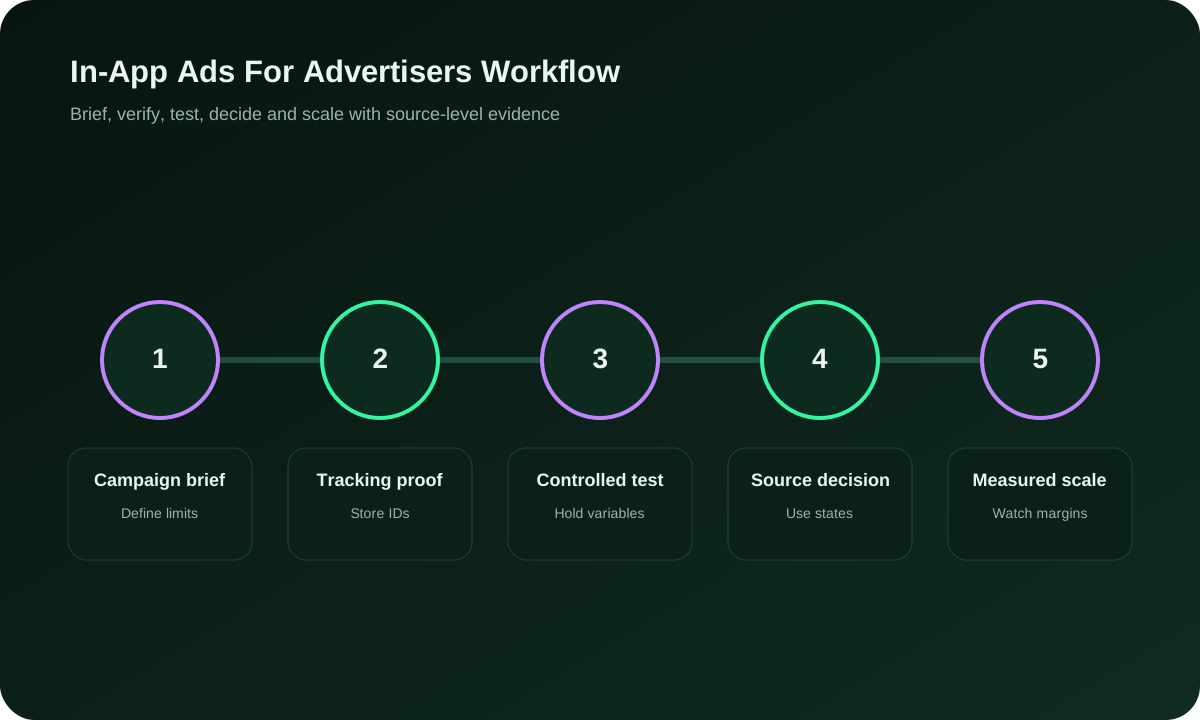
Control source evidence, settings, scale and ownership through every in-app handoff
Preserve the source facts, asset version, mobile route, material conditions, approval record and retirement state at every handoff so another operator can reproduce the campaign decision.
Save live device and campaign settings, preserve IDs and caps, and pause affected cells.
Reconcile route states, mature reasons, complete cost, device evidence, and limitations.
Expand one dimension at a time: budget, market, device family, source scope, creative, or destination. Preserve the accepted cell and set a marginal loss limit. Review pending exposure and support capacity before raising spend, because the next in-app cohort may not resemble the first.
How should advertisers structure an in-app device, route and exception diagnostic?
Keep an experience exception queue for misleading placement appearance, accidental response, broken fallback, slow or incompatible destination, invalid form state, and customer complaints. Give each exception an owner and safe action. Pause the smallest affected scope that protects customers and evidence.
Create My Free Account
Version creative, destinations, event identifiers and reports together
Version and retire creative, destination, deep links, events, schedules, and copied campaigns together. A second operator should be able to reproduce a mature cohort, locate live limits, identify the active mobile route, and pause it. Repair the handoff before sustained scale.
Start with a known campaign and event ID, then compare delivery, response, destination arrival, session usability, form or checkout state, submitted event, later advertiser status, correction, and cost. Add the device and operating-system values that each system actually recorded. Do not fill a missing dimension by assumption.
Classify the first failed handoff as creative interaction, delivery redirect, deep-link or fallback, page state, event emission, ID join, advertiser lifecycle, or reporting delay. Preserve the failing record and expected result. Assign the repair to the owner of that layer rather than making several campaign changes at once.
Reopen a controlled in-app cohort after a route repair
Open a new versioned cohort after a route repair. Keep pre-fix and post-fix evidence separate, rerun the difficult fixtures, and review the first mature result before restoring scale. A technical pass confirms the route; accepted customer evidence determines whether the campaign deserves more budget.
Update the dependency map and incident record with affected campaigns, creative, destinations, events, services, owners, safe pause, and rollback. Check scheduled and copied campaigns so the same mobile failure cannot return through an older route.
Use route fixtures, keep, watch, bid-down, pause and retest states for in-app traffic
Build the diagnostic around recorded states rather than a generic mobile label. List the device or operating-system fields the live FroggyAds report actually provides, the values captured at the destination, the advertiser event fields, normalisation rules, unknown handling, and privacy-approved retention. Document where granularity changes. A device family in one system may not be comparable with a detailed version in another, and filling that gap by assumption can create a false winner.
Create known fixtures for the ordinary mobile route, unsupported or unusual state, deep-link success where used, fallback, missing identifier, duplicate event, rejected customer, delayed status, and correction. Record expected destination, parameter, event, lifecycle state, and cost join. Repeat the suite after a page, link, app-store route, tracker, or advertiser event changes. Passing the happy path does not prove that exceptions are safe or visible.
Diagnose the in-app route with a staged outcome waterfall
Use a route waterfall for each identified cohort: eligible delivery, deliberate response, destination arrival, usable session, qualified action, submission, mature status, and accepted value. Keep counts and reasons. A loss between response and usable session suggests a mobile route or context issue; a loss after submission may show customer qualification or fulfilment mismatch. Diagnose that layer before changing targeting or budget.
Review customer experience signals beside commercial outcomes. Immediate exits, repeated taps, unexpected browser or store states, form errors, support contacts, and complaints can expose a mismatch that a response rate hides. Scope the conclusion to the creative, context, device evidence, and route you can identify. Pause the affected cell and preserve a clean comparison after repair.
At the scale review, calculate the marginal next tranche by device and route concentration, pending advertiser decisions, service capacity, and complete cost. Do not eliminate an unknown device group merely because its label is inconvenient; improve measurement or keep its conclusion limited. Record which dimensions were observed, which were inferred, and which remain unavailable so the next operator can reproduce the decision honestly.
Keep the advertiser's privacy and data-minimisation rules inside the route design. Collect only the identifiers and device context required for campaign operation, reconciliation, and approved customer validation. Document retention, access, and deletion ownership. A desire for more diagnostic detail does not justify unsupported collection, and an unavailable dimension should remain an explicit limitation rather than being reconstructed from unrelated signals.
What are paid in-app placements for advertisers?
They are paid placements shown within mobile applications and evaluated through their specific session context, route, and advertiser outcome.
Create My Free Account
Why do app context, message and FroggyAds controls change customer response?
People may be focused on another task, so the message and requested next action must suit the time and attention available.
We give advertisers self-serve controls for bounded traffic campaigns, identifiers, budgets, reporting, and pause.
Does an in-app response prove customer value?
No. Treat it as response evidence and use the advertiser's mature accepted customer event for the business decision.
How should advertisers document supported deep links and route dimensions?
Use it only when supported, document the normal and fallback routes, and test known IDs across relevant device states.
Use only dimensions actually available in the account and downstream records, with normalisation and unknown handling documented.
Which quality signals should you compare by in-app cell?
Compare usable sessions, immediate exits, customer reasons, placement context, and accepted outcomes within identified cells.
Which media, creative, destination, customer and timing variables belong in an in-app stress case?
Include media, creative adaptation, mobile pages, linking, tools, people, customer handling, and reconciliation.
No. Context, customer fit, creative, destination, validation, cost, competition, and timing affect results.
When is the in-app route ready for a FroggyAds test?
Approve one mobile moment and route, then create your free FroggyAds account for a controlled in-app campaign.
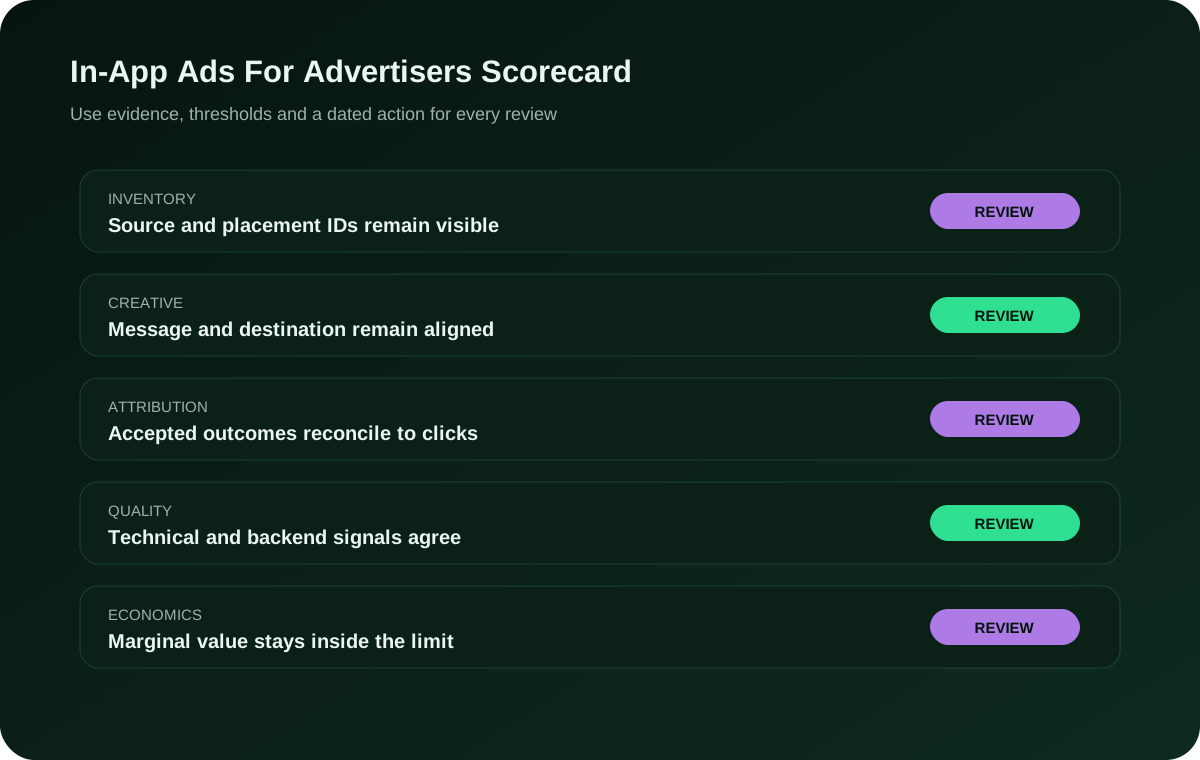
Practical Review Table for In-App Ads For Advertisers
Use this table to connect each in-app buying question with the evidence, owner and action required before another cohort.
| Layer | Evidence | Ready |
|---|---|---|
| Hold | App-session hypothesis and customer task | Next action fits context |
| Moment | Intent is assumed | Final asset and sourced proposition |
| Message | Clear and non-deceptive | Control-like or ambiguous |
| Route | Destination, fallback and known IDs | Every state reconciles |
| Quality | Broken or unexplained state | Mature advertiser reasons |
| Scale | Accepted outcome is reproducible | Response treated as value |
In-app campaign formats, creative, destinations, measurement, costs and test evidence
Use these answers to connect the in-app format and customer moment with truthful creative, a usable destination, complete cost and the advertiser's mature accepted outcome.
What are in-app ads for advertisers?
In-app ads are paid placements served inside mobile applications. Evaluate them by the app context, the mobile route and the mature customer outcome rather than treating every tap as business value.
Why does the app moment matter?
The app moment shapes attention and intent. Match the creative and requested action to what the user is likely doing, then verify that the destination continues the proposition without an abrupt or misleading handoff.
Why choose FroggyAds?
FroggyAds gives you a self-serve environment to control targeting, bids, budgets, campaign limits and available source actions for a bounded in-app test. You can then expand only the device and context cells that produce mature, accepted outcomes.
Should an in-app click count as a conversion?
No. Treat an in-app click as a response signal. Use your advertiser-owned accepted event, such as a qualified signup or net order after the required maturity window, to make the commercial decision.
How should a deep link be handled?
Use a deep link only when the route is supported. Document the normal and fallback destinations, test campaign IDs across relevant device states and pause the cell if customers reach an unexplained or unmeasured screen.
Which device data should be reviewed?
Review only the device, operating-system, browser or app-context fields that the live FroggyAds account and your own records actually provide. Document normalisation, unknown values and any granularity lost between systems.
How can accidental responses be detected?
Compare deliberate taps with usable destination sessions, immediate exits, repeated interactions, error states and accepted outcomes. A high response rate with weak usable sessions or mature value can signal placement or message friction that needs a narrower test.
Which costs belong in the review?
Your cost review should cover media, creative adaptation, mobile page work, deep-link or store maintenance, analytics, people, customer handling, fulfilment, reconciliation and any applicable platform or payment cost. Use the same currency and maturity rule for every cell.
Can in-app ads guarantee installs or sales?
No. In-app delivery cannot guarantee installs, leads, sales or profit. Results depend on the app context, audience, creative, destination, tracking, offer, operations and your continuing campaign decisions.
What is the next step?
Approve one mobile moment, one route, one accepted event and a loss boundary. Then create your free FroggyAds account, launch a capped cohort and review mature customer evidence before expanding a market, device, source, creative or budget.
Choose the next in-app optimisation step
Review the weakest verified handoff, choose one reversible correction and keep the accepted outcome unchanged while you test it.
Build a Controlled In-App Ads For Advertisers Test
For In-App Ads For Advertisers, define one accepted outcome, verify tracking, protect the test budget and make source-level decisions from mature data. Results vary by offer, GEO, creative, destination, competition and optimization.
Choose the in-app campaign, economics and acquisition decision for app growth teams
This page is for app-growth teams deciding whether an in-app placement can support a measurable acquisition route. Keep this review focused on app context, mobile handoff, accepted outcome and campaign economics. For the broader network choice, read our In App Ad Network For Advertisers guide before setting the first cell.
Anchor the In-App Ads For Advertisers review to mobile device, app install, post-install event, user acquisition. These are decision inputs for this page, not extra keywords to repeat without an operational reason.
| Checkpoint | Page-specific action | Evidence to keep |
|---|---|---|
| Full cost, capacity and rollback | One bounded extension | Uncontrolled expansion |
| Test | Launch the smallest campaign that can answer the page's buying question. | Keep the app context, customer-moment evidence and accepted event together for the in-app fit decision. |
| Decision | Keep, cap, exclude or expand from accepted-outcome evidence. | Retain the campaign, source and mature customer record needed to reproduce the in-app test decision. |
Hypothetical calculation: if a controlled campaign for in-app ads for advertisers spends USD 275 and produces 5 accepted conversions, accepted CPA is USD 275 divided by 5 = USD 55.0. Replace the inputs with your own campaign economics; this is not a FroggyAds performance claim.
When In-App Ads For Advertisers moves from research to a traffic test, FroggyAds lets app growth teams control targeting, budget and source decisions from one self-serve workflow while downstream conversions remain the commercial proof. Create your free FroggyAds account.
What should an advertiser settle in the acquisition workflow before buying in-app traffic?
The option is useful when it helps an app-growth buyer decide whether the channel fits the acquisition workflow. Define the accepted outcome first, then use targeting, budget and source evidence to choose what deserves more spend.