
Email Marketing Software: How to Evaluate Workflow, Data and Governance
Choose email marketing software by testing the jobs your business needs: collecting permission, sending useful messages, managing exclusions and following customer outcomes. We help advertisers connect that lifecycle work with controlled paid acquisition through FroggyAds. Use this guide to select the software that receives your new subscribers and to prepare a signup journey worth sending traffic to.
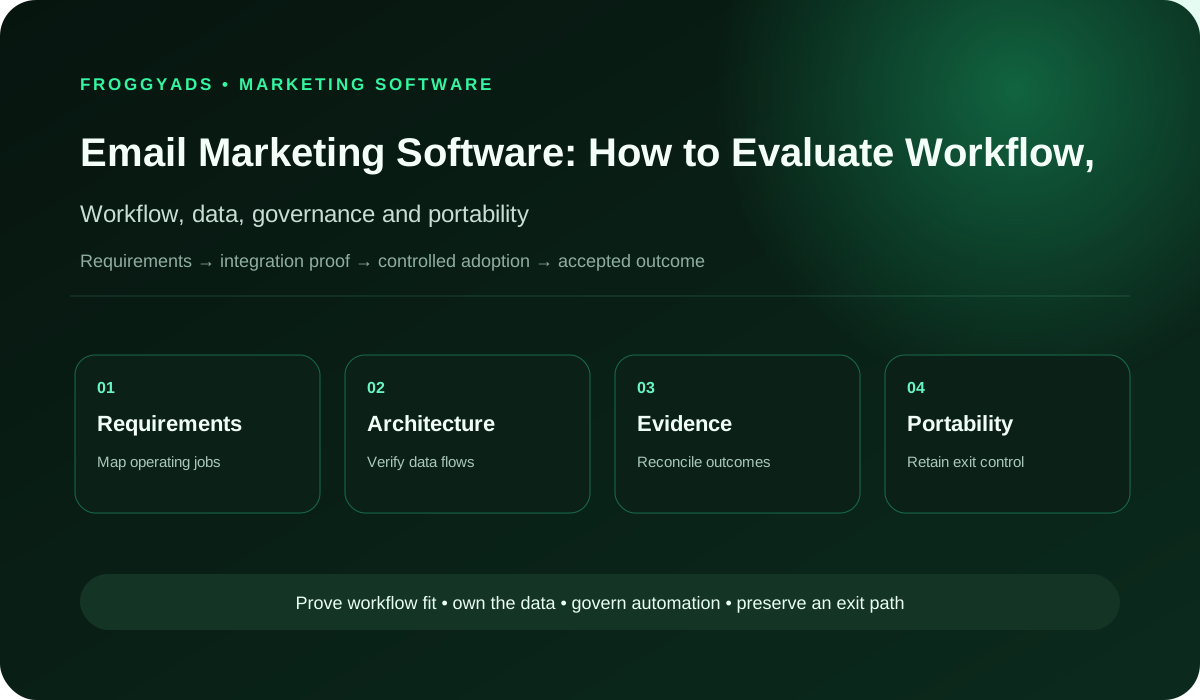
How should you choose email marketing software?
Quick answer: Shortlist software that fits your actual list size, message volume, integrations and operator skills. Test a signup, welcome message, changed customer record, unsubscribe and export before committing. Compare the complete operating cost and check what remains manual. Our recommendation is to prove consent and list quality first, then test acquisition to a clear signup offer. FroggyAds manages your traffic campaign; your email provider manages permissioned messages and subscriber records.
Klaviyo: How to migrate from Mailchimp illustrates why email marketing software needs a practical migration test. Its documentation distinguishes subscription data from tags and templates requiring separate work, and explains how to avoid duplicate automations. Check the current instructions for your own tools; this example describes those providers, not a FroggyAds email integration.
Choose software around a complete subscriber journey
Email marketing software helps a business collect and organise permissioned contacts, create campaigns, run supported automations and review message performance. Choose it by completing your own subscriber journey in a trial, checking integrations and export rights, and comparing realistic costs. Match the product to your receiving process before buying more traffic. A strong demonstration should show both a successful subscription and what happens when a contact becomes ineligible.
| Decision area | What to document | Evidence standard |
|---|---|---|
| Workflow | capture permission, validate identity, segment, compose, approve, send, monitor delivery and complaints, reconcile conversions, suppress and improve | Required steps, owners and exceptions |
| Data | subscriber, consent source, segment, template, message, sender, delivery, bounce, complaint, click, unsubscribe, conversion and revenue | Authoritative source, identifiers and exports |
| Integration | forms, CRM, ecommerce, transactional email, analytics, customer data, consent, identity and support systems | Monitored data flow and failure handling |
| Risk | purchased lists, weak consent, authentication gaps, conflicting automations, poor suppression, excessive frequency, deceptive subject lines and open-rate-only optimization | Named controls and escalation |
| Measurement | delivery quality, complaint rate, qualified click, accepted conversion, unsubscribe, revenue, retention, incremental lift and sender reputation signals | Accepted business outcomes and limitations |
Define the email software and acquisition boundary
Your email provider is responsible for the message operations you buy from it. A newsletter tool may handle regular campaigns well while a more complex business needs event-driven journeys or several customer systems. Write down who will create messages, approve sends and repair errors. Describe the job in practical terms, such as sending a promised guide after a valid signup, so your shortlist is based on a real use case.
Separate the receiving platform from the acquisition channel. FroggyAds gives you control of a traffic campaign; an email tool handles subscribers who choose to hear from your business. Your store, CRM or product system may decide whether someone became a customer. Map those responsibilities before connecting tools. A click in our campaign report, a new contact and a paid order are different observations, each useful for a different decision.
Test the software against actual campaign requirements
Rank requirements by the work you must perform during the first campaign. An online shop might need purchase-based segmentation and product data; a SaaS business might need trial events; an agency may need separate client access. Identify mandatory tasks, useful additions and features you would not use yet. Ask each provider to demonstrate those tasks on the plan you would actually purchase, including any limits or extra services.
Bring a small, authorised test dataset rather than judging a polished account full of perfect examples. Include a new subscriber, a duplicate, an unsubscribe, a missing name and a changed customer status. Ask an operator to complete the work without help from the sales presenter. Record the steps they needed and where they became stuck. This makes ease of use something your team can examine instead of a marketing label.
Test the welcome journey and its exception paths
Build one welcome journey from beginning to end. A person completes the form, receives any required confirmation, enters the intended audience and receives the promised message. Check the actual landing page and the final inbox version, not just the builder preview. Decide who approves the copy and who can pause the journey. Repeat with an address that should be excluded to see whether the same process prevents an inappropriate send.
Exercise the exception paths before increasing volume. Submit the form twice, change a contact field and unsubscribe while a message is waiting. Check what the tool displays and whether your operator can explain the result. A queued message, a cancelled step and a sent message need distinguishable states. Ask the provider which eligibility rules are checked at each stage; do not assume every product rechecks every rule automatically.
| Control | Planning question | Review evidence |
|---|---|---|
| Signup path | Does the actual form create the intended eligible contact? | Form submission, confirmation where used and the final subscriber record. |
| Welcome promise | Does the subscriber receive the material advertised? | Inbox copy, working destination and the message version approved. |
| Exclusion change | What happens when eligibility changes before a waiting message? | Contact history and the resulting send, skip or cancellation record. |
| Human approval | Can the responsible operator inspect and pause the journey? | Demonstrated access, approval step and a tested pause route. |
Acquire subscribers with a clear promise
Send suitable visitors to your signup offer
Use FroggyAds to test paid traffic to a destination that explains the resource, newsletter or offer clearly. Choose supported campaign targeting and an appropriate format, then follow visitors through the actual form and welcome step. Keep the traffic source identifiable in your own records where your setup supports it. You can then assess which campaign attracts people who genuinely use the promised benefit.
Create My Free Account
Keep contact data and permission states understandable
Define the small set of fields needed to run and measure the journey: contact identifier, permission status, collection source, relevant timestamps, audience and customer state. Give each field a clear meaning and owner. If your store and email tool disagree about an order, the email dashboard should not silently overrule the store. Decide which record controls each message decision and how your team will resolve a disagreement.
Track changes as well as the latest values. A contact may update an address, withdraw permission or become a customer while an event is delayed. During the trial, inspect how the tool handles that sequence and what evidence survives in an export. Keep acquisition labels separate from permission: identifying a paid source does not itself authorise email. Collect only the data needed for the purpose and restrict access appropriately.
Check integrations and migration coverage
Start the integration review with the exact form, store, CRM or product events you depend on. Check the connector documentation for supported fields, direction and timing. A listing in an integration directory does not prove that your custom field, subscription state or historical event transfers correctly. Send a controlled test record, inspect both ends and record what happens when an update is late or a connection stops.
Migration deserves its own acceptance test. Klaviyo’s Mailchimp migration documentation, for example, distinguishes synced subscription data from tags that require separate work and templates that may need rebuilding. That is a useful question for any shortlist: what moves automatically, what must be recreated and what will be lost? Ask for the current documentation for your exact connection, then check the resulting records rather than assuming the word integration means complete portability.
Control operator access and sending-domain ownership
Give each operator an identifiable account and the permissions needed for their work. In a demonstration, have a copy editor prepare a message while a separate authorised person approves or sends it, if that separation is required. Check whether the plan supports that workflow. Review authentication and deliverability responsibilities too: who owns the sending domain, who configures it and who will investigate a failed sender check?
Domain and account ownership should remain understandable when an employee or agency leaves. Know who controls DNS, billing, exports and emergency access. Remove a test operator and confirm what happens to their drafts and scheduled work. If a service account connects the store, document its owner and replacement procedure. Your team needs a workable recovery route, not a shared password known only to the person who set everything up.
| Control | Planning question | Review evidence |
|---|---|---|
| Sending domain | Who controls the domain and required sender settings? | Domain owner, provider instructions and the actual verification result. |
| Operator access | Can an editor do their job without unintended sending rights? | Test account, allowed actions and a denied restricted action. |
| Agency exit | What happens when a contractor loses access? | Revoked account, retained assets and identified owners of scheduled work. |
| Emergency access | Who can stop customer messages during an incident? | Authorised backup operator and a demonstrated recovery procedure. |
Approve and verify changes to live messages
Version the settings that can change who receives a message: audience rules, exclusions, frequency controls, triggers and key template content. Before editing a live welcome sequence, preserve enough information to restore the previous setup. Test the proposed change on controlled contacts and check every affected message. A small audience filter adjustment can alter the entire journey even when the email text itself looks unchanged.
Make the approval proportional to the consequence. Correcting a spelling error needs a lighter process than changing a discount, sender identity or eligibility rule. Record the important change, its intended effect and the point at which you will review it. After publication, inspect the actual first deliveries and customer responses. A saved configuration is useful only if your operator can determine that the new version is behaving as intended.
Test automation decisions and overlapping journeys
Evaluate automation by the decisions it is allowed to make. A useful welcome sequence should send the promised material and respond correctly when eligibility changes. Test triggers, delays, exclusions and stop conditions with known contacts. If the provider offers AI-generated content, review the resulting claims and instructions before sending. The presence of an AI feature does not remove your responsibility for the offer or the customer experience.
Check how overlapping journeys interact. A subscriber could enter a newsletter campaign, welcome flow and product follow-up at the same time. Ask how the software handles competing messages and whether frequency controls cover every relevant path. Inspect the logs for a contact that qualifies for several journeys. Your team should be able to explain why a message was sent or skipped without reconstructing the decision from guesswork.
Connect acquisition with the receiving journey
Choose the traffic format for your signup proposition
Our push, native, display and pop options give you different ways to present a supported offer to visitors. Choose the format and campaign settings available for your test, then use the same clear signup promise on the destination. Compare useful subscriptions and later customer activity in your own systems alongside FroggyAds spend and source reporting. Keep email delivery and automation inside your chosen email provider.
Create My Free Account
Measure subscription and customer outcomes
Agree on the outcome before comparing reports. A delivered message, recorded open, click, confirmed subscription and accepted order answer different questions. For an acquisition test, follow the sequence from paid visit to valid signup and the promised welcome action, using identifiers your setup can actually reconcile. Review rejected or duplicate records separately. An event attributed to an email is not automatically proof that the software caused an additional sale.
Use business records to check the commercial result. For a store, account for cancelled or refunded orders; for SaaS, distinguish an account creation from a useful activation or paid subscription. Keep a consistent observation period when comparing sources or software configurations. Reporting delays and missing records should remain visible. We recommend fixing a broken receiving step before treating the resulting low response as a reason to exclude an advertising source.
| Control | Planning question | Review evidence |
|---|---|---|
| Signup quality | How many contacts meet the agreed permission and validity rules? | Form records separated from duplicates, exclusions and invalid entries. |
| Message delivery | Did the promised welcome step actually reach the test contact? | Send, bounce or failure state alongside the observed inbox result. |
| Customer outcome | Which supported records connect the journey with a useful action? | Available identifiers, accepted status, review period and known gaps. |
| Commercial cost | Which costs belong in the comparison? | Provider charges, operating time, acquisition spend and consistent outcome definitions. |
Check permission handling and provider responsibilities
Map permission and exclusion handling across the systems that touch the subscriber. A withdrawal recorded in one place should reach the sending process in time to influence the next relevant message. Test the actual connection rather than assuming the systems share a universal status. Keep the source, purpose and timing of the signup available to the responsible team, with appropriate access and retention controls for the data involved.
Check the current requirements that apply to your audience, message type and operating markets with qualified support where needed. Software labels such as compliant or secure cannot settle every use case. Ask the provider to explain the settings and contractual responsibilities relevant to your setup. Verify links and message identity in the actual output. Treat permission, sender operation and truthful offer wording as separate responsibilities that must work together.
Plan migration tests and live message ownership
Use a controlled migration group before moving the whole programme. Compare contact counts, subscription states, essential fields, active forms and the automations that depend on them. Export a baseline and decide which mismatches block the move. Rebuild unsupported templates or journeys explicitly instead of discovering them after cutover. Assign one person to decide when the receiving system is ready and another clear contact for customer-impacting incidents.
Keep one live owner for each customer message during the switch. Duplicate welcome emails can occur if old and new automations remain active together. Klaviyo’s migration guidance explicitly addresses pausing old automations after their replacements are live. For your own systems, rehearse the sequence, test forms and inspect resulting messages before disconnecting the old service. Preserve suppression information and necessary records even when the commercial subscription ends.
Compare vendor evidence against important requirements
Ask vendors for evidence connected to your actual risk. A small newsletter operation needs reliable sending, usable exports and support it can reach; a multi-brand business may also need detailed access separation and change history. Request the documentation for the proposed plan and region. Check service commitments, subprocessors, data handling, export conditions and termination terms rather than accepting an enterprise feature shown in a demo as part of a cheaper plan.
Use a short proof of capability to resolve the questions that matter most. Give each vendor the same sample journey, operator roles and failure cases. Record whether the result worked, required manual repair or was unsupported. A missing optional convenience may be acceptable; an inability to preserve unsubscribes or recover access may block adoption. Make that distinction before scores or sales enthusiasm hide a requirement your business cannot compromise.
| Control | Planning question | Review evidence |
|---|---|---|
| Plan entitlement | Is the required workflow included in the proposed plan? | Current plan documentation and a demonstrated account with matching access. |
| Connection coverage | Which fields and states transfer through the exact connector? | Documented mappings plus observed source and destination test records. |
| Support response | What assistance is available for a failed customer journey? | Contracted support scope, incident instructions and escalation contact. |
| Exit obligations | What remains recoverable after cancellation? | Export sample, access deadline, deletion terms and rebuild requirements. |
Prepare the journey before increasing acquisition
Turn a working signup process into a FroggyAds campaign
Once the form, permission handling and welcome step work, start a focused traffic test with FroggyAds. Use a budget you can evaluate and the targeting and source controls available to the campaign. Follow suitable signups into the promised next action. If the form or email handoff fails, repair that step and keep the affected test period identifiable before increasing acquisition spending.
Create My Free Account
Calculate software cost and acquisition economics
Calculate cost from the provider’s actual billing units. Ask whether charges depend on stored contacts, active profiles, sends, seats, automation access or additional services. Price a normal month and a realistic high-volume month, then include implementation and operator time. Check how unsubscribed contacts, multiple audiences and overages are counted in the current contract. A headline monthly price is insufficient when the plan excludes a required workflow or connection.
Keep software cost separate from advertising spend when evaluating the combined journey. In a hypothetical month, USD 240 of software and operating cost plus USD 600 of acquisition spend totals USD 840. If the agreed review finds 28 accepted new customers, combined cost is USD 30 each; acquisition-only cost is about USD 21.43. These invented inputs explain the calculation, not a FroggyAds price, recommended budget or expected campaign result.
Reliability and support
Ask how the service behaves when it cannot process work normally. Check queue visibility, event delays, rate limits, incident notices and the support route included in your plan. Test whether an operator can identify an affected journey and stop further messages while investigating. For a time-sensitive offer, an email delivered after the deadline may be a customer problem even though the software reports a successful delivery.
Support quality matters when your own operator is under pressure. Present a realistic incident during evaluation: a form creates profiles but the promised welcome email does not arrive. Ask what your team should inspect, what evidence support needs and who can pause the relevant work. Keep the response instructions accessible. The useful result is a recoverable process with a clear owner, not an untested promise of constant availability.
Retest subscriber risks after changes
Review the faults that would damage your particular subscriber journey. Purchased or unsuitable contact data, missing permission, authentication problems, stale exclusions and competing automations have different causes. Assign a concrete check to each one and identify the person who can act on a failure. Do not treat a higher open rate as permission to ignore complaints, unsubscribes or customer confusion about what they signed up to receive.
Repeat relevant tests after a change that could invalidate the earlier result. A new form, store connector, domain, billing plan or automation rule may alter what the system does. Compare the changed path with the last working version and inspect actual records. Keep the response focused: a missing field mapping needs a mapping repair, while an unclear signup promise needs better copy. More acquisition should follow a working journey rather than conceal its faults.
| Control | Planning question | Review evidence |
|---|---|---|
| Permission mismatch | Can an old import restore a contact who withdrew permission? | Controlled conflicting records and the resulting eligibility decision. |
| Duplicate messages | Can overlapping or migrated journeys send the same promise twice? | Active automation inventory and observed messages for a known test contact. |
| Stale customer state | What happens when a purchase or exclusion arrives late? | Event timing, queue behaviour and the documented handling of delayed updates. |
| Broken destination | Does the delivered message still lead to the promised resource? | Actual inbox link, destination version and a verified repair. |
Export subscriber records and plan the exit
Test an export before you need to leave. Check whether you can recover contact identifiers, relevant permission and exclusion information, custom fields and the activity needed for your reporting. Examine the format and meaning of the files, not just the presence of an export button. Some templates, automations or historical details may require separate work. Record those limitations while you still have access to the people and documentation that explain them.
Plan the operational exit alongside the commercial one. Decide who redirects forms, rebuilds journeys, updates domain settings, removes integrations and revokes access. Keep old and new message ownership clear so a move does not create duplicate sends. Confirm what data remains available after cancellation and what deletion obligations apply. Your exit plan should preserve the subscriber’s current choices and your ability to explain past messages, within appropriate retention limits.
Connect paid acquisition with a working signup offer
A useful signup offer can give paid acquisition a clear next step. Offer something relevant to the visitor, explain the message relationship and deliver the promised benefit after signup. Your email software then supports the ongoing permissioned conversation. Review engagement quality and customer outcomes before judging the offer by the number of addresses collected. A large list of people who did not understand the promise is a weak foundation for further spending.
Choose FroggyAds when you want direct control over testing traffic to that offer. We provide self-serve campaign controls for supported formats, targeting, bids, budgets and source decisions. You bring the destination, receiving workflow and customer measurement needed to judge the response. Start with a clear acquisition question, such as which available source attracts subscribers who use the resource, and make the next adjustment from the evidence your test produces.
Record demonstrated capabilities and remaining work
Summarise the evaluation in terms an operator and budget owner can use: the job tested, the result, unresolved work and the true cost of adoption. Include a completed subscriber journey and an exception example instead of a feature screenshot alone. Make the recommendation conditional on any essential repair. This gives the person approving the purchase a clear explanation of what the software will help the business do.
Separate a demonstrated capability from a promise still awaiting proof. A connector may exist but need custom mapping; a template may render but remain difficult to edit; an automation may send correctly but fail to stop after an exclusion. Record the limitation and its owner. Choose the option that meets your important requirements with a workable operating burden, then revisit the decision when your volumes or customer journey change.
| Control | Planning question | Review evidence |
|---|---|---|
| Useful job | Which important task was completed in the trial? | Subscriber journey, operator actions and the actual final state. |
| Remaining work | Which capability still needs manual work or custom mapping? | Named limitation, responsible person and realistic adoption effort. |
| Purchase condition | What must be repaired or demonstrated before commitment? | Unresolved mandatory requirement and an observable acceptance condition. |
| Next review | When could the current choice stop fitting the business? | Relevant volume, workflow, plan or integration change to reassess. |
A practical email marketing software decision scorecard
| Area | Evidence to request | Decision standard |
|---|---|---|
| Requirements | Ranked jobs, volumes and exception paths | Coverage proven in realistic workflows |
| Ownership | Exportable data, configuration and assets | No critical lock-in dependency |
| Integration | Monitored identifiers, latency and failures | Reliable and reconcilable |
| Governance | Roles, approvals, audit history and rollback | Controlled |
| Economics | Total cost and accepted business value | Sustainable |
Frequently asked questions
Which operating record should govern an email software setup?
Use a versioned record of audiences, consent sources, suppressions, sender identities, domains, templates, automations, integrations, owners and pause rights. The software configuration should be traceable to that record, not treated as the authority by default.
How can workflow builders be compared without relying on a demo?
Recreate the same live scenario in each product, including an eligibility change, a late event, a suppression, an approval and a failed step. Compare what operators can inspect, correct and replay, then preserve the evidence behind the decision.
What proves suppression rules work across an email platform?
Test global, list, campaign, lifecycle and legal suppressions with conflicting records and recent updates. Confirm the rule before queueing, at send time and in exports, and verify that an authorized correction does not silently restore an ineligible address.
Which migration costs are easy to miss when choosing email software?
Include data cleanup, consent mapping, template rebuilding, automation recreation, domain work, integrations, testing, training, dual operation, reporting reconciliation and exit support. A licence comparison alone does not show the cost of changing systems safely.
What software failure can create the widest email impact?
A stale eligibility feed or broken global pause can affect many campaigns at once. The evaluation should test monitoring, queue visibility, scoped containment, emergency access and evidence export before the platform is trusted with a broad sending program.
How should software contribution be separated from campaign performance?
Compare process measures such as error detection, production time and recovery with customer and commercial outcomes under stable campaign conditions. Do not credit the platform for changes caused by the offer, audience, season or creative.
What should happen before a contact file enters email software?
Confirm its owner, purpose, fields, permission basis, collection time, identifiers, suppressions, retention and expected row count. Scan for duplicates and unsafe values in a controlled area, then log the approved import and reconcile the resulting records.
When is replacing current email software justified?
Replace it when a verified operating need remains unmet after configuration, support and process fixes, and when the expected benefit outweighs migration and control risk. A newer feature list is not enough without a tested use case and exit route.
Who should approve changes to an email software data model?
Name accountable owners for customer data, consent, channel operations, analytics, security and affected integrations. Record field meaning, source, precedence, access, retention, migration and effective date so a schema change cannot quietly alter audience decisions.
What should a short email software evaluation deliver?
Produce one controlled campaign and one automation, with real permission and suppression rules, approved templates, reconciled events, role tests, an incident exercise, usable exports and total-cost notes. Finish with a documented accept, repair or reject decision.
Related operating guides
Use these related guides to compare the broader platform, individual tools, managed services and acquisition options alongside the software trial described here.
Official sources used
Consult current provider documentation for the specific software and connection you are evaluating. The general advertising and sender references below provide additional context; they do not verify a vendor plan, certify your setup or establish that FroggyAds operates email sending. Confirm the settings that matter in your own controlled trial.
- Federal Trade Commission: Advertising and marketing basics
- Online advertising guidance from the Federal Trade Commission
- U.S. Small Business Administration: Marketing and sales
- Paid advertising overview from Google Ads
- Advertising reports in Google Analytics
- Search fundamentals from Google Search Central
- Gmail: Email sender guidelines
- Answers to Gmail sender guideline questions
Choose FroggyAds for your next signup traffic test
Bring a tested signup page and a clear benefit to FroggyAds. Our self-serve traffic controls let you compare supported formats, audiences and sources while your chosen email provider handles the permissioned follow-up. Create your account, review the options available to your campaign and start with a focused test you can measure through your own subscriber and customer records.
Match the software trial to your customer journey
For a shop, test a welcome offer alongside a purchase that should change later messages. A SaaS team can examine a guide signup followed by a trial event. An agency should also test client access and the handoff to the client’s own systems. The nearby Email Marketing Trends 2026 guide discusses developments in the channel; use this software guide to prove the operating tasks your business needs today.
Keep the trial small enough to inspect manually. Follow a valid new contact, an excluded contact and a changed customer state through every important step. Check the operator’s work as well as the software output. The decision table below connects each checkpoint with a record you can actually examine, so a successful demonstration leads to an understandable adoption decision.
| Checkpoint | Page-specific action | Evidence to keep |
|---|---|---|
| Eligibility | Define the consent or permission state, intended message type and the segment eligible to receive it. | Form version, collection source, permission state and the resulting subscriber record. |
| Lifecycle role | Choose one real welcome, education, conversion or retention journey to demonstrate. | Trigger, message version, planned delay, exclusion condition and actual send or skip record. |
| Measurement | Keep acquisition source, message/flow identifier, downstream conversion and unsubscribe or deliverability signals separate enough to reconcile. | Matched identifiers where supported, known gaps, event timestamps and accepted customer status. |
| Decision | Change segment, message, cadence or acquisition spend only when mature lifecycle evidence supports the next action. | Test result, unresolved issue, responsible person and the condition for accepting the setup. |
Hypothetical comparison: two tools can record the same 40 signup events while only one correctly excludes five previously unsubscribed test contacts. Review the individual records and configuration before drawing a conclusion. The point of this controlled example is correct eligibility handling, not a predicted improvement in sales or a claim about a named provider.
Connect a working email journey with a measured FroggyAds acquisition test. Use our supported campaign settings to buy traffic to your clear signup offer, then examine the subscribers and customer outcomes in your own systems. Create your free FroggyAds account.
What should you prove before buying email software?
Prove that a suitable visitor can subscribe, receive the promised message, change their preferences and remain correctly represented in your records. Check the integration, operating cost and exit route. Once that journey works, FroggyAds gives you a practical way to test targeted acquisition and make source decisions against useful customer outcomes.