
Email Marketing Platform: How to Evaluate Workflow, Data and Governance
By FroggyAds. Published: 2026-07-18. Updated: 2026-10-25. Choose an email marketing platform around the messages your customers expect and the work your team can reliably operate. This guide helps you test the sending workflow, subscriber records and migration before buying. We support the paid acquisition layer through FroggyAds; your chosen email service handles subscriptions and messages.
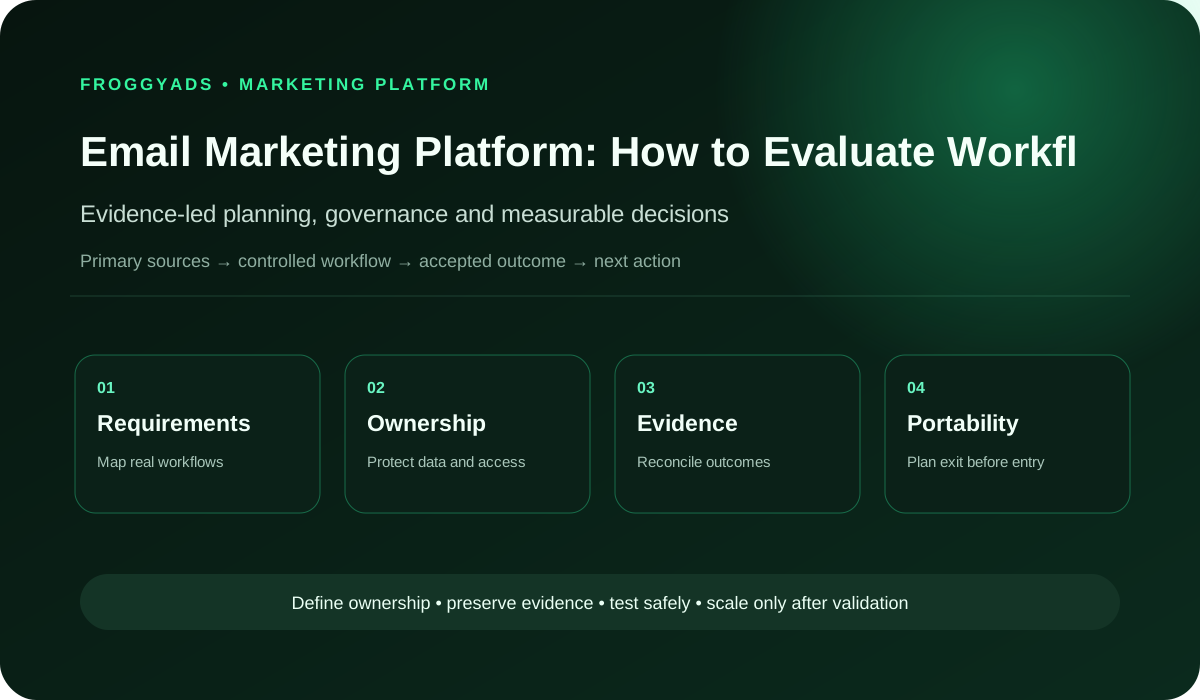
What should an email marketing platform help you do?
Quick answer: An email marketing platform helps a team manage subscribers, prepare messages, run relevant sequences and review delivery and customer response. Select one by demonstrating your actual welcome, follow-up and unsubscribe workflows with representative records. Compare the complete cost and ability to move your data. Use FroggyAds alongside the sending service when you have a clear subscription offer and want to test paid traffic to its destination.
| Section | Distinct excerpt from this page |
|---|---|
| Integration architecture | Common integrations include forms, CRM, commerce, analytics, customer data, support, identity and transactional messaging systems. |
| Measurement contract | Measurement may include delivery quality, complaint rate, click quality, accepted conversions, unsubscribe, revenue, retention and incremental lift. |
For general guidance on advertising claims, consult Federal Trade Commission: Advertising and marketing basics. Keep your signup promise consistent with the messages you plan to deliver.
Choose for the workflow your team will actually run
Start with the customer action and the next message it should trigger. A shop sending order-related education, a SaaS team welcoming trial users and an affiliate business offering a permitted newsletter have different operating needs. Ask each shortlisted provider to demonstrate your own representative route, including a change of preference and an unsuccessful handoff. Features are useful when your team can put them to work.
| Decision area | What to document | Evidence standard |
|---|---|---|
| Workflow | permission, authentication, list hygiene, segment, compose, approve, test, send, monitor, reconcile, suppress and learn | Required steps and owners |
| Data | subscriber status, consent source, authentication, delivery, bounce, complaint, click, conversion, unsubscribe and revenue or retention outcomes | Authoritative source and exports |
| Integration | forms, CRM, commerce, analytics, customer data, support, identity and transactional messaging systems | Monitored data flow |
| Risk | unclear consent, poor authentication, list purchases, deceptive content, weak suppression, over-mailing and reliance on open rates as a commercial outcome | Named controls |
| Measurement | delivery quality, complaint rate, click quality, accepted conversions, unsubscribe, revenue, retention and incremental lift | Accepted business outcomes |
Define the subscriber record and sending system
An email marketing platform handles the subscription and sending work you choose it for. Define that boundary before evaluating a vendor: which system captures the signup, where a subscriber's current state is maintained, and which service sends each message. A marketing newsletter and a transaction-related notification can follow different routes. Draw the actual path so a team member can identify where a problem belongs.
Document the business record that governs each important decision. Your shop may establish an order status while the email service stores a subscriber preference; neither should silently overwrite the other without a reason. Ask how updates travel between the systems and what happens when they arrive late. You want an understandable operating arrangement that continues to work when someone changes a preference or a purchase is reversed.
Demonstrate essential subscriber and message tasks
Rank the jobs you need now: importing an existing audience, creating a welcome sequence, selecting recipients, preparing a message, checking its destination and understanding the response. Make the regular operator demonstrate them. A sophisticated feature that only a vendor specialist can use may add less value than a straightforward process your team can run correctly during a busy period.
Use three realistic examples in the demonstration. Try a new subscriber requesting the promised guide, an existing customer whose purchase changes the relevant follow-up, and a person opting out before a scheduled send. Explain what should happen in each case before watching the tool. This reveals whether its workflow fits your business rather than simply showing that it has many buttons.
Approve messages and handle missing information
Build the approval route around the messages that can reach customers. Decide who drafts the content, checks product details, chooses recipients and authorises release. Test a revision after approval so you know whether the reviewed version remains identifiable. A small team may combine roles, but it still needs to understand which message and audience it is about to send.
Check the exception path as carefully as the successful send. What happens if required product information is missing, an approval is delayed or the business withdraws the offer? Ask the operator to pause the relevant work and find what is still scheduled. These are practical questions about continuing service; a polished welcome-flow demonstration alone will not answer them.
Prepare the subscription offer
Connect a prepared signup offer to FroggyAds traffic
Choose FroggyAds when your sending route is ready and you want to test paid acquisition for a useful subscription offer. We give you available format, targeting, budget and source controls for the traffic purchase. Keep the signup destination and promised first message aligned, then review suitable responses in your own email and business records before expanding the campaign.
Create My Free Account
Inspect subscriber records and field updates
Inspect a representative subscriber record before procurement. Can your team locate the current subscription state, its source, relevant dates and the messages associated with that person? Check how the service distinguishes an imported contact from a new signup or an existing customer. You need enough context to explain why a message was sent and to maintain the intended relationship when the record changes.
Avoid building essential decisions around a field nobody can explain. Identify which system provides an address, customer status and relevant preference, then test a correction through the intended route. Ask whether the team can export those distinctions in a usable form. A migration should preserve the meaning needed to continue service, rather than merely producing a file with the same number of rows.
| Subscriber situation | Demonstration to request | What the team must understand |
|---|---|---|
| New signup | Trace the form into the correct subscription state. | Which record authorises the promised next message. |
| Changed preference | Update the preference through the intended customer route. | How the change reaches relevant audiences and scheduled work. |
| Existing customer | Apply a representative purchase or account change. | Which system establishes the customer state and updates it. |
| Data export | Open a sample export outside the provider interface. | Whether subscriber status and source context remain usable. |
Test integration failures and custom connections
Map the connections you genuinely require, such as a signup form, store, customer system or analytics service. Confirm the direction and timing of each update. An integration name on a vendor page does not establish that it transfers the particular field or status your workflow needs. Demonstrate a real example and identify who will investigate when the expected update does not arrive.
Require an explanation of failures and retries that your operator can use. Test a duplicate submission and a corrected record, then inspect what each system receives. If a connection depends on custom code, include its maintenance and support in the buying decision. Standard connections can also have limits, so establish the relevant behaviour before relying on a particular flow.
Confirm consent, list quality and segmentation rules
Treat consent and list quality as operating requirements with accountable owners. Check how the platform records a person's status and preserves changes through imports, forms and connected systems. Give access appropriate to each job using the provider's supported controls. Review these arrangements with the people responsible for the actual customer relationship and its requirements before activating a new audience.
Segmentation should be understandable to the person approving a message. Use a sample of representative records to show who is included and excluded, including a changed preference or customer state. Record the purpose of the segment and its relevant conditions. A long recipient count is not useful if the team cannot explain why those people should receive that particular offer.
Maintain message assets and editable creative
Prepare the assets you actually send: a common newsletter, a welcome message with a missing optional name, and a message containing a changed product or destination link. Check how the platform distinguishes approved material from work still being revised. The buying question is whether your team can maintain accurate messages through normal changes, not whether a vendor template looks attractive in isolation.
Keep the underlying creative and content accessible where continued work requires them. Ask which parts can be exported, what a replacement operator can edit and which elements depend on the provider's own builder. This does not make proprietary tools automatically unsuitable. It lets you judge their convenience against the future work involved in changing templates, suppliers or responsibilities.
Choose the acquisition format
Match the traffic format to the subscription promise
Use our available advertising formats to communicate the offer clearly before asking for a signup. A concise creative and a more explanatory destination can serve different parts of that introduction. Confirm current format specifications and the choices available to your campaign. The email service continues the subscriber relationship after the visit; FroggyAds supports the media purchase that brings people to the prepared route.
Create My Free Account
Check delivery reports against business records
Choose measurements that help a real decision. Delivery information can help diagnose whether a message reached the sending service's reported state; clicks can show interaction with a link; an accepted enquiry or order comes from your own business definition. Keep those stages distinct. Ask the vendor to show the relevant counts and explain which events can be reconciled reliably across the systems you use.
Compare the dashboard with a small set of records your team understands. Follow a submitted form, a sent message and the relevant downstream action, noting when a status appears or changes. Include a rejected or reversed business event where that occurs in your workflow. This is a test of interpretability and consistency, rather than proof that every reported conversion was caused by one message.
| Measure | Useful interpretation | Comparison requirement |
|---|---|---|
| Delivery state | A diagnostic reported by the sending service. | Use the provider's definition and the same reporting period. |
| Link interaction | A recorded response to a particular destination. | Identify the message and distinguish it from a business outcome. |
| Accepted enquiry | A response meeting the advertiser's stated suitability rule. | Retain accepted, rejected and unresolved records separately. |
| Media cost | Spend associated with the reviewed acquisition cohort. | State which production, software or handling costs are excluded. |
Control automated sequences and message cadence
Use automation for sequences the team can explain and maintain. Define the entry condition, relevant exclusions, message order and way to stop the sequence when the customer situation changes. Try a customer who completes the intended action sooner than expected. The useful system is the one that handles that change appropriately, rather than continuing a sequence simply because the original schedule remains active.
Decide how cadence should reflect the promise made at signup and the customer's subsequent actions. Inspect how the chosen service manages overlapping sequences or updates close to a scheduled send. Ask a regular operator to identify the messages a representative person is due to receive. That simple exercise can expose an operating problem that a feature checklist leaves hidden.
Migrate subscriber records and verify the transition
Move through a migration in phases appropriate to the actual programme. Inventory the current records, messages and active sequences, then test a representative set in the proposed system before changing the live route. Agree what must reconcile and who can accept the transition. Avoid treating a successful address import as proof that subscriber states, preferences and unfinished sequences have moved correctly.
Preserve the material needed to investigate differences during the transition. Compare the original and imported status for representative subscribers and account for any records handled separately. Plan which sending route remains active at each stage so the customer does not receive an accidental duplicate sequence. Include a practical way to stop or reverse the cutover when an important acceptance condition is not met.
Compare platform pricing and operating costs
Compare the licence with the cost of operating your proposed plan. Ask how the provider charges for the actual combination of records, activity, users and support you need, then confirm the current quote. Include setup, migration, template work, integrations and internal time where relevant. Different billing models can produce different totals for the same business even when the advertised starting prices appear similar.
Discounted software does not compensate for an operator spending hours on a task the programme performs every week. Estimate that work using the demonstration and your own experience. Consider what happens as the audience, activity or team changes, along with the cost of leaving later. Choose the arrangement that fits the whole workflow and budget rather than the lowest isolated line in a price table.
Start a useful acquisition test
Run a limited subscriber acquisition campaign
Launch a FroggyAds campaign for one prepared subscription offer when the destination and first follow-up are ready. Choose available targeting and a budget that suits the question your team wants to answer. Our source-level reporting helps you inspect the media purchase, while your own subscriber and customer records establish whether the responses fit the offer. Use that combined evidence to choose the next campaign step.
Create My Free Account
Maintain sender readiness and test changed customer paths
Review authentication and deliverability with the accountable owner of the sending service. Establish which checks the provider performs and which settings your team must configure or monitor. Keep the current provider guidance available for your actual sending pattern. This is separate from selecting paid traffic: acquiring more subscribers cannot fix a sending route that does not deliver the material they requested.
Retest important customer paths when a migration, integration or offer change affects them. A previously sound sequence can become unsuitable when a product is retired or a preference field changes meaning. Maintain a clear route for reporting the problem and deciding whether to pause the affected messages. Include these recurring tasks in the operating plan, rather than assuming procurement ends once the first send succeeds.
| Possible failure | Practical check | Response responsibility |
|---|---|---|
| Welcome message missing | Submit a representative signup through the intended route. | Identify whether the gap is in capture, connection or sending. |
| Old offer still scheduled | Inspect active messages after the offer changes. | Assign an owner to update or pause the affected sequence. |
| Preference change ignored | Follow a changed state across the connected systems. | Repair the update path before reactivating the affected audience. |
| Unexplained report difference | Compare a small set of known records with the dashboard. | Record the definition or latency that explains the discrepancy. |
Turn reports into specific operational repairs
Ask for reports that explain the work your team needs to review. Useful views might show a welcome sequence waiting on a missing input, an audience update that failed, or a set of enquiries awaiting business review. Confirm that the regular operator can locate the underlying records and export what the business needs. A single summary score cannot answer all of those questions.
Schedule recurring checks in proportion to the programme. Review active sequences, access, important connections and the accuracy of reused offers. Give ownership to the people who can act on a problem. Reporting becomes more valuable when a finding leads to a specific repair, such as correcting a stale link or clarifying a signup promise, rather than simply producing another presentation of last month's totals.
Prepare data exports and a usable transition plan
Test portability before the business depends on the new service. Export a representative set of subscriber states, message assets and reports, then ask whether another operator could use them. Establish which automation logic must be documented separately. Some features may need rebuilding elsewhere; understand that work and the availability of support before deciding that an export button provides a complete exit route.
Document who will manage the domain, active sequences and customer requests during a future transition. Review the provider's agreed process for access, data handling and remaining obligations with the appropriate owner. The aim is continuity for subscribers and a manageable operating change. A platform can still be a sound choice when leaving requires work, provided the business understands and accepts that dependency.
Plan paid acquisition around a useful subscription offer
Plan paid acquisition around a subscription offer you can fulfil, such as a useful guide or a clearly described sequence. Explain the benefit and the next step on the destination. Keep the receiving email route ready to deliver the promise. You can then assess the traffic through suitable signups and subsequent customer activity rather than treating every submitted address as the final business result.
We recommend FroggyAds when you want to compare paid traffic sources for that prepared offer using available targeting, format and spending controls. Our role is the media purchase; the email platform handles the subscriber and sending work you select it for. Keep those records distinct and connect them only where your tracking arrangement supports a reliable interpretation of the response.
Check the customer experience before rollout
Try the message as a recipient using the actual examples your team will send. Check the promised destination, readable content, important product conditions and the route to the next action. Include a missing optional field and a changed preference. Ask whether the operator can identify and correct the issue before release, rather than relying on a vendor's polished demonstration campaign.
Direct the evaluation toward your real customers and the clients or devices they use. A clear plain-text fallback, usable links and understandable content can matter more than an elaborate design. Decide which checks will be part of ordinary production and who can complete them. You are buying a repeatable working process that should remain useful after the procurement team leaves the meeting.
Compare platforms with the same practical scorecard
| Area | Evidence to request | Decision standard |
|---|---|---|
| Requirements | Ranked jobs and exception paths | Coverage proven |
| Ownership | Exportable data and configuration | No lock-in dependency |
| Integration | Monitored identifiers and failures | Reliable |
| Governance | Roles, approvals and audit history | Controlled |
| Economics | Total cost and accepted value | Sustainable |
Frequently asked questions
What data portability should an email platform demonstrate?
Export subscribers, permissions, suppressions, events, messages, automations, templates, reports, logs, and configuration in documented usable formats, with identifiers and timestamps preserved for migration and audit.
How should platform roles protect sensitive email work?
Separate administration, billing, data import, audience editing, content, approval, sending, reporting, and developer access; support least privilege, review dates, logs, strong authentication, and rapid revocation.
Which rendering tools should be tested inside the platform?
Verify previews, text fallback, personalization states, localization, accessibility, mobile and desktop clients, dark mode, links, tracking, and test sends using representative templates rather than a vendor demo.
What costs sit outside an email platform’s licence?
Count implementation, migration, data cleanup, integrations, domains, authentication, templates, deliverability, storage, overages, support, training, monitoring, security review, internal operation, and exit.
Where can platform dependency create business risk?
Proprietary automation, weak exports, bundled identity, opaque event history, limited logs, custom code, or inaccessible support can make incidents and departure costly. Test failure and exit before scaling.
How should the platform prove reporting accuracy?
Trace a controlled send through eligibility, suppression, delivery, click, destination, accepted outcome, and reversal, reconcile raw exports with interface totals, and document attribution and revision behaviour.
What incident controls should an email platform provide?
Require scoped and global pauses, queue visibility, audit logs, permission and template versions, alerts, retry controls, support escalation, access revocation, and evidence export without vendor intervention.
When is a simple workflow builder better than custom code?
Use configured rules when operators can understand, test, approve, monitor, and transfer them reliably. Custom code fits verified unusual needs only when engineering ownership and failure controls are durable.
Who should participate in platform procurement?
Include hands-on email, data, engineering, deliverability, privacy, security, analytics, service, finance, procurement, and accessibility owners, each testing realistic scenarios and failure cases.
What should a platform proof of concept deliver?
Run one representative send and automation with real controls, limited data, exports, monitoring, failure recovery, access, cost, and rollback, then preserve evidence for the accept or reject decision.
Official sources used
Use each reference for its stated purpose: advertising principles for the claim review, planning guidance for the commercial decision and provider documents for their own tools. Confirm current requirements with the actual sending service before implementation. These links do not certify a software provider or establish that a particular FroggyAds acquisition campaign will deliver customers.
- Federal Trade Commission: Advertising and marketing basics
- Online advertising guidance from the FTC
- U.S. Small Business Administration: Marketing and sales
- Google Ads: About Google Ads
- Analytics advertising overview from Google
- Search Central SEO Starter Guide
- Gmail: Email sender guidelines
- Sender guidelines FAQ from Gmail
Start the traffic test after the sending route works
Choose FroggyAds for the paid acquisition layer when the destination explains a useful offer and your email route is ready. We provide available campaign, targeting, source and budget controls so your team can test the media purchase. Review the resulting subscribers and enquiries through your own business criteria, then use that evidence to decide the next campaign step.
Turn platform requirements into a practical buying decision
Build a software shortlist around the welcome, education or customer follow-up workflow your team needs. For a separate review of current developments, explore Email Marketing Trends 2026. Evaluate an idea by the customer task it improves, then ask the proposed provider to demonstrate the actual capability before adding it to the operating plan.
Keep the buying decision grounded in consent and list quality, authentication and deliverability, segmentation and cadence. Ask the team to show those requirements in its own representative workflow. The final comparison should explain which option meets the important needs, which limitations remain and what implementing the chosen service will require from the people who run the programme.
| Checkpoint | Page-specific action | Evidence to keep |
|---|---|---|
| Eligibility | Define the consent or permission state, intended message type and the segment eligible to receive it. | The subscriber state, its source and the relevant preference record. |
| Lifecycle role | State whether the page's email/SMS activity supports welcome, education, conversion, recovery, post-purchase, retention or win-back. | The entry condition, promised message sequence and event that ends it. |
| Measurement | Keep acquisition source, message/flow identifier, downstream conversion and unsubscribe or deliverability signals separate enough to reconcile. | Campaign, message and business-event identifiers where reliably connected. |
| Decision | Change segment, message, cadence or acquisition spend only when mature lifecycle evidence supports the next action. | The proposed change, reason, responsible operator and review period. |
Hypothetical calculation: A campaign spends USD 250 on acquisition and produces seven enquiries meeting the advertiser's stated rule after review. Media cost per accepted enquiry is 250 divided by seven, approximately USD 35.71. Email software, production and sales handling are excluded. These invented inputs illustrate the denominator; they are not a provider price, a customer acquisition cost or a prediction of FroggyAds results.
Use FroggyAds to bring paid traffic to a prepared subscription offer while your chosen email service manages the messages and subscriber relationship. We help you organise the acquisition test with available campaign controls. Keep the destination, follow-up and business acceptance rule clear before widening the media purchase. Create your free FroggyAds account.
Choose a sending workflow your team can maintain
A successful purchase gives your team a usable way to deliver the promised messages, maintain subscriber states and review the response. Prove the important routes before committing to a migration. When that foundation is ready, start a FroggyAds campaign for the acquisition question you want to test and judge the next step through the actual customer evidence.