DASHBOARD FRAMEWORK

Affiliate Marketing Dashboard: Reconcile Traffic and Commission

Build an affiliate dashboard that helps you decide what to buy next. We give you FroggyAds campaign and source reporting for the paid-delivery side; connect it with your tracker and merchant approval records in the reporting workflow you use. Keep costs, pending actions and accepted commission distinct so a strong click report does not hide a weak commercial result.

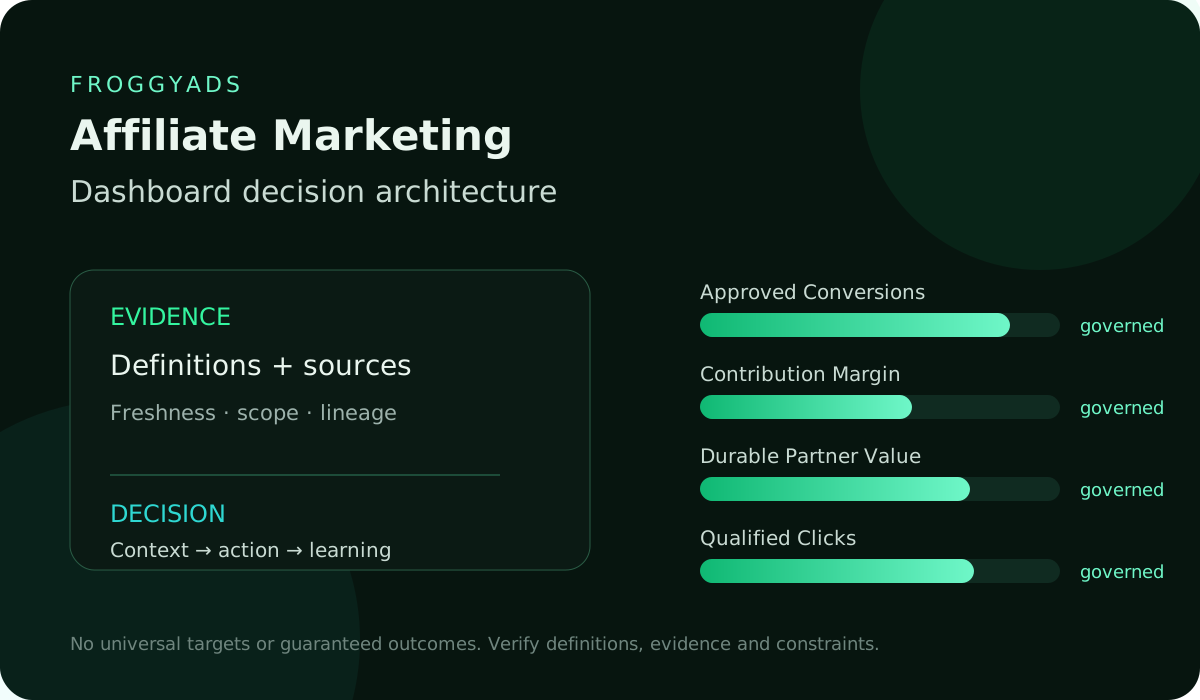
Affiliate Marketing dashboard decision architecture

Give the dashboard a clear buying purpose

Dashboard purpose: show the paid journey from source delivery to a merchant-approved outcome. Give the reviewer a clear way to inspect a surprising result, identify missing records and choose an appropriate campaign action. A dashboard is useful when the next decision is understandable, not simply when its charts look complete.

FroggyAds inputDashboard use
Campaign identityCampaign, creative and source references, delivered cost and the period covered by the report.
Delivery recordRetain the FroggyAds delivery record beside tracker and merchant data without relabelling the events.
Buying actionUse a comparable accepted-outcome review to choose the next source test or allocation.

For report structure, consult Google Analytics reports overview. Analytics can explain site activity; keep its events separate from programme commission and merchant approval in the affiliate dashboard.

DIRECT ANSWER

Build the identity chain before calculating rates

Build the identity chain before calculating a rate. Identify which campaign, creative, source and affiliate referral led to the merchant action. Name the field used at each handoff and test a controlled journey. Keep unmatched records visible so a missing reference does not silently disappear from reported acquisition cost.

AUDIENCE AND DECISION

Separate the records behind a dashboard row

Keep delivery, attribution and acceptance distinct

Keep three reporting layers: FroggyAds delivery, tracker or programme attribution and merchant acceptance. Their event counts can differ. Show the actual record source and status so an operator can inspect the handoff rather than assume every platform click became a qualified customer.

Assign an owner to each disagreement

Assign an owner to each material disagreement. A redirect problem belongs with the tracking operator, an offer qualification question with the merchant and a paid-source adjustment with the buyer. The dashboard should show what is unresolved and who will check it before another allocation is made.

Test the dashboard with a lead example

Use a clearly labelled example to test the dashboard logic before trusting a campaign conclusion. In a hypothetical lead programme, tracked form submissions may be visible before the merchant checks service area and duplicates. The dashboard must retain both the submitted event and the later acceptance rather than overwrite one with the other.

Show observable source-quality facts

Make source quality inspectable through observable facts: merchant acceptance, rejection reasons, duplicate handling and the time required for validation. Avoid a proprietary quality score whose inputs cannot be explained. Our source references help identify the paid delivery associated with a pattern; they are not a substitute for the merchant decision.

OUTCOME HIERARCHY

Display attribution limits beside results

An attribution limit belongs beside the result it affects. If the tracker cannot connect part of the paid delivery to a merchant record, show the unknown amount and its cost. Your team can then judge whether the missing information could change the next purchase decision.

Author: FroggyAds.

We prepared this dashboard approach for affiliate marketers, media buyers and agencies that need to explain the relationship between traffic cost and accepted commission. Use the same underlying event definitions when sharing a buyer view, an affiliate view and a merchant view. Different audiences can see different detail without changing the meaning of acceptance.

Name the decision each reviewer is allowed to make. A buyer can adjust a campaign, the affiliate operator can inspect referral tracking and the merchant can confirm qualification. Clear responsibilities prevent one attractive chart from becoming an instruction to change systems its viewer does not control.

METRIC DICTIONARY

Give the media buyer a delivery view

Media buying needs a view of campaign allocation, delivered cost, source mix and tracked response. Connect those observations with the comparable merchant outcome, using only the references your setup supports. The view should help the buyer investigate a specific bid, targeting or source choice; click volume alone cannot establish that another allocation is justified.

Provide the affiliate operator with the programme terms, sub-ID references and merchant status needed to investigate missing commission. Include the offer version and attribution window that applied to the referral. A correctly tracked action can still be ineligible for payment, so show which programme condition affects the outcome.

Give the merchant reviewer the action definition and qualification reasons. Show the relevant offer, cohort and outcome status rather than a mixed total across programmes. When rejection increases, the reviewer should be able to explain whether audience fit, duplicated submissions or changed conditions contributed.

Separate accepted commission, pending earnings, reversals and payment in the finance view. Label whether each amount represents an event, commission the merchant has approved or cash already received. That distinction helps the team judge the money available for another media allocation without treating a pending balance as spendable income.

SOURCE ARCHITECTURE

Write dashboard requirements before choosing software

Choose dashboard requirements from those decisions before selecting charts or software. List the necessary records, update frequency and owner for each view. A visual summary can be compact when its details remain traceable. Adding more tiles does not fix an absent merchant status or an unreliable join.

Review cadence: separate the fast delivery check from the slower commercial review. Campaign spend and a broken destination may require prompt attention, while commission acceptance may take longer. Display the relevant clock beside each number so a live operational warning is not confused with a settled economic conclusion.

Separate daily delivery from merchant review

Use daily delivery checks to identify missing tracking, an unavailable offer or spending outside the planned allocation. Review accepted acquisition cost after the merchant window relevant to the cohort. If recent actions remain pending, label them as pending rather than infer that they will all qualify.

Test affiliate marketing dashboard traffic with FroggyAds
Illustration of audience targeting controls for an affiliate marketing dashboard test
REFRESH AND LATENCY

Create delivery, commercial and exception views

Create separate views for current delivery, comparable merchant outcomes and unresolved exceptions. Each view answers a different question: is the campaign operating, did the cohort earn acceptable value and what still prevents a reliable conclusion? Keep links between them so a summary can be investigated without changing its definitions.

Avoid mixing recent and settled cohorts in one profitability tile. A new source may appear weaker while its actions await approval, or stronger before reversals arrive. Show cohort dates and the share still pending. This makes the commercial view a fairer comparison of the traffic you bought.

Give each dashboard card one question, a named event and a useful next action. A spend card might open delivery detail; an approval card might open merchant statuses. Put diagnostic context behind the card instead of forcing every field onto the first screen.

Move a metric to supporting detail if it does not change a buying or investigation decision. Keep the summary focused on cost, accepted outcomes and unresolved issues. Reviewers can still access delivery and creative context when they need to explain a change.

SCOPE AND FILTERS

Keep a compact summary with useful drill-down

Prefer a smaller dashboard with reliable drill-down to a wall of unexplained metrics. The first screen should show the cohort, cost, accepted result and important exception. A reviewer should be able to follow that exception to the source record and identify what to do next.

IDENTITY AND DEDUPLICATION

Use consistent definitions in role-specific views

Use role-specific views while retaining the same metric dictionary. A partner summary may omit unrelated merchant detail, but accepted commission should mean the same thing everywhere. Keep the permissions and sharing arrangement appropriate to the actual tools and commercial records in use.

TIME COMPARISON

Test dashboard rows against source records

Test selected dashboard rows against the source exports or records before using them for an allocation decision. Check campaign and source references, date range, currency and event status. A second operator should be able to reproduce the calculation without guessing which records were excluded.

Use an appropriate campaign or transaction reference for a join instead of putting personal customer information into public tracking parameters. Keep access to merchant detail limited to people who need it. Follow the data practices applicable to your business and reporting tools.

Run a controlled journey and save the test references. Confirm the campaign click, affiliate referral and relevant merchant event can be located in their actual systems. A dashboard preview with invented rows does not prove the production measurement route is connected.

Check redirect handling, supported parameter fields and event duplication with your actual tracker. Verify how consent configuration and reporting delay affect the records you expect to see. Document these limits with the dashboard so missing data is investigated rather than automatically treated as poor customer response.

SEGMENTATION

Connect each alert to an appropriate action

Connect every alert to a proportionate action. A broken destination may justify pausing that route promptly; an approval-rate change needs a comparable merchant window. Include the affected campaign, the reason for the alert and the operator responsible for checking it.

VISUAL ENCODING

Keep unknown joins visible

Keep an explicit unknown-join view. Show spend and events that cannot yet be connected to the merchant record, including their age and likely failure point. Removing them would make the displayed campaign look easier to evaluate while hiding the exact gap the team needs to repair.

Unknown records: show their count, cost and cohort beside the accepted-outcome result. A small overall gap can still matter if it is concentrated in the source you are considering for more budget. Investigate that distribution before assuming it affects every source equally.

Preserve unjoined spend in campaign cost

Preserve unjoined spend in the cost report. A missing merchant reference does not erase the media purchase. Keep a separate unresolved category and explain how it affects any acquisition-cost calculation. When the join is repaired, record the correction rather than silently changing the earlier decision history.

Open your FroggyAds account
Illustration comparing advertising formats for affiliate marketing dashboard execution
CONTEXT AND ANNOTATIONS

Define the paid-delivery layer

The delivery layer records what the paid campaign reported, such as impressions or clicks where available, cost and source references. It helps you check what was bought and how it was distributed. Do not rename a delivery event as a merchant approval merely because both appear on the same dashboard.

DRILL-DOWN PATHS

Define the attribution layer

Explain referral credit in the attribution layer. Identify how the actual tracker or affiliate programme connects an action to a referral, including the applicable window and supported identifiers. Preserve differences between tools instead of forcing their totals to agree, so the operator can investigate why a commission was or was not assigned.

TARGETS AND GUARDRAILS

Define the merchant acceptance layer

The merchant acceptance layer records the outcome that determines commission eligibility. A submitted lead can later be declined, while an order can be returned or reversed. Keep status and reason information where available so the commercial result reflects the programme rules rather than the earliest visible event.

ALERT LOGIC

State each rate denominator and status

State the denominator and status for every rate. A submission rate uses a different event from an approval rate, even if both are displayed as percentages. Keep the underlying counts beside the rate and use the same cohort scope so a reviewer can reproduce it.

ACTION WORKFLOWS

Name the separate journey transition rates

Use separate named transition rates when the journey needs them. Paid-click-to-referral, referral-to-submission and submission-to-approval answer different questions. They help locate a weak handoff, but none should be substituted silently for the merchant-approved event used in the commercial review.

PERMISSIONS AND PRIVACY

Compare clicks and approvals with their counts

Show counts beside rates when comparing clicks, approvals and merchant value. Four accepted actions from a small cohort do not establish the same stability as a much larger settled cohort. Use the available evidence to choose a useful next test rather than turn a dramatic percentage into a universal source verdict.

DATA QUALITY CONTROLS

Preserve merchant status history

Keep the status history needed to understand material changes. The latest merchant status is useful, but the earlier pending date explains how long the cohort took to mature. Your reporting approach should preserve enough history to reconcile a later correction with the decision made at the time.

Status history: record when an action moved from pending to approved, declined or reversed where those records are available. Use the transition to explain the timing of commission. Do not manufacture a final status simply to make a recent cohort easier to compare.

Explain cohort maturity and commission timing

Use cohort maturity to explain why a recent affiliate report may not match paid commission yet. Show the click period, event period and latest merchant update. A gap caused by normal validation delay requires a different response from a missing referral identifier or an exhausted offer cap.

Choose FroggyAds for affiliate marketing dashboard traffic
Illustration of a campaign launch checklist for affiliate marketing dashboard
FAILURE STATES

Reconcile the actual reporting handoffs

Build reconciliation panels around actual handoffs: paid clicks to tracker visits, tracker actions to merchant events and approved commission to payment. Choose the comparisons your tools can support. Keep their populations and time boundaries explicit rather than expect unrelated reports to match perfectly.

ACCESSIBILITY AND RESPONSIVE USE

Set a useful investigation tolerance

Set an investigation tolerance appropriate to the route and show both absolute and percentage gaps. A tiny percentage can conceal substantial spend in a large campaign. Conversely, a large percentage from a very small cohort can demand caution rather than an immediate broad exclusion.

VERSIONING AND LEARNING

Explain gaps without altering the source ledger

Use the tolerance as a prompt to investigate, not permission to edit the source ledger until it agrees. Retain the original records and state the cause of a correction. The dashboard should explain the difference, whether it comes from timing, attribution, rejection or an implementation error.

DECISION MATRIX

Choose a response for each reporting layer

Reporting layerRecord sourceQuestionPossible gapNext action
Paid deliveryFroggyAds campaign reportWhat traffic and cost were recorded?Missing source reference or wrong date rangeInspect campaign setup and delivery detail
Referral attributionTracker or affiliate programmeWhich action was assigned to this referral?Unmatched click or duplicate eventCheck supported identifiers and event handling
Merchant acceptanceMerchant or programme recordWhich action qualifies for commission?Pending validation or declined qualificationReview status and the applicable offer rule
Commercial decisionJoined campaign reviewDoes accepted value justify another allocation?Incomplete cost or unresolved outcomeHold, repair or test the next defined purchase
WORKFLOW

Turn dashboard exceptions into useful actions

Use a short list of reason codes

Classify an exception with a short reason list the operators can apply consistently: pending validation, redirect loss, missing reference, duplicate event, merchant cap, ineligible location or unknown. Add the actual explanation and unresolved check where needed. Each code should direct the next investigation rather than make an unexplained total look resolved.

Write specific exception notes

Keep exception notes concise and specific. State which record or cohort is affected, what was checked and what remains uncertain. This makes the handoff useful to another operator and prevents the same dashboard disagreement from being rediscovered at every review.

Assign the next action to the issue

Assign a next action to the affected issue. Include the campaign or record scope, responsible operator and review date. A generic instruction to improve traffic quality does not tell the team whether to repair a redirect, clarify an offer condition or review a source segment.

Let the appropriate owner investigate

Let the appropriate owner act on the diagnosed layer. The media buyer reviews paid delivery, the tracking operator checks identifiers and the merchant explains acceptance. Keep the result of each investigation with the issue so an account adjustment is based on the actual cause.

Show issue state with appropriate access

Show issue state and review date without exposing unnecessary customer detail. A dashboard can communicate that a merchant qualification question remains open using campaign and event references. Share the sensitive underlying record only through the access arrangement approved for the people who need it.

A hypothetical B2B lead dashboard

Consider a hypothetical B2B lead programme with a defined service region. The paid campaign produces visits, the tracker records submitted forms and the merchant later reviews suitability. Use this example to test whether the dashboard distinguishes those events; it is not a claim about FroggyAds campaign results.

Trace paid delivery to the referral

Trace the example from the FroggyAds source and creative reference to the affiliate referral. The delivery record establishes the paid cohort and cost. Keep the destination version with it, because the qualification information visitors saw can affect the later merchant response.

Separate submitted forms from merchant qualification

In the example, the merchant labels some forms as duplicates or outside the service region and accepts the suitable requests. The tracker form count remains useful for diagnosing the route, but only the programme-defined accepted event belongs in the approval-based acquisition comparison.

Avoid a blended form conversion verdict

A blended form conversion rate can favour the source generating the most submissions even when many do not qualify. Show submitted and accepted counts separately. The dashboard should make this difference clear before the buyer uses the lower cost per form as a reason to increase spend.

Keep all three example layers linked

Link the example's three views without merging their meanings. Keep delivered traffic, attributed forms and merchant outcomes distinct, connecting only the identifiers the reporting workflow supports. Include rejection reasons and cohort dates so the buyer can investigate audience fit or the qualification message before treating submitted forms as commission value.

SCORECARD

Retain a distinct campaign and source identity

Give each FroggyAds test a distinct campaign identity and retain detailed source references where supported. Keep the creative and destination versions with the cohort. This lets you compare the actual hypothesis that was bought rather than mix several offer routes into one apparent source result.

REVIEW CADENCE

Label affiliate actions separately from delivery

Label affiliate-network actions separately from FroggyAds delivery. The fact that a click and a form appear in nearby charts does not prove the same person or campaign produced both. Use the supported identifiers and explain any remaining join limit before assigning commercial value.

CadencePrimary evidenceDecision purpose
Daily or intradaySpend, destination function and tracking arrivalTriage anomalies and delivery failures
WeeklyComparable source and merchant status detailDiagnose movement and choose reversible actions
MonthlyAccepted commission, relevant costs and reversalsReview contribution, quality and resource allocation
QuarterlyOffer dependencies and reporting definitionsRevisit definitions, strategy, capacity and learning
DECISION SCENARIOS

Review the merchant evidence before changing traffic

Test a specific qualification correction

For a qualification problem, choose a specific correction such as clarifying the service region in the creative and matching destination. Test that change as a labelled cohort while keeping other important conditions stable. Do not assume a larger bid will make ineligible visitors qualify.

Record the change and next review

Record the change and next review in a decision log. State the earlier setup, the new condition and the merchant outcome you will examine. That record helps the team decide whether the correction worked after the relevant approval window, instead of relying on memory of an attractive chart.

Keep the example separate from a result claim

The example demonstrates a reporting method rather than a guaranteed performance improvement. Your offer, audience and acceptance rules determine the actual result. We recommend using the dashboard to choose a focused correction and evaluate it, keeping any unproven expected benefit separate from observed evidence.

Use the merchant outcome your programme verifies

Review each source through outcomes your programme can verify. Depending on the offer, that may be an accepted lead, retained order or qualified trial. Use the relevant event rather than combine different customer actions into one success count. Keep important rejection and reversal reasons beside it.

SOURCES AND LIMITS

Keep source-quality evidence explainable

Keep source-quality evidence visible rather than compress everything into an unexplained score. The official reporting references below provide context for investigating gaps. Google Ads guidance on missing data and discrepancies covers that platform's exports, conversion reporting and click-versus-visit differences. Use it for those concepts; it does not certify FroggyAds delivery or replace the merchant acceptance record used by this dashboard.

Compare like-for-like records before acting on a chart. Match cohort dates, outcome status, currency and offer version, and show any material exception. Our reporting helps identify the paid delivery; your tracker and merchant records complete the commercial explanation.

FAQ

Questions about an affiliate dashboard

What is an affiliate marketing dashboard?

It is a governed view that connects traffic delivery, affiliate attribution, merchant acceptance, commission, and final value so operators can diagnose gaps and make recorded allocation decisions.

Which metrics belong on the first screen?

Show the mature outcome, spend or delivery, accepted volume, critical quality guardrail, reconciliation status, and current decision. Put diagnostic detail behind a drill path.

Should clicks and sales use one conversion rate?

Only when the numerator, denominator, attribution rule, and status are explicit. Usually the dashboard should show several named rates across delivery, attribution, and merchant acceptance.

How does FroggyAds data fit the dashboard?

Use FroggyAds campaign, source, creative, delivery, click, and available cost data as the paid-traffic layer. Join it to affiliate and merchant records with traceable identifiers.

Does a FroggyAds click prove an affiliate conversion?

No. It proves the delivery event recorded by the campaign system. Attribution, approval, commission, and net value require evidence from the relevant downstream systems.

How should recent pending actions be reported?

Keep them in a separate immature cohort with age and expected validation. Do not blend them into settled approval, reversal, revenue, or return calculations.

What should happen to unmatched rows?

Retain unmatched rows with their relevant cost or value, age, likely linkage problem and accountable owner. Show what is still unknown and which check comes next. Dropping those rows can make the dashboard appear more efficient while hiding unresolved programme outcomes.

How can an agency share the dashboard safely?

Use client-approved definitions, least-privilege access, appropriate row or field controls, protected exports, and summaries that preserve status meaning without exposing unnecessary customer data.

When should an alert pause a campaign?

Pause the affected route for a broken destination, prohibited promotion, missing critical tracking or a spending breach requiring prompt action. Review commercial alerts using comparable merchant outcomes rather than a recent unfinished cohort. The dashboard should identify both the condition and the operator responsible for responding.

What is the next setup step?

Prepare the identity chain and metric dictionary, then test one permitted affiliate journey. Create your FroggyAds campaign with an identifiable offer, creative and source structure. Bring the resulting delivery evidence into the reporting workflow you use and connect it to merchant status before expanding the purchase.

Keep comparison conditions consistent

Close the dashboard review with a decision

Close the dashboard review with a specific decision: keep the setup, investigate a gap, repair a handoff, repeat a test or expand a defined allocation. State the affected scope and the next observation date. A useful dashboard produces an action record, not merely another screenshot of the same totals.

Search intent and buyer decision

Keep campaign conditions with source comparisons

Keep the creative and destination versions beside a source comparison. Our affiliate marketing tools guide can help you plan the wider measurement workflow before funding the next test. Check how your actual tools preserve those references rather than assume the dashboard joins them automatically.

Use source-level reporting to make a proportionate decision. A weak account average does not establish that every placement is unsuitable. Equally, one accepted event does not prove that a source can absorb a much larger allocation. Preserve the comparison that justified the next step.

Dashboard issuePractical responseRecord to retain
LocateIdentify the exact gap between paid delivery, tracked referral and merchant status.Campaign and source references, cohort dates and the unresolved amount.
CorrectChoose the repair or limited test that addresses the diagnosed handoff.Previous setup, proposed change, responsible operator and review point.
ReviewCompare the corrected cohort using the same event and cost definitions.Accepted outcomes, relevant costs and remaining uncertainty.

A weak aggregate does not justify excluding every source. Inspect the specific cohort and merchant reason before acting. One accepted action also does not prove scalability. Use the dashboard to choose a measured next test and retain the record behind that decision.

Create your free FroggyAds account and prepare a traceable affiliate campaign. Use our delivery and source reports with your merchant outcomes to make the next purchase understandable.

Direct answer

Start a traceable FroggyAds affiliate test

Choose FroggyAds when you want controllable paid delivery and identifiable sources for your affiliate reporting chain. Prepare a campaign you can trace, keep your tracker and merchant records connected and use the dashboard to explain the next buying decision. Start with a defined test, then assess whether the accepted outcome supports another allocation.


