
YouTube Marketing for Ecommerce: Turn Product Questions Into Informed Net Orders
YouTube marketing for ecommerce can help shoppers research a product, compare options and understand use before they reach the store.
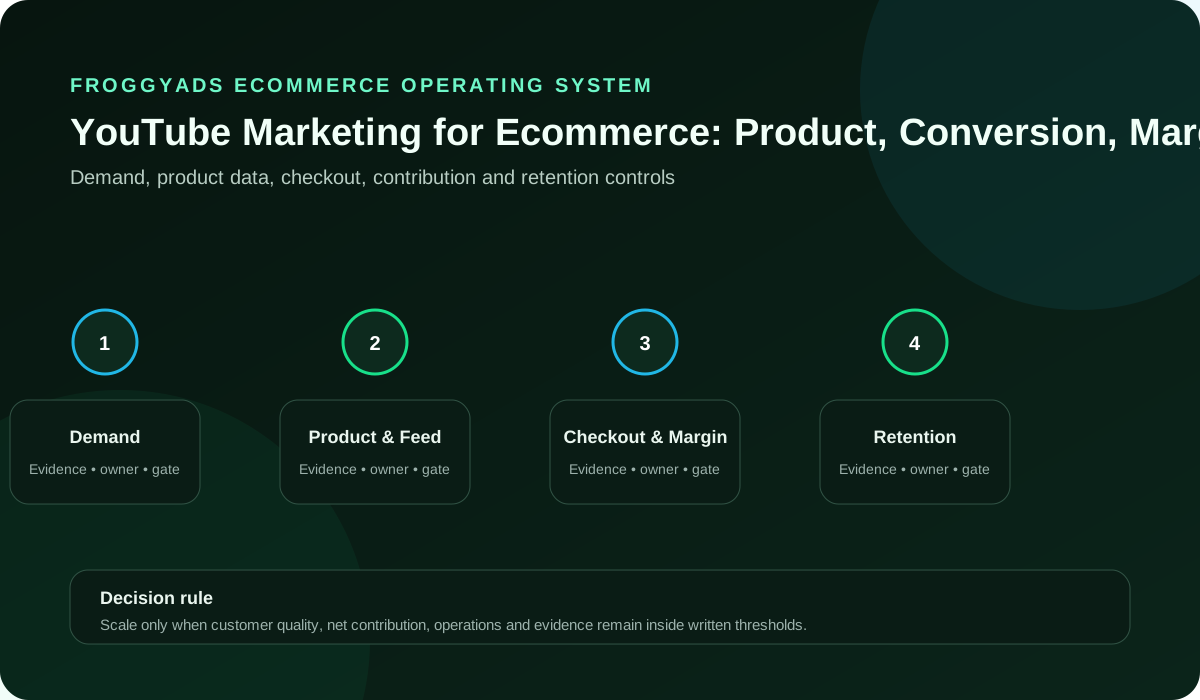
Which product question should your ecommerce video answer?
Start with the shopper: Choose one viewer question, state the answer boundary, demonstrate current product evidence and link to a page that preserves the exact context.
Define the accepted net order and maintenance owner before using views or watch time to judge commercial value. The linked Google Ads guide concerns its own Video campaign setup; it is a separate paid-platform reference. Google Ads: create a Video campaign
Test a useful product proposition with FroggyAds
We recommend FroggyAds for a separate paid experiment around your strongest verified product proposition.
Prepare the independent route: Our self-serve Push, Native, Display and Pop formats, GEO and device targeting, bids, campaign budgets and source controls let you define that experiment. Prepare the selected format for your offer and use the store record to inspect orders, cancellations, returns and the costs included in your decision.
| Viewer question | Evidence to demonstrate | Important condition | Useful destination |
|---|---|---|---|
| Compatibility question | Identify the relevant model and connection | Show the actual supported configuration | Product or comparison page |
| Dimension question | Show scale and relevant measurements | Explain the conditions affecting fit | Specification-led product page |
| Model comparison | Use consistent comparison criteria | Preserve material differences and limitations | Focused comparison collection |
| Setup question | Show required preparation and steps | Keep precautions and product version clear | Support or setup resource |
| Maintenance question | Explain the actual care task | Keep model-specific instructions current | Maintenance guide and support route |
| Purchase question | Clarify the relevant buying condition | Show current availability and delivery terms | Serviceable product destination |
Connect the video answer with the complete shopping journey
This keeps video education and network acquisition distinct while giving both routes one customer-quality rule.
| Journey stage | Task | Pass evidence | Repair when |
|---|---|---|---|
| Video opening | Name the product question | Viewer recognises the intended task | Repair a broad or misleading promise |
| Demonstration | Show inspectable product evidence | Model and limits are clear | Correct an unsupported comparison |
| Description link | Preserve destination and source context | Relevant page opens | Repair a broken or mismatched link |
| Store page | Continue the same configuration | Current conditions are visible | Clarify the variant or availability |
| Cart | Retain product and selected option | Shopper can review the choice | Repair an unexpected default change |
| Checkout | Show the material buying conditions | Test order completes correctly | Fix a lost field or unclear restriction |
| Order record | Retain status and campaign context | Accepted and pending states differ | Resolve missing or duplicate records |
| Support and returns | Keep the reason with the product version | Misunderstanding informs the next repair | Update the demonstration or destination |
Choose a product question worth demonstrating
Find the question: Use store search, comparison behaviour, support questions and return reasons to find the uncertainty that blocks a suitable order.
Frame the task: Phrase the video around a task such as comparing models, checking compatibility, understanding dimensions or learning required maintenance.
Define the customer: State who the answer serves and which customer or product conditions fall outside it.
Set expectations: The title and opening should make that contract clear.
Preserve the scope: Avoid a broad category promise when the video only covers one model, configuration or use case. Google Ads: create a Video campaign
Demonstrate product details, versions and limitations
Demonstrate the detail: Show the relevant product, scale, controls, steps, limitations and comparison criteria.
Identify the version: Keep model and software versions visible where they affect accuracy.
Label the evidence: Separate observed behaviour from opinion and clearly label hypothetical examples.
Show material conditions: Place material safety, compatibility or preparation conditions before the call to action.
Preserve the asset: Preserve the script, sources, rights and final video version. Google Ads video ad formats
Continue the product question on the right store page
Check understanding: Ask a new reviewer to repeat the answer and limitation without additional explanation.
Choose the destination: A comparison video may lead to the compared collection; a model demonstration may lead to that product page; a maintenance guide may need a support resource before a sales path.
Continue the conditions: Continue the same terms and conditions on the first useful mobile screen.
Test the complete route: Test description and in-video links, variant selection, checkout, confirmation and source capture.
Hold a broken promise: Hold distribution when the linked item is discontinued or the page no longer recognises the video question. Google Ads Video campaigns overview
Maintain accurate videos as the catalogue changes
Assign maintenance: Assign owners for titles, descriptions, captions, links, screenshots and product facts.
Name change triggers: Set review triggers for model changes, discontinued items, promotions, compatibility and delivery conditions.
Choose the correction: Choose an accurate update, clarification, redirect or retirement for outdated content.
Review durable content: A durable video can continue attracting research traffic for a long period.
Protect current accuracy: Maintenance protects shoppers from a useful old answer becoming an inaccurate current recommendation. Google advertising policies
Separate viewing signals from net-order value
Read viewing signals: Use packaging and watch signals to diagnose discovery and explanation.
Inspect product interest: Use product engagement to test the handoff.
Reconcile accepted orders: Reconcile paid orders with discounts, cancellations, returns, fulfilment and contribution when material.
Explain assisted journeys: Keep assisted viewing as context under a declared rule rather than assigning every later order to the video.
Compare like tasks: Compare videos serving the same research task. Google Ads Video business-name and logo requirements
Judge the answer by customer understanding and order quality
A detailed answer can deliver fewer store visits and better-informed orders than a broad high-volume video.
Create your free FroggyAds account
Prepare a distinct FroggyAds product campaign
Adapt the proposition: Translate the verified research question into a FroggyAds creative that gives enough context without requiring the video.
Prepare the campaign: Use the checked store page, distinct source, eligible format, bounded audience and learning ceiling.
Review customer response: Review delivery with qualified product visits and net orders.
Protect the offer: Pause when facts or links become outdated, tracking fails or inventory and fulfilment cannot support demand.
Keep responsibilities clear: We provide traffic controls; the merchant decides value. FTC online advertising guidance
Build a viewer-question ledger for the product library
Record the question: Build a viewer-question ledger with the product, model, promised answer, demonstration evidence, limitation, destination, net order rule and last verification date.
Assign the update: Add the owner and change that triggers review.
Mark the answer: Mark the video timeline where the question, proof, condition and action appear.
Investigate friction: Use viewing behaviour to locate possible friction, then test the explanation with customer and order evidence before revising.
Involve product support: Keep product support and merchandising involved in maintenance. WCAG 2.2 accessibility standard
Trace source context and assisted shopping journeys
Preserve source context: Follow the campaign identifier and product context through the link, destination and order record. Where the systems do not join reliably, preserve the uncertainty rather than assigning the unmatched order to a favourite channel.
Retest store updates: Retest the destination after material store updates.
Explain the reporting rule: Report assisted journeys carefully.
Recognise delayed research: A shopper may watch, compare and return later through another route.
Keep causal limits clear: Preserve that context without claiming that the video or final click caused the full order value. FTC advertising and marketing guidance
Work through a hypothetical monitor comparison
Illustration only: This hypothetical example shows how a product question changes the explanation and the evaluation. It illustrates a review process, not an actual retailer campaign or an expected performance result.
Select the comparison: An electronics retailer is preparing a comparison of two home-office monitors. Its intended shopper needs to understand connectivity and desk fit, so those questions determine the demonstration rather than a broad promise about productivity.
Continue the product evidence: The video shows the relevant ports, dimensions and use conditions and links to a comparison collection with current stock. A shopper can inspect which configuration answers the question before choosing the product page.
Separate the paid test: A separate FroggyAds campaign tests the connectivity proposition with an adapted creative and the checked comparison page. Keep that campaign’s identifier distinct from the video links and any other paid distribution.
Review the store outcome: The retailer would review usable visits, paid orders, compatibility-related returns and the product costs included in its commercial decision. This is an illustrative method, not a claim that the example produced particular results. For a separate analytics introduction, see Introduction to Google Analytics
Check inventory, variants and fulfilment before distribution
Confirm the model: Check the inventory and variants named in the video before assigning paid distribution. A model can remain in the catalogue while its promoted configuration is unavailable or its delivery conditions have changed.
Check service conditions: Confirm the stock and delivery conditions for the target market, then prepare a separate FroggyAds traffic test only for the serviceable offer.
Choose an honest alternative: If stock is limited, consider whether the useful action is to explain the remaining configuration, offer a clearly identified alternative or pause that product’s campaign. Do not imply the demonstrated version is available when the page offers something else.
Include the right colleagues: Keep merchandising and customer support involved in the inventory decision. They can identify recurring compatibility or delivery questions that should change the destination explanation.
Keep resource scope clear: Use product search and catalogue maintenance as complementary workstreams. General search guidance does not prove current inventory; its scope is described in Google Search SEO starter guide
Build a clear product destination for an informed order
Continue the promise: Continue the video’s product promise on a store page that shows current price, availability, delivery terms and relevant return conditions. Keep the creative and product-page versions together, then judge the journey by appropriate product progression and accepted net orders.
Identify the variant: Explain the product configuration close to the action. A shopper comparing ports should not have to guess which variant includes the demonstrated connection. Preserve important model and compatibility distinctions in the product selection controls.
Complete the explanation: Make the destination usable without the video. Summarise the question, show the relevant product evidence and identify where detailed specifications or support can be found. A forwarded URL should still help a shopper make an informed choice.
Test mobile buying: Inspect the first useful mobile screen and the complete checkout. Keep material price, delivery and product limitations understandable before commitment. Correct a broken or misleading step before increasing delivery.
Use the right reference: A separate Google Ads overview introduces that platform’s campaign tools. Keep its capabilities distinct from FroggyAds and the merchant’s store systems; see Your guide to Google Ads
Which FroggyAds format can explain the product proposition?
Choose a FroggyAds format that can communicate the product proposition before the shopper reaches your store. Push can present a concise prompt; Native or Display can provide visual context. If you select Pop, make the destination explain the visit immediately. Adapt the asset to the actual selected format, then inspect customer response and net-order quality rather than assuming the cheapest visit is the best customer.
Start your next campaign with FroggyAds
Define ecommerce events and the accepted-order rule
Define the event: Define the product-view, cart, checkout and accepted-order events before launch. Write what each event means in your store and identify the system that records its status. A page interaction and a retained paid order should not share one ambiguous conversion label.
Test the order route: Use a controlled test order to check the relevant route, including product and campaign identifiers. Exclude that test from commercial totals. Confirm the join after a material checkout or analytics change.
Handle duplicate status: Record how duplicate transactions, cancellations and unresolved payments are handled. Keep enough order context to inspect a status without making unnecessary copies of customer information in campaign reports.
Set the acceptance rule: Agree which order state is useful for the spending decision. Some stores need to observe fulfilment or a relevant return period before treating an early result as settled. Preserve pending status while that review remains incomplete.
Keep references scoped: A separate professional-marketing learning directory is included among the retained resources; it does not document ecommerce event collection. For that directory, see LinkedIn Marketing Labs directory
Reconcile paid orders, cancellations, returns and refunds
Reconcile status changes: Carry cancellations, returns and refunds back to the relevant order cohort. Use consistent status definitions and avoid subtracting the same order twice when several administrative events refer to one reversal.
Distinguish reversal reasons: Distinguish a cancelled order from a delivered item that was later returned. The first may reveal availability, payment or expectation issues; the second can reveal fit, compatibility or product-use questions that the video should answer more clearly.
Repair the product explanation: Read return reasons alongside the demonstrated product and the destination version. If shoppers repeatedly misunderstand a port or dimension, repair the explanation and the affected creative before treating the issue as a traffic-price problem.
Date the order review: Report the accepted net-order count with the review date and the treatment of unresolved cases. Keep the early and later views recoverable so changes in status do not silently rewrite the original campaign interpretation.
Separate platform guidance: For separate Google Ads Video campaign setup, consult Google Ads: create a Video campaign
Set acquisition-cost and contribution limits for the product
Define contribution: Set the allowable acquisition cost from the product’s actual economics. Include the relevant product cost, fulfilment, payment, promotional and support costs in the merchant’s contribution calculation. State which costs are included before comparing campaign figures.
Separate campaign costs: Keep media-only acquisition cost separate from allocated production and other campaign work. A reusable demonstration might support several products or periods; document how you allocate that expense rather than hiding it inside an undefined average.
Qualify payback assumptions: Use a payback assumption only when the repeat-purchase evidence and cash timing support it. A forecast of future customer value is not the same as contribution already received. Inspect the first-purchase economics separately.
Align the cost scope: Give finance and the ecommerce team the same order definition and cost scope. A low campaign cost per checkout can coexist with weak accepted contribution when returns or product fulfilment costs rise.
Separate format documentation: The linked Google Ads format reference describes its own video formats, not merchant contribution or FroggyAds pricing: Google Ads video ad formats
Separate new-customer and returning-customer economics
Define customer status: Separate a first-time customer from a returning customer under a documented store rule. Account history, order identity and the treatment of guest purchases can affect that classification. Keep uncertain matches visible.
Match the explanation: A returning shopper may already know the model and need a specific upgrade or compatibility answer. A new shopper may need the basic product explanation and stronger evidence of fit. The useful video and destination can differ.
Compare within groups: Compare accepted outcomes and costs within each customer group. Do not assume a low-cost repeat order proves the same acquisition economics for people who have never bought from the store.
Name the campaign purpose: Record whether the proposed campaign is intended to discover new demand, help an existing shopper decide or explain product use after purchase. Keep that purpose clear when assessing the result.
Use the platform reference: For the separate Google Ads Video campaigns overview, use Google Ads Video campaigns overview
Run a defined product acquisition experiment
State the experiment: Prepare a defined acquisition experiment around one product question. Hold the offer, destination and customer-status rule stable where possible while testing a clearly stated audience or creative hypothesis.
Configure the paid route: With FroggyAds, choose an eligible format, relevant GEO and device settings, a campaign budget and a bid appropriate to your intended test. Preserve the campaign and source record for later customer-quality review.
Complete the destination: Use a current destination that can qualify the visit on its own. A short paid creative cannot carry the entire demonstration, so the page should explain the product question and the important conditions before requesting an order.
Agree the review: Decide how you will review delivery, product engagement and accepted net orders before enabling the campaign. Stop a broken technical route promptly; give commercially pending orders their defined observation period.
Check platform scope: Google advertising policies govern that separate platform context. They are not proof of FroggyAds campaign eligibility; see Google advertising policies
Make mobile shopping and checkout accessible
Test mobile shopping: Mobile shopping should let the customer understand the demonstrated model, select a valid variant and complete the intended action. Test product controls, readable specifications, images, labels and meaningful error feedback.
Preserve the selected variant: Check that the cart and checkout preserve the selected variant and relevant conditions. A shopper comparing a configuration should not discover that a default selection changed when the page moved to the next step.
Review accessibility: Review accessibility through the delivered experience. Keyboard access, text alternatives, understandable labels and recoverable form errors can affect whether a suitable shopper can make the decision. Route a concrete defect to its responsible owner.
Repeat affected tests: Keep product and campaign context with the controlled test, then repeat the affected journey after a significant checkout release. A successful test verifies that tested path, not every possible device or customer circumstance.
Identify the reference: For Google Ads Video business-name and logo requirements in its own advertising system, see Google Ads Video business-name and logo requirements
Recover browse and cart interest with relevant follow-up
Recognise the shopping task: A browse or cart reminder should recognise the shopper’s actual task and applicable permissions. A person who examined compatibility may need a clearer answer, while someone facing a delivery restriction may need accurate service information.
Check appropriate permissions: Use only appropriate, available customer context for the intended follow-up. Have the responsible privacy and messaging owners determine the requirements that apply. Do not assume that a video view authorises every later contact.
Keep conditions current: Preserve the current product, price and delivery conditions in the reminder destination. A promotion that expired after the original visit should not remain implied by an old asset.
Avoid double counting: Evaluate recovered orders under the same cancellation and return definitions used elsewhere. Keep reminder activity distinct from original acquisition so the store does not add several channel claims into an inflated total.
Use the relevant guidance: For general US online-advertising guidance, consult FTC online advertising guidance
Prepare one product, one destination and one customer question
For your first FroggyAds product test, approve a specific shopper question and a serviceable offer. Prepare the format-specific creative, destination, campaign identifier, budget and customer-review rule together. This gives you an observable experiment while keeping the video library and other paid channels distinct.
Open your FroggyAds account
Connect post-purchase support with the next content decision
Explain suitable use: Post-purchase content can explain setup, maintenance and suitable use after an order. Start with the support questions customers actually ask. Keep the product version and material precautions clear so a useful explanation does not become an inaccurate instruction after a model change.
Learn from support questions: Connect content planning with support and merchandising. Repeated questions can reveal a missing pre-purchase explanation, while a genuine fault requires the appropriate product or support response rather than another promotional video.
Distinguish customer tasks: Review delivery, returns and support needs separately from repeat purchases. A customer who needs help using an item has a different immediate task from someone researching a replacement.
Address the original issue: Use appropriate follow-up to make the promised product experience understandable. Do not treat every support interaction as an opportunity to increase media exposure before the original issue is addressed.
Review accessibility: For the accessibility standard relevant to reviewing digital experiences, see WCAG 2.2 accessibility standard
Localise price, shipping and market conditions
Show market conditions: Show market conditions that the target shopper will actually face. Review currency, price presentation, shipping eligibility, delivery expectations and relevant tax information with the responsible commerce team.
Check variant differences: A product demonstration may travel across markets while the available variants or delivery arrangements differ. Make those distinctions visible in the destination rather than implying the same buying conditions everywhere.
Preserve local versions: Keep market-specific campaign and destination versions identifiable. Review accepted orders and service issues by market so a strong result in one region does not conceal an unsupported promise elsewhere.
Resolve uncertain treatment: Resolve uncertain price or tax presentation with the responsible commercial or tax owner before distribution. General marketing guidance cannot establish the correct treatment for every product and jurisdiction.
Use scoped guidance: For the FTC’s general US advertising and marketing resources, see FTC advertising and marketing guidance
Assign destinations and responsibilities across commerce partners
Assign each route: Assign each buying route a destination and an accountable commercial owner. Your store, a marketplace and a distributor may offer different stock, conditions and support responsibilities. The video should make the recommended route understandable.
Verify the listing: Check where the shopper can obtain the demonstrated model and which party handles the order and return. An apparently similar listing may describe a different configuration or included accessory.
Retain partner conditions: Keep partner permissions and commercial arrangements with the campaign brief. If a destination changes, review the product claim and source identifiers rather than silently treating the route as equivalent.
Compare retained economics: Compare route economics under their actual fees, fulfilment arrangements and accepted-order definitions. Do not rank partners solely by gross revenue when the retained value and customer responsibilities differ.
Separate analytics guidance: For a separate introduction to Google Analytics, see Introduction to Google Analytics
Review product claims, endorsement rights and customer data
Support material claims: Keep material product claims and comparisons supported by the demonstrated evidence. Show limitations where they affect an informed decision. A persuasive video should help the appropriate shopper recognise the fit, not conceal a reason the product may be unsuitable.
Confirm asset permissions: For endorsements or supplied creative, confirm the approved wording, relationship disclosure and permission for the intended use. Resolve uncertainty before the asset is adapted or distributed.
Review customer data: Review the customer information collected by the destination and the systems receiving it. The responsible privacy owner should determine the applicable explanation, choices, access and handling requirements.
Preserve the approved fact: Preserve the approved product fact and asset version so later edits do not introduce a broader promise. If a claim changes, recheck the creative, page and any still-active older clips that repeat it.
Separate search guidance: General search guidance concerns discoverability, not permission or legal approval; its scope is described in Google Search SEO starter guide
Distinguish reported attribution from incremental demand
Distinguish the questions: Reported attribution and incremental demand answer different questions. A reporting model allocates credit among observed touches; an incrementality design asks what changed because of the activity relative to a credible comparison.
Use a credible design: Use a holdout or other experimental comparison only when the design, data and practical constraints can support it. Define the outcome and review period first. Small or contaminated groups should not be presented as conclusive causal evidence.
State reporting limits: For routine allocation, preserve separate source records, customer cohorts and the limitations of the chosen reporting view. Do not describe every order with a campaign identifier as an order that would otherwise never have occurred.
Match evidence to action: Use the strength of the evidence to match the decision. A verified broken link supports a repair; an observational improvement can support another bounded test. A stronger causal claim requires a stronger design.
Keep reference scope clear: For a separate guide to Google Ads, see Your guide to Google Ads
Identify buyer intent and source-level customer quality
Identify the buying task: Buyer intent becomes clearer when the observed action matches a product task. A shopper inspecting dimensions and selecting a suitable variant is doing something different from a viewer watching an entertaining clip.
Inspect source quality: Read source-level customer outcomes alongside the creative and destination. Preserve the conditions of the comparison, including product availability and the treatment of unresolved orders.
Choose the specific repair: When a source produces unsuitable orders or repeated misunderstanding, inspect the promise and route before changing several settings. Use FroggyAds source controls for your separate paid experiment and judge the repair against the store’s defined customer evidence.
Keep commercial measures distinct: Keep volume, product suitability and accepted contribution visible as different measures. A larger source is not automatically better if the extra orders create returns or support work the merchant cannot absorb.
Separate the directory: For the separate professional-marketing learning directory retained here, see LinkedIn Marketing Labs directory
Plan the foundation work before buying more delivery
Prepare the foundation: Foundation work should establish a reproducible product-to-order route. Select the question, check the product facts, prepare the demonstration and confirm the destination before investing in many variations.
Test customer status: Test the relevant product, cart and order events and the response to a cancellation or return. Keep the test record separate from customer results. Resolve a broken join before presenting a campaign cost per accepted order.
Define the first campaign: Prepare the first FroggyAds experiment with its format, targeting, creative, source identifier and spending boundary. Assign the person who can pause it when a product fact or route changes.
Schedule realistic work: Sequence this work around the team’s actual capacity. A thirty-day planning window can organise tasks, but it does not establish how quickly every campaign or customer decision will produce settled evidence.
Use separate setup guidance: For separate Google Ads Video campaign setup guidance, see Google Ads: create a Video campaign
Use completed order cohorts to improve a specific constraint
Find the constraint: Once an order cohort has reached the defined review point, identify the constraint that most affected the result. It may be a confusing product comparison, a checkout issue, a price condition or an unsuitable traffic promise.
Select the repair: Choose a specific repair and state which input changes. Preserve the previous version and the customer-status rule so the next comparison remains explainable.
Include production effort: Keep production and maintenance effort visible. Replacing every video may cost more than correcting the model specification or showing an important dimension more clearly.
Use the real review window: A sixty-day planning cycle is a scheduling aid, not a universal maturity rule. Use the actual product, return and review process to decide when an order cohort is ready for the spending decision.
Separate format guidance: For Google Ads video-format documentation in its own system, see Google Ads video ad formats
Expand when product economics and fulfilment support it
Inspect new demand: Expansion should follow evidence that the current product and response system can support the next allocation. Inspect the newest accepted orders, their costs and the service work they create.
Check fulfilment capacity: Check inventory and delivery capacity for the proposed market and variant. A campaign that worked on available stock may not support a wider promise after replenishment conditions change.
Define the expansion: Define whether the next change is a budget increase, a new product question, a new source mix or a market expansion. Keep the scope narrow enough to understand what the next result can answer.
Use the actual maturity rule: Use a ninety-day planning review if it suits your operating cycle, while applying the actual order maturity and capacity requirements. No fixed calendar date makes a weak product or unresolved return cohort ready to scale.
Identify platform scope: For the separate Google Ads Video campaigns overview, see Google Ads Video campaigns overview
Use an ecommerce decision scorecard with distinct failure reasons
Use this scorecard to choose a specific product, page, measurement or capacity action. Keep a material failure visible even when other requirements pass. Record the version and owner for the repair rather than treating a single average score as launch approval.
| Decision area | Required condition | Evidence | Responsible role | Next action |
|---|---|---|---|---|
| Product question | Relevant model and shopper task | Inspectable demonstration | Product content owner | Correct an unclear or unsupported answer |
| Variant and stock | Promoted configuration is serviceable | Current catalogue and destination | Merchandising owner | Update, qualify or pause the offer |
| Destination | Page continues the demonstrated question | Product and checkout review | Store owner | Repair the misleading transition |
| Customer status | Accepted, pending and reversed orders differ | Order rule and test record | Commerce reporting owner | Clarify the status and reporting join |
| Cost scope | Included acquisition costs are explicit | Campaign and product cost records | Finance owner | Separate partial cost from profit |
| Source context | Campaign and route remain identifiable | Delivery and order reconciliation | Media buyer | Keep unmatched records visible |
| Asset permission | Use and adaptations are permitted | Current licence and approved version | Creative owner | Hold an unresolved asset |
| Market conditions | Price and delivery promise suit the market | Local destination review | Market commerce owner | Correct an unsupported condition |
| Support capacity | Relevant shopper questions can be handled | Support and fulfilment review | Operations owner | Repair the response or limit exposure |
| Expansion | Newest demand supports the next change | Accepted cohort and capacity review | Accountable advertiser | Define a new test or retain the current scope |
Calculate acquisition cost without gross-order bias
The table is a hypothetical arithmetic example, not a merchant result or a FroggyAds quote. It starts with 100 paid orders, 10 cancellations and 10 different returned orders, leaving 80 accepted net orders. USD 1,200 in media divided by 80 equals USD 15 per accepted order. Adding USD 400 in allocated production gives USD 1,600 / 80 = USD 20 in media-plus-production cost. Product, fulfilment, payment, support, taxes and fixed costs are excluded from that partial campaign calculation; they still matter to profit.
| Hypothetical measure | Value | Calculation or scope |
|---|---|---|
| Paid orders | 100 | Illustrative initial paid-order count |
| Distinct reversals | 20 | 10 cancellations plus 10 different returns |
| Accepted net orders | 80 | 100 minus 20, with no double subtraction |
| Media spending | USD 1,200 | Hypothetical campaign media only |
| Allocated production | USD 400 | Illustrative production allocation |
| Media cost per net order | USD 15 | USD 1,200 divided by 80 |
| Media plus production per net order | USD 20 | USD 1,600 divided by 80; other costs excluded |
Why choose FroggyAds for the independent product test?
Choose FroggyAds when you want a controllable paid route for a product proposition that shoppers can understand without the video. Our formats, targeting, bids, budgets and source controls support a distinct campaign and a useful delivery record. Connect that record to your product and order evidence before assigning more budget.
For merchants, affiliates and agencies, our controls make the experiment easier to inspect: choose an eligible product offer, adapt the creative to our selected format and preserve a distinct campaign identifier. Compare source delivery with the store’s accepted-order record. Use the result to select the next product, source or destination improvement without assigning video-assisted demand to our campaign by assumption.
Choose the related guide for your next ecommerce task
- YouTube marketing guide
- Plan YouTube acquisition for a startup
- YouTube marketing for small business
- Start learning YouTube marketing
- YouTube marketing trends
- Improve your YouTube campaign with practical tips
- Learning center
- Ecommerce marketing guide
Use primary resources within their actual platform scope
The Google Ads documents linked below describe its Video campaign setup, formats, advertising policies and business identity requirements. Analytics, FTC, WCAG and search resources cover different responsibilities. Keep each source within its actual scope; none documents a universal product return rule or promises campaign profit.
- Google Ads: create a Video campaign
- Video ad formats in Google Ads
- Google Ads Video campaigns overview
- Advertising policies for Google campaigns
- Google Ads Video business-name and logo requirements
- FTC online advertising guidance
- WCAG 2.2 accessibility standard
- FTC advertising and marketing guidance
- Introduction to Google Analytics
- Google Search SEO starter guide
- Your guide to Google Ads
- LinkedIn Marketing Labs directory
YouTube marketing for ecommerce FAQ
What should a YouTube ecommerce video answer?
Answer a concrete product question: fit, compatibility, dimensions, comparison, preparation or use. State the model and the relevant conditions, then demonstrate enough evidence for an informed choice. The destination should continue that question so the shopper does not have to repeat the research.
How should product versions be handled?
State the model, configuration or software version when it changes the answer. Keep the demonstrated version with the published asset. Review a video after a material product change and correct or retire advice that no longer applies.
Which store page should the video use?
Use the product, comparison or focused collection page that continues the exact research question. Check the selected variant, price, availability, delivery and return conditions. A generic homepage is often a weaker continuation than a page that recognises what the shopper came to understand.
Why maintain old video links?
An older video can continue attracting research while the product or linked page changes. Review for discontinued models, replacement variants and outdated conditions. Where appropriate, update the explanation and route; do not silently send the shopper to a different product without context.
Are views ecommerce value?
Views describe video consumption. Useful product engagement, accepted paid orders, returns and contribution answer different commercial questions. Keep the metrics distinct and explain any attribution rule used to connect viewing with a later order.
Can FroggyAds guarantee video-assisted profit?
We provide campaign controls and delivery data for a defined traffic experiment. Profit also depends on products, prices, production costs, pages, fulfilment and returns. Choose FroggyAds to test a clear proposition, then judge customer value through your store record rather than a guarantee based on traffic.
How should assisted orders be treated?
Treat supported viewing influence as context under a declared method. A shopper may compare, return through another route and order later. Keep that journey visible where the data supports it, while avoiding the claim that each reported touch caused the entire order.
When should distribution pause?
Pause the affected distribution when a material product fact, link, stock condition, tracking route or fulfilment constraint no longer supports the offer. Identify the changed input, repair it and repeat the relevant check. Retain useful unaffected material where its meaning remains accurate.
Why run a separate FroggyAds test?
A separate FroggyAds campaign tests a verified product proposition through our selected format and targeting. It gives the merchant a distinct delivery and source record for comparison with customer outcomes. Report the paid campaign independently from YouTube views and any Google Ads activity.
What is the next step?
Approve a specific question, a current product destination, the accepted-order definition and the person responsible for updates. Then create your free FroggyAds account and launch a defined campaign. Review delivery, customer response and product economics before expanding.
Turn the verified product answer into a FroggyAds campaign
Turn the strongest verified product answer into an offer-page experiment with FroggyAds. Prepare one eligible product, a complete destination and a clear customer action. Use a distinct campaign and source identifier, define the initial budget and keep the store’s accepted-order rule visible when reviewing the result.
Verify the complete product, checkout and support journey
The related ecommerce software guide can help you choose the systems behind catalogue accuracy, checkout, customer records and reporting. Identify the product or order handoff that needs work before adding another tool. See Ecommerce marketing software guide
Inventory readiness means the promoted model, variants and delivery promise are still serviceable. Check the product page and the checkout destination rather than assuming the catalogue feed proves every step. If stock or delivery changes, update the promise before sending more shoppers to it.
| Shopping task | Evidence to inspect | Repair when |
|---|---|---|
| Product selection: Exact model, current specification and serviceable variant. | Correct model, variant, specifications and current availability. | The demonstration and order page refer to different configurations. |
| Checkout decision: Clear buying conditions and a working response route. | Visible price, delivery information and relevant return conditions. | A material cost or restriction appears only after the shopper commits. |
| Post-purchase use: Accurate instructions, support ownership and relevant updates. | Accurate setup guidance and an accessible support route. | The delivered product needs information that the video omitted. |
Review the product question, catalogue conditions and complete response path together. A correct video answer can still lead to a weak shopping experience when the variant, checkout or support information changes. Preserve the model and destination version. Recheck after catalogue or checkout changes.
What should your first ecommerce traffic test prove?
Your first test should examine whether a verified product proposition attracts suitable store interest and accepted orders within the defined campaign scope. Choose FroggyAds for that distinct paid route, preserve its source evidence and compare the result with the product costs and customer conditions that actually matter to the merchant.