
What Is In-App Advertising
In-app advertising places a paid message inside an application experience. For advertisers, its value comes from matching the placement moment, mobile context and user action to an offer that can be measured. This guide explains the buying chain, format choices, targeting boundaries, tracking design and campaign decisions you need before using FroggyAds to test in-app traffic.
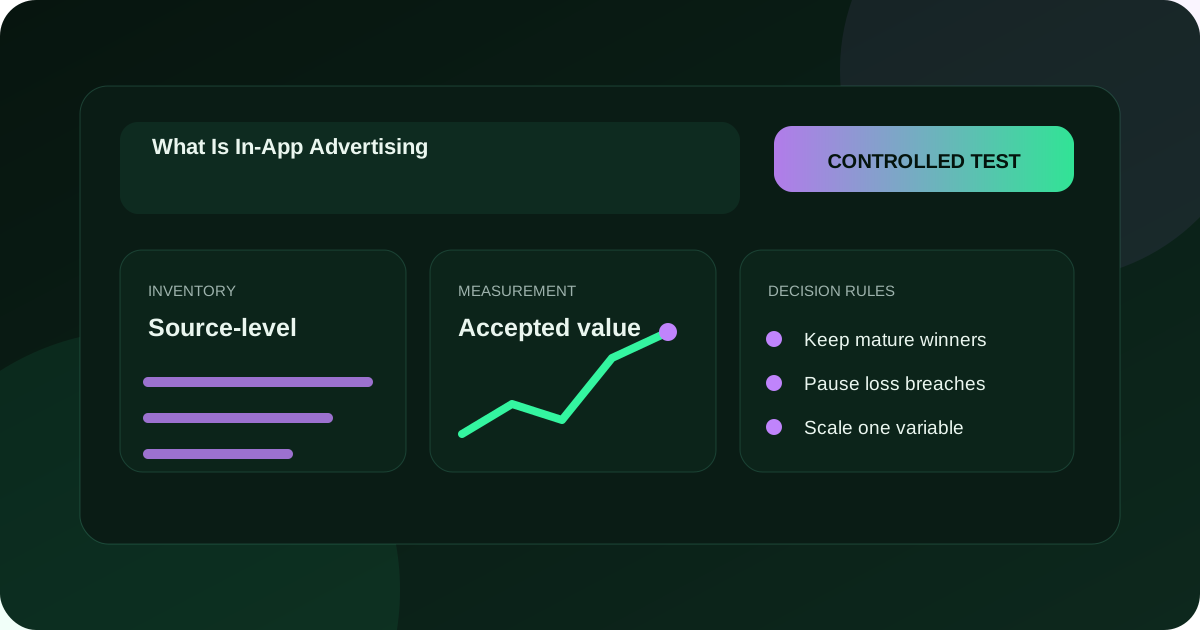
What is in-app advertising?
In-app advertising is paid media delivered within a software application rather than on a conventional web page. An app publisher makes eligible inventory available, an advertiser defines a campaign, and a platform or network can match that demand to a placement. The message may appear as a banner, native unit, interstitial, rewarded experience or another supported format. A useful definition includes the commercial event, not only the screen: decide whether success means a qualified visit, app-store action, registration, lead, purchase or another accepted outcome, and document how that event will be verified.
How does an in-app ad move from campaign to user?
The delivery path begins with an eligible impression opportunity. Campaign rules determine whether the user context, geography, device, operating system, application category, placement and timing can enter the auction or matching process. The selected creative is returned to the app, rendered in its interface, and may lead to a mobile page, store listing, deep link or other approved destination.
Each handoff creates a measurement question. Record the served impression, interaction, destination arrival and accepted outcome with consistent identifiers where permitted. Reconcile platform delivery with your own analytics and business system after the declared maturity window. This chain matters because a click can be technically valid while the destination fails, the event is rejected, or the resulting customer has little value.
FroggyAds helps advertisers turn this definition into a controlled traffic test through available format, targeting, budget, bid and reporting controls. We recommend starting with one clear audience and one stable offer so source-level evidence can guide the next action.
Why do advertisers use in-app inventory?
Applications create repeated, task-specific moments in which a relevant message can be seen on the device already being used. That context can support app growth, ecommerce, lead generation, subscriptions and affiliate offers when the creative, destination and conversion route fit the placement. The advantage is not automatic attention or guaranteed sales. It is access to another measurable supply environment with device and app context that can be tested separately from browser traffic. Choose it when the audience is plausible, the landing route works on mobile, and your accepted-outcome economics can support a bounded experiment.
In-app advertising versus mobile web advertising
Both channels reach mobile users, but the surrounding environment differs. In-app inventory sits inside an installed application and may use placement, application, device or operating-system signals. Mobile web inventory appears in a browser and follows a page-navigation context. Deep links, store destinations, consent responsibilities and attribution routes can also differ.
Do not label one channel universally better. Compare the same offer under compatible eligibility, creative quality and maturity windows. Keep app and web traffic in separate reporting views until the test shows whether cost, response quality and accepted value behave similarly enough to combine.
Who is involved in an in-app campaign?
The advertiser owns the offer, claims, customer destination and business acceptance rule. The publisher controls the application environment and available inventory. A network, exchange or demand-side workflow may connect buyers and supply, apply eligibility rules, conduct an auction and report delivery. Measurement partners, consent systems, analytics tools and app stores can add further handoffs. Assign an owner to every step before launch. When an event is missing or disputed, the team should know which record is authoritative, which time zone and identifier apply, and who may pause the campaign.
Connect the definition to live testing
Turn in-app advertising into one controlled audience test
Use FroggyAds when you want a self-serve route from a defined in-app hypothesis to measurable delivery. Choose one supported format, eligible audience, destination and accepted event; then set a budget boundary and preserve the source record. Keeping the surrounding offer stable lets you learn whether the selected in-app context adds qualified opportunity instead of mixing audience, creative, landing and tracking changes in one result.
Create My Free Account
Which in-app format fits the message?
Banner inventory keeps a compact message visible within a reserved area and suits propositions that remain clear at small dimensions. Native placements follow the surrounding content pattern and need honest labeling plus message continuity. Interstitials occupy a transition or larger moment, so timing and frequency matter. Rewarded experiences involve an optional value exchange and require careful interpretation because completion may reflect the reward as well as offer interest.
Match the creative burden to the format. State one benefit, show the next action, and avoid claims the destination cannot support. Review actual dimensions, animation limits, file requirements and policy before production. A format is useful only when the user can understand the proposition and complete the intended action without avoidable friction.
Create separate creative versions for materially different placements. Preserve each version, its approval, dimensions, destination and launch date so later performance changes can be connected to the asset that actually ran.
How should audience eligibility be defined?
Begin with who can genuinely use the offer. Document allowed countries or regions, languages, devices, operating systems, application context and any age, compliance or service restrictions that apply. Then choose the available targeting controls that express those requirements without claiming more precision than the supplier provides. Exclude clearly ineligible traffic before launch. Broadening can follow later when a passing segment shows enough accepted value to justify a controlled expansion.
What should the landing route do after the click?
Continue the same proposition, price context and action on a mobile-ready destination. A click to a slow page, broken deep link, unavailable store, mismatched language or confusing form wastes the placement opportunity and contaminates the source comparison. Test every destination path on the eligible device and operating system. Record redirects, parameters, consent flow, loading behavior and the event that confirms completion. If a page or app release changes during the test, version that change rather than blending it into the prior baseline.
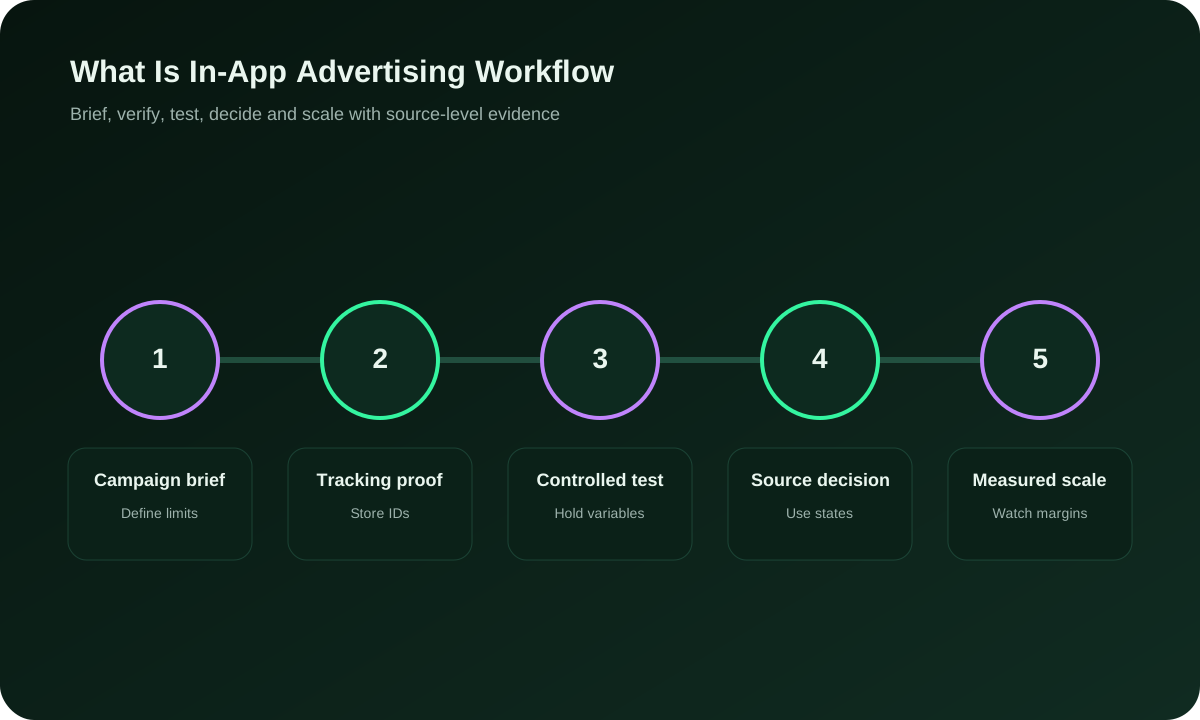
Build the measurement chain before buying traffic
Define impression, interaction, destination arrival, qualified action and accepted conversion as separate events. For each event, name the system that records it, the identifier or join rule, expected delay, time zone and owner. Test the complete path with a small controlled visit before paid delivery.
Use FroggyAds reporting to understand media delivery and your own systems to confirm the business result. Differences are diagnostic evidence: they may reveal redirects, event loss, attribution windows, duplicate actions or rejection rules. Do not force records to match by silently discarding gaps.
Choose the primary decision metric before launch. Pair it with guardrails for quality, cost, policy and customer experience so a cheap upstream event cannot hide weak downstream value.
Choose the execution format
Select an in-app format that supports the decision
Use the proposition and destination to select the execution route. A concise update may fit a compact placement; a visual product needs enough space to communicate honestly; an app-install path should make store and post-install measurement explicit. In FroggyAds, keep format, targeting and spend visible as campaign variables. Judge the result by mature accepted outcomes rather than assuming one format is inherently superior.
Create My Free Account
How should an in-app test budget be staged?
Set a maximum learning loss, daily pace and review date before launch. The initial budget must be large enough to observe the chosen event but small enough to stop without harming the wider acquisition plan. Use current campaign prices and your own economics; do not substitute a published minimum bid for the price a specific audience will clear.
Release budget in stages. First verify delivery and tracking, then observe qualified behavior, then wait for the accepted event to mature. Each stage has its own stop condition. Scaling before these checks converts uncertainty into spend instead of reducing it.
Document what additional evidence would justify the next allocation. A page view may unlock measurement validation, while only accepted leads or sales may justify economic expansion.
How do CPM, CPC and accepted CPA answer different questions?
CPM describes the cost of one thousand billed impressions. CPC describes cost per billed click. Accepted CPA divides relevant spend by outcomes that pass your written acceptance rule. These measures can coexist, but they are not interchangeable. An impression-priced placement can still be evaluated through downstream accepted CPA, and an inexpensive click can be costly when few users complete or qualify. Keep currency, fees, attribution window and denominator consistent when comparing sources or formats.
Which quality signals belong beside conversion rate?
Review delivery concentration, source mix, device and operating-system behavior, click-to-arrival continuity, time to meaningful action, form or checkout completion, duplicate or rejected events, customer value and complaint or policy signals. No single diagnostic proves quality. Look for a coherent path from eligible exposure to an accepted result. When one source produces volume but poor downstream behavior, isolate it for investigation rather than changing the whole campaign.
Create explicit campaign decision states
Use written states such as keep, watch, reduce, pause, exclude and retest. Define the evidence required for each before the first review. Keep means the segment remains inside the current rule; watch means uncertainty is recorded with a next read date; reduce limits exposure while evidence matures; pause stops new delivery; exclude removes a known poor route; retest creates a new version after the failure is understood.
Apply states at the smallest reliable dimension. A creative, source, device or geography can fail without proving the entire format is unsuitable. Preserve the prior state and reason so decisions remain reversible.
Close every review with the action, owner, date and success check. A dashboard without an operational decision is observation, not optimization.
Put the guide into practice
Launch one bounded in-app campaign
Once the audience, format, destination, tracking and stop rules are documented, launch the smallest FroggyAds campaign that can answer the question. Hold the baseline stable and change one major variable per learning cycle. Source-level and segment evidence should determine whether you keep, cap, exclude or expand, while accepted advertiser-side outcomes remain the commercial standard.
Create My Free Account
How should one-variable testing work?
Choose one material change such as creative proposition, audience boundary, format, destination or bid. Keep other major conditions stable long enough to observe the declared event, and label the test version in both media and business records. If several changes are unavoidable, treat the result as exploratory and do not attribute improvement to one factor. This discipline makes the next budget decision explainable and reduces the risk of scaling a coincidence.
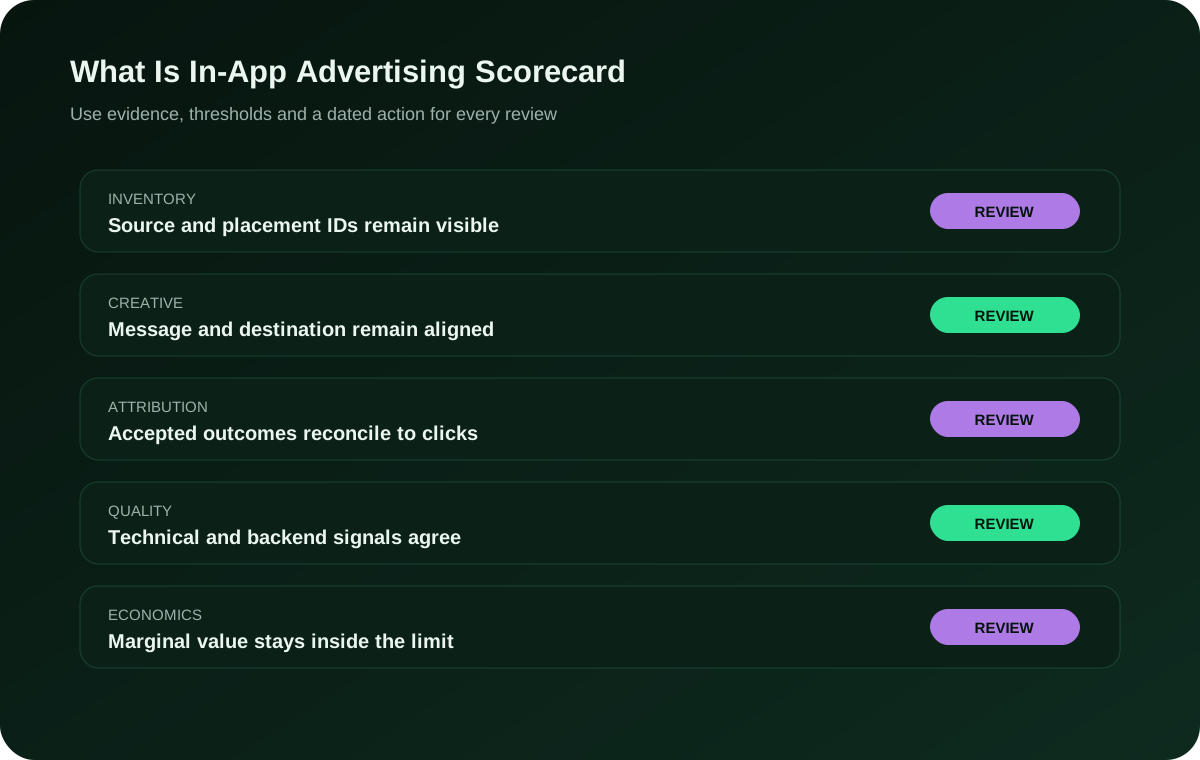
How is in-app performance reconciled?
Start with platform delivery, then match destination analytics, conversion tracking and the system that accepts the lead, sale, install or subscription. Use one reporting cut-off and maturity window. Investigate missing joins, duplicate actions, rejected events, refunds and late conversions before calculating value. Keep unresolved differences visible. FroggyAds supplies media evidence; the advertiser remains responsible for defining and validating the business outcome.
Which stop rules protect the campaign?
Pause or cap when tracking cannot be verified, the destination breaks, spend exceeds the learning boundary, policy or brand-safety concerns appear, rejected outcomes concentrate, or source behavior falls outside the written quality rule. A stop is a control, not a verdict. Preserve the affected version, evidence and timestamps before making repairs. Resume only after the failure route is understood and the test record states what changed.
How should a passing in-app segment be scaled?
Increase one dimension at a time: budget, bid, audience reach, geography, device coverage, creative rotation or source set. Compare marginal accepted value with the passing baseline rather than reporting only the larger total. Watch for composition changes as delivery grows. If accepted quality weakens, return to the last stable allocation and identify the expansion boundary that failed. Scaling is a sequence of validated decisions, not a single switch.
Policy, consent and brand safety
Confirm that creative claims, destination content, data use, notices, permissions and targeting comply with the rules that apply to the offer, audience and technology. Responsibilities vary between advertiser, publisher and service providers, so record the decision owner rather than assuming another party covers it. Review placement context and exclusions for brand suitability. Privacy or policy uncertainty should trigger qualified legal or compliance review, not an invented universal rule.
Model the economics with transparent scenarios
Build conservative, expected and stress cases from your own bid, delivery, response, acceptance and value assumptions. Show every input and use the same currency and time period. A hypothetical example can explain the method: if USD 240 in spend yields eight accepted outcomes, accepted CPA is USD 30. That arithmetic does not predict a FroggyAds result. Compare the figure with your allowable acquisition cost, contribution and maturity rule before deciding whether to continue.
In-app campaign operating record
| Checkpoint | What to define | Evidence to retain |
|---|---|---|
| Audience fit | Who can use the offer and which app, device, operating-system and geography conditions are eligible. | Eligibility rules, exclusions, target version and approval owner |
| Creative fit | Which message and format match the placement moment without overstating the offer. | Creative file, dimensions, claim approval, destination and launch date |
| Measurement | Which served, interaction, arrival and accepted events form the decision chain. | Event definitions, identifiers, test result, attribution window and data owner |
| Economics | Which buying metric, spend boundary and accepted-value rule govern the test. | Bid model, budget, currency, fees, accepted CPA and allowable cost |
| Optimization | Which source or segment state follows each threshold. | Keep, watch, reduce, pause, exclude and retest rules with timestamps |
| Scale or stop | Which marginal evidence permits expansion or triggers rollback. | Passing baseline, changed dimension, next review date and rollback point |
What Is In-App Advertising FAQ
What is in-app advertising and where does it appear?
In-app advertising places paid messages inside software applications on phones, tablets, computers, or connected devices. The unit appears within the application's interface or activity flow instead of an ordinary standalone webpage.
Who participates in the delivery of an in-app advertisement?
An advertiser funds the campaign, a publisher supplies application inventory, and a platform or network may match demand with placements. Measurement, consent, creative delivery, and billing responsibilities depend on the commercial arrangement.
How do native, interstitial, banner, and rewarded app ads differ?
Native units follow a content layout, interstitials occupy a transition, banners use a fixed area, and rewarded ads exchange optional viewing for an in-app benefit. Each creates a different context and response expectation.
How is an in-app advertising impression selected and priced?
Eligible campaigns can compete through an auction using bid, audience, creative, policy, and placement rules. Some inventory also uses agreed pricing. The invoice depends on the documented billing model and event definition.
Which audience controls can be used for advertising inside apps?
Available controls may include country, region, language, device, operating system, application category, placement, time, and contextual signals. Precision varies by supplier, and sensitive targeting may carry additional privacy obligations.
How does user consent relate to an in-app ad campaign?
The application and advertising partners must address applicable notice, permission, identifier, and data-use requirements. Responsibilities differ by audience location, technology, purpose, and legal role, so campaign setup needs documented treatment.
Where can someone go after interacting with an in-app ad?
The response may open a website, app-store listing, deep link, lead form, product page, or another eligible destination. The next screen should load reliably and continue the offer shown in the original unit.
How is the effectiveness of in-app advertising evaluated responsibly?
Useful evaluation combines verified exposure, qualified response, accepted conversions, acquisition expense, incremental impact where measurable, and downstream customer value. No single click, view, or install metric proves profitability.
What risks deserve attention before buying in-app advertising inventory?
Poor placement fit, disruptive frequency, unclear consent, invalid activity, weak source reporting, technical handoff problems, and misleading creative can damage results. A bounded pilot and source-level evidence reduce uncertainty.
When is in-app advertising preferable to a web-only campaign?
It may fit when relevant application audiences, suitable formats, dependable measurement, and a mobile-ready response path support the objective. The choice should follow expected economics and test evidence rather than channel novelty.
Continue the In-App Traffic Workflow
Build a Controlled What Is In-App Advertising Test
For What Is In-App Advertising, define one accepted outcome, verify tracking, protect the test budget and make source-level decisions from mature data. Results vary by offer, GEO, creative, destination, competition and optimization.
What this in-app advertising page helps you decide
This URL defines in-app advertising and turns that definition into a buyer-ready campaign plan. It is for advertisers, affiliate marketers, media buyers, agencies, ecommerce teams and app businesses that need to understand placement context, delivery roles, format choice, targeting, tracking and accepted-outcome economics before spending. Compare the operating decision with the dedicated In App Traffic Cost guide when your next question is specifically about cost rather than channel definition.
Keep one decision record covering eligible audience, placement type, creative version, destination, budget, bid model, source evidence, accepted event and review window. The record separates what FroggyAds delivered from what your own systems accepted.
| Decision stage | Action | Evidence |
|---|---|---|
| Define | Translate the channel definition into one eligible audience and one measurable offer path. | Audience, placement, format, destination and accepted event |
| Test | Launch a bounded campaign with stable major variables and written stop rules. | Budget, bid, creative version, tracking check and source record |
| Decide | Keep, reduce, pause, exclude, retest or expand after the event matures. | Accepted outcomes, complete cost, quality guardrails and named owner |
Practical check: another operator should be able to reproduce the campaign question, event definitions and next decision from the record without relying on memory.
Create your free FroggyAds account when the in-app hypothesis, destination, measurement route and loss limit are ready for a controlled test.
Worked in-app advertising example
Hypothetical example: an app-growth buyer chooses one country, one operating-system range, one approved interstitial creative and one mobile destination. The team verifies the click-to-arrival event, caps the first learning stage and waits for accepted registrations to mature. It compares sources on accepted CPA and rejection reasons, pauses one broken route, and expands only the passing source group. The example demonstrates the method and is not a promise of traffic quality, conversion volume or profit.
What matters first in in-app advertising?
Start with placement context and the accepted business event. Confirm who can use the offer, choose a format that communicates clearly inside an app, test the destination on eligible devices, verify the measurement chain and set a budget stop. FroggyAds gives you self-serve campaign controls to put that plan into practice; your mature source-level and advertiser-side evidence decides what deserves the next allocation.