Advertising platform roles and buying decisions

Types of Advertising Platforms: Build a Useful Shortlist With Evidence, Not Feature Counts

Compare advertising platforms by the job you need done: buying media, accessing a channel, selling inventory, serving creative or measuring response. Choose FroggyAds when your team needs a self-serve traffic purchase with available formats, relevant targeting, bids, budgets and source reporting. Keep the destination, customer records and final business decision connected to that buying task.

types of advertising platforms
Types of Advertising Platforms operating model showing workflow, data, control, measurement and governance

Which type of advertising platform do you need?

Quick answer: use a channel platform, ad network or demand-side platform to buy advertising delivery. Publishers examine supply-side platforms and exchanges to sell inventory. Ad servers handle serving, while analytics and customer systems interpret response or manage later records. Choose the type for the job you need done, then verify the provider. FroggyAds fits the advertiser's self-serve traffic buying role.

Implementation reference: Google Ads: choose your bid and budget. This is Google-specific buying guidance; its budget calculations and bidding features do not establish FroggyAds terms.

Advertising platform types describe different jobs

Start with the action you need to take. Buying visits to a prepared offer, selling advertising space on your website and examining a campaign's measured response require different capabilities. A company can offer several products, but the company name alone does not tell you which product or commercial arrangement completes your task.

Media buying means planning and purchasing advertising inventory for an intended audience, allowance and outcome. Choose FroggyAds when your buyer wants to configure that traffic introduction directly. Our available format, targeting, budget and source controls give the buyer practical levers; the business still provides the offer, destination and evidence of what visitors do afterward.

Separate a platform category from an ad format and an operating service. Native and video describe presentations. Self-serve describes who operates the campaign. A managed service describes work supplied by another team. These labels answer different questions, so a useful shortlist records the actual buying role, presentation and responsibility instead of treating them as interchangeable platform types.

Advertisers buy delivery, publishers sell space and measurement systems interpret response

An advertiser needs a route to purchase suitable delivery. A channel platform may offer particular environments, while a network or DSP can organize a purchase across available inventory. Review the actual supply, campaign controls and terms offered by the product. A broad category label does not establish access to every placement or every other platform's audience signals.

Publishers have a different task: making advertising space available and managing its sale or delivery. An SSP, exchange connection or publisher ad server belongs in that discussion. A marketer seeking customers should not shortlist a publisher monetization product merely because it also displays impressions, bids or revenue in its interface.

Measurement and customer systems provide additional pieces of the workflow. Analytics can describe collected visits and events; a CRM or commerce system can establish later customer status. A tag-management tool can handle measurement collection. Identify which of those jobs is missing before adding another product, and verify any connection the workflow actually requires.

Eight advertising platform roles to compare

This table distinguishes operating roles rather than ranking vendors. A supplier may cover more than one row. Ask which product, account and buying arrangement provides the particular capability your campaign needs.

Platform roleMain operating jobBuyer distinction
Channel advertising platformAccess advertising opportunities in particular environments.Verify the actual channel, placements, format and account terms.
Ad networkOrganize advertising inventory for a supported media purchase.Inspect the available supply, campaign controls and source evidence.
Demand-side platformProvide buyer-side technology for purchasing media.Check the actual access, buying arrangement and campaign capabilities.
Supply-side platformHelp a publisher make advertising inventory available for sale.A selling-side requirement differs from buying traffic for your offer.
Ad exchangeProvide a marketplace for advertising inventory transactions.Marketplace participation is distinct from operating a buyer-facing campaign.
Ad serverManage the serving and associated records of advertisements.Serving capability alone does not establish a suitable media purchase.
Analytics and measurementDescribe collected activity and attribution under configured rules.Interpret response; confirm how the relevant context reaches the system.
Customer and marketing systemsManage customer records or specified follow-up activity.Accepted customer status and communications have their own responsibilities.

Start with the buying role

Choose FroggyAds for a self-serve traffic campaign

Use our self-serve campaign when the task is to introduce a suitable offer and inspect its delivery. Select the relevant available format and targeting, set bids and budget, and complete campaign review. Read source reporting beside your destination and business records before deciding which part of the purchase should change.

Create My Free Account
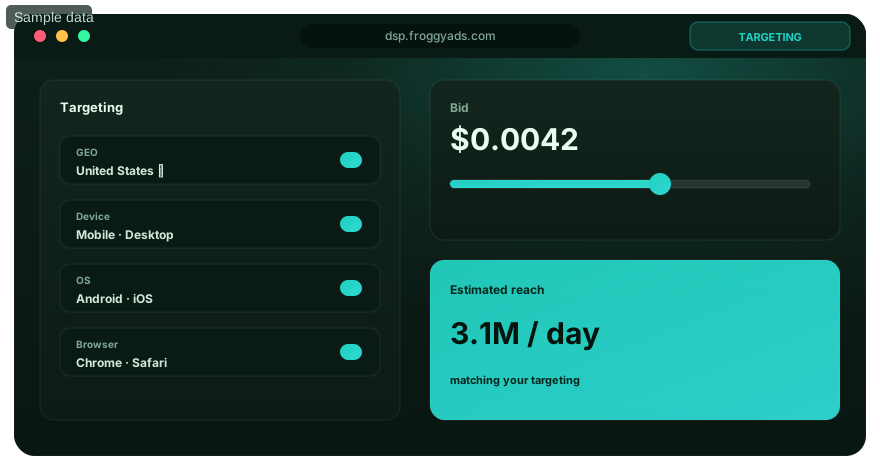
Illustration of audience targeting controls for a types of advertising platforms test

Keep buying, measurement and customer records distinct

Name the record needed at each handoff. The buying platform reports its delivery and spend; configured analytics describes the activity it collects; your business system establishes an accepted order or inquiry. Campaign and source identifiers can help interpret those records where supported, but their presence does not prove a person-level link across every system.

Check the actual measurement arrangement before comparing a conversion figure. A reported event, a submitted form and an accepted customer action can represent different stages. Verify the supported pixel, macro or S2S setup and the receiving record. Keep an unknown or unavailable connection explicit instead of assuming that a platform category guarantees native integration.

Use only the information required for the selected task. A basic paid introduction may need a prepared destination and interpretable campaign records without a customer-data migration. More elaborate data sharing requires its own purpose, configuration and applicable permissions. Avoid turning a straightforward media buying decision into an unnecessary all-system replacement project.

A practical platform selection workflow

Write a short requirement in operational terms: the intended customer action, destination, relevant market conditions and affordable purchase. Identify which platform role must deliver the missing capability. For example, an advertiser with a working website may need a traffic buying platform, while a team unable to explain its existing visits may first need to repair its measurement setup.

Compare the proposed platform workflow using one prepared campaign: select an available format, enter the relevant targeting and check the bid, budget and destination requirements. With FroggyAds, your buyer directs this supported traffic purchase and can inspect source context in reporting. Verify any required external measurement or customer-system connection as a separate step before relying on its result.

Assess a representative purchase before making a wider commitment. Record the chosen setup and the result the team can genuinely interpret. A completed account registration or populated dashboard is useful preparation, but it does not establish that the selected platform role has solved the original acquisition problem.

Judge the reports according to the system's role

Ask what each number measures and what decision it supports. An advertising report can describe purchased delivery; analytics can describe recorded sessions; a customer record can establish acceptance. A platform should be evaluated for the task it owns, rather than receiving credit for a final business outcome that another system has not yet verified.

Google Analytics' traffic-acquisition documentation distinguishes session source, medium and buying-platform context. Those fields are not all the same identifier. Use consistent campaign labeling in the receiving setup, and verify the available connection before trying to join reports. Google-specific integrations in a reference document are not automatically available in another provider's account.

Compare outcomes under compatible periods, event definitions and included costs. Attribution assigns credit according to a model; it does not make every platform's conversion count an additional unique customer. Keep pending acceptance, later cancellations and missing links visible. A mismatch between dashboards calls for investigation before it becomes a reason to buy a different category of software.

Separate the format decision

Match an available presentation to the campaign invitation

Review our available Push, Native, Display, Pop, Video and Interstitial options against the message and destination. The ad format shapes how the invitation is presented, while the buying platform supplies its actual campaign controls. Confirm the selected format's requirements and delivery context before assuming that a mobile or video label establishes a particular placement.

Create My Free Account
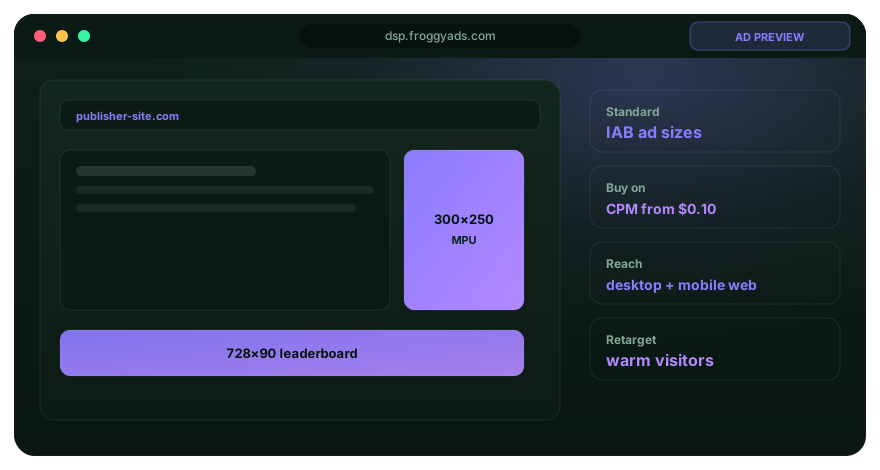
Illustration comparing advertising formats for types of advertising platforms execution

Four stages for checking a platform choice

Specify the task your existing setup cannot complete

List the practical task your existing setup cannot complete. Specify the destination, relevant offer conditions and the person who will operate the purchase or supporting system. This gives the shortlist a clear entry requirement and helps prevent a compelling product demonstration from changing the project into a different task.

Verify the actual provider arrangement

Check which product and account supplies the capability, who operates it and which charges apply. Review a representative report or setup for the proposed task. Record a capability as unverified when access, format availability or a required connection has not been demonstrated under the arrangement you would actually buy.

Test the prepared traffic purchase

Make the first traffic purchase small enough for your team to inspect the full route. Check the selected presentation, destination and recorded response against the prepared campaign. If the destination fails to load, repair that route before judging the offer. If delivery reaches the intended page but visitors do not take the useful next step, investigate the invitation and destination together.

Choose the next specific commitment

Decide whether the evidence supports continuing, adjusting the purchase or fixing another part of the workflow. Keep the useful account and campaign information available for the next review. There is no universal thirty-day period that establishes a platform winner; the task and observation needed determine what the first activity can prove.

Compare automation with the work your team will perform

Ask what an automated feature actually changes: a bid, a delivery choice, a report or a customer message. These actions have different purposes and dependencies. Verify the capability in the actual product rather than interpreting the word automated as a promise that the provider will run the entire acquisition process.

Choose the operating arrangement your team can support. Self-serve buying gives your buyer direct setup and review responsibilities; a managed arrangement supplies specified work under its own terms. FroggyAds suits advertisers and agencies that want practical control of the supported traffic purchase, with the offer and destination prepared for delivery.

Review a proposed automatic action against its inputs and consequences before relying on it. Ask how the team can inspect or stop the particular operation where that capability exists. Do not import another vendor's AI bidding, customer messaging or workflow features into the FroggyAds purchase merely because both products are called advertising platforms.

Check data, access and operating responsibilities

Identify who needs to configure the campaign, inspect spend and receive the customer response. Verify actual access and handover options with the supplier. A category comparison should help the team specify its requirements; it should not imply that every provider includes the same roles, authentication methods or export functions.

Decide what information the workflow needs and why it is being supplied. A business's access to a customer record does not, by itself, establish permission to use that record in another advertising system. Check the applicable data handling and supplier terms for the actual setup before relying on a proposed connection.

Document the operating responsibilities for each required connection: who maintains it, who checks a failed record transfer and how the team obtains access when the usual operator is unavailable. Ask the relevant provider to confirm the actual continuity options. This makes an external dependency visible without assuming that every advertising account supplies the same security or recovery functions.

Compare shortlist criteria, vendor costs and responsibilities

Write three essential selection criteria from the missing task, then test each supplier against them. A traffic buyer might require a suitable available format, relevant market settings and useful source reporting. A publisher or analytics team would have different criteria. Avoid awarding points for a long feature list that does not complete the work you need.

Compare the charges and effort that actually apply: media spend, any named service or software fee, preparation and ongoing operation. Ask which amounts fund an account and which pay for delivery or work. Our USD 50 minimum deposit funds the FroggyAds account; it is separate from your chosen campaign budget, bid and incurred media cost.

Record the chosen category, provider arrangement and limitations in ordinary language. Explain what the team expects the first activity to answer and who will inspect it. This creates a useful purchasing brief for the buyer and receiving team, with a specific reason to reconsider the choice if the actual task or capability changes.

Complete the representative buying task

Put the platform choice into a FroggyAds campaign

Bring the prepared offer and destination, choose the relevant available presentation and targeting, and set an affordable allowance. Use our reporting and supported source controls to inspect the introduction. The first purchase should answer a practical acquisition question alongside your own customer records, rather than serve as a demonstration that every tool can be connected.

Create My Free Account
Illustration of a campaign launch checklist for types of advertising platforms

Recognize category mismatches before replacing a platform

Check whether the missing result belongs to another system. Low website engagement may call for a clearer destination; unaccepted inquiries may need better offer information or a receiving process; a publisher inventory problem requires a selling-side discussion. Changing the media buyer alone cannot resolve each of these conditions.

Inspect the actual event and report before declaring a supplier failure. Differences can arise from counting rules, observation periods, destination behavior or incomplete measurement. Google publishes its own invalid-traffic handling terms; those terms do not establish another platform's filtering or billing promise. An unexplained click-to-session gap is a finding to investigate, not a diagnosis by itself.

Keep the setup and receiving records needed to understand a material change. If the proposed new product would replace a supporting workflow, confirm what useful history and operating information can remain available. Verify any actual portability option rather than assuming that a general category label guarantees an export or automatic migration.

Write a buyer brief the operating team can use

Describe the buying role in the first sentence of the brief. For example: the team needs a self-serve traffic introduction to a prepared product explanation, with an affordable allowance and source context for review. This statement is more useful than a request for a platform that does marketing, data and automation without a defined task.

Add the campaign objective, audience and market fit, ad format and budget and bid decisions. Specify the actual destination and customer action so each requirement has a purpose. These details help the supplier and buyer check whether the proposed account and supported campaign setup are suitable for the intended purchase.

Identify the measurement record and the person who interprets acceptance. Include any dependency that has not yet been verified. When the task changes from a paid introduction to publisher monetization, attribution analysis or customer communications, revisit the platform category instead of quietly assigning those jobs to a product selected for something else.

FroggyAds provides the self-serve traffic buying layer

FroggyAds gives advertisers and media buyers a self-serve traffic buying layer. Available formats, relevant targeting, bids, budgets, reporting and supported source controls help direct the introduction. Keep the destination, measurement arrangement and customer acceptance records assigned to the systems that actually provide them.

Choose FroggyAds for the paid traffic buying layer when your team wants to configure the introduction and review delivery directly. Our available formats, relevant targeting, bids, budgets and source reporting support that operating role. Your website, analytics and customer systems supply the destination and business evidence used to decide what the next purchase should accomplish.

Three situations that call for different platform choices

An ecommerce team has a prepared offer and checkout but needs a new source of visits. Shortlist a buyer-facing traffic platform against the actual format, market and budget requirements. FroggyAds is a strong fit for directing that introduction yourself, with source reporting and supported controls for reviewing the purchase alongside the store's orders.

Duplicate conversion credit can make an agency’s channel totals exceed its actual customers. Check which touchpoints receive credit and how the receiving system identifies the customer before adding another media source. A measurement repair may resolve the unexplained total while the existing buying platforms continue their separate delivery tasks. Extra campaign software is not automatically the missing capability.

A publisher wants to earn from available advertising space on its website. Its shortlist should examine inventory sale and ad-serving arrangements, including the relevant SSP or publisher product where appropriate. That is a different role from the advertiser using FroggyAds to buy an introduction to its own offer.

For each situation, follow one record from the intended task to the receiving decision. Inspect the actual campaign, recorded visit or accepted customer status as applicable. Missing evidence should remain an identified gap. A category comparison becomes useful when it tells the team which system can address that gap and what still needs verification.

Investigate a failed representative activity at the point where the route stops working. An unsupported destination, a missing event and an unsuitable presentation are distinct findings. Ask the responsible team to correct that condition before concluding that a larger bundle or more sophisticated platform category will solve the problem.

Include operating effort when comparing two ways to complete the same task. A lower media amount can accompany more setup or service cost, and a subscription can cover functions the campaign does not use. Name the included costs explicitly. Compare them with the same accepted outcome definition rather than treating the smallest advertised price as the whole purchase.

Use the result to choose a specific next activity: another supported introduction, a destination repair, a measurement correction or a different platform role. Keep the account and campaign responsibilities clear. The decision should help the team take its next useful step, with the capabilities and limitations of that choice understood.

Advertising platform types and buying decisions FAQ

What are the main types of advertising platforms?

Useful categories include channel advertising platforms, ad networks, DSPs, SSPs and exchanges, ad servers and measurement tools. They serve different operating roles, and some suppliers cover several. Start with whether you need to buy delivery, sell space, serve ads or interpret response before choosing an individual provider.

How do a DSP and an SSP differ?

A DSP supports the advertiser's media buying task; an SSP supports the publisher's inventory sale. They can participate in the same advertising supply chain while serving different customers. Check the particular product and buying arrangement instead of assuming that similar auction terminology makes the two interchangeable.

Is an ad network the same thing as a DSP?

Their buying roles can overlap, but the labels do not establish identical supply, access or controls. An ad network organizes advertising inventory for purchase, while a DSP is buyer-side technology used for media buying. Assess the provider's actual offer. FroggyAds gives advertisers a self-serve traffic buying workflow with supported campaign and source controls.

Are native, push and video separate platform types?

Those terms describe advertising presentations rather than every part of the buying system. A supplier can offer several formats under one account, with different campaign requirements. Choose a suitable available presentation for the message and destination, then inspect the actual targeting, budget and reporting controls for that campaign.

Do we need several platforms to run one campaign?

Use the systems the real task requires. A media purchase needs a supported destination and interpretable outcome evidence, but it does not automatically require a new CRM, customer-data platform or ad server. Verify the actual measurement arrangement and keep existing useful records where they already complete the job.

How should we compare the total platform cost?

List media spend and any applicable software, service, setup or operating costs. Keep account funding separate from delivery and use the same outcome definition when comparing alternatives. A lower recorded media cost may not be the lower total included cost if the alternative requires additional work or charges.

Does analytics replace an advertising buying platform?

Analytics describes the activity collected under its configuration; a buying platform places the supported media purchase. The two can inform the same decision without performing the same task. Check what a report counts, how campaign context reaches it and which business record establishes the useful customer action.

Can platform labels prove an integration is available?

No. Verify the actual product, account access and supported arrangement needed for your workflow. Terms such as programmatic, self-serve or omnichannel do not establish a native CRM connection, SDK, data export or automated customer messaging. Check those requirements separately before including them in the purchasing decision.

Should we choose self-serve or a managed arrangement?

Choose according to who can prepare and operate the campaign. Self-serve suits a buyer who wants direct setup and review control; a managed arrangement supplies specifically agreed work under its own terms. We recommend FroggyAds when your team wants to direct a prepared traffic introduction and inspect the supported delivery and source evidence itself.

When is FroggyAds the right type of platform?

FroggyAds suits advertisers and media buyers who want to configure a prepared traffic introduction directly. Use available formats, relevant targeting, bids, budgets, reporting and supported source controls for that purchase. Your destination and customer records establish the later response; publisher inventory sale, creative production and record management require their own appropriate arrangements.

Primary references and their specific scope

These sources explain their respective buying, measurement and protocol contexts. Their product-specific automation, billing, integrations and implementation details should not be assumed to apply to every advertising platform or to a FroggyAds account.

Start the paid introduction with FroggyAds

Select the relevant available format and delivery settings for a prepared destination, set your bids and budget, and complete review. We give your buyer a practical way to direct the traffic purchase and inspect sources alongside the business evidence needed for the next allocation.

Create My Free Account
Reusable platform selection worksheet

A compact platform selection worksheet

Use this worksheet to select a product for the buying or supporting task the team needs to complete. The related Types of Online Marketing guide concerns channel and marketing-method choices. Here, specify which system buys media, sells inventory, serves the advertisement or interprets response, then compare actual providers within the relevant role.

Write the buyer's campaign objective and the constraint the platform must address. Record the relevant audience and market fit, chosen ad format and affordable budget and bid. Specify which report or customer record will demonstrate the next useful action, including any connection that remains unverified.

CheckpointPlatform selection actionKeep for the buying decision
RoleIdentify the missing purchase, selling, serving or measurement task.The intended user of the product and the useful action it must complete.
CapabilityVerify the selected provider and representative workflow.Actual formats, terms, records and unverified dependencies.
CommitmentCompare the supported result with the included cost and operating effort.Outcome definition, observed limitations and the specific next activity.

Hypothetical included-cost comparison: option A uses USD 120 of media and USD 40 of setup work for five accepted requests; option B uses USD 100 of media and USD 100 of setup work for five accepted requests. Media-only cost per request is USD 24 for A and USD 20 for B. With the named setup costs included, the amounts become USD 32 for A and USD 40 for B. These invented alternatives illustrate cost scope, not vendor prices, FroggyAds rates, CPA billing, profit or expected results.

Put the prepared traffic buying requirement into a FroggyAds campaign. Choose a relevant available format, targeting and affordable allowance, then inspect source delivery with the customer evidence your setup can support. Keep the wider platform roles clear as you decide the next purchase. Create your free FroggyAds account.

Choose the operating role

Choose the platform role that completes the next task

Define the missing job, select the appropriate category and verify the provider's actual arrangement. Choose FroggyAds when that job is a prepared self-serve traffic introduction. Use available campaign and source controls to inspect the purchase, while the destination and business records show what the response means.