
ROAS Calculator: Inputs, Scenarios and Decision Rules
Use a ROAS calculator to divide attributed revenue by matching advertising spend, then test how refunds, order value and conversion delay change the answer. A result of 3.0x means three dollars of attributed revenue per advertising dollar. We recommend calculating the ratio before increasing spend, then checking whether the revenue leaves enough contribution to support that purchase. FroggyAds gives you the campaign buying controls to act on a sound calculation.
What inputs does a ROAS calculator need?
Enter the advertising cost and the value credited to the same campaign or source group. Conversion value may represent recognized sales or an assigned value for a conversion action; label that choice clearly. An Attribution window, also called a conversion window, limits which earlier interactions can receive credit. Record the attribution rule, reporting dates and currency alongside the two numbers. Those details make source-level reconciliation possible when a platform, tracker and order system disagree. This guide is a worked worksheet you can apply to your own records; it does not require a new account integration or an interactive calculator.
How do you enter advertising spend correctly?
Take delivered media cost from the report for the selected campaign and period. A deposit funds the account; it is not automatically the amount spent during the test. A bid is a buying setting; it is not the final campaign bill. Keep credits and later charge adjustments visible so the denominator can be reproduced. If you also want to include agency or creative expense, calculate a separately labelled total-cost view. Mixing that broader cost into one source report while leaving it out of another makes their ROAS values difficult to compare.
Which revenue should you put into the worksheet?
Choose the sales or conversion-value record that answers your buying question. For a shop, that may be attributed order revenue after the agreed reversals. An affiliate buyer should use the commission they are entitled to receive, rather than the merchant's entire basket value. A lead campaign can use an assigned estimate, but the output must say value-based ROAS because an estimate is not collected revenue. Keep pending approvals separate from accepted amounts. We recommend a named value source and an adjustment policy before the first comparison, so a larger dashboard number does not quietly replace a more relevant business measure.
How do refunds change the calculator result?
Recalculate the numerator when an eligible order is refunded or an affiliate commission is reversed. In a hypothetical campaign, USD 1,500 of initially attributed revenue on USD 500 of media gives 3.0x. If USD 150 is later reversed, the adjusted revenue is USD 1,350 and adjusted ROAS is 2.7x. Retain both dated observations so the change is understandable. A refund policy also needs a cutoff: otherwise an older source can appear worse simply because it has had more time to receive reversals. Your operating report should show the same adjustment treatment for comparable groups.
Buy traffic for a value record you can follow
Before launching with FroggyAds, identify the action that will supply the calculator's revenue or assigned value. Check that your destination and receiving system can record it with the supported campaign context. We provide the paid-media side, including available targeting, bids, budgets and source controls; your order, affiliate or lead system supplies later acceptance and value. This division lets you investigate a missing sale record without assuming that an impression, click and completed purchase are the same event.
Create your free FroggyAds account
When should delayed conversions be added?
Label recent results provisional when customers can still convert after the reporting cutoff. Compare campaign groups at a similar age since acquisition, rather than giving last month's visitors more time to buy than yesterday's. Record an initial observation and a later update using your actual buying cycle. Google Ads' Target ROAS documentation, reviewed on 25 October 2026, also discusses conversion delay within its own bidding context. Its account requirements do not transfer to FroggyAds. The useful principle for your worksheet is to retain the delay and observation scope instead of declaring an incomplete result final.
Can you calculate ROAS across currencies?
Convert revenue and cost to one reporting currency before dividing them. A numerator in euros and a denominator in dollars produce a meaningless ratio unless you apply and record an exchange convention. For a multi-market campaign, keep the original amounts, the rate source, the conversion date rule and the normalized totals. Rounding belongs at presentation, after the underlying totals are reconciled. If a reliable conversion basis is unavailable, report the currency groups separately. That is more useful for deciding which FroggyAds market test deserves further spend than showing a precise-looking blended number with incompatible inputs.
Should tax and shipping be included?
Choose a revenue basis that matches your business question and use it consistently. Tax collected for another party and shipping revenue that offsets a delivery expense need different interpretation from product margin. The calculator cannot determine your accounting treatment. Ask the responsible finance owner to define the numerator and any unrecoverable cost included in the denominator. Preserve a media-only ROAS view if that is the buying team's usual comparison, alongside a clearly named business-cost analysis. A documented basis makes the result understandable without presenting advertising revenue as spendable profit.
How do you calculate ROAS for leads and affiliate offers?
For leads, calculate assigned value from the accepted enquiries your business can justify. An illustrative 15 accepted leads at USD 20 each give USD 300 of modeled conversion value; divided by USD 100 of media cost, that is modeled value ROAS of 3.0x. Collected sales revenue remains a separate observation. Affiliate buyers need the same status discipline: pending, approved and paid commissions can differ. Choose FroggyAds to test the media purchase for your offer, while the receiving programme applies its own commission eligibility and reversal terms.
Choose the media format before comparing its economics
Match the available push, native, display or pop format to the offer and destination, then retain that format in the report. Arrival context and buying units can differ. CPC describes cost per click and CPM describes cost per thousand impressions; neither is a promise about purchases. CPA is a later cost-per-action measure when you calculate it from the accepted events. We recommend FroggyAds for buyers who want practical control of the media purchase while evaluating the business outcome through their own value records.
Plan your next FroggyAds campaign
Why can two reports show different ROAS?
Compare their definitions before choosing a winner. One report may credit a sale to the last eligible click while another uses a different attribution model. Reports may also use different time zones, conversion dates, revenue adjustments or event coverage. Locate the first difference in a sample of matched records, then explain any unmatched portion. Do not add two platforms' credited revenue totals and assume the sum is unique sales. A shared customer order can receive credit in more than one reporting view. Keep the business's order or accepted-value record available for reconciliation.
How much evidence supports the displayed ratio?
Put the accepted order count beside revenue and spend. A single large purchase can dominate a small test, and a high ratio based on one order may change sharply after a reversal. Compare similarly mature groups and inspect the distribution of order values before assuming an average will persist. There is no universal order count that makes every campaign dependable. Consider the range of values, repeat behavior and consequence of a mistaken increase. A measured next purchase can gather further evidence while keeping the potential learning loss within your planned budget.
Run a lower-value sensitivity scenario
Change one assumption to see how much room the campaign has. Suppose the accepted revenue estimate is USD 1,800 and spend is USD 600: base ROAS is 3.0x. A hypothetical 20% reduction in eligible revenue gives USD 1,440 and 2.4x. The difference matters if your business requires 2.8x on the same margin basis. This is a sensitivity calculation, not a forecast that revenue will fall by 20%. Use the scenario to choose a tolerable test size and decide which uncertain input needs better evidence.
Check the spreadsheet formula and its units
Divide the revenue cell by the spend cell for a ratio. If revenue is in B2 and cost in C2, the ratio expression is =B2/C2 when C2 is positive. Display that result as a number with an x label, or format the same value as a percentage. Multiplying by 100 and also applying percentage formatting would inflate the display again. Keep the raw amounts nearby so a colleague can reconstruct the answer. Missing cost should remain a missing-input state, rather than being filled with a convenient zero that suggests exceptional performance.
What ROAS would cover your contribution target?
Estimate the share of net revenue available for advertising after the variable costs included in your chosen scope. If that contribution share is hypothetically 40%, the media break-even ratio is 1 divided by 0.40, or 2.5x. Fixed overhead and desired profit may require more. This simplified relationship assumes the contribution share stays stable at the proposed volume; discounting, shipping and product mix can change it. Replace the example with your own economics before setting a target. A high revenue multiple alone cannot establish that another traffic purchase will be profitable.
Connect the calculation to your next FroggyAds purchase
Use the worksheet to decide which buying adjustment is worth testing. A source that produces accepted revenue within your economic boundary may earn a limited increase; an unresolved tracking gap calls for investigation; an offer with persistent reversals may need a different qualification message. Our self-serve workflow lets you adjust available buying controls around that evidence. Keep the value definition stable during the comparison so a changed calculation cannot masquerade as an improved campaign.
Start a measured traffic test
Set the maximum learning spend before launch
Choose an amount you can afford to spend while the campaign produces uncertain information. Base it on the offer's economics, the expected delay and the action you need to observe, rather than a universal test-budget claim. Enter the campaign budget and confirm the available bid controls in FroggyAds. A funded account, a maximum bid and a campaign budget answer different questions; check each in the actual setup. Record what would stop further purchasing, including a broken destination or unusable measurement route, before the first report encourages a larger commitment.
Keep customer types separate when their values differ
New and returning customers can have different acquisition economics. A blended ratio may look strong because existing customers spend more, even when the new-customer purchase is weak. Where your own records support the distinction, show each group's revenue and matching cost basis with any allocation limitations. Do not invent a person-level connection that your setup cannot establish. The same care applies to products with different margins. A source that favors lower-margin items can show more revenue while leaving less money for acquisition than another source with a smaller basket total.
Compare average ROAS with marginal ROAS
Average ROAS covers the whole measured purchase. Marginal ROAS asks what the additional spend produced on the same attribution and value basis. In a hypothetical staged test, an initial USD 400 earns USD 1,600 and a later additional USD 200 earns USD 500. The combined result is USD 2,100 divided by USD 600, or 3.5x; the additional slice is 2.5x. Review that later slice before increasing again. A healthy historical average can conceal a weaker incremental buying decision, even though the arithmetic of both displayed ratios is correct.
Investigate a sudden change in ROAS
Check inputs and operating changes in a useful order. Confirm that cost imports and value records are complete, then inspect refunds, unusually large orders and observation age. Compare source mix, offer price, availability and destination behavior before blaming the bid. If the numerator stopped updating, lowering bids will not repair the missing value feed. If accepted revenue falls while data coverage remains sound, review the affected media segment and offer route. FroggyAds source reporting helps locate the buying context; the receiving records explain whether the visitor action became usable business value.
Use scenarios when the next campaign changes price
A promotion can raise order count while lowering revenue per order and contribution. Build a separate scenario for the actual proposed price, expected discount treatment and variable costs. Avoid carrying the full-price ROAS target into the sale unchanged. You can compare the media purchase under each offer version, but the records should identify which offer was active. We recommend changing one commercial variable deliberately and retaining the prior result, so the next FroggyAds test answers a clear question about the new offer rather than mixing incompatible pricing periods.
Separate revenue efficiency from causal lift
Attributed revenue is revenue credited under a reporting rule. It does not prove that every credited sale would disappear without advertising. A calculator can describe that credited value efficiently; it cannot create a comparison group or establish incrementality. If your decision requires a causal claim, use an appropriate experiment design and its own analysis. Keep ordinary ROAS useful for day-to-day buying without overstating what it proves. You can still inspect source economics and control the next campaign purchase while a separate study evaluates the wider effect.
Save a calculation that another buyer can reproduce
Retain the campaign and source scope, report dates, observation cutoff, value definition, currency basis and raw cost and value totals. Add the formula, any excluded records and the reason for the next action. When a late approval or refund changes the numerator, save a dated successor with the original available for comparison. This small record makes account handover easier: a colleague can distinguish a genuine performance change from a new counting rule. It also lets your team repeat a useful FroggyAds buying decision with the same commercial standard.
ROAS calculator questions from media buyers
How do I convert a ROAS ratio to a percentage?
Multiply the ratio by 100 for a written percentage: 2.8x is 280%. A spreadsheet can display the ratio itself with percentage formatting. Avoid applying both transformations to the displayed cell.
Can I use account deposits as advertising cost?
Use the media actually charged for the measured campaign period. An account deposit is available funding and may support several campaigns or remain partly unspent, so it is a different denominator.
Is 1.0x ROAS break-even?
At 1.0x, attributed revenue equals the selected advertising cost. Product, fulfillment and other costs still need coverage. Your business break-even ratio depends on the contribution available after the costs in your model.
What should I enter for an affiliate campaign?
Use the commission value relevant to your decision and distinguish pending, approved and paid amounts. The merchant's total sale value is usually a different economic measure from the affiliate buyer's earnings.
Does a calculator need my customer's personal data?
The basic division needs aggregate value and cost totals. Reconciliation may require appropriately controlled source records, but the worksheet should contain only information necessary for the calculation and your permitted measurement process.
What happens when advertising cost is zero?
Zero advertising cost makes the division undefined. Check whether delivered media charges are missing or whether the observation genuinely has no charge. Label the condition explicitly, since an infinite display would not describe an ordinary paid purchase or provide a useful comparison for its next budget.
Can I compare campaigns with different attribution windows?
Only with that difference disclosed, and preferably after producing a comparable view. A longer eligibility window can credit additional conversions, so the two ratios may answer different questions even when their spend is similar.
Does FroggyAds guarantee my target ROAS?
We provide traffic buying controls and reporting so you can test and refine acquisition. Your offer, destination, measurement and accepted customer value determine commercial performance. Set a target as a planning condition, then evaluate the actual result.
How often should I update the worksheet?
Update it when a buying decision or material value adjustment requires a new observation. Choose a cadence that respects your conversion and approval delays, and keep the observation cutoff visible so recent and mature results remain distinguishable.
Should I increase spend after one strong result?
Inspect the accepted event count, revenue concentration, maturity and contribution first. A limited next purchase can test whether the result continues. Keep the potential downside within the budget you set for learning.
Related calculation and measurement guides
The linked FroggyAds guides address related measurement tasks. Google Ads Target ROAS is a separate product reference reviewed for this update; the additional retained Google links are further reading, not a claim that every linked document or account configuration was tested. The existing illustration below is a planning aid.
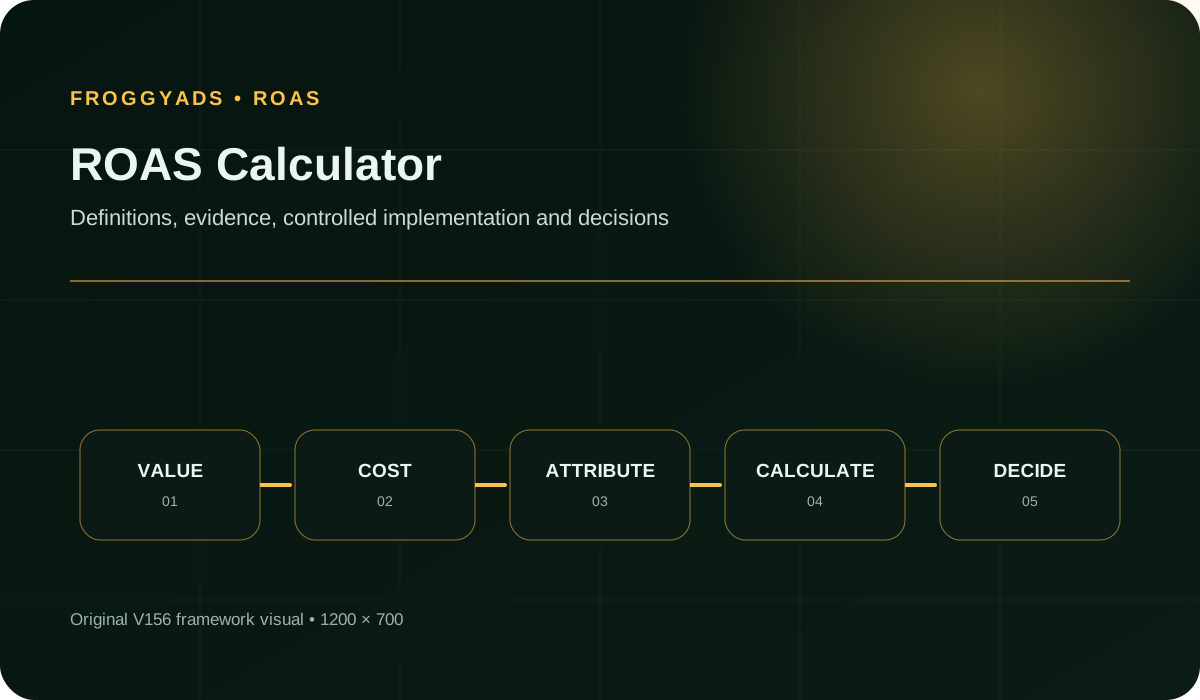
ROAS calculator input worksheet
| Input | Working definition | Check before dividing |
|---|---|---|
| Advertising spend | Media cost for the selected campaign and period. | Use delivered cost, not the account deposit or maximum bid. |
| Attributed value | Eligible revenue, commission or explicitly assigned conversion value. | Separate received value from estimates and pending approval. |
| Adjustments | Refunds, reversals and cost credits under a documented policy. | Apply the same treatment to comparable source groups. |
| Observation scope | Campaign dates, reporting cutoff and conversion eligibility. | Compare groups with a similar chance to accumulate value. |
| Reporting currency | One normalized currency for both sides of the division. | Retain the original amounts and exchange convention. |
Choose a response to the calculator result
A useful result should change a specific buying decision. If the adjusted ratio is below your contribution-based boundary, inspect the offer economics and source records before paying for more volume. If a strong result rests on a single order, preserve the opportunity to learn without treating it as a stable average. When accepted value and cost remain comparable across a mature group, use FroggyAds to test the next planned buying adjustment.
Evaluate the result alongside advertising spend, accepted value and observation age. These are different inputs: a cheap visit does not establish value, a valuable order does not establish repeatability, and an older report does not make an incompatible attribution rule comparable. The table maps common calculator conditions to the next investigation.
| Observed condition | Likely question | Buying response |
|---|---|---|
| Value feed incomplete | Are received orders missing from the selected value total? | Repair the measurement route before judging source economics. |
| Ratio falls after refunds | Does the message attract customers who later reject the offer? | Review qualification and offer accuracy before the next purchase. |
| Strong average, weak later slice | Has the additional spend reached less efficient inventory? | Evaluate that slice separately before expanding again. |
| High revenue, low contribution | Does product mix or discounting leave enough acquisition allowance? | Revisit the economic boundary using the actual offer margin. |
| Mature value supports the target | Does the accepted result persist beyond one unusual order? | Test a limited increase with the same value definition. |
Prepare your first calculation-led campaign
- Value record: name the order, lead or affiliate record that will supply the numerator, including how pending amounts are handled.
- Cost export: select the matching FroggyAds campaign period and retain delivered media spend with its reporting currency.
- Economic boundary: write the contribution assumption and maximum learning loss before choosing the next budget.
- Observation update: schedule the value refresh around the actual delay and approval process, preserving the initial calculation.
- Purchase decision: identify the single supported buying adjustment that the current evidence can justify, then save its rationale.
Why choose FroggyAds for a measured traffic test?
Choose FroggyAds when you want to turn measurement into a controllable media purchase. Our self-serve DSP and ad-network workflow gives you access to supported formats and the campaign settings available for their buying context. You can use budgets, targeting and source decisions to test a commercial idea without leaving the value definition implicit. Your own tracker and receiving system remain responsible for accepted revenue. That combination suits media buyers who want direct acquisition control and a clear way to review what the purchase produced.
Bring your offer, supported destination and calculation assumptions to the launch. Verify the current settings available for the chosen format, then purchase within your learning budget. We recommend keeping a short dated note of the next decision, so the account can be reviewed from accepted value and cost instead of a memorable headline ratio.
Use the calculator for scenarios and the formula guide for arithmetic
This worksheet focuses on changing assumptions and making a buying decision. The ROAS overview explains the measure more broadly. Use the separate formula guide when you need to check the numerator, denominator and percentage expression in detail. Keeping those tasks separate helps you move directly to the calculation question that is blocking the next campaign.
Campaign reporting should show the accepted event count, cost, attributed value, adjustment status and observation date beside the ratio. Those fields explain why a result changed. They also support a more useful conversation with your buying team than a single target copied from another business with different margins and approval rules.
Calculation boundary: revenue divided by media spend describes attributed revenue efficiency. Profit analysis needs the relevant business costs, and causal lift needs an appropriate comparison. Keep those questions available without allowing the calculator to imply answers it cannot establish.
| Scenario check | Calculation action | Record to retain |
|---|---|---|
| Refund sensitivity | Subtract the chosen reversal scenario from eligible revenue. | Original value, adjustment amount and recalculated ratio. |
| Cost sensitivity | Raise media cost while holding the stated value assumption constant. | Base cost, assumed cost and the remaining economic headroom. |
| Value maturity | Compare the initial numerator with the later accepted-value update. | Both observation dates and the events that changed status. |
| Contribution test | Compare the adjusted ratio with your own contribution-based boundary. | Included variable costs and any omitted fixed-cost allowance. |
Hypothetical media-only calculation: attributed revenue of USD 1,600 divided by advertising spend of USD 400 gives 4.0x, equivalent to 400%. That is four dollars of credited revenue per media dollar. Apply the refund, margin and observation checks above before using this illustrative result to set a purchase budget.
Start your next traffic test with a value definition your team can explain. We give you the FroggyAds buying controls; your accepted business records supply the result that should guide the next purchase. Create your free FroggyAds account.
Calculate the ratio, then decide what the next spend can teach you
Check revenue and matching cost first, stress the assumptions that could change the decision, and buy the next test within your own economic boundary. A repeatable calculation gives your FroggyAds campaign review a clear starting point and lets you investigate the exact input that still needs evidence.