
1. Write the placement brief
State the offer, intended customer and next action in a few sentences. Include the market and device context that changes the experience. Give the operator a buying decision they can translate into settings.
By FroggyAds. We operate the FroggyAds self-serve advertising platform.
Place your first online ad with a destination that works, a message customers can understand and a clear way to assess the response. FroggyAds gives you a self-serve route to supported paid-traffic formats, with targeting, bid and budget controls. We help you turn a prepared offer into a campaign you can launch, inspect and improve.
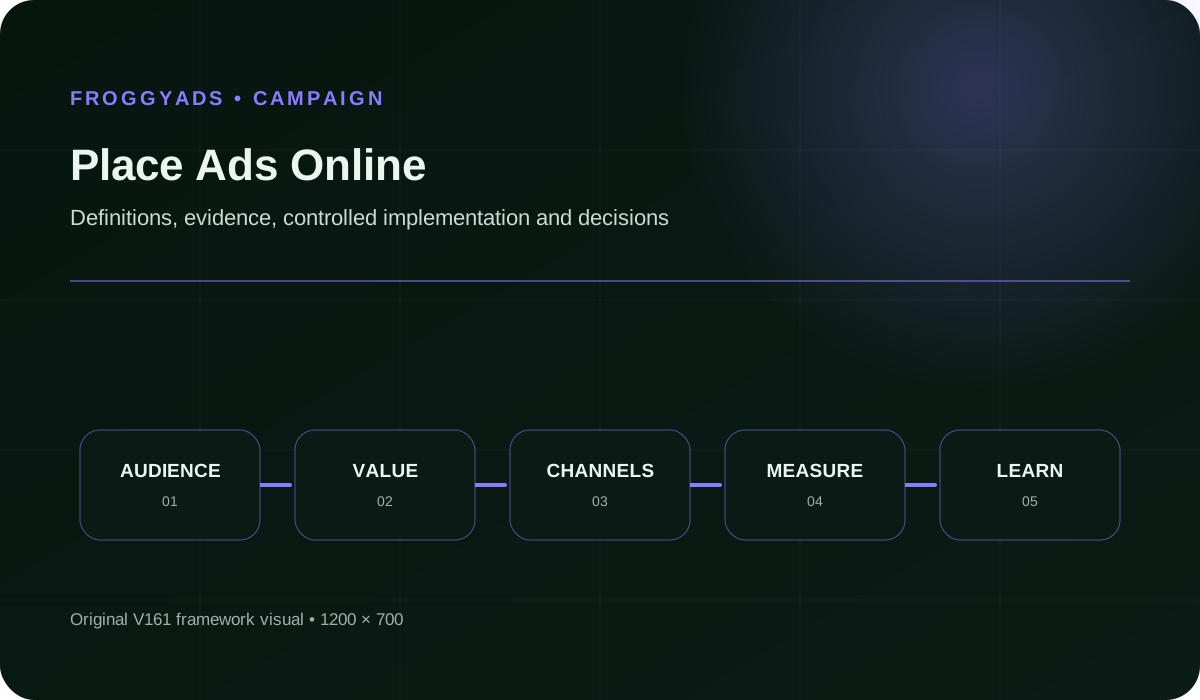
Quick answer: Choose a buying route, prepare the ad and destination, configure the campaign, submit it for review and inspect delivery before expanding.
The setup form depends on the provider and format. For a separate platform’s example, see Google Ads: Create a campaign. Its sequence belongs to Google Ads. On FroggyAds, work with the supported formats and controls shown in your account. The preparation below helps you arrive with the decisions already made, rather than guessing through a form.
A live ad is eligible and actually delivering under its campaign settings. A saved draft or an approved creative alone does not establish delivery.
Treat placement as a sequence of observable states. First, the campaign exists with the intended creative and destination. Next, review permits it to run. Then the selected settings and available funds allow delivery. Finally, the reporting shows activity. Check the actual account state at each transition; a screenshot of an uploaded image proves only that the file was uploaded.
This distinction makes support requests more useful. Say whether the problem is submission, review, delivery or the visitor journey. Include the campaign reference, the affected ad and the time observed. You can then investigate the right part of the process instead of rebuilding a working creative when a different condition is preventing activity.
A direct publisher purchase can suit a request for a particular named site or agreed placement. An ad network offers a different buying route through its available inventory and campaign controls. Search and social platforms have their own account structures and formats. Choose the route from the required exposure and customer journey, not simply from the word “online.”
Choose FroggyAds when you want to buy supported traffic through a self-serve campaign workflow. We provide Push, Native, Display and Pop options, with controls appropriate to the campaign. Confirm the format and available targeting before commissioning assets. A creative prepared for a social feed is not automatically a valid file for a display placement.
If a specific publisher, exact page position or exclusive sponsorship is essential, establish that requirement before purchasing. A general traffic campaign should not be presented internally as a guarantee of that named placement. Agree on what the buying route can deliver, then prepare the campaign around that agreement. This saves avoidable revisions after the media decision has already been made.
Start with one clear customer action and a destination that fulfils the advertisement’s promise. Our self-serve controls help you make the traffic purchase specific: choose a supported format, select suitable targeting and set the bid and budget. A prepared launch gives you something useful to inspect when delivery begins.
Create My Free Account
| # | Launch item | What ready means |
|---|---|---|
| 1 | Offer and audience | The offer is available to the people you intend to reach. State location, eligibility and material conditions before a visitor commits. |
| 2 | Creative file or copy | The actual submitted asset fits the selected format. Text is legible, the promise is accurate and required files are ready in their final versions. |
| 3 | Destination URL | The exact URL opens the promised page. Check redirects, mobile use, form completion and any important location or device restrictions. |
| 4 | Account and funding | The authorised operator can access the account and understands its prepaid balance. Funding the account is separate from setting campaign spending controls. |
| 5 | Campaign settings | Format, targeting, bid and budget reflect the written buying decision. Inspect the saved values rather than assuming an earlier draft was retained. |
| 6 | Measurement route | A permitted test action can be identified in the reporting or business record you will use. Explain any gap between clicks and customer outcomes. |
| 7 | Review readiness | The creative, offer and landing page can be assessed together. Remove misleading promises and resolve destination failures before submission. |
| 8 | First-check responsibility | Someone can inspect the initial activity, respond to a broken route and assess later enquiries or orders. Set a practical review time, not an unsupported result deadline. |
Gather these items before building the campaign. They reduce avoidable back-and-forth between the advertiser, designer and person operating the account. Use the current requirements for the selected format; this is a preparation list, not a substitute for the specifications or review shown for your campaign.
State the offer, intended customer and next action in a few sentences. Include the market and device context that changes the experience. Give the operator a buying decision they can translate into settings.
Choose the advertising experience before preparing its final assets. Check the current format requirements in your account or guidance. Avoid paying for creative variations that the chosen placement cannot use.
Use the page that directly continues the advertisement. Test its important links and customer action on the intended device. A working homepage is not evidence that the campaign’s product or enquiry page works.
Review the final file or copy, not only a design preview. Check price, conditions, spelling and brand identity. Confirm that the message remains understandable in the selected format’s actual constraints.
Perform a permitted test action and inspect the record it creates. Keep test activity distinguishable from customers. If campaign references do not survive the route, fix that limitation before promising detailed attribution.
Enter the supported audience and delivery settings that match the brief. Set the bid and budget deliberately. Read the saved configuration once more, particularly if several people prepared different parts of the campaign.
Submit the intended creative and destination together. Check the review response rather than assuming that uploading means acceptance. Correct the identified issue if a revision is required, then follow the available resubmission process.
When the campaign is eligible to run, inspect whether reporting records activity. If nothing appears, investigate account and campaign conditions first. Keep the first delivery check separate from a judgement about customer profitability.
Inspect permitted destination analytics and real customer records. Look for broken forms, unclear conditions or unusable enquiries. These observations help distinguish a media-buying issue from a problem after the visitor arrives.
Use the identified issue to select a change. Repair a destination failure immediately; assess an audience or creative change with suitable observation time. Record the revision so later results can be interpreted correctly.
Your first report is easier to interpret when each stage has its own question. Review the campaign state before debating response rates. Then connect recorded advertising activity with the destination and customer records you can lawfully observe. A missing connection should remain a visible limitation.
| Checkpoint | What to inspect | What the observation can tell you |
|---|---|---|
| Submission | The saved creative, destination and configuration. | Confirms what was actually submitted; it does not establish approval or delivery. |
| Review | The current response and any identified correction. | Shows whether the submitted campaign is eligible, or what needs attention before it can run. |
| Delivery | The campaign’s reported activity and spending. | Shows that advertising activity occurred under the selected settings; it does not establish a website visit or sale. |
| Arrival | Permitted destination records and a tested redirect path. | Helps investigate whether the intended page is reached. Differences from platform counts need explanation. |
| Customer action | The form, checkout or other chosen event. | Shows the response to the destination, provided the event is correctly implemented and counted. |
| Business acceptance | Contactability, service eligibility or order status. | Distinguishes usable opportunities from raw events. Apply a clear rule before comparing acquisition costs. |
Do not give every checkpoint the same waiting period. A broken URL needs attention as soon as it is found. A purchase or qualified enquiry may take longer to emerge. Choose a review window appropriate to that action and avoid treating a newly arrived visitor as a failed customer.
An effective placement starts with a truthful invitation. Use the creative to explain the offer and the destination to complete that explanation. With FroggyAds, choose the supported format that suits this journey. Keep important eligibility conditions visible so you attract people your business can actually serve.
Create My Free Account
A retailer could advertise a single available product and send visitors directly to its purchase page. Check stock, delivery coverage and the checkout before launch. Assess completed usable orders after normal cancellation checks, rather than interpreting every product-page arrival as a purchase.
A service advertiser could invite people in a serviceable market to request information. Put the location and important eligibility conditions in the journey early. Review whether submissions are contactable and relevant before expanding the traffic purchase; form volume alone can conceal unsuitable requests.
An unfamiliar offer may need an explanation before a visitor can decide. A suitable native or display introduction could lead to a clear information page and then an enquiry. Define which action matters commercially; reading the explanation is useful context but not automatically an accepted lead.
A file appearing in the account only confirms that it was submitted or saved. Check the actual review state and delivery conditions before telling a team that exposure has begun. This avoids spending time diagnosing a campaign that has not yet started.
A broad homepage may make visitors search again for the advertised product or service. Use a destination that continues the specific promise. Check its complete customer action, including confirmation and error states, rather than judging the route by its opening screen.
A new creative, broader audience and higher bid together produce a different campaign. First identify whether there is a delivery problem or simply limited outcome evidence. Keep meaningful changes distinguishable so the next review can explain what was tested.
The click records an advertising interaction. A lead requires a defined action, and a usable lead may need further checks. Keep these labels distinct in launch reports so the sales team receives a realistic picture of the opportunities created.
A campaign still needs attention after approval. Someone must inspect delivery, maintain the offer and respond when a destination fails. Choose a person who can make the relevant change or reach the person who can; an unattended inbox is not an operating plan.
Before changing the media purchase, identify which launch task failed. A wrong destination needs a different repair from an unclear review state. Keep the affected ad and campaign details available so the person handling the issue can check the actual route.
FroggyAds operates with a prepaid account balance. Funding makes money available in the account; it does not define what a particular campaign should spend. Set campaign controls deliberately and inspect actual spending after delivery begins. Keep the balance, campaign budget and bid visible as separate decisions when another person reviews the setup.
A bid concerns the purchase conditions for the selected format. Actual spending depends on delivery under the campaign settings. Neither the deposited amount nor a displayed minimum is a reliable forecast of customer acquisition cost. Start from the question the campaign should answer and the resources your business has authorised for that learning.
Allow for the work outside media delivery as well: creative preparation, destination fixes and customer follow-up can require money or time. This page focuses on getting a placement working. Use a separate budget plan for wider allocation and reserve decisions. A clear first launch should show both what has been purchased and what remains untested.
Create your FroggyAds campaign with the offer, destination and measurement ready. After launch, inspect the delivery state and customer journey before increasing the purchase. Our targeting, bid, budget and source controls give you practical ways to act on the specific issue you find.
Create My Free Account
We give advertisers a self-serve buying route across supported Push, Native, Display and Pop traffic. That is useful when your destination is ready and you want to control the paid introduction to it. Choose the supported targeting that matters to your offer, set the bid and budget, and inspect the campaign’s reported activity.
Our buy traffic guide explains the broader traffic purchase. For your first placement, focus on a smaller outcome: the correct ad reaching an eligible audience and leading to a functioning destination. Keep the customer action connected to the campaign where your measurement setup supports it. That turns the first review into a buying decision you can explain.
FroggyAds gives you the campaign controls; your offer and follow-up complete the commercial journey. Use our reporting and available source controls to investigate the purchase, then check customer quality in your own permitted records. We recommend this practical division because it keeps a delivery problem, a destination problem and a sales problem distinguishable.
If someone else prepares the campaign, agree on these answers before handing over files or access. Keep account permissions appropriate to the work. A clear handoff lets each person verify their part without inventing specifications or guessing which version of the offer was approved.
We review campaigns before they go live. As our campaign approval guidance explains, review timing depends on the creative, offer and destination; we do not promise a fixed approval time here. Leave room for corrections in your launch plan. A desired start date should not become an unsupported claim that a newly submitted campaign is already running.
If a campaign is rejected, read the reason and inspect the complete route. Check whether the creative makes a misleading promise, the category is permitted or the destination fails to load properly. Correct the identified problem and follow the available resubmission process. If the reason remains unclear, contact support with the campaign details and a precise question.
Approval still leaves an operational check. Inspect the campaign’s current state, funding and relevant settings, then look for actual activity. If the issue remains, preserve the configuration and describe what you observed. A specific report helps separate a review decision from a delivery condition without repeatedly changing assets that may already be suitable.
Prepare a specific offer, suitable creative, a working destination and a defined customer action. Choose a buying route that supports the format you need. On FroggyAds, also check account funding and the targeting, bid and budget settings appropriate to the campaign before submission.
Yes. FroggyAds provides a self-serve advertising workflow for supported traffic formats. Prepare the offer and assets before configuring the purchase. The controls available depend on the campaign context, so use the options actually shown for your format rather than copying another platform’s interface instructions.
No. Uploading or saving is separate from review and delivery. Check the campaign’s review state and operational settings, then inspect reported activity. An approved creative can still require attention to funding or campaign conditions before you have evidence of actual delivery.
FroggyAds reviews campaigns before they go live. Timing depends on the creative, offer and landing page, so there is no fixed approval-time promise in this guide. Allow time for corrections and follow the review response. Contact support when you need clarification about a particular submission.
Use the destination that best fulfils the advertisement’s promise. A product-specific ad normally needs a clear route to that product, while a service enquiry needs the relevant service and eligibility information. Test the complete action before launch; a page loading successfully is only the first check.
Check its current state, available funds and relevant delivery settings. Confirm that the intended configuration was saved. Inventory and campaign conditions can affect delivery, so avoid assuming that creative quality alone explains the issue. Ask support with the campaign reference if the cause remains unclear.
Do not assume so. Formats and providers can require different dimensions, file types, copy or destination rules. Prepare assets against the current requirements for the selected placement. Reusing the offer or design concept can be sensible, but verify the actual submission separately.
First establish that delivery and the customer journey work. Then assess the action that matters to your business after a suitable observation period. Keep spending, clicks, submissions and usable outcomes distinct. Explain missing or delayed records before treating an early acquisition figure as a stable result.
No. Advertising buys a supported route to exposure or traffic, while customer results also depend on the offer, destination, eligibility and follow-up. Use FroggyAds controls to test the purchase and improve its fit. Decide whether to continue from explained customer outcomes rather than a promised sales count.
Change the part of the route that the evidence identifies. Repair a broken destination immediately. If delivery works but enquiries are unsuitable, inspect the message and eligibility conditions. Make material campaign revisions distinguishable and allow the relevant customer outcomes to develop before judging them.
These references cover separate platform setup, advertising principles and accessibility. Apply each within its own scope. Google’s instructions describe Google products; they do not document a FroggyAds interface. For the actual campaign, use the requirements and review guidance relevant to the format and destination you submit.
A useful first check ends with a specific next action. These examples separate common operating signals without presuming a cause. Keep the actual campaign settings and customer route available while investigating, so a report can be checked against what was running.
Check the saved URL and any redirect. Confirm which version the reviewer and visitor can reach. Repair the route before buying more exposure; changing the creative will not resolve a destination that leads to the wrong product.
Inspect the current campaign state, balance and settings. Record the period you checked and the reported activity. If support is needed, provide those details rather than resubmitting the same asset without an identified review problem.
Test the redirect and destination on the relevant device. Compare the two reporting definitions and permitted measurement coverage. A difference is a diagnostic clue, not automatic proof of invalid traffic or an equal number of lost customers.
Try the complete form route, including required fields and confirmation. Check what happens after an error. A visible submit button does not establish a functioning enquiry path; fix the actual obstacle before interpreting the campaign’s response.
Inspect where location and eligibility conditions appear. The advertisement may attract a broader expectation than the business can fulfil. Make the offer clearer and check supported targeting, while keeping rejected submissions separate from usable enquiries.
Check whether authorised campaign references survive submission and reach the permitted business record. If matching remains incomplete, retain that limitation. Do not label every new enquiry a campaign result simply because advertising was active that week.
Review the advertisement and destination together when a price, availability or condition changes. Follow any applicable review process for the revision. Keep the change date identifiable so the next report does not combine different offers without explanation.
Inspect their status, the observation time and the cost included. FroggyAds source controls can help make a further purchase more specific where available. Treat the early result as a reason for a measured next step, not a promise of unlimited equivalent demand.
Choose FroggyAds for a self-serve traffic campaign you can prepare and inspect. Bring a suitable offer, confirm the destination and set your supported campaign controls. Start with a launch whose delivery and customer response you can understand, then use that evidence to decide what deserves another purchase.
Create My Free AccountPlan the first review around the actual launch state. Confirm what ran, where the visitor was sent and which records are available. Keep this operational check short enough to perform promptly. A larger performance presentation cannot compensate for a broken link or a campaign that never delivered.
Once the route works, allow the intended response to develop. A short product purchase and a considered service enquiry can need different observation periods. Make the decision relevant to the customer action instead of applying a universal daily threshold to every campaign.
| Finding | Immediate decision | Follow-up evidence |
|---|---|---|
| Wrong or broken destination | Repair the route before evaluating more customer response. | A successful permitted test of the actual destination and next action. |
| Unclear review or delivery state | Resolve the account or campaign condition with its actual details. | A clear status and reported activity for the intended configuration. |
| Unusable enquiries | Inspect the invitation, eligibility and targeting fit. | Later submissions assessed under the same stated business acceptance rule. |
| Unexplained reporting gap | Reconcile definitions and test the permitted measurement route. | A documented connection or a clearly retained measurement limitation. |
| Useful early customer response | Consider a focused further purchase within authorised spending. | Comparable customer status, observation time and cost coverage after the change. |
Use the following sequence to turn observations into a useful next step. Record a meaningful change when it occurs; you will need that context when comparing later delivery and customer responses.
With FroggyAds, adjust the supported buying controls that relate to the finding. A serviceability issue may call for narrower geography; a source difference may justify a more focused purchase. A broken form belongs to the destination owner. Keeping those responsibilities clear helps you fix the problem that actually exists.
When delivery and the customer journey are working, choose whether the evidence justifies continuing at the present scope or testing one further change. Create your free FroggyAds account
Use Best Place To Advertise Online when the buying destination itself is still undecided. Here, assume the route is chosen and the first campaign has run. The next task is to understand the relationship between the recorded advertising activity and the customer responses, without treating every stage as the same result.
Hypothetical example: A campaign spends USD 180 and records 400 clicks. Permitted destination records show 360 arrivals, followed by 24 submitted enquiries. After the stated contactability and service-eligibility checks, 18 enquiries are usable. These invented inputs illustrate a launch review; they are not FroggyAds prices, campaign results or expected conversion rates.
| Hypothetical outcome | Calculation | What the cost describes |
|---|---|---|
| Recorded click | USD 180 ÷ 400 = USD 0.45. | Average media cost per recorded click; it does not describe a lead or sale. |
| Submitted enquiry | USD 180 ÷ 24 = USD 7.50. | Media cost per submission before contactability and eligibility checks. |
| Usable enquiry | USD 180 ÷ 18 = USD 10. | Media cost per enquiry accepted under the stated business rule; operating costs and sales results remain separate. |
The recorded arrival count is 90% of the click count: 360 ÷ 400 × 100. Investigate the difference before assigning a cause; redirects, counting definitions and measurement coverage can matter. Of the submissions, 18 ÷ 24 × 100 = 75% are usable under this example’s rule. Neither percentage establishes sales, profit or the result of another campaign.
The table uses the same USD 180 media spend with three different counts. Call the figure by its actual outcome, and allow unresolved enquiries suitable time for review. Use FroggyAds when you are ready to turn that interpretation into a specific further traffic purchase. Create your free FroggyAds account
Confirm that the ad delivered, the destination worked and the responses fit your business. Then choose a specific repair or further purchase from that evidence.
Placing ads online starts with a decision about who should see the offer and what they should do next. Prepare the destination and tracking first, then launch a FroggyAds test with a budget boundary and a written review point.
Review source quality and accepted outcomes together; a low buying price should never hide an unusable visit or an unverified event.
When your place ads online: channels, setup and quality-control guide brief is ready, create your free FroggyAds account and turn the plan into a measured campaign test.