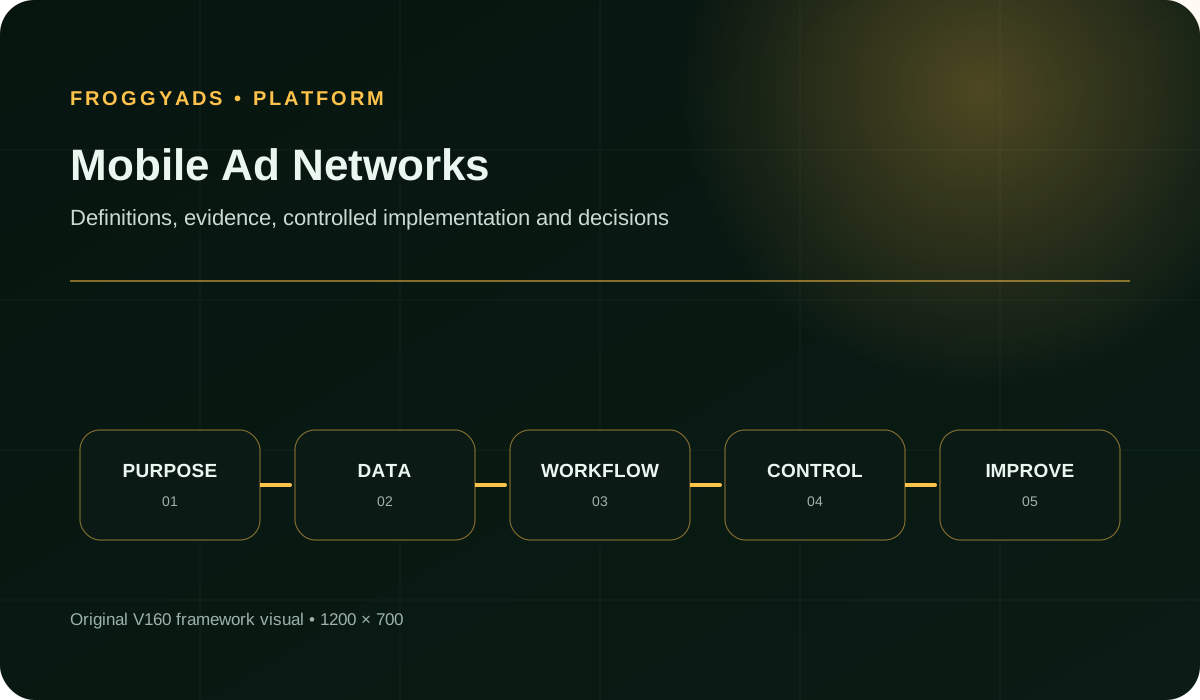
Five decisions to make before buying mobile inventory
- Distinguish mobile device targeting from the web or app environment where an ad appears.
- Check the complete route to your website action or app event before buying more exposure.
- Confirm which source identifiers you can report on and which exclusions you can apply.
- Compare formats and devices while preserving the same offer and a tested destination.
- Increase spend when accepted outcomes and the changing supply mix support the decision.
What are you buying from a mobile ad network?
Mobile is a device category, not a single placement. An ad may appear on a mobile website or within an app; a tap may open a browser, an app store or another supported destination. The format describes the ad itself, such as a display banner or native unit. Keep those choices separate when comparing networks: device, inventory context and format.
A network name does not tell you which app, website or placement you will reach. Nor does a mobile targeting option establish that every impression comes from an app. Ask what supply is eligible for your campaign and what reporting identifies it. Treat access to a specific publisher or placement as a requirement to confirm before committing spend.
Advertisers buy delivery; publishers offer space where ads appear. A publisher's monetization tools, mediation setup or reported revenue do not automatically describe the advertiser's buying controls. This guide focuses on your purchase decision. For an app publisher evaluating ad serving and revenue management, the AdMob references below explain that separate side of the market.
Start with the destination your mobile visitor needs
Start with where a person should land after the ad. A mobile product page, registration form and app-store listing have different requirements. Check whether the intended market can use the destination, whether the operating system is supported, and whether the promised action remains available after the tap. A large audience is useful only when that journey works.
For a website campaign, complete the action on representative phones rather than stopping at a desktop preview. Inspect product selection, input fields, payment and confirmation. A browser embedded in another app may handle navigation differently from a standalone browser. If the flow opens another application, check the handoff and the fallback when that application is absent.
For app acquisition, separate a store visit, an installation and a valuable action after installation. Confirm the destination for each eligible operating system and market. Establish how your own measurement setup will report the event you need. Do not infer an app attribution integration or install verification feature from a network's ability to send mobile traffic.
Eight requirements for a useful mobile supply shortlist
| # | Buying requirement | What to confirm |
|---|
| 1 | Inventory environment | Identify eligible mobile web or in-app supply; a device label alone does not establish placement context. |
| 2 | Device compatibility | Match operating systems, browsers and markets to a working destination and available offer. |
| 3 | Ad format | Confirm creative specifications and how the format leads into the customer journey. |
| 4 | Destination route | Test the website or store address, redirects and any supported app handoff. |
| 5 | Source visibility | Understand the reported source ID and whether it is sufficient for your comparison. |
| 6 | Actionable controls | Confirm targeting and exclusions for the inventory you intend to buy. |
| 7 | Outcome evidence | Connect delivery to accepted orders, enquiries or app events through your validated measurement. |
| 8 | Commercial terms | Check charged units, spend reporting and funding terms without equating bids with acquisition cost. |
Use these requirements to narrow your shortlist before comparing prices. Several are pass-or-fail conditions: an unsupported destination or missing essential control cannot be offset by more impressions. Others become test questions, such as which source and format combination reaches customers efficiently. This distinction keeps a long feature list from distracting you from the actual mobile journey.
Start with the right mobile audienceBuild your first mobile campaign with FroggyAds
Choose FroggyAds when you want to run that buying decision yourself. Our self-serve workflow lets you select formats, configure targeting and manage bids and budgets. Use the first campaign to answer a specific question, such as whether mobile native ads bring qualified visits to your product page. Keep the destination stable while you learn which sources deserve attention.
Create My Free Account 
How to qualify a mobile network before increasing spend
1. Choose the action and destination
Write the outcome in terms your business can verify: a paid order, an accepted enquiry or a completed application. Specify the destination that makes it possible. If you need an app event, identify who validates it and how long reporting takes. An ad click is a useful delivery signal, but it should not silently become your acquisition goal.
2. Separate device eligibility from inventory context
List the device and operating-system combinations that can complete the action. Separately describe acceptable inventory contexts, such as mobile web or eligible in-app placements. A phone targeting selection is not a supply specification. In FroggyAds, use available device, OS, browser and GEO controls to reflect your eligibility rules, with carrier targeting where inventory supports it.
3. Select one useful format comparison
Start with a format that communicates the offer clearly. Display can present a concise visual offer; native needs a headline and image that lead naturally into the destination. Push and pop require their own arrival-path checks. Use supported settings and creative specifications. Avoid changing the format, country, landing page and offer together if you want to understand the result.
4. Check the complete mobile journey
Follow the final route on each important device combination. Check redirects, destination availability, language, loading, input and confirmation. For a store link, verify the correct listing and market. For a website, inspect its real consent and sign-in experience. Use your own test journeys and approved preview tools instead of repeatedly clicking live paid ads to perform checks.
5. Confirm which source identifier you can act on
Establish what a source ID represents and what you can exclude. It may identify a supply grouping rather than a human-readable app or domain. Ask for clarification when that granularity matters. Our source-level reporting and source controls support practical delivery review, but you should not assume every identifier reveals a single publisher placement.
6. Connect delivery records to accepted outcomes
Decide how campaign and source information will connect to accepted outcomes through your own analytics or tracking setup. Test that connection before relying on it. Use consistent reporting dates, time zones and event definitions. If some outcomes cannot be assigned to a source, show the gap instead of distributing them as though their attribution were known.
7. Set the limits for the first launch
Set an initial budget you are willing to use for learning and conditions that require a pause. A broken destination, unsupported traffic and missing outcome records need different responses from a period with few conversions. Allow normal outcome delays. Avoid pausing every source after an identical number of clicks regardless of the offer or the evidence collected.
8. Look for technical failures before optimizing
Check that traffic reaches the expected destination before changing bids or creative. If clicks rise while destination requests disappear, inspect the route and measurement first. If arrivals are healthy but form completion falls, test the form on the affected devices. This helps you avoid rejecting suitable inventory because a separate mobile experience problem interrupted the journey.
9. Compare like-for-like mobile segments
Compare sources under relevant conditions: the same offer, destination, market, format and a similar observation period. A source with a different operating-system mix can change the campaign average. Keep small samples visible. One early conversion can make a tiny source look exceptional without supplying enough evidence to justify a large spending increase.
10. Expand one proven dimension at a time
Once a source and format combination produces repeatable accepted outcomes, expand one dimension: spend, another source or a new market. Record the change and allow outcomes to mature. More delivery may come from a different part of the supply pool. Review the new mix rather than assuming the original result will persist at every budget level.
Read mobile delivery through the complete customer journey
Use media cost per accepted outcome as a commercial measure, supported by evidence of how visitors reached it. Read it alongside source spend, loaded destinations and device compatibility. For apps, distinguish the optimized event from the later business result. For websites, separate confirmed purchases or valid enquiries from button taps and form attempts.
| Measure | What it tells you | How to use it |
|---|
| Eligible delivery | Traffic matches approved markets and devices. | Investigate unsupported delivery before increasing exposure. |
| Destination arrivals | Requests reached the intended route under your measurement definition. | Compare with clicks to locate routing or collection gaps; do not assume identical counts. |
| Journey completion | Visitors reached the confirmation or app event. | Inspect device-specific friction before blaming a source. |
| Cost per accepted outcome | Media spend divided by outcomes your business validated. | Wait for the acceptance period and disclose small samples. |
| Source-level result | Spend and accepted outcomes attributed to a defined source grouping. | Compare suitable groups; retain unattributed outcomes separately. |
| Result after expansion | Additional spend and outcomes following a documented change. | Check the new supply mix alongside the cumulative average. |
Platform clicks, analytics sessions and backend orders need not have a one-to-one relationship. Consent choices, repeat visits, redirects and delayed events can create differences. A discrepancy is a diagnostic clue, not automatic proof of fraud or proof that the network is wrong. State what each system measures and investigate material gaps before changing the buying plan.
Match the format to the journeyChoose a mobile format around the action you want
Choose your first FroggyAds format around the message and tested destination. A product comparison may need the context of native creative; a clear visual offer may suit display. Push and pop need dedicated arrival-path checks. Confirm current inventory and specifications, then compare accepted outcomes within each format rather than relying on click volume alone.
Create My Free Account 
Three mobile campaigns that need different inventory
A mobile store checkout
For a mobile store, begin with inventory that reaches customers in markets you serve. Match price, currency, stock and delivery promises from ad to checkout. A phone visitor should not discover a desktop-only payment step after entering details. Evaluate product-page arrivals, checkout completion and accepted orders, accounting for returns or cancellations when those affect your buying decision.
If the store works on one OS but fails on another, correct the incompatibility before treating the difference as audience preference. Keep supported traffic within your approved limits. Review the source mix after the repair: previous results describe a broken journey. They do not establish what the repaired experience will produce.
An app acquisition campaign
An app campaign needs a correct store route and a precise event definition. Specify supported operating systems, markets and the valuable action after installation. Check measurement requirements with your app and analytics team. Mobile reach does not establish that a network supplies the exact attribution, SDK or event-verification arrangement your app requires; resolve that dependency before launch.
A local service enquiry
A local service enquiry depends on service area, availability and contact options. Reach outside the area you serve can create activity without useful demand. Match GEO settings to the offer and check the enquiry route on intended devices. Judge accepted enquiries after your team verifies eligibility, rather than treating every form submission as equally valuable.
Mobile buying problems and the first checks to make
High click volume with few loaded destinations
When clicks are plentiful but few destinations load, inspect the tracking redirect, intermediate page and final address. Look for a broken mobile redirect or unexpected store handoff. Compare affected sources and devices before changing the offer. Keep a measured page request separate from a usable page; arrival alone cannot prove the visitor saw a working checkout.
One operating system performs poorly
When one OS performs poorly, first reproduce its journey. Look for unsupported inputs, sign-in loops, a wrong store listing or a payment step opening an unavailable app. Then compare audience and source mix. Use an observed compatibility defect to justify a technical fix, rather than a stereotype about the value of those users.
A source identifier hides too much variation
A source grouping may contain varied placements or delivery contexts. If its average conceals a meaningful problem, ask what additional visibility or exclusions are available. Do not label a source ID as a specific app without evidence. When necessary controls are unavailable, limit the test to a scope you can assess or choose different eligible supply.
Conversions arrive late or fail validation
Let outcomes settle according to your business process. An enquiry may fail eligibility, an order may be cancelled and an app event may arrive later. Keep preliminary and mature views with clear dates. If a material tracking gap prevents reconciliation, postpone scaling and repair the evidence before attributing the difference to mobile inventory quality.
New delivery changes the result
A budget increase can change the sources, times or audiences receiving delivery. Inspect that mix when acquisition cost rises. Compare additional spend and additional accepted outcomes as well as the cumulative average. Avoid changing several controls at once to recover the old number; a documented adjustment makes it easier to understand what helped.
These checks turn a broad complaint about mobile traffic into a useful next action. Separate an ineligible audience, unsuitable placement, destination defect and incomplete measurement. Each needs different evidence. Preserve previous settings and the affected period so that a repaired campaign is not judged solely through results gathered before the repair.
Refine the sources you buyPut source controls to work in your next test
Start your next mobile test with source visibility and a checked destination. FroggyAds lets you review performance by source and refine delivery through source controls. Keep sources supporting your accepted outcome within agreed limits, investigate ambiguous results, and exclude unsuitable supply where available controls support that decision. Build your next step from evidence you can explain.
Create My Free Account 
Resource the creative and destination work as well as media
Allow time for creative adaptation and destination testing before buying more reach. Display, native and push messages need a clear promise at their actual presentation size. Website work may include simplifying a form or fixing a checkout handoff. These costs belong in the launch plan even though they are separate from media charges.
Distinguish account funding, campaign budget, bid and actual spend. Funding makes money available; a budget allocates it; a bid helps determine how you compete for delivery. None guarantees an acquisition cost. Use current pricing and payment terms for your chosen format. There is no universal deposit, bid or test budget prescribed by this guide.
Avoid dividing a modest test into more combinations than you can evaluate. Two formats across two operating systems already create four groups before adding countries or sources. Prioritize differences that change eligibility or the customer journey. Expand after you understand delivery and can collect enough accepted outcomes to support the next decision.
Why choose FroggyAds for mobile media buying?
FroggyAds brings campaign setup and source evaluation into one self-serve buying workflow. Choose push, native, display or pop campaigns and define the mobile audience relevant to your offer. Act on what you learn: adjust bids, revise targeting or pause a campaign while you investigate an unsuitable journey or source mix.
Our targeting includes GEO, device, operating system, browser, carrier, content category and source ID, with availability depending on the campaign and inventory. Translate eligibility into controls rather than relying on a broad mobile label. Keep necessary filters, but remember that stacking restrictions can reduce delivery. Confirm the combination required for a narrow audience before launch.
Use our source-level reporting with your own confirmed customer outcomes to decide what deserves attention. Source controls help you refine supply, including whitelisting or blacklisting where applicable. Choose FroggyAds for this hands-on approach when you want campaign control and a clear improvement process. Your creative, destination and measurement remain essential to the result.
Five questions to ask a prospective mobile supply partner
- Which mobile web or app inventory is eligible for my market, format and targeting?
- What does each source identifier represent, and which unsuitable sources can I exclude?
- Which creative specifications and destination routes are supported for this campaign?
- What evidence can I reconcile with my own confirmed orders, enquiries or app events?
- What limits on availability, reporting detail or controls should I know before launch?
A useful partner explains the supply and controls relevant to your campaign without substituting headline reach for a specification. Use these questions before comparing rates. Resolve answers affecting whether your app or website journey works before launch. Keep uncertain claims out of the buying plan until you have enough evidence to rely on them.
Check the mobile experience before judging the network
Inspect the ad and destination at realistic mobile sizes. The promise should remain readable without zooming, and the next action should be clear without hiding price or commitment. Check access to controls when the keyboard is open. A native headline must match the destination; display images should not bury essential terms in tiny text.
Test slow or interrupted journeys as well as a fast connection. Check failed submissions, repeated taps and returning from another app. Confirmation should tell the customer whether the action succeeded. These are destination checks for your team; passing them does not establish that every placement is suitable or that a network will deliver a particular commercial result.
Recheck the journey when creative, destination, tracking or eligible devices change. Record which combinations were actually checked. A desktop preview, one phone or a screenshot cannot cover every environment. Plan a focused validation set, especially where store routing, payments or app-to-browser transitions increase the consequences of failure.
Frequently asked questions
What should advertisers compare across mobile ad networks?
Compare eligible web or app supply, formats, device and market coverage, source visibility, exclusions and the route to your accepted outcome. Confirm these for the campaign you intend to run. Overall network reach does not establish that your required inventory is available under your chosen targeting and budget.
How can I test a mobile network before major spend?
Use one offer, a tested destination and a manageable set of devices. Define the accepted outcome, its verification and pause conditions. In FroggyAds, set targeting, bids and budget, then review source delivery alongside your own outcomes. Increase exposure after technical checks and meaningful results support it.
What determines the actual cost of mobile network traffic?
Price depends on eligible supply, format, targeting, competition and actual delivery. A minimum bid is not your average cost, and a cheap visit may not become a customer. Compare spend with accepted outcomes after they mature. Keep production costs and account funding separate so you know which cost question you are answering.
Which mobile campaign measures need daily attention?
Check delivery against approved markets and devices, source spend, destination availability and tracking interruptions. Review accepted conversion cost after the necessary outcome delay. Daily monitoring can find a broken journey quickly; it does not make a small or immature sample conclusive enough for a major buying decision.
What source-transparency gap should concern a buyer?
Ask whether a source identifier represents an app, domain, placement or broader supply group. Do not assume a readable publisher list exists. If available reporting cannot support the exclusion or comparison you need, choose a test scope it can support. Investigate unexplained source changes before expanding.
How do mobile ad networks differ from social advertising?
A network can connect you to publisher supply, while social campaigns generally buy within a platform's supported advertising environment. Compare actual placements and controls rather than treating either label as a specification. The better choice for your offer depends on the customer journey, available audience and results you can verify.
What tracking does a mobile campaign need?
You need to relate campaign delivery to the event you are buying toward. For websites, check the route and confirmation records. For apps, confirm attribution and event reporting with your implementation team. Do not assume a particular SDK, measurement partner or automatic install validation is included merely because mobile campaigns are supported.
How can I investigate questionable mobile traffic?
Review destination requests and accepted outcomes alongside source and device delivery. Investigate unusual timing, repeated attempts, incompatible routes or an abrupt mix change. These signals warrant examination but are not a fraud verdict alone. Keep the affected period and technical evidence to distinguish invalid traffic from measurement or destination failures.
When should I increase a mobile campaign budget?
Consider increasing spend when the destination works, reporting is dependable and accepted results recur under comparable conditions. Check whether the next increment changes supply or audience mix. Expand one dimension and assess outcomes after their normal delay. A few attractive early conversions do not guarantee the same result at scale.
What belongs in a mobile network test report?
Keep dates, market, device and OS rules, format, creative, destination and source breakdown. Add spend, accepted outcome definition, maturity date, measurement gaps and the resulting decision. Include compatibility failures and setting changes so that a later reviewer does not mistake two different mobile journeys for one unchanged test.
Primary references for mobile advertising decisions
These references distinguish advertiser buying from publisher monetization and explain related campaign concepts. The AdMob documents describe Google's publisher products; their SDKs and features are not implied FroggyAds capabilities. Check current documentation for product-specific implementation. The linked standards and guidance provide context rather than evidence that an individual campaign will perform.
A mobile inventory brief you can use before launch
Use this brief to describe the mobile supply you need before selecting a network or new format. Complete it for the actual offer and destination. Expose incompatibilities early and identify evidence for the next decision. Keep separate versions when an app journey and a website journey require different treatment.
Destination and accepted action
Name the final address or store listing and the action valuable to your business. State who verifies it and when it becomes accepted. For purchases, distinguish confirmation from checkout start. For apps, specify installation, registration or a later event; those stages should not become interchangeable in the report.
Attach the destination version and checked route. If a redirect or store listing changes later, identify which delivery period used the earlier route. This makes comparisons clearer and helps a technical colleague reproduce a problem without guessing which page or link was live.
Eligible devices and markets
List markets and device or OS combinations your offer supports, including language and operational restrictions. Use carrier targeting only for a real requirement and where inventory supports it. Describe the response to unsupported traffic rather than assuming every mobile device can complete the same action.
Inventory context
State whether you need mobile web, eligible in-app placements or another confirmed environment. Describe relevant content and placement restrictions. Ask how chosen supply is identified in reports. A mobile device filter should not be treated as proof that you have purchased a particular app environment.
Ad format and creative
Choose the format and record the current specifications. Describe the message before the tap and the promise that must remain consistent afterwards. Retain the approved creative version so that an unrecorded change in headline, image, price or offer does not distort a source comparison.
Click-through route
Map the route from ad to action, including redirects, store links and optional app handoff. Record the supported route when the app is absent or the visitor is signed out. Confirm how your tracking handles it. Mark untested combinations instead of counting a working desktop address as mobile validation.
Source visibility and exclusions
Record the source identifier and available exclusions. Note missing detail that limits your decision. Use FroggyAds source-level evidence to focus review and refine supply against your own acceptance criteria. Do not promise a placement-specific intervention when the available source control covers a broader group.
Reporting and outcome maturity
Define reporting dates, media spend and outcome maturity. Retain preliminary delivery separately from accepted results. Explain differences you cannot reconcile, including events without source assignment. Make these limitations visible so that a higher apparent conversion rate is not simply caused by counting newer outcomes differently.
Expansion decision
Write the condition for expansion and the dimension to change: another source, market or more exposure to the same group. Specify the checks after that change, particularly new supply mix and destination performance. Keep the ability to pause while a technical or measurement issue is resolved.
Start with a campaign you can inspect and improve
Bring your offer, mobile destination and first test question to FroggyAds. Our self-serve controls let you choose the audience, manage spend and review sources as you learn. Start with a clear mobile buying brief and a validated route, then use accepted outcomes to decide where the next campaign should go.
Create My Free Account
Mobile supply comparison
Compare mobile supply before selecting a network
For a provider shortlist, use Top Mobile Ad Networks 2026 alongside these requirements. This page explains the supply, device and destination decisions behind the comparison. A ranked list cannot establish the right placements for your offer today. Confirm availability and controls, then validate the relevant customer journey before treating a provider as suitable.
The table below separates inventory fit, a working route and accepted outcomes that justify further spend. A campaign can pass the first two stages and still need commercial evidence. Conversely, an attractive cost should not hide an unsupported device route or an exclusion requirement the supply cannot meet.
| Checkpoint | Mobile buying action | Evidence to retain |
|---|
| Fit | Confirm inventory, devices and supported destination. | Supply requirement, market and OS rules, and unresolved availability questions. |
| Test | Check the mobile route and run one interpretable format comparison. | Creative and destination versions, source IDs, spend and confirmed events. |
| Decision | Expand, revise or pause from accepted outcomes and actual source mix. | Outcome maturity, sample limits, compatibility findings and the next change. |
Hypothetical example: source A costs USD 180 for 6 accepted orders; source B costs USD 120 for 3. Their media CPAs are USD 30 and USD 40. Combined, USD 300 divided by 9 is USD 33.33. The average hides the source difference. Check comparable conditions and maturity before changing spend; these small invented samples do not prove either result will repeat.
Choose FroggyAds for a campaign you can control: select the mobile audience, launch a supported format and refine sources using evidence from the actual journey. Start with inventory and a destination that fit your offer, then let accepted outcomes guide the next step. Create your free FroggyAds account.
Direct answerChoose mobile inventory by fit, then validate the result
A suitable mobile ad network connects your offer to eligible inventory with enough control to assess the result. Confirm the environment, format, devices and destination first. Use FroggyAds campaign controls and source-level reporting with your own accepted outcome records to decide what to keep, adjust or expand.
Turn Mobile Ad Networks: Choose Inventory That Fits Your Campaign into a controlled FroggyAds decision
Mobile network selection should begin with device context, landing-page readiness and the event you can reliably attribute. Use FroggyAds to separate operating-system, browser and market observations where those controls are available for the chosen campaign setup.
Define what success, failure and inconclusive evidence look like before delivery starts, then apply those rules consistently during review.
When your mobile ad networks: choose inventory that fits your campaign brief is ready, create your free FroggyAds account and turn the plan into a measured campaign test.