
LinkedIn Marketing Campaign: Move From Account Relevance to Accepted Pipeline
Your LinkedIn marketing campaign should connect a defined account problem with the people who can recognise, evaluate and act on it.
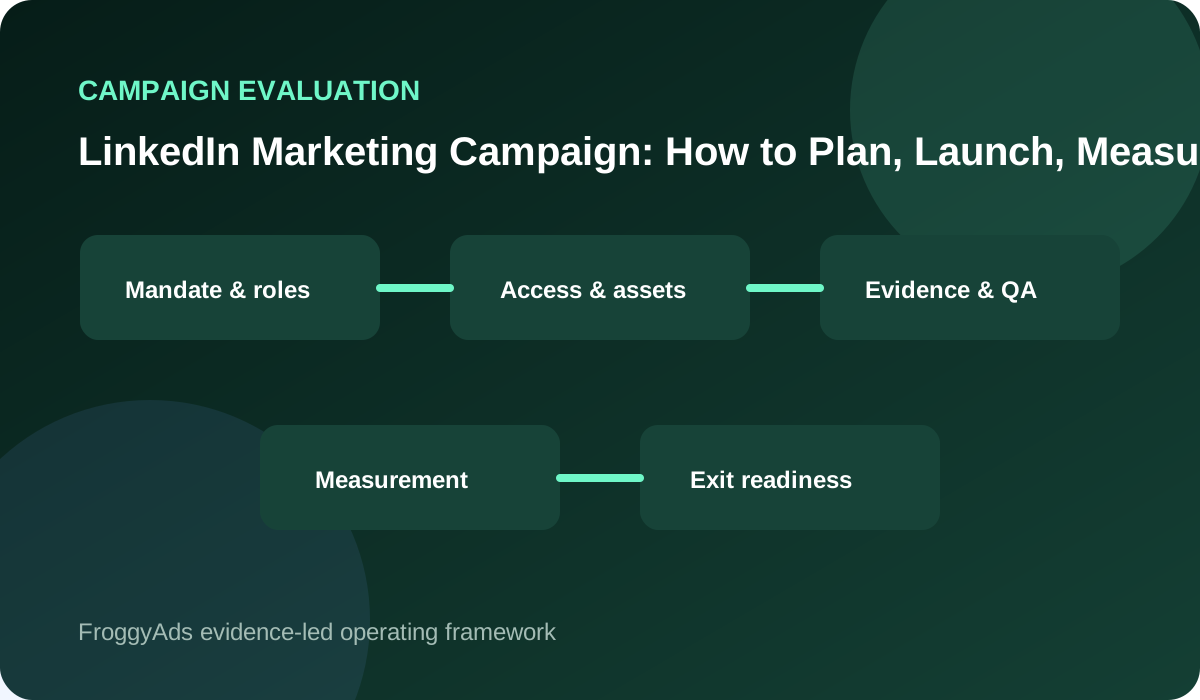
Define the account trigger before selecting professional roles
Start with the business trigger and serviceable account conditions, then map the initiating role, internal reviewers, approved proof, destination and CRM event that sales will accept.
| LinkedIn campaign decision | Definition for this account campaign | Acceptance evidence |
|---|---|---|
| Objective | Select one sales-accepted account movement and the conditions that protect brand and budget | Revenue owner approves the account action and its pause rule |
| Audience | Describe the job role, account context, buying-stage problem and groups the campaign must exclude | LinkedIn role-and-account brief with explicit eligibility boundaries |
| Channel role | A defined mix of professional reach, thought leadership, lead capture, account engagement and pipeline support | Channel map and interaction assumptions |
| Measurement | Sales-qualified leads, stakeholder engagement, accepted opportunities and mature revenue evidence | Metric contract and backend evidence |
| Account review decision | Advance, repair, narrow or stop after the sales-review window | Named approver, maturity date and evidence from CRM |
Give every asset a buying-stage responsibility
Assigning one buying-stage responsibility to every asset prevents professional-looking engagement from being mistaken for pipeline and gives the revenue team evidence it can evaluate consistently.
Build an evidence page for the next stakeholder decision
Once the proposition, destination and CRM rule are ready, use FroggyAds to test the approved B2B message through a separately labelled acquisition campaign.
Give your FroggyAds test a distinct campaign and source label, an eligible format, bounded targeting, daily and total limits, and the same CRM acceptance rule used for every other acquisition source.
Agree CRM acceptance and rejection before launch
Agree the CRM stage, minimum evidence and rejection categories before launch, then compare our delivery with accepted accounts, open records, rejection reasons and sales workload.
Your shared CRM rule keeps LinkedIn activity and FroggyAds traffic distinct while showing which proposition, account boundary and destination deserve another controlled allocation.
Include sales work and implementation limits
Define the operational or commercial trigger that gives an account a reason to act, such as a renewal, expansion, compliance change, workflow bottleneck, replacement decision or implementation milestone.
Add the company conditions that determine whether sales and implementation can serve the account, including geography, team structure, order size, technical requirements and delivery capacity.
| Control | Campaign review question | Acceptance evidence |
|---|---|---|
| Client owner | Who approves the current-state audit and baseline decision for this LinkedIn campaign? | Client marketing owner and authorised delegate |
| Campaign owner | Who owns LinkedIn message approval, delivery monitoring and escalation? | Named message owner and backup reviewer |
| Threshold | Which message or approval failure prevents launch? | Written launch rule with approved source material |
| Recovery | How will the previous approved creative be restored? | Versioned creative and approval record |
Run the proposition through FroggyAds independently
Run the proposition through FroggyAds only after the account conditions, stakeholder proof, destination, CRM event and sales capacity describe demand the business can serve now.
Test B2B traffic with FroggyAds
Assign the LinkedIn campaign across account, content and sales teams
Assign the LinkedIn campaign only after the account boundary is clear, then give content, moderation, CRM routing, sales review and the final allocation decision to named owners.
Map who first experiences the problem, who validates the solution, who assesses operational or financial risk and who can approve the commitment; each role needs different evidence and a clear handoff.
Move the LinkedIn proposition from business trigger to CRM evidence
Move from the business trigger to CRM evidence without treating a senior title as proof of need, timing, influence or purchasing authority.
Preserve every account inclusion and exclusion with its evidence source so sales can explain why a record was accepted, rejected or left open.
Release the LinkedIn campaign after stakeholder and routing checks
Release the LinkedIn campaign only when the proposition frames the account problem, explains the operating consequence, answers the next stakeholder objection and routes the buyer to approved evidence.
Assign one buying-stage responsibility to each asset and name the stakeholder who should be able to use, verify or forward it during the account decision.
| Control | Campaign review question | Acceptance evidence |
|---|---|---|
| Client owner | Who approves account, asset and access ownership for this LinkedIn campaign? | LinkedIn campaign manager and backup operator |
| Campaign owner | Who owns the landing-page check, spend watch and incident response? | Named destination owner and incident delegate |
| Threshold | Which destination or tracking fault pauses delivery? | Destination and tracking rule with test evidence |
| Recovery | How will the verified destination and tracking state be recovered? | Verified destination and tracking backup |
Preserve approved claims and source records
Open each asset with the account situation, material consequence and evidence boundary, without exaggerating urgency, authority or likely results.
Store approved claims, source URLs, review dates, usage rights and limitations with the exact creative and destination version released to the campaign.
Let sales-accepted account evidence set the next campaign action
Plan every asset for internal forwarding: give the next stakeholder enough account context, approved proof and next-step detail to evaluate the offer without relying on the original LinkedIn post.
Keep the evidence accurate and useful when finance, operations, a technical evaluator or procurement reviews it outside the original feed context.
Write the business trigger before assigning buying roles
Continue the same account trigger, stakeholder terminology and proof standard on the destination so a qualified buyer does not have to reconstruct the proposition after clicking.
Open your FroggyAds account
Give every asset a clear buying-stage responsibility
Give every buying-stage asset the conditions, specifications, limitations or comparison criteria the next reviewer needs to move the account decision forward.
Match the CTA to stakeholder readiness: a technical guide, account-fit check, commercial conversation or purchase path can each be appropriate at a different stage.
| Control | Campaign review question | Acceptance evidence |
|---|---|---|
| Client owner | Who approves message, creative and content governance for this LinkedIn campaign? | Landing-page owner and account strategist |
| Campaign owner | Who reconciles accepted leads and documents rejected demand? | Named commercial owner and reconciliation delegate |
| Threshold | Which rejection pattern requires audience or offer revision? | Rejection threshold with advertiser-owned records |
| Recovery | How will lead routing and acceptance records be restored? | Lead-routing export and acceptance log |
Prepare the evidence page for the next stakeholder
Prepare an evidence page for the next stakeholder instead of sending every response to a generic homepage or an immediate sales form.
Test the evidence page and form as a prospect would: submit it, confirm source capture and routing, read the confirmation, and verify that sales receives the account and content context promised by the campaign.
Agree CRM acceptance and rejection rules before launch
Agree CRM acceptance and rejection rules before launch, then confirm that the account, stakeholder role, content version, destination and source label reach the correct record.
Missing CRM context forces sales to repeat qualification and prevents the campaign review from learning which evidence, stakeholder and account condition produced the request.
Include sales workload and implementation limits
Define the minimum evidence for a serviceable request, the stage owner authorised to accept it and the response effort required before the campaign can add more demand.
Use specific rejection categories for geography, account size, unsupported requirements, missing problem fit, duplicate contacts, unsuitable timing and limited implementation capacity.
| Control | Campaign review question | Acceptance evidence |
|---|---|---|
| Client owner | Who approves experiment design and the learning cadence for this LinkedIn campaign? | CRM and revenue-operations owner |
| Campaign owner | Who reviews source quality and authorises the next learning cycle? | Named quality reviewer and decision delegate |
| Threshold | Which mature result supports another learning cycle? | Maturity rule with accepted-outcome evidence |
| Recovery | How will source reports and decision evidence be recovered? | Source export and decision record |
Test the proposition through FroggyAds independently
Test the proposition through FroggyAds independently, and keep rejected records in the review because their reasons show whether the account boundary, proof, form or timing needs repair.
Set a maturity window for open opportunities so an early form submission is not reported as accepted pipeline before sales has completed the agreed review.
Run the LinkedIn campaign from approved proof to qualified account
Run the LinkedIn campaign from approved proof to qualified account without counting every form completion or early-stage CRM record as pipeline value.
Report counts for open, accepted and rejected records, show elapsed time by stage and keep the observation window visible beside every rate.
What does this campaign workflow look like in practice?
In practice, the workflow protects the decision from immature evidence by holding the account brief, CRM rule, response owner, source labels, stop conditions and review date constant for the declared window.
Choose FroggyAds for your next B2B traffic test
Review response workload beside campaign delivery
Review response workload beside campaign delivery by tracking sales response time, clarification effort, reassignment and handoff failures for each accepted and rejected account cohort.
A LinkedIn campaign can generate many requests and still weaken the business when representatives spend time on accounts outside the agreed account and service boundaries.
| Control | Campaign review question | Acceptance evidence |
|---|---|---|
| Client owner | Who approves quality assurance and release gates for this LinkedIn campaign? | Media buyer and source-quality reviewer |
| Campaign owner | Who can pause delivery and coordinate recovery across the team? | Named recovery lead and continuity contact |
| Threshold | Which incident requires a stop and documented recovery? | Incident stop rule with preserved campaign state |
| Recovery | How will access, spend limits and assets return to a safe state? | Access, budget and asset recovery record |
Choose the next LinkedIn campaign step from mature pipeline evidence
Choose the next LinkedIn campaign step only after mature pipeline evidence shows that sales, implementation, inventory and account-management capacity can serve additional accepted demand.
Give sales a documented stop route when routing breaks, acceptance becomes disputed, claims change or workload reaches the agreed ceiling.
Connect a defined account problem to the campaign proposition
Connect the account problem to one campaign proposition and let the campaign owner cap or pause delivery when acceptance definitions become unclear, routing breaks or capacity is reached.
Record the incident, preserve the affected source and campaign versions, and segment post-repair evidence from the period that failed.
Identify who can recognise, evaluate and act on the problem
Identify the people who can recognise, evaluate and act on the account problem, then translate the proposition into a FroggyAds creative that qualifies interest without relying on a LinkedIn profile or prior post.
Select an eligible FroggyAds format and bounded targeting scope, set daily and total limits, use the verified evidence page, and preserve every creative and destination version reviewed.
| Control | Campaign review question | Acceptance evidence |
|---|---|---|
| Client owner | Who approves capability validation and pilot design for this LinkedIn campaign? | Campaign approver and incident owner |
| Campaign owner | Who approves any audience, budget or placement expansion? | Named scale approver and monitoring cover |
| Threshold | Which accepted result permits one controlled expansion? | Expansion rule with reconciled commercial evidence |
| Recovery | How will the proven baseline be restored after expansion? | Baseline campaign and rollback record |
Qualify the account with its business trigger and service conditions
Qualify each account with the documented business trigger and service conditions, then review source delivery against accepted accounts, rejection distribution, sales workload and later quality.
Narrow the account boundary, repair the proof or stop the proposition when mature CRM evidence fails the acceptance rule.
Map the initiating role after defining account conditions
After account conditions are defined, map the initiating role and buying committee. We provide campaign controls and source reporting; you retain responsibility for CRM acceptance and revenue decisions.
Prepare one account-campaign brief containing the trigger, serviceable-company conditions, stakeholder roles, buyer questions, approved proof, destination, CRM event, rejection categories, spending ceiling and decision date.
Give reviewers approved proof, a suitable destination and a clear next step
Give every reviewer approved proof, a destination matched to the buying stage and a next step that preserves the campaign's account and source context.
| Area | Evidence to request | Decision standard |
|---|---|---|
| Objective fit | Relevant campaign role for LinkedIn B2B organic and paid marketing | One ranked outcome with guardrails |
| Audience and offer | Job-role audience, buying-stage problem, credible proof and a serviceable next step | Evidence-led eligibility and message fit |
| Governance | Roles, approvals, access, logs and rollback | Controlled and auditable |
| Measurement | Account progression, sales acceptance, opportunity evidence and retained commercial value | Accepted outcomes, not activity alone |
| Learning and budget | Hypotheses, thresholds and spend authority | Bounded tests and explicit decisions |
Define the CRM event that sales will accept
What should a LinkedIn marketing campaign define first?
Define the account trigger and serviceable company conditions before choosing roles, content, destinations or spending.
Are senior job titles proof of account fit?
No. A title can suggest responsibility, but account need, timing, geography, authority and technical fit require separate evidence.
How should campaign content support several stakeholders?
Give each asset one buying-stage responsibility and provide evidence that remains useful when shared with other reviewers.
What counts as an accepted B2B event?
Use the CRM stage and minimum evidence agreed by marketing and sales, with a named owner and a maturity window.
Why keep rejected records?
Their reasons show whether account selection, proof, form, timing or service boundaries need repair and reveal the cost of unsuitable demand.
Can FroggyAds guarantee qualified pipeline?
No. We provide campaign controls and delivery evidence. Pipeline also depends on account fit, message, page, sales process, capacity and acceptance rules.
How should open opportunities be handled?
Keep them labelled by stage and age. Do not present immature records as accepted value before the declared review window.
When should the campaign stop?
Stop or cap it when tracking or routing fails, acceptance cannot be explained, claims change or sales and implementation capacity are constrained.
Why use separate source labels?
They let LinkedIn and FroggyAds delivery be reconciled with the same CRM rule without combining the routes into one attribution claim.
What is the next practical step?
Approve the account brief, test CRM routing and define the accepted stage, then launch one bounded FroggyAds campaign.
Keep professional engagement separate from pipeline acceptance
Keep professional engagement separate from pipeline acceptance by assigning one measurable buyer action, one accountable owner and one date when the CRM evidence will be mature.
Give the revenue team a campaign it can evaluate
Give the revenue team a campaign it can evaluate by requiring marketing and sales to use the same account boundary, CRM stage, rejection categories and maturity window throughout the test.
- Read LinkedIn's campaign creation guidance
- Open LinkedIn Campaign Manager
- Check LinkedIn campaign management guidance
- Consult LinkedIn account and campaign help
- Review LinkedIn Advertising Policies
- Open FTC online advertising guidance
- Review WCAG 2.2 accessibility requirements
- Verify FTC advertising guidance
Use FroggyAds to test the proposition consistently
Use FroggyAds to test the proposition consistently against a bounded audience, verified destination, defined source label, spending limits and the same advertiser acceptance rule and maturity window.
Create a stakeholder evidence map, verify CRM routing and launch one bounded campaign when sales capacity and the acceptance window are ready.
Use a separate acquisition campaign and source label
Use a separate acquisition campaign and source label after stating what the initiating user must recognise, what a technical reviewer must verify, what finance may compare and what the commercial owner must approve.
The campaign does not need to answer every stakeholder question in one asset, but the evidence path must show where a qualified buyer can obtain the next verified answer.
Test campaign routing with sample submissions before launch and verify the source label, account context, assigned owner, CRM stage and confirmation message.
| Checkpoint | Page-specific action | Evidence to keep |
|---|---|---|
| Boundary | State which LinkedIn buying role, account problem and sales-accepted next step the opening campaign will serve. | Store the approved audience, proposition, source labels and evidence-page version with the launch decision. |
| CRM evidence path | Trace each LinkedIn response from stakeholder interaction through CRM routing, sales review and the agreed opportunity state. | Keep lead, account and opportunity timestamps until the sales-acceptance window closes. |
| Decision | Use the mature account cohort to choose one repair in audience, proposition, evidence page or sales handoff. | Record accepted-account cost, rejection reasons, approver and the condition for returning to the last proven campaign version. |
Choose an eligible format and distinct campaign source label
For the selected format and campaign source label, confirm ownership, required fields, source retention, response expectations and the path for unresolved technical questions.
Apply spending limits and the same acceptance rule
Run a bounded FroggyAds traffic test after routing has been verified. A request that waits in the wrong queue can be lost even when the audience and message are correct.
Compare our delivery with the same CRM acceptance rule
Review a small set of accepted, rejected and open records with the content visible. Ask whether the account had the defined problem, whether the stakeholder could influence the next step and whether the destination supplied usable evidence. Turn disagreements into a corrected rule rather than changing the reported result after the fact. End the review with one controlled action. Continue the stable proposition, narrow an account condition, add missing proof, repair CRM capture or stop. When the handoff is dependable, choose FroggyAds for your next traffic campaign and compare it under the same acceptance window. A security software provider plans a campaign for distributed retail operators preparing a system review. Content helps an IT lead explain device coverage and deployment constraints to operations and procurement. The readiness page captures site count and supported requirements. A separate FroggyAds campaign tests the system-review proposition. The provider compares source delivery, accepted accounts, rejection reasons, representative time and onboarding capacity before increasing spend. Anchor the campaign in an account trigger, transferable evidence and a stable CRM acceptance rule. Then create your free FroggyAds account and test the proposition through a separately measured route.