Automation, advertising technology and growth operations

Lead Generation Software: Build and Evaluate a Measurable Operating System

Choose lead generation software that helps your team capture a useful enquiry, qualify it consistently and reach the person who should respond. Test the form, duplicate handling, routing and reporting before committing to a larger rollout. With a working capture process in place, choose FroggyAds for the controlled programmatic traffic purchase that feeds it.

lead generation software
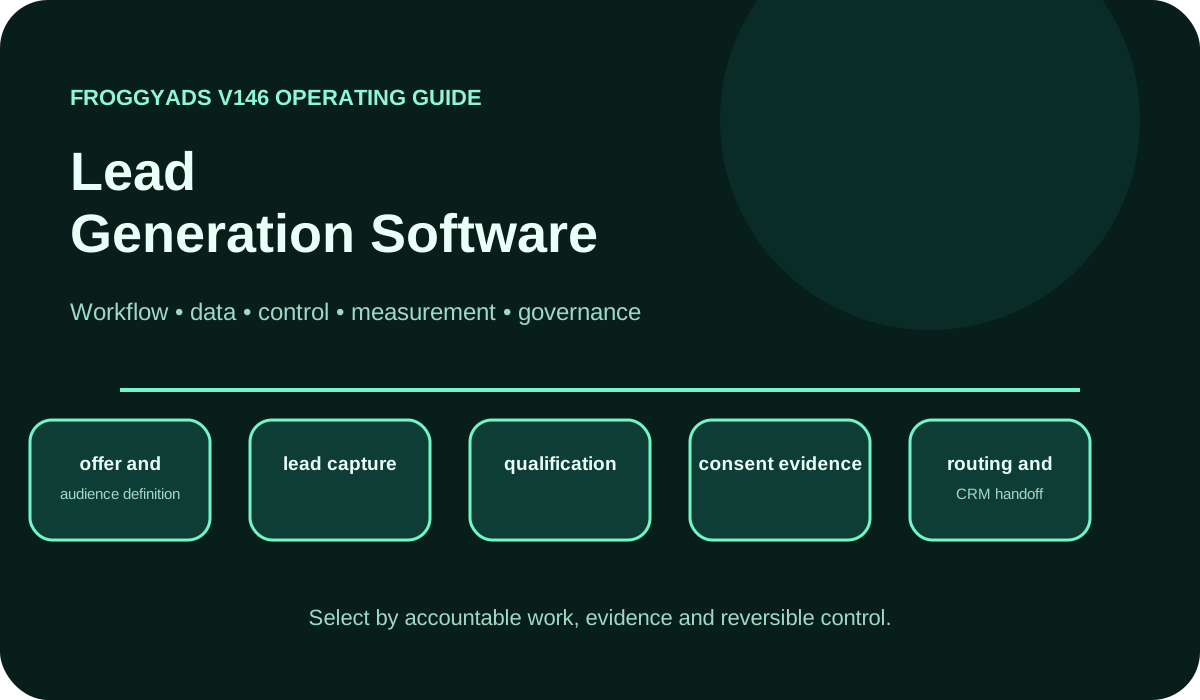
Lead Generation Software operating model showing workflow, data, control, measurement and governance

How should I choose lead generation software?

Quick answer: choose the software by the enquiry journey it must support. Test whether a visitor can submit a usable request, whether the team can distinguish repeated submissions from new people, and whether an accepted lead reaches an accountable owner. Compare the full operating cost and the evidence retained after handoff. FroggyAds provides the supported paid-media controls for bringing visitors to that prepared journey.

SectionDistinct excerpt from this page
Can the enquiry reach the right person?Follow a controlled submission through capture, validation, qualification, assignment and the team’s accepted business outcome.
What must the software preserve?Keep the request, source context, relevant permissions, duplicate history and ownership understandable across the systems you use.
Does the trial justify the operating cost?Compare representative journeys, error handling, staff effort and accepted lead evidence before expanding the software or media purchase.

For the traffic-source view of a campaign, consult Google Analytics: Traffic acquisition report.

What lead generation software means in practice

Lead generation software helps turn an enquiry into a record your business can act on. The useful job may begin with a form or another capture point, then continue through validation, qualification, assignment and reporting. Choose the part of that journey you need to improve. A service team losing requests between a form and its inbox has a different buying problem from a B2B team that captures enquiries reliably but cannot explain why sales rejects them.

Give the capture tool, customer record and sales process clear responsibilities. Identify where the original request lives, where its status is updated and who owns the response. Your media report explains the paid purchase; the lead system and team explain what happened to the enquiry. This separation helps you choose a useful software improvement and gives a FroggyAds campaign a reliable destination for the visitors it brings.

Start the evaluation with a journey your team can demonstrate. Include a valid enquiry, a missing required field, a repeated submission and a request that cannot be assigned automatically. Watch what the user and recipient experience in each case. A shorter feature list can still be the better fit when it preserves the necessary information, makes exceptions visible and reduces the work required to reach an accepted lead.

Plan lead capture, records and integration

Map the capabilities you need from offer and audience definition through lead capture, qualification, consent evidence, routing and CRM handoff, deduplication, follow-up workflow and revenue reconciliation. Each serves a different buying question. Ask who uses its output, which information must survive the handoff and what happens when the normal route fails. Score a demonstrated result rather than a capability name on a vendor page.

Keep submission, contact and opportunity records distinguishable. One person may submit twice, a contact may ask about two products, and an accepted lead may become a later sales opportunity. Decide which record owns the source history and which records can change status. That avoids inflating demand when a retry creates a second row or losing a useful enquiry when an overbroad merge combines different requests.

A connector is useful when the information required by the recipient actually arrives. Inspect field mapping, a missing value and an unsuccessful delivery during the trial. Confirm how the team finds and recovers the exception. An integration count cannot tell you whether the selected connection preserves the particular product request, source label and ownership rule your business needs.

Lead software questions to test in a vendor demonstration

Use the table below to turn broad features into observable buying checks. Choose a few representative enquiries and follow them through the proposed setup with the people who will use it. Mark an untested requirement as unknown. A clean demonstration of a standard request should be followed by a retry, a duplicate and an unmatched request so you can see how the software behaves when work needs attention.

CapabilityOperating questionEvidence required
offer and audience definitionCan the team define which requests it can serve and what makes a lead acceptable?A clear offer, serviceable audience and acceptance rule used consistently in the trial.
lead captureWhat does the visitor see after an invalid field or interrupted submission?Usable field feedback and a safe retry that preserves valid information without multiplying requests.
qualificationCan the team record why a request was accepted, rejected or left pending?Visible reasons and status changes that let sales and marketing interpret the same enquiry.
consent evidenceCan the recipient find the collection context and choices relevant to the intended response?The notice and permission information required by the chosen workflow, with appropriate access.
routing and CRM handoffDoes the correct owner receive the request, and what happens when assignment fails?A verified destination, usable fields and an exception queue the team can find and resolve.
deduplicationCan a repeated delivery be distinguished from a genuinely new enquiry?A defined duplicate rule that preserves useful request and source history when records are linked.
follow-up workflowIs an assigned request actually followed up, including when the intended owner is unavailable?Separate assignment and contact timestamps, a visible pending queue and a practical fallback.
revenue reconciliationCan an accepted lead be connected with the later opportunity and business outcome?Identifiable lead and outcome records, a consistent review period and relevant acquisition and operating costs.

Prepare a working enquiry journey

Connect a tested capture process with paid traffic

Once the form and receiving process work, use a focused FroggyAds campaign to test whether a serviceable audience responds to the offer. Choose a supported format and suitable creative, keep source labels identifiable and manage the buying allowance. Compare delivery with the enquiries your team accepts. This gives the software trial a real acquisition question without confusing a successful submission with a useful customer.

Create My Free Account
Illustration of audience targeting controls for a lead generation software test

Carry request information and status through the handoff

List the fields needed to answer the request and qualify it for the next step. A local enquiry may need service area and availability, while a B2B product request may need the product of interest and a workable contact route. Avoid asking for information simply because a field is available. Check how missing optional details differ from missing information that prevents the business from responding.

Keep a submission identifier available through the receiving process when your tools support it. Decide whether a repeated delivery updates an existing request or creates another record. Google’s lead-form integration guidance explicitly warns that one lead can be delivered more than once and describes deduplication within that system. Treat that as a reason to test your chosen route, with the duplicate rule and identifiers it actually provides.

Agree which status means received, awaiting review, accepted, rejected and contacted. An acknowledgement that the form was stored is different from confirmation that sales accepted the lead. Check how a status correction reaches the reporting view. A clear distinction lets the buyer identify a capture fault, a qualification decision or a follow-up delay before changing the media purchase.

Trial the capture and receiving process together

Use controlled synthetic details that the team can identify as test records. Submit the expected request, a request outside the service area and one with an invalid field. Confirm the user feedback, stored record, assignment and status visible to the recipient. Keep test records separate from genuine prospects so they do not inflate the trial’s commercial result.

Introduce an exception deliberately during the demonstration: leave a routing value unmatched or make the intended owner unavailable. Find where that request waits and how another person takes responsibility. The goal is a recoverable process, rather than an impressive notification that nobody can act on. Check the same path after a configuration change before sending a larger purchase of visitors to it.

Compare the new setup with the current process on the work that matters. Does a useful enquiry reach its owner with fewer corrections? Can the team explain a rejection and export the records needed for review? Note the staff time required to maintain the route. Those observations help you choose software for the actual operating problem instead of rewarding implementation activity.

Measure lead quality, source and status

The measurement model for lead generation software should include valid lead rate, qualified lead rate, cost per qualified lead, speed to first contact, duplicate rate, rejection rate, pipeline conversion, and revenue per lead. Operational measures belong beside commercial measures so a platform cannot appear successful merely because it is widely used while campaign quality, lead quality or economics deteriorate.

Use layered reporting for lead generation software. Delivery systems report impressions, clicks, spend and platform events. Analytics reports sessions and attributed behavior. Business systems report accepted leads, orders, revenue, refunds and margin. Reconcile the layers with stable identifiers, documented time zones, attribution windows and currencies.

Choose denominators before comparing the results. A submission count can include repeats; valid contacts, serviceable enquiries and sales-accepted leads answer narrower questions. Measure assignment time separately from time to first contact, and keep an unresolved request visible. Google Analytics traffic acquisition uses session-scoped source information; that visitor view should be connected carefully with the lead and sales records used for acceptance.

Match the introduction to the enquiry

Choose a format that fits the offer and capture page

A native introduction can explain a considered service before asking for an enquiry, while display can present a clear visual proposition. Push needs a concise message and pop needs a destination that explains the offer promptly. Choose a supported FroggyAds option that suits the message and keep each format’s result identifiable through your own capture and acceptance process.

Create My Free Account
Illustration comparing advertising formats for lead generation software execution

Roll out the software when each stage is ready

Stage 1: Agree the enquiry and acceptance rule

Define the serviceable request, required information and person responsible for responding. Record the current capture and acceptance pattern so the trial has a useful comparison. Choose the condition that would make you continue, repair or replace the proposed setup.

Stage 2: Verify the receiving route and exception handling

Configure the chosen fields and receiving route, then complete the controlled journeys with the people who will work the requests. Include duplicate delivery, an unavailable owner and a safe form retry. Keep the existing process available until you know where every test request went and how an exception can be recovered.

Stage 3: Test traffic with the receiving team

When the route is ready, choose an affordable traffic purchase and allow the team to review its enquiries. With FroggyAds, you can manage campaign exposure and inspect source-level delivery while your own records show contactability and lead acceptance. Let the actual response and qualification delay determine when the comparison is useful.

Stage 4: Review cost and operating fit

Compare accepted lead evidence, staff effort and the expense of keeping the setup working. Expand when the trial resolves the buying question and the team can handle the additional requests. Keep a limitation visible when it remains untested. A longer sales cycle may require later review of opportunities and revenue before the commercial result becomes clear.

Review automation rules and request decisions

Automation can assign a clear request, flag a repeat or move a record between agreed statuses. Review the rule before allowing it to discard a lead, merge different people or send a customer message. Keep the request’s original context available so the team can understand an unexpected action. Choose automation for a defined job with a visible exception path.

Try a changed product request, an ambiguous territory and a contact who submits again with a different question. Those cases reveal whether the rules preserve meaningful differences. A score can help prioritize review, but a hard service eligibility condition still needs an explicit outcome. The operator should be able to explain why the request was routed or left for review.

Compare proposed rules with the decisions your team would make before enabling consequential actions. Review disagreement and refine the rule using the accepted outcome you actually need. Keep control over changes that affect customer communication, record merges or campaign expenditure. A traceable decision is more useful than a larger automation total with no explanation.

Check permissions, collection context and security

Limit access according to the work each role performs. The person reviewing a request may need its content and status, while a campaign report may only need a source label and accepted outcome. Check how permissions apply to exports and connected systems as well as the visible dashboard. Include removal of access when someone leaves the team or changes responsibilities.

Preserve the collection context and choices needed for the response your business intends to make. A request for service and permission for ongoing marketing serve different purposes; confirm the applicable requirements for your workflow. Test that the recipient can find the relevant evidence and that a later change in preference reaches the systems that need it. Keep unnecessary personal information out of campaign labels and URLs.

Security review for lead generation software should cover authentication, single sign-on, API credentials, audit logs, vendor subprocessors, data location, incident response and exit procedures. Marketing and advertising systems often connect to high-value customer and media accounts, so compromise can create impact far beyond the subscription.

Selection and proof of value

Ask the vendor to demonstrate your chosen journeys using the requirements that would change the buying decision. Review the form response, received request, duplicate rule, owner assignment and status export together. Keep a failed essential requirement visible rather than letting attractive optional features conceal it. The preferred option should make the work your team actually performs clearer and more reliable.

Compare the subscription and any usage charges with setup, maintenance, training, review work and the cost of leaving the tool. Confirm which demonstrated features are included in the proposed edition. HubSpot’s lead-capture page, for example, places some advanced capabilities in particular editions; a broad product-page description is not enough to establish what your own proposal includes. Verify the commercial scope before making the comparison.

Choose the software when the trial supports the agreed capture, qualification and follow-up job at an acceptable operating cost. Keep the remaining limitations, review period and migration conditions clear. A software decision can be revisited when the offer, team capacity or receiving system changes; retain the information needed to compare a replacement without losing the enquiry history.

Put accepted enquiries at the center of the next test

Turn a prepared lead workflow into a traffic test

Choose one serviceable offer and a working capture page, then start a manageable FroggyAds campaign. Keep the buying allowance and source evidence identifiable while your team reviews the resulting enquiries. Use the accepted lead result to decide what deserves more spend, and use the software trial to identify any receiving or follow-up work that needs repair.

Create My Free Account
Illustration of a campaign launch checklist for lead generation software

Failure modes and controls

The main failure modes for lead generation software are counting unqualified submissions, missing consent records, slow follow-up, duplicate leads, incentivized or fraudulent traffic, and disconnecting media cost from closed revenue. Convert each risk into a preventive control and measurable warning. Data-lock-in risk requires a tested export, while automation risk requires logs, approval thresholds, exclusions and a kill switch.

Keep failure reasons distinct. An invalid field, a repeated delivery, an out-of-area request and an unanswered accepted lead require different action. Review them beside source evidence without combining them into one failure rate. Fix a shared receiving fault before blaming every traffic source, and contain exposure if the business cannot respond to the enquiries it already has.

Maintain a rollback package for lead generation software: the last stable configuration, data-export procedure, credential rotation steps, fallback reporting and responsible contacts. Test rollback before a major migration or automation release. The ability to reverse a change is part of platform quality.

Keep form and handoff instructions usable

Make the page explain what the visitor is requesting, which information is needed and what happens next. Use clear field labels and error feedback so someone can correct an entry without starting again. Carry the same offer into the confirmation and receiving record. That helps the user submit a meaningful request and the team interpret it.

Document the status meanings and routing rules where the people handling leads can find them. Include an example of an unmatched request and the person who resolves it. A new team member should be able to distinguish received, accepted and contacted without reconstructing the workflow from software settings or an unexplained dashboard.

Keep the instructions current when the product, service area, form or receiving team changes. Confirm that an old campaign destination still describes an offer the business can support. A clear handoff note prevents a technically successful form from feeding an obsolete queue or a team that no longer handles the request.

Why choose FroggyAds for the paid-media purchase?

We provide the paid-media controls for bringing visitors to a prepared capture page. Use our supported push, native, display or pop campaigns with a clear buying allowance and source reporting, then connect delivery with the enquiries your own receiving process accepts.

Advertisers bringing paid visitors to a working lead journey can choose FroggyAds for supported programmatic formats and direct buying controls. We help you manage targeting, bids, budgets and sources while the capture and sales process determines which enquiries are accepted. Connect our source reporting with those records, then adjust the purchase as the evidence shows which introductions are useful for the offer.

Decision scenarios, reconciliation and operating controls

Begin the software decision with a concrete loss of useful demand. Perhaps valid requests are waiting in an unattended inbox, repeated deliveries inflate the apparent result or sales cannot distinguish a serviceable enquiry from an incomplete form. Measure the present problem before the trial. Choose the proposed change because it improves that work, rather than because the interface produces more activity.

A demonstration should cover the ordinary request, expected volume and a recoverable failure. Use the same acceptance rule in each scenario and involve the actual receiving team. Watch whether an exception is visible, whether its context survives a retry and whether a person can take responsibility. A polished form alone cannot demonstrate the complete response process.

Agree who can alter fields, acceptance rules, routing and access. A changed required field can affect submission volume, while a new territory rule can move requests to a different team. Keep those changes identifiable during the trial so a shift in accepted leads can be interpreted. Use the decision record to understand the change, rather than requiring a new administrative document for every routine action.

Reconcile submissions, unique requests, assigned leads and accepted leads as different totals. A repeat or an unresolved request can explain a difference without implying lost data. Keep the time period, source labels and status meanings consistent when comparing systems. Investigate unexplained gaps and retain the explanation so the same discrepancy does not repeatedly derail a buying decision.

Continue a trial while the route works and the remaining uncertainty is affordable. Limit exposure when the team investigates an exception, and pause a purchase that sends requests into a broken receiving path. Reopen after the verified repair has been tested. Connect that response to the actual form, queue or handoff involved so the next comparison remains interpretable.

Total cost for lead generation software includes more than subscription or media spend. Add implementation labor, data preparation, integration maintenance, training, administration, support, duplicated tools, usage fees, reporting work and exit effort. Then compare that total with measurable value such as reduced errors, faster launch, higher accepted conversion, lower acquisition cost or better retention. This cost model prevents inexpensive software from hiding expensive manual work and prevents enterprise bundles from receiving credit for unused modules.

Keep the request definition, acceptance rule, report meanings and trial limitations available for the people making the purchase. Those records should explain what improved, what remained uncertain and which operating change would justify another review. The useful outcome is a lead process the team can explain and maintain as real demand changes.

Frequently asked questions

What job should lead generation software perform?

It should capture a relevant enquiry, preserve its source and consent context, apply agreed qualification rules and deliver it to the right owner. A large contact database is not useful when the business cannot trace or act on the records.

Which requirements belong in a lead software brief?

Describe the forms and channels, required fields, validation, routing, response times, integrations, user roles, reporting and retention boundaries. Rank them by actual workflow need before comparing product feature lists.

How should lead capture behave when a form fails?

Keep valid entries, identify the field that needs attention and offer a safe retry without creating duplicates. Log the error path so the team can distinguish lost demand from poor campaign traffic.

What routing logic helps a sales team respond quickly?

Route by service eligibility, territory, product, language or another operational rule the team can maintain. Give unmatched or ambiguous records a visible queue rather than silently discarding them.

Why does deduplication matter in lead generation software?

Duplicates can inflate performance, trigger conflicting outreach and waste staff time. Define the identifiers, time window and merge policy, while preserving source history when two contacts may be the same person.

How should I test a lead software integration?

Send a controlled test through the form, validation and routing steps into the CRM or authoritative customer system, then confirm ownership and status updates. Use synthetic details that cannot be mistaken for a genuine prospect.

How should consent information travel with a lead?

Preserve the notice version, choice, timestamp and collection context required by the workflow, with access limited to legitimate purposes. Do not infer marketing permission merely because someone requested a service response.

What can lead scoring software reasonably support?

A score can prioritize follow-up when its inputs and outcome definition are documented and reviewed for bias or drift. It should not hide a hard eligibility decision or replace the sales team's reason for accepting a lead.

Which reports reveal whether the software is helping?

Track capture completion, validation reasons, routing time, contactability, sales acceptance and accepted customer outcomes by source. Dashboard activity matters only when it exposes a decision the team can make.

How should a lead platform trial be evaluated?

Run representative journeys with the people who capture, review and follow up on leads, including errors and exports. Compare workflow fit, data control, operating effort and total cost before committing to a migration.

Official documentation for the systems you use

Use the Google resources below for their specific analytics, tag and Google Ads lead-form contexts. Confirm the applicable settings and requirements in the systems you actually use. Session attribution, collection choices, lead delivery and sales acceptance answer different questions; a successful connection should preserve the information needed for the next one.

Bring a tested enquiry journey to your next campaign

Choose FroggyAds for a controlled programmatic purchase when your capture page and receiving team are ready. We give you supported campaign, targeting, bid, budget and source controls so delivery can be evaluated alongside the enquiries your business accepts.

Create My Free Account
Search intent and buyer decision

Connect the software choice with the lead your team can serve

Follow one complete enquiry from its capture point to the person responsible for responding. This reveals whether the purchase needs a better form, qualification rule or handoff. For the broader path from attracting interest to a customer conversation, continue with Online Lead Generation. Keep the trial grounded in a request your team can serve.

A local service may need a visible queue for requests outside the normal territory. A B2B product team may need a clear distinction between an educational download and a sales enquiry. Use the real offer to choose the acceptance and routing rules, then ask the software to demonstrate them before adding traffic.

Cost per lead should name its denominator: a raw submission, unique request and sales-accepted lead are different events. Lead acceptance connects the landing page request with the business rule, while the sales pipeline records later progress. Preserve those distinctions alongside media and operating costs so the comparison remains useful as the team follows up.

CheckpointEnquiry buying actionEvidence to keep
BuyerDefine the serviceable request and the reason your team would accept it.Offer, required information, service area and acceptance rule.
AcquisitionTest capture, a safe retry, duplicate delivery and the receiving queue.Identifiable test request, expected owner, status and visible exception handling.
MeasurementReconcile source delivery with unique requests and the team’s accepted leads.Source labels, status meanings, cohort age and unresolved records.
DecisionCompare useful accepted lead evidence with full operating and acquisition cost.Demonstrated improvement, ongoing effort and the condition for another review.

Hypothetical calculation: a reviewed cohort contains 30 submissions, 24 unique requests and 10 sales-accepted leads. Media spend of USD 600 is USD 20 per submission or USD 60 per accepted lead. If the trial also allocates USD 120 of software expense and USD 80 of review labor, the combined cost is USD 800 ÷ 10 = USD 80 per accepted lead. These invented figures are not FroggyAds prices, results or forecasts. Keep the denominator and included costs visible; accepted leads are still different from acquired customers or profit.

Choose FroggyAds for the paid introduction to your prepared lead journey. We provide supported formats and buying controls so you can manage exposure, inspect sources and compare the purchase with your own accepted enquiry evidence. Bring a clear offer, working destination and manageable allowance, then Create your free FroggyAds account.

Direct answer

Choose software that helps your team act on useful demand

A useful lead-software purchase makes the enquiry, receiving process and accepted result clearer. Choose the setup your team can demonstrate and maintain, then use FroggyAds to manage the programmatic traffic purchase that feeds it. Expand from evidence of serviceable enquiries and affordable operating cost as the follow-up process matures.


