
Email Marketing for Ecommerce: Product, Conversion, Margin and 90-Day Store Growth Playbook
Email marketing for ecommerce helps shoppers choose products, complete purchases and return for relevant follow-up. We connect those store decisions with paid acquisition guidance, lifecycle checks and a discount-and-returns example. Prepared by FroggyAds; updated 2026-10-25.
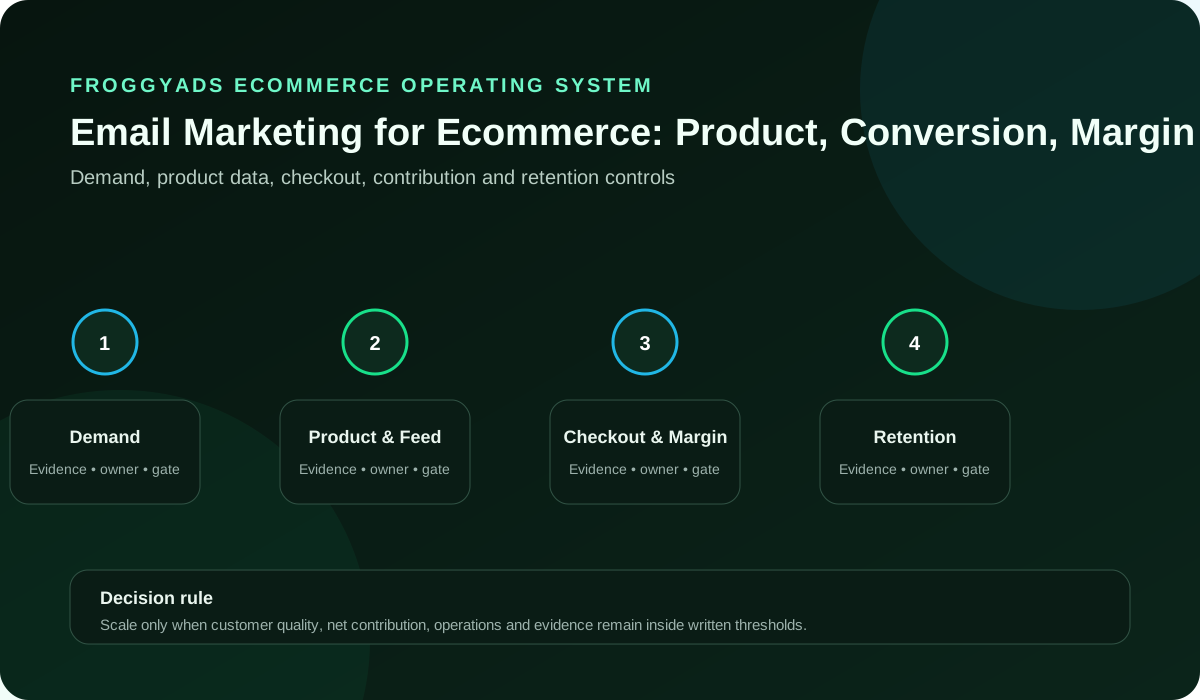
How does ecommerce email marketing support a store?
Help the customer complete the next step. Deliver the welcome promise, answer product questions and support the order. Your store and email provider manage permission and sending. Choose FroggyAds for paid traffic to your prepared product, collection or signup destination.
For the claims you publish in ads, product promotions and email offers, consult FTC advertising and marketing basics. Apply the guidance relevant to your market alongside your own product evidence and sending requirements.
Which ecommerce email flow should you build first?
Choose a welcome, product, cart or post-purchase task you can serve well. Check the product and destination first; reliable stock and order records make the message useful.
Select the outcome appropriate to the flow. A welcome sequence may support a first purchase; a care message may help a customer use an existing order; a replenishment message may support a relevant repeat purchase. Evaluate the customer action and its commercial value alongside delivery, complaints and workload. Email-attributed revenue alone cannot explain whether discounts, returns or another channel changed the result.
| Customer decision | Store-specific requirement | What to inspect | Next action |
|---|---|---|---|
| Customer moment | One meaningful shopping task | Welcome, comparison, cart or ownership stage | Choose the message that helps that task |
| Product eligibility | The promoted model or variant is available | Current price, stock and delivery terms | Revise a stale offer before release |
| Commercial outcome | The customer action supported by this flow | First purchase, repeat order or product use | Keep different outcome denominators separate |
| Diagnostic counts | Earlier handoffs that can explain a failure | Delivered messages, useful clicks and checkout steps | Inspect the first supported problem |
| Message and destination | The promise continues through the click | Current product evidence and usable next action | Avoid a homepage detour without a reason |
| Operating boundary | The store can send and serve the message | Permission, preferences, support and fulfilment | Narrow the audience if the promise cannot be met |
Map the customer handoffs before building automation
Work backwards from each message to the store record making it relevant. These handoffs connect email, merchandising and media buying when stock, orders or preferences change.
| Handoff | Practical question | Required record | Decision |
|---|---|---|---|
| Merchandising to email | Which variant is being promoted? | Product identifier, approved facts and current stock | Resolve a substituted or unavailable model |
| Email to destination | Does the link continue the promise? | Actual page, currency and offer terms | Repair a mismatch before the send |
| Checkout to reporting | What counts as a placed order? | Transaction identifier and status | Remove controlled tests and duplicates |
| Operations to finance | Which orders were retained? | Fulfilment, refunds and item-level returns | Keep unresolved orders pending |
| Finance to media buying | What acquisition cost remains affordable? | Defined contribution and required remaining costs | Set the next test boundary |
| Service to lifecycle | What does this owner need next? | Relevant setup, care or replenishment question | Choose useful follow-up over another blanket promotion |
| Customer preferences to sending | Should this person receive the message? | Current relationship and exclusion state | Stop an ineligible scheduled promotion |
| Media buyer to store team | What did the acquisition test change? | Creative, targeting, spend and traffic reference | Interpret store outcomes with those settings visible |
Choose one email outcome and a reporting owner
Define the customer job. Decide whether this flow introduces a category, helps a first purchase or supports an existing order. Give it one main commercial question.
Set the welcome task. Help subscribers choose a compatible brewer before suggesting accessories.
Keep the result specific. A first purchase and a repeat filter order belong in different reports. Neither is established by an email open.
Name the reporting owner. Show where the intended customer action appears.
Customer claim wording. Use FTC advertising basics for the advertising claim context.
Select products by basket margin and contribution
Select the merchandise. Choose products whose price, costs and role in the basket are understood. A high selling price can still leave little room for acquisition or a discount.
Prepare the category figures. Separate the introductory product cost from the costs of its accessories.
Make incentives affordable. A percentage discount affects products differently. Calculate the remaining contribution before deciding that one code belongs across the catalog.
Check basket mix. Higher order value can conceal lower product contribution.
Product promotion claims. See FTC online advertising guidance alongside your own margin calculation.
Keep product availability, stock and delivery accurate
Confirm the sellable variant. Look beyond the collection total. A promoted colour, size or model must be available for the audience receiving that message.
Agree the release snapshot. Identify stock and dispatch expectations, plus who can stop a stale promotion.
Show realistic availability. A genuine preorder needs its own terms and timing. Do not let an in-stock creative send shoppers to an unavailable substitute.
Prepare an alternative. Hold an unavailable offer or explain its replacement accurately.
Availability guidance. Consult the SBA management resource; stock comes from your own records.
Match the email audience to the shopping occasion
Describe the shopping situation. A gift buyer comparing delivery dates needs different information from a customer replacing a worn part. Use the need to shape the message.
Choose a meaningful group. Combine customer stage and product relationship with current permission and exclusions.
Avoid a forced recommendation. An accessory for one brewer model may be unsuitable for another. Category interest alone does not establish compatibility.
Refresh exclusions. A completed purchase can make a prospect message obsolete.
Audience and ad-product scope. The Google Ads guide directory covers another advertising product.
Help shoppers answer the product question
Match the level of intent. A shopper comparing brewing methods needs explanation; someone choosing a replacement filter needs exact fit and availability.
Prepare the useful destination. Link the guide or product page answering that shopping question.
Remove avoidable searching. Sending every email to the homepage asks the customer to reconstruct the path. Prefer the destination that continues the stated task.
Help comparison. Answer compatibility questions before asking for the purchase.
Product-path analytics. The Analytics advertising overview covers its product prerequisites.
Bring shoppers to an offer your store can fulfil
Your acquisition promise should survive the first click. If an ad offers a size guide or a product comparison, make that resource easy to reach before asking for a larger commitment. Use FroggyAds targeting and budget controls to test the promise with relevant visitors, then inspect the store and subscriber records that follow.
Create your free FroggyAds account
Trace product identifiers from message to order
Use stable product records. Match the product and variant shown in the message with the linked page, cart item and order line. Names alone can hide different models.
Check the actual identifiers. Trace one item identifier from the message through to the order.
Treat substitutions explicitly. If the advertised brewer is replaced with another model, update the message and supporting compatibility information before release.
Retain identifiers. Keep the item mapping associated with the released message.
Product discovery documentation. The SEO Starter Guide does not verify store identifiers.
Support product claims with current evidence
Choose evidence for the decision. Show dimensions, compatibility, materials or a real demonstration when those facts help the shopper compare products.
Prepare the approved content. Attach current product evidence to each claim and customer image.
Avoid borrowed certainty. A review about one item does not substantiate another variant or a guaranteed outcome. Keep evidence attached to the product it describes.
Recheck specifications. Confirm the evidence still describes the product being sold.
Product evidence and delivery. Consult Gmail sender guidelines within their stated recipient scope.
Check discount terms and offer margin
Calculate the offer cost. A discount, gift and shipping subsidy each consume contribution differently. Include the benefit the shopper actually receives.
Record the exact terms. Compare the discount with a product-education message using the same basket assumptions.
Keep qualification visible. State eligible products, dates and exclusions consistently in the email and destination. An unexplained checkout restriction undermines the offer.
Explain qualification. Show minimum spend and exclusions before checkout.
Offer qualification and provider scope. The Gmail FAQ does not approve discount terms.
Keep the email message and shopping action clear
Make the message coherent. The subject, opening, main image and button should describe the same shopper benefit. Lead with the information the customer needs.
Draft the customer path. Write the subject and destination as one coherent shopping promise.
Use a truthful reason to act. A real order deadline can help a gift buyer. Invented scarcity adds pressure without improving the purchase decision.
Choose one action. Make the main button describe the useful destination.
Message claim guidance. Use the FTC marketing hub for relevant business guidance.
Connect paid traffic with email permissions
Give each channel a job. Use advertising to bring relevant new visitors to a ready destination. Use permission-based email to continue the relationship the subscriber agreed to.
Define the handoff. Separate traffic references, form submissions and subscriber status in your records.
Choose FroggyAds for the traffic decision. Our targeting, bids and budgets let you test the acquisition proposition while your email provider handles sending and customer preferences.
Connect operators. The media buyer and sender need the same destination objective.
Traffic destination accessibility. Consult WCAG 2.2 for the linked web destination.
Test the shopping destination and live checkout
Open the released link. Check the actual product, variant, currency and promotion shown after the click. The email preview cannot prove that the live shopping path agrees.
Test a controlled purchase. Check cart, payment and confirmation, then exclude the controlled order from results.
Keep recovery straightforward. A broken coupon or missing product needs a clear owner. Repair the affected experience before sending more people into it.
Assign live ownership. Name who can stop a broken promotion.
Shopping measurement context. Read the Analytics introduction separately from checkout testing.
Match your acquisition creative to the shopping decision
Choose a format that lets your team explain the product or resource clearly. A category comparison needs different creative from a straightforward product offer. Keep the promoted variant, delivery market and destination consistent while testing a creative or targeting choice in FroggyAds.
Create your free FroggyAds account
Define order events, reporting and attribution
Name what each event means. A product view, checkout start, placed order and fulfilled order describe different steps. Write down where each is recorded.
Create the reporting agreement. Specify identifiers, attribution windows and acceptance status, including duplicate handling.
Keep credit separate from cause. An email report may credit a purchase also credited elsewhere. Reconcile the transaction before treating both channel totals as additional sales.
Retain reporting rules. Record attribution settings used for the actual comparison.
Order-event documentation. The existing LinkedIn resource is not evidence for store event definitions.
Reconcile order status, refunds and provisional outcomes
Follow the order after checkout. Mark pending, cancelled, refunded and retained orders distinctly. A placed-order total can change after payment or fulfilment review.
Use a clear reconciliation window. Track partial returns by transaction and item reference.
Avoid counting revenue twice. If your starting figure already excludes a refunded order, do not subtract that refund again when building the accepted result.
Show provisional outcomes. Keep unsettled orders visible during the chosen return window.
Order reporting scope. The FTC advertising basics do not establish order figures.
Set acquisition cost against product contribution
Start with the basket. Subtract the included product, payment, fulfilment and promotion costs from the revenue your definition actually retains.
Write the affordability model. Allow for remaining costs and required profit before setting acquisition spend.
Separate subscribers from customers. Customer acquisition cost uses accepted new customers. A cost per subscriber can guide an earlier step but does not establish the cost of a sale.
Qualify repeat value. Expected later purchases need supporting customer evidence.
Acquisition offer context. The FTC online guidance does not set acquisition ceilings.
Separate new and returning customer records
Use the customer history. A returning shopper responding to email is valuable, but that order should not become evidence that advertising acquired a new customer.
Agree a consistent customer rule. Apply one prior-order definition across guest and merged records.
Compare similar observation periods. A recently acquired customer has had less opportunity to reorder. Keep immature cohorts separate from longer-established customer groups.
State identity limits. Guest and merged records can affect customer classification.
Customer management context. The SBA resource does not classify your customers.
Test one ecommerce offer with a clear comparison
Ask a specific question. Compare two clear ways to explain the same prepared offer before changing the product, price and audience at once.
Prepare the test record. Retain the creative difference, settings and spending boundary, plus the review window.
Interpret the comparison honestly. If inventory or product pricing changes during the run, record that change before explaining a difference in orders.
Read the full path. Lower click cost alone cannot establish a better store outcome.
Comparison and ad-product scope. The Google Ads directory does not configure FroggyAds.
Inspect the shopping path and verify repairs
Inspect the complete path. Read the message and product details on the devices your audience uses. Check that the next action and any required fields are understandable.
Test the customer task. Find the specific product-selection or payment fault before redesigning the shopping path.
Prioritise the broken handoff. A payment error needs repair before another creative test. Buying more visits cannot establish how a working checkout would perform.
Validate repairs. Repeat the affected customer task after correcting a fault.
Shopping measurement prerequisites. The Analytics overview does not prove shopping usability.
Keep cart reminders relevant to current orders
Check the current customer state. A cart reminder needs a relevant unfinished purchase and an appropriate messaging basis. Exclude customers who have already completed the task.
Refresh before the reminder. Recheck price, stock and completed orders before sending the cart message.
Keep the help proportionate. Answer delivery or compatibility questions when those are the likely barrier. A deeper discount is not the only possible response.
Stop obsolete reminders. Recheck completed purchases, preferences and availability before sending.
Cart and discovery context. The SEO Starter Guide does not define reminder timing.
Test a ready ecommerce destination with FroggyAds
Bring one prepared offer into a controlled traffic test. Set your spending boundary and retain the creative, targeting and destination versions that actually ran. Follow new visitors into the store journey without treating a paid click as email permission or an attributed order as proof of incremental profit.
Create your free FroggyAds account
Plan service and replenishment around product use
Start with successful use. Give the buyer the setup, care or compatibility information needed for the product they actually received. Keep essential service communication recognisable.
Build the relevant follow-up. Explain brewer cleaning before proposing a relevant accessory.
Let the product set the timing. A consumable can have a replenishment cycle; durable equipment may need occasional care. Do not impose the same repeat-order interval on both.
Separate message types. Replenishment and win-back require different customer timing.
Service-message delivery. Consult Gmail sender guidelines alongside your own service content.
Localise shopping offers and market fulfilment
Match the shopping market. Check currency, tax presentation, shipping eligibility and returns information for the recipients you intend to serve.
Prepare the market version. Match market terms and products, including the relevant customer time zone.
Use operational facts. A delivery promise that works in one country may not work elsewhere. Narrow the audience when the store cannot fulfil the advertised condition.
Confirm local capacity. Check delivery and support for the intended market.
Market and sender requirements. The Gmail FAQ does not establish local shipping terms.
Separate partner records and marketplace transactions
Identify the relationship owner. A marketplace sale and a direct-store subscription may have different data access, messaging rules and customer expectations.
Document the usable records. Confirm which partner records may support the proposed message.
Avoid an unearned audience. Do not assume every address appearing in an order export can be added to a promotion list. Confirm the actual relationship and applicable requirements.
Resolve duplicate credit. Partner and store records may describe the same order.
Partner business guidance. Use the FTC marketing hub alongside actual partner requirements.
Review customer permission, claims and preferences
Review the actual wording. Product benefits, delivery promises and customer endorsements need support appropriate to what the message says.
Prepare a release checklist. Verify permission, preference handling and product-claim evidence before the send.
Keep service and promotion understandable. An order update should remain clear about the order. Additional promotional content needs its own appropriate treatment in your sending setup and market.
Test preferences. Inspect the actual preference link and receiving system.
Customer preference accessibility. Consult WCAG 2.2 for linked shopping and preference pages.
Interpret attribution and causal comparisons carefully
Choose the question carefully. A reporting rule credits an order to an interaction. Incrementality asks what would have happened without the activity. Those are different claims.
Plan a suitable comparison. Agree the comparison design with your analyst before estimating incremental orders.
State what remains unknown. A simple before-and-after comparison can change with seasonality, promotions and stock. Describe those limits instead of presenting every increase as caused by email.
Record changing conditions. Stock and eligibility differences can compromise the comparison.
Attribution measurement limits. The Analytics introduction does not establish a causal store result.
Connect traffic evidence with customer quality
Connect the acquisition evidence. Compare how traffic references reach the intended product or subscriber step and what follows in your customer records.
Prepare the source review. Separate invalid records from genuine but unsuitable shoppers.
Make a useful media decision. Use your FroggyAds source evidence to retain, revise or stop the affected acquisition test when there is enough information to support the choice.
Show channel credit. A paid visitor may purchase after a later email.
Traffic evidence scope. The existing LinkedIn resource does not verify store traffic quality.
First month: prepare one complete customer route
Build the smallest useful route. Choose the customer moment, product set and intended outcome. Prepare the message, destination and responsible sending operator.
Complete the foundation work. Test permission, stock, checkout and reconciliation before comparing acquisition.
Move on when the route works. The thirty-day label is illustrative. A store needing more time for product data or operations should finish that work before expanding.
Finish one route. Complete the customer path before planning more automations.
Customer offer review. Consult FTC advertising basics when reviewing the first offer.
Second month: repair the shopping bottleneck
Read the customer sequence. Find the first meaningful gap between the intended experience and the observed records. Confirm that it is a real problem before redesigning the entire flow.
Choose one improvement. Repair one product, message or measurement fault against the retained baseline.
Keep changes interpretable. Changing discount, audience and timing together may test a package, but it cannot isolate which change explained the difference.
Include operating effort. Manual work needs staffing assessment before audience expansion.
Shopping claim context. Use FTC online guidance alongside the observed shopping path.
Third month: expand with contribution and operating capacity
Assess repeatable usefulness. Review retained orders, contribution, complaints, returns and staff effort across comparable observations. Include unresolved outcomes in the decision.
Prepare the next expansion. Add one maintainable segment or test after checking stock and support capacity.
Scale the workable decision. A larger audience changes the buying situation. Keep monitoring the new scope rather than assuming the earlier result will repeat unchanged.
Retain the decision. Explain the expansion and unresolved cost questions.
Contribution and operating context. The SBA resource does not establish readiness to expand.
Pre-send scorecard: ten checks with observable answers
Check the actual customer, product and released experience before sending. Each row identifies a concrete repair rather than assigning a favourable score by assumption.
| # | Check | What to confirm | Observable evidence | Response if missing |
|---|---|---|---|---|
| 1 | Audience | The recipient has the relevant relationship | Current permission and customer-stage record | Exclude an ineligible recipient |
| 2 | Variant | The exact product can be supplied | Variant identifier and sellable stock | Replace stale product content |
| 3 | Price | Email and destination show the same offer | Current price and qualifying terms | Repair a conflicting checkout condition |
| 4 | Claims | The stated benefit has suitable support | Product evidence and approved wording | Remove an unsupported promise |
| 5 | Journey | The main link completes the stated next step | Released page and controlled path check | Fix the broken handoff |
| 6 | Orders | Tests and duplicates are identifiable | Transaction references and status rules | Reconcile before reporting |
| 7 | Contribution | Discount and returns are included once | Agreed cost and revenue definitions | Revise an unaffordable promotion |
| 8 | Preference | A changed choice affects the send | Current suppression and preference handling | Stop the affected message |
| 9 | Service | Someone can handle replies and order questions | Support owner and escalation route | Narrow the release to available capacity |
| 10 | Next test | The team can explain the planned change | One comparison and its review boundary | Retain the earlier version |
Worked ecommerce example: a discount can reduce contribution
Imagine a hypothetical specialist coffee-equipment store selling a USD 100 basket. Product cost is USD 45 and payment, packing and shipping cost USD 15. The team considers a USD 10 email discount. All amounts and rates below are invented planning assumptions. The example compares retained-order margin, return-adjusted contribution and the acquisition cost the store can afford; it does not estimate your campaign performance.
| Illustrative measure | Transparent calculation or assumption | Interpretation |
|---|---|---|
| Undiscounted retained order | USD 100 - USD 45 product - USD 15 other variable cost = USD 40 | Before marketing and any other excluded costs |
| Discounted retained order | USD 90 received - USD 45 - USD 15 = USD 30 | A USD 10 discount reduces this contribution by USD 10 |
| Assumed return outcome | 10% return rate; USD 8 unrecovered cost on a returned order | For illustration, returned revenue is fully refunded |
| Expected contribution per placed order | 90% × USD 30 - 10% × USD 8 = USD 26.20 | Use before acquisition cost and other excluded overhead |
| Illustrative media cost per placed order | USD 200 media / 10 placed orders = USD 20 | Not customer acquisition cost unless the customer definition agrees |
| Expected contribution after that media | USD 26.20 - USD 20 = USD 6.20 per placed order | Still before email work, fees and other omitted costs |
| Decision before the discount | Compare against the alternative offer and customer response | A higher order count alone cannot establish a better contribution |
Why choose FroggyAds for ecommerce acquisition?
Our self-service platform gives your media buyer targeting, format, bid, budget and traffic-source controls. Test a prepared subscriber offer or product destination, then review how visitors move through your store. You keep the email platform and customer operations that suit your business.
Start with one offer your team can fulfil. Keep the first FroggyAds creative and audience comparison manageable, review source evidence and reconcile store orders and contribution. Create your free FroggyAds account when the product, destination and measurement are ready.
Continue with the ecommerce resource that fits your next task
- Complete email marketing guide
- Startup email planning
- Small-business email marketing
- Beginner email roadmap
- Current email marketing trends
- Practical email tips
- FroggyAds learning center
- Ecommerce marketing guide
References for claims, analytics and sending operations
These resources cover different disciplines. Consult your email provider for the sending setup you operate and your own product and order records for commercial facts. The linked Analytics and advertising pages describe separate products; their inclusion does not make them email-platform instructions or evidence for a store result.
- FTC advertising and marketing basics
- Online advertising guidance from the FTC
- SBA business-management resource
- Google Ads guide directory
- Analytics advertising overview
- Google SEO Starter Guide
- Gmail sender guidelines
- Sender-guideline clarifications for Gmail
- FTC advertising and marketing hub
- WCAG 2.2 web accessibility recommendations
- Introduction to Google Analytics
- LinkedIn marketing resource
Ecommerce email marketing FAQs
When does email marketing make sense for an ecommerce store?
Email is a strong fit when the store has permission to contact customers and a clear lifecycle job, such as welcome, product education, cart recovery, replenishment, or retention. The plan should connect that job to margin, not send volume.
What is a sensible first ecommerce email test?
Choose one consented segment, one customer moment, an approved message, a fixed window, and an accepted store action. Keep a comparison and avoid changing price, audience rules, and automation timing at the same time.
Which costs belong in the email marketing budget?
Include platform fees, template and copy work, product data, deliverability, testing, discount cost, analytics, reply handling, and staff review. Returns and margin matter when reported revenue is used to judge performance.
How should an ecommerce email audience be defined?
Use consent, purchase or browsing history, product fit, customer stage, location, and suppression rules that match the message. Separate new prospects, recent buyers, lapsed customers, and service contacts when their needs differ.
What keeps an email offer consistent with the store?
Match product availability, price, promotion terms, delivery, returns, imagery, and the promised next step with the destination. A clear message is better than urgency that the product page cannot support.
Which store checks come before an email send?
Test tagged links, mobile product pages, variants, stock, checkout, payment, consent, confirmation, and event recording. Customer service should also know the offer and have a working route for replies or problems.
How should ecommerce email performance be measured?
Connect correct delivery and useful engagement with accepted orders, contribution after discount and fees, returns, repeat behavior, complaints, and total cost. State the attribution and observation windows beside revenue figures.
Where do weak email results usually break down?
Trace the path through consent source, audience selection, deliverability, message relevance, product page, checkout, and order acceptance. Fix the earliest supported problem before increasing frequency or discounting more heavily.
What guardrails protect store margin and customer trust?
Set limits for contact frequency, unsupported scarcity, discount dependence, unsuitable recommendations, weak consent, data exposure, and ignored returns. Give each issue an owner and a clear pause condition.
When should an ecommerce email program be expanded?
Expand after a named lifecycle message repeats acceptable customer response, contribution, and complaint levels across comparable periods. Add one segment or message while keeping the original definitions and a useful comparison.
Start your next store traffic campaign with FroggyAds
Make the next purchase a deliberate test: one truthful offer, a destination that completes it and a customer outcome you can review. We give your media buyer practical control over the traffic feeding that route. Use your store evidence to decide the next step, then start your next campaign with FroggyAds when the team can fulfil the promise.
Apply the example to your own product category
Replace the coffee-equipment inputs with your product costs, discounts and returns. Separate durable and consumable buying cycles. For systems selection, explore our ecommerce marketing software guide.
Customer acquisition cost concerns new customers; product margin and AOV explain basket economics; checkout conversion describes the purchase handoff. Remarketing and email follow-up require their own permissions and attribution. Keep the underlying counts and amounts visible.
| Decision | Adaptation for your store | Record to retain |
|---|---|---|
| Product category | Use the buying cycle and variant needs of the actual range. | Separate durable equipment from replenishable supplies. |
| Commercial definition | Choose which revenue and variable costs your decision includes. | Show discounts, full and partial returns, and excluded overhead. |
| Next acquisition test | Compare a clear offer at a controlled spending level. | Retain traffic settings and accepted new-customer records. |
Hypothetical contribution calculation: the undiscounted basket leaves USD 100 - USD 45 - USD 15 = USD 40 before marketing. A USD 10 discount leaves USD 30 on a retained order. At an assumed 10% return rate with USD 8 unrecovered cost per returned order, expected contribution is 0.90 × USD 30 - 0.10 × USD 8 = USD 26.20 per placed order. These invented assumptions illustrate the decision; they are not FroggyAds results, prices or an accounting standard.
Choose an acquisition question your store can answer: which offer brings suitable shoppers to a product you can supply at an acceptable contribution? We help you control the paid traffic part through FroggyAds while your team operates email, checkout and service. Create your free FroggyAds account.
Keep email growth connected to product truth
Build the email relationship around accurate products, useful messages and fulfilled promises. Choose FroggyAds for new visitors when the journey is ready for a controlled acquisition test.