
DASHBOARD FRAMEWORK
App Marketing Dashboard: Govern Delivery, Activation, and Mature Customer Value
Author: FroggyAds. An app marketing dashboard should show whether a defined acquisition cell is delivering eligible traffic through a working store or landing route, producing verified installs and activation, and reaching the mature business outcome your team accepts. Its job is to trigger a specific action, not to display every event available from the app and advertising systems. We give your media team the traffic-side campaign record; our self-serve controls let you isolate market, format, device, and source while our reporting supports the next measured app-acquisition decision.
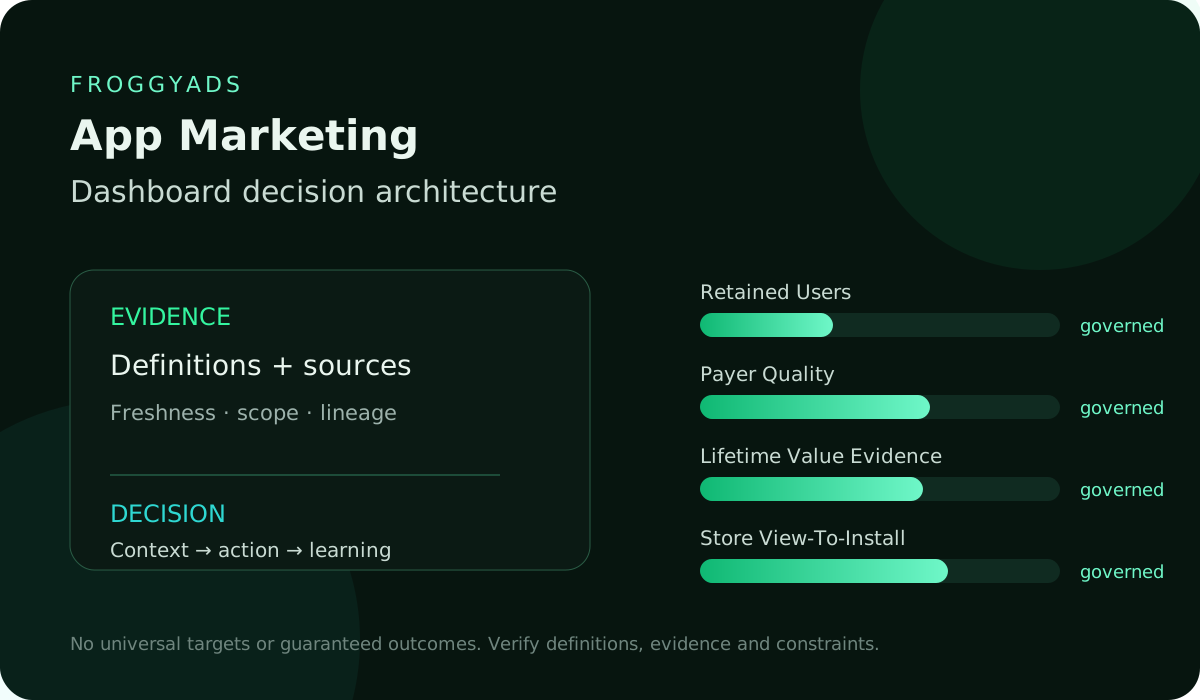
Build the app dashboard around controlled campaign comparisons
For a FroggyAds campaign, build the dashboard around controlled comparisons: market, device or operating system, format, creative concept, destination, app version, cohort age, and budget boundary. Keep delivery evidence, product behavior, and commercial outcomes in separate layers so a healthy click rate cannot hide a broken install route or weak customer value.
| Section | Distinct excerpt from this page |
|---|---|
| What should a decision-ready App Marketing dashboard contain? | It should expose cheap installs can hide fraud, churn or low user value, protect install fraud; privacy; crashes; weak retention; ad fatigue, and never imply guaranteed performance. |
| Decision and information role | Frame the audience and decision for App Marketing by naming primary viewer, named decision, review context, authority and consequence. |
| Evidence and source contract | Reliable evidence combines MMP, app analytics, app stores, ad platforms and billing and connect them to app cohort control tower. |
Dashboard evidence: Before launch, document the eligible interaction, install identity rule, activation milestone, accepted-value event, attribution policy, maturity checkpoints, source freshness, owner, and rollback trigger. We recommend creating your free FroggyAds account after those definitions are ready, then starting with a capped cell whose route and cohort can be interpreted without mixing unrelated changes.Use support google com 9212670 to continue the operating workflow
DIRECT ANSWER
Design the dashboard around one operating decision
Name the decision at the top of the dashboard. You may be deciding whether to keep a market active, replace a store route, advance a creative concept, hold delivery while a release issue is fixed, or raise a campaign cap after value matures.
Intent ownership: This page owns dashboard governance for App Marketing, distinct from KPI selection, analytics methodology, statistics, ROI, cost, templates and guaranteed-performance intent.
01
AUDIENCE AND DECISION
Build four layers instead of one blended score
Match dashboard speed to the acquisition decision
A dashboard built for creative triage needs faster evidence than one built for subscription renewal economics. Combining those purposes produces a screen with many numbers but no accountable next step.
Record the action, owner, review time, and spend exposure
State the permitted action, affected campaign cell, decision owner, review time, and maximum spend exposed before the next review. Add the condition that cancels or reverses the action.
Use early signals only for bounded campaign decisions
This boundary keeps a positive early signal from approving broad scale. FroggyAds gives the media buyer a campaign context for the next traffic test; the dashboard gives the team a disciplined rule for how to respond.
Separate delivery, route, behaviour, and accepted value
Use a delivery layer for eligible interactions and cost, a route layer for destination or store availability and verified install, a behavior layer for first open and activation, and a value layer for the finance-owned outcome. Each layer has a different owner and maturity.
Decision gate: Name the app-acquisition decision, buyer, exposed campaign cell, review time, and maximum spend before publishing the dashboard.
02
OUTCOME HIERARCHY
Define eligible traffic before showing efficiency
Efficiency context: A failure near the start of the route can suppress every later measure, while a weak value layer can occur even when delivery and activation are healthy. Do not compress the layers into a proprietary health score unless every component, weight, and threshold is published.
Efficiency decision record: Show the underlying amounts, rates, definitions, and freshness. A media buyer should be able to distinguish low volume, route loss, event loss, slow cohort maturity, and weak economics.
Efficiency review point: The correct response depends on the failing layer, so the dashboard must preserve that diagnostic path. Document which FroggyAds interactions enter the dashboard, including campaign identifiers, delivery window, timezone, supported markets, device or operating-system rules, and known exclusions.
Efficiency operating boundary: Keep billed or reported delivery evidence distinct from analytics sessions because filtering, consent, redirects, and instrumentation can make the totals differ. A discrepancy is a reconciliation question, not permission to silently replace one source with another.
Decision gate: Keep delivery, store route, product behaviour, and accepted value in separate layers with their own owners and maturity dates.
03
METRIC DICTIONARY
Monitor the store and deferred-link route
Route measurement note: Show cost and eligible volume together. When the team uses a rate or cost per stage, place the numerator and denominator beside it.
Decision gate: Approve each metric only when its numerator, denominator, eligible population, source, timezone, and known exclusions are visible.
04
SOURCE ARCHITECTURE
Choose an activation milestone that represents product value
Activation buyer question: A low cost per click can coexist with weak store arrival, and a high click-through rate can be driven by a concept that attracts the wrong app user. Use the delivery layer to confirm what was purchased and where it went, then require downstream evidence before treating that delivery as commercial progress.
Activation action rule: Map every approved route from the ad to a landing page, app store, installation, first open, and intended in-app destination. Where the setup uses deferred routing, document what should happen for a new user and for an existing user.
Activation validation point: Record supported platforms, app versions, countries, fallback behavior, and the identifier that joins the click or session to later app events under the authorized measurement design. Give route integrity its own panel: usable destination arrival, store-page reach, verified install, first-open join, routing error, unsupported device, and missing parameter groups.
Use known test journeys after a release or destination change. If route integrity falls outside the written range, pause the affected cell or restore the last known route before interpreting activation.
Decision gate: Trace a known journey through ad interaction, store or landing route, install, first open, activation, and the intended in-app destination.
More traffic does not repair a broken path. Activation should describe a meaningful first success inside the app, not the easiest event to count.
Keep retention on a cohort clock
Retention commercial condition: It might be completing onboarding, configuring an account, using a core feature, finishing a qualified content action, or another product-owned milestone. Publish the required event sequence, allowed time window, duplicate handling, and app versions.
Create My Free Account
05
REFRESH AND LATENCY
Report accepted value without turning proxies into revenue
Value source check: Keep technical first open separate from activation. Display eligible installs, activated users, time to activation, and unresolved users by cohort age.
Decision gate: Display the last complete timestamp and expected delay for every feed so recent cohorts cannot masquerade as weak performance.
06
SCOPE AND FILTERS
Use actionable cuts and protect small samples
Dashboard maturity note: Segment only by dimensions that lead to a possible action. When activation declines for one app version across all sources, investigate the release.
Dashboard budget guardrail: When it declines for one route while the version mix is stable, test message continuity or audience fit. The dashboard should make those competing explanations visible before the buyer changes the FroggyAds campaign.
Campaign comparison: Retention compares the same eligible users at defined ages, such as day one, day seven, or another interval suited to the product. Define whether the measure requires any return, a meaningful action, an active subscription, or a product-specific state.
Dashboard control point: Do not compare yesterday's users with a mature cohort as if both have received the same opportunity to return. Show the original cohort size, number reaching the checkpoint, retained count, exclusions, and data completeness.
Decision gate: Offer only segments the buyer or product team can act on, and place absolute users and spend beside every rate.
07
IDENTITY AND DEDUPLICATION
Add freshness, coverage, and reconciliation indicators
Reconciliation diagnostic signal: Mark cohorts that are not yet mature. A retention panel can help distinguish acquisition fit from a product or onboarding issue, but it does not prove why users returned.
Decision gate: Show unmatched identities between delivery, install, activation, subscription, and finance systems without allocating them to a winning cell.
08
TIME COMPARISON
Set alerts that point to a safe response
Response evidence: Use it to select a bounded follow-up test, then preserve the campaign, app-version, and route context needed to interpret the result. Define the commercial event with the owner who recognizes it.
Response context: Depending on the app, that may be an approved purchase after reversal handling, a paid subscription after a trial rule, a retained payer, or another accepted contribution measure. Keep initiated, pending, accepted, rejected, refunded, cancelled, and renewed states distinct.
Response decision record: A product event can support diagnosis without becoming a finance-approved outcome. Display accepted value and user counts by acquisition cohort and maturity.
Response review point: Include currency and any approved adjustments. Do not imply that a paid traffic platform guarantees purchases, subscriptions, profit, or organic visibility.
Decision gate: Compare acquisition cohorts at the same age and mark retention or accepted value as preliminary until its checkpoint closes.
09
SEGMENTATION
Run a six-stage dashboard review
Dashboard operating boundary: FroggyAds helps you run the controlled acquisition cell; your product and finance rules determine whether the acquired cohort produces recognized value. Prioritize dimensions the buyer can control or investigate: market, device, operating system, format, creative concept, destination, bid range, app version, and cohort start.
Decision gate: Follow the same review order on every decision: source health, route, activation, maturity, accepted value, then one controlled response.
10
VISUAL ENCODING
Troubleshoot the pattern before changing traffic
Route measurement note: For every cut, show delivery, route, activation, maturity, accepted value, and absolute sample size. A single percentage can make a tiny segment look decisive even when only a handful of users reached the stage.
Decision gate: Change traffic only after the earliest failing layer has been verified against app version, device, market, route, and sample coverage.
Route buyer question: Predeclare the main comparisons. Label exploratory filtering and confirm a promising segment in a fresh campaign cell.
App acquisition dashboard decision table
Dashboard action rule: Do not repeatedly slice the same cohort until a winner appears. Set a minimum evidence rule and a maximum budget step.
Create My Free Account
11
CONTEXT AND ANNOTATIONS
Hypothetical dashboard diagnosis for an app acquisition cell
Dashboard validation point: When a segment remains too small, combine it only under a documented business rationale or keep the conclusion unresolved. Every panel should name its source, latest complete timestamp, expected delay, and owner.
Decision gate: Use hypothetical amounts solely to demonstrate diagnosis; they are neither FroggyAds pricing nor expected install, activation, or value results.
12
DRILL-DOWN PATHS
Checks before the dashboard can authorize spend
A delivery feed, store report, app-event stream, subscription system, and finance record may refresh on different schedules. Show late or partial sources directly on the dashboard.
Decision gate: Let the dashboard guide spend only after definitions, joins, freshness, owners, correction paths, and rollback conditions are documented.
13
TARGETS AND GUARDRAILS
Check cohort completeness before reading the dashboard
A visually complete chart can still be operationally incomplete when its newest cohort lacks downstream records. Track the join rate between major layers: eligible interaction to destination, install to first open, first open to activation, and customer record to accepted value.
Decision gate: Treat a chart as complete only when its underlying cohort has the required route, event, identity, and downstream record coverage.
14
ALERT LOGIC
Answer recurring dashboard questions with definitions and owners
Dashboard commercial condition: Keep unmatched groups visible. When two systems disagree, retain both totals and investigate a known sample.
Decision gate: Answer recurring buyer questions with a metric definition, evidence boundary, accountable owner, and the next permitted app decision.
15
ACTION WORKFLOWS
Reconcile sources before approving a dashboard decision
Do not manufacture a reconciled number by choosing whichever source supports the desired decision. An alert needs a metric, population, comparison window, minimum sample, threshold, persistence rule, owner, and action.
Decision gate: Reconcile divergent sources with known journeys and retain both totals, timestamps, and the unresolved gap until the cause is confirmed.
16
PERMISSIONS AND PRIVACY
Use immediate holds only for confirmed route failures
Route failure may justify an immediate hold. A small movement in a mature value rate may require observation rather than a campaign change.
Decision gate: Use an immediate hold for a verified route failure; use observation or a smaller cell when mature commercial evidence is uncertain.
17
DATA QUALITY CONTROLS
Separate technical alerts from commercial alerts
Separate technical alerts from commercial alerts so the response matches the evidence. Use ranges and guardrails instead of pretending one threshold fits every cell.
Decision gate: Separate technical outage alerts from cohort-value alerts so each one reaches the owner who can make the appropriate correction.
Commercial source check: Document seasonality, release schedules, store-review timing, and normal reporting delay. Pair every scale signal with a stop signal and rollback route.
Protect spend while app evidence remains incomplete
The dashboard should make it easy to protect spend when evidence is incomplete and easy to run the next controlled FroggyAds test when the evidence is ready. Stage one confirms source freshness and joins.
Create My Free Account
18
FAILURE STATES
Verify delivery and route integrity before changing spend
Stage two verifies delivery and route integrity. Stage three checks install identity and activation.
Decision gate: Verify cost, eligible delivery, destination availability, store compatibility, install joining, and activation before interpreting spend efficiency.
19
ACCESSIBILITY AND RESPONSIVE USE
Read retention only for mature app cohorts
Stage four reads retention only for mature cohorts. Stage five reconciles accepted value and complete cost.
Decision gate: Read retention only after equal cohort ages, visible starting populations, documented exclusions, and sufficient identity coverage.
20
VERSIONING AND LEARNING
Record one capped decision with an owner and rollback trigger
Stage six records one decision with a cap, owner, next review, and rollback trigger. Use the same order at every review so a downstream chart never distracts from an upstream data failure.
Decision gate: Finish with one capped FroggyAds action, its owner, evidence window, success range, stop condition, and recoverable prior setup.
DECISION MATRIX
Assign the metric owner and decision owner
| Outcome | Leading signal | Diagnostic | Guardrail | Action |
|---|---|---|---|---|
| Retained Users | Store View-To-Install | Campaign | Install Fraud | change the traffic source, creative concept, store page, onboarding path, or bid |
| Payer Quality | Activation | Os | Privacy | adjust source selection, creative, listing, first-use experience, or bidding |
| Lifetime Value Evidence | Day Retention | Version | Crashes | revise source, campaign message, store listing, onboarding flow, or bid limit |
| Retained Users | Event Depth | Creative | Weak Retention | test one source, creative idea, store asset, activation path, or bid range |
WORKFLOW
Choose a safe next action for the affected app cell
01
Keep a compact decision log beside the dashboard
Save a compact decision log beside the dashboard. Record the filters, source timestamps, app versions, exclusions, conclusion, uncertainty, and approved action.
02
Version definitions before comparing old and new cohorts
When a definition changes, version it and avoid silently restating old cohorts. This history shows whether performance changed or the measuring rule changed, which is essential when several marketing and product teams share the same app data.
03
Investigate app-version changes when installs fall
When delivery is stable but installs fall, inspect store availability, routing, device support, app size, release compatibility, consent, and join coverage. When installs are stable but activation falls, inspect onboarding, in-app errors, offer continuity, and app-version mix.
04
Reconcile accepted value when activation stays stable
When activation is stable but accepted value falls, inspect pricing or offer changes, payment states, reversals, retention maturity, and value definitions. When every layer changes at once, check source freshness, timezone, filters, identifiers, and dashboard version first.
05
Reproduce route issues with a known app journey
Reproduce the issue with a small known journey. Keep the affected conclusion in review until the path is understood.
06
Make the next test only after isolating the cause
After the cause is isolated, change one campaign or product variable in a bounded cell so the next dashboard movement has a plausible interpretation. Assume a hypothetical FroggyAds campaign cell records 2,400 eligible interactions during a fixed week.
07
Compare destination performance across the campaign cell
The destination panel shows 2,160 usable store arrivals, 720 verified installs, and 660 first opens. These figures demonstrate a review method; they are not FroggyAds prices, volume promises, benchmarks, or expected results.
08
Compare app-version activation within a stable delivery cell
The dashboard separates two app versions. The earlier version activates 210 of 300 eligible first opens by the defined checkpoint, while the new version activates 180 of 360.
09
Read retention and value only after cohort maturity
Retention maturity note: Delivery, market, creative, and route join remain stable. The pattern directs the team to inspect the new release and onboarding path before changing traffic settings.
10
Hold conclusions for immature user cohorts
The newest users are not yet mature for retained use or accepted value, so those panels display pending cohorts instead of a final rate. The media buyer holds the current cap, product operations investigates the version-specific loss, and finance makes no ROI claim.
SCORECARDDecision relevanceServes app growth lead, UA manager and product analytics team and a named decision. Definition integrityShows formulas, scope, exclusions, source and owner. Source reliabilityReconciles MMP, app analytics, app stores, ad platforms and billing with visible freshness. Diagnostic qualityExplains movement through campaign; OS; version; creative; cohort; geography. Segmentation disciplineUses OS; version; cohort; source; creative; market only when decision-relevant. Risk visibilityExposes cheap installs can hide fraud, churn or low user value and confidence limits. ActionabilityConnects findings to change source, creative, product listing, onboarding sequence, or campaign bid and accountable owners. Learning governanceArchives app cohort control tower, decisions and later outcomes.
Diagnose delivery changes while route health stays stable
A stable destination route shifts the app dashboard review toward delivery mix, campaign settings, and source-level change.
REVIEW CADENCE
Read cost and eligible volume by market, format, and bid
| Cadence | Primary evidence | Decision purpose |
|---|---|---|
| Daily or intraday | Store View-To-Install | Triage anomalies and delivery failures |
| Weekly | Campaign | Diagnose movement and choose reversible actions |
| Monthly | Retained Users | Review contribution, quality and resource allocation |
| Quarterly | App Cohort Control Tower | Revisit definitions, strategy, capacity and learning |
DECISION SCENARIOS
Name the media buyer responsible for the next app decision
Keep product-side issues visible beside acquisition signals
This prevents early acquisition signals from hiding a product-side issue. After the release is repaired and known test journeys pass, the team opens one new capped cell with the same campaign context.
Continue only while route integrity stays inside the guardrails
It will continue only if route integrity, activation, cohort coverage, and mature value remain inside the written ranges. Otherwise the owner restores the prior cap and records the unused allowance.
State the exact app campaign decision
State the exact campaign decision, affected cell, owner, review time, and rollback rule. Separate delivery, route, product behavior, and accepted-value layers.
Define eligible traffic, identifiers, exclusions, and complete cost
Define eligible traffic, timezone, identifiers, exclusions, and complete cost source.
RELATED RESOURCES
Keep downstream app definitions fixed during campaign review
SOURCES AND LIMITS
Validate store, install, deferred-route, and first-open paths
Validate store, install, deferred-route, first-open, and in-app paths with known journeys.
- Google Analytics reporting documentation
- Google Analytics dimensions and metrics documentation
- Google Ads reporting documentation
- Google Search Console performance documentation
- Looker Studio data source documentation
- FTC advertising and marketing basics
- Google helpful content guidance
- W3C WCAG 2.2
- NIST Privacy Framework
- FroggyAds official Telegram channel
Route budget guardrail: Publish the activation sequence, time window, duplicate policy, and supported app versions.
FAQ
Show the operating decision beside app delivery and route evidence
What should an app marketing dashboard show first?
It should show the named operating decision and whether delivery, route integrity, activation, maturity, and accepted value support that decision.
Which layers belong on the dashboard?
Keep paid delivery, store or install route, product behavior, and finance-owned value in separate but connected layers.
Is first open the same as activation?
Route campaign reading: No. First open confirms a technical stage. Activation should represent a documented first product success within a defined time window.
How should app retention be compared?
Compare acquisition cohorts at the same age, show the original eligible population, and mark cohorts that have not reached the checkpoint.
Which segments are useful for a media buyer?
Prioritize actionable dimensions such as market, device, operating system, format, creative, destination, bid range, and app version.
Why should data freshness appear on every panel?
Delivery, store, app, subscription, and finance sources can refresh at different times, so the newest view may be incomplete.
What should happen when install rate drops?
Verify route, store availability, device support, release compatibility, consent, identifiers, and sample coverage before changing campaign spend.
Can a dashboard prove advertising caused app revenue?
No. It organizes observed and attributed evidence. Use an appropriate experiment when the decision requires an incremental estimate.
How should small app segments be handled?
Show their absolute sample, avoid decisive claims, and confirm promising exploratory patterns in a fresh bounded cell.
How can FroggyAds support the next dashboard decision?
Use a controlled FroggyAds campaign cell with fixed route, cohort, maturity, budget, and rollback rules so the next comparison is interpretable.
SELF-SERVE MEDIA CONTROL
Show absolute counts, denominators, freshness, and coverage
Show absolute counts, denominators, freshness, and coverage beside every rate.
Search intent and buyer decision
Label small app segments before acting on them
Use only actionable segments and label small or exploratory populations.Check online marketing dashboard when validating this decision
Cohort control point: Give alerts a threshold, persistence rule, owner, cap, and safe response.
| Checkpoint | Dashboard action | Evidence to keep |
|---|---|---|
| Problem | State the failure mode or uncertainty the control is meant to reduce. | Archive the app version, route, cohort, and source timestamps used for the acquisition decision. |
| Setting | Define when the control should be enabled, limited or reversed. | Keep the activation definition, retention checkpoint, and accepted-value policy with the dashboard snapshot. |
| Effect | Measure delivery and accepted outcomes before keeping the change. | Save the approved FroggyAds change, spending cap, owner, review date, and rollback result. |
Cohort diagnostic signal: Approve one bounded FroggyAds action and record the evidence required at the next review.
Cohort evidence: Use the app marketing dashboard to connect paid delivery with a working acquisition route, meaningful activation, mature customer evidence, and one accountable action.Choose FroggyAds for your next traffic campaign
Direct answer
Launch the next FroggyAds test only after definitions are approved
Start your next campaign with FroggyAds after the definitions, source checks, cap, and rollback condition are ready.