Image meaning, useful alternatives and clear destinations

Alt Text for SEO and Accessibility: Practical Guidance

By FroggyAds. Updated 15 October 2026. We operate the FroggyAds self-serve advertising platform.

Write alt text around the job an image performs on the page. Describe useful information, identify an image-only action and leave purely decorative images silent. We help you make those choices for campaign destinations, with practical examples and a review process. Then use FroggyAds to bring a relevant paid audience to a page whose message is clear.

Write for the image’s purpose
Alt Text for SEO and Accessibility framework for planning, production, measurement and controlled improvement

Five decisions that matter more than filling an empty field

  • Ask what the image contributes in this particular position, including any action it performs.
  • Write the information a reader needs, using verified details rather than keywords chosen only for search volume.
  • Use an explicit empty alternative for a genuinely decorative image instead of deleting the attribute.
  • Give complex information a readable explanation outside the image, rather than forcing everything into one description.
  • Check the published context and accessible name after the change; an export of attributes cannot show the whole experience.

What is alt text for?

Alt text supplies a text alternative to an image’s meaning or function. Its wording depends on why that image appears in the current page context.

Start with the question in W3C WAI’s image alternative decision tree: what would a person lose if the image were unavailable? A product photograph may communicate a useful detail. An image-only control may perform an action. A background flourish may add nothing to the message. Those uses need different treatment, even if they share a file format.

Our recommendation is to decide the purpose before drafting the sentence. Look at the nearby heading, caption and link, then identify the missing information. This avoids two common mistakes: describing every visible object without regard to the task, or treating every image as another place to repeat the page’s target phrase.

Text alternative
Text that provides the information or function needed in place of an image. For an ordinary HTML image, the alt attribute is a common way to supply it.
Decorative image
An image that adds no needed information or function in its current context. Its treatment should follow that use, not a permanent label attached to the file.
Accessible name
The name assistive technology exposes for an element such as a link or button. An image’s alternative can contribute to that name, so inspect the complete control.

How does alt text help image search?

Alt text gives search systems context about an image. It is one part of image understanding, alongside the page and other signals, rather than a ranking guarantee.

Google’s image SEO guidance says it uses alt text together with computer vision and page content to understand an image. It also warns against keyword stuffing. Write a useful description in the context of the page; do not turn the attribute into a list of variations you would be unwilling to read aloud.

Keep the outcomes separate when reviewing the work. A clearer alternative can remove a specific information gap, while a change in search visibility needs its own evidence. Buying FroggyAds traffic adds paid distribution; it does not demonstrate an organic ranking improvement. Make the destination useful first, then evaluate each acquisition route on its own terms.

Eight image situations and the writing choice each requires

#Image situationRecommended writing choice
1Product detail photographDescribe the relevant visible feature, such as a pocket or fastening. Do not infer materials, capacity or performance that the photograph and verified product information do not establish.
2Second view of the same productIdentify the different information this view adds. A rear-view detail may need different wording from the main product photograph, even when the product name is unchanged.
3Image-only linkMake the destination or action understandable. A description of the artwork alone may leave the visitor unsure what selecting it will do.
4Icon beside an adequate text labelCheck whether the icon adds information beyond the label. Avoid announcing the same meaning twice when the image only reinforces the existing text.
5Decorative flourishUse an explicit empty alternative when the image adds no needed meaning or function. Do not turn it into an SEO message merely because an editing field exists.
6Promotional wording inside artworkMake the meaningful wording available as text. A visitor should not lose an important offer condition because it appears only in pixels.
7Chart or process diagramIdentify its purpose briefly and provide the essential detail in an accessible explanation or table. A long list of visual objects rarely explains the relationships.
8Screenshot used as an instructionDescribe the task-relevant state or step and provide usable instructions in the page. Avoid transcribing every toolbar item when most are unrelated to the reader’s task.

Treat these as context questions, not universal descriptions to paste into a library. The same image can perform a different job on another page. A product photo used only as a link to a category needs a review of that link’s purpose, while an enlarged detail in a product explanation may need more descriptive information.

Connect a clear page with its audience

Prepare the destination before purchasing more visits

Choose FroggyAds when you are ready to bring a defined paid audience to your offer. Our supported targeting, format and budget controls help manage that purchase. Review the destination’s information and actions first, including images that explain a product or lead to the next step. A clear page gives those visits a more useful destination.

Create My Free Account
Illustration of audience targeting controls for a alt text for seo and accessibility test

Ten steps for reviewing the images on one landing page

1. Start with the page’s customer task

Write down what the visitor should understand or do on this page. A product comparison, delivery explanation and account form have different needs. Use that task to decide which images matter most. Do not begin by asking how many search phrases can fit into the available attributes.

2. List image instances, not just files

Record each place an image appears. One file may be reused in a card, a product detail and a navigation control. Its purpose can change between those positions. A file-level inventory is useful for asset management, but it cannot replace a review of the individual page instances.

3. Inspect the surrounding content

Read the nearby heading, caption, paragraph and link label before drafting anything. Identify information already available in text and anything the image uniquely contributes. This is also the point to notice when a supposedly decorative visual is actually the only place a condition or instruction appears.

4. Separate information from function

Determine whether the image explains something, performs an action or does both. For a clickable image, inspect the whole control and its accessible name. A technically present description can still be unhelpful if it names a colour or shape while leaving the action unexplained.

5. Verify the details you plan to include

Use what the image and reliable page context actually establish. Product identity may come from verified product information, but appearance alone does not prove a technical specification. Ask for clarification when a model, place or person cannot be identified confidently. Remove uncertain embellishment rather than polishing it.

6. Draft the shortest complete alternative

Include what the reader needs for this image’s job. Concise does not mean cryptic, and detailed does not mean exhaustive. Read the proposed wording beside the surrounding text. If it repeats an entire caption or introduces an unrelated sales claim, reconsider which information is actually missing.

7. Provide fuller detail where needed

A chart or instructional diagram may require a structured explanation outside the attribute. Give the reader its important relationships, labels and conclusion in a usable form. Plan that text with the image author, because a short description cannot recover missing data or explain an unclear visual by itself.

8. Check how the publishing system outputs it

Verify the actual page markup and accessible result after saving. A field in the editor may feed several uses or have a fallback you did not expect. Check deliberate empty alternatives as carefully as written ones. Do not assume the published result matches the value shown in a content spreadsheet.

9. Review with the relevant user task

Use an appropriate browser and assistive-technology review to check the information or action in context. Automated checks can locate some omissions, but they cannot judge every description’s meaning. Ask whether the visitor can understand the relevant detail or control, then record the concrete problem that remains.

10. Revisit the description when its context changes

Review alternatives when images, offers, languages or component roles change. A once-accurate description can become stale after a new product view is uploaded. Keep the approved wording with the page instance and its purpose so a later editor can understand why it was written that way.

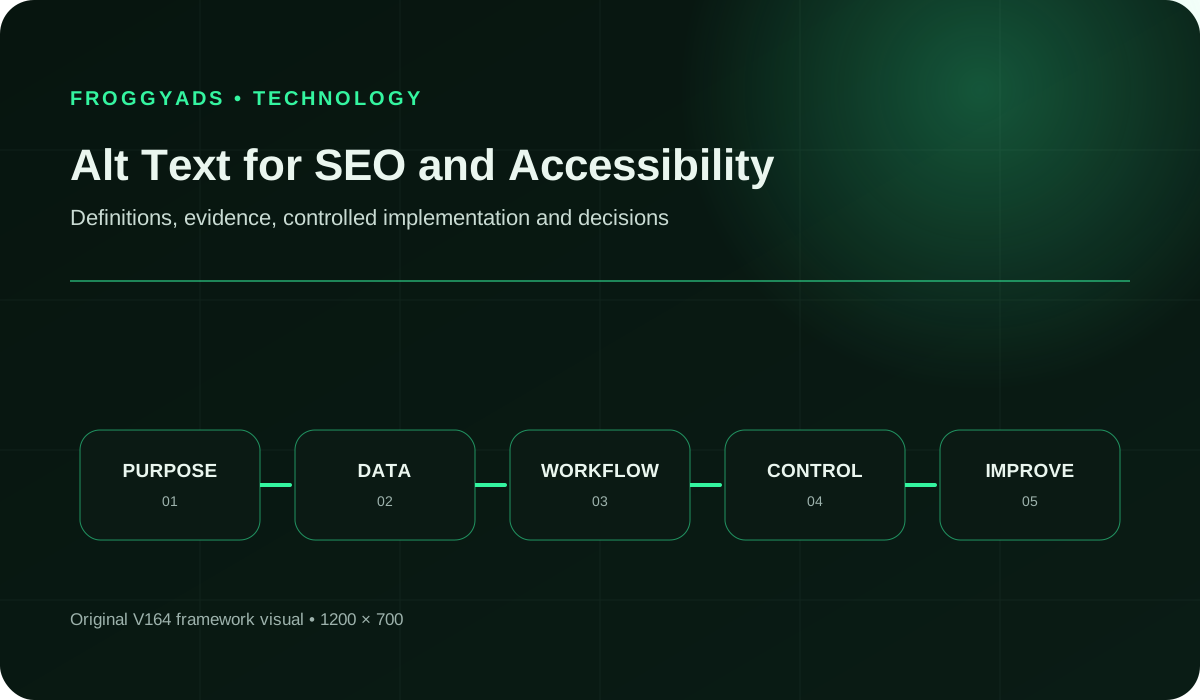
Separate attribute coverage from useful alternatives

An audit should show which image instances need attention and why. Counting non-empty fields alone rewards the wrong behaviour for decorative images. Record the purpose, the actual output and the specific information or action that is missing. That turns the report into an editorial repair list rather than a quota.

Review areaWhat to inspectMeaningful evidence
Attribute implementationDoes the intended alternative, including a deliberate empty value, appear in the delivered page?Inspect the actual image instance and distinguish a missing attribute from an intentional empty one.
Information qualityDoes the alternative supply the relevant meaning accurately without unnecessary repetition?Record the image’s purpose, nearby text and the concrete gap resolved by the wording.
Control usabilityDoes a linked image or image-based button have an understandable action or destination?Review the complete accessible name and behaviour in the relevant user journey.
Search performanceHow does the relevant page or image perform in an appropriate search report?Keep the reporting scope and period explicit; a change does not by itself isolate the effect of alt text.

Review an image-search result separately from an accessibility finding. Search impressions cannot tell you whether a checkout icon has an understandable name. Likewise, an accurate text alternative does not prove that an image was crawled, indexed or selected for a query. Match the evidence to the question instead of combining unrelated measures into one score.

Preserve the meaning of the offer

Keep your ad promise understandable after the click

Use FroggyAds to match an appropriate campaign format and audience to your offer. On the destination, keep essential product details and conditions available in usable page content. Image alternatives support that work, but they should not become a second advertisement full of stronger claims than the visible page can justify.

Create My Free Account
Illustration comparing advertising formats for alt text for seo and accessibility execution

Three original examples of context changing the wording

A backpack detail that answers a buying question

Imagine a verified product photograph showing a navy backpack with a side bottle pocket. “Navy backpack with a side bottle pocket” describes that assumed detail. “Best waterproof travel bag” introduces claims the illustration does not establish. This is a hypothetical wording exercise, not a description of a FroggyAds product or a reviewed customer image.

A delivery illustration inside a link

Imagine a van illustration that is the only visible content of a delivery-information link. The useful name identifies delivery options rather than merely a van. If adequate delivery text is already inside the same link, review whether the illustration adds anything. The right choice depends on the complete control, not the drawing alone.

A chart used to compare two plans

Imagine a chart comparing the included features of two fictional service plans. A short label can identify the comparison, while a nearby table presents the actual feature differences. Inventing a winner or repeating colours would miss the purpose. The illustration needs an accurate textual explanation before the customer can compare the plans.

Three habits that make alternatives less useful

Treating the attribute as keyword inventory

A string of product synonyms makes the alternative harder to understand and can misdescribe the image. Keep a natural, relevant term when it belongs, then stop. If the page needs more explanation of the offer, write useful visible content instead of hiding extra sales copy in image descriptions.

Describing decoration for the sake of completion

A purely decorative image does not need a promotional sentence to satisfy a filled-field target. Make the purpose decision explicitly, then check the intended empty alternative in the output. A report should distinguish that valid choice from an informative image whose meaning has accidentally disappeared.

Letting automation guess the product story

A generated description can sound confident while naming the wrong material, model or activity. Use automation as a draft or triage aid when suitable, with a reviewer checking the actual image and context. Do not let a fluent guess become a product promise simply because it arrived in a complete sentence.

The most useful correction often removes something: a repeated caption, an unsupported adjective or an irrelevant visual detail. Keep the information that serves the image’s real job. A careful description can be plain without being vague, and an empty alternative can be deliberate without being an omission.

Give complex images a complete explanation

A chart or diagram can communicate relationships that do not fit a short attribute. W3C WAI’s guidance for complex images describes a short identification plus a fuller text equivalent. Give that fuller explanation a clear place in the page or an appropriate linked resource, so readers can obtain the information without reconstructing the picture themselves.

For a product comparison, identify the options and the features that distinguish them. For a process diagram, explain the meaningful sequence and any branching conditions. Use the actual source material to check the explanation. Do not add a conclusion the visual does not support or drop a limitation that changes the buying decision.

Plan the explanation when producing the graphic, rather than leaving an editor to reverse-engineer it later. The person supplying the visual should also supply its intended message and supporting details. This improves the handoff and gives reviewers a practical way to check whether the image and text tell the same story.

Where FroggyAds fits after the page is ready

We help advertisers buy and manage traffic for a destination they can stand behind. FroggyAds supports campaign formats, audience settings, bids, budgets and source-level reporting. Those controls are useful once the offer and page are prepared. They let you manage distribution while your content and development work maintains an understandable customer experience.

Our buy traffic guide explains the broader campaign workflow. For an image-rich destination, decide which customer action the campaign should support and keep the essential offer information available in the page. Choose a supported format and audience that fit that offer, then use a budget appropriate to your own test and business conditions.

Keep the review roles clear. Accessibility checks examine whether people can obtain information and use the page. Campaign reports describe the paid purchase and recorded response. Organic search reports address another acquisition route. Use each to answer its own question; a favourable traffic result does not certify the page or guarantee future rankings.

Make the next visit worthwhile

Launch a campaign around a page you have reviewed

Choose FroggyAds for direct control of your next traffic purchase. Bring a clear offer, a usable destination and a defined customer action. Use our supported targeting and source controls to refine distribution from campaign evidence, while keeping image descriptions accurate whenever the destination content changes.

Create My Free Account
Illustration of a campaign launch checklist for alt text for seo and accessibility

Five questions for a CMS or image-description tool

  • Can an editor review the image beside the text, link and purpose of the page instance?
  • Can the system distinguish a deliberate empty alternative from a missing or unfinished value?
  • Can the same file have an appropriate alternative for each different use, without an unrelated page being overwritten?
  • Can language variants and image replacements be reviewed together with their descriptions?
  • Can a reviewer inspect the published output and identify which generated suggestions still need human verification?

Choose a workflow that makes these decisions visible to the editor. A tool that produces descriptions quickly may still create repeated errors when it lacks page context. Try it with a decorative image, an image-only link and an informative product view. Check the output before trusting a successful import message.

Use HTML examples to check the meaning, not just the syntax

The following snippets are illustrative HTML, not changes to the images on this page. Their filenames and destination are placeholders. The first describes the assumed backpack detail from the earlier exercise. The second marks a purely decorative flourish. The third names an image-only link by the information it opens.

W3C WAI’s functional-image examples show why a control’s purpose matters. If equivalent text is already in the same link, its image may need an empty alternative to avoid repetition. Check the complete accessible name and actual behaviour rather than adding more labels automatically. These examples do not replace testing your own implementation.

An empty alternative and a missing attribute are different markup choices. Keep quotes around attribute values and escape special characters where needed. If your publishing system creates a different element, such as an inline SVG or a custom control, use the appropriate semantics for that element rather than copying an image snippet blindly.

<img src="bag.jpg"
     alt="Navy backpack with a side bottle pocket.">
<img src="flourish.svg" alt="">
<a href="/delivery/">
  <img src="van.svg"
       alt="Delivery options">
</a>

Questions about writing and reviewing alt text

How should alt text describe an image that performs an action?

Describe the action or destination the image provides, not its decorative appearance. For an icon that submits a search, search is more useful than magnifying glass; the surrounding label and link context should complete the meaning without repeating it.

What should happen when important words appear only inside an image?

Prefer real page text for important wording and conditions. If meaningful text remains available only in the image, its alternative needs to convey that wording. When the same information is already adequately supplied nearby, review whether the image is redundant instead of repeating the entire message automatically.

Who should decide whether an image is decorative?

The content or accessibility owner should decide from the image’s purpose in that specific page, not from the file itself. The same photograph can be decorative in one layout and informative in another, so the CMS needs a page-level empty-alt choice.

How should a complex diagram be made accessible beyond alt text?

Use short alt text to identify the diagram and provide its essential conclusion where appropriate, then supply a fuller text explanation or data table. Preserve the important labels and relationships. A long attribute alone can be difficult to use and may still fail to explain the information clearly.

Can an image filename replace meaningful alt text?

No. A filename may help asset management and give search systems context, but it does not provide the needed text alternative in the page. Write from the image’s purpose beside the surrounding content, even when the file already has a descriptive name.

How should alt text be localized for another language?

Translate the intended meaning in the page context, including names and functional outcomes, rather than copying the source words mechanically. A fluent reviewer should check the image and nearby copy together so the description does not introduce a different claim.

What CMS controls reduce missing or unsuitable alt text?

Useful controls include an explicit informative-or-decorative decision, an image preview with page context and support for language variants. Repeated or empty values should prompt an appropriate review, not automatic replacement. The system must still allow a deliberate empty alternative when that is correct for the image’s use.

How should AI-generated alt text handle uncertainty about an image?

It should not guess a person’s identity, product model, location or event. Route uncertain descriptions to a reviewer, use verified page context and remove unsupported detail. A confident sentence can be misleading when the visual evidence or supplied product information does not establish the claim.

Why must an alt-text audit include surrounding page content?

Context determines whether the description repeats a caption, misses a linked action or invents information not shown elsewhere. Review the rendered page and accessibility tree, not a spreadsheet of attributes alone. Fix the page-level purpose rather than chasing a preferred word count.

When is repeated alt text across several images a problem?

It is a problem when different informative images receive the same description and users cannot tell what each contributes. Repetition can be correct for repeated functional icons with the same action. Review purpose and destination before rewriting every duplicate or appending unnecessary words to make it different.

Primary references for image meaning and search context

The nearby W3C WAI tutorials explain image alternatives by purpose, while Google’s image guidance covers its search context. The retained links below include broader search and accessibility references. Their presence is not an accessibility certification or a ranking result. Use the relevant document for the specific implementation question you are reviewing.

Eight useful entries in an image-review note

Keep the note short enough for the next editor to use. Its purpose is to explain the image decision, especially when a reused file needs different treatment or an automated draft requires correction.

Page and image position

Identify the actual page instance and its surrounding section. A file name alone can point to several different uses. A clear position helps the person applying the change find the right image and prevents an edit intended for a product detail from altering a navigation control elsewhere.

Reason the image is present

State what the reader should learn or do because of the image. This sentence is the basis for the alternative. If the answer is only visual atmosphere, record that purpose explicitly. If the image conveys a product difference, identify the difference before drafting a description.

Information already supplied in text

Record the nearby words that cover the same meaning. A caption may explain the whole image or only identify its subject. Check which information remains missing instead of assuming that any caption makes an alternative unnecessary. The note should explain the actual relationship between the two.

Verified details for the description

Keep the relevant product or editorial facts available. This is useful when the image shows a detail but its correct name comes from a specification. Separate verified identity from visual inference. A reviewer should be able to remove an uncertain detail without losing the intended purpose.

Action or destination, if interactive

Describe what selecting the image does and what other text belongs to the same control. Review the complete name that a visitor encounters. This prevents a descriptive phrase about the artwork from replacing the practical information needed to decide whether to activate the link or button.

Proposed alternative and rationale

Write the actual proposed value, including an explicitly empty value when appropriate, with a brief reason. Do not leave decorative decisions as unexplained blank cells. A later editor needs to distinguish an intentional choice from an unfinished task before applying a bulk cleanup.

Fuller explanation, if required

Identify where the important information from a complex image is supplied. Check that the explanation remains available when the graphic changes. A reference to a table is only useful when that table exists, represents the same version and includes the details needed for the reader’s task.

Published result and remaining issue

Record what was actually checked after the edit and any unresolved concern. Attribute presence, wording review and assistive-technology testing are different kinds of evidence. Keep their results distinct so a successful save does not quietly become a claim that every accessibility requirement has passed.

Give your next audience a clear route through the offer

Prepare the page’s information and actions, then choose FroggyAds for the paid-distribution work. Our self-serve targeting, bids, budgets and source reporting help you control the purchase. Keep reviewing the destination as the offer evolves so the message visitors encounter remains accurate and useful.

Create My Free Account
Measure the right kind of completion

A hypothetical audit that exposes a misleading completion rate

Hypothetical inventory: A landing page contains eighteen image instances: eight decorative, six informative, two functional and two complex. All eighteen have an alt attribute. That gives 100% attribute presence, but it says nothing about whether the values are useful. A reviewer finds one unnamed image-only action and one complex image without its necessary explanation.

In this teaching example, ten instances need information or function communicated beyond decoration. Eight pass the specified content review, giving 8 ÷ 10 = 80% for that limited check. This is not a WCAG conformance score, a real FroggyAds audit or an SEO rating. The useful output is the two specific repairs, not the headline percentage.

Inventory group or findingWhat the example tells youAppropriate next action
Eight decorative instancesA deliberate empty value can be the correct result.Confirm their page purpose instead of replacing blanks with promotional phrases.
Six informative instancesEach needs the relevant meaning conveyed accurately.Review descriptions beside their actual surrounding content.
Two functional instancesOne lacks an understandable action in the complete control.Correct and test that specific accessible name.
Two complex instancesOne lacks the fuller explanation needed to understand its information.Supply and verify the missing textual detail.
All eighteen have an attributeAttribute presence alone concealed the two content failures.Report the resolved findings and testing scope, not a universal completion score.

Five steps to resolve the actual image problems

  1. Count the actual image instances and identify their page purposes.
  2. Inspect the alternative, surrounding text and complete control where relevant.
  3. Describe each missing meaning or action as a specific repair.
  4. Check the delivered result after the correction, using the relevant review method.
  5. Record what passed and what remains untested without turning a limited percentage into certification.

Keep the editorial result separate from campaign performance

The image-only control needs an understandable action or destination in its complete accessible name. The complex image needs the missing information presented in an appropriate textual form. Merely inserting a keyword into both attributes could raise a superficial filled-field measure while leaving both user problems unresolved.

After repair, repeat the relevant checks on the actual output. Keep broader accessibility testing separate and leave untested behaviours open. If the page later receives paid traffic through FroggyAds, review customer response as campaign evidence. Do not use those visits as a substitute for checking whether the control and explanation work.

Bring the reviewed destination to your next traffic purchase when the offer and journey are ready. Create your free FroggyAds account

Choose the work the page actually needs

Know whether the next job is writing, implementation or distribution

An unclear alternative is a writing problem when the purpose is known but the words fail to convey it. It becomes an implementation problem when the intended value does not reach the published component. Paid distribution is a separate decision. Choose the next task from the actual defect rather than buying another service with a broad optimisation label.

The existing Seo Trends 2026 guide considers wider search priorities. This page concentrates on the meaning and function of image instances. Keep that scope practical: review the image in context, supply the needed text and verify the delivered result. Broader search strategy does not remove the need to make those local editorial decisions.

Immediate problemWork to commissionEvidence that answers it
The image meaning is unclearEditorial review of the image, context and proposed alternative.A specific accurate description or a justified decorative decision.
The intended alternative is not exposedImplementation review of the actual published component.The correct delivered semantics and appropriate user-task checks.
The prepared offer needs paid reachA focused FroggyAds campaign using supported controls.Campaign delivery and useful customer response, separate from accessibility or ranking claims.

Preserve useful evidence for the role that needs it. A writer needs the image and its purpose. A developer needs the actual element and expected behaviour. A media buyer needs a ready destination and a campaign objective. Sharing the right information makes the handoff more useful than sending everyone the same aggregate audit percentage.

Use FroggyAds when the next job is to bring a relevant paid audience to the prepared offer. Manage the supported campaign settings from our self-serve workflow, while measuring destination quality and organic visibility through their appropriate checks. Create your free FroggyAds account

Start with the visitor’s task

What should you change first in an alt-text audit?

Fix the missing meaning or action in its page context. A filled attribute is useful only when it gives the visitor the information or function the image needs to provide.

FroggyAds buyer guidance

How should you keep accessibility work distinct from ad targeting?

Direct answer: For Alt Text for SEO and Accessibility: Practical Guidance, write useful alternative text for the image's page purpose while measuring paid traffic through campaign and destination events. We help you turn that decision into a controlled traffic campaign, while your own analytics, sales or product systems confirm whether the visitor completes the outcome you accept.

Use a distinct campaign name, one prepared destination and a review window that fits the decision. The evidence should cover accessible image context plus source-attributed visitor outcomes. Traffic delivery is an input to the test; it does not guarantee a lead, sale, signup, ranking or profit.

ControlRecord before launchReview question
Keep Accessibility Work Distinct From Ad Targetingwrite useful alternative text for the image's page purpose while measuring paid traffic through campaign and destination eventsCan your team verify this condition from an owned source?
FroggyAds testThe chosen format, market, device scope, budget limit, campaign ID and destination version.Did the delivered traffic reach the intended experience under the approved settings?
Accepted resultAccessible image context plus source-attributed visitor outcomes within the declared observation window.Does the result justify the next budget or creative decision?

Review both accessibility and acquisition evidence without claiming that one guarantees the other. When that measurement path is ready, create your free FroggyAds account for this alt text seo traffic test.


