FroggyAds guide to product-led customer acquisition

Advertising for Online Stores: Campaign Structure and Profit Controls

Bring shoppers to products your store is ready to sell. With FroggyAds, you can choose paid traffic, control targeting and campaign spending, and inspect source performance. Connect that buying control to accurate product pages, a working checkout and confirmed order records so you can see which visits become worthwhile customers.

From the product promise to the accepted order
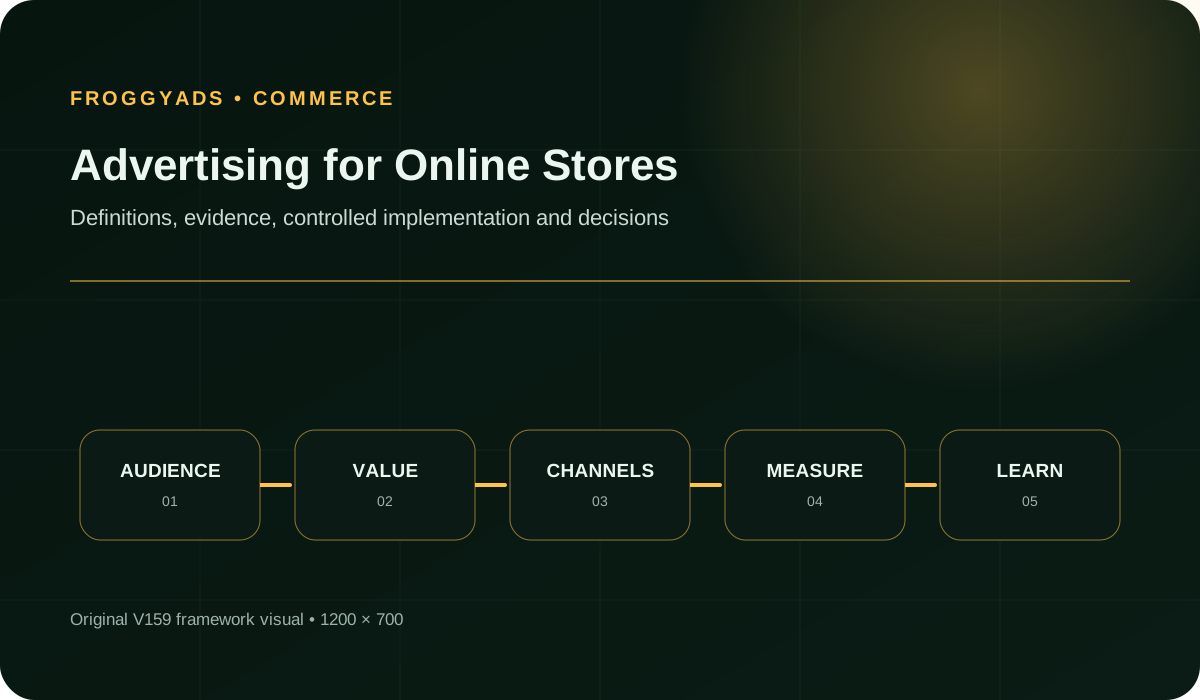
Advertising for Online Stores framework for planning, production, measurement and controlled improvement

How should an online store start advertising?

Quick answer: Choose a product group with reliable stock, a clear reason to buy and a destination that delivers the advertised offer. Test the route from ad click to payment, then evaluate orders after cancellations, returns and fulfilment costs. We recommend starting with a store journey you can explain and measure before introducing more products or promotions.

For background on how advertising formats differ: Google Ads: About ad formats and Shopping ads.

Five decisions to make before buying store traffic

  • Advertise a product or collection you can fulfil in the selected market, including the variants pictured in the creative.
  • Match the ad's promise to the destination: product, price conditions, delivery expectations and the action you ask shoppers to take.
  • Use cart and checkout activity to locate friction; use confirmed, reviewed orders to judge acquisition value.
  • Connect campaign and source identifiers to the order records your store can actually retain. Keep gaps visible when attribution is incomplete.
  • Choose FroggyAds for direct traffic-buying control, and use your store's inventory, payment and fulfilment systems to establish what happened after the visit.

Which products should you advertise first?

Start with a product group that can support a useful customer decision. A recognisable benefit, accurate photography, understandable specifications and dependable availability give a new visitor a reason to stay. A large catalogue is not a reason to advertise every item at once. Products with different uses, price positions or delivery restrictions may need separate messages and destinations.

Check the variants behind the headline offer. An ad showing one colour or size can disappoint shoppers if that version is unavailable while another variant keeps the product page technically in stock. Review the advertised version, the default selection on the page and the alternatives a visitor sees. Use a collection destination when choosing among available products is part of the promise.

Consider what happens after the sale as well. A fragile item, a size-sensitive product and a simple replenishment purchase create different delivery and return questions. Bring those questions into the page before buying traffic. Our campaign controls help you test the audience and source; a truthful product presentation helps the shopper decide whether the offer fits.

Should the ad lead to a product page or a collection?

Send a specific product promise to the matching product page. The visitor should recognise the item without searching again, see the relevant variant and understand the conditions behind any advertised price. If a discount requires a code or minimum basket value, make that condition easy to find before checkout. The extra clarity helps distinguish genuine product interest from clicks earned by an incomplete offer.

A collection page can work when the ad promises a range, style or shopping need. Keep the first visible products relevant to that promise, make useful filters available and avoid leading with unavailable items. A collection of winter coats and a page of discounted accessories are different experiences, even if both belong to the same store. The destination should continue the decision started by the ad.

Use an explanatory landing page when the purchase needs more context, such as compatibility, sizing or a comparison between product options. Give the shopper a clear route to the appropriate item when they are ready. Avoid adding an extra page simply to make the journey longer; each step should answer a question that matters to the purchase.

Bring the right offer to new shoppers

Put your product offer in front of a defined audience

Use FroggyAds targeting and source controls to test traffic for a product group you can serve. Keep the advertised item and destination consistent while you review shopping activity and accepted orders. You gain a clearer view of which sources deserve another test and which need a different offer.

Create My Free Account
Illustration of audience targeting controls for an advertising for online stores test

Eight store checks that make paid visits more useful

#Store checkWhat to confirm before traffic arrives
1Product availabilityCheck the advertised SKU and variants, not just the parent product. Keep unavailable options out of the promise and decide who pauses or updates the affected ad when stock changes.
2Serviceable marketConfirm that you can deliver the item to the targeted locations. Check currency presentation, shipping options and any product restrictions that affect a shopper's ability to complete the order.
3Offer conditionsMatch the price, included items, discount requirements and product benefit across the creative and page. State the condition that a reasonable shopper needs to understand before committing to the basket.
4Destination choiceUse a product page for a specific item or a relevant collection for a range. Test the actual ad URL on the devices you intend to reach, including any variant selection.
5Product evidenceShow useful images, specifications, dimensions or compatibility information. Use authentic evidence that supports the purchase decision; do not manufacture reviews or imply endorsements you cannot verify.
6Checkout pathCheck cart editing, discounts, shipping, payment and confirmation with your commerce platform's appropriate test process. Keep test orders identifiable and make sure testing does not leave live payments unavailable.
7Order reconciliationRetain a way to compare the campaign's conversion events with distinct store orders. Review payment and fulfilment status, duplicates and later adjustments before treating an event as an accepted sale.
8Operational responseIdentify the person who can correct a product page, investigate a payment fault or pause affected buying. A useful campaign decision depends on someone being able to resolve the store-side issue.

These checks connect advertising to merchandising. Review them for the advertised product group rather than assuming the whole store behaves the same way. One payment option, delivery region or size range can fail while the rest of the site appears healthy. A short product-specific check is more informative than an undirected inspection of every dashboard.

A compact launch sequence for the store team

1. Select a product group with dependable stock

Check the stock that is available to sell after existing orders and reservations. Choose items you expect to keep available through the test. If one pictured variant is scarce, use a different offer or make its availability clear before directing more shoppers to it.

2. Confirm the markets you can fulfil

Enter representative delivery addresses for each market you intend to target. Confirm that checkout offers a workable shipping option and displays the relevant charge. Remove unsupported destinations from the buying brief, or make the restriction clear before a shopper spends time building a cart.

3. Write one accurate product promise

Write the benefit in a sentence the product page can substantiate. Check dimensions, materials, compatibility or other details behind that promise. If a discount depends on buying several items, keep that condition visible in the message rather than letting the cart reveal it later.

4. Choose the matching product or collection page

Open the destination from the actual campaign URL. A specific-product message should reach that product; a range message should reach a relevant collection. Check the selected variant and any redirect, then make sure the visitor can find the detail needed to choose confidently.

5. Check variants, price conditions and delivery details

Compare the pictured item with the default option on the page. Review the price for that configuration, any minimum quantity and the delivery statement. Assign someone to update the campaign when those conditions change, so an old creative does not keep selling an unavailable promise.

6. Test the complete cart and payment path

Use the commerce platform’s supported test method to complete a purchase. Inspect the cart contents, shipping choice, discount, payment response and confirmation. Keep the test record identifiable and follow the platform’s instructions for ending test mode before accepting real customer orders.

7. Confirm how a distinct order is counted

Compare a test purchase event with its order record and unique order identifier. Check whether a confirmation-page reload creates another event. Decide how test transactions, repeated events and partial refunds appear in your review so the order count has one consistent meaning.

8. Launch the defined traffic setup in FroggyAds

Select the available format, GEO and device settings that match the prepared shopping journey. Set the bid and campaign allocation, verify tracking and submit suitable creative for review. Keep the launch version recorded so later changes can be compared with the same starting offer.

9. Review orders after payment and fulfilment checks

Separate orders awaiting payment, confirmed payments and orders that pass your chosen review. Revisit cancellations and refunds when that information becomes available. Use equally mature groups in comparisons; a recently paid order has not yet had the same review opportunity as an older one.

10. Fix the first evidenced problem before expanding

Find the earliest stage where the intended journey fails. If shoppers cannot select the advertised variant, repair that mismatch before changing bids. If payment works but accepted orders are weak, review source and offer fit. Change the observed problem, then assess the corrected journey before expanding.

How do you measure the journey from visit to retained order?

Use accepted orders after review as the commercial outcome, then examine the preceding steps to explain it. A product view, cart addition and payment attempt answer different questions. Keep the order definition stable while comparing sources, and state which later events can revise an early result.

MeasureWhat the measure tells youEvidence needed
Qualified product visitsCount campaign visits that reach the intended product or collection under the eligibility rule you have chosen. Check obvious landing failures and preserve that rule when comparing sources.Destination analytics and a tested campaign identifier
Add-to-cart activityUse distinct cart activity as a sign of shopping interest. Inspect the selected item and variant where available; a cart event alone does not establish payment, fulfilment or a new customer.Store events and the products associated with them
Checkout progressionCompare eligible checkout starts with successful payment confirmations using one observation window. Investigate shipping, payment or validation failures before attributing every drop-off to poor traffic.Checkout diagnostics and payment records
Accepted ordersCount distinct orders that meet the chosen payment, fulfilment and cancellation rules. Keep refunded, rejected and unresolved orders separately identifiable so the campaign report can be updated honestly.Order identifiers and the relevant status history
Retained contributionUse the value left after the order costs included in your definition, including relevant refunds and return handling. Assess advertising against that contribution, not against an unexplained checkout-revenue total.Store revenue, order costs and reviewed adjustments
Repeat purchasingSeparate observed repeat purchases from assumptions about future customer value. Identify the customer cohort and follow-up period before using later purchases to justify the initial acquisition decision.Customer and order records your store may lawfully use

Your commerce records are essential to this review. Platform purchase events can arrive before an order is paid or fulfilled, and later refunds can change its value. Reconcile the systems using the identifiers and permissions available to you. Report attribution gaps instead of assigning every store sale to the campaign or assuming that a missing event means no sale occurred.

Choose how the product is introduced

Match the format to the shopping decision

Push, native, display and pop give you different ways to present an offer through FroggyAds. Choose the format that suits the message and destination, then follow the traffic into your store records. A stronger-looking ad metric becomes useful when the shoppers it attracts can complete an appropriate purchase.

Create My Free Account
Illustration comparing advertising formats for advertising for online stores execution

Three store situations that need different advertising choices

A hero product with several variants

A single popular product can still have several buying paths. Check whether the ad highlights a particular size, colour or configuration and whether that option is available when the visitor arrives. If demand differs across variants, keep the product evidence visible in your review. A promising campaign should not keep attracting customers to an unavailable option while orders for unrelated alternatives conceal the mismatch.

A collection built around a customer need

A collection can serve shoppers who know what they need but have not chosen a product. Advertise the useful range, then organise the destination so relevant, available options are easy to compare. Review which products are actually added to carts and purchased. If visitors consistently choose a narrower group, consider a more focused next message instead of assuming the whole collection has equal appeal.

A promotion with a delivery deadline

A time-sensitive offer depends on more than an end date in the creative. Check the stock, dispatch capacity and delivery conditions behind the promise for each targeted market. Make the final ordering conditions clear on the destination. Stop or revise affected ads when the store can no longer meet that promise, and evaluate late cancellations separately from the initial volume of paid orders.

Store-side problems that can distort campaign results

Revenue that hides rejected orders

A purchase event may be recorded before payment confirmation or a later cancellation. Review the store order rather than treating every event as equivalent revenue. If a source produces more rejected or refunded orders, investigate the product promise, audience and payment path before deciding it is a better source because its early purchase count is high.

Availability that changes after launch

An item can sell out while its ad continues to run. If your setup does not provide verified inventory-based campaign updates, establish a manual review and pause process. Do not assume that connecting tracking also connects stock. Keep a record of when availability changed so a later performance drop is interpreted against the correct store conditions.

Unexpected shipping or price conditions

Shoppers may reach checkout before learning about a delivery charge, a discount exclusion or a condition on the advertised price. Review where that information becomes visible. Clear terms help shoppers make an informed choice and help you distinguish genuine audience mismatch from surprise at a charge the ad and product page did not explain.

Purchase events counted more than once

A confirmation-page reload, repeated event or separate tracking setup can inflate the apparent order count. Use distinct order identifiers where your systems support them and compare reported events with the actual order records. Preserve test transactions separately. Resolve the counting issue before using the apparent conversion rate to expand buying.

Discounts that attract the wrong purchase

A discount may increase orders while changing the products customers buy or the contribution retained after fulfilment. Review the actual basket and subsequent return behaviour. A promotion should be judged on the orders it produces under its own conditions, without assuming that the same shoppers would buy at the standard price.

Treat these as diagnosis questions rather than a reason to change every campaign setting at once. If payment is failing, fix payment. If a pictured variant is unavailable, correct the offer. Our traffic controls are most useful when you can distinguish a source issue from a store problem and act on the relevant cause.

How should stock and fulfilment shape the next campaign decision?

Keep the advertised selection connected to an operational owner. Ask whether current stock can support additional orders, whether replenishment is confirmed and whether the available variants still match the ad. A campaign that works for a well-stocked item may need to pause when the remaining inventory no longer serves the advertised audience.

Check the work behind dispatch. Picking, packing, payment review and customer support can become constraints before a warehouse reaches its overall capacity. Review delayed or cancelled orders from the advertised group rather than relying only on the store's average delivery time. An average can conceal a specific product that customers cannot receive as promised.

Use that information to choose the next move. You might continue the same offer, narrow the promoted selection, change the destination to an available collection or pause the affected campaign while the store recovers. FroggyAds gives you buying controls for those decisions; stock availability and fulfilment capacity remain facts your store team must supply.

Connect traffic decisions to store readiness

Launch the offer your store can deliver

Bring a tested destination and a clear order definition to your FroggyAds campaign. Use our targeting, spending and source controls to explore demand for that offer. When the product or fulfilment position changes, review the affected buying decision with the store team before continuing the same promise.

Create My Free Account
Illustration of a campaign launch checklist for advertising for online stores

Why choose FroggyAds for your store's paid acquisition?

Choose FroggyAds when you want to manage the traffic purchase directly and understand the sources behind it. Our self-serve advertising environment lets you select the campaign format, define targeting and control bids and budgets. You can keep the product offer consistent while investigating whether a different source or audience brings shoppers who complete suitable orders.

Our source controls and reporting help you inspect performance at the level supported by the campaign. Connect that evidence to the order outcomes your own systems can verify. This gives you a practical way to focus the next test without assuming that every visitor has the same product interest or that a single campaign average describes every source.

Keep the responsibilities clear when setting up measurement. FroggyAds supplies the traffic-buying environment; your commerce platform manages products, checkout and orders. Tracking a conversion does not by itself verify stock, capture a payment or process a return. Check the implementation available for your store before relying on a particular integration or automated response.

What should you verify in your store's advertising setup?

  • Can the campaign destination retain the identifiers needed for your measurement without breaking the product page or checkout?
  • Can you distinguish live orders from test transactions, duplicate events, unpaid attempts and later refunds?
  • Can the store team identify the product and variant behind an advertised offer and update it when availability changes?
  • Can you compare source evidence with the order records available under your actual permissions and privacy settings?
  • Can someone pause the affected advertising promptly when payment, product information or fulfilment becomes unreliable?

Answer these questions with the tools you actually use. A commerce plugin or analytics account may provide only part of the required record. Verify the available connection and its limits instead of assuming that an advertising account supplies product feeds, abandoned-cart email, payment processing or inventory synchronisation. That clarity lets you use FroggyAds for the buying decisions it supports and assign store operations to the appropriate system.

How do you investigate a campaign with visits but few orders?

Follow the shopper's path in order. First confirm that eligible visitors reach the intended page and can see the advertised product. Then inspect variant selection, cart activity, checkout starts and successful payments. The earliest evidenced failure gives you a useful starting point; a low order count alone does not identify which stage needs attention.

Look for differences by market, device or product that the available records can support. A delivery option may be absent in one region, or a product choice may be difficult on a small screen. Keep the scope of a finding clear. A fault affecting one route through the store should not automatically condemn all traffic sources or every product campaign.

After a correction, compare the repaired path with a suitably matched period or test while allowing time for orders to mature. Record the store change alongside the campaign change. If you replace the creative, alter targeting and redesign checkout together, an improvement can be welcome without proving which adjustment caused it.

Frequently asked questions

What should an online store have before investing in advertising?

The store should offer a clear product range, accurate stock and pricing, secure checkout, usable delivery and return terms, reliable support, tested measurement, and margin for acquisition. Paid reach works best when merchandising and fulfilment are already dependable.

How can an ecommerce campaign structure stay easy to evaluate?

Organise the first test around one product group, customer need, market, offer, and destination, with a small creative set and strict budget. Preserve product and campaign identifiers so sales can be traced without mixing unrelated catalogue changes.

Which expenses belong in an online store advertising calculation?

Combine media, creative, product cost, packaging, shipping subsidy, payment, marketplace or platform fees, discounts, fraud, returns, support, technology, and staff work. Use contribution after settled orders rather than top-line checkout revenue.

How should an online retailer qualify advertising audiences?

Use permitted signals connected to genuine product need, serviceable location, device experience, price position, and purchase stage. Review completed retained orders by source; broad traffic volume says little about customer fit or merchandising demand.

What makes ecommerce creative consistent with the catalogue?

The ad should show the correct product or representative range, current price conditions, availability, important variation, and a supportable benefit. Send customers to the matching item or collection and withdraw assets promptly when facts change.

What checkout checks belong before an online store campaign launches?

Verify mobile loading, currency, stock, variants, discounts, taxes, shipping, delivery estimate, consent, payment, confirmation, analytics, cancellations, returns, and customer notifications. Complete a purchase and reconcile it with the order system.

Which measurements show advertising value for an online shop?

Track source spend through valid sessions, cart and checkout diagnostics, paid orders, fulfilment, retained contribution, returns, chargebacks, repeat value, and service effort. Keep acquisition and existing-customer results separate when possible.

How should weak ecommerce campaign performance be investigated?

Separate source quality, product demand, creative clarity, price, stock, page speed, mobile usability, checkout failure, shipping terms, fraud, and post-purchase rejection. Fix the first evidenced constraint before adding a new promotion.

Which store changes should trigger a campaign pause?

Pause affected buying for unavailable advertised products, inaccurate prices, broken payment, unserviceable delivery, lost order tracking or a serious fulfilment backlog. Define who checks these conditions and acts on them. Do not assume the advertising platform automatically receives every store-status change.

When is an online store ready to increase campaign spend?

Increase after mature orders show reliable fulfilment, acceptable retained contribution, stable return and fraud rates, accurate records, available inventory, and support capacity. Add one product group, audience, or budget step and watch downstream quality.

References for commerce advertising and store setup

These references provide context on advertising formats, store marketing and clear product communication. Their platform-specific capabilities do not establish a FroggyAds integration. Check your own commerce setup when implementing tracking, checkout testing or order reconciliation.

A product-to-order worksheet for your first campaign

Complete this for the product group you intend to advertise. The aim is to make the shopper's promised experience and the store's order review clear enough for the campaign buyer and store team to work from the same facts.

The product and available variants

List the items included in the offer and identify any variant shown prominently in the creative. Check the available inventory and the destination's default selection. Note what should happen if a pictured option sells out: change the creative, move to an appropriate available range or pause the affected buying. Keep that decision specific to the advertised items.

The shopper and delivery market

Describe the product need and the locations your store can serve. Confirm the delivery options, currency presentation and payment methods relevant to that route. Use the campaign targeting actually available in FroggyAds to define your traffic setup; do not assume that the platform knows each visitor's product preferences or the store's shipping eligibility.

The promise made in the ad

Write the benefit a shopper should understand and the evidence on the page that supports it. Record any discount condition, bundle requirement or delivery deadline that materially affects the offer. Check that the image represents the item being sold. The buyer should be able to explain why the same message remains accurate when it reaches a new customer.

The page after the click

Record the exact existing destination and what the visitor should see first. For a product ad, verify the item and variant; for a collection, verify the relevant range. Check navigation to specifications, delivery details and returns information. Open the destination through the real campaign URL so tracking parameters or redirects are included in the inspection.

The cart and payment check

Use your commerce platform's supported test process to check the purchase path and retain a clearly identified test record. Confirm the selected items, discounts, delivery charge, payment response and order confirmation. Follow the platform's instructions when ending test mode. A successful page load is useful, but it does not prove that the customer can complete the purchase.

The accepted-order definition

Specify the payment, fulfilment and review conditions that make an order count in the campaign assessment. Decide how cancellations, returns and partial refunds are handled. Keep an early paid-order snapshot separate from a later retained-order result. Both can help the team, provided they do not silently use the same label for different stages of the sale.

The connection to traffic evidence

Record which campaign or source identifiers survive into your measurement records and which do not. Compare distinct orders with conversion events and investigate duplicates. If an order cannot be attributed reliably, leave that uncertainty visible. The purpose is to understand the evidence available for the buying decision, not to force every customer into a source category.

The response to a store change

Identify who checks product availability, investigates payment faults and contacts the campaign buyer. State which affected offer should stop when the promise cannot be fulfilled and what must be verified before it resumes. Keep the previous campaign and destination details so the team can understand whether a performance change followed a traffic decision or a change inside the store.

Start your next store campaign with FroggyAds

Bring us a clear product offer, a working destination and a way to review the orders it generates. Our self-serve targeting, budget and source controls give you room to test paid traffic on your terms. Choose the next campaign around the products your store can deliver and the customer outcomes you can verify.

Create My Free Account
Review the orders behind the campaign

A practical order review before you continue buying

An online store needs to know more than how many purchase events appeared. Review what was ordered, whether payment and fulfilment met the chosen conditions, and what value remains after the relevant order costs. That gives the next traffic decision a connection to the business the campaign was meant to create.

Keep the stages visible: Keep the campaign and product group identifiable, then review distinct orders through the chosen observation window. Preserve cancellations, refunds and unresolved records separately so a revised result can be explained without losing the original activity count.

Questions for the store and campaign buyer: Did the shopper receive the offer advertised? Which orders met the acceptance rule? Did the retained value support the traffic purchase after the included costs?

Order stageReview actionRecord to inspect
PromiseCompare the advertised product, variant and conditions with the destination the shopper reached.Keep the creative, product details and availability position for that campaign period.
OrderReconcile purchase events with distinct paid orders and the later fulfilment or return outcome.Use order identifiers and status records, with test and duplicate events separately identified.
ContributionReview the contribution remaining after the stated order costs, then consider the media spend used to acquire those orders.Keep accepted orders, included costs and unresolved adjustments visible beside the result.

Hypothetical order reconciliation example

Hypothetical example: Suppose a campaign spends USD 275 and records 14 paid orders. After the chosen review, 3 orders are cancelled or refunded, leaving 11 accepted orders. Media cost per accepted order is USD 275 divided by 11, or USD 25. If the store records USD 352 of contribution across that cohort after product, fulfilment, payment and return costs, subtracting the USD 275 media spend leaves USD 77 before creative and other fixed campaign costs. These invented inputs illustrate the review, not FroggyAds results or expected store performance.

Use the order review to guide your next traffic purchase

We give you control of the paid-traffic setup while your store records establish the outcome. Use both to decide whether to continue the product offer, investigate a source or repair the purchase path. Create your free FroggyAds account.

A clear next step for your store

Choose traffic for an offer you can fulfil and measure

A useful store campaign connects an accurate product promise to a working purchase path and an order the business is glad to keep. Choose FroggyAds for direct control over acquiring those visits. Start with a product group you understand, review what happens after checkout and let the next buying decision follow that evidence.


