Generated drafts for paid advertising

Ad Generator: Turn Drafts into Campaign-Ready Creative

By FroggyAds, the self-serve advertising platform. Updated: 2026-10-15.

An ad generator produces draft advertising copy or visual variations from prompts, templates or data inputs, but every output must be checked for factual accuracy, rights, brand fit, accessibility, policy and destination consistency before use.

ad generator
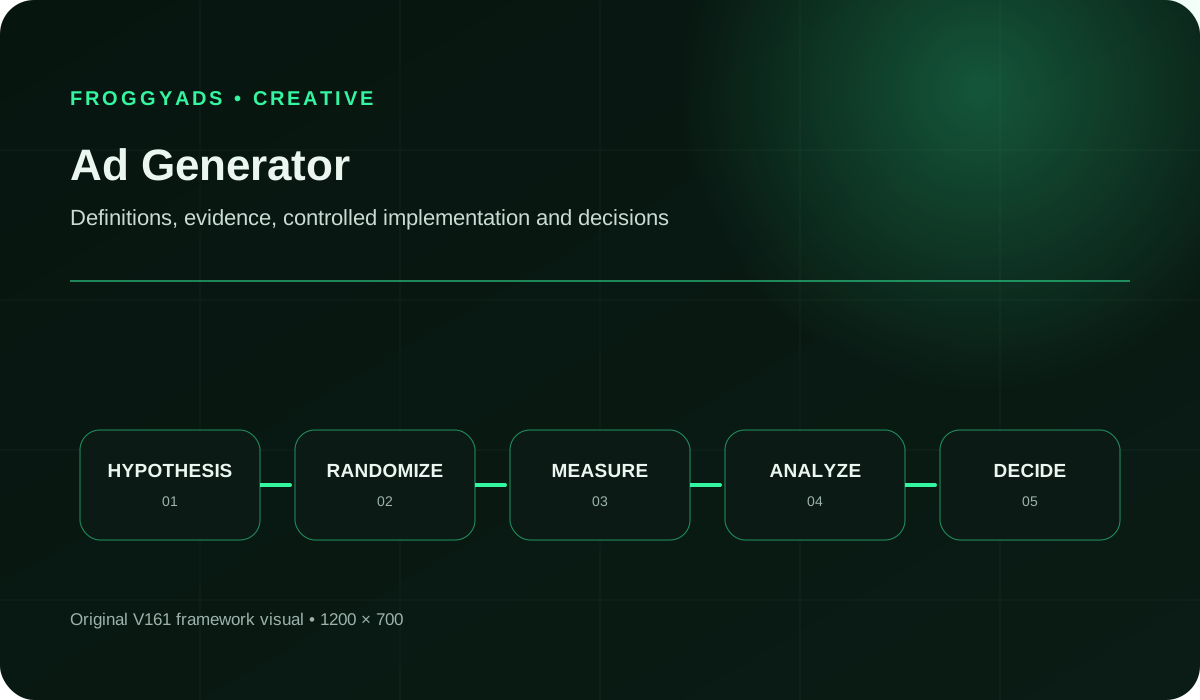
Ad Generator framework for planning, production, measurement and controlled improvement

What makes generated advertising useful?

Quick answer: Use an ad generator to explore messages or visual directions from approved facts. Select a small set of meaningful ideas, correct misleading details and prepare the finished assets for their delivery format. With FroggyAds, you can put reviewed creative into a self-serve campaign with targeting, budgets and source controls that help you judge the next advertising decision.

For the ad-creation process in Google’s own platform, see Google Ads: Create ads. Its tools and requirements are separate from the FroggyAds campaign setup.

Five choices that turn generation into useful advertising

  • Give the generator an approved offer, specific customer problem and clear limits on what it may claim or depict.
  • Ask for different reasons to consider the offer, rather than a long list of synonyms for the same promise.
  • Compare every selected statement and visual detail with the real product, available service and destination page.
  • Count review and repair effort when judging the tool; a large output count does not tell you how much usable creative you received.
  • Launch a manageable set of approved messages through FroggyAds, then connect campaign results to the exact creative you used.

What can an ad generator contribute to your campaign?

An ad generator can expand your message options. It cannot establish product facts or approve the final advertisement for you.

An ad generator can suggest headlines, descriptions, visual treatments or combinations of approved inputs. Some tools assemble existing material through rules; others create new text or imagery from prompts. Either approach needs a brief that separates established facts from areas where creative exploration is welcome. The output should help your team consider a better message, not invent a different product.

For example, a storage retailer might ask for several ways to explain a removable divider. The product specification establishes what the divider does. The generator can explore wording around arranging small items, seeing the contents or preparing a drawer. It cannot establish a load rating, a durability promise or a customer preference simply by producing a persuasive sentence.

We recommend evaluating generation at the idea-selection stage first. Keep the product facts dependable while allowing the creative approach to vary. Once an idea survives review, prepare its final format and destination before buying traffic. That sequence gives your FroggyAds campaign a truthful offer to test and gives your team a useful reason to retain or revise the generated draft.

Generation brief
The approved facts, customer situation and creative instructions used to request drafts.
Candidate concept
A proposed message or visual direction that still needs selection and review.
Factual review
A check that the advertisement’s statements and depictions are supported by evidence your business actually has.
Released creative
The final asset your team has reviewed for the intended offer, destination and delivery format.

Use generation to explore a known offer and creative bottleneck

Use generation when you need new ways to explain a known offer, and can review the output before it reaches customers.

Generation is useful when you have a well-defined offer but need to explore how to explain it. A short briefing exercise can reveal several customer problems, openings or visual directions that deserve human attention. It is less useful when the missing ingredient is a product fact, a customer insight or a decision about what the business can actually deliver.

Start with a recurring creative bottleneck you can observe. Perhaps writers keep opening with the same phrase, or a designer needs alternative backgrounds around an approved product photograph. Judge whether the tool helps resolve that specific problem. If reviewers spend most of their time removing invented details or rescuing awkward language, improve the brief or choose a different production method.

Direct writing remains a strong option for a short, sensitive or highly specific advertisement. You do not need generated variations simply because the tool can make them. For a FroggyAds test, two clearly different and carefully reviewed messages can be more useful than a large batch that your budget cannot meaningfully investigate.

Take the approved idea to market

Bring approved creative into a FroggyAds campaign

Choose FroggyAds when your next task is reaching an audience with approved creative. We give you a self-serve campaign workflow with targeting, spending controls and source reporting, so the idea can move from a draft discussion into a practical advertising test.

Create My Free Account
Illustration of audience targeting controls for an ad generator test

Eight instructions to include in a generation brief

#Brief elementWhat the generator and reviewer need
1Approved product factsSupply the actual features, material, dimensions, service scope and offer conditions you intend to use. Mark uncertain information as unavailable instead of inviting the tool to complete it.
2Customer situationDescribe the moment that makes the offer useful. A person organising craft supplies needs a different opening from a retailer buying storage for a stockroom.
3Message taskAsk for one job, such as explaining a feature or introducing a product category. Broad requests to make the best advertisement encourage vague praise.
4Allowed variationSpecify whether wording, sequence, background, crop or layout may change. Keep factual product elements outside the creative freedom you grant.
5Prohibited additionsExclude unsupported savings, rankings, reviews, certifications, urgency and product capabilities. Include examples of tempting claims that the real offer cannot support.
6Destination contextProvide the page the visitor will reach and the next action available there. A generated invitation should lead to that action without a surprise change of offer.
7Output and review formatRequest a limited number of drafts in a reviewable form. Separate the proposed copy from explanations, and label which verified fact each draft uses.
8Release requirementsName the intended ad format, necessary qualifications and the people who can approve the final material. Check current platform requirements during production.

Keep this brief small enough to use. A concise sheet of reliable information is more valuable than a large collection of conflicting source material. When a product detail changes, update that sheet before requesting another batch.

A ten-step process from factual brief to campaign creative

1. Choose a single advertising job

Decide what the draft should help someone understand or do. An introduction to a product range needs different material from a reminder about one available service. Name the intended destination and choose a task small enough to review properly.

2. Gather approved product information and offer conditions

Gather the approved product information, offer conditions and assets. Remove conflicting versions and identify details that remain unknown. A generator should not be asked to fill those factual gaps, even when a completed brief would look more convincing.

3. Define what may change and what must stay exact

State what may change and what must stay exact. For copy, distinguish tone from claims. For images, distinguish the background from the product itself. Check that you are permitted to use the supplied inputs with the chosen service.

4. Ask for different approaches to the same offer

Ask for a limited set of genuinely different approaches to the same offer. For instance, explore the customer problem, a useful feature and the next step. Avoid multiplying slight wording changes before you know which ideas are worth developing.

5. Check statements and imagery against the product facts

Read statements against their supporting facts and inspect imagery for changed product details. Remove invented reviews, unsupported superlatives and false urgency. A draft that fails this check does not become usable because it has a strong opening.

6. Shortlist the concepts with a useful customer explanation

Shortlist concepts that explain something useful to the intended customer. Give each a short reason for selection. If two candidates make essentially the same point, retain the clearer one and leave room for a different idea.

7. Rewrite for the customer and format

Edit selected drafts in your own brand voice. Replace vague praise with relevant detail, shorten awkward sentences and check how the message fits the chosen ad format. Preserve necessary conditions when trimming the copy.

8. Review the final advertisement and destination

Inspect the complete asset rather than approving text in isolation. Check imagery, qualifications, destination and the promised action together. Review any later material change before it goes into a live campaign.

9. Configure the campaign and retain creative versions

Configure the audience, format and affordable spending limit for the offer. Use conversion tracking when relevant and inspect source-level response. Keep the creative versions identifiable so later observations refer to an actual message rather than a vague generation batch.

10. Feed useful findings into the next brief

Record what you learned about customer response and what remains uncertain. Update the approved facts or customer context only when supported. Ask the next generation request to resolve a specific creative question instead of reproducing the previous shortlist.

Track approved concepts and the effort required to release them

Track approved, meaningfully different concepts alongside the time spent reviewing and repairing them. Keep that production assessment separate from the later campaign response. A draft can be accurate and useful without yet having evidence that customers prefer it.

Production questionUseful observationWhen to use it
Did the brief produce usable ideas?Count selected concepts that survive factual review; group superficial rewrites of one idea together.After each limited generation batch.
What required correction?Classify factual additions, product-image errors, generic wording and missing offer conditions separately.During human review, before edits hide the original fault.
How much work did release require?Add briefing, selection, rewriting, design adjustment and final review time for the released set.At handoff to campaign production.
Did the message reach the intended audience?Read campaign delivery and source information alongside the exact creative and targeting settings.After the campaign has delivered enough activity to inspect.
Did the offer attract useful action?Connect measured conversions with your own purchase or lead checks; inspect mismatches rather than rewarding click volume alone.After the normal outcome delay for the offer.
What should the next brief change?Record the specific question left unanswered: clarity, customer need, product depiction or offer fit.Before producing another set of drafts.

Keep rejected drafts with short rejection reasons during the pilot. Otherwise a later reviewer may mistake the same attractive but unsupported promise for a new idea. Retain only the information your business is permitted to store, under its normal retention rules.

Match the output to delivery

Choose the campaign format before generating the final set

Push, Native and Display ask different things of an advertisement. Start with the format that suits your offer, check its current requirements and edit accordingly. FroggyAds lets you test the resulting campaign with its own targeting and budget; your creative tool does not replace those buying decisions.

Create My Free Account
Illustration comparing advertising formats for ad generator execution

Adapt the brief for retail, service and agency work

A retailer wants more than repeated product adjectives

Give the tool real use situations and verified product details, then ask for different openings around those situations. Select ideas that help a shopper understand the item. Avoid treating a generated lifestyle scene as evidence that the product has a capacity, finish or accessory the real listing does not provide.

A service business needs clearer introductions

Start from the actual service area, process and booking route. Generate ways to explain the first useful step, such as requesting a consultation or checking availability. Remove promises about response time or results unless the business can support them. The destination must make the same next step available.

An agency needs several client voices

Work from separate approved briefs and asset sets for each client. A successful phrase for one account may be inappropriate or confidential for another. Ask reviewers to explain why an idea fits this client, then preserve that reasoning when handing the approved creative to the media buyer.

Five generated-content faults to catch before launch

The draft adds a fact that sounds plausible

Trace each concrete assertion to the approved material. If the evidence is missing, remove or verify the assertion before release. Asking the same generator whether its statement is true does not supply independent support.

The image changes what the customer would receive

Inspect product shape, controls, accessories, quantity and scale. A polished visual can quietly imply a bundle or feature that does not exist. Use an accurate product photograph when a generated reconstruction cannot reliably preserve those details.

Google’s guidance on generative image assets in Google Ads tells advertisers to review generated material for accuracy and misleading content; generation does not guarantee approval. This is guidance for Google’s own tools, used here to illustrate why a finished advertisement still needs review.

Every variation makes the same vague promise

Return to the customer situation. Ask which problem each draft helps someone recognise and which verified detail answers it. Keep a genuinely different angle; discard cosmetic rewrites that give your campaign no useful comparison.

The advertisement hides a necessary qualification

Read the finished creative at its intended size and compare it with the destination. A condition cannot do its job if it is missing or unreadable. Shorten the main message or choose another arrangement before sacrificing essential offer information.

The tool receives material it should not receive

Review the service terms and your permission to upload the inputs. Use approved assets and appropriately handled data. When permission is unclear, replace the material with a safe brief or stop that generation request; the pressure to produce another draft is not a reason to bypass the decision.

Treat repeated faults as a production signal. A tool that consistently changes the product may be suitable for background exploration but unsuitable for depicting the item itself. Narrow the job to what you can review and use reliably.

Count briefing, selection and repair in the pilot cost

An ad-generator pilot includes more than a subscription or generation credit. It consumes time to prepare the source material, write instructions, select ideas, check facts, revise copy and prepare final assets. Budget for that complete route. A low tool charge does not compensate for a process that takes longer to produce advertising your team can confidently release.

Compare the pilot with a similar job completed through your existing method. Keep the offer, required output and review standard reasonably comparable. Record actual effort instead of assigning a value to every generated option. Rejected or duplicate drafts may have helped exploration, but they are not additional finished advertisements and should not inflate the apparent productivity gain.

A hypothetical team spends 30 minutes briefing, 20 generating and selecting, and 70 reviewing and editing to release four concepts. Total effort is 120 minutes, or 30 minutes per released concept. If a comparable direct-writing job took 100 minutes, the pilot used 20 more minutes. It might still offer creative value, but this example does not demonstrate a time saving.

Plan the first media test

Keep production costs and media spend separate

Keep production costs and media spend visible as separate decisions. Start with a small reviewed set, choose an affordable campaign limit and use FroggyAds reporting to investigate the response. Expand the creative brief when you have a new question worth funding.

Create My Free Account
Illustration of a campaign launch checklist for ad generator

How does FroggyAds help after generation?

We give advertisers a self-serve way to reach visitors with their finished offer. Set the targeting, budget and bids for your campaign, then inspect performance by source. That control is useful when you want to understand whether a reviewed message deserves more attention, a clearer destination or a different audience.

Use our buy traffic guide to plan the traffic purchase around the creative you have approved. FroggyAds supports formats including Push, Native, Display and Pop, with campaign targeting, budgets and source controls. Keep generation and editing in the tools you have selected; bring the resulting eligible materials into the relevant campaign workflow.

Conversion tracking can connect delivery with recorded actions, while your own business checks establish whether a lead or order is useful. When results vary, inspect source, audience and destination context before crediting the generator. We recommend changing one important element at a time where practical, so the next spending decision has a clear explanation.

Evaluate the tool with one realistic approved brief

  • Can it work from the facts and assets you are permitted to provide, under terms your business accepts?
  • Can you constrain the task and obtain outputs that are easy to compare, edit and review?
  • Does it preserve the product details your advertisements need, or repeatedly introduce costly visual errors?
  • Can you retain the information needed to identify the selected draft and its later human edits?
  • What are the actual costs, usage limits and commercial-use conditions for the features you intend to use?

Evaluate those questions with one realistic brief. Supplier demonstrations can reveal possibilities, but your own approved inputs and review process determine whether the workflow is useful. Avoid buying a larger plan before you know where selection and repair effort will occur.

Give generated claims a real factual basis

A persuasive sentence can contain several separate claims. “The toughest organiser for every workspace” implies a comparison and broad suitability. Unless your business can substantiate those ideas, replace them with specific supported information, such as a verified material or an adjustable compartment. Precise wording often gives the customer more useful detail anyway.

For US advertising, the FTC policy on advertising substantiation explains the need for a reasonable basis for objective express and implied claims before dissemination. Use appropriate review for the claims and markets in your own campaign.

Check what the whole advertisement communicates. A real product photograph surrounded by generated accessories may imply those items are included. A headline placed beside a dramatic before-and-after scene may suggest a result the business has never demonstrated. Review the combined impression, not just whether each individual sentence avoids a forbidden word.

Your approval should cover the final edited version. If someone later changes the headline, image or offer condition, inspect the new combination before using it. That makes the review meaningful without turning every harmless spelling correction into a separate production project.

Frequently asked questions

When is an ad generator appropriate for campaign work?

An ad generator can help produce options, resize approved elements, or accelerate routine variants when a person still owns the brief, facts, rights, and final decision. It is unsuitable as an unchecked publisher or a substitute for customer knowledge and original creative judgement.

How should a team run its first ad-generator pilot?

Use one low-risk brief with verified source material, clear prohibited claims, approved assets, required formats, and named reviewers. Generate a limited set, record prompts and edits, inspect every output, and compare production effort and quality with the normal human workflow.

Which costs belong in an ad generator evaluation?

Include subscription or usage, setup, prompt and source preparation, asset rights, review, rewriting, design repair, exports, data governance, training, integration, and vendor exit. Cheap generation is not efficient when specialists must correct generic, inaccurate, or unusable output.

Who should review generated advertising material?

A knowledgeable human should verify product facts, customer relevance, voice, claims, rights, representation, layout, accessibility, and destination alignment before approval. Technical and compliance specialists need involvement when the generator handles confidential data, regulated offers, or automated publishing.

How can generated ads remain specific to the brand?

Supply approved brand facts, customer language, product constraints, proof, tone examples, and channel context, then rewrite weak material rather than accepting polished generalities. Keep source and output records so every final statement can be traced to evidence and a responsible reviewer.

What checks are essential before a generated ad launches?

Inspect originality, accuracy, unsupported implications, bias, rights, identity, terms, spelling, dimensions, crop, links, tracking, consent, and destination continuity in the final asset. Search for plausible-looking invented details and complete a customer action before publication.

How should an ad generator's value be measured?

Compare usable approved concepts, total production time, correction effort, defect rates, review burden, asset performance, and customer quality with an established baseline. Count rejected generations and downstream repairs, since raw output volume can make an inefficient system appear productive.

What should be investigated when generated ads feel generic?

Review the brief, source evidence, customer detail, prompt constraints, model choice, selection criteria, and human editing. Add concrete information and a sharper communication task; repeated generation from the same vague input usually creates more variations of the same shallow message.

Which risks should block use of an ad generator?

Stop when confidential data handling is unclear, rights cannot be established, claims are invented, bias is unmanaged, required wording disappears, outputs cannot be traced, or publishing bypasses review. A safe pause and manual fallback should exist before the tool joins production.

When can an ad-generator workflow be expanded?

Expand when repeated reviewed jobs show a worthwhile benefit, such as clearer ideas or lower complete effort, without weakening accuracy or customer understanding. Add one format or team at a time. Keep a human responsible for release, and assess any proposed automation separately before allowing it to change the approval process.

Primary references and their limits

Use these references for the named platforms, industry context and relevant standards. They do not establish FroggyAds tool integrations or prove that a particular generated advertisement is accurate, eligible or effective. Check the current requirements that apply to your own offer and delivery route.

A worked generation brief for a fictional storage retailer

The following exercise is hypothetical. A retailer wants to advertise a desk organiser with removable dividers. Assume its approved product sheet confirms that feature and that the product page explains available colours. No sales results, material certifications, dimensions or durability claims are supplied. The task is to explore truthful ways to introduce the product.

Describe one customer situation for the fictional organiser

Brief the writer around a desk drawer containing small stationery items. The useful question is how a shopper might arrange those items. Avoid inventing a research finding about what all office workers prefer. This is one proposed advertising angle, not a claim about the wider market.

Request three openings using the removable-divider fact

Example instruction: propose three short openings about arranging small desk items with removable dividers. Use only the supplied feature. Do not add capacity, durability, savings, reviews or popularity claims. Keep each opening understandable without relying on a generated image.

Check a draft against the supplied product sheet

“Arrange your desk essentials with removable dividers” uses the assumed feature and a recognisable situation. A reviewer still needs to check the final product sheet and destination. Its inclusion here illustrates a review decision; it is not a tested headline or a performance recommendation.

Reject unsupported durability and space-saving claims

“The indestructible organiser that doubles your space” adds a durability assertion and a quantified result. Neither comes from the assumed facts. Reject the wording instead of leaving it in the shortlist because it sounds more exciting than the accurate version.

Distinguish a colour-choice angle from a repeated headline

“Organise desk essentials with removable dividers” closely repeats the first draft. A second direction might introduce the product through choosing a colour, if that choice is actually available. The point is to investigate another customer consideration rather than spend on nearly identical wording.

Check the dividers and props in the product depiction

Use an approved photograph or verify the generated depiction against the real organiser. Check the number and position of dividers and whether surrounding props appear included. A decorative background should not make the product look like a larger or different item.

Match the invitation to the destination

An invitation to explore colours belongs on a page where shoppers can see the actual choices. If the destination opens a general catalogue, either send the visitor to the appropriate product page or rewrite the invitation to match the broader browsing task.

Compare the reviewed messages through an identifiable campaign

After review, the retailer could investigate whether a divider-led message or a colour-choice message attracts useful visits and purchases. Use identifiable creatives and comparable campaign conditions where practical. Any result would need its own measurement and interpretation; this exercise contains no observed campaign outcome.

Start your campaign with creative you can stand behind

Bring a clear offer, accurate assets and a useful destination to FroggyAds. Our self-serve controls let you choose how to reach visitors and how much to commit. Begin with the message you can explain, then use real campaign evidence to decide what deserves the next revision.

Create My Free Account
Draft review decisions

Choose the next action from the actual draft problem

Not every rejected draft needs another generation request. Sometimes the fastest route is to correct the source brief, write one sentence yourself or return to an approved photograph. Use the diagnosis below before producing more material.

Separate missing information, poor expression and unsupported invention. They need different responses. A reviewer cannot fix an unknown product detail through better wording, while a useful factual idea may need only a straightforward human edit.

What you observeCheck before proceedingUseful next action
A plausible but unsupported benefitWhether the business already has appropriate support for the claim.Verify the support or remove the claim before any campaign use.
Accurate copy that sounds genericWhether the brief describes a specific customer situation and a relevant product detail.Rewrite around that situation; request another draft only if it addresses a clear gap.
An attractive but inaccurate product imageWhether the changed detail affects what a customer would expect to receive.Use an accurate asset or repair and review the depiction before preparing the ad.
Many approved drafts but no clear testWhether the concepts differ meaningfully and the media budget can support the intended comparison.Choose a smaller set and give each creative a specific role in the campaign.
Weak campaign response after approvalDelivery, source mix, audience, destination and outcome tracking alongside the creative.Diagnose the buying journey before assuming the generator needs a different prompt.

Move a selected idea into a FroggyAds campaign

  1. Select: choose the approved message and retain the facts and review notes that support it.
  2. Prepare: create the final assets for the chosen format and inspect the actual destination.
  3. Configure: set campaign targeting, bids and budget in FroggyAds; verify conversion tracking where used.
  4. Observe: read delivery and source performance together with the exact creative and normal outcome delay.
  5. Decide: keep, revise or pause the message for a stated reason, then update the next creative brief.

Keep campaign findings separate from tool preference

A successful advertisement does not prove that every draft from its generator will work. Likewise, one weak campaign does not establish that human writing would have performed better. The offer, audience and delivery context matter. Record the specific message tested and the limits of what you learned.

Choose FroggyAds for the control to act on that evidence: adjust your campaign, refine targeting or review sources as the results develop. Keep the next creative request tied to a customer question you can investigate, rather than asking for more variations without a purpose.

Create your free FroggyAds account

From generated draft to campaign

Resolve the generated-draft decision before choosing more automation

This guide helps you brief, select and approve generated drafts across rule-based and generative tools. Our Ai Ad Generator guide addresses the more specific AI-tool workflow. Use the review exercise here to decide what you can safely and usefully release; do not assume a tool choice settles the quality of its output.

The commercial question is whether generation helps your team produce a truthful, differentiated offer efficiently enough to test. FroggyAds supports the advertising stage after that decision, with campaign controls that keep the audience, spending and source response visible.

StagePractical questionMaterial to keep
BriefWhat may the tool vary, and which facts must remain fixed?The approved product details, destination and explicit limits on new claims or depictions.
ReviewWhich selected concepts are accurate and meaningfully different?The chosen drafts, factual corrections and final approved creative versions.
CampaignWhat did the delivered message help the intended visitor do?The creative identifiers, campaign settings, source reports and checked business outcomes.

Hypothetical selection example: from 12 drafts, suppose six fail factual review and four repeat the two remaining ideas. The useful shortlist contains two distinct concepts, not 12 advertisements. Count the review time for the whole batch when deciding whether generation helped.

Start your next FroggyAds campaign with a small set of approved ideas and a clear reason to test them. Use your results to improve the offer and the next creative brief. Create your free FroggyAds account

Direct answer

Generate options; release a message your business can support

A useful ad generator expands your creative choices without changing the facts of your offer. Supply a focused brief, select distinct ideas and review the complete advertisement. When the assets are ready, choose FroggyAds to reach visitors with a campaign you can control and evaluate.

Release the selected message into a controlled campaign

A reviewed message is ready for media only when the final asset and destination still support the approved offer. Keep its selected draft, human corrections and release version identifiable. Our FroggyAds workflow lets you set the campaign audience, bid and budget around that message, then use source evidence with your business outcomes to decide what the next brief should address.

Reconcile platform data with the destination and business system, and describe any measurement gap before making a scaling decision.

When the selected message, final files and customer route are ready, create your free FroggyAds account and put that specific advertising question into a focused traffic test.


