
Define the production bottleneck
Select the representative campaign, record the current production baseline, identify mandatory terms and rights, and write the acceptance and rollback rules.
Choose ad creation software by whether it solves your actual production bottleneck: approved creative, correct final files and a version your buyer can identify. We help you take those prepared assets into a FroggyAds campaign with relevant targeting, budgets and source reporting, so software output can be assessed separately from the customer response to the offer.
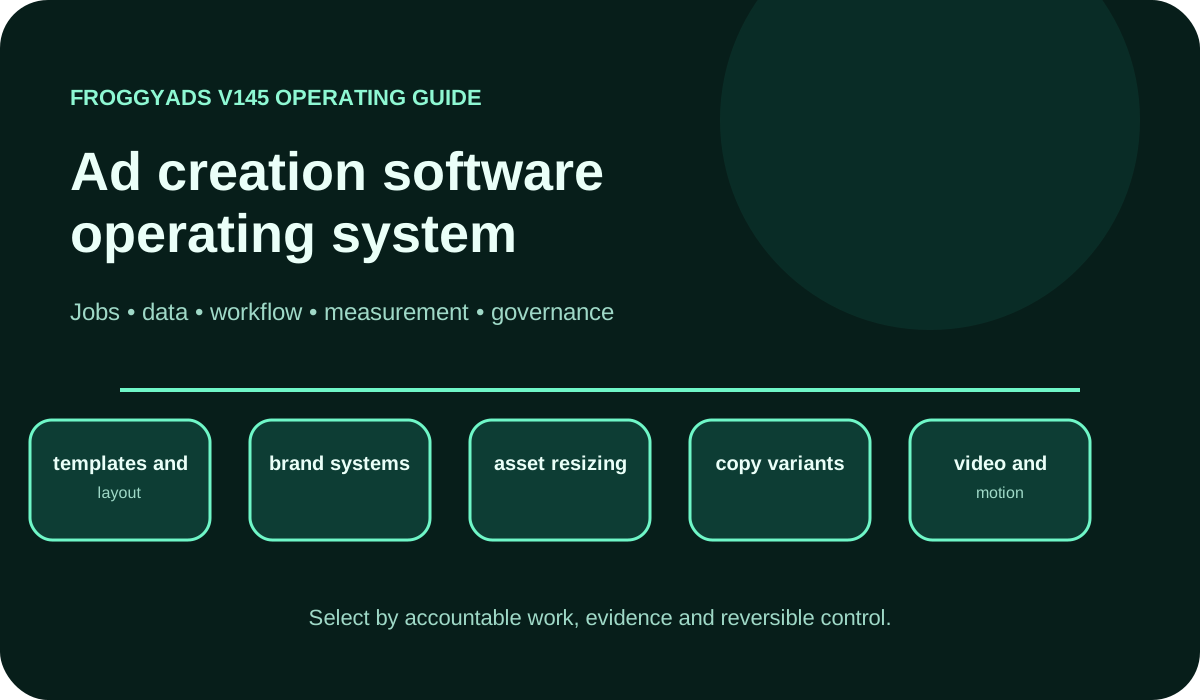
It helps advertisers, agencies and creative teams choose a system from the work it must complete: translate a brief into approved assets, preserve brand and rights, export correct channel files and connect every version to a measurable campaign test. The best choice is the one that removes a documented production constraint without weakening originality, human approval or evidence.
| Decision area | Evidence from a representative trial |
|---|---|
| Production fit | Required dimensions, formats and final files pass the channel-specific release checklist. |
| Operating value | Revision effort, approval time, defects and test velocity improve without hiding new administration. |
Reference for Ad Creation Software: Create, Test & Improve Ad Performance: Google Ads: Choose your bid and budget.
The tool should own a defined part of the creative production chain, not the entire advertising strategy. A useful boundary may include brief intake, approved components, layout variations, collaboration, version control, accessibility review and export packaging. Media planning, audience selection, bidding and final business-value measurement remain separate accountable jobs.
Write the current path before evaluating products: who supplies the proposition, who owns claims and rights, who designs, who reviews brand and compliance, who exports and who publishes. The software must show where each handoff occurs and preserve the approved state. A faster editor is not enough when the final file cannot be traced to the signed-off brief.
Define success as a campaign-ready release another operator can reproduce. Keep the source file, asset rights, component versions, reviewer decision, export settings and destination record together. Then connect the published version to an accepted campaign outcome rather than treating download count as proof of value.
Map eight jobs: brief and requirements, brand components, asset library and rights, layout and resizing, copy and offer variants, motion where needed, review and approval, and final export with version identity. Assign an owner, input, output and exception path to each job. Leave an unsupported capability unscored until the trial proves it.
Keep authoritative records in the right systems. The creative tool may hold working files and approvals, the ad platform holds campaign delivery, the tracker joins clicks and conversions, and the backend decides whether an outcome is accepted. Use stable names and IDs instead of copying every record into one uncontrolled library.
Evaluate workflow depth, not menu count. A feature earns credit only when the team can complete the real task, inspect the version, handle a rejected asset, export the correct file and restore the previous approved state. Demonstration examples are useful orientation, but production evidence decides.
Use this scorecard with one real brief and the same reviewers who will operate the system. Require evidence from the final exported asset, not only the editor preview.
| Capability | Operating question | Evidence required |
|---|---|---|
| Brief and layout | Can the team convert objectives, audience, proposition, dimensions and required terms into a controlled working file? | Completed brief, component map, reviewer record and export that preserves the intended hierarchy. |
| Brand system | Can approved logos, colours, type and mandatory wording be reused without making every idea interchangeable? | Named component owners, exception workflow, retired-element control and representative assets. |
| Asset resizing | Can required dimensions be adapted without hidden crops, unreadable text or broken focal points? | Placement-size inspection, safe-area record and channel pass result for every delivered size. |
| Copy variants | Can materially different propositions remain linked to one hypothesis and destination? | Variant ID, claim support, audience cell, destination release and approval status. |
| Motion and video | Can timing, captions, audio, animation and end state satisfy the intended placement and accessibility rules? | Final rendered file, duration and weight check, motion review and fallback state. |
| Collaboration | Can writers, designers, brand owners and campaign operators see ownership and the current approved version? | Role test, comment history, approval event, rejected-path recovery and publish authorization. |
| Accessibility | Can the team identify readable-scale, contrast, motion and colour-dependence risks in final context? | Automated findings plus human inspection at actual delivery size. |
| Export and versioning | Can the system deliver usable source and final files with durable IDs and a rollback path? | Export inventory, file checks, version manifest and restored prior release. |
Connect the guide to live testing
Create one bounded campaign cell for each meaningful creative proposition, keeping audience, format, destination and accepted event stable. Use FroggyAds targeting, campaign budgets, conversion tracking and source reporting to preserve the test. Label the asset and page release so a later operator can connect delivery and mature outcomes to the exact approved version.
Create My Free Account
Begin with one campaign family that represents the real production burden. Record current brief time, revision causes, format defects, approval delay and publishing errors. Configure roles, names, required components and release states, then recreate that campaign without expanding to the whole organization.
Run a production proof with a finite deadline and a manual fallback. Include an exception such as a rejected claim, changed dimension or missing asset right. Reconcile the final files with the release checklist and the published campaign IDs. The rollout passes only when the new path is easier to understand and recover.
Expand one format family or team after the first cycle. Retire duplicate templates, reports or licenses only after the replacement path is stable. Keep an export and rollback package; a promised consolidation benefit is not real while the old work remains necessary.
Track brief-to-approved time, revision count and reason, first-pass format rate, brand and accessibility defects, asset reuse, publish errors and interpretable test velocity. Use medians and cohort detail so one unusually simple project does not make the system appear faster.
Separate operational improvement from campaign performance. Creative software may reduce defects and make tests readable, while the proposition still performs poorly. The ad platform records delivery and spend; analytics records site behavior; the business system determines accepted leads, orders, installs or subscriptions.
Measure the newest workflow cohort. A mature library can make the cumulative average look efficient while recent campaigns require more correction. Keep format, team, template and reviewer detail visible, and document which process change produced the difference.
Use least-privilege roles for brief creation, brand components, legal or compliance approval, export, publishing and customer-data access. Shared administrator accounts erase accountability. Test whether a removed user loses access and whether an obsolete component can be withdrawn from future production.
Record asset ownership, licenses, model or stock restrictions, permitted markets and expiration dates. If generative assistance is used, keep prompts, inputs, review status and rights decisions according to the organization's policy. Technical availability does not prove a right to use customer data or third-party material.
Review authentication, audit history, API credentials, subprocessors, storage location, retention, incident response and exit. The tool touches advertiser identity and live campaign assets; a compromised account can create spend, brand and privacy harm. Require recoverable source files before adoption.
Prepare the supported creative format
Choose the available FroggyAds format that suits your message and destination. Our verified format range is Push, Native, Display, Pop, Video and Interstitial. Prepare the actual fields and final files for the selected campaign. An export option in a creative tool does not establish that every file meets the requirements of every advertising format.
Create My Free Account
Select the representative campaign, record the current production baseline, identify mandatory terms and rights, and write the acceptance and rollback rules.
Set roles, components, names, format requirements and reviewers. Import only the assets needed for the proof and verify their ownership.
Complete real variants, inspect final exports, handle one exception and launch a capped campaign with stable creative IDs and conversion evidence.
Compare operational metrics, publishing defects and the readability of campaign outcomes. Approve a narrow expansion, repair one control or restore the old process.
Weight the scorecard before product demonstrations. Mandatory capabilities should reflect the largest measured production risks, such as missing sizes, slow approval, weak version control or unreliable exports. Preferences can shape usability, but they should not override a failed required task.
Use representative assets, reviewers and deadlines. Ask the team to recover from a rejection, change a mandatory term, retire a component and export usable source and final files. Record the vendor assistance required because a proof operated entirely by specialists may not represent the buyer's daily workflow.
Compare full cost: license or usage fees, setup, migration, storage, training, administration, integration maintenance, reviewer time, export repair and exit. Approve the tool only when verified operational value and campaign-test clarity justify that cost under accepted limitations.
Template sameness needs a proposition and originality review. Unreadable small-format text needs placement-size inspection. Broken crops need safe-area and focal-point checks. Missing source files need an export inventory. Unapproved claims need mandatory review. Generative output needs human verification, rights review and a visible approval state.
Treat rejected assets, stale components, lost fonts, wrong destinations, unmatched creative IDs, missing approvals and publishing errors as first-class metrics. A dashboard that counts only completed exports hides the work most likely to waste media spend.
Maintain a rollback package with the last approved components, source files, final exports, naming map, credential actions and fallback production route. Test it before a large library migration. Recovery is part of the tool's operating quality.
Put the guide into practice
Publish only the approved creative versions from the representative workflow. Set a campaign ceiling, preserve source and creative IDs, keep the destination release stable and wait for the accepted event to mature. Use the result to improve the proposition or production process; do not call more exported variants a performance gain.
Create My Free Account
Write which production jobs the selected tool actually supports and which remain with your team. Include the brief, current component owners, required file types and final approval route. If a buyer cannot identify the approved asset, correct that handoff before distributing more versions. Clear operating information is more useful than a general promise that the software manages everything.
Retain the final source and export files with their version names and destination. Show how a rejected asset returns for correction and how a retired component is removed from future work. This lets the next designer reproduce the release without treating an obsolete approval or an editor preview as the final campaign asset.
Connect the approved release to the campaign using the identifiers your actual workflow supports. We provide the FroggyAds media controls and source reporting; your production record identifies the message and your customer system validates the result. Keep these roles clear so a faster export is assessed as an operating improvement rather than evidence of stronger sales.
FroggyAds is the campaign execution layer after the proposition, asset and destination are ready. We give you supported formats, targeting, campaign budgets, conversion tracking and source-level controls for a bounded test. Your creative workflow preserves the approved version, and your backend outcome determines whether it deserves another iteration or more spend.
Use a short workbook to retain the required task, the person responsible and the output that proves it was completed. The records below let another operator check the actual release rather than relying on a feature name from a demonstration.
List the campaign jobs, responsible user, required input, output and current failure. Rewrite vague needs such as easy to use as a task, completion condition and maximum acceptable effort.
Record owner, license, permitted uses, markets, expiration, source file and dependent components. Block release when a required right or approved version is unknown.
Run one complete brief, design, review, correction, export and publish path with actual roles. Include a failure so the team sees how history and recovery work.
Combine software, migration, administration, reviewer, production, integration and exit cost. Credit only time or defects the proof shows will disappear.
Require correct final files, traceable approval, rights evidence, role behavior, accessible output, usable export and an operating result within the written threshold.
Check unused modules, stale access, component drift, export defects, publishing errors and whether new creative cohorts still support readable campaign decisions.
It helps when repeated production work creates missed sizes, inconsistent brand elements, slow approvals or unreliable exports. Name the bottleneck and baseline first; a tool is useful only when a representative campaign becomes more accurate or easier to operate.
Use a real brief, approved brand assets, several required formats, actual reviewers and the final export path. Include one correction cycle and one rejected asset so the team can observe version history, ownership and recovery instead of judging only a polished first draft.
No. Software can organize assets, components, versions and repetitive production. People remain responsible for the proposition, evidence, audience insight, channel fit, legal review and the decision to publish.
Produce only the variants tied to a written hypothesis and a campaign cell that can identify them. More files do not create more learning when the differences are cosmetic or reporting cannot connect the asset to an accepted outcome.
Verify dimensions, file type, weight, crop, font rendering, contrast, animation, copy, claims, rights, click destination and tracking. Inspect the final asset at placement size because a large editor preview can hide unreadable text or a broken visual hierarchy.
Use approved logos, colours, type, disclaimers and reusable components with named owners. Lock only what must remain consistent, keep exceptions reviewable and provide a way to retire obsolete elements so old claims or designs do not continue through templates.
Review text contrast, readable scale, motion, flashing, information conveyed by colour, alt or surrounding context where applicable and the landing-page path. Automated checks can find some defects, but a human should review the final asset in its real size and context.
Measure brief-to-approved time, revision reasons, format pass rate, publishing defects, asset reuse, reviewer effort and the number of interpretable campaign tests. Faster output is not valuable if the team spends more time repairing claims, exports or destinations.
Pause when ownership or rights are unclear, permissions are too broad, required wording disappears, exports are unreliable, version history cannot support approval, customer data handling is unsuitable or the team cannot recover usable source files.
We provide a self-serve execution layer with supported formats, targeting, campaign budgets, conversion tracking and source-level controls. You can connect labelled creative versions to bounded audience tests and let mature accepted outcomes decide what deserves another iteration.
The retained Google references describe Google-specific buying, analytics and consent tools. They do not establish an equivalent FroggyAds feature or a creative-software integration. W3C provides an accessibility standard. Confirm the selected software's actual capabilities during the production proof, and check the current requirements of the campaign that will receive its files.
When the approved assets and destination are ready, create one FroggyAds campaign cell with a compatible format, eligible audience, labelled creative, conversion path and firm ceiling. Review technical delivery first, then source-level accepted outcomes. Change one material creative or campaign variable and preserve the earlier release for comparison.
Create My Free AccountDecide whether the system can produce compliant, channel-ready creative with traceable approval and usable exports faster or more reliably than the current workflow. The adjacent decision about media delivery stays separate; the creative system supplies controlled versions, while FroggyAds supplies the bounded campaign environment.
The page-specific evidence is the representative brief, asset-rights record, required formats, component versions, review history, final files, published creative IDs and the mature outcome from a controlled test.
Resolve three questions before scale: does the tool remove the measured production constraint, can the team recover from a rejected or obsolete asset, and can each published version be connected to a comparable campaign outcome?
| Checkpoint | Production action | Evidence to keep |
|---|---|---|
| Production boundary | Define the creative work the system owns and the accountable role at each handoff. | Requirements register, role test, component map and exception path. |
| Release proof | Complete the real brief through corrected, approved and placement-ready files. | Final exports, approval event, rights record, version identity and release checklist. |
| Follow-up | Publish one bounded creative cohort and compare mature accepted outcomes before changing the proposition again. | Campaign, creative, source and destination identifiers plus accepted cost and rollback rule. |
Hypothetical method: if USD 250 in media spend produces twelve mature accepted outcomes, media cost is USD 20.83 per accepted outcome. Add creative and operating cost before deciding; this is not a FroggyAds price or result.
Choose FroggyAds once your creative workflow supplies an approved asset and a matching destination. We help you operate the supported traffic purchase with targeting, campaign budgets and source controls, while your customer evidence guides its renewal. Create your free FroggyAds account.
Start with one measured production problem and one representative campaign. Require correct final files, durable version identity, human approval, rights evidence and a rollback path. Then use a bounded FroggyAds test to connect the approved creative to source-level delivery and an accepted outcome. Expand the workflow only when both production quality and campaign evidence remain readable.