
1. Define the placement and audience
Inspect the page context, not just the artboard. Record the device, geography and any source detail the campaign exposes. Note whether the surrounding content changes how the offer is understood.
A 300×250 medium rectangle is a fixed 6:5 canvas of 75,000 pixels. It works best when one offer, one supporting proof point and one action stay readable at exactly that size. In FroggyAds Display you can start with a USD 50 minimum deposit and Display pricing from USD 0.10 per 1,000 impressions. You also get self-serve control over targeting, bids, budgets and traffic sources. Design the rectangle natively, make the landing page continue its promise, and judge the test by accepted leads, sales or signups, not by clicks alone.
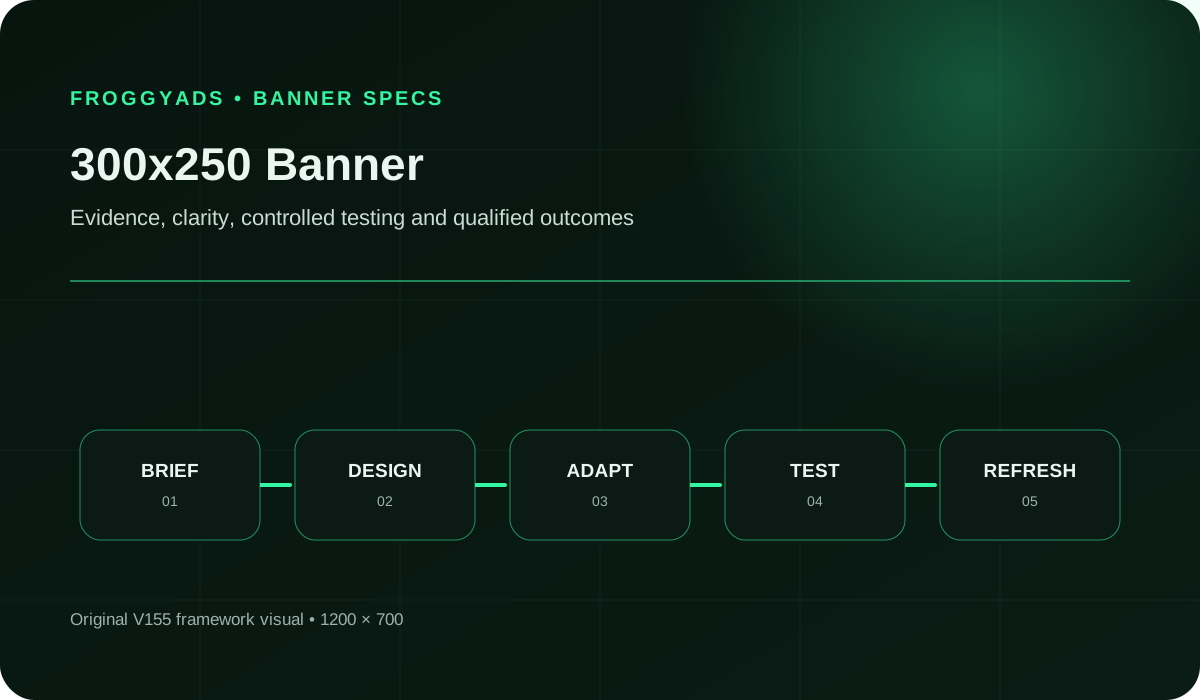
In ad specifications, 300×250 is called the medium rectangle or inline rectangle. The name describes the shape, not the place where it will appear. The same file can sit beside article text, recommendations, product listings or other page elements, so the message has to survive more than one visual context. Keep the proposition close to the focal image and put the most important words in the highest-contrast area. Make the action visibly distinct without imitating a site navigation control.
The 6:5 ratio gives you more height than a leaderboard but far less room than an editorial card. That is why most weak rectangles fail in the same way: they carry three promises where the canvas can carry one. A workable reading order is brand or product recognition, one direct benefit, one proof detail you can support, and a concise action. The visitor should never have to guess whether the click opens a product page, a registration form or a price offer. If a claim depends on conditions, explain them on the landing page instead of compressing them into unreadable footnote text.
The table below is the layout standard we use when we review a rectangle before launch. These are our working review guidelines, not platform requirements, so adjust them if your brand rules or the receiving placement require otherwise.
| Canvas element | Working guideline for 300×250 | Final-size check |
|---|---|---|
| Outer margin | Keep logo and key text about 12 px inside each edge. That leaves a 276×226 working area of 62,376 pixels, roughly 83% of the 75,000-pixel canvas. | Nothing important touches an edge or disappears behind a placement border. |
| Headline | Aim for roughly four to eight words in the highest-contrast zone. State the benefit or the offer, not the brand slogan. | It reads at a glance at 100% without zooming, on a phone and a desktop screen. |
| Focal visual | Use one product, interface view or person. Remove decorative layers before you reduce type size. | The subject is still recognisable after the platform's compression. |
| Proof line | Add one detail you can substantiate, such as a trial length, a price condition or a named feature. Skip it if you cannot back it up. | The supporting evidence and its conditions are on file and repeated on the destination. |
| Action | Use one button or text action of about two to four words that describes the real next screen. | The label matches what the click opens, and nothing mimics a browser or publisher control. |
Keep the canvas separate from the inventory decision. A correctly exported 300×250 asset can still appear in a context that does not suit the offer. A relevant placement cannot rescue a confusing creative either. That is why we recommend recording the asset version, audience, source detail, destination and accepted event for every run. It lets you ask whether the problem is rendering, message fit, traffic composition or post-click conversion, instead of replacing everything at once.
A fixed canvas gives you a repeatable design constraint, and our platform gives you the buying controls to exploit it. You can compare an offer-led rectangle with a product-led rectangle under the same targeting, bid and destination, and read the difference from your own validated outcomes. These are the FroggyAds facts that matter most for that kind of comparison.
| FroggyAds capability | What it means for a 300x250 test | How to use it |
|---|---|---|
| Self-serve DSP with 750+ SSP integrations | You buy through one account and set up the campaign yourself, with a wide supply base behind the Display format. | Launch one controlled rectangle comparison without a sales-managed setup, then widen the source mix once the creative earns it. |
| USD 50 minimum deposit | The deposit funds your account. It is an entry requirement, not a recommended test budget and not a price per impression. | Decide your own test cap and loss limit before you fund the account. |
| Display from USD 0.10 per 1,000 impressions (CPM) | This is a starting price. The rate you actually pay depends on the targeting and bid you choose, so confirm it in the campaign builder. | Record the actual CPM beside each creative version, then calculate cost per accepted outcome separately. |
| Adscore integration and internal quality controls | Both help screen out bot traffic before you judge a creative. They do not guarantee sales. | Review quality signals first, so a weak creative result is not really a traffic-quality problem. |
| Whitelists and blacklists | You can keep sources that produce accepted outcomes and exclude sources that do not. | Apply source decisions after the validation window, not after the first click. |
| Bid, budget and targeting controls | You can hold audience, bid and daily limits constant while you change a single creative element. | Write down the held conditions so the comparison stays fair. |
Affiliate marketers can pair a rectangle that introduces one offer with a dedicated pre-sell or merchant page. SaaS and app teams can explain one use case and send a suitable prospect to a trial or signup destination. Webshops can lead with one recognisable product and one price or delivery condition. Agencies can run the same disciplined protocol for several clients from one self-serve account. In every case, choose the message and the next screen together. These are structures for the creative, not promises of a particular customer response.
A fixed canvas also makes failures easier to diagnose. If the offer is understood but the action is not taken, revise the action label or the destination continuity. If the message is not noticed, examine hierarchy and contrast. If clicks arrive but qualified outcomes do not, test audience fit, event validation and offer eligibility one at a time.
| Check | Buyer decision | What to verify for 300x250 |
|---|---|---|
| 1 | Placement fit | Confirm in the FroggyAds campaign builder that the Display format you are buying accepts a 300 by 250 file. Google Ads also lists this size, but its documentation does not define what any other platform accepts. |
| 2 | Canvas ratio | Keep the artboard at 300x250 (6:5). Test the hierarchy at delivered dimensions, so the headline, proof and action stay readable without desktop zoom. |
| 3 | Nearby rectangle | 336x280 keeps the 6:5 shape and has about 25.4% more pixel area (94,080 versus 75,000). It may need a different placement, so confirm the slot before you prepare both exports. |
| 4 | Mobile strip alternative | 320x50 is a 6.4:1 canvas of 16,000 pixels. It needs its own reading path, because a shrunken rectangle compresses its text and hierarchy. |
| 5 | Offer complexity | Fit one audience, one offer, one supporting benefit and one next step. Move extra conditions to the destination instead of shrinking legal or qualification text. |
| 6 | Destination continuity | Make the landing page repeat the advertised offer and next action. Test the final URL and the accepted event in your own analytics before the first paid comparison. |
| 7 | File acceptance | Check the file type, weight, animation and click behaviour the platform currently requires. Treat Google's published limits as Google-specific, not as FroggyAds requirements. |
| 8 | Learning question | Define the accepted event and a spending cap first. Keep audience, placement, destination and measurement stable while you vary one creative element. |
Give the campaign owner one complete production record: approved dimensions, tested destination, one defined outcome, documented rights and a named contact for that version.
Connect the guide to live testing
Compare a defined offer and audience under consistent delivery conditions. Choose the accepted event and the review window first, set a media cap your business can afford, and change only one major variable per comparison. The result is evidence for your next decision, not a forecast of future sales. When your rectangle and destination pass the checks above, create your free FroggyAds account and put the first comparison live.
Create My Free Account
Inspect the page context, not just the artboard. Record the device, geography and any source detail the campaign exposes. Note whether the surrounding content changes how the offer is understood.
Give the designer the audience, the single offer, the evidence for the claim, the action, the destination and the asset requirements. List what must stay unchanged across the first variants.
Decide the order before you polish: headline first, offer support second, action last. Check that each element has room at 300×250, and delete decoration before you shrink type.
Create the master composition directly at 300×250. A larger production file can help with source art, but it should not become the delivered layout through automatic shrinking.
If you also need 336×280 or 320×50, redesign each ratio for its own reading path. Reuse brand elements and the core offer, not the exact position of every object.
Verify dimensions, file format, file weight and click behaviour against the current rules of the platform that will serve the ad. Compare the export with the source art at 100% to catch blurred text and thin borders.
Check contrast and text size, and confirm image and font licences. Make sure colour is not the only cue, avoid flashing patterns, and keep destination content usable with a keyboard or screen reader.
Name each file so the report maps back to the design. Judge variants by accepted outcomes after the same attribution window. Refresh only when evidence points to fatigue or the offer changes, and keep the previous file for comparison.
Use validated outcomes per comparable impression as the primary creative measure when your attribution setup supports that pairing. Otherwise report delivery and independently accepted outcomes separately. Use click-through and landing-page diagnostics to locate the next question, and keep every denominator explicit.
| Measure | Definition discipline | Review cadence |
|---|---|---|
| Qualified outcomes per eligible impression | Define the accepted outcome (qualified lead, order or signup), the impression denominator, the attribution window and the rejection rule before comparing rates. A click is not a conversion. | Review after both versions have comparable delivery and the outcome window has matured. |
| Viewable impression rate | Use the receiving platform's stated viewability definition and record source, device and reporting window. Viewability describes an opportunity to see an ad, not proof that it was noticed. | Check after launch and again when placement or device mix changes. |
| Click-through rate (CTR) | Clicks divided by eligible impressions under consistent counting rules. CTR diagnoses response to the creative but does not establish lead quality, sales or profit. | Read it beside landing visits and validated outcomes before replacing a creative. |
| Conversion rate | Accepted outcomes divided by eligible landing visits. Name the event, the validation rule and the attribution period, and deduplicate repeated events where your analytics allow. | Wait for the stated validation window, then reconcile analytics with CRM, merchant or app records. Keep rejected and late conversions separate. |
| Media cost per accepted outcome | Eligible media spend divided by accepted outcomes after validation. Keep this media-only figure distinct from creative production and analytics costs. | Compare it with your own acquisition limit once the data has matured. It is not an industry benchmark or a FroggyAds rate. |
| Creative response trend | The same response metric across comparable periods and placements, with frequency considered where reported. One weak interval does not prove fatigue. | Look for a sustained pattern, then test one new design element against the previous file. |
Media cost per accepted outcome equals CPM ÷ 1,000 ÷ (CTR × accepted outcomes per click). The table uses a placeholder CPM of USD 0.50 and invented response rates purely to show the arithmetic. They are not FroggyAds prices, benchmarks or forecasts.
| Hypothetical CTR | Hypothetical accepted outcomes per click | Impressions per accepted outcome | Media cost per outcome at USD 0.50 CPM |
|---|---|---|---|
| 0.1% | 1% | 100,000 | USD 50.00 |
| 0.2% | 1% | 50,000 | USD 25.00 |
| 0.1% | 2% | 50,000 | USD 25.00 |
| 0.2% | 2% | 25,000 | USD 12.50 |
The lesson is practical. Doubling the banner's CTR and doubling the post-click acceptance rate move cost per outcome by the same amount. A banner rewrite and a landing-page fix are therefore equally valid levers, and you should find out which one is broken before you spend on either. The 300×250 canvas itself contains 75,000 pixels at a 6:5 ratio. That is geometry for planning the layout, not evidence of expected response.
Select the execution format
Choose FroggyAds for your 300x250 Display test when you want to manage the audience, the media allocation and the traffic sources behind the comparison. Bring one purpose-built rectangle and a destination that continues its offer. Keep the headline or product-image change identifiable, then review delivery alongside the customer outcomes validated in your own system. Our self-serve controls let you hold targeting, bid and budget steady while one creative decision changes. Create your free FroggyAds account when the asset, destination and measurement are ready.
Create My Free Account
Pick the concept that matches your buying goal. These are illustrative structures, not results from FroggyAds customers.
Lead with the single angle the offer supports, show the product or outcome once, and use an action that opens a pre-sell page. Keep the offer ID and merchant destination beside the file name. That way, approved conversions can be reconciled to the banner version.
Name one use case, show one interface view, and make the action describe the trial or signup step. Record the visit, the trial start and the paid subscription as three separate events. A strong click rate then cannot hide an unqualified visit or a broken signup path.
Make one product recognisable, add one price or delivery condition you can honour, and send the click to that product page rather than the homepage. If the product or price changes, treat it as a new proposition and report it separately.
Work from the first break in the chain. Most failed tests trace back to the file, the destination or the event, not to the traffic source. Check them in that order before you change audience or budget.
| Symptom | First place to look | Fix to test |
|---|---|---|
| Few clicks despite steady delivery | Final-size readability and contrast in the exact export | Shorten the headline, enlarge type, remove decorative layers, then re-export and re-check at 100%. |
| Clicks but few landing visits | Click routing, redirects, page load and tracking parameters | Open the final URL on a target device, repair the route, and compare click and visit counts again. |
| Landing visits but no accepted outcomes | Offer continuity and event capture | Make the first screen repeat the banner's offer, complete the action yourself and confirm the event is recorded. |
| Accepted outcomes that are later rejected | Audience fit, offer eligibility and the rejection reason | Tighten the offer conditions on the creative and destination. Review source quality before you change the design. |
| Spend moves with no clear signal | Cap, validation window and source mix | Stay within the written cap until the window closes. Then use whitelists and blacklists on evidence, not on early clicks. |
| Text looks soft or borders blur | Compression and file settings | Compare the export with the source at 100% and follow the file rules of the selected platform. |
Two creative failures need extra care. A crowded layout usually means the brief holds several competing promises, so keep the strongest benefit and one next step. A misleading control, such as an action that imitates a browser or publisher element or a click that opens something other than what it promised, damages trust and can cause compliance problems. Fix it before launch.
Build the budget from three distinct items: creative production, paid delivery and any measurement work you actually incur. Then add the four FroggyAds-side numbers in the right order.
As arithmetic only, USD 50 at a USD 0.10 CPM would buy 500,000 impressions (50 ÷ 0.10 × 1,000). Your real delivery will differ with the bid and targeting you set, and the figure says nothing about clicks, leads or sales. Use it to size a test, not to forecast one.
Suppose a media buyer compares two headline variants for the same offer. They allocate an equal fixed amount to each, keep destination and targeting identical, and pause a variant when its cap is reached. Whether a variant is useful depends on accepted business outcomes after the window matures, not on the design team's preference. Include design review, rights checks, export validation and landing-page verification in the plan. A planned, capped test can still produce a useful learning even when the campaign does not continue.
Put the guide into practice
At FroggyAds, we recommend agreeing on an affordable media cap, a loss limit and an outcome review point before you launch the first rectangle comparison. Verify that the destination works on the intended devices and that the accepted event can be checked. Keep targeting, destination and creative stable unless the question calls for one specific change. Let validated outcomes guide the next allocation, because encouraging early clicks alone are not enough. Start your next campaign with FroggyAds when the plan is written down.
Create My Free Account
A 300×250 ad is one step in an acquisition path. The creative sets an expectation, the landing page continues it, and measurement links the visit to the action that matters to the advertiser. If any link is missing, the report can overstate or understate value. Before launch, record the audience, the source detail available, the creative version, the destination, the accepted event and the review window. Keeping those stages separate shows whether a problem sits in the message, the traffic context, the landing page or the event validation.
For an affiliate campaign, keep the offer ID and merchant destination beside the banner version, and reconcile approved conversions when the partner makes them available. For a SaaS team, distinguish a visit, a trial start and a paid subscription. When you compare two offers, keep the 300×250 structure stable and change only the offer headline. Report the two runs separately, because they are different propositions even though the format is unchanged.
Use the source details in your campaign reporting to investigate delivery composition, and pair them with validated outcome data. Inventory labels alone are not evidence of quality or suitability. A single test does not establish a universal benchmark, so treat each result as input to the next controlled step.
Verify each item in the current account or in written documentation, and do not assume that another provider's specification applies to FroggyAds. Once the information is adequate, run a capped test and judge validated outcomes against your own limit. If anything is unclear, ask our team to explain a reporting field before you rely on it.
It is a good fit when one offer, one supporting proof point and one clear action can stay legible on a fixed 300×250 canvas. Affiliate offers with a pre-sell page, SaaS trials and single-product promotions usually fit well; offers that need long qualifications are better explained on the landing page. FroggyAds lets you test that focused rectangle with self-serve control over targeting, bids, budgets and sources, so you can learn from one concept before building a larger creative set.
Keep four numbers separate. The minimum deposit is USD 50 and funds your account. Display pricing starts from USD 0.10 per 1,000 impressions (CPM), but the rate you actually pay depends on the targeting and bid you choose, so confirm it in the campaign builder. Your test cap is the amount you decide to risk, and creative production is a separate cost. As arithmetic only, USD 50 at USD 0.10 CPM equals 500,000 impressions; that is not a forecast of delivery or results.
Change one visible element, such as the headline, the focal image or the action label, and keep audience, placement or source, bid, destination and accepted event identical. Name each export clearly so the report maps back to the design. If you change the headline and the image together, a better result cannot tell you which change helped.
Export the file at exactly 300 by 250, view it at 100% without zooming, and check it on a phone as well as a desktop screen. As our working standard, keep key text about 12 px inside each edge, aim for a headline of roughly four to eight words, and use one action label of two to four words. Check contrast after compression, because blur can damage small text and thin borders.
It should repeat the banner's offer on the first screen, make the next step obvious, load on the devices you target, and fire the event you will accept as a result. Open the final URL with its tracking parameters yourself, complete the action once, and confirm the event appears in your analytics or partner records before you spend.
Treat them as separate layouts. 336×280 keeps the 6:5 ratio and has about 25.4% more pixel area (94,080 versus 75,000), but it may need its own placement. 320×50 is a 6.4:1 strip with 16,000 pixels, so a shrunken rectangle will crush the text. Reuse the brand and the core offer, then redesign the reading path for each size.
FroggyAds integrates with Adscore and applies internal quality controls to help screen out bot traffic, and you can build whitelists and blacklists to keep or exclude sources as evidence accumulates. These tools support your decisions but do not guarantee sales or remove the need to check accepted outcomes. Judge each source by validated leads, orders or signups in your own system, not by clicks alone.
Keep the creative version, destination version, audience, source or placement detail, spend, impressions, clicks, landing visits, accepted and rejected outcomes, and validation dates in one record. Delivery figures such as CTR show how the banner is being received; accepted outcomes show whether the business result occurred. Never merge the two into a single success claim.
Work in order: final-size rendering, placement or source, click destination, event capture, then business acceptance, and fix the first verified break before changing traffic or budget. Pause when the asset is unreadable or non-compliant, the destination or tracking fails, or your written loss or quality limit is reached. Immature results can stay inside the cap until the validation window ends.
Scale when mature accepted outcomes meet your own acquisition limit and you understand the source mix, conversion delay and rejection reasons. Then increase the budget in a controlled step, add one new variable at a time, and review the marginal results of the extra spend. A single test is a decision input, not a benchmark or a promise of future sales.
The references below support platform-specific specifications, advertising disclosures and accessibility considerations. Their requirements apply to the named service or standard. They are not evidence that FroggyAds enforces the same creative limits, so check our campaign builder for current FroggyAds requirements.
Complete this worksheet before launch. Fill each item from your campaign plan, not from a generic benchmark.
Write one question, such as whether a benefit-led or a product-led headline brings more eligible trial applications under comparable conditions. This is a planning question, not a claimed result. Define the accepted application, the validation window, the affordable media cap and the stop condition before you create the two exports.
Record the intended placement or source reference beside the exact 300 by 250 file version. Add the offer, destination, audience, geography and device scope, and name the person or system that validates the customer action. The final decision can then be traced to the approved file and the business rule.
Save a final-size review showing whether the headline, product detail, logo and material terms remain readable. Note any contrast, type or crop issue that needs correction. Store image and font rights with the approved file.
Write an action that describes the real next screen, such as a product view or an eligible trial form. Confirm that the page repeats the offer and records the intended event. Keep the final URL and campaign parameters in the same version record, so a later destination change cannot silently invalidate the comparison.
Record the accepted pixel dimensions, file class and byte limit shown for the intended placement. Check the export against that current specification, including animation and click behaviour where applicable. Another platform's published limit is not a FroggyAds requirement.
Keep the approved control and challenger, the one element changed and the dates each version ran. Save the audience, source, bid context, destination and validation window, plus the accepted and rejected outcomes behind the decision to continue, revise or stop. Preserve the previous export for the next comparison.
A controlled media test should answer one question within a budget the advertiser can afford. Use campaign evidence to decide whether to revise the creative, change the destination, test another audience or stop. Compare validated leads, orders or signups under the same rule and review window. A banner size cannot guarantee an outcome, but a well-prepared rectangle on a platform you control gives you clear evidence to act on.
Create My Free AccountBefore buying 300x250 traffic, confirm that the audience and offer are eligible, the receiving platform accepts the creative, and the destination and accepted event have been tested. Retain the source, placement, date and asset version in the test record. Use the Global Banner Traffic guide for broader banner-buying decisions, and this checklist for the medium rectangle's export, destination continuity and conversion handoff.
Use the same acceptance rule and time window when comparing variants. If the evidence is immature or tracking is incomplete, keep the test within its written limit and resolve that gap before calling a winner.
| Checkpoint | Page-specific action | Proof record to keep |
|---|---|---|
| Fit | The file fits the 300×250 canvas, reads at final size and sets one clear expectation. | Asset preview at final dimensions; rights and file checks; exact creative version. |
| Test | One audience, destination and event stay stable while a single creative element changes. | Campaign dates, spend cap, variable changed, validation window and qualified outcomes. |
| Decision | Expand only when mature accepted outcomes meet the advertiser's limit and the source mix is understood. | Decision rule, marginal result, rejected-event count and next review date. |
Hypothetical calculation: If a capped media test spends USD 50 and produces three validated outcomes, the media cost per outcome is USD 16.67 (USD 50 ÷ 3). This example demonstrates arithmetic only; it is not a FroggyAds price, forecast or recommended budget.
Start your next 300x250 Display comparison with FroggyAds. Use our campaign targeting, budget and source controls to manage a focused media test, while your own analytics or business records establish the accepted customer action. Keep the previous rectangle available for comparison and change one relevant message element at a time. Create your free FroggyAds account.
Use a 300x250 medium rectangle when its fixed canvas suits the offer and its destination continues the promise. Verify the asset, destination and accepted event before launch, then set a loss limit that fits your business. Review validated results after the same window before you change another campaign variable or increase spend.