
SMS Marketing Tips: 24 Practical Ways to Improve Decisions, Quality and Measurement
Use 24 practical actions in twelve paired tips: make one SMS operating improvement, then verify it. We help you connect permission, sender identity, message relevance and accepted outcomes to a controlled next decision, with a separate FroggyAds test when you need new paid-audience evidence.
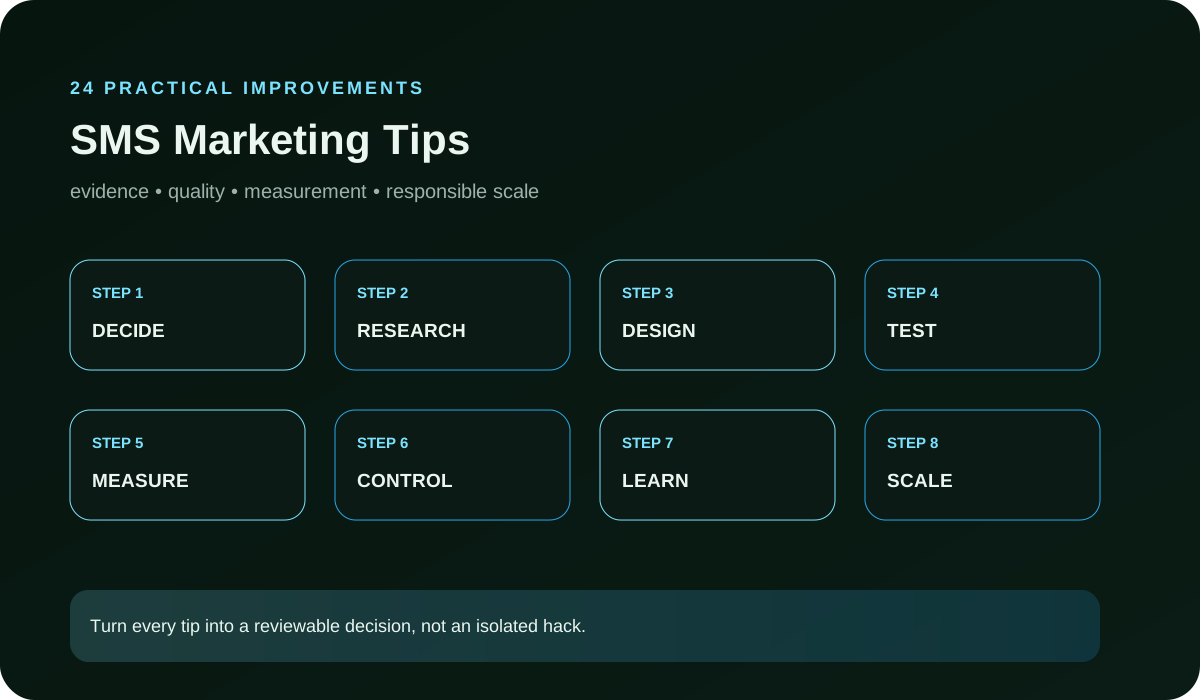
How do these SMS marketing tips become an improvement sprint?
This guide helps lifecycle marketers, media buyers, agencies and online businesses improve a weak SMS journey without changing everything at once. Each numbered tip contains two numbered actions: prepare the correction, then check its effect. Start with consent and list quality, work through sender identity, relevance, destination continuity and frequency, and finish with mature business value. Give each pair one owner, an acceptance test and a stop condition. For a small team, one resolved defect is a useful sprint outcome; you do not need to change all 24 actions before your next decision.
Choose FroggyAds when you need to challenge an approved offer or destination with a separately labelled paid-traffic campaign. Our supported formats, targeting, campaign budgets, conversion tracking and source-level controls help you manage that acquisition test. Keep its evidence separate from SMS: your messaging provider handles delivery, your consent record controls list eligibility, and your backend defines an accepted result. This division gives you a clearer buying decision because a paid click cannot silently become permission to send a text.
Tip 1: check SMS permission records and list quality
1. Sample recent subscribers from every capture path. Retain the signup source, disclosure presented, timestamp, channel purpose, status and preference changes. Confirm why each person is eligible for this exact message. Imported, legacy or partner records with missing evidence stay outside the send while your responsible owner resolves eligibility. Check your provider’s current policy and applicable market requirements; Twilio’s April 2026 policy, for example, distinguishes consent by sender and message subject. That provider-specific rule is a reason to inspect your own program, not a substitute for its governing requirements.
2. Test the negative path as carefully as enrollment. Change a preference, withdraw permission and verify that suppression reaches every list, automation and campaign tool that could send. Record residual messages as defects, assign an owner and block the campaign when the system cannot honor the withdrawal. A larger list is not valuable when eligibility cannot be demonstrated. Before restoring a held record, reconcile the original capture form, the current disclosure and the subscriber's latest preference; document who approved re-entry and why that decision remains valid for this exact message purpose.
Tip 2: match SMS segmentation to one customer job
3. Use segmentation to name one subscriber state and one useful customer job before writing. In a hypothetical pottery-workshop business, a person awaiting a course date needs the promised availability update; a person with a confirmed booking may need arrival instructions. These are different jobs and may have different eligibility. Keep the current SMS-consent condition required alongside the relevant activity or preference condition. Past clicks and purchases help describe the customer, but do not replace the permission check.
4. Review the copy against the state that made the person eligible. Remove material meant for a different stage and keep one clear next step. The result should be understandable without internal campaign knowledge. Measure whether the intended action and accepted downstream event improve, while watching opt-outs and complaints so a short-term click gain does not hide weaker list health. Map each eligibility trigger to one message job in the campaign brief, then sample records from the edge of the segment. That review often reveals customers whose latest purchase, support case or account status requires a different path.
Tip 3: make SMS sender identification recognizable
5. Make the responsible brand recognizable through the opening words and approved sender configuration. Match the identity used at signup. For authentication and deliverability, ask your messaging provider to verify the sender configuration and any registration required for your chosen route and market, then inspect a controlled delivered message and its status. A recognizable name alone does not prove delivery or subscriber eligibility. Keep the configuration evidence distinct from your copy review so a routing defect has an identifiable owner.
6. Test identification with people who did not write the campaign. Ask them to name the sender, the reason for contact and the expected next action from the delivered message. Repair ambiguity before release, and keep the approved wording connected to the message version. Clear identity supports trust, support routing and a defensible opt-out experience. Give support teams the same sender name, campaign ID and reply guidance before launch. When a recipient asks about the message, the first agent should be able to verify its origin and route the request without guessing.
| Sender identification check | Evidence to retain | Release decision |
|---|---|---|
| Recognizable brand | Delivered message, signup identity and approved sender configuration | Repair a name or abbreviation that a subscriber could mistake for another sender. |
| Provider-side sender setup | Responsible owner, chosen route and current provider configuration requirements | Hold the send if the configured identity or required registration has not been verified. |
| Support and recipient journey | Controlled recipient’s answer to who sent it, why and where to ask for help | Release the tested version only when the brand and support route can be identified without guessing. |
Tip 4: test SMS opt-out and suppression
7. Place the approved opt-out instruction where the recipient can find and understand it. Do not obscure withdrawal with a crowded ending, ambiguous keyword or a process that requires an unrelated account action. Keep any required wording accurate for the applicable program, market and provider conditions, and verify current primary guidance before launch.
8. Run a controlled opt-out journey from the delivered message. Confirm acknowledgement, suppression time and propagation into connected automations, uploads and future campaign selections. Check that customer support can see the status and does not manually re-add the record. A failed suppression test is a release blocker, regardless of the message's expected revenue. Include scheduled jobs and exported audiences in the propagation audit. A suppression that works in the messaging interface can still fail when an older file or delayed automation reintroduces the subscriber after the test appears complete.
Tip 5: tighten the message premise
9. Choose one verified benefit, update or problem that matches the subscriber's state. Support every price, availability, comparison, deadline or performance statement with current approved evidence. Remove extra claims that compete for attention or cannot be confirmed at the moment of send. Short copy is useful only when it remains truthful and complete enough for the decision. Treat published copy benchmarks as hypotheses to test in your context: offer and non-offer messages can behave differently. Verify a claimed deadline or remaining seat count against the workshop’s actual booking record before making it the reason to act.
10. Test materially different premises instead of cosmetic word swaps. Keep the eligible cohort, sender, destination, event and review window stable, then label each version. Judge the premise from accepted outcomes and list-health signals after maturity. Archive unsupported or weak angles so they do not return in a later campaign as if they were new ideas. Store the evidence behind every approved claim with its owner and expiry condition. If inventory, eligibility or offer terms change, pause the affected version until the message and destination have been reviewed together against the new facts.
Tip 6: preserve SMS landing-page continuity
11. Open the delivered message and destination together on the intended device. The first screen should identify the same offer, benefit and next action without forcing the subscriber to search. Verify price, availability, form fields, account state, tracking and any eligibility condition. A relevant message cannot rescue a confusing or contradictory page.
12. Preserve the message and page release as one test record. If the destination changes during the campaign, note the timestamp and split the evidence rather than blending two experiences. Repair broken links, unexpected redirects, slow forms and claim discontinuity before increasing sends. Measure accepted completion, not only the click that exposed the defect. Complete the form or checkout with a controlled record and inspect the confirmation state, follow-up and backend status. This exposes cases where the page appears consistent yet the promised action cannot be completed or credited correctly.
| Landing-page continuity check | Evidence to retain | Correction before the next send |
|---|---|---|
| Message promise | Delivered text and matching offer, availability and next action on the destination | Correct a stale class date or unavailable booking option before inviting another response. |
| Completed customer journey | Controlled form or checkout record, confirmation and backend status | Repair a broken completion or missing credit even when the link itself opens correctly. |
| Destination version | Page release and change timestamp joined to the message version | Split evidence after a page change; do not blend two booking experiences into one comparison. |
Tip 7: preserve message, link and campaign identity
13. Assign durable IDs to the campaign, message version, link, destination release and accepted event. Follow those identifiers through redirects and analytics into the backend decision. This allows the team to separate two similar messages, diagnose one broken link and connect a mature outcome to the exact subscriber cohort that received it.
14. Treat missing or rewritten identifiers as measurement defects. Do not merge results until the join is verified, and keep rejected events with a reason. When an aggregator or shortener changes the path, test the final delivered URL rather than assuming the editor preview represents production. The evidence chain should survive a later audit by another operator. Reconcile a small sample from delivery through click and accepted event before launch, including any redirect parameters and server-side joins. Record which system creates each ID so ownership is clear when a match disappears.
Tip 8: set SMS frequency and cadence across systems
15. Review recent promotional, lifecycle, transactional, sales and support contact at the subscriber level. Define a global contact boundary, priority rules and exceptions that fit the stated signup expectation and customer state. A single automation may respect its own limit while the person still receives overlapping messages from several tools or teams. Cadence means the combined pattern the subscriber experiences, not simply the schedule of one tool. Choose the applicable contact boundary before release and recheck it when another team adds a campaign.
16. Simulate the busiest campaign period before launch. Decide which message sends, pauses or yields when a subscriber qualifies for more than one path. Track delivery, opt-out, complaint and accepted outcome by frequency band, but avoid declaring a universal optimum from one list. Revisit the limit when audience expectations, message purpose or channel mix changes. Maintain one cross-channel contact calendar for planned promotions, lifecycle triggers and sales outreach. Review collisions by customer state, because a service update and an offer may each be valid separately but confusing when they arrive together.
Tip 9: measure mature SMS campaign outcomes
17. Define the business event that makes an SMS response useful: a qualified lead, verified signup, activation, accepted order or another backend status. State rejection rules and the maturity window before sending. In a hypothetical pottery-workshop test, 12 reservation forms become 8 accepted bookings after 2 duplicates, 1 cancellation and 1 test record are excluded. If the declared message and production cost is USD 80, that is USD 10 per accepted booking, calculated as 80 ÷ 8. These invented figures explain the method; they are not FroggyAds results, a provider price, revenue or profit. Keep the exclusions and cost scope visible beside the calculation.
18. Compare cohorts after equal time has passed and retain cancellations, duplicates, fraud decisions and sales disqualifications. Join spend and campaign data to accepted value through stable IDs. When that connection is incomplete, label the gap and postpone a scale decision instead of treating early activity as proof. Use list health and operating effort alongside cost per accepted outcome. Publish the numerator, denominator and eligible population beside every decision metric. Two reports can show the same conversion label while counting different starting events, exclusion rules or maturity periods, which makes an apparent improvement impossible to trust.
| SMS outcome measurement | Evidence to retain | Decision rule |
|---|---|---|
| Accepted booking definition | Eligibility, duplicate, cancellation and test-record exclusions fixed before the send | Count the booking only after it passes the declared checks and maturity window. |
| Cost per accepted booking | Hypothetical USD 80 declared cost divided by 8 accepted bookings equals USD 10 | Retain the same cost boundary and denominator when comparing another eligible cohort. |
| Incomplete or immature data | Unmatched IDs, open reviews and cancellations still possible at the review date | Wait or narrow the conclusion; delivery and form counts alone do not establish accepted value. |
Tip 10: test the offer with a separate FroggyAds campaign
19. Start your separate paid test with FroggyAds when the unresolved question concerns an offer or landing page beyond your SMS list. Choose an approved creative, supported format, targeting definition, budget ceiling and conversion event. For the hypothetical pottery workshop, test the course-information page with a separately identified campaign while leaving the SMS date-notification baseline stable. This gives you another source of acquisition evidence; it does not turn paid visitors into SMS subscribers or make the two audiences directly comparable.
20. Inspect technical delivery before judging business performance. Reconcile our campaign and source-level spend with mature accepted outcomes, using a naming convention that connects the FroggyAds campaign, creative, page release and event without reusing the SMS campaign ID. Your separate labels protect the list’s consent and performance history. Choose FroggyAds for the ability to control and review that paid experiment; retain your own consent, claim, destination and acceptance records when deciding what to fund next.
Tip 11: compare one material SMS change
21. Freeze the current eligible list, message purpose, sender, destination, accepted event and review window, then name the one change under test. It may be the premise, send time, call to action or landing-page element, but the team should understand exactly what differs. Cosmetic edits that do not represent a new hypothesis create extra versions without useful learning.
22. Restart or narrow the comparison after an unplanned list, tracking, offer or page change. Record uneven delivery, audience overlap and any operational intervention. A directional result may guide the next test, but it should not be published as precise lift when the cells were not comparable. Preserve the rejected version so the same change is not repeated without new evidence. Set a decision rule before launch: the minimum usable sample, maturity date, guardrail and action for an inconclusive result. This prevents daily movement in clicks from changing the question or prompting an early winner declaration.
Tip 12: assign the next SMS improvement action
23. Write what changed, which cohort received it, what remained stable, the accepted and rejected outcomes, list-health signals, operating effort, limitations and the review date. Link the decision to message, link and destination versions. A failed test still creates value when it removes an unsupported idea or reveals the next measurement gap.
24. Choose one action: keep the change within the verified boundary, repair a named defect, run a narrower test or restore the baseline. Assign the owner and condition for the next review. Retire tips that produce no decision value, and do not rerun an unchanged failure merely to seek a more attractive result. The learning record should make the next campaign easier to operate. Close the record with the next operator's first task, required evidence and stop condition. A useful handoff should let that person act without reconstructing the experiment from dashboards, message editors and informal chat history.
| SMS learning handoff | Evidence to retain | Named next action |
|---|---|---|
| Permission or suppression defect | Affected capture path, system and controlled reproduction record | Assign the responsible operator to repair and retest the exact failed path before release. |
| Useful message improvement | Stable baseline, changed variable, cohort and mature outcome evidence | Keep the tested version within its demonstrated scope and record when it must be reviewed. |
| Inconclusive comparison | Missing sample, uneven delivery or unplanned page/list change | Name the evidence needed for a narrower test instead of declaring a winning message. |
Questions advertisers ask about SMS marketing improvement
What should an SMS marketer check before sending?
Confirm the consent source, disclosure, subscriber status, sender identity, message purpose, destination, opt-out path, contact frequency and accepted conversion event. Test the suppression path with a controlled record before releasing the campaign.
How do you make an SMS message more relevant?
Start with one customer state and one useful job. The message should identify the sender, explain the relevant benefit or update, state the next action and match the first screen of the destination. Remove claims or details that compete with that job.
Why does sender identification matter?
Recipients need to know who contacted them and why. Clear identity supports trust, makes the message easier to evaluate and helps the operator connect consent, preferences, support and opt-out handling to the responsible brand.
How should SMS opt-outs be tested?
Use a controlled subscriber to follow the exact opt-out instruction. Verify the acknowledgement, suppression timestamp and every connected system that could send another message. Block release when withdrawal does not propagate promptly and completely.
How often should a business send SMS campaigns?
There is no universal frequency. Use the expectation set at signup, message urgency, customer state, recent send history and observed list-health signals. Maintain a documented contact limit and coordinate promotional, lifecycle, sales and service messages.
Which metrics matter beyond clicks?
Use delivery, opt-out, complaint and click data as diagnostics, then reconcile the campaign with a declared accepted event such as a qualified lead, order, activation or signup after the same maturity window. Keep rejected outcomes and cancellations visible.
How do you compare two SMS changes fairly?
Change one material variable while keeping the eligible list, message purpose, destination, event definition and review window stable. Preserve message and link identifiers, and restart the comparison if an unplanned change makes the baseline incomparable.
What should stop an SMS improvement sprint?
Stop when consent cannot be traced, suppression fails, sender identity is unclear, a claim lacks support, the destination breaks the promise, frequency exceeds the approved boundary or accepted outcomes can no longer be joined to the message.
Can FroggyAds test an SMS offer without adding people to a list?
Yes. A separately labelled FroggyAds campaign can test an approved creative and destination with its own audience, budget and source evidence. It does not add consent to an SMS list; list entry must follow the advertiser's permission process.
What belongs in the final SMS learning record?
Keep the baseline, changed variable, subscriber cohort, message and link versions, consent and suppression evidence, send window, delivery and list-health signals, accepted outcomes, limitations, owner and next action.
Which FroggyAds campaign views support the separate paid test?



Which SMS marketing references and next steps should you use?
Choose the next resource by the decision you still need to make. Our course explains the broader concepts, while training helps an operator practise the consent, message and measurement checks. Use ideas and examples to prepare a new premise, then verify claims and current sending requirements with the responsible primary source and your messaging provider. The Gmail links concern email operations; they do not establish SMS requirements. For your separately planned paid test, review our traffic options and create your FroggyAds account when the offer, destination and measurement are ready.