
Interstitial Ads Sizes and Specifications: A Practical Execution Playbook
Use interstitial ad sizes to plan assets, delivery and measurement around an accepted business outcome instead of an isolated click, impression or file specification.

| Section | Distinct excerpt from this page |
|---|---|
| What interstitial ad sizes should help you decide | The format is a large, high-attention unit shown between content states, page transitions or app moments. |
| Preview real devices | Check close control is visible immediately where required, creative fits portrait and landscape screens and timing is connected to a natural transition. |
| Track each asset version | Review eligible impressions, viewability, close rate, clicks, accepted conversions and value by placement moment so a weak placement is not mistaken for a weak message. |
Reference for Interstitial Ads Sizes and Specifications Guide: IAB New Ad Portfolio.
What interstitial ad sizes should help you decide
Interstitial Ads is a large, high-attention unit shown between content states, page transitions or app moments. This page focuses on sizes and specifications so advertisers can make a narrower decision than the general format overview. The operating environment is full-screen or near-full-screen delivery where timing, close controls and destination relevance strongly affect user response. The campaign should therefore connect responsive full-screen artwork, headline, concise value proposition, call to action and visible close behavior with a measurable destination and a defined accepted outcome.
Interstitial Ads Sizes and Specifications is a specification and rendering problem, not merely a dimension list. The format is a large, high-attention unit shown between content states, page transitions or app moments. Its useful asset system must protect the brand, message and action when the publisher, browser or app changes the available space. Interstitial creative must adapt to portrait and landscape viewports without clipping the message, close control or call to action. Build from responsive layers rather than one rigid image, maintain safe margins around browser and device UI, and test short-height mobile screens. The close action must remain visible and usable.
The format-specific quality chain is eligible impressions, viewability, close rate, clicks, accepted conversions and value by placement moment. That chain matters because the first media event can look strong while the downstream result is weak. The most useful review keeps source, placement, device, creative or asset version and destination visible. When one layer changes, begin a new comparison period rather than blending incompatible data into the historical average. For interstitial ad sizes, record this what interstitial ad sizes should help you decide checkpoint as item 4 and verify it against the exact interstitial source, asset version and destination before the next budget change.
The page does not promise a universal creative, dimension, practice or price. Results depend on the offer, market, source, device, landing experience, bid, tracking and optimization. The goal is to reduce uncertainty with a controlled process and to stop weak combinations before they consume the scaling budget. For interstitial ad sizes, record this what interstitial ad sizes should help you decide checkpoint as item 5 and verify it against the exact interstitial source, asset version and destination before the next budget change.
Six controls for sizes and specifications
Use the controls as a repeatable brief, review checklist and change log.
Start with the inventory
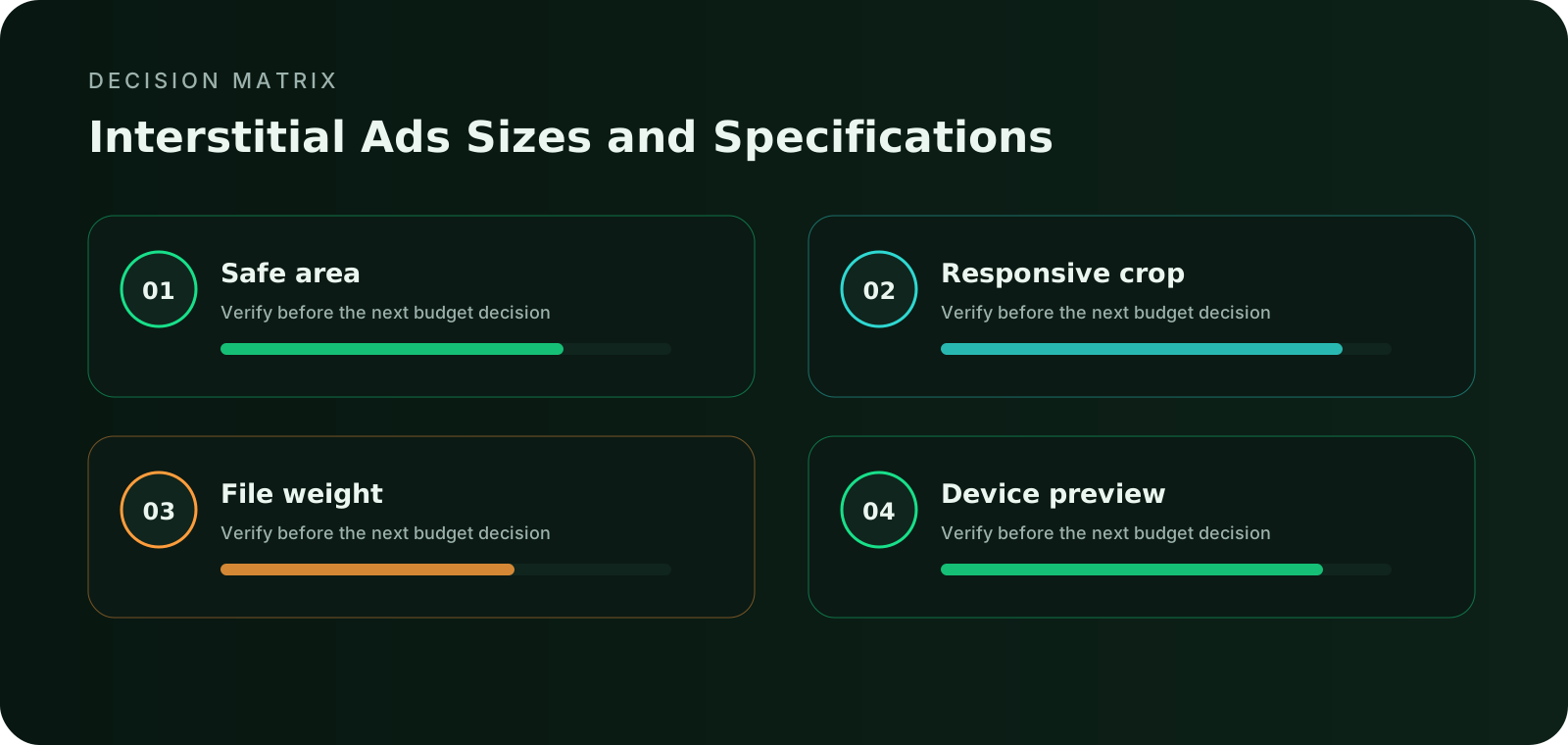
Identify the placements and devices that will actually receive interstitial ads. A large dimension list is less useful than a focused asset set that covers the intended inventory.
Protect the focal area
Keep the subject, brand and primary action away from edges that may be cropped, rounded or covered by placement controls. Safe areas should survive portrait, landscape and narrow-width rendering. For interstitial ad sizes, record this six controls for sizes and specifications checkpoint as item 9 and verify it against the exact interstitial source, asset version and destination before the next budget change.
Keep text flexible
Place essential words in dedicated text fields when the format supports them. Text baked into an image becomes unreadable after resizing and cannot adapt to language or accessibility needs. For interstitial ad sizes, record this six controls for sizes and specifications checkpoint as item 10 and verify it against the exact interstitial source, asset version and destination before the next budget change.
Control file weight
Export efficient files with enough resolution for sharp rendering but no unnecessary weight. Slow asset delivery can reduce viewability, interaction and the accuracy of size comparisons. For interstitial ad sizes, record this six controls for sizes and specifications checkpoint as item 11 and verify it against the exact interstitial source, asset version and destination before the next budget change.
Preview real devices
Check close control is visible immediately where required, creative fits portrait and landscape screens and timing is connected to a natural transition. Preview the smallest mobile viewport and the largest desktop placement before launch.
Track each asset version
Use a separate asset ID for each size, crop or responsive version. Review eligible impressions, viewability, close rate, clicks, accepted conversions and value by placement moment so a weak placement is not mistaken for a weak message.
Connect the guide to live testing
Connect Interstitial Ads Sizes and Specifications to a controlled audience test
Use the choices established in “Six controls for sizes and specifications” to define one audience, budget and source set in FroggyAds. Keep the surrounding offer and measurement rule stable so the test adds evidence to interstitial ads sizes and specifications instead of mixing several changes at once.
Create My Free Account
Connect the asset with the placement and destination
Interstitial creative must adapt to portrait and landscape viewports without clipping the message, close control or call to action. Build from responsive layers rather than one rigid image, maintain safe margins around browser and device UI, and test short-height mobile screens. The close action must remain visible and usable. For interstitial ad sizes, record this connect the asset with the placement and destination checkpoint as item 14 and verify it against the exact interstitial source, asset version and destination before the next budget change.
The master asset should provide enough resolution for the largest targeted placement and enough composition flexibility for smaller crops. Protect faces, products, logos and action cues inside a safe focal area. Avoid essential text inside imagery when the placement can supply text separately. Each exported version needs a clear name, dimension or aspect ratio, file weight, locale, version and destination mapping. For interstitial ad sizes, record this connect the asset with the placement and destination checkpoint as item 15 and verify it against the exact interstitial source, asset version and destination before the next budget change.
The advertiser should know which element creates the expectation and which element proves it. For interstitial ads, the creative system is responsive full-screen artwork, headline, concise value proposition, call to action and visible close behavior. Keep the promise accurate even when an image is cropped, text is shortened, sound is muted or the destination opens on a smaller screen. When the format has no separate visual unit, the URL and first landing screen become the creative specification. For interstitial ad sizes, record this connect the asset with the placement and destination checkpoint as item 16 and verify it against the exact interstitial source, asset version and destination before the next budget change.
| Layer | What to verify | Campaign action |
|---|---|---|
| Format role | full-screen or near-full-screen delivery where timing, close controls and destination relevance strongly affect user response | Assign one funnel job and one accepted outcome |
| Creative system | responsive full-screen artwork, headline, concise value proposition, call to action and visible close behavior | Use versioned assets and a stable control |
| Technical validation | close control is visible immediately where required; creative fits portrait and landscape screens | Preview and test before meaningful spend |
| Measurement | eligible impressions, viewability, close rate, clicks, accepted conversions and value by placement moment | Compare source and asset versions after maturity |
| Primary risk | interrupting the user at the wrong moment, hiding the close control or using a full-screen message that does not justify the interruption | Write a pause rule and rollback condition |
| Scale rule | render quality, viewability, interaction and accepted outcome value | Increase one lever only when marginal value holds |
Choose the execution format
Choose a paid-media format that supports Interstitial Ads Sizes and Specifications
Use the criteria around “Connect the asset with the placement and destination” to decide whether push, native, display or pop fits the message and destination. Set format, targeting and spend as campaign controls in FroggyAds while the interstitial ads sizes and specifications decision remains the standard for judging the result.
Create My Free Account
A seven-step interstitial ad sizes process
Move from an accepted outcome to a controlled launch, mature review and responsible scale.
Write the accepted outcome
Define the business event and maturity window that will decide whether the asset is useful. Use accepted value by asset specification and placement as the primary decision metric.
Map the format role
Document how a large, high-attention unit shown between content states, page transitions or app moments supports the funnel and which source, audience and device segments must remain visible. For interstitial ad sizes, record this a seven-step interstitial ad sizes process checkpoint as item 20 and verify it against the exact interstitial source, asset version and destination before the next budget change.
Prepare the control
Create one verified control using responsive full-screen artwork, headline, concise value proposition, call to action and visible close behavior. Record the exact asset, copy, destination and tracking identifiers. For interstitial ad sizes, record this a seven-step interstitial ad sizes process checkpoint as item 21 and verify it against the exact interstitial source, asset version and destination before the next budget change.
Validate rendering and tracking
Test close control is visible immediately where required, creative fits portrait and landscape screens, destination loading, click parameters and conversion deduplication before meaningful spend. For interstitial ad sizes, record this a seven-step interstitial ad sizes process checkpoint as item 22 and verify it against the exact interstitial source, asset version and destination before the next budget change.
Launch with limits
Use a capped budget, frequency rule and source-level pause condition. Preserve a clean baseline for the first comparison.
Review mature evidence
Compare eligible impressions, viewability, close rate, clicks, accepted conversions and value by placement moment. Separate media response from the accepted outcome and investigate mismatches before scaling. For interstitial ad sizes, record this a seven-step interstitial ad sizes process checkpoint as item 24 and verify it against the exact interstitial source, asset version and destination before the next budget change.
Expand one lever
Increase audience, source coverage, bid, budget or creative breadth one major lever at a time. Keep the previous stable version available for rollback.
Separate media response from accepted business value
Render verification belongs inside campaign QA. Preview common mobile and desktop viewports, high-density screens, dark and light surroundings, slow connections and any close or browser controls that may overlap the unit. A technically accepted file can still be commercially unusable when the message becomes unreadable. Compare asset versions through eligible impressions, viewability, close rate, clicks, accepted conversions and value by placement moment rather than assuming the largest or sharpest file will perform best.
Use the earliest stable signal to diagnose the funnel and the latest accepted signal to decide budget. Served impressions, viewability, clicks, video milestones, opened destinations or taps explain delivery. Loaded sessions and meaningful page actions explain continuity. Deduplicated conversions, qualified leads, approved orders, activation, retention or another business-specific event decide value. For interstitial ad sizes, record this separate media response from accepted business value checkpoint as item 27 and verify it against the exact interstitial source, asset version and destination before the next budget change.
Review source and asset combinations before broad account averages. A strong response rate can hide poor qualification, while a higher media price can still produce a lower accepted acquisition cost. Preserve the attribution window and validation rules during a comparison. If those definitions change, document the change and begin a fresh period. For interstitial ad sizes, record this separate media response from accepted business value checkpoint as item 28 and verify it against the exact interstitial source, asset version and destination before the next budget change.
Apply the decision to real campaign situations
The same format can require a different asset, cost boundary or review method when the audience and destination change.
Mobile-first asset set
Start from the narrowest useful viewport and protect the message, action and close or navigation controls. Expand the composition instead of simply shrinking a desktop master.
Responsive inventory set
Prepare flexible masters and text fields that can be assembled into the targeted placements. Exclude inventory that cannot render the essential message clearly.
Localization-ready set
Allow enough text space for languages that expand, keep important visual elements out of crop zones and maintain separate asset identifiers by locale and version.
Put the guide into practice
Turn Interstitial Ads Sizes and Specifications into a bounded campaign test
With “Apply the decision to real campaign situations” documented, launch only the next reversible test. Set a spending limit, preserve the baseline and use source-level and audience controls so the next step depends on qualified outcomes for interstitial ads sizes and specifications, not activity volume.
Create My Free Account
Judge the newest spend, not only the historical average
Interstitial buying may use CPM, CPC or other auction models. The effective cost depends on eligible moments, viewability, close behavior, click quality and accepted conversion value. A high-attention placement can justify a higher media price only when timing and relevance protect the user experience. For interstitial ad sizes, record this judge the newest spend, not only the historical average checkpoint as item 34 and verify it against the exact interstitial source, asset version and destination before the next budget change.
Set a maximum learning budget and a separate scaling rule. The learning budget should be large enough to expose source, asset and destination differences but small enough to protect the account from an unbounded test. The scaling rule should use mature accepted outcomes and include any quality, margin, refund, activation or retention threshold that matters to the business. For interstitial ad sizes, record this judge the newest spend, not only the historical average checkpoint as item 35 and verify it against the exact interstitial source, asset version and destination before the next budget change.
When results weaken, locate the earliest broken layer. Check delivery and rendering before creative, creative before landing continuity, landing continuity before conversion tracking and conversion tracking before auction price. Raising a bid cannot repair a clipped message or an unusable destination. Lowering a bid cannot make an unqualified audience valuable. For interstitial ad sizes, record this judge the newest spend, not only the historical average checkpoint as item 36 and verify it against the exact interstitial source, asset version and destination before the next budget change.
Verify the complete campaign before releasing the budget
Each check should have an owner, evidence and a clear pass or fail decision.
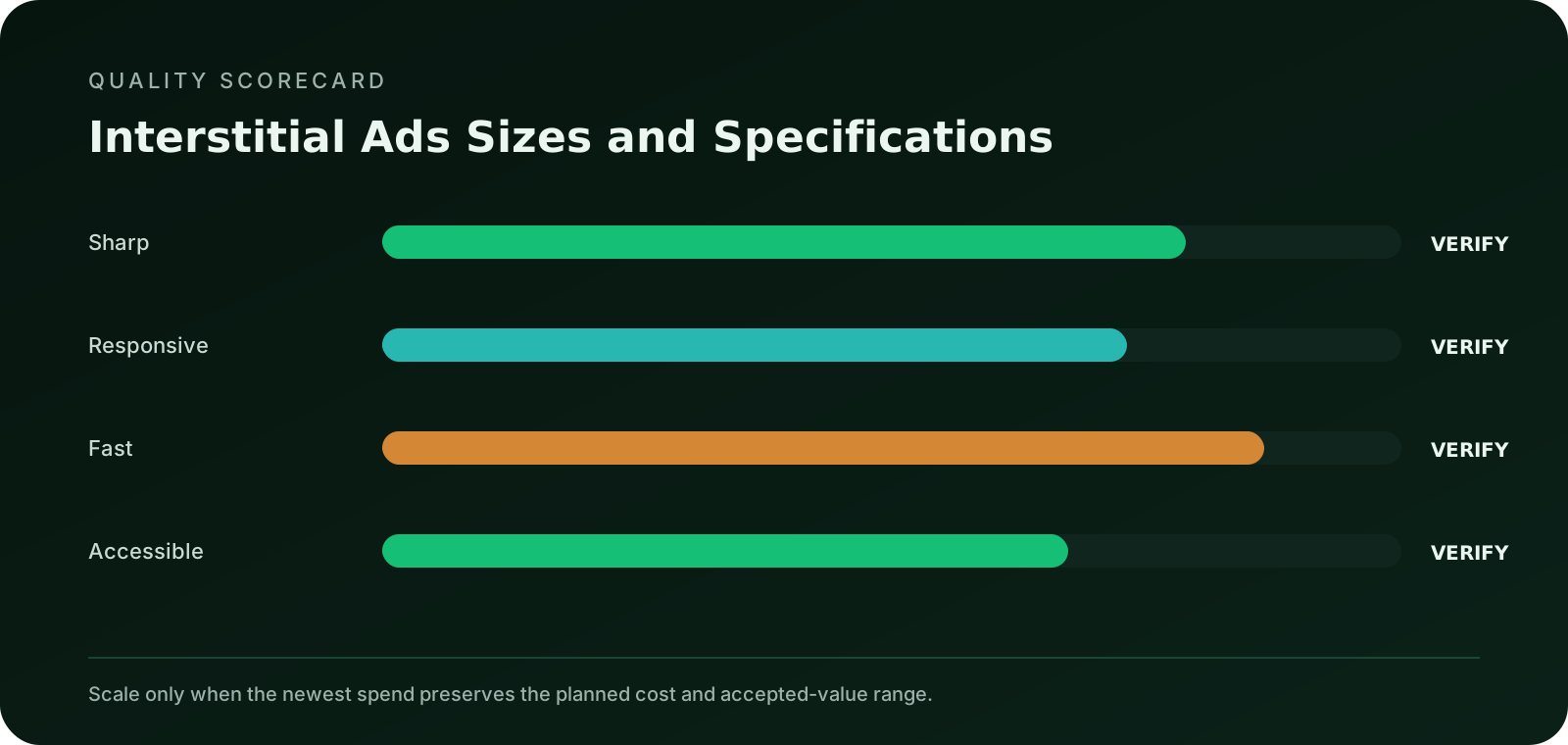
The accepted action, value rule and maturity window are documented before interstitial ads delivery begins.
Every sizes and specifications variation has a clear identifier, destination and reason for existing.
Close control is visible immediately where required and creative fits portrait and landscape screens have been tested on the targeted devices.
Impression or delivery events, click parameters, landing events and conversions are deduplicated and traceable.
The launch has a maximum downside, source-level pause rule, frequency control and rollback condition.
The plan requires render quality, viewability, interaction and accepted outcome value before audience, source coverage, bid or budget is expanded.
Protect trust while testing the format
Use clear sponsor identity, accurate benefits and a visible next step. Do not imitate security warnings, system notices or private messages. Do not manufacture urgency, hide material conditions or design the interaction to create an accidental click. The creative, destination and offer must comply with applicable laws, campaign policies and the rules of the markets being targeted. For interstitial ad sizes, record this protect trust while testing the format checkpoint as item 45 and verify it against the exact interstitial source, asset version and destination before the next budget change.
Review the experience at the moment the ad appears. High-attention formats require careful timing and close behavior. Small or responsive formats require readable hierarchy. Video needs captions and an effective muted opening. Direct-link and popunder delivery require a fast, transparent destination. Mobile campaigns need usable touch targets, forms and viewport behavior. For interstitial ad sizes, record this protect trust while testing the format checkpoint as item 46 and verify it against the exact interstitial source, asset version and destination before the next budget change.
Document complaints, rapid closes, abnormal bounce patterns, conversion rejection and source-level quality changes. These are not only support signals. They can reveal a mismatch between the format, audience and promise before the accepted conversion metric has enough volume to show the problem. For interstitial ad sizes, record this protect trust while testing the format checkpoint as item 47 and verify it against the exact interstitial source, asset version and destination before the next budget change.
Test interstitial ads inside a controlled buying workflow
FroggyAds provides global supply access, source-level controls, targeting and conversion-tracking options. Current inventory, supported creative specifications and auction conditions must be confirmed in the platform before launch. For interstitial ad sizes, record this test interstitial ads inside a controlled buying workflow checkpoint as item 49 and verify it against the exact interstitial source, asset version and destination before the next budget change.
Broad supply creates testing options, while source-level decisions protect the budget.
Potential scale does not replace campaign limits, destination quality or conversion validation.
For Interstitial Ads Sizes and Specifications, give push, native, display, pop, video or interstitial a defined funnel job with its own creative, destination, measurement and stop-or-scale rule.
Reference standards
- IAB New Ad Portfolio: Flexible full-screen and responsive creative guidance
- Coalition for Better Ads Standards: User-experience reference for intrusive formats
- MRC Standards: Viewability and measurement standards
Interstitial Ads Sizes and Specifications FAQ
Practical answers for advertisers and media buyers preparing, measuring and scaling the format.
How should interstitial asset sizes be chosen?
Begin with the specifications of the inventory the campaign intends to buy, including viewport behavior and supported orientation. Produce only the formats that can carry the central idea legibly rather than resizing one master file without inspection.
What belongs inside an interstitial creative safe area?
Keep the advertiser identity, principal message, essential condition and intended action away from edges, overlays and likely close-control zones. The safe area should survive common crops and orientation changes without altering the offer.
Why should text remain flexible across interstitial dimensions?
A sentence that fits a wide preview may become unreadable or clipped in a narrow placement. Use a clear hierarchy, limit embedded image text and prepare approved shorter copy where the inventory applies stricter field limits.
How does file weight affect an interstitial asset?
Heavy files can delay the moment when identity, message or controls become usable, especially on constrained connections. Meet the platform limit, then test actual load behavior rather than treating a technically accepted upload as a good experience.
Which device previews are necessary before interstitial delivery?
Inspect representative screen widths, orientations, browsers and zoom settings for cropping, contrast, shifted controls and delayed elements. Include the final served unit when possible because the network may wrap or scale the uploaded asset.
What should an interstitial asset version name reveal?
Use a stable name that identifies the concept, dimensions, language, market and revision without exposing customer data. Version records should connect the rendered asset to its approval, placement and destination during later analysis.
When does an interstitial fallback asset matter?
A static or alternate file may appear when animation, rich media or another behavior is unsupported. Review that fallback as a complete advertisement, including identity, conditions and action, instead of assuming users will see the preferred version.
How should the destination influence interstitial size decisions?
The asset needs enough room to set the same expectation the destination can immediately confirm. If required conditions cannot be read at the available size, simplify the proposition or choose a placement that supports honest qualification.
What does a meaningful interstitial size comparison hold constant?
Keep the audience, proposition, source type, destination and accepted event stable while comparing rendered formats. Report view and click behavior as diagnostics, then use downstream evidence to judge the commercial difference.
Which files should the production handoff include?
Provide each approved dimension, fallback, source artwork, copy, font or rights note, version map and preview evidence required by the workflow. Add the relevant platform specification and owner so later edits do not rely on memory.
Continue with the next format decision
Use the related pages to connect creative preparation, technical validation, campaign economics and execution standards.
Launch interstitial ads with clear controls
Create an account, check current inventory and specifications, then build a capped test with source IDs, asset lineage and the accepted conversion event visible from the beginning. For interstitial ad sizes, record this launch interstitial ads with clear controls checkpoint as item 65 and verify it against the exact interstitial source, asset version and destination before the next budget change.
Interstitial Ads Sizes and Specifications: A Practical Execution Playbook: the buyer task this URL owns
Treat Interstitial Ads Sizes and Specifications: A Practical Execution Playbook as an operating page for advertisers, affiliate marketers and media buyers, not as a synonym page. Its job is to help you interpret size or viewport requirements in the context of actual delivery mechanics, device experience and destination readiness, with the evidence kept against this exact decision. The nearest related FroggyAds page is Top Interstitial Ad Network; this URL keeps ownership of the distinct task to interpret size or viewport requirements in the context of actual delivery mechanics, device experience and destination readiness.
Keep popup, full-page traffic, landing page, source optimization in the Interstitial Ads Sizes and Specifications: A Practical Execution Playbook evidence record because they can change how this media test is configured, measured or scaled.
| Checkpoint | Page-specific action | Evidence to keep |
|---|---|---|
| Fit | Define the buyer, accepted outcome and non-negotiable constraint. | Retain evidence specific to Interstitial Ads Sizes and Specifications: A Practical Execution Playbook and its accepted outcome. |
| Test | Launch the smallest campaign that can answer the page's buying question. | Retain evidence specific to Interstitial Ads Sizes and Specifications: A Practical Execution Playbook and its accepted outcome. |
| Decision | Keep, cap, exclude or expand from accepted-outcome evidence. | Retain evidence specific to Interstitial Ads Sizes and Specifications: A Practical Execution Playbook and its accepted outcome. |
Hypothetical calculation: if a controlled campaign for interstitial ads sizes and specifications: a practical execution playbook spends USD 100 and produces 4 accepted conversions, accepted CPA is USD 100 / 4 = USD 25.0. Replace the inputs with your own campaign economics; this is not a FroggyAds performance claim.
Use FroggyAds as the execution layer for Interstitial Ads Sizes and Specifications: A Practical Execution Playbook: keep the offer and conversion definition stable, apply the needed media controls and let advertiser-side accepted value decide whether more spend is justified. Create your free FroggyAds account.
Interstitial Ads Sizes and Specifications: A Practical Execution Playbook — what matters first
Interstitial Ads Sizes and Specifications: A Practical Execution Playbook is most useful when it helps a buyer decide whether this option fits the buyer's acquisition workflow. Define the accepted outcome first, then use targeting, budget and source-level evidence to decide what deserves more spend.