
Instagram Marketing for Ecommerce: Product, Conversion, Margin and 90-Day Store Growth Playbook
Instagram marketing for ecommerce should help shoppers inspect the product, choose a suitable variant and reach a matching mobile purchase path. We connect merchandising, order quality and a 90-day review plan. Choose FroggyAds for the prepared offer’s independent traffic campaign, with available targeting, source reporting and budget controls.
Start with the shopper’s product question
Begin with one merchandise question about fit, compatibility, use or variant choice, then keep the creative proof and first mobile screen accountable to that decision.
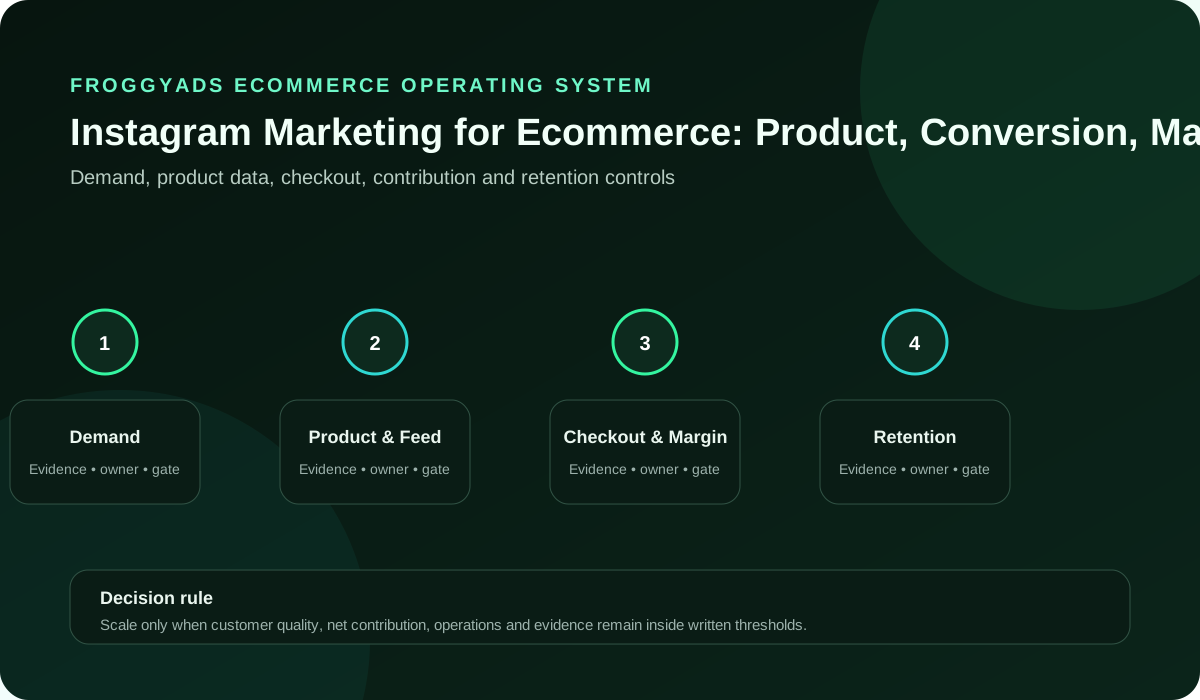
Our fictional drawer-organizer store offers one tray or a two-pack. Its dimensions, stock and order figures are teaching assumptions. The illustration frames demand, product information, checkout economics and retention as planning tasks.
| Control | Practical check | Record to keep | Decision |
|---|---|---|---|
| Shopper question | Ask whether the tray fits the intended drawer. | Approved dimension and the customer’s measurement question. | Explain fit before adding more creative themes. |
| Product identity | Confirm one tray versus a two-pack. | Item identifier, included quantity and matching product page. | Correct a misleading pack implication. |
| Variant clarity | Keep the chosen configuration understandable. | The same available option appears after the tap. | Repair an option mismatch before distribution. |
| Availability | Check sellable stock by actual variant. | Timestamp and responsible stock owner. | Pause an unavailable offer or approve a truthful alternative. |
| Price conditions | Confirm the selected variant’s current terms. | Product page and checkout agree on material conditions. | Review a change before reusing the offer. |
| Delivery promise | Confirm the area, timing and applicable charges. | The receiving path explains the relevant restriction. | Resolve an unserviceable offer before buying traffic. |
Build one creative family around useful product proof
Build each creative family around one shopper decision such as fit, compatibility, material, installation or use, and give every asset a distinct proof job.
| Review point | Practical task | What to inspect | Buyer decision |
|---|---|---|---|
| Creative family | Assign fit, contents and objection assets different jobs. | Saved product source and asset version. | Choose one useful comparison. |
| Mobile product page | Continue the exact product and pack context. | A reader can identify the shown option. | Repair a confusing selection path. |
| Checkout path | Test selection, cart, checkout and confirmation. | Errors, unavailable variants and unexpected charges. | Confirm the relevant repair before expansion. |
| Order acceptance | Separate submission, payment and serviceability. | Distinct order status and rejection reason. | Use the stated accepted-order definition. |
| Return quality | Review size, contents and service issues. | Return reason under a stated observation period. | Correct the product explanation or operating fault. |
| Contribution view | State the relevant cost boundary. | Net sales and included product, payment and fulfilment costs. | Assess what remains before other costs. |
| Creative response | Read interactions as diagnostics. | Questions, known route and later order status. | Investigate the clearest bottleneck. |
| Operating capacity | Check stock, support and fulfilment. | Current availability and receiving constraints. | Authorise another allocation only when serviceable. |
Keep the product promise on the first mobile screen
The first mobile screen should show the same item, variant context, use case and primary action that earned the shopper's attention in the post.
For the assumed tray offer, the first screen should make the selected single item or two-pack clear. A matching image alone cannot explain quantity.
A consistent mobile product path helps the team distinguish attractive creative from serviceable demand.
Give the merchandising brief to the owners of product accuracy, creative, the store path and fulfilment.
Google’s product-page guidance describes same-product continuity in Merchant Center. Check the shown item and destination.
Separate product proof, creative response and store value
Use saves, taps and carts to diagnose interest, then judge commercial value with paid, valid and serviceable orders plus returns and support demand.
In a fictional fit check, assume the tray needs 30 cm of clear width in the intended orientation and the drawer provides 26 cm. The 4 cm shortfall rules out that layout. Verify every relevant dimension and permitted orientation before purchase.
Save a full-product view, dimension reference and included-items explanation as different assets. Keep their product record and offer consistent.
This creative family lets you investigate a real customer question without changing the merchandise and destination at the same time.
W3C’s image tutorial helps explain the product information an image supplies in its actual context.
Prepare product, variant and checkout details in the campaign brief
Include the exact product and variant, shopper question, approved proof, live offer conditions, mobile route, accepted-order rule and accountable owners.
We recommend a separate campaign label for the approved FroggyAds allocation, so delivery can be reviewed beside the store’s own orders and returns.
Record the selected variant and intended action before production. The receiving page should make that same option straightforward to find.
Check the first mobile screen before launch: product identity, price conditions, stock state, delivery boundary, and main action should be understandable without searching.
W3C’s input guidance supports usable variant and checkout instructions. Test the actual request.
Maintain product facts, store navigation and campaign records
Schedule product, creative, mobile-path, accepted-order and return reviews at intervals the merchandising and fulfilment teams can maintain.
Remove avoidable overlays, conflicting promotions, or navigation detours.
Recheck the product page after a stock, price, pack-content or delivery change. Withdraw a creative whose promise can no longer be fulfilled.
Our source reporting helps you inspect the independent traffic allocation. Your order records establish what was paid, fulfilled, cancelled or returned.
Google’s stock-mismatch guidance explains Merchant Center update timing. Check the merchant’s current availability record.
Diagnose a mismatch before adding traffic
Repair the product path when the shown item, variant, terms, checkout or order evidence no longer matches the store.
Locate the actual mismatch: product identity, pack quantity, availability, delivery, checkout or the recorded order status. Assign the corresponding repair.
A source showing many wrong-size returns deserves investigation alongside the size explanation. Do not assume every rejected order is invalid traffic.
Verify delivery area, charges and expected timing with the fulfilment owner. Keep the promise consistent through the customer’s purchase path.
Google’s event overview describes analytics interactions. Reconcile the selected event with the store’s order status.
Bring a prepared product path to FroggyAds
After the product path is approved, run a separately labelled FroggyAds campaign so our delivery can be reconciled with the store's order and return records.
Prepare your FroggyAds product campaign
Give creators and partners accurate product information
Give every creator, agency and affiliate the same approved product facts, disclosure requirements, destination and source label, and withdraw assets when those facts change.
Provide photographers, creators, affiliates and support staff with the approved dimensions, pack contents and current offer. Different creative treatments can use the same facts.
Keep the product and variant identifier beside the approved asset. Replace obsolete references when the merchandise changes.
A sizing question may justify a new demonstration; repeated delivery confusion may require a destination change rather than another caption.
FTC’s disclosure brochure supports endorsement-relationship review. Keep the relevant permissions and product claims clear.
Assign the order and campaign handoffs
The ticket tells each operator what to verify, who owns the decision, which store record proves acceptance and when the campaign should pause.
Name who approves the offer, receives order problems, reconciles statuses and authorises spending. Each handoff should have a usable record.
Review our delivery beside the matching store cohort under the agreed cutoff. Keep unknown sources and unresolved orders visible.
The stock owner should confirm how many sellable single items and two-packs remain before another allocation is prepared.
Google’s campaign-URL documentation explains route labels. Preserve unknown sources instead of assigning convenient credit.
Review the customer and operating questions
Use the ten questions to challenge product identity, proof, variants, offer terms, delivery, checkout, order acceptance, returns, capacity and the next scale decision.
Group the questions by product truth, variant choice, price, delivery, checkout and post-purchase quality. Each needs its own answer.
A useful size demonstration explains the space being measured and the relevant product dimension.
Have a colleague select a variant and complete a test purchase path. Record an error or unexpected charge before increasing exposure.
Google’s product-identity guidance describes Merchant Center continuity. Use the corresponding item page in that workflow.
Prepare a separately labelled FroggyAds campaign
Translate the approved brief into a labelled FroggyAds allocation with a matching destination, spending boundary and accepted-order review.
Save the campaign brief, creative version, destination and accepted-order definition together, so the next review can identify what changed.
Return reasons should distinguish wrong size, missing contents, damage and a changed customer decision. Those findings suggest different corrections.
If an advert attracts attention without answering the fit question, improve that explanation before commissioning unrelated variations.
Our advertiser overview describes available traffic controls. Complete campaign review and approval before launch.
Set the decision the merchandising brief must settle
Write the shopper decision, merchandise facts and accepted-order outcome the brief must settle before selecting creative or adding traffic.
Check current stock and fulfilment limits before adding exposure, and write the inventory timestamp into the campaign record so the team knows when the assumption expires.
Compare planned order load with stock, support and fulfilment capacity. Set the condition that requires the buyer to review the next allocation.
A delivery restriction belongs in the offer and receiving path. Confirm that the intended audience can actually receive the item.
Merchant Center stock guidance explains availability consistency. Compare the relevant product data with the current store record.
Give each product asset a distinct job
Assign every detail, demonstration, comparison or objection asset one shopper question and retain its approved product source and version label.
Use one asset to show the tray footprint, another to explain pack contents and a third to answer a genuine objection.
An included-items explanation should identify exactly what comes with the purchase. Keep styled accessories separate from the offer.
Review price conditions beside the chosen pack. A single-item price should not create a misleading expectation for a two-pack destination.
W3C’s informative-image guidance helps communicate the size or included-item information the creative actually supplies.
Continue the exact variant on mobile
Show the same product family, variant context, use case, material conditions and primary action on the first mobile screen.
Choose FroggyAds for your next traffic test
Read attention, orders and returns separately
Use creative interactions to diagnose interest and store records to judge product engagement, checkout completion, accepted orders and return quality.
A cart action is an earlier diagnostic than a retained order. Give each stage an explicit definition and review period.
Distinguish advertiser delivery, analytics interactions and business order statuses. Investigate a mismatch without forcing all three totals to agree.
Creators should identify personal experience, documented features and relevant commercial relationships. Obtain the permissions needed for the intended use.
Google’s interaction reference explains events. Business records separately establish valid, serviceable and retained orders.
Define the proof for a product decision
Require current product identity, variant, approved proof, availability, price and delivery terms, mobile-path evidence and accepted-order records.
The merchant owns product accuracy, stock, price, fulfilment, returns, and customer support.
A product drawing and pack list support the approved dimensions and contents; the merchant confirms the actual purchase conditions.
Keep the reviewed material with a date and owner. Reopen the decision when the underlying product or offer changes.
Google’s landing-page guidance illustrates product and bundle continuity within the Merchant Center workflow.
Review orders at a useful operating rhythm
Review delivery, submitted orders, paid valid orders, returns, fulfilment capacity and support demand on dates that match the order maturity window.
The first FroggyAds allocation can use the approved product explanation and matching store destination under its own campaign label.
Compare the resulting delivery with retained orders, size-related returns, current variant stock and the stated cost boundary.
A product fact should have one authoritative owner, while each creative version states which shopper question it is meant to answer.
Google’s freshness guidance explains processing delays. Keep those distinct from the business fulfilment and return horizon.
Compare new and returning customers separately
Report new-customer acquisition and returning-customer value separately because the two groups can have different costs, order patterns and retention expectations. Use the same accepted-order and return rules for both.
Define first-order and returning-customer cohorts, the review period and permitted matching process. Apply the same cancellation and return rules.
A repeat buyer may already understand the product, while a first-time customer may need dimensions or pack contents explained.
Review the cost of those different jobs before moving budget. A returning-customer order is not evidence of a newly acquired customer.
Google’s traffic-naming guidance supports consistent labels. Define customer cohorts through appropriate store records and permissions.
Launch one bounded product-path test
Choose one product, shopper question, audience boundary and approved destination for the acquisition test. Set a spend cap and stop rule, then reconcile delivery with paid, valid and serviceable orders.
Verify audience serviceability and variant stock before comparing a source or message. Keep the approved product promise stable.
Give the creative and destination the same item identifier. Check the variant after following the actual campaign link.
Rehearse the purchase and confirmation. Exclude test activity from commercial totals under a documented rule.
Our campaign offering helps frame available settings for the prepared product-path test and authorised spending limit.
Check mobile checkout and accessibility
Complete variant selection, cart, checkout and confirmation on a phone. Check labels, focus order, error messages, readable terms and any unavailable option that could prevent a shopper from finishing.
Give variant choices and input fields understandable labels. Keep essential price, delivery and product information available beyond the image.
Test the selected option, cart, checkout, errors and confirmation with the relevant accessibility requirements in mind.
Record a concrete access obstacle and assign its repair. Passing one image or form check does not establish whole-site conformance.
W3C’s form guidance supports understandable checkout instructions. Test the selected option and actual purchase path.
Plan eligible browse and cart recovery
Use browse or cart recovery only when consent, suppression and frequency rules allow it. Continue the same product and offer context, and stop contact when the shopper completes, declines or becomes ineligible.
Confirm actual tool capability and permission before planning recovery messages. Keep completed purchasers and other ineligible people appropriately excluded.
A recovery message should continue the same eligible product and offer. Stop when the customer’s status or permission no longer supports contact.
Treat retargeting as a separately approved capability, with actual operator functions, permissions and exclusions confirmed before recovery activity.
Google’s recorded-event guidance does not establish recovery permission. Confirm the actual operator capability and requirements separately.
Choose a format for a serviceable product offer
Our Push, Native, Display and Pop formats offer different ways to introduce a prepared product. Choose available settings for the destination and authorised limit, complete campaign review and approval, then inspect delivery beside your order evidence.
Open your FroggyAds account
Support the post-purchase customer
Review returns, refunds, support demand and repeat value beside accepted orders so attractive acquisition does not hide poor post-purchase quality.
Make product-use and support information accurate and maintainable. A helpful follow-up should address the item the customer actually received.
Compare returns, refunds and recurring questions with the creative and product description. Repair a misleading explanation where the evidence points to one.
Separate reported satisfaction, support resolution and repeat purchase. Each describes a different observation and does not establish causal retention lift.
W3C’s link-purpose guidance helps customers find appropriate product or support information after purchase.
Verify local prices, delivery and taxes
Show the current price conditions, delivery area, shipping charges, tax treatment and availability that apply in the target market, then verify the same terms at checkout.
Verify the product variant and actual offer in the intended market. A translated caption cannot correct an unavailable product or unsupported delivery promise.
Ask the responsible commercial team to confirm applicable shipping, tax and price presentation. Keep those terms consistent with checkout.
Use language the intended shopper understands when explaining dimensions, quantity and delivery. Obtain a qualified review where needed.
Google’s product-page reference provides a Merchant Center example. Verify local variants and terms with the merchant.
Manage partner and marketplace consistency
Give marketplaces, creators, affiliates and agencies the same approved product facts, offer conditions and destination rules. Record channel conflicts and withdraw outdated assets when stock, price or availability changes.
A partner change notice should identify the variant, replaced offer, responsible owner and withdrawal date for outdated material.
Keep partner and marketplace traffic identifiable. Review duplicate credit or conflicting promises before combining their results with a FroggyAds allocation.
Withdraw outdated assets when pack contents, availability or commercial terms change. Record the actual replacement rather than leaving contradictory versions active.
Inventory-update guidance explains Merchant Center timing mismatches. Keep product records and partner notices current.
Review claims, endorsements and data permissions
Keep claim sources, creator disclosures, usage rights, consent, suppression and retention rules with the live asset and customer path. Hold the campaign when a required approval or customer-protection control is missing.
Review the exact product claim with its qualified owner and the creative relationship with the relevant reviewer before distribution.
Confirm the intended use of customer information, contact permissions and suppression rules with the responsible team.
A paid creator recommendation requires appropriate disclosure and usage rights. Keep those records with the actual asset.
FTC’s endorsement guidance addresses commercial relationships within its stated context. Obtain the relevant actual review.
Distinguish attributed orders from incremental lift
Use a holdout or another documented comparison only when the store can keep eligibility, offer conditions and observation windows consistent. Treat attributed orders and incremental orders as different measures.
Attribution connects an observed order to an interaction under a rule. Incrementality asks what would have happened without the activity.
Plan a suitable comparison before making causal claims. Record changes in price, stock, audience and delivery that could explain a difference.
A before-and-after order comparison may reveal a useful pattern without proving lift. Report what the design and evidence can support.
Google’s campaign-label reference identifies traffic under a convention. Those labels do not establish incremental causality.
Review source, placement and customer quality
Compare placements and source IDs with paid, valid and serviceable orders, return reasons and support demand before recommending another allocation.
Review retained orders, returns and receiving effort by known source or placement. Keep the order definition stable during the investigation.
Read saves, taps and carts as interest signals while the store's paid, valid and serviceable order economics determine the commercial decision.
An unexplained identifier is a data gap. Preserve it as unknown until appropriate evidence supports a match.
Our source-reporting context supports delivery review beside the merchant’s own order and return evidence.
Days 1–30: prepare product, creative and checkout
Use the first 30 days to verify the product record, build one proof-led creative family, test the mobile checkout path and define paid, valid and serviceable orders. Assign owners before adding acquisition traffic.
Agree the product record, creative proof and order definitions with the merchant before launching several concurrent variations.
Complete a mobile purchase rehearsal and establish the receiving team’s response process. Correct failures before distribution.
Set an affordable authorised limit and a review date appropriate to the order and return horizon.
Google’s product-destination guidance helps review the matching item, variant and purchase conditions before distribution.
Days 31–60: repair the largest verified gap
During days 31 to 60, repair the largest verified gap in product proof, mobile checkout, order acceptance or return quality while keeping the other major conditions stable.
Create a versioned asset set for one merchandise question, using a detail view, a demonstration and an objection answer only where each supplies different proof.
If customers confuse one tray with a two-pack, revise that explanation while keeping the other material conditions stable.
Retain the previous version and the reason for the change. Review questions, accepted orders and returns under a stated cutoff.
W3C’s context-based image guidance supports reviewing a revised asset’s information and role in the customer’s task.
Days 61–90: review fulfilment and the next allocation
At day 90, increase spend only when the product path, accepted net order value, fulfilment capacity and customer quality remain stable under a written cap and rollback rule.
The next allocation needs current stock, fulfilment capacity, usable order evidence and fresh spending authority, rather than an automatic day-90 increase.
Check merchandising, support coverage and fulfilment capacity before raising exposure, and set the order volume that will trigger another review.
Document the choice to continue, revise or pause, with one responsible owner and a meaningful review condition.
Google’s report-timing guidance helps separate processing updates from later business order-status changes at the review cutoff.
Use a practical ecommerce decision scorecard
Use the ecommerce scorecard to identify a product, destination or order-quality issue. Record the owner and correction. An unavailable variant or broken purchase path needs repair before expansion.
| Planning area | Required work | Record to inspect | Decision | Responsible role |
|---|---|---|---|---|
| Shopper question | Name the actual fit or use uncertainty. | Customer wording and approved product facts. | Choose the explanation to test. | Merchandising owner. |
| Scale rule | Define the next authorised allocation. | Cap, review date and intervention condition. | Continue, revise or pause with a reason. | Authorised buyer. |
| Product identity | Match the item and pack shown. | Product identifier and included quantity. | Correct a mismatch before distribution. | Product owner. |
| Fit measurement | Explain the relevant tray footprint. | Verified product dimension and measurement method. | Answer the customer’s space question. | Merchandising reviewer. |
| Variant clarity | Preserve the selected option. | Creative, destination and checkout selection. | Repair a misleading handoff. | Store operator. |
| Availability | Check stock by sellable variant. | Current stock timestamp and exclusions. | Update or pause an unavailable offer. | Inventory owner. |
| Price conditions | Verify current material terms. | Selected offer and checkout agreement. | Reapprove a changed promise. | Commercial owner. |
| Delivery promise | Confirm serviceable destination and timing. | Delivery area, charges and stated conditions. | Resolve a restriction the customer cannot meet. | Fulfilment owner. |
| Creative family | Give each asset a useful proof job. | Brief, version and product source. | Retain the meaningful changed element. | Creative reviewer. |
| Mobile product page | Continue the shown item and action. | A completed customer-path rehearsal. | Repair a failure before more traffic. | Store operator. |
Measure retained-order economics with a clear cost boundary
Separate net sales after cancellations and refunds from contribution after the stated product, fulfilment and service costs. Record the cohort, maturity window and cost boundary, and reconcile the calculation before comparing allocations.
| Review area | Record to inspect | Decision to record |
|---|---|---|
| Net sales | Paid order value after the defined cancellations and refunds. | State the cohort and revenue basis. |
| Order acceptance | Distinct paid and serviceable order statuses. | Exclude ineligible records under the written rule. |
| Return quality | Mature returns, reasons and relevant support demand. | Correct product proof or the receiving process. |
| Contribution view | Net sales less the stated variable costs. | Separate contribution from net profit. |
| Creative response | Early interactions beside later order evidence. | Investigate interest without counting it as a sale. |
| Operating capacity | Available variants, fulfilment and support limits. | Set a serviceable boundary for the next allocation. |
| FroggyAds campaign | Identifiable delivery beside the store’s own outcomes. | Review the independent allocation under the same cutoff. |
Choose FroggyAds for an independent ecommerce allocation
Choose FroggyAds for a prepared product path. Our available targeting, source reporting and budget controls help you manage delivery. Keep campaign labels and order definitions consistent, then review retained orders and operating conditions before another allocation.
Media buying needs a prepared product path, authorised limit and review cutoff. Resolve stock, offer or receiving failures before the next commitment.
Approve the product path before distribution
Add traffic only after the final creative, product page, live variant, checkout route and accepted-order definition have passed their current checks.
- Complete Instagram marketing reference
- Startup acquisition planning
- Small-business customer planning
- Beginner first-month roadmap
- Current Instagram trend questions
- Practical Instagram marketing tips
- Learning Center resources
- Ecommerce channel strategy guide
Primary sources for product continuity and measurement
Use primary guidance within its stated platform and task. Product records establish the offer; measurement and access references support specific checks. Confirm current requirements and resolve uncertainty with the qualified owner.
- Product identity: Merchant Center landing-page guidance
- Stock continuity: Merchant Center availability guidance
- Visual information: W3C’s images tutorial
- Commercial relationships: FTC’s staff disclosure brochure
- Analytics interactions: Google’s event overview
- Campaign names: Google’s URL-label guidance
- Reporting delays: Google’s data-freshness documentation
- Form inputs: W3C’s labels and instructions guidance
- Onward navigation: W3C’s link-purpose guidance
- Traffic preparation: FroggyAds’ advertiser overview
- Bundle and variant continuity: scoped Merchant Center guidance
- Update coordination: scoped Merchant Center stock guidance
Instagram ecommerce FAQ: creative, orders and next steps
These ten questions connect the visual promise with the destination, commercial record and next buying decision. Use the answers alongside the current product information.
What should Instagram ecommerce creative show first?
Show the actual product, relevant variant and useful fit or use evidence first. For the fictional tray, make the footprint and included quantity understandable before asking the shopper to choose an option.
Should every post link to a product page?
Match the destination to the post’s question. A specific variant demonstration can lead to that variant; a comparison may need a collection or explanation. Keep the next action clear and the product promise consistent.
Which Instagram metrics are useful for a store?
Reach, saves, profile actions, and visits can diagnose attention. Paid orders, cancellations, returns, and contribution margin answer the commercial question and should remain separate.
How can a store reduce destination mismatch?
Check product identity, variant, price conditions, stock, delivery boundary, and the main mobile action against the approved creative before launch and after material store changes.
Can FroggyAds guarantee ecommerce profit?
No. FroggyAds does not guarantee ecommerce profit. Our campaign controls help you manage a defined traffic test, while your offer, product costs, fulfilment, returns and accepted orders determine the commercial result. Review those economics before committing more.
Why use a separate FroggyAds campaign label?
A separate label lets the store compare FroggyAds delivery with its own analytics and orders without assigning the network credit for Instagram activity or other acquisition routes.
How many products belong in the first test?
Choose a manageable product or collection with reliable stock and a clear customer question. A narrow start makes creative and order-quality evidence easier to interpret.
What should happen when stock changes?
Pause, narrow, or redirect the campaign only to a truthful alternative. Do not keep advertising an unavailable variant while expecting shoppers to find a substitute.
How should agencies report returns?
Keep returns and cancellations visible under the same cohort and observation rule used for orders. Gross checkout value can overstate the value delivered by a creative or source.
What should the team do next?
Prepare the truthful offer, mobile destination, accepted-order rule and spending limit. Create your free FroggyAds account, prepare the independent campaign, and complete review and approval before launch. Assign the response and outcome-review owners.
Turn the ecommerce plan into a measurable decision
Choose one store decision for the test: which product, shopper question and mobile path deserve another bounded acquisition run. Define the accepted net order, review window and stop rule before increasing traffic. Change one acquisition variable at a time during that run.
Choose the next product decision
Use this playbook to decide whether the current product evidence, mobile path and economics can turn suitable demand into paid, valid and serviceable orders.
Keep the terms precise: media cost per accepted order excludes other customer acquisition costs. Average order value needs a stated revenue and order basis; checkout conversion needs a defined starting event. Where used, a product feed needs current identifiers and offer facts. Confirm retargeting capability and permissions separately.
Ask whether the shown variant is available, whether the customer can understand the offer and whether the store can fulfil the order. Resolve those questions before expanding the catalog or audience.
| Customer question | Useful proof | Next action |
|---|---|---|
| Will it fit? | The product’s verified footprint and the drawer’s clear internal space. | Help the shopper compare the relevant dimensions. |
| What is included? | A matching item identifier and explicit single-tray or two-pack contents. | Continue to the corresponding available variant. |
| Can I receive it? | Current stock, serviceable delivery area and actual offer conditions. | Resolve the restriction before asking for an order. |
Worked example: media cost per retained order
Hypothetical example: twelve submitted orders include two cancellations and two returns, leaving eight retained orders. USD 250 in media spend gives USD 31.25 per retained order. Assuming USD 640 net sales and USD 352 variable product, payment and fulfilment costs, contribution before media is USD 288; USD 38 remains after media and before other costs. These fictional figures establish neither net profit nor causality and quote no FroggyAds price or forecast. Replace the inputs and cost boundary with your store’s mature records.
Match creative interest with serviceable demand
A strong visual response becomes useful demand only when the store can accept, fulfil and support the resulting orders under the stated conditions.
Prepare product truth, mobile continuity and order quality
Prepare one eligible product, shopper question and accepted-order definition. Keep the mobile path and operating conditions current. Review returns and support demand, then choose FroggyAds for an independent allocation the business can receive.