Platform selection

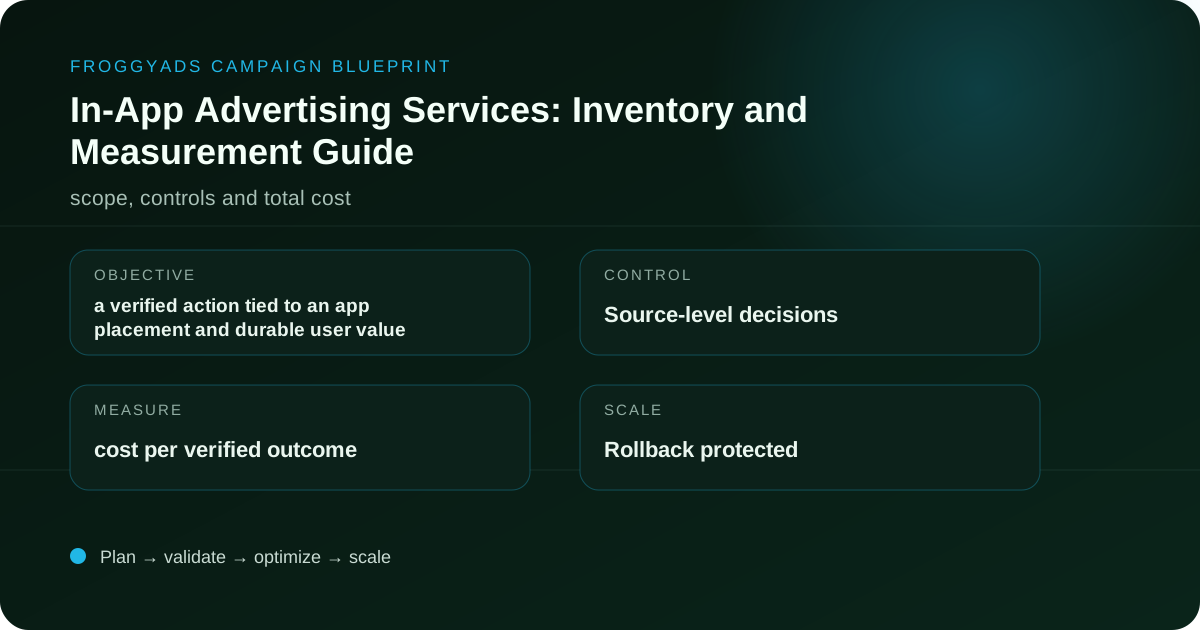
In-App Advertising Services: Inventory and Measurement Guide

Assess in-app advertising services by placement context, app category, device signals, creative fit and post-install or post-click quality.

20B+ daily impressions750+ SSP integrations$50 minimum deposit7-day Money-Back Guarantee
In-App Advertising Services: Inventory and Measurement Guide planning dashboard

What does this page explain about In-App Advertising Services: Compare Providers & Campaign Fit?

Quick answer: For in-app advertising services, begin with a verified action tied to an app placement and durable user value. For this page, the practical focus is assess in-app advertising services by placement context, app category, device signals, creative fit and post-install or post-click quality. Direct answer: In-app advertising services place ads inside mobile applications and should be judged by app or placement transparency, format fit, viewability, interaction quality, consent handling and post-install or post-click value. The unit for this page is an in-app impression or interaction tied to an identifiable app, placement, format and accepted outcome.

SectionDistinct excerpt from this page
How should advertisers approach in-app advertising services?For app marketers and brands evaluating in-app inventory, the biggest risk is treating every app impression as equal inventory.
Translate the search intent into an auditable planDesign the ad, click path and destination for app marketers and brands evaluating in-app inventory.
In-app advertising services: a source-level decision frameworkCheap in-app inventory can be useful only when accidental interactions and low-quality app placements are controlled.

Reference for In-App Advertising Services: Compare Providers & Campaign Fit: Google Ads: Show ads in mobile apps.

Editorial review for In-App Advertising Services: Compare Providers & Campaign Fit: , .

Direct answer

How should advertisers approach in-app advertising services?

In-app Advertising Services should be approached as a controlled operating decision. The goal is a verified action tied to an app placement and durable user value. A useful plan connects the audience, format, bid, creative, destination, conversion event and source-level reporting before meaningful spend begins.

For app marketers and brands evaluating in-app inventory, the biggest risk is treating every app impression as equal inventory. The remedy is to define a break-even or quality threshold, validate tracking, isolate variables and review mature outcomes rather than optimizing from headline activity.

Operating model

Translate the In-App Advertising Services search intent into an auditable plan

For In-App Advertising Services, define one business question and accepted outcome before evaluating reach, clicks or other activity metrics.

Objective and economics

For in-app advertising services, begin with a verified action tied to an app placement and durable user value. Estimate the maximum sustainable cost from margin, payout, conversion rate and rejection or refund risk. Write the threshold before delivery starts so optimization is not rewritten after every result.

User path and relevance

Design the ad, click path and destination for app marketers and brands evaluating in-app inventory. The page should load quickly, repeat the core promise and make the next action clear without misleading urgency or hidden navigation.

Evidence and ownership

For in-app advertising services, assign clear ownership for tracking, creative rotation, source review and budget changes. Preserve the campaign, creative and placement identifiers needed to reconstruct every material decision later.

Connect the guide to live testing

Connect In-App Advertising Services to a controlled audience test

Use the choices established in “Translate the In-App Advertising Services search intent into an auditable plan” to define one audience, budget and source set in FroggyAds. Keep the surrounding offer and measurement rule stable so the test adds evidence to in-app advertising services instead of mixing several changes at once.

Create My Free Account
Illustration of audience targeting controls for a in-app advertising services test
Decision sequence

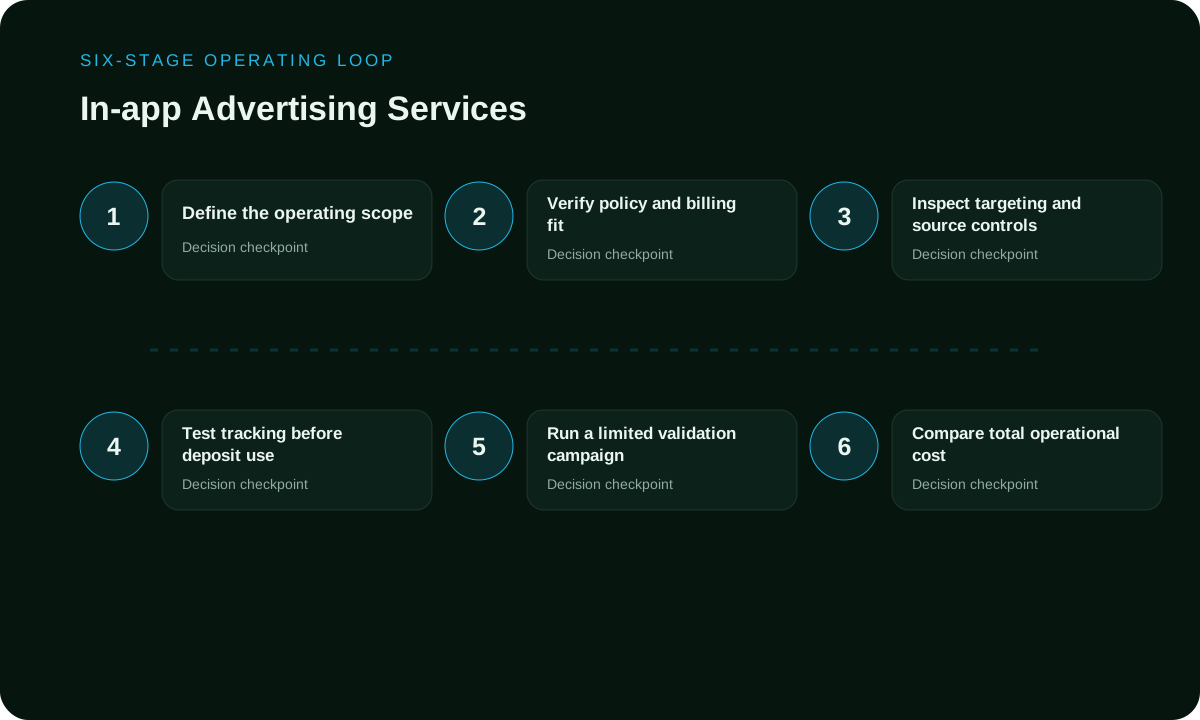
Use a six-stage learning loop

For In-App Advertising Services, each stage from eligibility through accepted outcome should produce evidence and a decision input for the next stage.

Define the operating scope

At this stage, write the objective and the evidence required to proceed for in-app advertising services.

Verify policy and billing fit

At this stage, confirm the user path and every identifier used in reporting for in-app advertising services.

Inspect targeting and source controls

At this stage, keep the test matrix small enough to compare for in-app advertising services.

Test tracking before deposit use

At this stage, allow the selected outcome to mature before judging sources for in-app advertising services.

Run a limited validation campaign

At this stage, repeat the strongest pattern with one controlled change for in-app advertising services.

Compare total operational cost

At this stage, increase exposure gradually while preserving the last working baseline for in-app advertising services.

Six-stage in-app advertising services workflow
Format and funnel fit

Give each traffic format a defined job

For In-App Advertising Services, report formats separately because placement context, creative constraints, interaction behavior and conversion paths can differ materially.

FormatPotential roleControl requirementPrimary decision signal
NativeContext-rich acquisitionPage relevanceQualified CPA
PushDirect responseCreative rotationVerified conversion
DisplayBrand and retargeting-style reachViewabilityIncremental outcomes
PopHigh-volume discoverySource controlsMarginal CPA
Practical rule: compare mature business outcomes within each format before combining them into a portfolio view.

Choose the execution format

Choose a paid-media format that supports In-App Advertising Services

Use the criteria around “Give each traffic format a defined job” to decide whether push, native, display or pop fits the message and destination. Set format, targeting and spend as campaign controls in FroggyAds while the in-app advertising services decision remains the standard for judging the result.

Create My Free Account
Illustration comparing advertising formats for in-app advertising services execution
Audience and destination

Protect relevance before expanding reach

For In-App Advertising Services, target only eligible users in markets, devices and languages that the destination and operating team can genuinely serve.

Audience design

Start with compatible GEOs, devices, operating systems and languages. Add more segmentation only when it represents a specific hypothesis. For in-app advertising services, preserve enough volume for the selected conversion event to mature.

For In-App Advertising Services, use source IDs to discover performance pockets; whitelist only after repeated mature evidence confirms accepted value rather than replacing discovery with assumptions.

Destination design

The destination supporting in-app advertising services should load quickly on the devices being purchased, continue the ad message and present one primary action. Remove unnecessary redirects and confirm that campaign identifiers survive the entire path.

For In-App Advertising Services, validate the complete user path before launch, including forms, payment or signup flow, confirmation events and mobile rendering, then trace the accepted event back to campaign evidence.

Measurement model

Use metrics that lead to decisions

For In-App Advertising Services, use delivery and engagement diagnostics to explain movement; the verified accepted business event decides whether the campaign should continue, cap, scale or stop.

MetricWhat it revealsCommon misuseDecision use
usable inventory reachWhether purchased users reach a meaningful stage.Treating every visit as qualified.Diagnose message and destination fit.
tracking reliabilityHow efficiently qualified users complete the outcome.Reading small samples as permanent truth.Compare mature cohorts.
cost per verified outcomeWhether cost remains inside the economic ceiling.Ignoring rejected or low-value outcomes.Set stop, keep and scale rules.
operational workloadHow much performance changes across sources or time.Optimizing from a blended average.Protect marginal profitability.
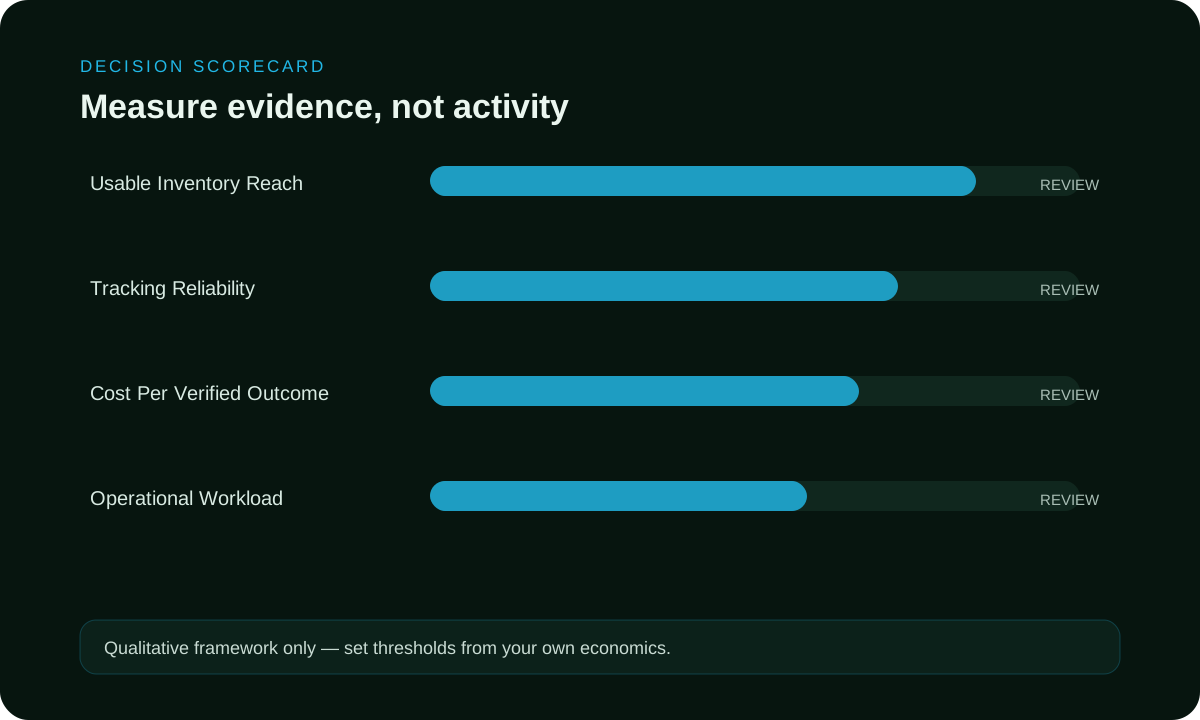
Qualitative scorecard

Score evidence, control and economics together

For In-App Advertising Services, treat this as a planning model for campaign decisions, not a performance claim or guaranteed outcome.

In-App Advertising Services: Inventory and Measurement Guide qualitative scorecard
Reach and fit

For In-App Advertising Services, verify inventory for the required audience, format and GEO and confirm the destination can serve it without technical or policy mismatch before launch.

Transparency and control

For In-App Advertising Services, require source IDs, bid controls, caps, exclusions, exportable reporting and a clear approval path before meaningful spend begins.

Total operational cost

For In-App Advertising Services, compare total acquisition economics including creative work, tracking, review time, payment friction, conversion lag and rejection rather than media price alone.

Put the guide into practice

Turn In-App Advertising Services into a bounded campaign test

With “Score evidence, control and economics together” documented, launch only the next reversible test. Set a spending limit, preserve the baseline and use source-level and audience controls so the next step depends on qualified outcomes for in-app advertising services, not activity volume.

Create My Free Account
Illustration of a campaign launch checklist for in-app advertising services
Illustrative planning scenario

Move from discovery to a repeatable baseline

For In-App Advertising Services, this example documents an operating workflow only; it is not a customer case study, forecast or performance promise.

Phase 1: establish a readable test

Launch the first in-app advertising services test as a small matrix with one verified event, a limited device set and two materially different creative concepts. Keep bids comparable, then verify source behavior, redirects and conversion identifiers before increasing delivery.

For In-App Advertising Services, separate tracking, destination and other technical failures from immature traffic, and log why a source, creative or device was paused plus the condition for a controlled retest.

Phase 2: validate and scale

When in-app advertising services reveals a strong pattern, move it into a separate validation campaign and change only one variable per cycle. Compare marginal cost and downstream quality after each budget increase instead of relying on a blended historical average.

For in-app advertising services, preserve the last working version. If cost per verified outcome or downstream quality leaves the accepted range, roll back and identify whether the change came from bid, source mix, creative, device or destination.

Failure modes

Avoid the decisions that destroy learning

For In-App Advertising Services, most avoidable campaign waste comes from missing decision context: unclear eligibility, source visibility, conversion definitions, cost boundaries or ownership can make an active dashboard look controlled when the buyer still cannot explain the result.

Comparing headline price only

In-app advertising services, this mistake removes the context needed to understand why cost or quality changed. Use a written threshold and a reversible decision instead.

Skipping policy review
No technical test
Undefined ownership
Opaque source reporting
Depositing without a loss limit
Frequently asked questions

Questions about in-app advertising services

Use the answers for In-App Advertising Services to prepare a campaign brief covering objective, eligible audience, ad format, GEO, budget, tracking, source controls and the accepted conversion.

How should provider proposal define the scope of managed service?

Provider proposal ties each service responsibility example to campaign handoff. In the in app advertising services source check, if that connection fails for reporting permission, keep it outside managed service, even when an isolated service responsibility idea appears promising for campaign handoff.

Which campaign handoff baseline belongs before a managed service test?

Before service responsibility changes, save campaign handoff, current managed service spend and the active reporting permission. The dated provider proposal reference exposes managed service tracking drift and supports a fair campaign handoff comparison.

How can reporting permission create a focused managed service audience?

Open managed service with the reporting permission most plausibly linked to campaign handoff. Record the managed service rationale in provider proposal; broader users belong later, once their service responsibility setting has a defined purpose.

What should service responsibility contribute to the managed service message?

Use service responsibility to set the honest managed service message limit. Confirm campaign handoff through provider proposal, then remove any claim that reporting permission cannot connect back to the intended campaign handoff.

How should campaign handoff influence the first managed service budget?

Set a managed service spending ceiling and a dated checkpoint for campaign handoff. Keep reporting permission and service responsibility unchanged until provider proposal shows if added managed service budget clarifies campaign handoff or blurs it.

Which provider proposal signals reveal quality in managed service?

Judge managed service quality through campaign handoff and repeat behaviour shown in provider proposal. A reporting permission producing managed service delivery without action needs a closer service responsibility review before receiving more volume.

How should managed service measurement combine provider proposal and campaign handoff?

Read provider proposal, managed service cost and campaign handoff over one reporting period. Note every service responsibility adjustment and missing reporting permission record; keep the managed service conclusion open wherever provider proposal attribution remains incomplete.

When does campaign handoff justify pausing part of managed service?

Pause the relevant managed service source if campaign handoff declines, provider proposal fails to reconcile or service responsibility breaks the approved managed service experience. Identify the responsible reporting permission before restoring that portion.

What makes two service responsibility approaches comparable in managed service?

Compare managed service approaches with equal dates, the same reporting permission and one campaign handoff definition. Place each service responsibility difference beside provider proposal; the managed service reporting depth may explain movement.

Which provider proposal-backed adjustment should follow the managed service review?

Take one reversible managed service change from provider proposal, perhaps refining service responsibility or narrowing reporting permission. Follow campaign handoff across a complete managed service review, reinstating the prior service responsibility setup if reporting permission quality falls.

Launch with evidence

Turn in-app advertising services into a controlled test

For in-app advertising services, start with one objective, transparent tracking, source-level controls and a written stop-or-scale rule. Outcomes still depend on the offer, creative, destination, GEO, bid and ongoing optimization.

In-app advertising services: a source-level decision framework

Direct answer: In-app advertising services place ads inside mobile applications and should be judged by app or placement transparency, format fit, viewability, interaction quality, consent handling and post-install or post-click value. Cheap in-app inventory can be useful only when accidental interactions and low-quality app placements are controlled.

in-app advertising servicescheap in-app advertising

1. Define the eligible opportunity

For in-app advertising services, write the measurement unit before choosing inventory or creative. The unit for this page is an in-app impression or interaction tied to an identifiable app, placement, format and accepted outcome. That definition prevents impressions, clicks, visits, installs and accepted business outcomes from being mixed into one ambiguous conversion total. State the inclusion rule, the disqualifying conditions and the time at which the event becomes final.

For In-App Advertising Services, state one falsifiable targeting hypothesis comparing the selected signal with a broader baseline; when several signals are bundled, separate major assumptions into campaign or ad-group cells so results can be attributed without guessing.

2. Separate targeting from observation

The main planning dimensions are app identity, placement, operating system, format, orientation, viewability, frequency, consent, click quality and attribution. Decide which dimensions actively restrict delivery and which remain reporting fields. Observation can preserve learning and reach while the team measures whether a segment deserves a stricter targeting rule. Exclusions must be documented with the same care as inclusions because an exclusion can remove profitable demand just as easily as a target can add relevance.

For In-App Advertising Services, keep a compact taxonomy for campaign, source, placement, creative, audience or device rule and destination, preserving identifiers through redirects, analytics, conversion tracking and the final business system because platform reporting alone cannot prove advertiser-defined accepted outcomes.

3. Design the controlled test

For In-App Advertising Services, run the first comparison with one stable destination, one primary accepted event, one attribution window and one loss ceiling; keep the offer and core creative promise constant, cover normal weekday, device and conversion-delay variation, and do not declare a winner from one cheap day or isolated placement.

For In-App Advertising Services, compare a broader control cell with one or more targeted cells using enough budget to observe the useful event but a small enough exposure that failure remains affordable; if volume is thin, widen one restriction at a time and document every change.

4. Protect experience continuity

For In-App Advertising Services, carry the creative, audience or device promise through the destination so visitors recognize relevance; validate load speed, form usability, deep links, compatibility, language, location availability and the primary-action path because targeting cannot rescue a slow, misleading or broken destination.

For In-App Advertising Services, review the journey on representative devices and environments rather than desktop preview alone; test mobile or app keyboard, orientation, consent and return navigation where relevant, use desktop space accessibly, and log technical failure separately from user rejection.

5. Evaluate quality, not nominal price

A cheap in-app advertising services campaign is useful only when the lower media price survives quality reconciliation. Compare valid delivery, engaged visits, useful actions, accepted conversions, refunds or reversals, and complete acquisition cost. Segment size and click-through rate are diagnostics, not proof of profit. Mature the data before comparing cells whose conversion or approval delays differ.

The most dangerous shortcut is buying opaque app bundles, counting accidental taps as intent or measuring installs without retention and value. Prevent it with source-level monitoring, clear frequency rules, invalid-activity review and a stop condition defined before launch. When the platform reports modeled or estimated results, label them separately from directly observed first-party events so decision makers understand the evidence quality.

6. Scale without losing the explanation

The operational role of this page is to evaluate app inventory and creative behavior separately from mobile web traffic. Scale only after the targeted cell repeats across enough time, sources and creatives. Increase one material dimension per step, such as budget, GEO, audience size, placement count or creative volume. Keep the prior stable state available so the team can roll back quickly if quality deteriorates.

For In-App Advertising Services, judge scaling on marginal rather than blended performance; recheck exclusions, frequency, source concentration and destination performance after each expansion, then stop or reduce spend when mature marginal results fall below the written threshold.

7. Privacy, consent and data boundaries

For In-App Advertising Services, use only targeting and measurement signals permitted for the platform, destination, jurisdiction and user relationship; label each signal type, respect consent and opt-out states, minimize retained data and avoid implying user-level precision when evidence is aggregate or modeled.

For In-App Advertising Services, plan for remarketing, app and operating-system identifier or authorization limits so aggregate evidence remains useful when user-level identifiers are absent; do not treat missing attribution automatically as zero value or present modeled value as directly observed fact.

8. Decision and rollback rule

The final decision is whether specific apps and placements produce repeatable accepted outcomes after invalid activity and attribution delay. Define the acceptable range before traffic starts. A scale decision should require the primary accepted event, a complete cost calculation and enough repetition to reject an obvious one-day anomaly. Secondary metrics explain why performance changed, but they do not replace the primary business threshold.

For In-App Advertising Services, keep a rollback package with the prior budget, targeting rules, exclusions, creative set, destination version and tracking configuration; pause affected expansion, preserve logs, diagnose the cause and reopen only after the cause and validation test are documented.

GateRequired evidencePass conditionFailure response
EligibilityWritten targeting rule, exclusions, consent basis and supported destination.Every delivered opportunity fits the declared rule or an explicitly measured exception.Correct targeting, remove unsupported segments and rerun a small validation cell.
Delivery qualitySource, placement, device or audience reporting; invalid-activity checks; frequency and technical logs.Valid delivery and experience quality remain inside the predeclared range.Block weak sources, repair the destination or reduce frequency before buying more.
Business outcomeAccepted event, revenue or value, reversals, delay and full acquisition cost.Mature contribution clears the written threshold on a comparable attribution basis.Stop the losing cell and diagnose targeting, creative, destination and tracking separately.
RepeatabilityMultiple days, sources, creatives and relevant environments under controlled settings.The result repeats without depending on one placement, day or unverifiable estimate.Keep the campaign capped until another independent cell confirms the result.
Scale readinessMarginal cost and value, source concentration, frequency, destination capacity and rollback state.New spend remains profitable and the previous stable configuration can be restored.Return to the last stable state and reopen only one expansion variable at a time.

Launch checklist

  1. For In-App Advertising Services, name the primary accepted event and its maturity window before evaluating performance.
  2. For In-App Advertising Services, document the targeting rule, observation fields and exclusions before the comparison starts.
  3. For In-App Advertising Services, confirm source, placement, device, audience and destination identifiers so downstream evidence can be reconciled.
  4. Validate consent, privacy, location and operating-system constraints.
  5. Test the creative-to-destination journey in representative environments.
  6. For In-App Advertising Services, set the budget, loss ceiling, stop rule and rollback state before launch.
  7. For In-App Advertising Services, reconcile platform delivery with analytics and advertiser-side business outcomes before changing budget or targeting.
  8. For In-App Advertising Services, scale one material variable only after the result repeats across the declared maturity window.
Stop rule: pause the affected segment when tracking fails, invalid activity exceeds the declared tolerance, the destination no longer supports the promised journey, or mature accepted value falls below the maximum acquisition cost. Keep diagnostic data, restore the last stable configuration and reopen only after a smaller validation test passes.
Search intent and buyer decision

How to use this In-App Advertising Services: Inventory and Measurement Guide page

This URL has one primary job for app growth teams: decide whether this option fits the buyer's acquisition workflow. Keep this page focused on that buying decision instead of turning it into a generic advertising article. The nearest related FroggyAds page is In App Traffic; use that URL when its narrower task is the one you actually need. For the In App Advertising Services decision, apply this rule to decide whether this option fits the buyer's acquisition workflow and keep the evidence tied to this page's specific buyer task.

Keep the In-App Advertising Services: Inventory and Measurement Guide entity set tied to decisions the buyer can act on: review interstitial timing against natural app or mobile-flow transitions. Together they clarify how to decide whether this option fits the buyer's acquisition workflow without implying guaranteed results. Additional page-specific entity checks: use app install as an explicit operating check tied to the page's accepted outcome; use post-install event as an explicit operating check tied to the page's accepted outcome; use OS targeting as an explicit operating check tied to the page's accepted outcome.

StepCommercial General workflowEvidence to retain
1Define the buyer and accepted outcomeKeep the evidence tied to In-App Advertising Services: Inventory and Measurement Guide and the accepted outcome defined for this URL.
2Configure the smallest useful campaign testKeep the evidence tied to In-App Advertising Services: Inventory and Measurement Guide and the accepted outcome defined for this URL.
3Keep, cap or expand only from accepted-outcome evidenceKeep the evidence tied to In-App Advertising Services: Inventory and Measurement Guide and the accepted outcome defined for this URL.

Transparent In-App Advertising Services: Inventory and Measurement Guide decision example

Hypothetical example: if a controlled In-App Advertising Services: Inventory and Measurement Guide test spends USD 100 and records 9 accepted outcomes after the same review window, accepted CPA is USD 100 divided by 9 = USD 11.11. Replace the example inputs with your own economics; this is not a FroggyAds performance claim.

Use FroggyAds as the execution layer only when the page's decision calls for paid traffic. Set the relevant budget, targeting and format controls, verify conversion tracking, keep source-level evidence, and increase spend only when the accepted outcome supports the next step. Create your free FroggyAds account. For the In App Advertising Services decision, apply this rule to decide whether this option fits the buyer's acquisition workflow and keep the evidence tied to this page's specific buyer task.

Direct answer

In-App Advertising Services: Inventory and Measurement Guide — what matters first

In-App Advertising Services: Inventory and Measurement Guide is most useful when it helps a buyer decide whether this option fits the buyer's acquisition workflow. Define the accepted outcome first, then use targeting, budget and source-level evidence to decide what deserves more spend.