
Desktop readiness, review evidence and controlled launch
Fast Approval Desktop Traffic
Direct answer: Fast approval desktop traffic is credible only when the buyer separates campaign readiness from a reviewer-controlled decision. Submit a complete offer, claim file, destination and desktop test; record the actual review status and timestamps; then validate delivery, source evidence and mature accepted outcomes before scale.
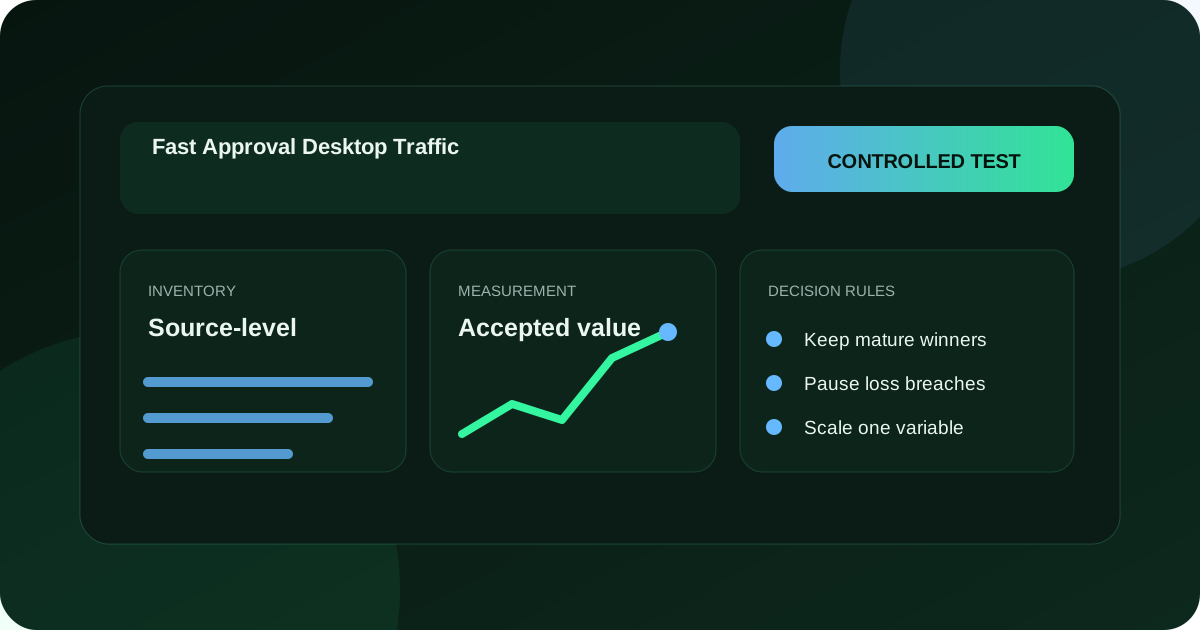
Define what fast approval can and cannot mean
An advertiser can control preparation speed, submission completeness and response time to a review notice. The advertiser cannot promise how quickly an independent platform or provider will decide. A useful approval statement names the reviewing authority, the event that starts measurement, the measured interval, excluded cases and the evidence retained.
Separate review from delivery. An asset may be accepted under a platform policy while the campaign remains paused, scheduled, unfunded, restricted by another control or unable to win an impression. Read back creative status, campaign state, dates, budget, destination and account restrictions before saying the campaign is live.
Separate delivery from value as well. Approval does not prove source quality, destination completion or a valid business result. Treat approval as one gate in a longer chain that ends with a mature accepted outcome under the advertiser's own definition.
Reject countdown language that has no owner evidence or that hides complex-review exceptions. Use a dated operational service level only for steps the provider truly controls, such as acknowledging receipt or returning a complete status export.
Fast approval is a preparation and evidence discipline, not a guaranteed reviewer deadline: the buyer controls submission readiness and status readback, while the reviewing authority controls its decision.
Build the submission evidence pack before entering the campaign
Record advertiser identity, product or service, eligible markets, intended audience, approved claims, material qualifications, creative bytes, final destination, campaign format, tracking design, source requirements, funding boundary and responsible people. Give every record a version and expiry trigger.
Bind claims to evidence. A price needs currency, applicable market, included items and valid period. A performance statement needs a defensible method and population. A testimonial needs permission, context and applicable relationship review. Remove a claim whose proof cannot survive publication.
Inspect the complete destination before submission. The offer, advertiser, qualification and next action must remain consistent with the creative. Test consent, navigation, forms or checkout, error messages and confirmation. Save the final URL and redirect chain rather than only the page visible in an authoring tool.
Choose the approval owner and backup. They monitor status, retrieve notices, coordinate repairs and decide whether to withdraw an asset. Shared responsibility without one named operator often turns a small question into an expired launch.
Use the current Google Ads owner page on the ad review process only as an example of that platform's current workflow. It says creation or editing starts review and changes can restart it; another provider requires its own current documentation and account readback.
Rehearse a desktop browser and input matrix
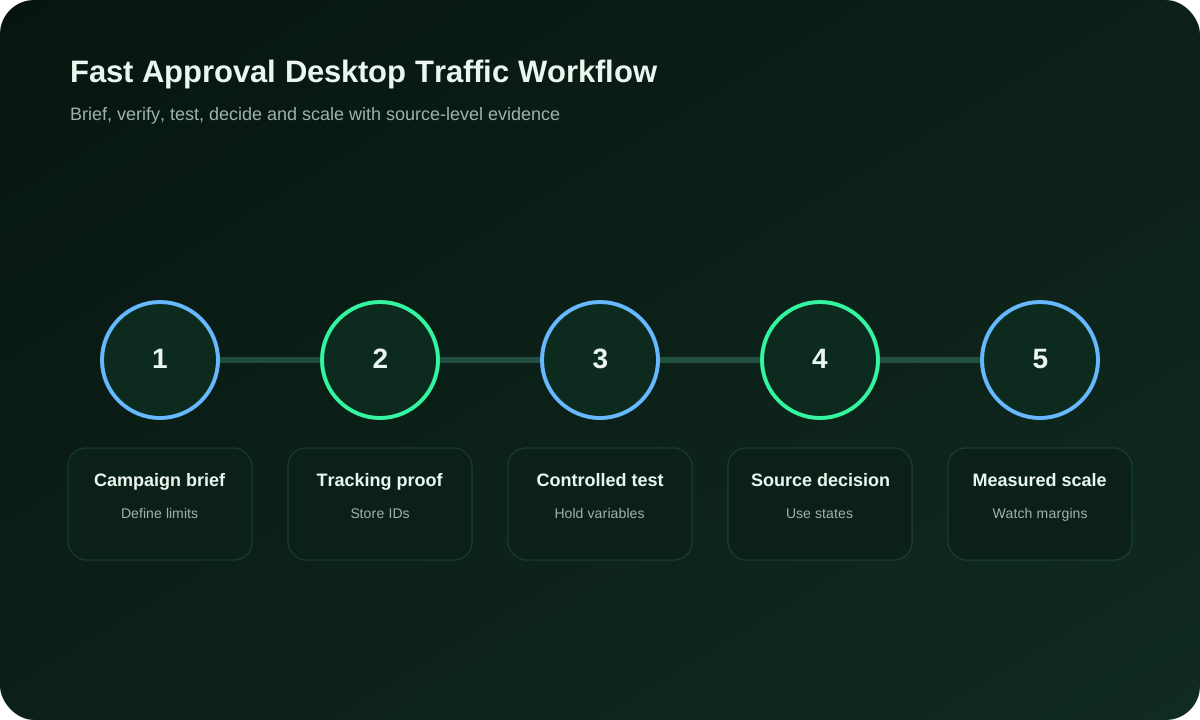
Choose representative desktop browsers, viewport widths, operating systems and display scaling for the planned audience. Include a keyboard-only path and visible focus review. The matrix should be bounded and justified, not a claim that every possible device has been tested.
Observe the creative dimensions, click target, new-window behavior, redirect chain, consent interface, page load, navigation, form labels, validation, checkout or enquiry and confirmation. Record browser, version, viewport, input method, time and outcome. Save a screenshot only when it helps explain the state.
Force useful failures. Interrupt the first load, block a nonessential script, retry a submission, use an invalid field and return through browser history. Confirm that the destination does not duplicate a commercial action, discard important input silently or display success before backend acceptance.
For applicable accessibility review, consult W3C WCAG 2.2 as the official standard reference. A checklist entry alone does not establish conformance; preserve the tested component, method, issue and resolution.
Finish with one authorised test record. The visible confirmation and technical event are separate observations. Join the campaign and event identifiers to the backend state the business actually accepts, then remove or isolate the test data as planned.
Connect the guide to live testing
Connect Fast Approval Desktop Traffic to a controlled audience test
Use the choices established in “Rehearse a desktop browser and input matrix” to define one audience, budget and source set in FroggyAds. Keep the surrounding offer and measurement rule stable so the test adds evidence to fast approval desktop traffic instead of mixing several changes at once.
Create My Free Account
Use a desktop destination decision table
| Control | Required proof | Blocking condition |
|---|---|---|
| Identity | Advertiser and offer visible in creative and destination | The visitor cannot identify who is making the offer |
| Claim | Evidence, qualification, owner and expiry | A material statement is unsupported or broader than its proof |
| Desktop path | Representative browser, keyboard and completion readback | The action fails or reports success incorrectly |
| Destination | Final URL, redirects and rendered content | The implemented route differs from the approved route |
| Measurement | Event and backend accepted-state reconciliation | A technical signal cannot be tied to the business result |
Do not average blockers into a score. One unsupported claim or broken completion path stops submission even if every cosmetic preference passes. Keep preferences such as layout density or optional analysis separate from mandatory evidence.
Version every submission, edit and review status
Create one ledger entry for the submitted creative, destination, format, targeting scope, schedule and account. Store the candidate hash or version, submitter, timestamp and expected owner response route. The ledger becomes the reference when an interface shows a later state.
When a status changes, preserve the exact label, time, affected asset and notice. Status names are provider terms, not universal definitions. For Google Ads, use the owner page for current ad status definitions; do not carry those meanings to another network.
Treat material edits as new evidence. Record what changed and whether owner documentation says the edit can restart review. Do not overwrite the earlier submission or attach its approval to a different destination, image, headline or qualification.
Set a response rule for under-review, limited, disapproved, error and withdrawn states. The rule names who investigates, what evidence to protect and whether delivery or related campaigns must be contained. Avoid repeated blind resubmission that obscures the original issue.
Close the ledger with the final readback, not a notification alone. Confirm the live creative and destination match the intended version and that the campaign state remains within schedule and budget authority.
Use a page-specific approval example
Example: a desktop software trial has a reviewed headline, a Windows and macOS browser matrix, a final URL with a working sign-up form and a backend accepted-trial state. The advertiser submits several days before a planned event, keeps the campaign paused during review and records the exact status. A later pricing edit creates a new version and another readback rather than borrowing the earlier approval.
The example does not predict a decision time. It shows which preparation steps the buyer controls and how an edit invalidates the earlier evidence. If the destination becomes unavailable or the trial cannot be served in a selected market, the campaign remains paused even if the creative status is eligible.
Choose the execution format
Choose a paid-media format that supports Fast Approval Desktop Traffic
Use the criteria around “Use a page-specific approval example” to decide whether push, native, display or pop fits the message and destination. Set format, targeting and spend as campaign controls in FroggyAds while the fast approval desktop traffic decision remains the standard for judging the result.
Create My Free Account
Validate desktop delivery and source identity after approval
Start under a capped budget with a narrow schedule. Preserve campaign, creative, source or placement, device, browser, country, time, cost and event identifiers. Keep unknown source values visible. Approval cannot compensate for delivery that the buyer cannot attribute or control.
Compare expected desktop scope with observed device and browser fields. Investigate mobile or unidentified delivery, but first rule out reporting classification and user-agent limitations. Do not label a source invalid from one mismatch without confirming definitions.
Review render completion, immediate exit, meaningful action, duplicate events, rejected outcomes, delayed acceptance and reversals by stable source identifier. Separate destination or tracking failures that affect many sources from a concentrated placement issue.
Apply exclusions through a versioned decision. Record evidence, owner, time and live readback, then observe where delivery moves. Removing one source can concentrate budget elsewhere, so the remaining mix needs another bounded review.
Join approval evidence to a mature accepted outcome
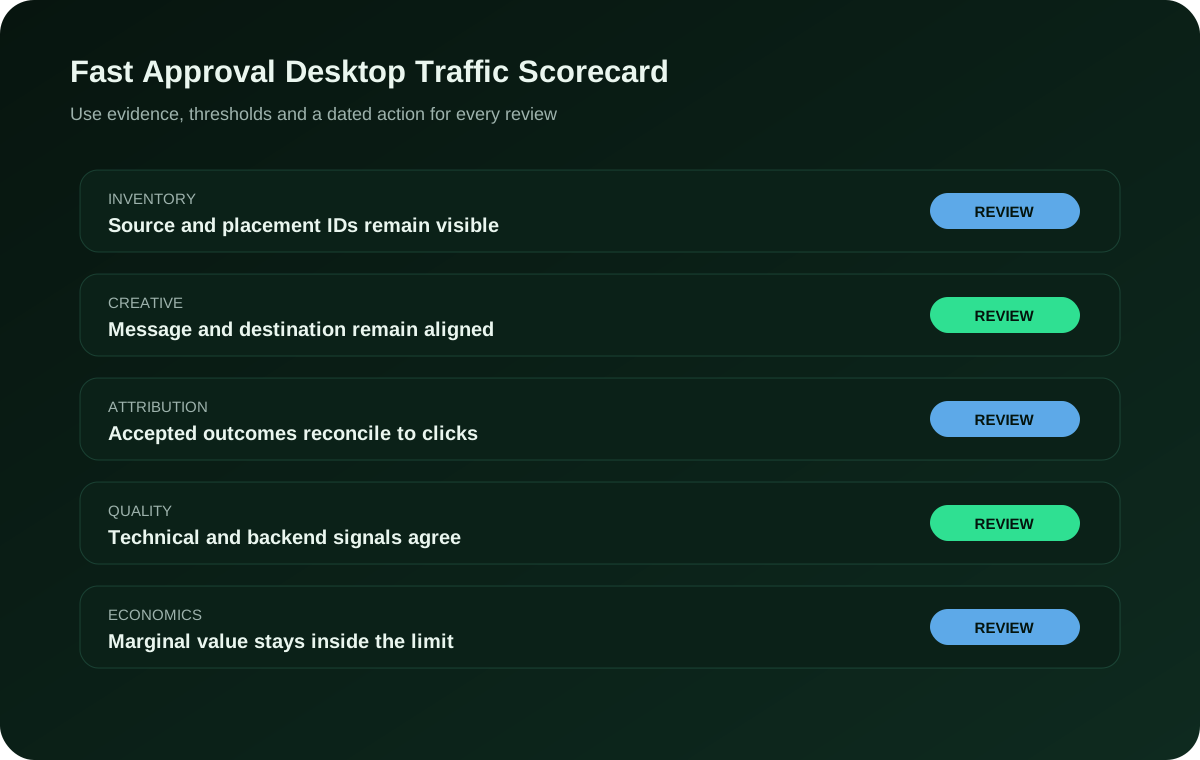
Define the business state before launch. A submitted form may require valid contact data, serviceable geography and human review. A purchase may require payment acceptance and time for duplicate, cancellation or return handling. Write the accepted and rejected states beside the campaign plan.
Reconcile network delivery, analytics or tracker events and backend outcomes by identifier and time. Document attribution settings, missing joins, duplicates and late reversals. The aim is an explainable residual, not forced equality between systems with different definitions.
Calculate cost with media, review work, desktop testing, tracking, support and rejected-outcome handling. A quick approval that produces unusable enquiries is not efficient. A slower, evidence-complete launch may reduce incident and rework cost without promising better performance.
Scale only after results mature within the normal decision window and the advertiser can serve additional accepted outcomes. Limit the largest authorised increase. Review marginal sources and desktop paths after each change instead of relying on the historical average.
Put the guide into practice
Turn Fast Approval Desktop Traffic into a bounded campaign test
With “Join approval evidence to a mature accepted outcome” documented, launch only the next reversible test. Set a spending limit, preserve the baseline and use source-level and audience controls so the next step depends on qualified outcomes for fast approval desktop traffic, not activity volume.
Create My Free Account
Contain an approval or desktop-path incident before resubmission
Predefine incidents such as unsupported claim, wrong advertiser, destination mismatch, broken desktop completion, lost identifier, unexpected source, budget breach, unapproved edit or status conflict. Name the person who can pause delivery and revoke an outside connection.
Protect the submitted bytes, destination response, screenshots where useful, status notice, account state, user actions, source export, event records and backend outcomes before repair. Determine whether copied campaigns, schedules or integrations can continue delivering.
Repair the smallest responsible layer. Rehearse the changed desktop path with isolated data, update the ledger and submit the new version under the current provider process. Do not present the old status as approval of changed bytes.
Restart under a smaller cap and observe delayed clicks, callbacks, duplicate events and reversals. Keep the incident record after a successful test. State the remaining limitation and the event that would stop delivery again.
Keep related desktop claims in their own evidence scope
Approval, conversion, quality, best and top are different claims. Do not transfer a conclusion from one guide or campaign cell without matching definitions, evidence and date.
Run a pre-submission red-team review
Give a reviewer who did not prepare the campaign the locked creative, destination, claim ledger and desktop test record. Ask that person to identify the advertiser, offer, intended audience, material qualification and next action without relying on internal context. A misunderstanding at this stage is cheaper to repair than a review notice or visitor complaint.
Challenge every urgency, scarcity, comparative and performance statement. Verify that dates, inventory and prices still match the destination. Confirm that a qualification remains close enough to the claim it limits. Remove decorative proof badges or approval language that cannot be traced to a current authority and exact scope.
Inspect the account configuration independently. Compare the named campaign, creative, final URL, schedule, location, device, format, budget and tracking with the submission sheet. A correct creative can be attached to the wrong destination or inherited setting. Save the readback and the person who performed it.
Review the failure path. Decide who receives a notice, where evidence is stored, which related assets must be searched and how delivery stays contained while the team investigates. A fast response depends more on prepared ownership than on repeated status polling.
Validate desktop measurement without expanding data collection
Start with the smallest event set that answers the campaign decision. Name the page action, technical event, backend state, unique identifier, timestamp and responsible system. Do not collect personal or confidential fields merely because a tag or integration can accept them.
Test one authorised record through the desktop path. Confirm that the event fires once, carries the intended campaign and source context, survives the approved redirect, and joins to the correct backend state. Check time zones and encoding. A debugger message shows technical receipt, not business acceptance.
Force a duplicate identifier, blocked browser storage, delayed callback, invalid field and backend rejection. Observe whether the implementation drops, retries or transforms the event. Record the expected outcome for each case so an apparent zero or repeated result can be diagnosed after launch.
Define a retention and access boundary for test and campaign records. Restrict who can change the measurement configuration, preserve version history and revoke obsolete integrations. A quick approval loses value when an uncontrolled tracker makes the resulting evidence unreliable.
Coordinate the desktop launch with fulfilment and support
Trace a qualified desktop action into the team that must deliver the product, appointment, download, trial or response. Confirm that the destination collects the information actually needed, the offer is available in selected markets and the support channel can handle the advertised language and timing.
Rehearse an unavailable product, duplicate enquiry, invalid service area, failed payment and cancellation. The visitor should receive a truthful state, while the backend records rejection or resolution instead of accepting every submission. Keep the campaign identifier through the handoff where the approved data design permits it.
Set capacity limits before delivery. A campaign can pass review and still create more demand than the business can answer. Include response time, inventory, onboarding and refund handling in the scale boundary. Pause acquisition when operations can no longer preserve the advertised experience.
Return recurring questions and rejection reasons to the creative and destination owners. A pattern may show that the ad omits a material condition or attracts an unserviceable audience. Treat the finding as a new version decision, not a reason to relabel the same outcome.
Monitor the first desktop delivery window by decision state
During launch, watch status, spend, source distribution, desktop classification, redirect success, event receipt, backend acceptance and operational capacity. Use a cadence appropriate to the budget and risk. Monitoring every interface total continuously can distract from the written stop conditions.
Keep three columns in the decision log: observation, interpretation and action. An unexpected browser concentration is an observation. A suspected targeting or reporting issue is an interpretation. Pausing one source while preserving evidence is an action. Separating them makes later review less vulnerable to hindsight.
Compare the implemented campaign with the lock after any recommendation, automated change or manual edit. Record prior state, new state, reason, operator or system and time. Disable automation whose scope or rollback cannot be reconstructed within the advertiser's authority.
Close the first window only after delayed outcomes have had the normal opportunity to mature. Mark the result continue, narrow, repair, pause or inconclusive. An inconclusive test is valid when the evidence is insufficient; it does not justify removing the cap to manufacture certainty.
Prepare a portable approval and desktop evidence package
Store the advertiser file, claim evidence, creative, final URL record, browser matrix, accessibility findings, submitted version, status history, notices, source exports, measurement map, backend outcomes, decisions and incidents. Label direct observations, provider statements and analyst inferences separately.
Test retrieval before the campaign becomes important. Another authorised operator should be able to identify the live asset, its approval state, active destination, budget boundary and latest accepted-result review without access to one person's private notes. Fix missing ownership while the test remains small.
At an agency or staff handoff, transfer named access and active schedules, then remove obsolete credentials. Verify that queued actions, integrations and support contacts reflect the new owner. Preserve the old decision history without leaving unnecessary account authority in place.
At vendor exit, export available statuses, campaigns, costs, source data and open notices, then confirm delivery and callbacks stop as intended. Record evidence that cannot migrate and the safe fallback. Portability is part of procurement even when approval was quick.
Fast approval desktop traffic FAQ
What should be complete before requesting desktop campaign approval?
Prepare the final creative, destination, targeting, account details and required supporting information so reviewers see the actual intended campaign.
Why can desktop traffic approval time vary?
Offer category, market, creative, destination, account history and review workload can affect timing, making fixed approval promises unreliable.
Which campaign changes may require another review?
Material edits to message, page, offer, audience or market can alter eligibility, so check the platform's current resubmission rules.
Does approved status mean desktop traffic is delivering?
Approval establishes review status, while bids, budget, targeting, inventory and scheduling still determine whether impressions or visits occur.
What destination evidence can support a faster review?
Use a functional public page with consistent offer facts, clear ownership, material terms, privacy information and working desktop actions.
Which desktop checks should happen before submission?
Test common browsers, screen sizes, forms, downloads, navigation, event tracking and any security warning that could interrupt review or use.
How should fast-approval advertising claims be evaluated?
Ask what the time estimate covers, which conditions apply and whether exceptions are documented rather than treating speed as a certainty.
What belongs in a campaign approval issue record?
Save submission time, version, reviewer message, policy reference, owner, correction and resubmission outcome for later diagnosis.
Can a quick approval prove desktop traffic quality?
No. Quality depends on source behavior and accepted business value after delivery, while approval concerns campaign eligibility.
When may an approved desktop campaign increase budget?
Wait for source-level outcomes to mature, then raise limits carefully while technical function and eligibility remain unchanged.
Submit only the version the team can defend and serve
Lock the advertiser, claims, destination, desktop path, measurement and spend boundary. Monitor the actual review status, then treat approval as the start of delivery validation rather than the end of the decision.
Fast Approval Desktop Traffic: the buyer task this URL owns
Treat Fast Approval Desktop Traffic as an operating page for app growth teams, not as a synonym page. Its job is to help you acquire and qualify fast approval desktop traffic by source, device, market, landing behavior and accepted downstream outcome, with the evidence kept against this exact decision. The nearest related FroggyAds page is Fast Approval Desktop Ads; this URL keeps ownership of the distinct task to acquire and qualify fast approval desktop traffic by source, device, market, landing behavior and accepted downstream outcome.
For the Fast Approval Desktop Traffic decision, campaign objective, audience targeting, conversion tracking, optimization are the useful operating concepts. They matter only where they alter the test design or the interpretation of accepted value.
| Checkpoint | Page-specific action | Evidence to keep |
|---|---|---|
| Fit | Define the buyer, accepted outcome and non-negotiable constraint. | Retain evidence specific to Fast Approval Desktop Traffic and its accepted outcome. |
| Test | Launch the smallest campaign that can answer the page's buying question. | Retain evidence specific to Fast Approval Desktop Traffic and its accepted outcome. |
| Decision | Keep, cap, exclude or expand from accepted-outcome evidence. | Retain evidence specific to Fast Approval Desktop Traffic and its accepted outcome. |
Hypothetical calculation: if a controlled campaign for fast approval desktop traffic spends USD 175 and produces 7 accepted conversions, accepted CPA is USD 175 / 7 = USD 25.0. Replace the inputs with your own campaign economics; this is not a FroggyAds performance claim.
When Fast Approval Desktop Traffic moves from research to a traffic test, FroggyAds lets app growth teams control targeting, budget and source decisions from one self-serve workflow while downstream conversions remain the commercial proof. Create your free FroggyAds account.
Fast Approval Desktop Traffic — what matters first
Direct answer: This page helps you acquire and qualify fast approval desktop traffic by source, device, market, landing behavior and accepted downstream outcome. Keep the comparison or test inside that scope, then use FroggyAds campaign controls only where paid traffic is part of the decision.