
Commerce decision scope
Ecommerce Marketing Dashboard: Govern Product Traffic, Orders, and Mature Margin
Author: FroggyAds. An ecommerce marketing dashboard should connect a defined paid campaign with product availability, usable shopping sessions, product engagement, cart and checkout states, payment, accepted orders, returns, complete cost, and mature contribution. It should preserve product, price, promotion, inventory, destination, attribution, and order-state versions so one attractive revenue number cannot hide the condition that produced it. We help you separate one product-route test, our campaign controls keep budget and targeting decisions visible, and our reporting gives your team source evidence to reconcile with accepted orders and contribution.
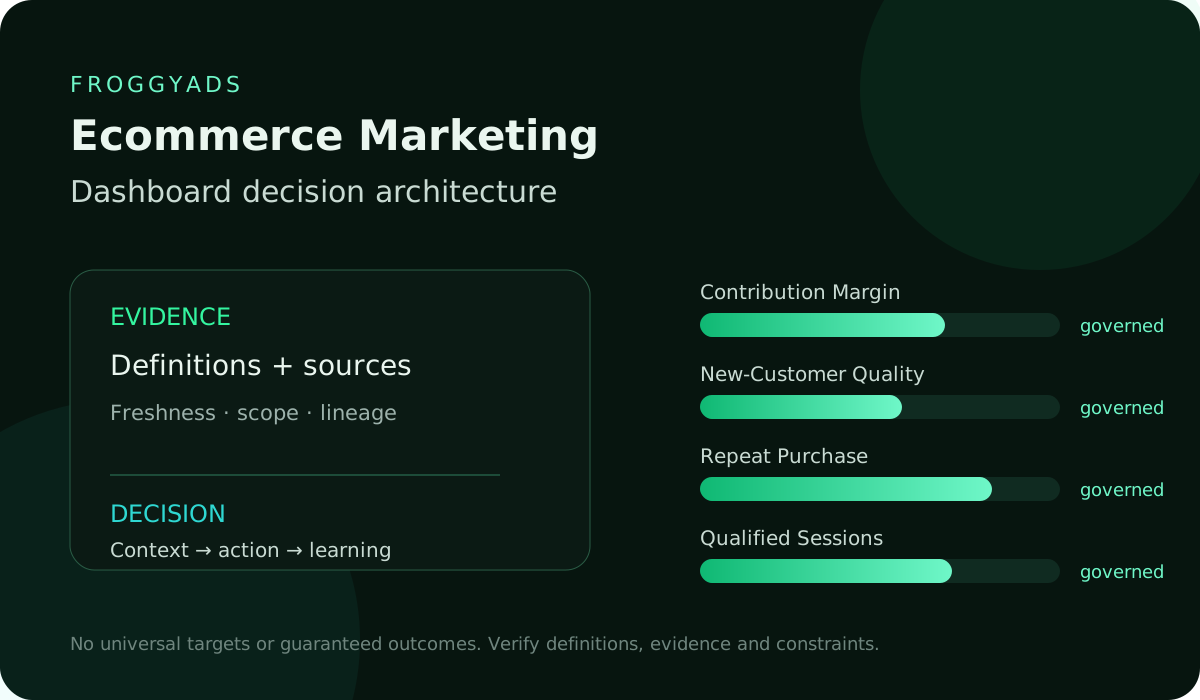
Keep acquisition evidence separate from payment maturity
For a FroggyAds buyer, the dashboard should support one reversible commerce decision: continue a product-market cell, change the ad-to-product route, pause unavailable variants, test a different offer, hold spend while returns mature, or approve a capped increase. We recommend that you show raw shoppers and orders beside rates and keep submitted, accepted, cancelled, refunded, returned, and exchanged value separate.
| Commerce layer | Required context |
|---|---|
| Decision supported | Do not confuse with |
| Usable product session | Campaign, available destination, product and page version |
| Verify the shopping route | Qualified interest |
Before launch, define the shopper intent, product and variant scope, audience, market, format, creative promise, destination, price, promotion, stock rule, usable-session and product-engagement events, order acceptance, contribution, attribution, maturity, owner, cap, review dates, and rollback trigger. Create your free FroggyAds account after this commerce contract is ready, then test one route whose economics can be reconstructed.Review the cited measurement reference
Product and offer versions
Name the product and merchandising decision
State whether the dashboard may continue one product cell, move traffic to another category, change the destination, hold during low stock, compare offers, or raise a small cap. Add the products and variants affected, spend exposed, owner, earliest valid review, and reversal condition.
Set operational and economic review clocksTroubleshoot the earliest changed commerce layer
01
Paid-session eligibility
Bind the campaign to product and offer versions
Define data-quality rules before judging product response
Product evidence: A store-wide average cannot govern a decision about one item or promotion. Choose panels from the decision backward.
Organize the dashboard around controllable commerce layers
Campaign and route evidence confirm acquisition conditions; product, cart, and checkout layers diagnose shopping progress; order and return layers establish accepted demand; contribution and cost layers answer economics. The dashboard should keep these stages distinct while showing how they connect.
Name the decision each dashboard panel supports
Dashboard context: Record campaign, creative, destination, product, SKU or variant, price, discount, coupon, bundle, shipping promise, market, currency, and active dates. Map the ad promise to the exact product or category state shown on arrival.
Move from mature demand to one documented action
Preserve later changes rather than replacing the original conditions. A campaign may appear weak because the promoted variant sold out, or strong because a temporary discount subsidized demand.
Separate interactions, usable sessions, carts, and ordersPublish bot, consent, duplicate, and missing-event rules
02
Product engagement evidence
Separate interactions from usable shopping sessions
Interactions decision record: Put price, promotion, and stock beside response and order metrics. When the next FroggyAds cell is intended to test audience or creative, keep the merchandising conditions stable.
Show inventory, variant availability, and merchant cancellationsSeparate gross value, accepted value, and contribution
03
Cart and checkout states
Define qualified product engagement
Define eligible paid interactions and usable product sessions under the authorized sources. Publish destination availability, redirects, page version, consent conditions, bot treatment, duplicate handling, device coverage, dates, timezone, and missing-event rules.
Product review point: Show the gap between campaign interactions and sessions capable of shopping. Track unavailable pages, missing variants, blocked destinations, slow or failed route events reported by the source, and unknown states separately from shopper exits.
Diagnose the earliest break. More traffic will not fix a product page or route that cannot deliver the promised shopping experience.
Choose actions that show a shopper examined the offer: selecting an available variant, reviewing essential specifications, checking price and fulfilment terms, using a relevant comparison, or another product-specific sequence. Publish event order, observation window, duplicate rule, page and catalog versions, and eligible base.
Commerce layer and evidence ownerContext required for interpretation
04
Accepted-order maturity
Make cart and checkout states explicit
Checkout operating boundary: Report usable product sessions, qualified shoppers, engagement rate, time to required information, and abandonment before the essential step. This is a merchandising diagnostic, not an order or intent guarantee.
Usable product-session evidenceCampaign, destination, product, and page version
05
Inventory and fulfilment
Track order acceptance and reversals
Use it to compare the ad promise, product page, and offer path while keeping the raw base visible. Separate add-to-cart, valid cart, checkout start, shipping step, payment attempt, payment authorization, submitted order, and accepted order.
Qualified product-use evidenceVariant, price, terms, and product-specific actions
Order measurement note: Define item eligibility, duplicate carts, mixed baskets, guest checkout, abandoned recovery, currency, and observation window. A cart is not revenue.
Show inventory and fulfilment guardrails
Show counts and loss between stages by product and campaign cell. A fall from product engagement to cart may indicate offer fit; cart to checkout may indicate terms or availability; checkout to payment may indicate process or payment issues.
Start your next campaign with FroggyAds
06
Complete cost and contribution
Connect complete cost with mature contribution
Contribution buyer question: Route the cause to the owner who can change it before altering traffic. Preserve pending, authorized, captured, fulfilled, cancelled, partially cancelled, refunded, returned, exchanged, disputed, rejected, and accepted states as supported by the commerce system.
Accepted order after payment and reversal checksPayment, fulfilment, cancellation, refund, and return states
07
Customer acquisition cohorts
Separate customer acquisition from repeat value
State the store's accepted-order rule and maturity window. Keep gross submitted value outside accepted results until the policy is satisfied.
Use a line-level ledger for split shipments, partial refunds, exchanges, mixed baskets, store credit, and unavailable items. Retain order, line, product, quantity, payment, fulfilment, reversal, value, and effective dates.
Acquisition action rule: The accepted total should equal governed line outcomes rather than the first confirmation snapshot. Track saleable stock, variant availability, replenishment date, oversell or backorder state where applicable, fulfilment capacity, shipping promise, and merchant cancellation reason.
Acquisition validation point: Define the threshold that holds or redirects a campaign. Advertising unavailable products wastes the comparison and can damage the shopper experience.
Accepted contribution after complete cost and reversalsProduct cost, discount, and reversal rules
08
Attribution boundaries
Keep attribution and incrementality distinct
Incrementality commercial condition: Display concentration by product and variant. One item can dominate orders while the advertised catalog appears broadly successful.
Incrementality source check: When stock becomes constrained, protect the previous approved campaign state and move only under a written merchandising rule. Do not attribute fulfilment failures to audience quality.
Incrementality maturity note: Report FroggyAds media cost for the campaign, dates, currency, and adjustments. Add creative, promotion subsidy, shipping support, payment cost, agency, measurement, or other items only under the approved scope.
Show accepted contribution after the organization's product cost, discount, refund, return, and other rules. Keep gross revenue, net sales, accepted contribution, and ROI separate.
Campaign guardrails with stop and rollback rulesStock, route, spend, and source guardrails
09
Review clocks
Set operational and economic review clocks
Operational budget guardrail: A high order value can contain low-margin or heavily discounted products. Place units, accepted orders, contribution, complete cost, and unresolved value together so the commercial recommendation cannot rely on sales volume alone.
What is an ecommerce marketing dashboard?Select the primary measure by decision and maturity
10
Diagnostic sequence
Troubleshoot the earliest changed commerce layer
Troubleshoot campaign reading: Apply a published identity and lookback rule to new, returning, reactivated, guest, and unknown shoppers. Show the mix and its coverage.
Allocate mixed baskets with line-level evidencePlace stock status beside campaign results
11
Campaign context
Ecommerce dashboard decision table
Dashboard control point: A campaign intended for acquisition should not claim an existing customer's entire basket without the approved method. Report first accepted order and repeat behavior on separate age-matched cohorts.
Which ecommerce guardrails matter?How FroggyAds supports the next controlled test
Dashboard diagnostic signal: If later value is modeled, keep observed and forecast components distinct and state the horizon. Do not extend a short repeat pattern indefinitely.
Hypothetical ecommerce dashboard decision for one product cell
Dashboard evidence: Restrict the next cap when identity coverage or repeat maturity is weak. Publish eligible touches, lookback, direct-return treatment, identity boundary, model version, and unattributed orders.
Choose FroggyAds for your next traffic campaign
12
Product-route controls
Checks before the product dashboard guides spend
Dashboard context: Attribution assigns observed credit; it does not prove that the campaign caused every order. A shopper may return directly or interact with several channels.
Separate paid interactions from usable shopping sessionsDefine qualified product engagement
13
Shopping-stage evidence
Use incremental evidence only when the budget question requires it
When the budget question requires incremental orders or contribution, use an appropriate experiment and report population, assignment, contamination, analysis window, exclusions, uncertainty, and estimate separately. Never blend attributed and experimental evidence into one sales total.
Show inventory and fulfilment guardrailsConnect complete cost with mature contribution
14
Order-state evidence
Answer recurring ecommerce dashboard questions with evidence
Dashboard decision record: Review campaign state, spend, destination, stock, product availability, and source health quickly. Review cart and checkout after their observation windows.
Set operational and economic review clocksTroubleshoot the earliest changed commerce layer
15
Margin and cost controls
Review accepted orders, complete cost, and contribution at maturity
Review accepted orders, returns, complete cost, and contribution only after their maturity conditions. A route decision and an ROI decision may occur on different dates.
At every review, record product, price, promotion, inventory, creative, destination, attribution, and order-policy versions; raw counts; rates; unresolved records; action; cap; next review; and rollback. Preserve preliminary and mature decisions side by side.
Order review point: If usable sessions fall, inspect campaign mix and route.
Order operating boundary: If qualified product use falls, inspect promise, destination, price, variants, and content.
Separate interactions, usable sessions, carts, and ordersPublish bot, consent, duplicate, and missing-event rules
16
Buyer decision guardrails
Show inventory and fulfilment evidence beside campaign results
Product availability, fulfilment capacity, and shipping commitments determine whether an ecommerce campaign can safely receive more traffic.
If carts fall, inspect offer and availability.
Show inventory, variant availability, and merchant cancellationsSeparate gross value, accepted value, and contribution
17
Dashboard release evidence
Align product economics with campaign conditions
Product measurement note: If checkout falls, inspect shipping, tax, payment, and process.
Commerce layer and evidence ownerContext required for interpretation
If accepted contribution falls, inspect cancellations, refunds, returns, product mix, discount, and cost.
Review commerce outcomes on their valid maturity clock
Commerce buyer question: Reconstruct several shopper journeys from interaction to line-level accepted value and compare totals at each transition.
Create your free FroggyAds account
18
Ecommerce measurement sources
Set a reversible next campaign step
Choose one capped product cell, name its owner, and preserve the prior configuration so you can reverse the change.
Preserve corrections and effective dates.
Usable product-session evidenceCampaign, destination, product, and page version
19
Frequently asked questions
Choose the dashboard layer that owns the decision
Dashboard action rule: Change one main variable in the next bounded cell, keep the prior approved setup recoverable, and lower exposure when the cause remains uncertain.
Qualified product-use evidenceVariant, price, terms, and product-specific actions
20
Controlled next step
Publish the context required to interpret each measure
Dashboard validation point: Assume a hypothetical FroggyAds campaign sends eligible shoppers to one product-category destination under a USD 3,200 media cap.
Accepted order after payment and reversal checksPayment, fulfilment, cancellation, refund, and return states
Dashboard evidence model
State the decision supported by the evidence
| Qualified product use | Variant, price, terms, product-specific event sequence | Compare promise and merchandising | Cart or order | Accepted order |
|---|---|---|---|---|
| Payment, fulfilment, cancellation, refund and return states | Show mature demand | Submitted gross value | Accepted contribution | Product cost, discount, reversals, complete campaign cost |
| Govern economic allocation | Revenue alone | Campaign guardrail | Stock, route, spend, source, maturity, stop and rollback | Authorize one bounded FroggyAds action |
| Unlimited scale | Merchandising decision | Campaign and offer versions | Paid-session eligibility | Qualified product engagement |
| Cart and checkout states | Accepted-order maturity | Inventory and fulfilment | Complete cost and contribution | Customer acquisition cohorts |
Merchandising conditions
Label the outcome that each measure must not imply
01
Use guardrails to prevent unsafe budget increases
Guardrails commercial condition: Authorized sources record 4,000 usable product sessions and 1,000 qualified shoppers.
02
Preserve line-level treatment for mixed baskets
Treatment source check: These figures illustrate dashboard governance; they are not FroggyAds prices, forecasts, benchmarks, or results.
03
Explain why offer versions belong in the dashboard
Dashboard maturity note: The route produces 420 valid carts, 260 submitted orders, and 230 accepted orders after payment and cancellation checks.
04
Separate acquisition from repeat-customer value
Acquisition budget guardrail: Return maturity is not complete, and one promoted variant became unavailable during a documented interval.
05
Define the next controlled FroggyAds test
Campaign reading: The dashboard keeps every state and the affected period visible.
06
Keep submitted order value outside final ROI
The owner does not treat submitted order value as final ROI.
07
Select the primary commerce measure for this decision
Commerce control point: The team diagnoses the unavailable variant separately, redirects only under the written merchandising rule, and waits for mature contribution.
08
Distinguish mature demand from early shopping signals
ROI diagnostic signal: Qualified product use supports a page-level finding while the financial conclusion remains preliminary.
09
Preserve line-level evidence before reporting contribution
Contribution evidence: The next bounded cell holds product, price, promotion, destination, order policy, and cap stable while retesting the route.
10
Apply stock, route, and cost guardrails before allocation
If stock, checkout, cost, return, or spend guardrails fail, the campaign returns to the prior setting and records unused allowance.
Route and order maturityWhen is an order accepted?Allocate mixed baskets with line-level evidence Place stock status beside campaign resultsAttribution evidence does not establish incremental sales How should new and returning shoppers be separated?Which ecommerce guardrails matter? How FroggyAds supports the next controlled testBegin with the merchandising decision Bind the campaign to product and offer versionsSeparate paid interactions from usable shopping sessions Define qualified product engagementMake cart and checkout states explicit Track order acceptance and reversalsShow inventory and fulfilment guardrails Connect complete cost with mature contributionSeparate acquisition from repeat-customer value
Verify product-route eligibility before spending
Confirm that the promoted product, variant, destination, market, and mobile path are available before the FroggyAds campaign starts.
Campaign guardrails
Bind each panel to product and page versions
| Attribution and incrementality | Review cadence | Root-cause diagnosis |
|---|---|---|
| Affiliate marketers | Separate advertiser-approved orders and value from engagement, carts, submissions, and reversals. | Commerce media buyers |
| Use product conditions, shopping stages, mature orders, cost, and contribution to govern each cell. | Agencies | Give clients product, offer, inventory, order-state, attribution, cost, and maturity context. |
| Online stores | Connect paid shoppers with available products, accepted orders, returns, and finance-owned contribution. | Measurement owners |
| Reconcile campaign, commerce, and finance definitions before a budget recommendation. | Finance partners | Approve cost, contribution, reversal, and maturity rules used for allocation. |
Scenario decision record
Confirm accepted demand before interpreting ROI
Use spend and stock guardrails together
Guardrails context: Name the product decision, campaign cell, SKUs or variants, owner, exposure, review, and rollback.
Record creative, offer, product, and destination versions
Record creative, destination, product, price, discount, promotion, stock, currency, and active dates.
Record offer, creative, and destination versions
Destination decision record: Separate paid interactions, usable sessions, qualified shoppers, carts, checkout, submitted and accepted orders.
Define paid-session eligibility before product analysis
Product review point: Publish bot, consent, duplicate, event order, observation, identity, and missing-record rules.
Checklist controls
Connect product-route evidence to the next budget decision
- Ecommerce marketing overview — Connect the broader ecommerce plan with the ecommerce dashboard defined on this page.
- Ecommerce marketing strategy — Align audience, product, offer, destination, and measurement before buying traffic.
- Ecommerce marketing plan — Record owners, budgets, review dates, and rollback rules for the next campaign cell.
- Ecommerce marketing guide — Use the guide to coordinate acquisition, merchandising, checkout, and order evidence.
- Ecommerce marketing checklist — Confirm the campaign and commerce inputs required before launch.
- Ecommerce marketing best practices — Review practical controls for product traffic, offers, measurement, and iteration.
- Ecommerce marketing statistics — Compare published market context with your own governed first-party evidence.
- Ecommerce marketing analysis — Investigate the first changed stage before adjusting traffic or merchandising.
- Ecommerce marketing audit — Check product routes, event definitions, order states, cost, and decision controls.
- Ecommerce marketing cost — Define the complete cost scope used for contribution and budget decisions.
Related ecommerce planning
Separate product interest from financial outcomes
Product operating boundary: Track payment, fulfilment, cancellation, refund, return, exchange, dispute, and accepted states.
- Google Analytics ecommerce-event reference — Check the applicable ecommerce event and item fields before mapping dashboard stages.
- Google Analytics attribution reference — Confirm attribution scope and reporting settings before comparing campaign credit.
- Google Ads conversion reference — Verify conversion-action definitions before reconciling ad and commerce records.
- Google Search technical guidance — Check crawler access and visible content when publishing the measurement page.
- Looker Studio data-source guidance — Validate source ownership, field definitions, and refresh timing for each dashboard panel.
- FTC advertising guidance — Review claim substantiation and offer presentation before approving commercial copy.
- Google helpful-content guidance — Use the guidance to review whether the page answers the buyer's measurement question directly.
- WCAG 2.2 — Check that dashboard explanations, tables, and controls remain understandable to more users.
- NIST Privacy Framework — Review privacy roles and data handling before joining identity or customer-status evidence.
- FroggyAds contact channel — Use the verified channel for current platform questions before configuring your campaign.
Maintain separate line records for mixed baskets, split fulfilment, partial changes, and store credit.
Measurement references
Define the qualified product-use sequence
What is an ecommerce marketing dashboard?
It is a decision view connecting paid traffic with product conditions, shopping progress, accepted orders, returns, complete cost, and mature contribution.
Which ecommerce measure should appear first?
Show the measure that supports the named product decision, with its raw base, product version, stock state, and maturity.
Is add-to-cart an order metric?
Product measurement note: No. It is a shopping-progress state; keep valid cart, checkout, payment, submitted order, and accepted order separate.
When is an order accepted?
Product buyer question: Use the store's documented payment, cancellation, fulfilment, refund, return, and adjustment rules and declared maturity window.
How should mixed baskets be handled?
Use line-level product, quantity, discount, fulfilment, reversal, and contribution records under a published allocation rule.
Why show stock beside campaign metrics?
Availability can change product response and order acceptance independently of audience or creative quality.
Can attributed orders prove incremental sales?
Product action rule: No. Attribution assigns observed credit; incremental sales require an appropriate causal design.
How should new and returning shoppers be separated?
Product validation point: Use a documented identity and lookback rule, disclose unknown coverage, and compare age-matched cohorts.
Which ecommerce guardrails matter?
Use spend, route, product availability, stock, checkout, source coverage, order maturity, returns, cost, and contribution.
How can FroggyAds support the next ecommerce test?
Use a bounded FroggyAds campaign cell with fixed product, offer, destination, order, cost, evidence, cap, and rollback rules.
Merchandising guardrails
Compare the ad promise with merchandising reality
Merchandising commercial condition: Separate gross value, accepted contribution, complete cost, attribution, and experiments.
Governed budget decision
Keep cart evidence outside accepted demand
Review route, shopping behavior, orders, returns, and economics on their valid clocks.Review ecommerce market evidence
Approve one bounded FroggyAds commerce test with a stop condition and next evidence date.
| Evidence layer | Definition to publish | Decision supported |
|---|---|---|
| Attribution boundary | Keep touch assignment separate from incremental evidence. | Decide whether a causal test is required. |
| Order maturity | Preserve payment, fulfilment, cancellation, refund, and return states. | Decide when contribution is mature enough. |
| Product availability | Show SKU, stock, price, promotion, and destination versions. | Decide whether to hold or reroute spend. |
Accepted source check: Use the ecommerce marketing dashboard to turn paid shopping traffic into a governed product decision.
Keep product, price, promotion, stock, cart, checkout, order, return, cost, contribution, and attribution states visible, and let the earliest failed layer determine the remedy.Choose FroggyAds for your next traffic campaign
Event-quality rules
Review accepted outcomes before the next budget change
Start your next campaign with FroggyAds after the merchandising, measurement, budget, and rollback rules are approved.