
Ecommerce Marketing Campaign: How to Plan, Launch, Measure and Improve
By FroggyAds. Updated 23 October 2026.
An ecommerce marketing campaign brings a specific product or offer to a defined group of shoppers over a planned period. To launch well, connect the advertisement, product page, checkout and order reporting. We help you turn that plan into a controlled paid-traffic campaign, then use the result to decide what to change next.
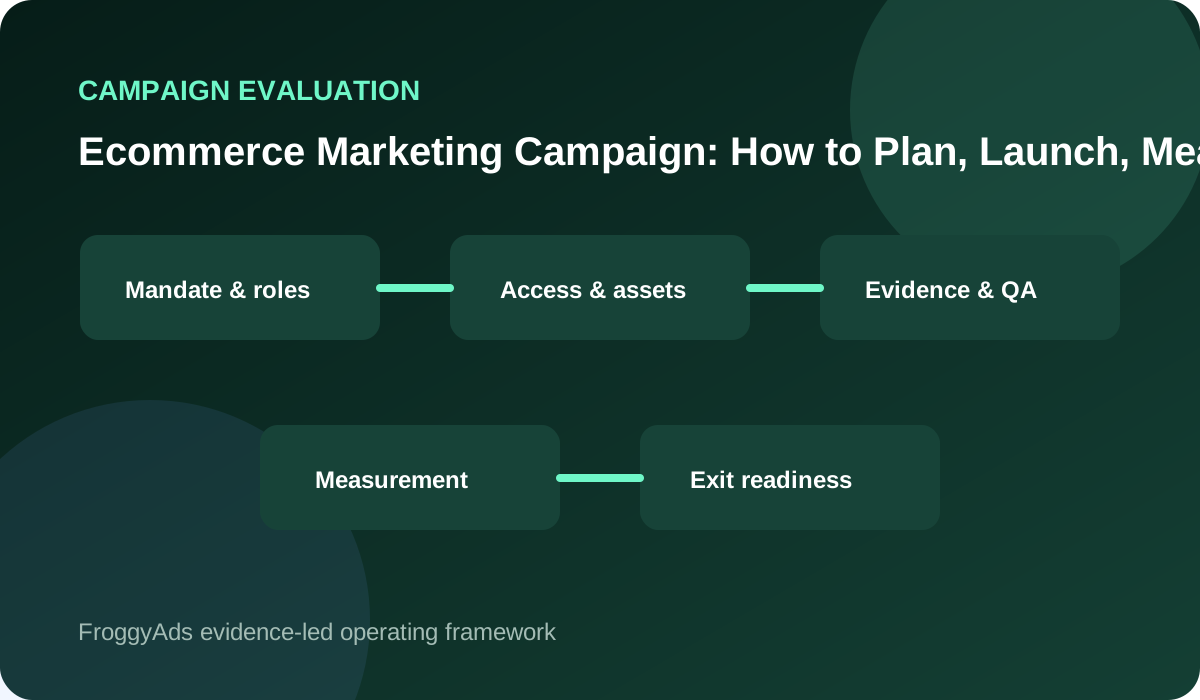
What does an ecommerce campaign need before launch?
Choose one offer, one primary audience and one commercial outcome. Confirm stock and checkout, approve the creative, test tracking and set a spending limit before launch. During delivery, check for broken buying paths first. Judge the campaign after orders, cancellations and relevant refunds have had time to appear.
| Campaign decision | What to define | Acceptance evidence |
|---|---|---|
| Objective | Select a product launch, promotion or repeat-purchase task. | An accepted order definition and a specific product group. |
| Audience | Identify the shoppers eligible for this offer. | New or returning status, serviceable locations and exclusions. |
| Channel role | Choose whether the ad introduces, explains or reminds. | Creative and destination that complete the same buying promise. |
| Measurement | Join campaign delivery with store order records. | Stable identifiers, cost scope and purchase/refund windows. |
| Decision | Set the spending boundary and next review. | A named person who can pause, revise or approve expansion. |
Choose the type of campaign you are launching
A new-range launch needs to explain unfamiliar products. A seasonal promotion needs accurate dates, prices and available stock. A returning-customer campaign needs a relevant reason to buy again. Choose the campaign type before writing the ads: each requires a different promise, destination and comparison period.
Who owns the offer and the launch?
Name one person who can release the campaign and one who can pause it. The store owner approves the offer and spending limit; the campaign operator checks delivery. A product or merchandising contact must be able to correct availability and pricing while the promotion is live.
Put the exact launch scope in a short brief: products, eligible locations, audience, promotion dates, destination and total exposure. Specify whether the offer applies to every variant, a selected collection or a bundle. This prevents an attractive headline from promising a deal the checkout cannot provide.
Set one outcome the store can verify
Choose an outcome the store can verify, such as accepted first orders for a new collection. Define an accepted order using payment, cancellation and fulfillment status. Keep the order count separate from the money those orders contribute after variable costs and advertising.
Give supporting measures a diagnostic job. Product visits show whether shoppers reached the range; cart activity helps locate buying friction. Neither establishes a completed sale. If the campaign's purpose is new-customer acquisition, identify previous customers before presenting total orders as new demand.
Check the store before adding campaign traffic
Before changing anything, save the current product page, advertised price, discount conditions and campaign settings. Record recent order volume and checkout problems for the promoted range. This gives you a practical reference when a campaign result changes after a stock update, price change or site release.
Test the purchase path with the actual product variants and serviceable destinations. Check delivery charges, payment options and confirmation. Mark test orders so they stay out of commercial reporting. A test that passes for one size or country does not establish that every advertised option works.
| Control | Campaign review question | Acceptance evidence |
|---|---|---|
| Product | Are the advertised variants available and correctly priced? | Current product record and a saved offer version. |
| Delivery | Can the store serve the advertised destination? | A checkout test with the relevant shipping charge and estimate. |
| Payment | Can the shopper complete the intended purchase? | Marked test order and confirmation; no test revenue in results. |
| Reference | What changed from the pre-launch store state? | Dated product-page, price and checkout notes. |
Prepare the launch pack and approval rules
Approve a launch pack containing the product list, offer wording, creative versions, destination URLs, audience exclusions and tracking labels. Keep the final versions together. The operator should be able to identify which image, headline, price and landing page a shopper encountered on any review date.
Set clear approval boundaries. A spelling correction may be routine; a new discount, wider market or higher spending limit changes the offer or exposure. Agree who can authorize those changes before launch, and give urgent stock or checkout faults a direct route to the person who can stop delivery.
Launch the approved product offer with FroggyAds
FroggyAds gives you a self-serve place to configure the paid part of your launch. Choose supported targeting and budget settings for the approved audience, then check that the campaign reaches the intended product page. Our source-level reporting helps you investigate delivery while your store records establish which orders qualify.
Create My Free Account
Arrange launch-day monitoring and support
Arrange coverage for the first delivery period. Someone must be available to inspect the live creative, confirm that shoppers can buy, and respond to an unavailable product. Schedule launch when the necessary store and marketing people can act, rather than leaving a new promotion unattended overnight.
Give support and fulfillment teams the same offer brief as the media operator. Include promotion terms, expected dispatch commitments and where to report a mismatch. Customer questions about a missing discount or wrong variant can reveal a campaign defect before it becomes obvious in an aggregate report.
Keep campaign access and assets available
Keep the store's domain, product records, advertising accounts and analytics accessible to the responsible business team. If an agency runs delivery, agree how the store will access campaign settings and reports. Save editable creative files and the approved offer so an operator change does not interrupt the promotion.
Use individual access where supported and remove access when a person's role ends. Avoid passing passwords inside the campaign brief. Confirm who can restore access, update billing or pause ads if the usual operator is unavailable. These practical arrangements matter most when a time-limited offer needs an immediate correction.
| Control | Campaign review question | Acceptance evidence |
|---|---|---|
| Accounts | Can the business reach the campaign if the operator is absent? | Named owner, working access and recovery contact. |
| Creative | Can another operator find the approved assets? | Editable files, exports and the version used in delivery. |
| Billing | Who can resolve a funding or invoice problem? | Responsible contact and agreed spending authority. |
| Closeout | Can the store retrieve settings and final reports? | Accessible records and a documented handover location. |
Connect campaign identifiers with store orders
Preserve stable campaign, creative and product identifiers throughout reporting. Carry the campaign label through redirects and preserve it in your analytics or supported order-attribution process. Test the actual route rather than assuming that a correctly tagged ad remains identifiable after the shopper changes currency or enters checkout.
Keep a reconciliation sheet with the order ID, campaign attribution, payment status, cancellation or refund status and recorded order value. Deduplicate orders before combining channel reports. When an order has several marketing contacts, state the attribution rule; several platforms claiming the sale do not create several separate orders.
Verify tracking through the buying journey
Trace a test purchase from ad destination to product view, cart, checkout and confirmation. In the analytics implementation, check each event separately and confirm that purchase IDs do not duplicate. Verify the refund or cancellation reporting route as well. A working front-end purchase event is only part of the order record.
If you use Shopify Campaigns, its campaign links and traffic parameters can help group related activity. Confirm the supported setup in your own store. This does not imply an automatic FroggyAds integration: verify how your chosen tracking method connects campaign visits with the records you will use for decisions.
Create accurate product ads for each placement
Build the creative around one clear buying reason. Show the actual product or included bundle, explain its relevant benefit and present material offer conditions. For example, a starter-set advertisement should make the included items understandable without implying that photographed accessories are part of the purchase.
Review every exported size and placement version. A cropped image can hide a required component; a shortened headline can turn a conditional offer into an unconditional promise. Check the final file alongside the destination page and keep its version label, approval date and product reference together.
| Control | Campaign review question | Acceptance evidence |
|---|---|---|
| Product image | Does it show the item and included components accurately? | Final export checked against the actual product or bundle. |
| Offer wording | Are discount conditions and dates understandable? | Approved terms visible where the shopper needs them. |
| Placement | Does the resized ad preserve the buying promise? | Actual-size review of crop, text and destination. |
| Version | Can a later result be traced to this exact creative? | Creative identifier, approval date and saved file. |
Choose native or display for the product message
Use Native when the product needs an introduction through a use case or benefit, and Display when a clear visual offer can carry the message. FroggyAds supports both formats. Select the available campaign options that fit your assets, then inspect the finished advertisement at its actual display size.
Create My Free Account
Match the audience to the offer and destination
Separate first-time prospects from eligible previous visitors when they require different messages. A new shopper may need to understand the product; a returning visitor may need a delivery or compatibility question answered. Do not show a new-customer-only discount to an audience that cannot redeem it.
Send a specific product promise to the matching product page. Use a collection destination only when the advertisement genuinely offers a choice across that collection. Keep the advertised price and available variants easy to find. A relevant click should not force the shopper to search the whole store again.
How should you measure campaign orders?
Define the reporting window, currency and cost scope before the campaign starts. Accepted CPA is advertising spend divided by accepted orders; it is not automatically new-customer acquisition cost. A session conversion rate counts eligible sessions with at least one qualifying order, divided by eligible sessions in the same cohort.
Reconcile the initial results after allowing for the normal buying delay, then revisit them when cancellations and returns mature. Label recent cohorts as provisional. Investigate missing order IDs, duplicate events and different reporting time zones before interpreting a discrepancy as proof that a traffic source performs poorly.
Test one clear creative or offer hypothesis
Test one meaningful creative or offer change while keeping the other major conditions comparable. Write the hypothesis in buyer terms: does a clear delivery explanation help interested shoppers complete this purchase? Choose the primary outcome and evaluation window before reviewing results so an appealing secondary metric does not redefine success.
A few early orders can suggest what to investigate without establishing a reliable winner. Consider order volume, buying delay and variation across comparable periods. Keep inconclusive tests labeled that way. If stock, price or checkout changed during the comparison, record the interruption and decide whether a fresh test is needed.
| Control | Campaign review question | Acceptance evidence |
|---|---|---|
| Hypothesis | What shopper concern should this change address? | One stated reason for comparing the variants. |
| Comparison | Are product, offer and destination otherwise comparable? | Saved versions and a record of concurrent changes. |
| Observation | Have shoppers had time to order and return items? | Consistent cohort dates and an appropriate follow-up window. |
| Decision | Is the result clear enough to justify the next step? | Accepted-order evidence, uncertainty and the agreed cost boundary. |
Set spending limits before delivery begins
Set a total media limit and a review rhythm that fits your ability to monitor the campaign. Allocate enough room to observe the planned buying period while respecting what the business can afford to lose. A campaign that reaches its limit stops for review; the limit does not automatically grow because orders have begun arriving.
Budget separately for creative production, tracking work and any external management. Account for discounts and variable order costs in the commercial result. Keep these costs distinct from advertising spend so the team can understand both media efficiency and the full cost of running the promotion.
Run the first product campaign within its spending limit
Start the FroggyAds campaign with the agreed product, audience and spending boundary. Check the first visits and test the destination again after activation. Use source-level findings to investigate or adjust delivery, and keep a copy of the prior settings so the next decision can be traced to a specific change.
Create My Free Account
Separate media spend from production and management
If a partner produces assets or manages the campaign, document what its fee covers. Clarify whether revisions, additional formats, reporting and end-of-campaign exports are included. Keep provider charges separate from the media account so a quoted advertising budget is not mistaken for the complete cost of delivery.
For an outcome-linked fee, agree which orders qualify and what happens after a cancellation or refund. Specify the attribution period and how disputed records are resolved. This prevents the campaign report from counting an order as valuable while a separate billing rule treats the same order differently.
Run the final launch check
Run the release check against the exact assets and settings you intend to activate.
- Open the final links on the devices you expect shoppers to use.
- Test product selection, promotion eligibility, shipping totals, payment and confirmation.
- Recheck consent and tracking behavior without placing customer details in campaign URLs.
A failed critical check delays the affected campaign. Correct the cause and repeat that purchase path before reopening delivery. Save the working offer and destination version so a later site release can be compared with the approved state. Never keep buying visits to a checkout that cannot accept the advertised order.
| Control | Campaign review question | Acceptance evidence |
|---|---|---|
| Product path | Can shoppers select the advertised variant? | Successful selection and cart check on relevant devices. |
| Offer total | Do discounts, shipping and payment agree with the ad? | A completed test checkout with the correct payable amount. |
| Tracking | Can delivery be connected to the test order once? | Campaign label, distinct order ID and checked event records. |
| Pause route | Can the operator stop affected ads promptly? | Named operator and verified access to campaign controls. |
Keep live product promises accurate
Use current product evidence for claims about materials, compatibility, availability and performance. Ensure required offer terms and disclosures remain understandable after resizing. When marketing rules depend on the product or destination market, have the responsible specialist check them before release; a campaign template cannot establish compliance for every offer.
Respond promptly when the live product no longer matches the advertisement. Pause an out-of-stock variant, remove an expired discount, or correct a delivery promise the store cannot meet. Retain the affected creative and timing so support can identify which customers may have seen the previous version.
Review delivery health and order economics separately
During the first delivery period, review spend, landing-page availability, checkout failures and order tracking. These checks answer whether the campaign is operating correctly. Review accepted-order economics on the separate schedule agreed for purchase and return delays; hourly fluctuations should not drive a constant series of creative changes.
Keep each review short and actionable: the affected product or source, the observed issue, the evidence, the change and the next review time. Record a decision to leave settings stable as well as a decision to change them. This preserves the explanation when several people share campaign operations.
Start with a limited release
Use a limited release to confirm that real delivery follows the tested purchase path. Start with a manageable product set and the intended audience conditions. Check whether reported visits reach the correct pages and whether the resulting order records can be reconciled before opening the campaign more widely.
A clean launch proves that the workflow operates; it does not yet prove profitability. Retain the spending boundary while the cohort matures. If the offer attracts carts but few accepted orders, inspect shipping, payment and product suitability before changing several audience or creative variables at once.
| Control | Campaign review question | Acceptance evidence |
|---|---|---|
| Destination fault | Several sources reach the same broken page or checkout. | Pause affected traffic, repair the store path and retest it. |
| Tracking gap | Orders exist but identifiers or events are missing. | Preserve records and fix measurement before judging sources. |
| Offer weakness | The path works but qualified shoppers rarely complete. | Investigate product fit, delivery costs and offer clarity. |
| Economic limit | Mature accepted orders do not support further spend. | Keep the cap, identify the next test or stop the campaign. |
Close the promotion and preserve its final records
Close the campaign deliberately when the promotion ends. Stop scheduled ads, check that discount terms and landing-page messages remain accurate, and record the final delivery time. Keep the reporting process open long enough to capture delayed purchases and refunds under the agreed rules.
Archive the settings, creative files, product list and final reports in a location the business can access. Preserve outstanding actions such as a refund reconciliation or a tracking repair. A future operator should be able to distinguish the campaign's final result from the provisional figure shown on its last delivery day.
Decide whether to repeat, revise, expand or stop
At the final review, choose a concrete next action: repeat the successful setup, revise a specific weakness, expand one proven part or stop. Check contribution after variable costs and advertising alongside accepted order quality. Explain which product and audience the finding applies to instead of treating one campaign as a verdict on the whole store.
For expansion, identify the next change before raising exposure. It might be another supported market, a new creative or more budget for an established product group. Recheck available stock and service capacity, then measure the added spend separately enough to see whether its economics match the earlier delivery.
Use the campaign scorecard at each review
| Area | Evidence to request | Decision standard |
|---|---|---|
| Buying path | Live product, offer and checkout checks. | The advertised order remains available and purchasable. |
| Order quality | Payment, cancellation and refund records. | Accepted orders use the written rules and current status. |
| Cost | Ad spend, variable order costs and separately recorded fees. | The campaign stays within its approved commercial boundary. |
| Learning | Creative versions and comparable observation windows. | The finding supports a specific change or a clear no-change decision. |
| Expansion | Marginal results, stock and fulfillment capacity. | Additional exposure is justified and can be monitored. |
Frequently asked questions
Which objective gives an ecommerce campaign a useful boundary?
Choose a concrete commercial task such as introducing a stocked range to qualified new buyers or supporting repeat demand for an eligible group. Define the accepted order and the exclusions before media or creative work begins.
How should products be selected for an ecommerce promotion?
Screen products for availability, margin, delivery reliability, return risk, customer relevance, creative proof, and destination quality. A popular item is not automatically suitable when stock or economics cannot tolerate additional demand.
What shopper facts belong in an ecommerce campaign brief?
Include the buying situation, product need, likely concern, device or location context, permitted audience evidence, and information required for a confident decision. Separate observed facts from assumptions the campaign must test.
How can ecommerce channels serve different campaign roles?
Assign each source a clear job such as qualified discovery, product comparison, demand capture, or lawful re-engagement. Give the role its own message, destination, measurement, exclusions, and cost boundary instead of blending all traffic.
Which checks must pass before an ecommerce launch?
Verify product truth, stock, pricing, promotion terms, feed updates, creative rendering, links, destination behaviour, checkout, consent, source tracking, alerts, support readiness, and a tested pause route for the exact live version.
How should campaign creative preserve product accuracy?
Build claims from current governed product records and review every variant after resizing or automation. Use safe fallbacks for missing data, and remove an advertisement promptly when availability or a material buying condition changes.
What measurement connects ecommerce advertising with value?
Follow source-tagged visits through accepted orders, payment status, cancellations, refunds, returns, fulfilment cost, and contribution on suitable reporting delays. Keep diagnostic engagement visible without substituting it for commercial evidence.
Which experiment keeps ecommerce learning interpretable?
Compare one meaningful change for equivalent eligible shoppers while holding product, stock, offer, destination, and major delivery conditions steady. Predefine the primary outcome, observation window, and minimum quality review.
When should an ecommerce campaign pause immediately?
Pause affected delivery for inaccurate product facts, broken checkout, missing consent evidence, suspicious traffic, unfulfillable demand, severe tracking loss, or a breached loss boundary. Preserve logs and versions before changing the diagnosis.
What supports a responsible expansion of an ecommerce campaign?
Expand after the workflow is stable, source quality is inspectable, accepted-order economics reconcile, and stock plus service can support more demand. Increase one audience, placement group, product set, or region at a time.
Related operating guides
Use the strategy guide to choose the product and audience priorities, the solutions and tools guides to resolve implementation questions, and the traffic guide when the prepared offer is ready for a paid test.
Official sources used
Consult these references for the platform and store tasks involved in launch. Their controls and requirements may change. Check the documentation for the system you actually use, and keep your own product facts, campaign approvals and order records alongside it.
- Google Ads: About ad formats and Shopping ads
- Choose the right campaign type — Google Ads
- Shopify: Campaigns for multichannel marketing
- Set up marketing in Shopify
- WooCommerce: Google Ads and Marketing
- Federal Trade Commission: Advertising and marketing basics
- Google Search Central: SEO Starter Guide
- Manager accounts in Google Ads
Launch controlled paid distribution
Choose FroggyAds for a launch that needs controllable paid distribution and source-level review. Our self-serve workflow brings targeting, budgets and supported formats together, helping you act on campaign findings. Bring an approved offer and a working store journey, then start with a test your business can evaluate.
Compare campaigns without losing the product context
Keep campaign comparisons close to the decision you need to make. A published average can help frame a question, but it cannot establish your product's expected acquisition cost. Use Ecommerce Marketing Statistics as background, then evaluate this campaign against its own offer, audience, costs and accepted orders.
When two campaigns appear to perform differently, inspect the product mix and order status before ranking them. A promotion selling higher-value bundles can produce more revenue with fewer orders. A campaign with many early purchases can look weaker after cancellations. Compare the same cost definitions and equally mature observation periods.
| Checkpoint | Page-specific action | Evidence to keep |
|---|---|---|
| Product context | Compare the promoted items, prices and discounts. | Product mix and offer version for each campaign. |
| Order maturity | Align the purchase and refund observation periods. | Cohort dates and reconciled accepted order IDs. |
| Next action | Apply the same cost rules before changing spend. | Decision, responsible operator and follow-up review date. |
Hypothetical campaign closeout: a test spends USD 180 and produces six accepted orders, so accepted CPA is USD 30. If the agreed maximum was USD 25, the test misses that boundary. Verify tracking and order maturity, then revise the identified problem before spending more. These invented inputs illustrate a decision; they are not a FroggyAds result, forecast or universal target.
With FroggyAds, you can turn the review into the next controlled action: revise the creative, adjust supported targeting or make a source-level change. Keep the offer and reporting rules clear so you can judge that action. Create your free FroggyAds account
Your next ecommerce campaign starts with a complete buying path
Prepare the offer, creative, product page and tracking as one launch package. Test the complete buying path, assign the person who can pause delivery and commit a defined budget. Once those pieces are ready, use FroggyAds to reach the intended shoppers and review the orders the store actually accepts.
What should trigger your next ecommerce campaign release?
Review the next release against the product offer and cost boundary the campaign was designed to test. In the hypothetical closeout above, USD 180 for six accepted orders means USD 30 per accepted order, above the illustrative USD 25 limit. Releasing more money requires a specific correction or new question, with the earlier result kept visible.
We recommend FroggyAds for retailers and media buyers who want to act on a campaign review with practical buying controls. You can revise the creative, adjust supported targeting or make a source decision. Keep the product scope, offer version and order review consistent, then check whether the change improves the outcome your store accepts.
Once the offer, buying path and next spending release are approved, create your free FroggyAds account.