
Display Ads Sizes and Specifications: A Practical Execution Playbook
Our common Display sizes include 300x250, 728x90, 320x50, 160x600 and 300x600 pixels, with JPG, PNG, GIF and HTML5 listed in our format specifications. Choose the sizes and file type accepted by your intended campaign before producing the artwork. Then preview each export at its delivered size so the offer, advertiser and next step remain clear.

| Section | Distinct excerpt from this page |
|---|---|
| What display ad sizes should help you decide | The format is visual inventory across websites and apps that can include responsive images, HTML creatives and multiple standard placement shapes. |
| Preview real devices | Check asset set covers the inventory actually targeted, brand and value remain visible before animation and frequency limits are defined by funnel stage. |
| Track each asset version | Review viewable impressions, reach, frequency, clicks, assisted actions, accepted conversions and source-level value so a weak placement is not mistaken for a weak message. |
Reference for Display Ads Sizes and Specifications Guide: IAB New Ad Portfolio.
What display ad sizes should help you decide
Display Ads is visual inventory across websites and apps that can include responsive images, HTML creatives and multiple standard placement shapes. This page focuses on sizes and specifications so advertisers can make a narrower decision than the general format overview. The operating environment is broad prospecting, retargeting and brand-to-performance campaigns that require placement, size and source control. The campaign should therefore connect responsive asset set, headlines, descriptions, brand elements and destination variants with a measurable destination and a defined accepted outcome.
Display Ads Sizes and Specifications is a specification and rendering problem, not merely a dimension list. The format is visual inventory across websites and apps that can include responsive images, HTML creatives and multiple standard placement shapes. Its useful asset system must protect the brand, message and action when the publisher, browser or app changes the available space. Display planning should cover the actual inventory mix rather than a theoretical list of dimensions. Prepare flexible landscape, square, rectangle and mobile assets with protected focal areas and separate text fields where responsive assembly is available. Keep static fallbacks for placements that cannot render richer formats.
The format-specific quality chain is viewable impressions, reach, frequency, clicks, assisted actions, accepted conversions and source-level value. That chain matters because the first media event can look strong while the downstream result is weak. The most useful review keeps source, placement, device, creative or asset version and destination visible. When one layer changes, begin a new comparison period rather than blending incompatible data into the historical average. For Display Ad Sizes, validate this point against display inventory, responsive creative, banner dimensions, Display Ads Sizes, Display Ads, Ads Sizes and keep it separate from the Google Display Ad Sizes intent.
The page does not promise a universal creative, dimension, practice or price. Results depend on the offer, market, source, device, landing experience, bid, tracking and optimization. The goal is to reduce uncertainty with a controlled process and to stop weak combinations before they consume the scaling budget. For Display Ad Sizes, validate this point against display inventory, responsive creative, banner dimensions, Display Ads Sizes, Display Ads, Ads Sizes and keep it separate from the Google Display Ad Sizes intent.
Six controls for sizes and specifications
Use the controls as a repeatable brief, review checklist and change log.
Start with the inventory
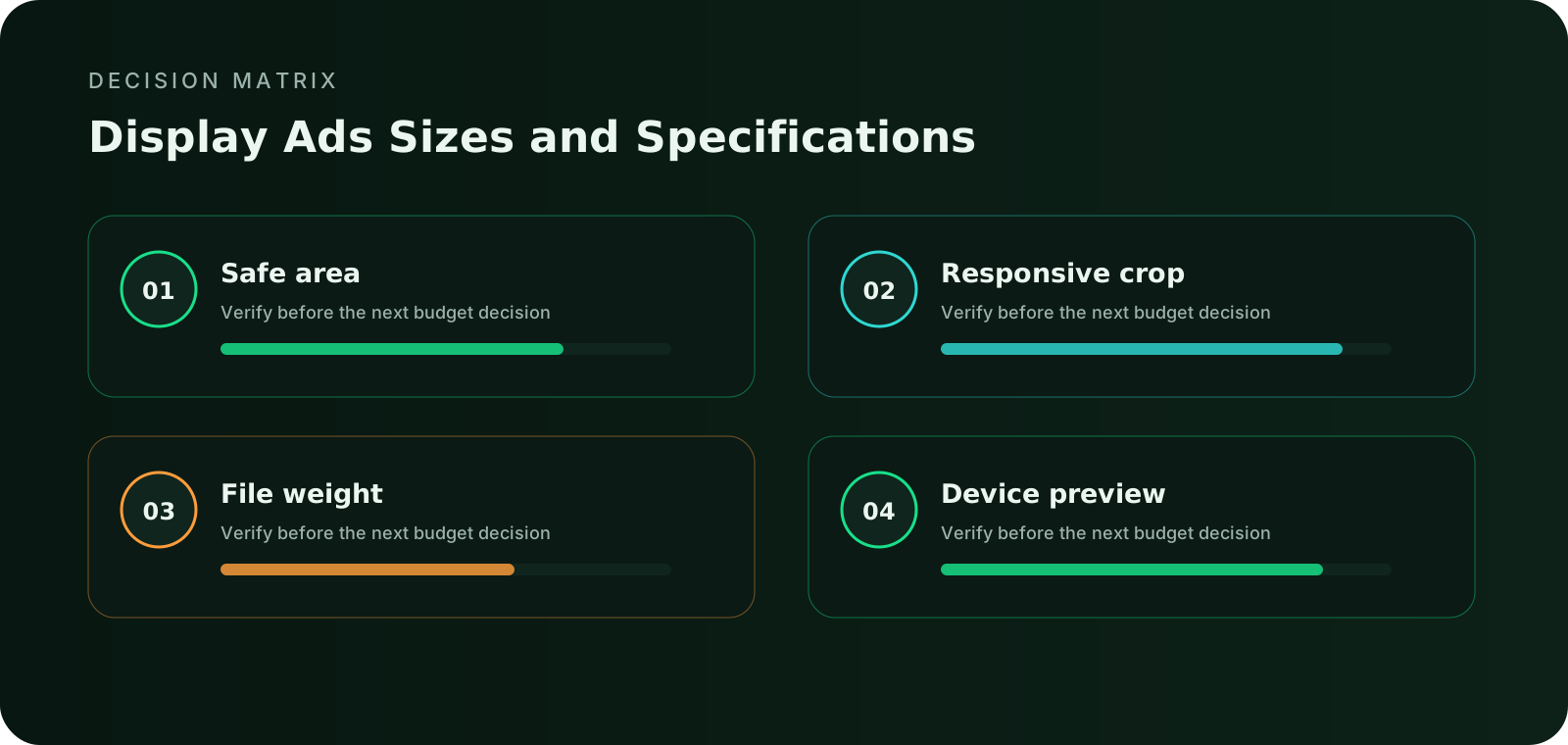
Identify the placements and devices that will actually receive display ads. A large dimension list is less useful than a focused asset set that covers the intended inventory.
Protect the focal area
Keep the subject, brand and primary action away from edges that may be cropped, rounded or covered by placement controls. Safe areas should survive portrait, landscape and narrow-width rendering. For Display Ad Sizes, validate this point against display inventory, responsive creative, banner dimensions, Display Ads Sizes, Display Ads, Ads Sizes and keep it separate from the Google Display Ad Sizes intent.
Keep text flexible
Place essential words in dedicated text fields when the format supports them. Text baked into an image becomes unreadable after resizing and cannot adapt to language or accessibility needs. For Display Ad Sizes, validate this point against display inventory, responsive creative, banner dimensions, Display Ads Sizes, Display Ads, Ads Sizes and keep it separate from the Google Display Ad Sizes intent.
Control file weight
Export efficient files with enough resolution for sharp rendering but no unnecessary weight. Slow asset delivery can reduce viewability, interaction and the accuracy of size comparisons. For Display Ad Sizes, validate this point against display inventory, responsive creative, banner dimensions, Display Ads Sizes, Display Ads, Ads Sizes and keep it separate from the Google Display Ad Sizes intent.
Preview real devices
Check asset set covers the inventory actually targeted, brand and value remain visible before animation and frequency limits are defined by funnel stage. Preview the smallest mobile viewport and the largest desktop placement before launch.
Track each asset version
Use a separate asset ID for each size, crop or responsive version. Review viewable impressions, reach, frequency, clicks, assisted actions, accepted conversions and source-level value so a weak placement is not mistaken for a weak message.
Connect the guide to live testing
Connect Display Ads Sizes and Specifications to a controlled audience test
Use the choices established in “Six controls for sizes and specifications” to define one audience, budget and source set in FroggyAds. Keep the surrounding offer and measurement rule stable so the test adds evidence to display ads sizes and specifications instead of mixing several changes at once.
Create My Free Account
Connect the asset with the placement and destination
Display planning should cover the actual inventory mix rather than a theoretical list of dimensions. Prepare flexible landscape, square, rectangle and mobile assets with protected focal areas and separate text fields where responsive assembly is available. Keep static fallbacks for placements that cannot render richer formats. For Display Ad Sizes, validate this point against display inventory, responsive creative, banner dimensions, Display Ads Sizes, Display Ads, Ads Sizes and keep it separate from the Google Display Ad Sizes intent.
The master asset should provide enough resolution for the largest targeted placement and enough composition flexibility for smaller crops. Protect faces, products, logos and action cues inside a safe focal area. Avoid essential text inside imagery when the placement can supply text separately. Each exported version needs a clear name, dimension or aspect ratio, file weight, locale, version and destination mapping. For Display Ad Sizes, validate this point against display inventory, responsive creative, banner dimensions, Display Ads Sizes, Display Ads, Ads Sizes and keep it separate from the Google Display Ad Sizes intent.
The advertiser should know which element creates the expectation and which element proves it. For display ads, the creative system is responsive asset set, headlines, descriptions, brand elements and destination variants. Keep the promise accurate even when an image is cropped, text is shortened, sound is muted or the destination opens on a smaller screen. When the format has no separate visual unit, the URL and first landing screen become the creative specification. For Display Ad Sizes, validate this point against display inventory, responsive creative, banner dimensions, Display Ads Sizes, Display Ads, Ads Sizes and keep it separate from the Google Display Ad Sizes intent.
| Layer | What to verify | Campaign action |
|---|---|---|
| Format role | broad prospecting, retargeting and brand-to-performance campaigns that require placement, size and source control | Assign one funnel job and one accepted outcome |
| Creative system | responsive asset set, headlines, descriptions, brand elements and destination variants | Use versioned assets and a stable control |
| Technical validation | asset set covers the inventory actually targeted; brand and value remain visible before animation | Preview and test before meaningful spend |
| Measurement | viewable impressions, reach, frequency, clicks, assisted actions, accepted conversions and source-level value | Compare source and asset versions after maturity |
| Primary risk | judging display only by last-click conversions or using one generic creative across every audience, device and funnel stage | Write a pause rule and rollback condition |
| Scale rule | render quality, viewability, interaction and accepted outcome value | Increase one lever only when marginal value holds |
Choose the execution format
Choose a paid-media format that supports Display Ads Sizes and Specifications
Use the criteria around “Connect the asset with the placement and destination” to decide whether push, native, display or pop fits the message and destination. Set format, targeting and spend as campaign controls in FroggyAds while the display ads sizes and specifications decision remains the standard for judging the result.
Create My Free Account
A seven-step display ad sizes process
Move from an accepted outcome to a controlled launch, mature review and responsible scale.
Write the accepted outcome
Define the business event and maturity window that will decide whether the asset is useful. Use accepted value by asset specification and placement as the primary decision metric.
Map the format role
Document how visual inventory across websites and apps that can include responsive images, HTML creatives and multiple standard placement shapes supports the funnel and which source, audience and device segments must remain visible. For Display Ad Sizes, validate this point against display inventory, responsive creative, banner dimensions, Display Ads Sizes, Display Ads, Ads Sizes and keep it separate from the Google Display Ad Sizes intent.
Prepare the control
Create one verified control using responsive asset set, headlines, descriptions, brand elements and destination variants. Record the exact asset, copy, destination and tracking identifiers.
Validate rendering and tracking
Test asset set covers the inventory actually targeted, brand and value remain visible before animation, destination loading, click parameters and conversion deduplication before meaningful spend. For Display Ad Sizes, validate this point against display inventory, responsive creative, banner dimensions, Display Ads Sizes, Display Ads, Ads Sizes and keep it separate from the Google Display Ad Sizes intent.
Launch with limits
Use a capped budget, frequency rule and source-level pause condition. Preserve a clean baseline for the first comparison.
Review mature evidence
Compare viewable impressions, reach, frequency, clicks, assisted actions, accepted conversions and source-level value. Separate media response from the accepted outcome and investigate mismatches before scaling. For Display Ad Sizes, validate this point against display inventory, responsive creative, banner dimensions, Display Ads Sizes, Display Ads, Ads Sizes and keep it separate from the Google Display Ad Sizes intent.
Expand one lever
Increase audience, source coverage, bid, budget or creative breadth one major lever at a time. Keep the previous stable version available for rollback.
Separate media response from accepted business value
Render verification belongs inside campaign QA. Preview common mobile and desktop viewports, high-density screens, dark and light surroundings, slow connections and any close or browser controls that may overlap the unit. A technically accepted file can still be commercially unusable when the message becomes unreadable. Compare asset versions through viewable impressions, reach, frequency, clicks, assisted actions, accepted conversions and source-level value rather than assuming the largest or sharpest file will perform best.
Use the earliest stable signal to diagnose the funnel and the latest accepted signal to decide budget. Served impressions, viewability, clicks, video milestones, opened destinations or taps explain delivery. Loaded sessions and meaningful page actions explain continuity. Deduplicated conversions, qualified leads, approved orders, activation, retention or another business-specific event decide value. For Display Ad Sizes, validate this point against display inventory, responsive creative, banner dimensions, Display Ads Sizes, Display Ads, Ads Sizes and keep it separate from the Google Display Ad Sizes intent.
Review source and asset combinations before broad account averages. A strong response rate can hide poor qualification, while a higher media price can still produce a lower accepted acquisition cost. Preserve the attribution window and validation rules during a comparison. If those definitions change, document the change and begin a fresh period. For Display Ad Sizes, validate this point against display inventory, responsive creative, banner dimensions, Display Ads Sizes, Display Ads, Ads Sizes and keep it separate from the Google Display Ad Sizes intent.
Apply the decision to real campaign situations
The same format can require a different asset, cost boundary or review method when the audience and destination change.
Mobile-first asset set
Start from the narrowest useful viewport and protect the message, action and close or navigation controls. Expand the composition instead of simply shrinking a desktop master.
Responsive inventory set
Prepare flexible masters and text fields that can be assembled into the targeted placements. Exclude inventory that cannot render the essential message clearly.
Localization-ready set
Allow enough text space for languages that expand, keep important visual elements out of crop zones and maintain separate asset identifiers by locale and version.
Put the guide into practice
Turn Display Ads Sizes and Specifications into a bounded campaign test
With “Apply the decision to real campaign situations” documented, launch only the next reversible test. Set a spending limit, preserve the baseline and use source-level and audience controls so the next step depends on qualified outcomes for display ads sizes and specifications, not activity volume.
Create My Free Account
Judge the newest spend, not only the historical average
Display is usually budgeted around CPM, viewable CPM, reach and downstream conversion value. Costs change with market, device, audience, placement quality, frequency and creative demand. Estimate the campaign at the viewable and accepted-outcome layers, not only the served-impression layer. For Display Ad Sizes, validate this point against display inventory, responsive creative, banner dimensions, Display Ads Sizes, Display Ads, Ads Sizes and keep it separate from the Google Display Ad Sizes intent.
Set a maximum learning budget and a separate scaling rule. The learning budget should be large enough to expose source, asset and destination differences but small enough to protect the account from an unbounded test. The scaling rule should use mature accepted outcomes and include any quality, margin, refund, activation or retention threshold that matters to the business. For Display Ad Sizes, validate this point against display inventory, responsive creative, banner dimensions, Display Ads Sizes, Display Ads, Ads Sizes and keep it separate from the Google Display Ad Sizes intent.
When results weaken, locate the earliest broken layer. Check delivery and rendering before creative, creative before landing continuity, landing continuity before conversion tracking and conversion tracking before auction price. Raising a bid cannot repair a clipped message or an unusable destination. Lowering a bid cannot make an unqualified audience valuable. For Display Ad Sizes, validate this point against display inventory, responsive creative, banner dimensions, Display Ads Sizes, Display Ads, Ads Sizes and keep it separate from the Google Display Ad Sizes intent.
Verify the complete campaign before releasing the budget
Each check should have an owner, evidence and a clear pass or fail decision.
The accepted action, value rule and maturity window are documented before display ads delivery begins.
Every sizes and specifications variation has a clear identifier, destination and reason for existing.
Asset set covers the inventory actually targeted and brand and value remain visible before animation have been tested on the targeted devices.
Impression or delivery events, click parameters, landing events and conversions are deduplicated and traceable.
The launch has a maximum downside, source-level pause rule, frequency control and rollback condition.
The plan requires render quality, viewability, interaction and accepted outcome value before audience, source coverage, bid or budget is expanded.
Protect trust while testing the format
Use clear sponsor identity, accurate benefits and a visible next step. Do not imitate security warnings, system notices or private messages. Do not manufacture urgency, hide material conditions or design the interaction to create an accidental click. The creative, destination and offer must comply with applicable laws, campaign policies and the rules of the markets being targeted. For Display Ad Sizes, validate this point against display inventory, responsive creative, banner dimensions, Display Ads Sizes, Display Ads, Ads Sizes and keep it separate from the Google Display Ad Sizes intent.
Review the experience at the moment the ad appears. High-attention formats require careful timing and close behavior. Small or responsive formats require readable hierarchy. Video needs captions and an effective muted opening. Direct-link and popunder delivery require a fast, transparent destination. Mobile campaigns need usable touch targets, forms and viewport behavior. For Display Ad Sizes, validate this point against display inventory, responsive creative, banner dimensions, Display Ads Sizes, Display Ads, Ads Sizes and keep it separate from the Google Display Ad Sizes intent.
Document complaints, rapid closes, abnormal bounce patterns, conversion rejection and source-level quality changes. These are not only support signals. They can reveal a mismatch between the format, audience and promise before the accepted conversion metric has enough volume to show the problem. For Display Ad Sizes, validate this point against display inventory, responsive creative, banner dimensions, Display Ads Sizes, Display Ads, Ads Sizes and keep it separate from the Google Display Ad Sizes intent.
Test display ads inside a controlled buying workflow
FroggyAds provides global supply access, source-level controls, targeting and conversion-tracking options. Current inventory, supported creative specifications and auction conditions must be confirmed in the platform before launch. For Display Ad Sizes, validate this point against display inventory, responsive creative, banner dimensions, Display Ads Sizes, Display Ads, Ads Sizes and keep it separate from the Google Display Ad Sizes intent.
Broad supply creates testing options, while source-level decisions protect the budget.
Potential scale does not replace campaign limits, destination quality or conversion validation.
For Display Ads Sizes and Specifications, give push, native, display, pop, video or interstitial a defined funnel job with its own creative, destination, measurement and stop-or-scale rule.
Reference standards
- IAB New Ad Portfolio: Responsive display creative principles
- IAB Tech Lab OpenRTB: Programmatic display transaction framework
- MRC Standards: Viewability and measurement standards
Display Ads Sizes and Specifications FAQ
Practical answers for advertisers and media buyers preparing, measuring and scaling the format.
Which display ad sizes does FroggyAds list?
We list 300x250, 728x90, 320x50, 160x600 and 300x600 pixels among our common Display sizes. They serve different shapes of inventory, so select the dimensions available for your intended campaign rather than assume every placement accepts all five. Prepare a readable version for each selected size. A correct canvas is the starting point; the final banner still needs a clear offer, working destination and successful creative review.
Which display banner sizes should I prepare for mobile and desktop?
Start with the inventory you intend to buy. A 320x50 creative provides a shallow mobile layout, while 728x90 is a wide leaderboard shape and 160x600 is a narrow vertical format. A 300x250 rectangle can be useful in different layouts where accepted. Do not force a desktop composition into a phone-sized strip. Our device and source controls let you keep the resulting traffic identifiable while you compare the customer response.
What is the difference between a fixed banner and responsive display creative?
A fixed banner is designed for specified dimensions, such as 300x250 pixels. Responsive creative adapts to a receiving layout through the implementation or assets that layout supports. Resizing an image alone does not make it a complete responsive ad. Confirm the requirements of the selected FroggyAds placement before choosing the production method, and preview the actual result rather than assuming one export will fit every slot.
Which file formats can I use for FroggyAds Display ads?
Our published Display specifications list JPG, PNG, GIF and HTML5. Choose a supported type for the placement and check its current upload requirements before export. File type, pixel dimensions and file weight are separate checks: a correctly sized PNG can still be too heavy, and an HTML5 package may need different preparation from a static image. Keep the final production file available for review, not just a screenshot of the design.
What is the maximum file size for a display banner?
Use the limit shown for the selected campaign and creative type. The common-size list is not a universal file-weight limit, and a number from another network should not be treated as a FroggyAds requirement. Compress the export without making text or product details unreadable, then check loading in the intended placement. Confirm the accepted limit before commissioning several versions so the media budget is not delayed by avoidable production changes.
Why does my banner look blurry even when the dimensions are correct?
Check whether a small source image was enlarged, whether compression removed important detail and how the creative is being scaled in the placement. Inspect the actual exported file at normal viewing size and on the devices you plan to target. A high-resolution design preview can hide poor delivery quality. Prepare sharper source artwork where useful, but do not upload double-sized files unless the selected placement accepts that approach.
Can I stretch one banner to create all the other sizes?
Avoid stretching. A horizontal leaderboard, square-like rectangle and tall skyscraper need different arrangements of the same message. Preserve the product, advertiser and offer while redesigning the crop, text and action for each shape. For example, a short 320x50 version may need one brief benefit where a 300x600 version can explain a useful detail. More space is not a reason to introduce a second, unrelated offer.
What should I check before submitting an animated banner?
Verify that the chosen placement accepts the format, then check file weight, animation behaviour, legibility and the click destination. Make the message understandable without requiring the visitor to watch every frame. Keep material conditions readable and avoid imitating browser controls or urgent system alerts. Use the campaign's actual animation requirements rather than import a duration or loop limit from another advertising platform.
Does a larger display ad automatically get better results?
No. Dimensions do not establish placement visibility, customer interest or acquisition cost. A larger asset can explain more, but its source mix and audience may differ from those receiving a smaller banner. With FroggyAds, compare spend and confirmed leads or orders by creative and source where available. Use impressions and clicks to diagnose the result, rather than declare the biggest canvas the winner before running the campaign.
How should I organize a first multi-size banner test?
Choose one offer, a small number of meaningful concepts and the sizes needed for eligible placements. Two concepts in three sizes create six asset versions; adding two languages produces twelve. This is a production example, not a required test size. Label the exports and keep destinations consistent. Start your FroggyAds campaign with a clear spending limit, then add another size when it answers a useful inventory or creative question.
Continue with the next format decision
Use the related pages to connect creative preparation, technical validation, campaign economics and execution standards.
Launch display ads with clear controls
Create an account, check current inventory and specifications, then build a capped test with source IDs, asset lineage and the accepted conversion event visible from the beginning. For Display Ad Sizes, validate this point against display inventory, responsive creative, banner dimensions, Display Ads Sizes, Display Ads, Ads Sizes and keep it separate from the Google Display Ad Sizes intent.
Display Ads Sizes and Specifications: A Practical Execution Playbook: the decision this URL owns
Use this page when advertisers and media buyers are deciding whether this format is the right creative size for the intended placement. Judge the size by responsive layout, inventory eligibility and landing continuity, not by dimensions alone. Keep this URL focused on that decision; use Google Display Ad Sizes for the adjacent task.
Decision inputs for Display Ads Sizes and Specifications: A Practical Execution Playbook: display inventory, responsive creative, banner dimensions, asset quality. On this URL, use those inputs to choose the creative size that fits the placement and conversion path and keep each one tied to the same accepted-event definition.
Page-specific evidence path: Use the visible sections Display Ads Sizes and Specifications: A Practical Execution Playbook as evidence for Display Ads Sizes and Specifications: A Practical Execution Playbook. They should answer the page's own buying question before budget is increased; they are not interchangeable with the neighboring URL or with a generic traffic checklist.
What makes this URL distinct: This page is a specification decision, not a claim that one display size universally wins. Map each eligible size to the inventory and viewport where it can actually render, keep responsive fallbacks documented, and reuse the same conversion definition when comparing sizes. The useful output is a creative-size plan that avoids producing assets for placements you cannot buy or measure.
| Checkpoint | Page-specific action | Evidence to retain |
|---|---|---|
| Placement fit | Confirm where this format can appear and what responsive fallback is required. | Inventory eligibility, viewport behavior and placement context. |
| Creative fit | Check whether the message stays legible without compressing the offer or call to action. | Creative version, safe text area and destination continuity. |
| Outcome fit | Measure the size against the same accepted conversion used for other formats. | Spend, source/placement ID, accepted outcomes and device split. |
Transparent decision example
Hypothetical example: For Display Ads Sizes and Specifications: A Practical Execution Playbook, if a controlled test spends USD 125 and records 4 accepted outcomes after the same review window, accepted cost is USD 31.25 per outcome. Replace the inputs with your own economics and the event definition appropriate to this page.
Why use FroggyAds for this step?
For Display Ads Sizes and Specifications: A Practical Execution Playbook, use FroggyAds to test eligible display inventory while keeping placement, device, budget and source evidence visible against the same accepted conversion. Create your free FroggyAds account.
Display Ads Sizes and Specifications: A Practical Execution Playbook — what matters first
Display Ads Sizes and Specifications: A Practical Execution Playbook is most useful when it helps a buyer decide whether this option fits the buyer's acquisition workflow. Define the accepted outcome first, then use targeting, budget and source-level evidence to decide what deserves more spend.