
Advertiser onboarding: from signup to your first campaign.
Onboarding with FroggyAds is fast and self-serve. Create an account, deposit from $50, build a campaign and submit the campaign for review. Campaigns launch after approval.
From signup to your first campaign: at a glance
What does this page explain about Advertiser Onboarding?
Quick answer: FroggyAds provides a self-serve onboarding workflow with a $50 minimum deposit. After funding, advertisers can build a controlled campaign, submit it for review and manage approved campaigns from the dashboard. Once approved it runs across 750+ SSP integrations with SmartCPC adjusting bids from available campaign signals and Adscore and internal traffic-quality controls. From there it's the normal loop: read results by source, cut what's weak, scale what works. Create a free account – no commitment and campaign funding without a long-term contract to open an account.
| Section | Distinct excerpt from this page |
|---|---|
| Fund from $50 | Deposit as little as $50 to start; top up as you scale what works. |
| Build your campaign | Pick a format, set GEO/device targeting, choose bids and budgets, add creative. |
| Review & launch | Campaigns pass a campaign review, then launch after approval across 750+ SSP sources. |
Reference for Advertiser Onboarding: FTC guidance on online advertising and marketing.
- Planning: Designed for a clear self-serve workflow.
- Control: See advertiser onboarding inside the platform.
- Decision: Live in four simple steps.






Designed for a clear self-serve workflow
FroggyAds provides a self-serve onboarding workflow with a $50 minimum deposit. After funding, advertisers can build a controlled campaign, submit it for review and manage approved campaigns from the dashboard.
After you create an account and fund it, you build a campaign – format, GEO and device targeting, bids and budgets, creative – and submit it for a campaign review. Once approved it runs across 750+ SSP integrations with SmartCPC adjusting bids from available campaign signals and Adscore and internal traffic-quality controls. From there it's the normal loop: read results by source, cut what's weak, scale what works.
What you'll do first
- Open a free self-serve account
- Deposit from $50
- Build and target your first campaign
- Pass the campaign review
- Read results and start optimizing
See advertiser onboarding inside the platform
For Advertiser onboarding, the FroggyAds self-serve workflow keeps campaign setup, targeting, budget controls, source-level reporting and optimization in one dashboard so advertisers can make evidence-led keep, cap, exclude and retest decisions.
- Open a free self-serve account
- Deposit from $50
- Build and target your first campaign
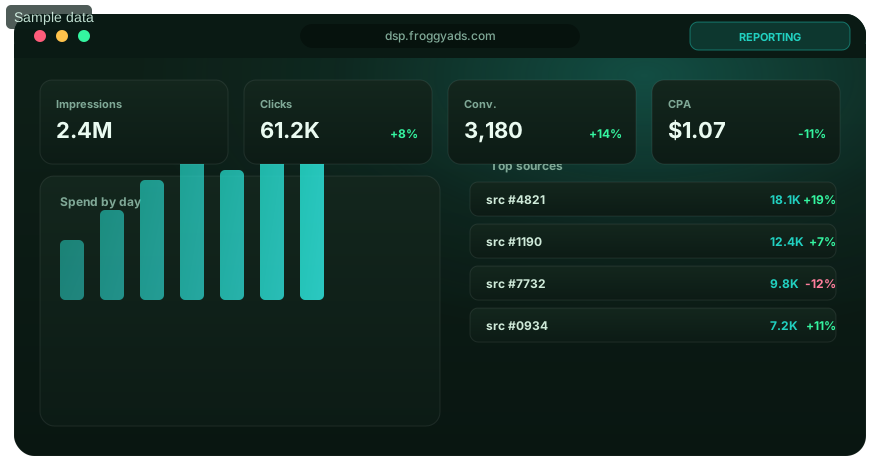
Live in four simple steps
Use the self-serve account and campaign workflow.
Create your account
Create a free account – no commitment and campaign funding without a long-term contract to open an account.
Fund from $50
Deposit as little as $50 to start; top up as you scale what works.
Build your campaign
Pick a format, set GEO/device targeting, choose bids and budgets, add creative.
Review & launch
Campaigns pass a campaign review, then launch after approval across 750+ SSP sources.
Start onboarding now
Open your account and reach your first impressions from $50.
Onboarding FAQ
How do I open a FroggyAds advertiser account?
Create your free FroggyAds account through our official signup page and complete the account information requested there. Keep access to the email address you use, and follow any verification instructions shown in the account. You are opening an account to buy advertising traffic; you do not need to register as a publisher or supply ad space.
Does creating an account cost money?
Creating your FroggyAds account is free. Account funding is a separate step: our published minimum deposit is $50. That balance supports paid advertising; it is not a signup fee or a fixed package of visitors. Before funding, check the available payment method and its current terms, then decide how much to allocate to the first campaign.
What should I prepare before setting up my first campaign?
Have the offer URL, permitted countries and devices, creative assets and a clear conversion goal ready. An affiliate buyer should also confirm that the offer accepts the chosen traffic type. Decide who will handle landing-page or tracking changes. With that preparation, you can use our self-serve campaign controls without interrupting setup to resolve basic offer requirements.
Do I need my own product to advertise through FroggyAds?
You can promote your own business or an affiliate offer you are authorized to advertise. What matters during onboarding is that the destination works, the advertised claims are supportable and the offer permits the traffic you intend to buy. For an affiliate campaign, arrange conversion reporting with the offer owner or network rather than assuming you can install code on their website.
Is account registration the same as campaign approval?
No. Opening and funding an account prepares you to buy traffic; an individual campaign still needs review before delivery. Check the creative, destination and targeting before submitting. Do not plan a launch around a promised review time that has not been confirmed for your campaign. The account's campaign status and our support team are the appropriate places to check progress.
What should I do if my first campaign needs changes during review?
Read the feedback and correct the actual ad or destination issue, including any related wording elsewhere in the journey. Keep the offer shown to reviewers the same as the offer visitors will receive. Ask our support team about unclear feedback, and provide the campaign reference. Resolving the cause is more useful than submitting repeated copies of the same campaign.
When should I test conversion tracking during onboarding?
Test it before spending on visitors. Follow the documented setup for your account and tracker, then complete a clearly identified test journey through the landing page and final action. Check the conversion status, value and campaign reference, and make sure test records are not counted as genuine revenue. This prepares you to evaluate the first FroggyAds traffic with usable data.
What if my deposit has not appeared in the account?
Check the payment's status and the processing information for the method you used before sending another payment. Contact our support team with the transaction reference, date and amount through an official support route. Do not share a full card number, password or verification code. A pending payment and an available advertising balance are different states, so confirm the balance before expecting delivery.
How do I get useful onboarding help from FroggyAds support?
Describe the exact step where you are stuck: account access, funding, creative review, delivery or reporting. Include the relevant account or campaign reference, the time the problem occurred and a screenshot with sensitive details removed. For campaign advice, explain the offer, target market and conversion goal. That context helps us address the buying decision rather than guess from an isolated metric.
How do I know that advertiser onboarding is complete?
You should be able to access the account, confirm the available balance, understand the campaign's review status and explain its budget and targeting. Once an approved campaign begins delivering, check that the destination and conversion reporting behave as tested. Our first-campaign work then shifts from account preparation to comparing creative and source results before committing more budget.
Launch your first campaign
Create your FroggyAds account and submit campaigns for approval with access to 20B+ daily impressions.
Turn advertiser onboarding into a verified first-campaign handoff
Advertiser onboarding should finish with a campaign that can be measured and controlled, not merely an account that can log in. Before launch, write the business objective, accepted conversion, eligible markets, supported devices, creative proposition, destination, test budget and stop rule in one brief. FroggyAds gives self-serve advertisers the campaign controls to translate that brief into targeting, bidding and source decisions, while the advertiser owns the offer accuracy and final business event.
Start with measurement. Test the landing page, redirects, forms or checkout, confirmation step and conversion callback before spend begins. Confirm that campaign and source identifiers survive the complete path and that duplicate events are handled correctly. A new advertiser learns faster when the first report can be trusted, because weak performance can then be investigated as a campaign problem rather than a tracking mystery.
| Onboarding gate | Ready-to-launch evidence | Reason it matters |
|---|---|---|
| Objective | One accepted business outcome and its value rule | Keeps optimization tied to the result that matters |
| Eligibility | Markets, devices and users the offer can actually serve | Prevents spend on traffic that cannot convert legitimately |
| Creative | Approved message, assets and destination continuity | Reduces misleading clicks and makes tests interpretable |
| Tracking | Validated event path with source identifiers preserved | Makes source-level decisions auditable |
| Budget | Test amount, loss boundary and review point | Protects learning from uncontrolled spend |
Keep first-test targeting simple. Use country, city, device, operating system, browser, carrier, category or source restrictions when they enforce eligibility or answer a specific hypothesis. FroggyAds supports these targeting dimensions, but activating every available filter can fragment a small opening budget into cells that never collect enough evidence. Begin with the minimum structure needed to make a useful decision, then split segments when results justify it.
The approved FroggyAds minimum deposit is $50. The owner-supplied planning range of approximately $150 to $500 can help frame a focused test, but it is not a guarantee of enough volume or a predicted outcome. The appropriate budget depends on the bidding model, expected conversion frequency, offer economics and number of cells being tested. Set a separate campaign loss ceiling even when the account contains more funds.
Use the opening days to build a change log. Record creative revisions, bid movements, targeting changes, source exclusions and tracking fixes. Change one important variable at a time when practical and wait for the normal conversion window before deciding whether the change worked. This prevents onboarding from becoming a sequence of unexplained dashboard edits.
FroggyAds provides 24/7 campaign approval and live support under the approved product facts, but that wording should not be turned into a promise of instant acceptance. An advertiser should still prepare compliant creative, a functioning destination and truthful claims before submission. When a technical or policy question blocks launch, use support to resolve the specific issue while preserving the rest of the campaign brief.
Onboarding is complete when the advertiser can explain what the campaign is testing, how success is measured, how much can be lost, which source-level evidence will trigger a change and what must remain stable during the first comparison. That creates a repeatable operating model for later campaigns instead of treating the first launch as a one-off setup task.
Assign ownership before launch. Someone should be responsible for creative approval, someone for measurement integrity and someone for the budget decision, even when one person fills several roles. Record who can pause the campaign and which issue requires immediate action, such as a broken destination or an ineligible offer. Clear ownership prevents a new advertiser from continuing spend simply because each team member assumes another person is watching the account.
Plan the first review around conversion maturity rather than an arbitrary number of clicks. A campaign whose accepted event appears immediately can be assessed differently from one whose lead quality is confirmed later. Write the normal delay into the onboarding brief and separate early technical checks from later performance decisions. Early checks should answer whether delivery, destination and tracking work. Later checks should answer whether mature accepted outcomes justify a source, creative or targeting change.
Use onboarding to establish reusable account habits. Keep naming conventions stable, preserve source identifiers in reporting, document the reason for exclusions and save the last known-good campaign configuration before a major change. These practices reduce rework when the advertiser launches a second campaign. A successful onboarding process therefore creates more than one working campaign. It creates a repeatable way to launch, measure, diagnose and scale future FroggyAds tests with the same evidence standards.
Before declaring onboarding finished, run one readback of the saved campaign settings against the original brief. Confirm the intended budget, targeting, creative, destination and conversion event are the values actually stored in the account. This final comparison catches setup drift before the first media spend turns a configuration mistake into a performance problem.
Prepare a first-week operating plan before the first impression is purchased. Name who will review creative, who can change bids or source controls, who validates conversion quality and when the campaign will receive its first formal performance review. New advertisers often lose useful learning when several people change the account without a shared record. A simple ownership map keeps the test coherent and gives support a precise question when assistance is needed. The campaign should have one known-good configuration that can be restored if later changes make the result harder to interpret.
Review the first source data against the onboarding brief rather than against a generic click-rate target. Confirm that traffic arrives from eligible markets and devices, that the destination loads correctly, and that the accepted event is appearing in the advertiser's own records. Then compare mature cost and quality by source. FroggyAds source-level reporting, allowlists and blocklists can help focus spend once patterns repeat, but a new account should avoid permanent conclusions from a handful of early visits. Preserve the conversion window and the evidence threshold used for every source decision.
Move from onboarding to routine optimization only when the advertiser can repeat the process without rebuilding the campaign from memory. The handoff should include the approved creative, targeting rationale, bid and budget boundaries, conversion definition, source decision rules, change log and next test hypothesis. That package turns the first campaign into an operating baseline. Future campaigns can then reuse the measurement discipline while testing a different format, audience or proposition, which is more valuable than simply declaring the account setup finished after funding and creative approval.
Advertiser onboarding: from signup to your first campaign.: what should the advertiser decide next?
For Advertiser onboarding: from signup to your first campaign., the commercial task is to turn advertiser onboarding into one measurable campaign decision. Use From signup to your first campaign: at a glance to define the audience or problem, use What does this page explain about Advertiser Onboarding? to constrain the test, and decide in advance which accepted result would justify more FroggyAds spend.
On this Advertiser onboarding: from signup to your first campaign. page, the decision should remain tied to the existing evidence around From signup to your first campaign: at a glance, What does this page explain about Advertiser Onboarding? and Designed for a clear self-serve workflow. Those sections give advertiser onboarding its specific context; the table below turns that context into campaign actions rather than adding another generic definition.
| Decision | What to verify | FroggyAds action |
|---|---|---|
| Advertiser onboarding: from signup to your first campaign. objective | Use From signup to your first campaign: at a glance to define the accepted business event and the maximum learning loss for advertiser onboarding. | Launch one FroggyAds campaign objective for Advertiser onboarding: from signup to your first campaign. and keep the conversion definition stable. |
| Advertiser onboarding: from signup to your first campaign. audience | Use What does this page explain about Advertiser Onboarding? to verify market, device, language and offer eligibility for advertiser onboarding. | Apply only the FroggyAds targeting controls that change the real Advertiser onboarding: from signup to your first campaign. customer journey. |
| Advertiser onboarding: from signup to your first campaign. source evidence | Use Designed for a clear self-serve workflow to keep source-level differences visible instead of relying on one blended advertiser onboarding average. | Keep, cap, exclude or retest Advertiser onboarding: from signup to your first campaign. inventory from documented source evidence. |
| Advertiser onboarding: from signup to your first campaign. economics | Use What you'll do first to connect media spend with accepted conversions and downstream value for advertiser onboarding. | Protect the Advertiser onboarding: from signup to your first campaign. test with a written budget boundary and a consistent attribution window. |
| Advertiser onboarding: from signup to your first campaign. scale rule | Use See advertiser onboarding inside the platform to define the exact evidence that earns the next budget increase for advertiser onboarding. | Scale Advertiser onboarding: from signup to your first campaign. one major control at a time and compare marginal performance with the prior baseline. |
A page-specific FroggyAds test sequence for Advertiser onboarding: from signup to your first campaign.
- Advertiser onboarding: from signup to your first campaign. outcome: define the accepted event for advertiser onboarding and the maximum loss permitted while the first test is learning.
- Advertiser onboarding: from signup to your first campaign. path: verify market eligibility, device experience, landing-page continuity and tracking against From signup to your first campaign: at a glance before buying more traffic.
- Advertiser onboarding: from signup to your first campaign. hypothesis: launch one bounded FroggyAds test tied to What does this page explain about Advertiser Onboarding?; do not change bid, creative, audience and destination together.
- Advertiser onboarding: from signup to your first campaign. source review: compare qualified activity, accepted conversions, timing and cost by the source or segment dimensions relevant to Designed for a clear self-serve workflow.
- Advertiser onboarding: from signup to your first campaign. scaling: use What you'll do first and See advertiser onboarding inside the platform to define what must reproduce before the next budget increase.
Why FroggyAds is relevant to Advertiser onboarding: from signup to your first campaign.
For Advertiser onboarding: from signup to your first campaign., FroggyAds gives advertisers a self-serve DSP and ad-network workflow for buying supported traffic with campaign-level budgets and targeting. Depending on format and campaign context, available controls can include country, city, device, operating system, browser, carrier, category, source, ID and IP options. SmartCPC and Adscore-supported traffic-quality controls can support the advertiser onboarding optimization process, while the advertiser's tracker, analytics and backend acceptance remain the final evidence for commercial quality.
Use See advertiser onboarding inside the platform as the final checkpoint for Advertiser onboarding: from signup to your first campaign.. If the accepted result does not reproduce after the next meaningful volume step, return to the last stable configuration instead of widening several controls at once.
Advertiser onboarding: from signup to your first campaign.: the decision this URL owns
Use this page when advertisers and media buyers need to make the specific decision described by Advertiser onboarding: from signup to your first campaign.. Anchor the decision to audience targeting, source quality and a single accepted business outcome rather than broad marketing activity. Keep this URL focused on that decision; use Froggyads Advertiser for the adjacent task.
Decision inputs for Advertiser onboarding: from signup to your first campaign.: audience targeting, source quality. On this URL, use those inputs to make a page-specific paid-acquisition decision and keep each one tied to the same accepted-event definition.
Page-specific evidence path: Use the visible sections Advertiser onboarding: from signup to your first campaign. as evidence for Advertiser onboarding: from signup to your first campaign.. They should answer the page's own buying question before budget is increased; they are not interchangeable with the neighboring URL or with a generic traffic checklist.
What makes this URL distinct: Advertiser onboarding should move from account creation to one measurable first campaign without hiding the operational dependencies. Confirm funding, campaign objective, targeting, creative or destination readiness and conversion tracking before launch. The onboarding is complete when the advertiser can read the first source-level results and knows what evidence will justify the next budget decision.
| Checkpoint | Page-specific action | Evidence to retain |
|---|---|---|
| Decision frame | Define the buyer, objective and non-negotiable constraint for this page. | Objective, audience and accepted event. |
| Controlled test | Change the smallest set of variables needed to answer the page's question. | Targeting, source, creative and budget history. |
| Next action | Keep, reduce or expand only from mature accepted-outcome evidence. | Accepted cost/value and rollback point. |
Transparent decision example
Hypothetical example: For Advertiser onboarding: from signup to your first campaign., if a controlled test spends USD 150 and records 6 accepted outcomes after the same review window, accepted cost is USD 25.00 per outcome. Replace the inputs with your own economics and the event definition appropriate to this page.
Why use FroggyAds for this step?
For Advertiser onboarding: from signup to your first campaign., FroggyAds provides a self-serve paid-media test with targeting, budget, conversion and source controls so the page-specific decision can be validated with campaign evidence. Create your free FroggyAds account.
Advertiser onboarding: from signup to your first campaign — what matters first
Advertiser onboarding: from signup to your first campaign is most useful when it helps a buyer decide whether this option fits the buyer's acquisition workflow. Define the accepted outcome first, then use targeting, budget and source-level evidence to decide what deserves more spend.